OpenADAS - An advanced driver-assistance system using Jetson Nano

An advanced driver-assistance system on Jetson Nano embedded computer with four main functions: forward collision warning, lane departure warning, traffic sign recognition and overspeed warning. This repository contains source code for Jetson Nano, not including the source code for model training and conversion.
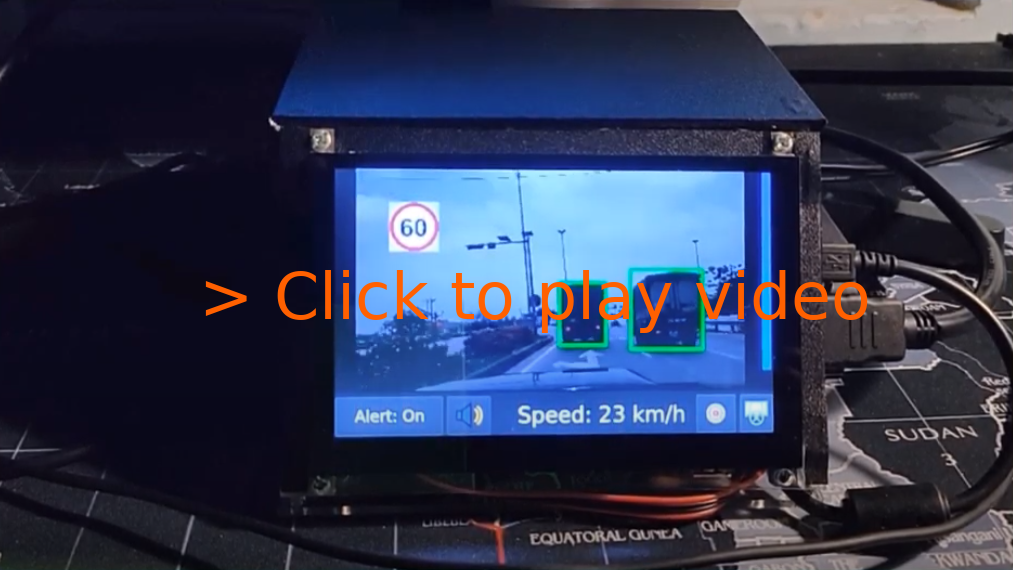
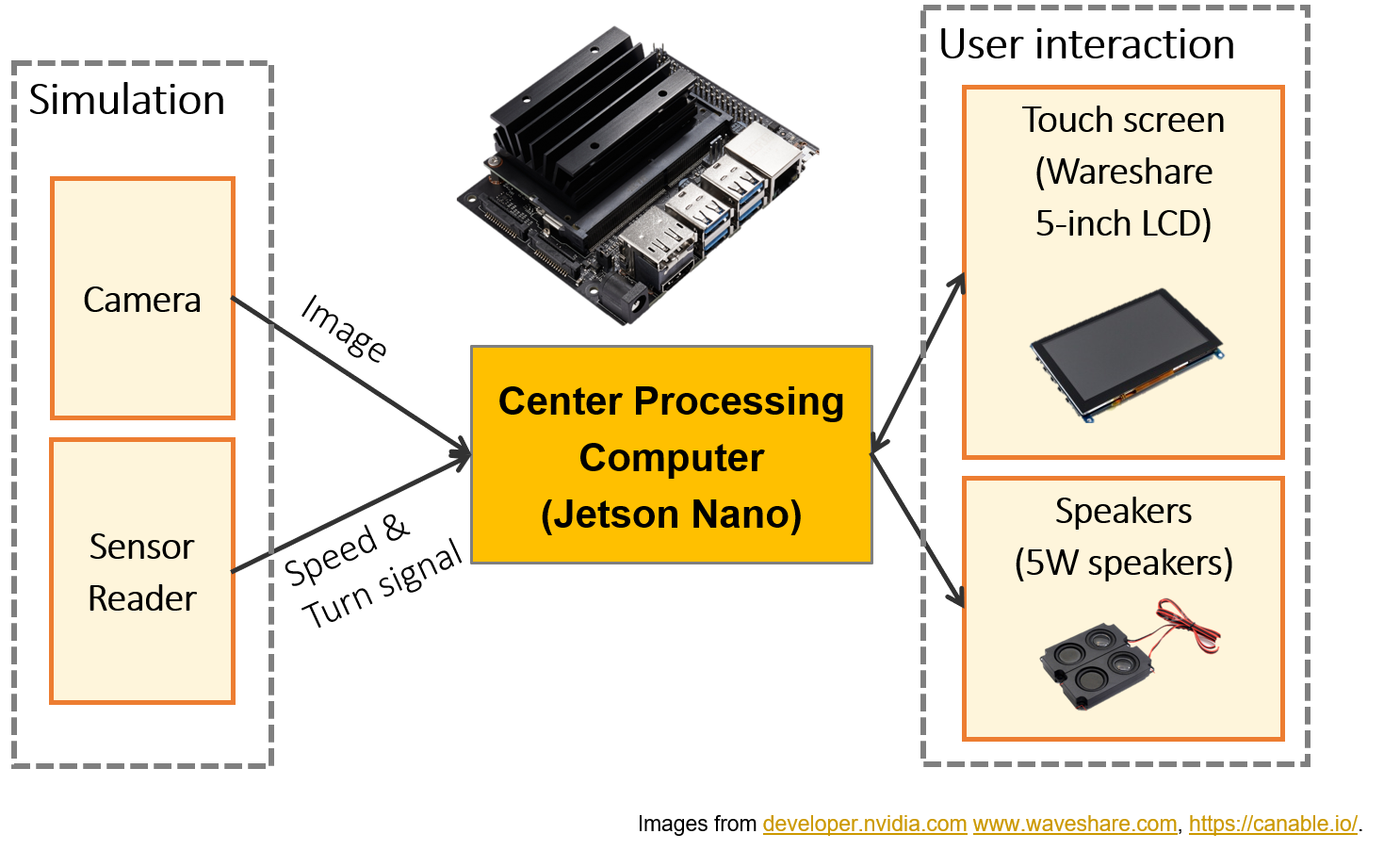
Documentation:
- (Blog) Intro and Hardware: .
- (Blog) Software stack: .
- (Blog) Deep neural networks: .
- (Documentation) OpenADAS: Design, CANbus, Calibration, Model training and deployment notes: docs/open-adas.md.
- (Documentation) How to setup on a Jetson Xavier: docs/setup-jetson-xavier.md.
For TensorRT 7 support: Currently, only TensorRT 5 and 6 are supported. TensorRT 7 has a lot of deprecated APIs and I think there is no way to run this project directly with that version. I don't have time to continue with this project soon, so I really need your contributions to extend this project further.
Quick setup on Jetson Nano: SD Card image
I created an image of my SD card here. You can flash and run this image on Jetson Nano.
Note:
- The source code and binary files in this SD card image is older than in
masterbranch. Please upgrade to the lastest source code and recompile on your device. - Use Alt+F4 to exit the GUI and start editing your source code.
- Login information:
- Username:
smartcam. - Password: Open Terminal and type
sudo passwd smartcamto change the password.
- Username:
Compile from source
Requirements:
- CMake >= 3.10
- Qt 5
- OpenCV >= 4.0.1
- C++ 17 compiler
- CUDA 10.x
- TensorRT 5.1.5-1+cuda10.1, or - TensorRT 6.0.1.8+10.2. This project should work with TensorRT 5 and TensorRT 6. TensorRT 7 is not supported for now.
Setup for Linux - Ubuntu 18.04
Setup
- Install QT:
sudo apt-get install build-essential
sudo apt-get install qt5-default qtcreator qt5-doc qt5-doc-html qtbase5-doc-html qtbase5-examples -y
sudo /sbin/ldconfig -v
- Install OpenCV
https://linuxize.com/post/how-to-install-opencv-on-ubuntu-18-04/
- Install protobuf 3.6.1
https://github.com/protocolbuffers/protobuf
Models and test data
- Download models and testing data here and put into root folder of this project.
Compile and Run
-
Update
GPU_ARCHS: ModifyGPU_ARCHSinCMakeLists.txtto suit your GPU. For Jetson Nano, GPU_ARCHS = 53 and for my RTX 2070, GPU_ARCHS = 75. Read more in following posts: + + -
Compile
cd
mkdir build
cd build
cmake -DCUDA_INCLUDE_DIRS=/usr/local/cuda-10.2/include ..
make
Replace CUDA_INCLUDE_DIRS with your own path.
- Setup virtual CAN (run once)
sudo bash setup_vcan.sh
- Run
cd build/bin
./OpenADAS
Arguments:
--input_source| default:simulation: Input source. 'camera' or 'simulation'.--input_video_path| optional : Path to video file for simulation.--input_data_path| optional : Path to data file for simulation.--on_dev_machine| default:true: On development machine or not. When this value is set tofalse, OpenADAS will be launched in fullscreen mode without mouse (touch UI). You should this value totruein development environment.
Specify input_video_path and input_data_path if you want to load a simulation scenario by default. Otherwise, you can select scenarios from simulation selector.
Known issues
Issue: cublas_v2.h not found
fatal error: cublas_v2.h: No such file or directory
 #include
          ^~~~~~~~~~~~~
compilation terminated.
- Step 1: Find lib:
find /usr/local/ -name cublas_v2.h. - Step 2: Export to path:
export CPLUS_INCLUDE_PATH=$CPLUS_INCLUDE_PATH:/usr/local/cuda-10.2/targets/x86_64-linux/include/. - Step 3: Use CMake and build.
Issue: /usr/bin/ld: cannot find -lcudart, /usr/bin/ld: cannot find -lcublas
sudo ln -s /usr/local/cuda/lib64/libcudart.so /usr/lib/libcudart.so
sudo ln -s /usr/local/cuda/lib64/libcublas.so /usr/lib/libcublas.so
Note: The paths can be different on your computer.
Issue: Qt5Multimedia missing
Could not find a package configuration file provided by "Qt5Multimedia"
  with any of the following names:

    Qt5MultimediaConfig.cmake
    qt5multimedia-config.cmake
How to fix?
sudo apt-get install qttools5-dev-tools libqt5svg5-dev qtmultimedia5-dev
Issue: Need to specify CUDA root
[cmake] CMake Error at /usr/share/cmake-3.10/Modules/FindCUDA.cmake:682 (message):
[cmake]   Specify CUDA_TOOLKIT_ROOT_DIR
How to fix?
export CUDA_TOOLKIT_ROOT_DIR=/usr/local/cuda-10.2/
You should change the path corresponding to your environment.
Issue: Qt5 library not found
 fatal error: QtWidgets/QCloseEvent: No such file or directory
 #include
          ^~~~~~~~~~~~~~~~~~~~~~~
compilation terminated.
Issue: SIOCGIFINDEX: No such device
sudo bash setup_vcan.sh
References:
-
Objects as Points - Xingyi Zhou, Dequan Wang, Philipp Krähenbühl: https://arxiv.org/abs/1904.07850.
-
U-Net: Convolutional Networks for Biomedical Image Segmentation - Olaf Ronneberger, Philipp Fischer, Thomas Brox: https://arxiv.org/abs/1505.04597.
-
Deep Residual Learning for Image Recognition - Kaiming He, Xiangyu Zhang, Shaoqing Ren, Jian Sun: https://arxiv.org/abs/1512.03385.
-
Dark Theme for Qt5 by Juergen Skrotzky: https://github.com/Jorgen-VikingGod/Qt-Frameless-Window-DarkStyle.
-
ICSim: .