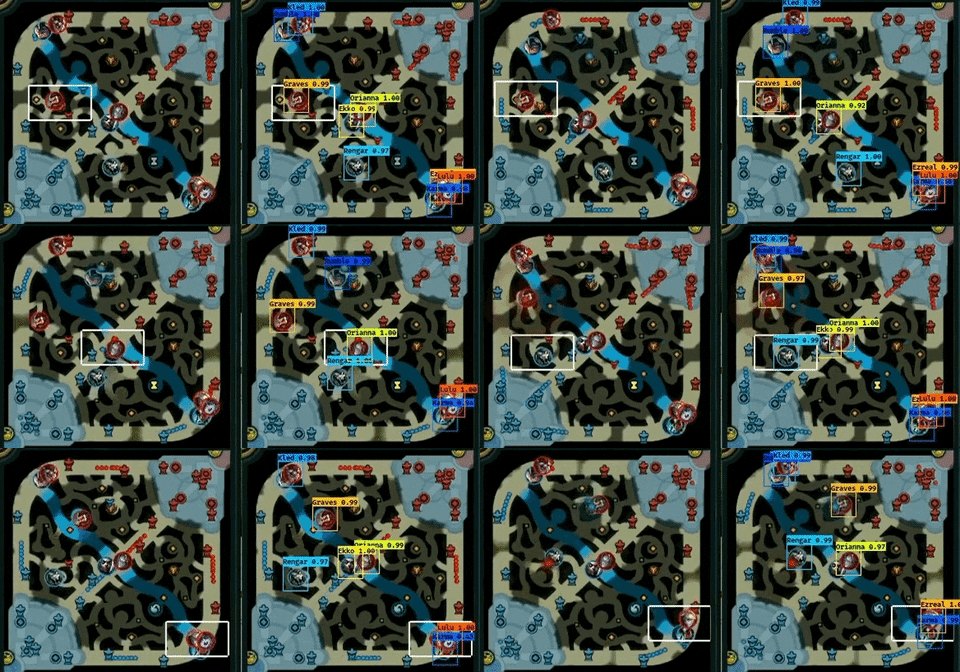
DeepLeague - leveraging computer vision and deep learning on the League of Legends mini map + a dataset of over 100,000 labeled images to further A.I research within esports.
Thanks so much to the amazing developers at YAD2K. DeepLeague is built upon my custom fork of their repo and would not be possible without their amazing work.
Disclaimer
I wrote the majority of this code in 5 days during a hurricane when I was bored. My code isn't horrible but it definitely isn't a nice and fancy library with amazing documentation. There are likely many bugs and inefficiencies.
BUT, getting setup to run the test script is easy enough and I'll help you out there but if you want to actually mess with the core code you'll be mostly on your own. But trust me, none of this code is crazy complicated especially if you are familiar with Python.
If you have questions contact me on Twitter.
How do I get DeepLeague?
You'll need git, conda, and brew. Once you install them you can check if everything works okay by typing in these commands in your terminal. I've confirmed that these steps work on Mac OS. See the steps below to know how to make it work on Linux using Conda. Windows 10 Users, I have confirmed that following the Ubuntu install instructions and using a Linux subsystem is the easiest way for you to get going.
$ conda
$ git
$ brew
If you were able to run those three commands without any errors, you can continue.
Instructions for running on OS X using Conda
# get the repo.
$ git clone https://github.com/farzaa/DeepLeague.git
$ cd DeepLeague
$ cd YAD2K
$ conda create -n DeepLeague python=3.6
$ source activate DeepLeague
$ conda install python.app # this install python as a framework for mat plot lib.

# bunch if packages you need.
# if you are using ubuntu, use this instead https://www.pyimagesearch.com/2016/10/24/ubuntu-16-04-how-to-install-opencv/
# instead of opencv-python.
$ pip install opencv-python youtube_dl
$ conda install -c menpo ffmpeg
$ pip install numpy h5py pillow matplotlib
$ pip install tensorflow
$ pip install keras

# get the supporting files for the neural net.
$ brew install wget
$ brew install ffmpeg --with--libvpx # this may take a while.
$ wget https://s3-us-west-2.amazonaws.com/mood1995/deep_league/yolo.weights
$ wget https://s3-us-west-2.amazonaws.com/mood1995/deep_league/trained_stage_3_best.h5
$ wget https://s3-us-west-2.amazonaws.com/mood1995/deep_league/yolo.cfg
$ pythonw yad2k.py yolo.cfg yolo.weights model_data/yolo.h5 # we need to use pythonw when calling DeepLeague!
Running that last command is extremely important. It might produce some errors which you can hopefully Google and quickly solve. I've found it really is dependent on your system + hardware.
Instructions for running on Ubuntu 16.04 using Conda
You can install Conda using the guide from the official docs.
# get the repo.
git clone https://github.com/farzaa/DeepLeague.git
# create the new env
conda env create -f requirements.yml
source activate DeepLeague

cd DeepLeague/YAD2K

# Download the weights file
wget https://s3-us-west-2.amazonaws.com/mood1995/deep_league/yolo.weights
wget https://s3-us-west-2.amazonaws.com/mood1995/deep_league/trained_stage_3_best.h5
wget https://s3-us-west-2.amazonaws.com/mood1995/deep_league/yolo.cfg

# run the command to configure the model
python yad2k.py yolo.cfg yolo.weights model_data/yolo.h5
Running that last command is extremely important. It might produce some errors which you can hopefully Google and quickly solve. I've found it really is dependent on your system + hardware.
How do I run DeepLeague?
Honestly, this repo has so many tiny functions. But, let me explain the easiest way to get this going if all you want to do is analyze a VOD (which most of you want I presume). The test_deep_league.py is the key to running everything. It's a little command line tool I made that lets you input a VOD to analyze using three different sources: a YouTube link, path to local MP4, and path to a directory of images. I like the YouTube link option best, but if you have trouble with it feel free to use the MP4 approach instead. All you need is a 1080P VOD of a League game. It's extremely important it's 1080p or else my scripts will incorrectly crop the mini map. Also, DeepLeague is only trained on mini maps from 1080P video; other sizes aren't tested.
Here's an example of me running the tool with a YouTube link. This method automatically downloads the YT video as well and cuts it up according to the the start and end time you gave it. It will automatically do all the renaming to process stuff.
This command specifies to start at the 30 second mark and end 1 minute in. This is useful when you only want to analyze a part of a VOD. The frames that are output are saved to the "output" folder as specified by the command below.
pythonw test_deep_league.py -out output youtube -yt https://www.youtube.com/watch?v=vPwZW1FvtWA -yt_path /output -start 0:00:30 -end 0:01:00

# if you're using Linux
python test_deep_league.py -out output youtube -yt https://www.youtube.com/watch?v=vPwZW1FvtWA -yt_path /output -start 0:00:30 -end 0:01:00
You should first see the download start:

Then you should see DeepLeague start predicting bounding boxes.
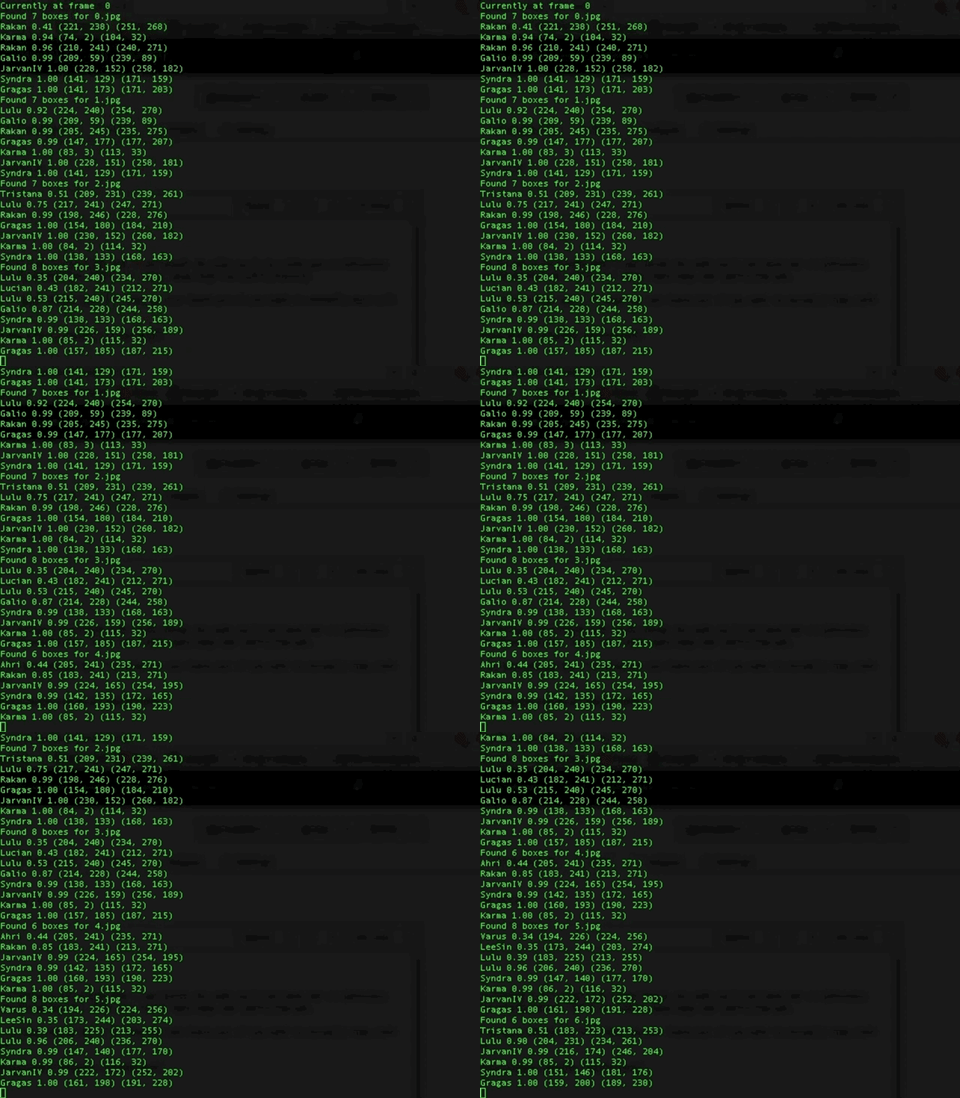
If you want to use a local mp4 file that you recorded yourself use the command below where -mp4 tells the script where the VOD is on your computer.
pythonw test_deep_league.py -out output mp4 -mp4 /Volumes/DATA/data/data/C9_CLG_G_2_MARCH_12_2017/vod.mp4
How do I get the dataset:
Download it here.
I've split the dataset into multiple .npz files so it isn't just one massive file. I mainly did this to make batch training easier. I've compressed it down to one big 30GB file you can wget at this link. I recommend wget because it can resume failed downloads. The worst feeling is when a big download is about to finish and your internet crashes causing you to lose the entire download.
Also, I have already split the dataset into training, testing, and validation sets which splits the data into 80%, 17.5%, and 2.5% cuts respectively. These .npz files only have the cropped mini maps frames and the bounding box information associated with every frame.
If you want help reading this npz file, check out def visualize_npz_data here.