
PartMode
Open-source, local-first parametric CAD for people and permissioned typed agents.
Open PartMode · Read the help · Explore the architecture · Contribute
PartMode is browser-based mechanical CAD built on OpenCascade WebAssembly, replicad, and three.js. It combines constrained sketches, editable feature history, exact B-rep evaluation, assemblies, drawings, and standard exchange formats in one application that runs without a desktop CAD installation.
It is built around a simple idea: human and agent changes should use the same canonical document model and exact kernel instead of parallel, opaque automation state. In a browser-approved session they can revise the same open project; the separate headless path uses its own account-owned document.
| Local by default | Exact geometry | Shared model + kernel |
|---|---|---|
| Model anonymously in the browser. Optional hosted agent connectivity and headless document storage are separate, explicit choices. | OpenCascade evaluates solid B-rep geometry. The shaded three.js scene is a view of the result, not the source of truth. | People use the CAD interface. Agents use typed, permissioned operations against the same schema and kernel; browser-approved agents can edit the open project. |
PartMode is free to use, inspect, modify, and self-host under the GNU AGPL v3 license.
See PartMode in 18 seconds
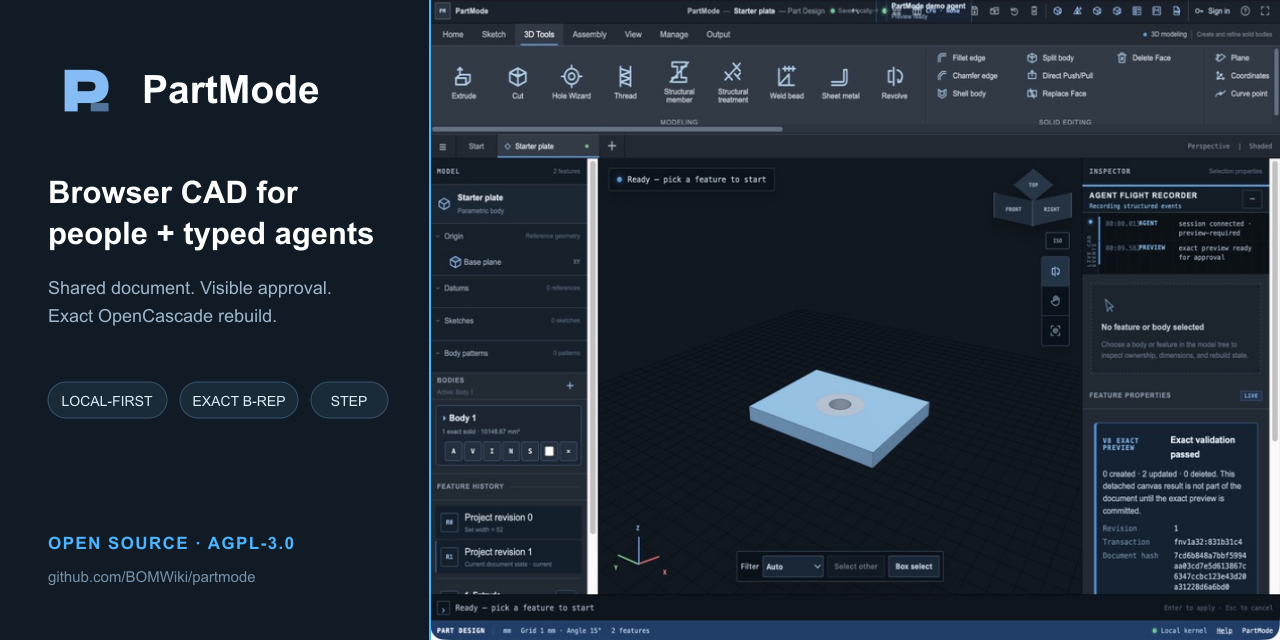
Open an editable template, make a human parameter edit, approve a typed agent change, rebuild the exact geometry, and export STEP.
The demo was captured locally from public source snapshot 8db0b804 using the
production typed-agent protocol. The complete steps and evidence are in the
capture notes.
What you can build
| Area | Included capabilities |
|---|---|
| Parametric parts | Constrained sketches, dimensions and expressions, editable feature history, multiple solid bodies, direct edits, configurations, patterns, holes, threads, sheet-metal, and structural tools |
| Assemblies | Reusable part definitions, occurrences, mates, direct in-context component editing, exploded views, sections, dependency inspection, and assembly mass properties |
| Drawings | Exact OpenCascade hidden-line views; SVG and PDF sheets can carry document-owned dimensions, tolerances, notes, symbols, and tables, while DXF exports a restricted R12 orthographic or sketch geometry subset |
| Interchange | Editable PartMode project bundles, STEP import and export, plus STL, AMF, and 3MF mesh exports |
| Inspection | Measurements, geometry health, volume, surface area, material-driven mass properties, centers of mass, inertia tensors, and persistent topology evidence |
| Agent workflows | Hosted MCP tools for capabilities, inspection, queries, detached previews, revision-safe commits, browser artifacts, and opt-in server-headless STEP workflows |
Templates are editable schema-5 starting projects, not decorative meshes. Exact capability coverage varies by template, and a failed rebuild is reported instead of being treated as valid geometry.
One document model, two authority paths
flowchart LR
  H["Human browser UI"] --> L["Browser-local schema-5 document"]
  A["Typed agent client"] --> G{"Authority chosen by account owner"}
  G --> B["Browser-approved local session"]
  G --> X["Headless-granted session"]
  B --> L
  X --> S["Account-owned schema-5 document"]
  L --> K["Shared OpenCascade WASM exact kernel"]
  S --> K
  K --> E["Exact B-rep evidence"]
  E --> O["Browser drawings and supported artifacts"]
  E --> T["Headless STEP export"]
Browser-approved local projects
- Anonymous browser CAD needs no account. Projects, geometry, and recovery history remain in browser storage.
- Hosted browser-agent access requires an account, a revocable agent key, a signed-in PartMode tab, and visible approval for the project-scoped session. A key authenticates the agent but does not grant CAD authority by itself.
- Approved commands and results cross the hosted relay over HTTPS and remain only in bounded process memory. There is no offline queue, the relay is not end-to-end encrypted, and the browser project itself is not stored there.
- The agent inspects current state, creates a detached preview, and commits only against the matching document revision. The person can reject, pause, disconnect, or revoke access.
Server-headless durable projects
- An edit key can be created with an explicit, immutable headless grant for unattended CAD. This is a separate storage and authority choice, not an automatic extension of browser access.
- Live headless sessions are key-bound, expire within one hour, and do not survive a service restart. Only committed headless documents are durable.
- Committed records survive session expiry, key revocation, restarts, and deployments, and remain until account deletion; there is no individual project-delete control yet. Headless execution has no visible Studio and a narrower artifact surface; STEP is the current dedicated export path.
Read the agent workflow for the complete permission,
storage, session, and tool boundaries. Live cad_capabilities output remains
authoritative for the exact operations and schemas supported by a running
release.
Run locally
PartMode requires Node.js 22.13 or newer.
git clone https://github.com/BOMWiki/partmode.git
cd partmode
npm ci
npm run build
npm start
Open http://127.0.0.1:4401. Browser-local CAD does not require an account or
an external service.
To run the focused contributor gate:
npm run ci:gate
The gate type-checks and builds the release, verifies static and runtime
manifests, and exercises the local HTTP, account, identity, MCP, cloud, and
entrypoint contracts. CAD, kernel, assembly, export, and visible UI changes
also require the affected smoke:* checks. The broader blocking release gate
is available through npm run release:gate; the professional and nightly
matrices are separate.
Connect an MCP agent
Create a revocable key from Agent access, then store it in the secret environment used to launch your MCP client. Do not paste the key into a prompt, URL, command argument, or repository file.
For Codex:
codex mcp add partmode \
  --url https://partmode.com/mcp \
  --bearer-token-env-var PARTMODE_AGENT_KEY
Start a new session, read the PartMode Help resources, and call
cad_capabilities before constructing a transaction. Use a browser-approved
session when a person should see and approve the work, or deliberately create a
headless-granted edit key for an unattended server project.
Architecture at a glance
The browser and agent paths share the canonical document model and exact kernel-worker boundary:
src/page.htmland the focusedsrc/static/studio-*modules implement the visible product, documents, modeling, assemblies, drawings, storage, and interaction behavior.src/static/studio-agent-service.jsvalidates typed operations, creates detached previews, enforces revisions, and commits accepted changes.src/static/studio-kernel.worker.jsisolates exact rebuild, validation, import, export, drawing, and inspection work from the UI thread.src/mcp.ts,src/relay-hub.ts, andsrc/headless-sessions.tsimplement the hosted MCP, browser relay, and server-headless boundaries.
See the architecture guide for the component map, verification map, and design rules.
Contribute
Start with a good first issue or a help wanted issue. Comment before starting so scope and ownership are clear.
For a behavior change:
- Stay within the issue's accepted boundary.
- Add or update the narrowest relevant regression.
- Run
npm run ci:gate. - Run every affected
smoke:*command named by the issue or change area.
| Area | Start here | Typical focused checks |
|---|---|---|
| Browser UI and recovery | src/page.html, src/static/studio.js, src/static/studio-storage.js |
smoke:browser, smoke:usability-ui |
| Documents and features | src/static/studio-project-v5.js, src/static/studio-v5-runtime-document.js |
the affected feature smoke:* test |
| Exact geometry and topology | src/static/studio-kernel.worker.js, src/static/studio-brep-evidence.js, src/static/studio-topo-naming.js |
smoke:brep-evidence, smoke:topology-hash, smoke:cad-regression |
| Assemblies | src/static/studio-v5-assembly.js, src/static/studio-assembly-* |
smoke:assembly-runtime plus the affected assembly smoke |
| Typed agents and headless | src/static/studio-agent-service.js, src/mcp.ts, src/relay-hub.ts, src/headless-sessions.ts |
smoke:cloud, smoke:mcp, smoke:headless-mcp |
| Drawings and exchange | src/static/studio-drawing-*, kernel import and export handlers |
the affected smoke:drawing-*, smoke:step-determinism |
For CAD changes, screenshots and mesh counts are supporting evidence only. Report the settled document result and the exact kernel, B-rep, topology, or export evidence required by the issue. Visible behavior changes also need browser evidence.
Contributing guide · Architecture · Contribution roadmap · Public-source changelog
Limits and engineering responsibility
PartMode is engineering software, not a certification authority. Validate dimensions, tolerances, materials, standards content, and released manufacturing data for your application.
PartMode does not currently provide engineering simulation, certified analysis, automated design approval, CAM, native DWG authoring, or a general standards-certified GD&T/PMI workbench. Imported STEP does not reconstruct a vendor's native feature history, mates, or PMI. Read limits, evidence, and safety for the current product boundary.
Repository scope
This repository contains the standalone PartMode product source, public technical documentation, fixtures, and tests. Production credentials, private operations, deployment configuration, internal handovers, and release records are intentionally outside this repository.
The BOMWiki organization is the administrative home of this repository; PartMode does not depend on BOMWiki applications, services, databases, ports, or deployment infrastructure.
See SECURITY.md for vulnerability reports. Third-party components and their licenses are listed in THIRD_PARTY_NOTICES.md.
License
PartMode is licensed under the GNU Affero General Public License v3.0 only. Copyright © 2026 Sphinx.