AI Shell
[!IMPORTANT] ⚠️ Project Status Update: AI Shell is no longer maintained.
As of January 2026, the AI Shell project is no longer being actively maintained by the team. Future releases or updates are unlikely.
We want to thank everyone who experimented with the project, filed issues, and provided feedback. Your engagement helped us explore what AI-assisted terminal experiences could look like.
The repository will remain available in its current state for reference, but:
- Issues and pull requests are not being monitored
- No new features or bug fixes are planned
- The project should be considered archived from an engineering standpoint
We will update this notice if the status of the project changes.
Thank you for your support and understanding.
Welcome to the AI Shell repository! AI Shell is a CLI tool that brings the power of artificial intelligence directly to your command line! Designed to help you get command assistance from various AI assistants, AI Shell is a versatile tool to help you become more productive in the command line. We call these various AI assistant providers agents. You can use agents to interact with different generative AI models or other AI/ML/assistant providers in a conversational manner. This repo contains the code of the AI Shell engine, agents and details on how to create your own agent.
You may have seen this project previously as Project Mercury. This was the code name that was used before we created the AI Shell brand. We are now in the process of transitioning to the new brand. The code name may still be used in some places, but the product name is now AI Shell.
This project is currently in a very early public preview state. Expect many significant changes to the code as we experiment and refine the user experiences of this tool. We appreciate your feedback and patience as we continue our development.
New to AI Shell?
To learn more about AI Shell, we recommend you check out the overview page of the AI Shell documentation.
Usage
There are two modes to use AI Shell, standalone and a side-by-side, integrated experience with PowerShell 7. For more information see,
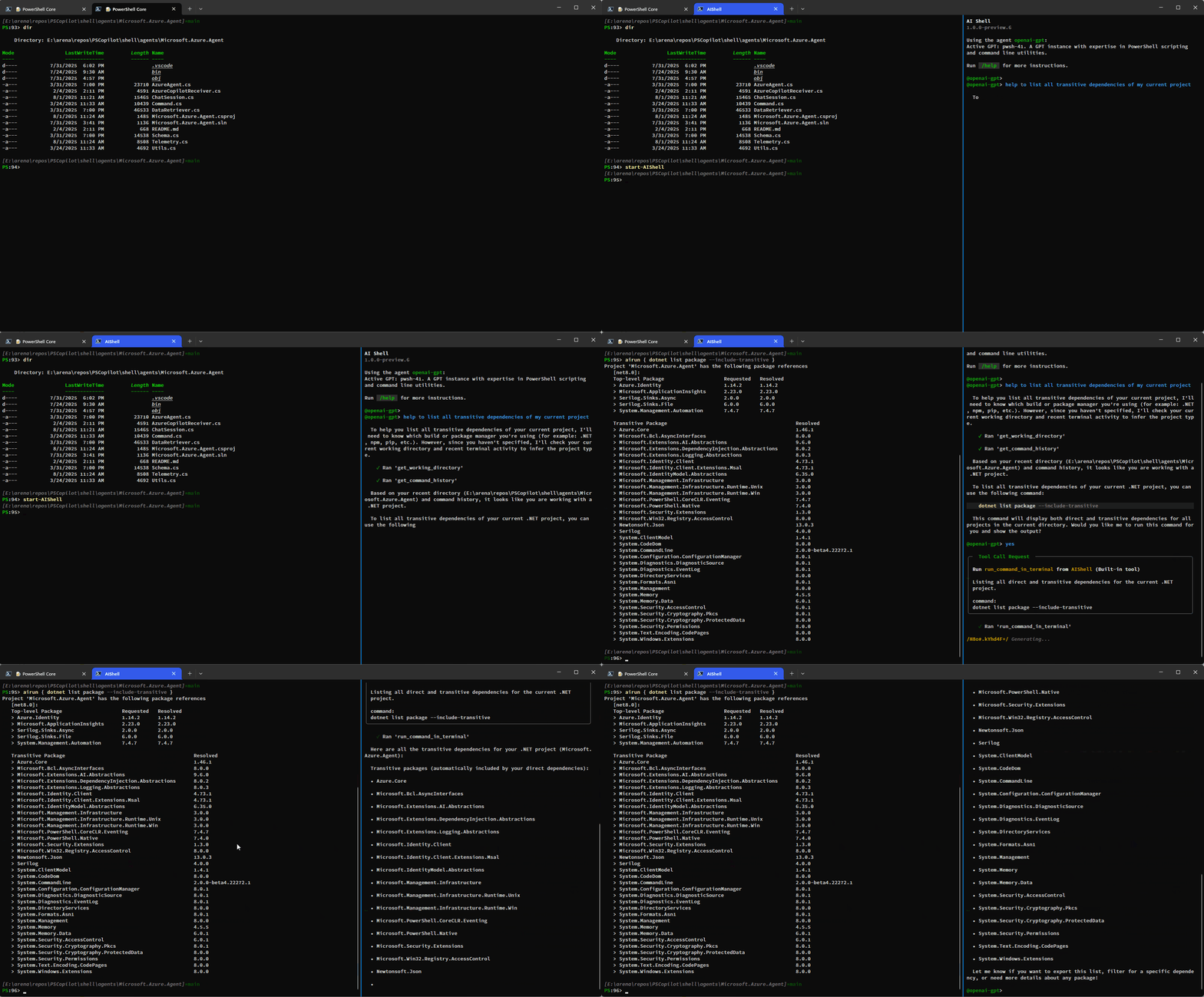
AI Shell in PowerShell
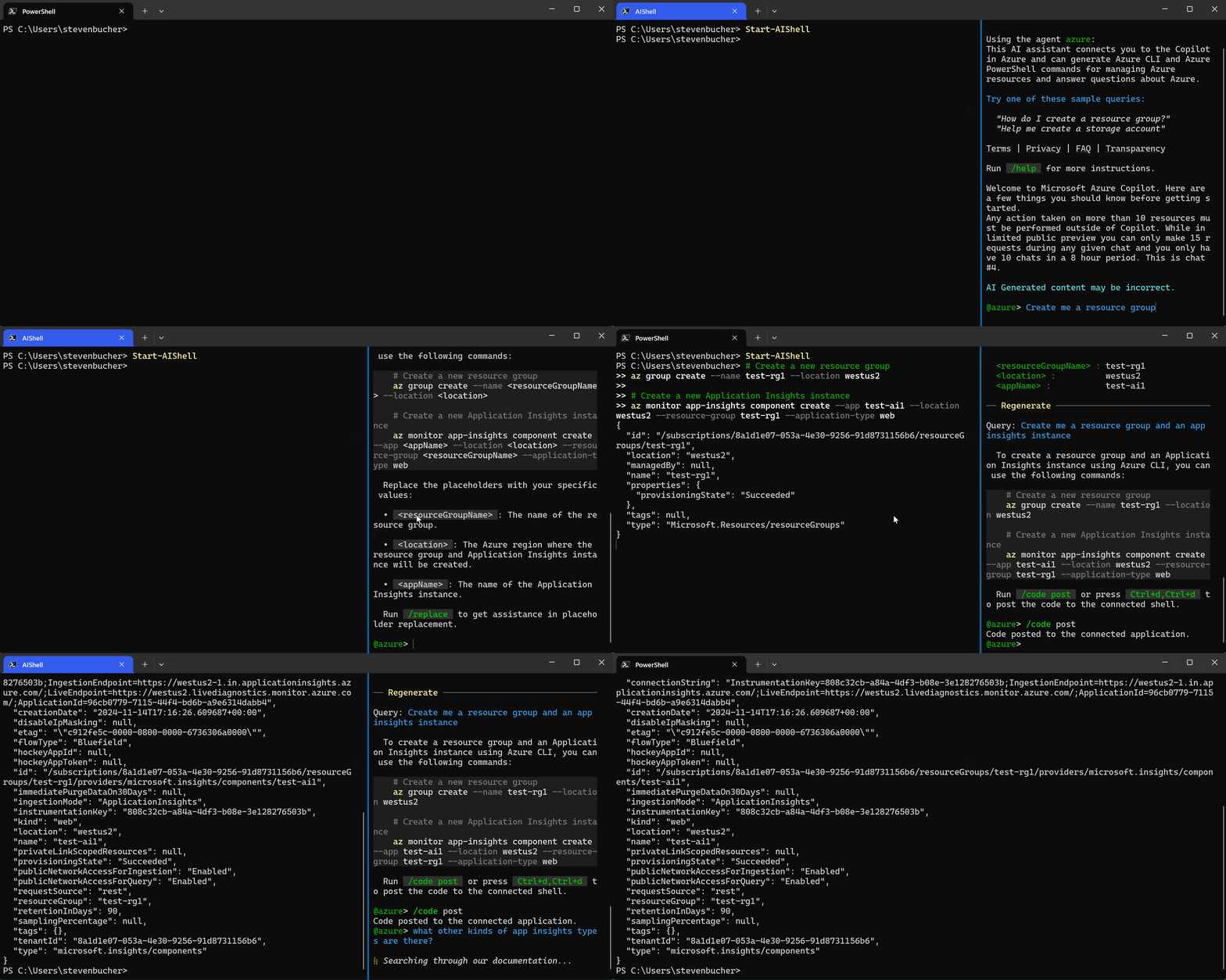
The Azure agent and Parameter Injection feature
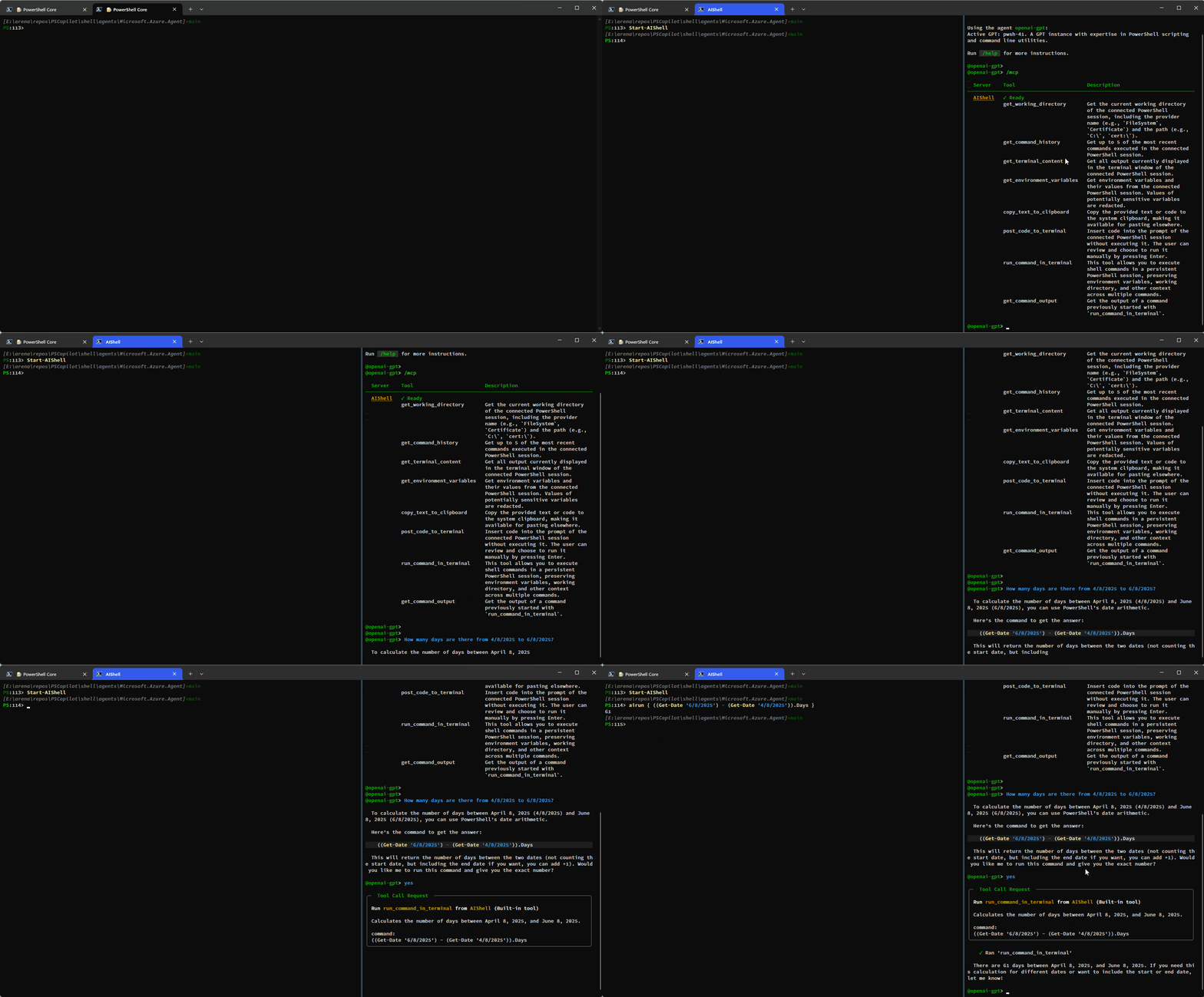
The autonomous openai-gpt agent
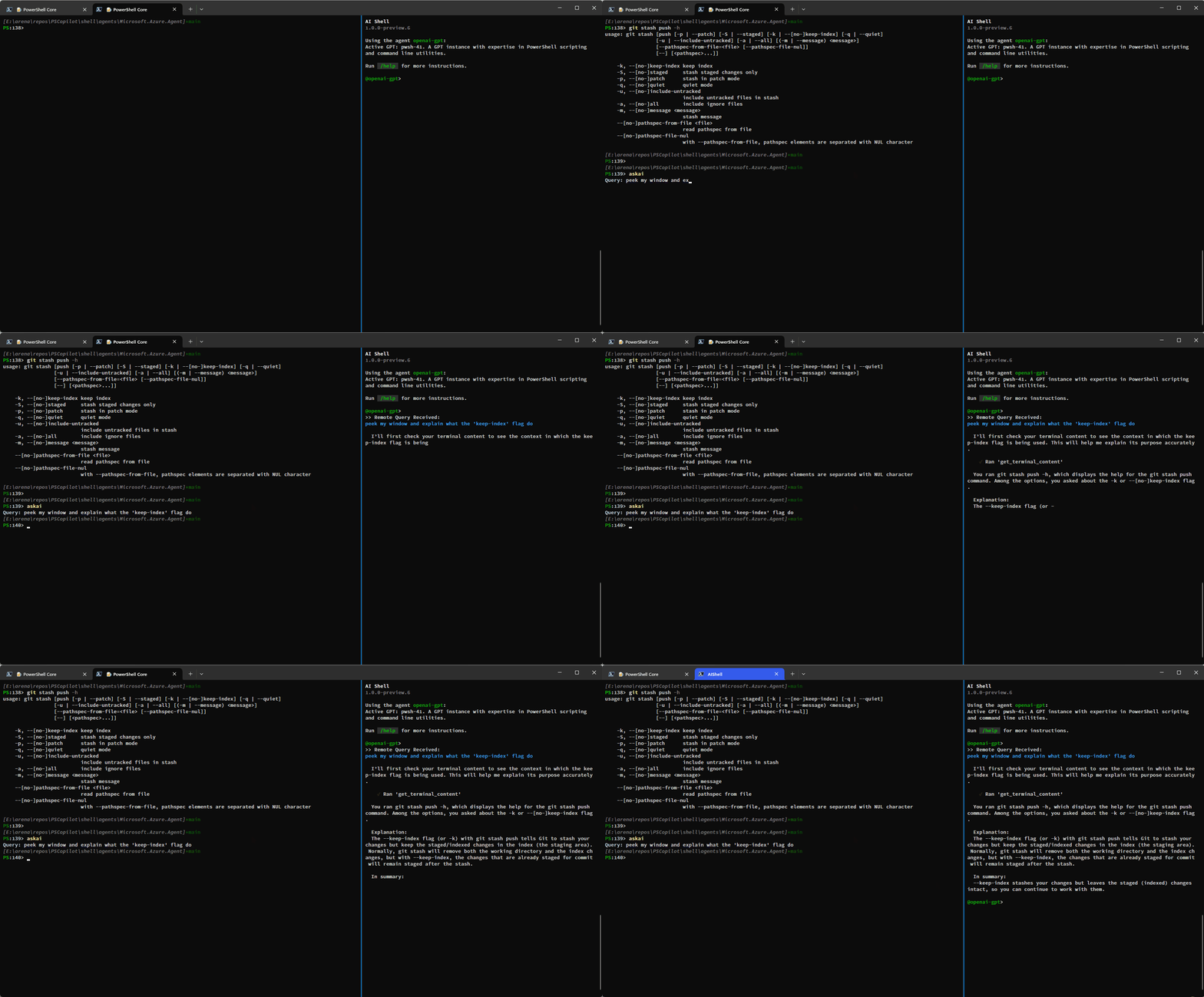
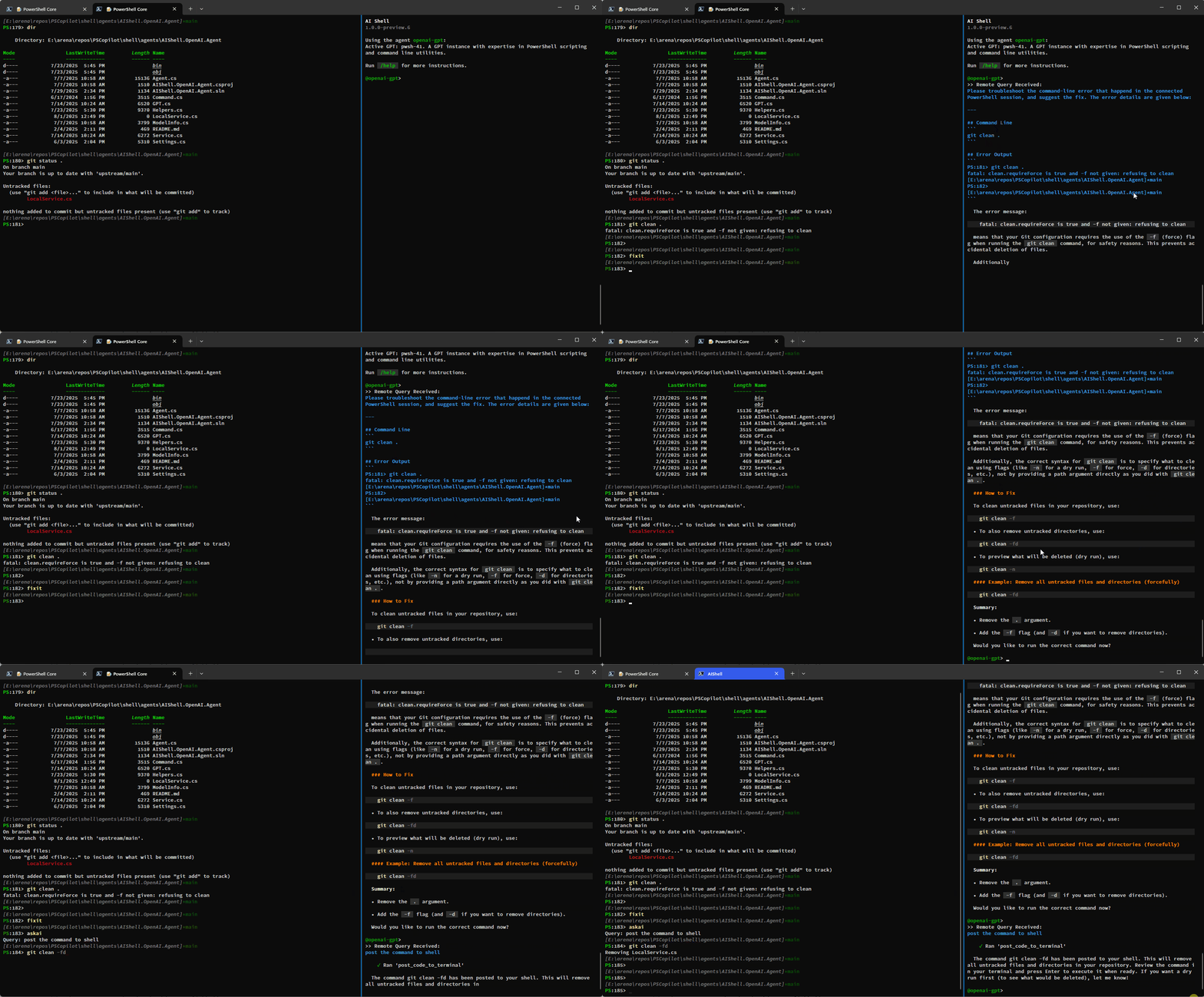
Standalone experience

Getting AI Shell
AI Shell is supported on Windows, MacOS and Linux, however the best experience you can have is with Windows, PowerShell 7 and Windows Terminal. For more information see, Installing AI Shell.
Locally Building AI Shell
Some prerequisites for building an AI Shell:
- Build script requires PowerShell v7.4 or newer versions
- .NET SDK 8 is required to build the project
Here are the steps to install and use.
- Clone this repository,
git clone https://github.com/PowerShell/AIShell - Import the
build.psm1module by runningimport-module ./build.psm1 - Run the
Start-Buildcommand (You can specify which agents build with the-AgentsToIncludeparameter) - After the build is complete, you can find the produced executable
aishin theout\debug\appfolder within the repository's root directory. You can add the location to thePATHenvironment variable for easy access. The full path is copied to your clipboard after successful build.
AI Agents
AI Shell provides a framework for creating and registering multiple AI Agents. The agents are
libraries that you use to interact with different AI models or assistance providers. AI Shell
releases with two agents, the openai-gpt and azure agent. However there are additional ones
supported if you locally build the project:
Agent README files:
openai-gpt(shipped with AI Shell)ollamainterpreterazure(shipped with AI Shell)
When you run aish, you are prompted to choose an agent. For more details about each agent, see the
README in the each agent folder.
To learn more about how to create an agent for yourself please see, Creating an Agent.
In order to use the openai-gpt agent you will need a valid Azure OpenAI service or a public OpenAI
key. For more information on how to get an Azure OpenAI service, see
Deploying Azure OpenAI Service.
Chat commands
By default, aish provides a base set of chat / commands used to interact with the responses from
the AI model. To get a list of commands, use the /help command in the chat session.
  Name       Description                                      Source
──────────────────────────────────────────────────────────────────────
  /agent     Command for agent management.                    Core
  /cls       Clear the screen.                                Core
  /code      Command to interact with the code generated.     Core
  /dislike   Dislike the last response and send feedback.     Core
  /exit      Exit the interactive session.                    Core
  /help      Show all available commands.                     Core
  /like      Like the last response and send feedback.        Core
  /refresh   Refresh the chat session.                        Core
  /render    Render a markdown file, for diagnosis purpose.   Core
  /retry     Regenerate a new response for the last query.    Core
Also, agents can implement their own commands. For example, the openai-gpt agent register the
command /gpt for managing the GPTs defined for the agent. Some commands, such as /like and
/dislike, are commands that sends feedback to the agents. It is up to the agents to consume the
feedback.
Key bindings for commands
AI Shell supports key bindings for the /code command. They are currently hard-coded, but custom
key bindings will be supported in future releases.
| Key bindings | Command | Functionality |
|---|---|---|
| Ctrl+d, Ctrl+c | /code copy |
Copy all the generated code snippets to clipboard |
| Ctrl+\ | /code copy |
Copy the n-th generated code snippet to clipboard |
| Ctrl+d, Ctrl+d | /code post |
Post all the generated code snippets to the connected application |
| Ctrl+d, \ | /code post |
Post the n-th generated code snippet to the connected application |
Configuration
Currently, AI Shell supports very basic configuration. One can creates a file named config.json
under ~/.aish to configure AI Shell, but it only supports declaring the default agent to use at
startup. This way you do not need to select agents every time you run aish.exe
Configuration of AI Shell will be improved in future releases to support custom key bindings, color themes and more.
{
  "DefaultAgent": "openai-gpt"
}
Contributing to the project
Please see CONTRIBUTING.md for more details.
Privacy
AI Shell does not capture, collect, store, or process any personal data or personally identifiable information (PII). All data interactions are limited to the scope of the functionality provided by the tool and do not involve any form of personal data collection.
Some agents integrated with AI Shell may collect telemetry data to improve performance, enhance user experience, or troubleshoot issues. We recommend that you refer to the individual agent’s README or documentation for more information on the telemetry practices and data collection policies for each agent.
If you are interested in learning more, see Microsoft's Privacy Statement.
Support
For support, see our Support statement.
Code of Conduct
Please see our Code of Conduct before participating in this project.
Security Policy
For any security issues, please see our Security Policy.
Feedback
We're still in development and value your feedback! Please file issues in this repository for bugs, suggestions, or feedback. If you would like to give more candid feedback and sign up for testing future versions and features before they are released, please fill out this form.