← Open Source
vietanhdev

anylabeling

Effortless AI-assisted data labeling with AI support from YOLO, Segment Anything (SAM+SAM2/2.1+SAM3), MobileSAM!.

Model DevelopmentDataset engineeringPython
Open on GitHub
Momentum
+0stars in 24 hours0.0%
3.50k
Stars
358
Forks
+3
This week
14
Contributors
Created 2023-04-08 · Updated 2026-10-15 · #7910 today
Top developers
vietanhdevscottixgitsponsored

vietanhdev/anylabeling is ranked 7,910 with 3,497 stars.

Same-category comparison

vietanhdev/anylabeling is ranked 7,910 among these 8 peers; szagoruyko/pytorchviz is ranked 7,907.

Same-category comparison
NameRankMetrics
apache/incubator-kie-optaplanner7,903
Language:
Java
Stars:
3,516
Forks:
971
Description:
OplaPlanner has moved to https://github.com/apache/incubator-kie-drools. This repository is archived. OptaPlanner is an AI constraint solver in Java to optimize the vehicle routing problem, employee rostering, task assignment, maintenance scheduling, conference scheduling and other planning problems.
alicevision/AliceVision7,904
Language:
C++
Stars:
3,515
Forks:
876
Description:
3D Computer Vision Framework.
podgorskiy/ALAE7,905
Language:
Python
Stars:
3,508
Forks:
544
Description:
[CVPR2020] Adversarial Latent Autoencoders.
szagoruyko/pytorchviz7,907
Language:
Jupyter Notebook
Stars:
3,503
Forks:
290
Description:
A small package to create visualizations of PyTorch execution graphs.
facebookresearch/ijepa7,916
Language:
Python
Stars:
3,488
Forks:
529
Description:
Official codebase for I-JEPA, the Image-based Joint-Embedding Predictive Architecture. First outlined in the CVPR paper, "Self-supervised learning from images with a joint-embedding predictive architecture.".
POSTECH-CVLab/PyTorch-StudioGAN7,920
Language:
Python
Stars:
3,485
Forks:
343
Description:
StudioGAN is a Pytorch library providing implementations of representative Generative Adversarial Networks (GANs) for conditional/unconditional image generation.
aim-uofa/AdelaiDet7,921
Language:
Python
Stars:
3,479
Forks:
652
Description:
AdelaiDet is an open source toolbox for multiple instance-level detection and recognition tasks.
open-mmlab/mmyolo7,922
Language:
Python
Stars:
3,479
Forks:
628
Description:
OpenMMLab YOLO series toolbox and benchmark. Implemented RTMDet, RTMDet-Rotated,YOLOv5, YOLOv6, YOLOv7, YOLOv8,YOLOX, PPYOLOE, etc.
Key parameters and specifications
ParameterValue
LanguagePython
CategoryModel Development
SubcategoryDataset engineering
Stars3,497
Forks358
Contributors14
Created date2023-04-08
Updated date2026-10-15
Stars in 1 day0
Stars in 7 days3
Rank7,910
Previous rank18,399
Rank change10,489
7-day stars rank6,670
Previous 7-day stars rank6,671
7-day stars rank change1
Total stars rank3,907
Previous total stars rank3,901
Total stars rank change-6
CountryVietnam
README summary

🌟 AnyLabeling 🌟 Effortless data labeling with AI support from YOLO and Segment Anything ! AnyLabeling = LabelImg + Labelme + Improved UI + Auto-labeling **Auto Labeling with Segment Anything** **Youtube Demo:** **Documentation:** **Download:** Features [x] Image annotation for polygon, rectangle, circle, line and point. [x] Auto-labeling with **YOLOv8** (object detection). [x] Auto-labeling with **Segment Anything** family: **SAM** (ViT-B / ViT-L / ViT-H) and **MobileSAM** **SAM 2** and **SAM 2. [x] Hardware acceleration with CUDA, CoreML, DirectML, OpenVINO, and vendor NPU providers. [x

] Multiple languages available: English, Vietnamese, Chinese. It fixes recovery after model download/load failures, skips invalid images during SAM preload, persists grouped shapes with undo support, and closes label files reliably after saving and loading. 13 on Linux, Windows, and macOS, then builds and launch-smoke-tests all six CPU and accelerated artifacts on their native runners. Use the Download page for direct platform links, or see all GitHub releases. Download and run executable Download the latest build from the

Download page or GitHub Releases. Install from PyPI Requirements: Python 3. Create environment: **(For macOS only)** Install PyQt6 using Conda: Install anylabeling: For NVIDIA CUDA inference on Linux or Windows, use the GPU distribution in a fresh environment: Apple Silicon users can enable both ONNX Runtime CoreML and native CoreML SAM2 models with: AnyLabeling automatically selects CUDA for Linux/Windows GPU builds and CoreML for the macOS GPU build, with CPU fallback for unsupported model operations. Advanced ONNX Runtime packages

can be selected with ; supported values include , , , , , , , , , , and . On Windows PowerShell, set the override with . The GPU distribution includes pip-managed CUDA 12 and cuDNN runtime libraries, so a compatible NVIDIA driver is sufficient; a system CUDA toolkit is not required. NPU execution requires the matching vendor ONNX Runtime package in a fresh, dedicated environment. For example, Intel Core Ultra systems use with ; Qualcomm Snapdragon Windows ARM64 systems use with . Replace the default package, because ONNX Runtime requires only one

variant in an environment. Qualcomm HTP models generally need QDQ quantization, and support still depends on the operator coverage of the selected model. See the Hardware Acceleration guide for isolated DirectML, OpenVINO, CUDA, CoreML, and NPU environment setup. | Development Install the project and development tools in a dedicated environment: Recompile translations and Qt resources when they change: Run app: Build executable Install PyInstaller: Build: Check the outputs in: . Contribution If you want to contribute to **AnyLabeling**, please read Contribution Guidelines

. Star history References Labeling UI built with ideas and components from LabelImg, LabelMe. Auto-labeling with Segment Anything (SAM, SAM 2, SAM 2. Icons from FlatIcon: DinosoftLabs, Freepik, Vectoricons, HideMaru.

Frequently asked questions

How many stars and forks are recorded?

vietanhdev/anylabeling has 3,497 stars and 358 forks.

What is the repository rank?

vietanhdev/anylabeling is ranked 7,910.

What language and category are recorded?

vietanhdev/anylabeling has 3,497 stars, uses Python and belongs to Model Development.

Which repository is closest in rank?

vietanhdev/anylabeling is compared with szagoruyko/pytorchviz, ranked 7,907 with 3,503 stars.

README

🌟 AnyLabeling 🌟

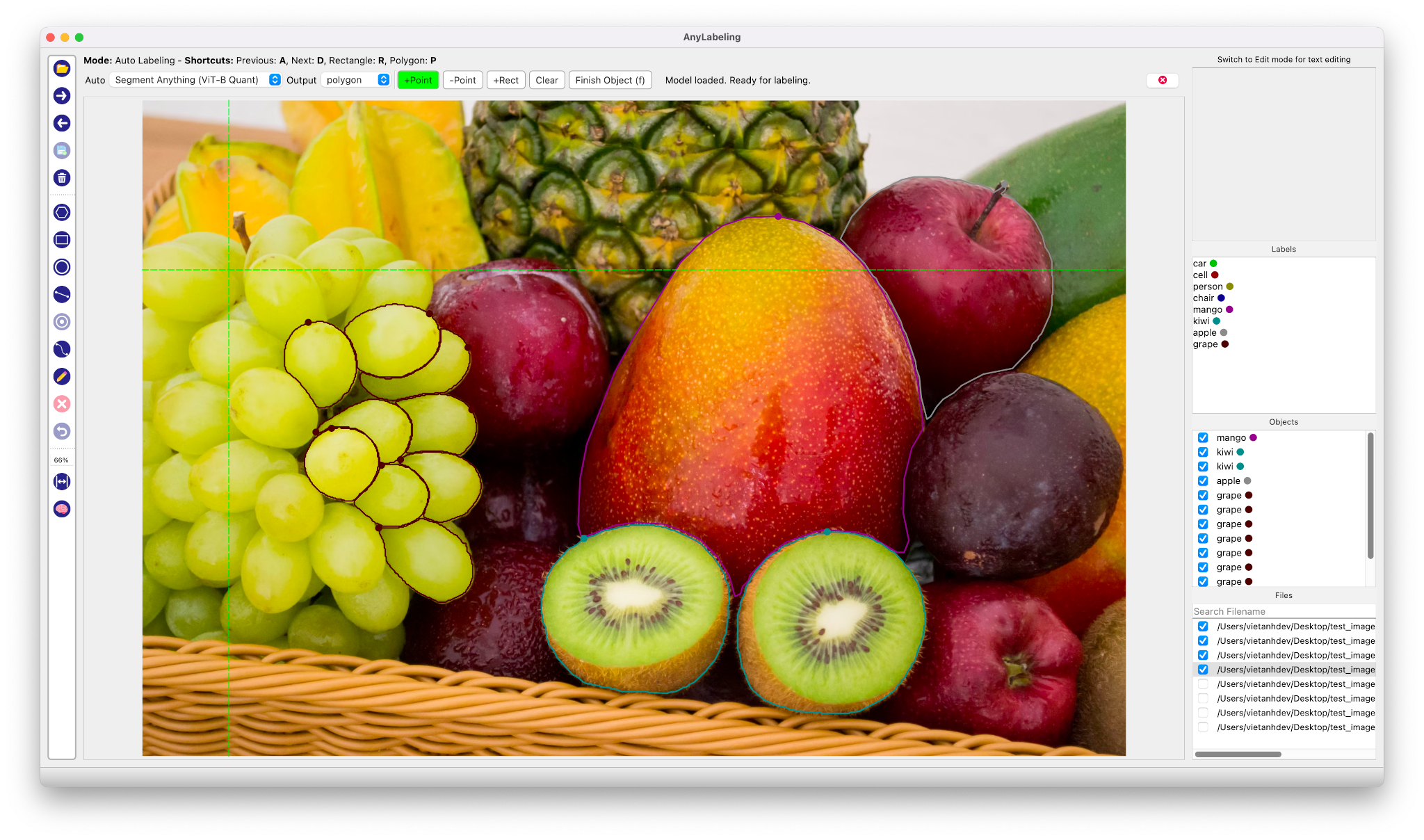
Effortless data labeling with AI support from YOLO and Segment Anything!

AnyLabeling = LabelImg + Labelme + Improved UI + Auto-labeling

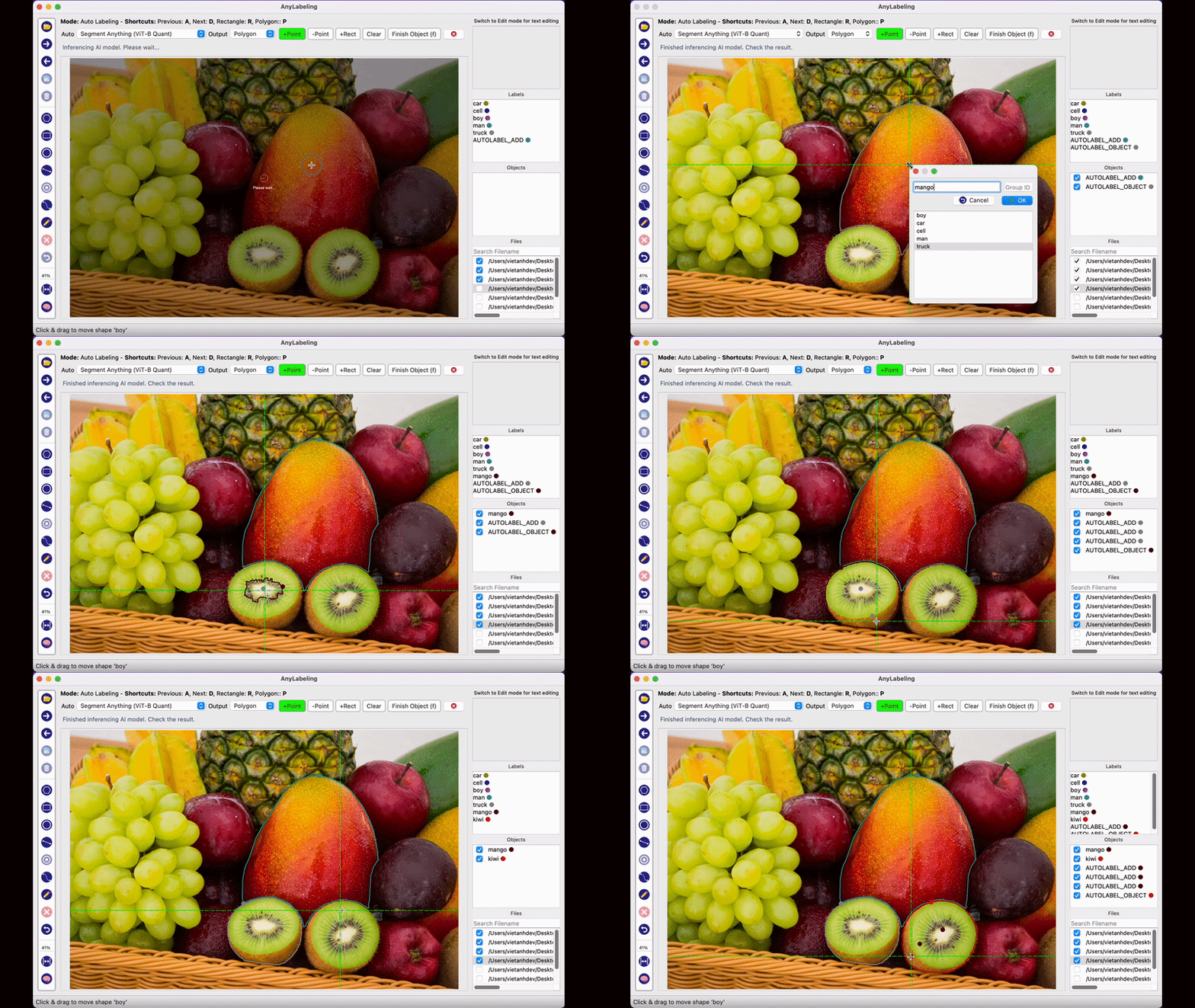
Auto Labeling with Segment Anything
Features

  • [x] Image annotation for polygon, rectangle, circle, line and point.
  • [x] Auto-labeling with YOLOv8 (object detection).
  • [x] Auto-labeling with Segment Anything family:
    • SAM (ViT-B / ViT-L / ViT-H) and MobileSAM
    • SAM 2 and SAM 2.1 (Hiera-Tiny / Small / Base+ / Large)
    • SAM 3 (ViT-H) — open-vocabulary segmentation with text prompts
  • [x] Text detection, recognition and KIE (Key Information Extraction) labeling.
  • [x] Hardware acceleration with CUDA, CoreML, DirectML, OpenVINO, and vendor NPU providers.
  • [x] Multiple languages available: English, Vietnamese, Chinese.

Supported Models

Model Prompt Types Notes
SAM ViT-B / ViT-L / ViT-H Point, Rectangle Original Segment Anything
MobileSAM Point, Rectangle Lightweight SAM
SAM 2 Hiera-Tiny / Small / Base+ / Large Point, Rectangle Meta SAM 2
SAM 2.1 Hiera-Tiny / Small / Base+ / Large Point, Rectangle Improved SAM 2
SAM 3 ViT-H Text, Point, Rectangle Open-vocabulary; text drives detection
YOLOv8n / s / m / l / x — Object detection & auto-labeling

Required model weights are downloaded automatically on first use.

Latest Release

AnyLabeling v0.4.43 is the current stable release. It fixes recovery after model download/load failures, skips invalid images during SAM preload, persists grouped shapes with undo support, and closes label files reliably after saving and loading.

The release workflow tests Python 3.11–3.13 on Linux, Windows, and macOS, then builds and launch-smoke-tests all six CPU and accelerated artifacts on their native runners.

Use the Download page for direct platform links, or see all GitHub releases.

Install and Run

1. Download and run executable

Platform CPU Accelerated
Linux x64 AnyLabeling-Linux-CPU-x64 AnyLabeling-Linux-GPU-x64 (NVIDIA CUDA)
Windows x64 AnyLabeling-Windows-CPU-x64.exe AnyLabeling-Windows-GPU-x64.exe (NVIDIA CUDA)
Apple Silicon macOS AnyLabeling-macOS-CPU.zip AnyLabeling-macOS-GPU.zip (CoreML)

For macOS, preserve the archive's symlinks while extracting it. See the macOS folder mode instructions.

2. Install from PyPI

  • Requirements: Python 3.11+. Recommended: Python 3.12.

  • Recommended: Miniconda/Anaconda.

  • Create environment:

conda create -n anylabeling python=3.12
conda activate anylabeling
  • (For macOS only) Install PyQt6 using Conda:
conda install -c conda-forge pyqt=6
  • Install anylabeling:
pip install anylabeling

For NVIDIA CUDA inference on Linux or Windows, use the GPU distribution in a fresh environment:

pip install anylabeling-gpu

Apple Silicon users can enable both ONNX Runtime CoreML and native CoreML SAM2 models with:

pip install "anylabeling[macos]"
export ANYLABELING_DEVICE=COREML

AnyLabeling automatically selects CUDA for Linux/Windows GPU builds and CoreML for the macOS GPU build, with CPU fallback for unsupported model operations. Advanced ONNX Runtime packages can be selected with ANYLABELING_DEVICE; supported values include CUDA, COREML, DIRECTML, ROCM, MIGRAPHX, OPENVINO, TENSORRT, CANN, QNN, VITISAI, and WEBGPU. NPU aliases include NPU, INTEL_NPU, QUALCOMM_NPU, AMD_NPU, and ASCEND_NPU. On Windows PowerShell, set the override with $env:ANYLABELING_DEVICE = "DIRECTML".

The GPU distribution includes pip-managed CUDA 12 and cuDNN runtime libraries, so a compatible NVIDIA driver is sufficient; a system CUDA toolkit is not required.

NPU execution requires the matching vendor ONNX Runtime package in a fresh, dedicated environment. For example, Intel Core Ultra systems use onnxruntime-openvino with ANYLABELING_DEVICE=INTEL_NPU; Qualcomm Snapdragon Windows ARM64 systems use onnxruntime-qnn with ANYLABELING_DEVICE=QUALCOMM_NPU. Replace the default onnxruntime package, because ONNX Runtime requires only one variant in an environment. Qualcomm HTP models generally need QDQ quantization, and support still depends on the operator coverage of the selected model.

See the Hardware Acceleration guide for isolated DirectML, OpenVINO, CUDA, CoreML, and NPU environment setup.

  • Start labeling:
anylabeling

Documentation

Website: https://anylabeling.nrl.ai/

Applications

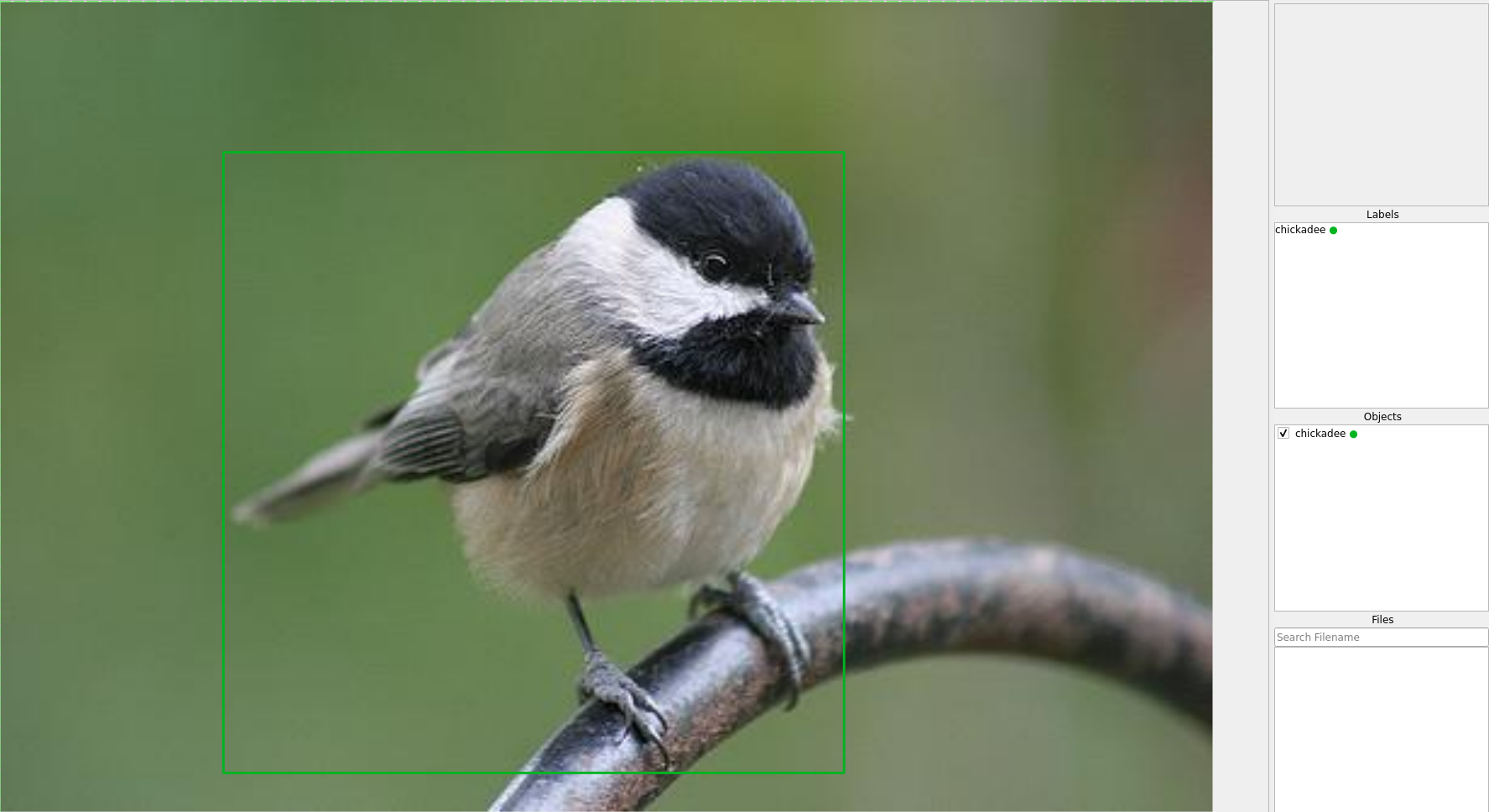
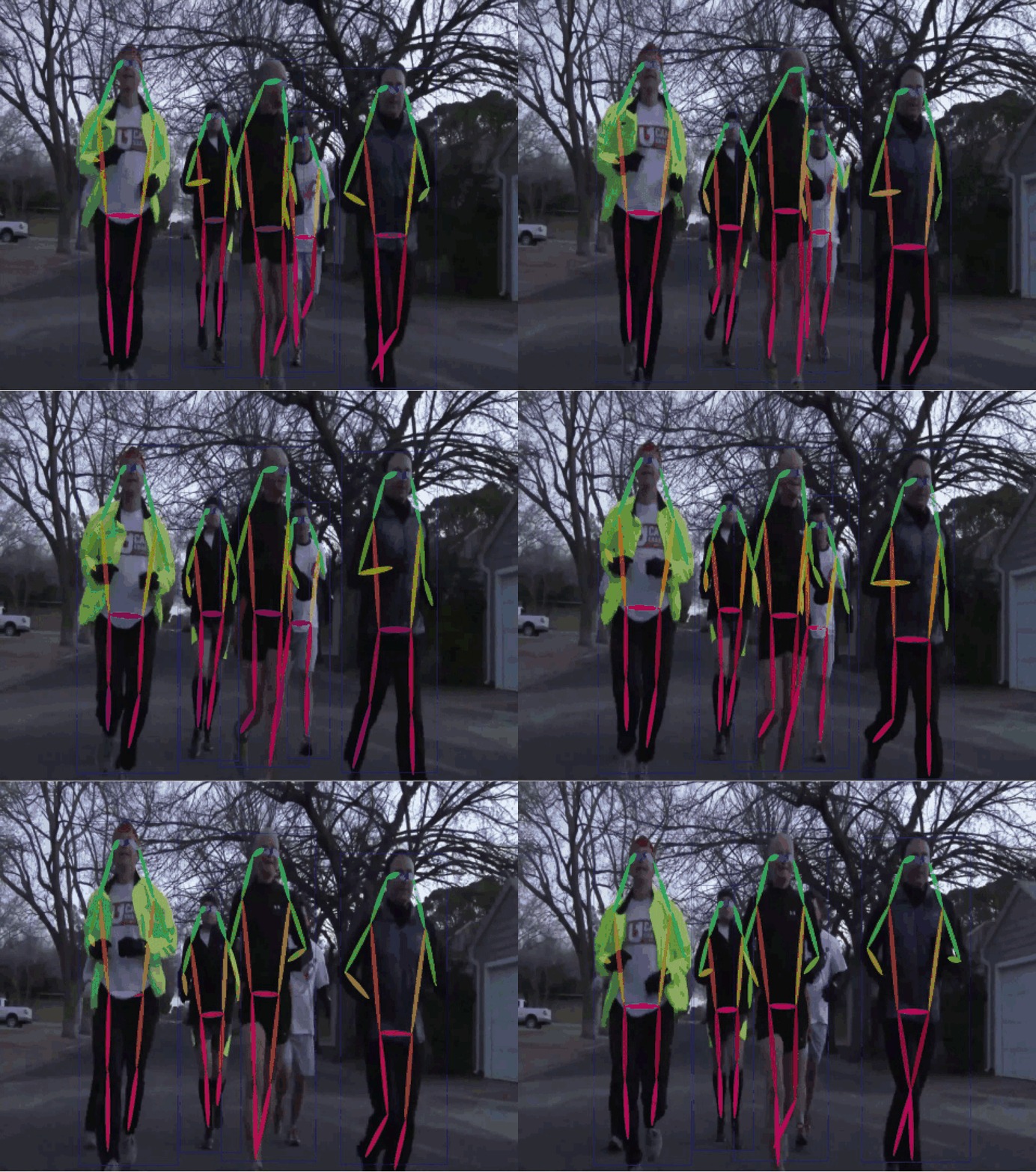
Object Detection Recognition Facial Landmark Detection 2D Pose Estimation
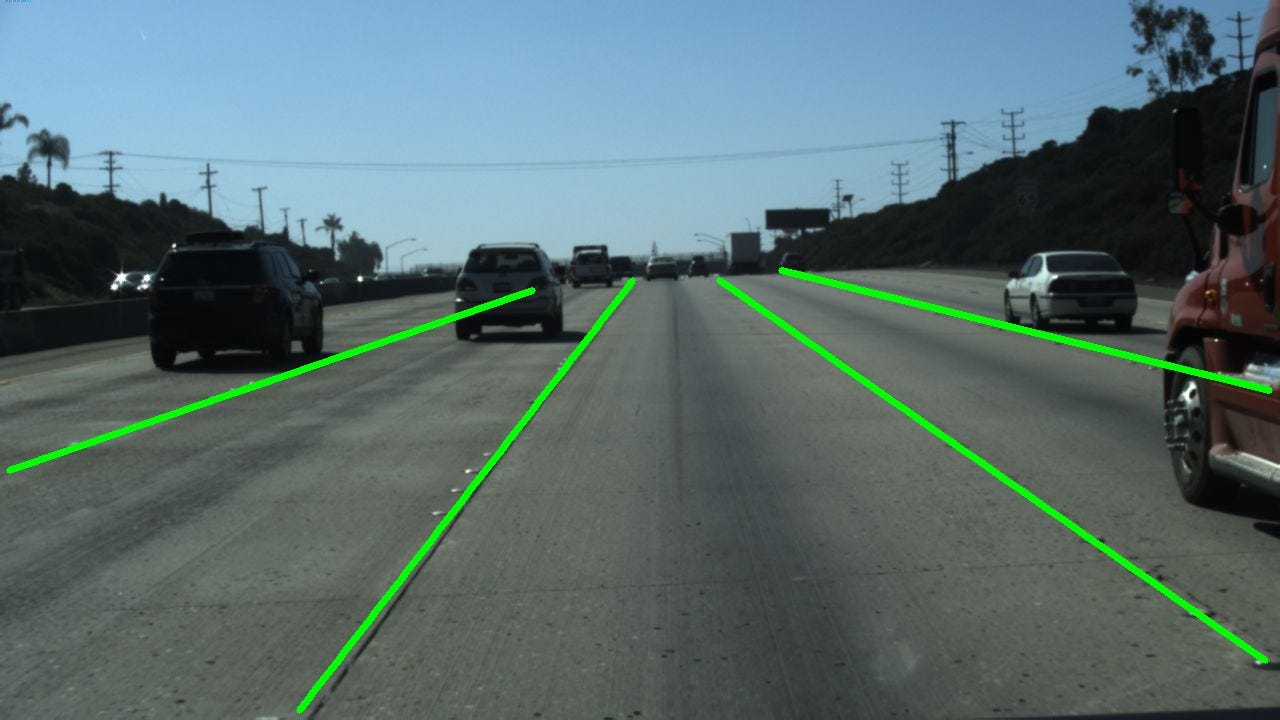
2D Lane Detection OCR Medical Imaging Instance Segmentation
Image Tagging Rotation And more!
Your applications here!

Development

  • Install the project and development tools in a dedicated environment:
python -m pip install -e ".[dev]"
  • Recompile translations and Qt resources when they change:
python scripts/compile_languages.py
  • Run app:
python anylabeling/app.py

Build executable

  • Install PyInstaller:
python -m pip install -e ".[dev]"
python -m pip install pyinstaller
  • Build:
bash scripts/build_executable.sh
  • Check the outputs in: dist/.

Contribution

If you want to contribute to AnyLabeling, please read Contribution Guidelines.

Star history

References

Nearby in the ranking
Similar items