[CVPR2020] Adversarial Latent Autoencoders
[Stanislav Pidhorskyi](https://podgorskiy.com/) •
[Donald A. Adjeroh](https://www.statler.wvu.edu/faculty-staff/faculty/donald-a-adjeroh) •
[Gianfranco Doretto](http://vision.csee.wvu.edu/~doretto/)
Official repository of the paper



[Google Drive folder with models and qualitative results](https://drive.google.com/drive/folders/1iZodDA4q1IKRRgV2nJuAyyuCwQGtL4vp?usp=sharing)
ALAE
Adversarial Latent Autoencoders
Stanislav Pidhorskyi, Donald Adjeroh, Gianfranco Doretto
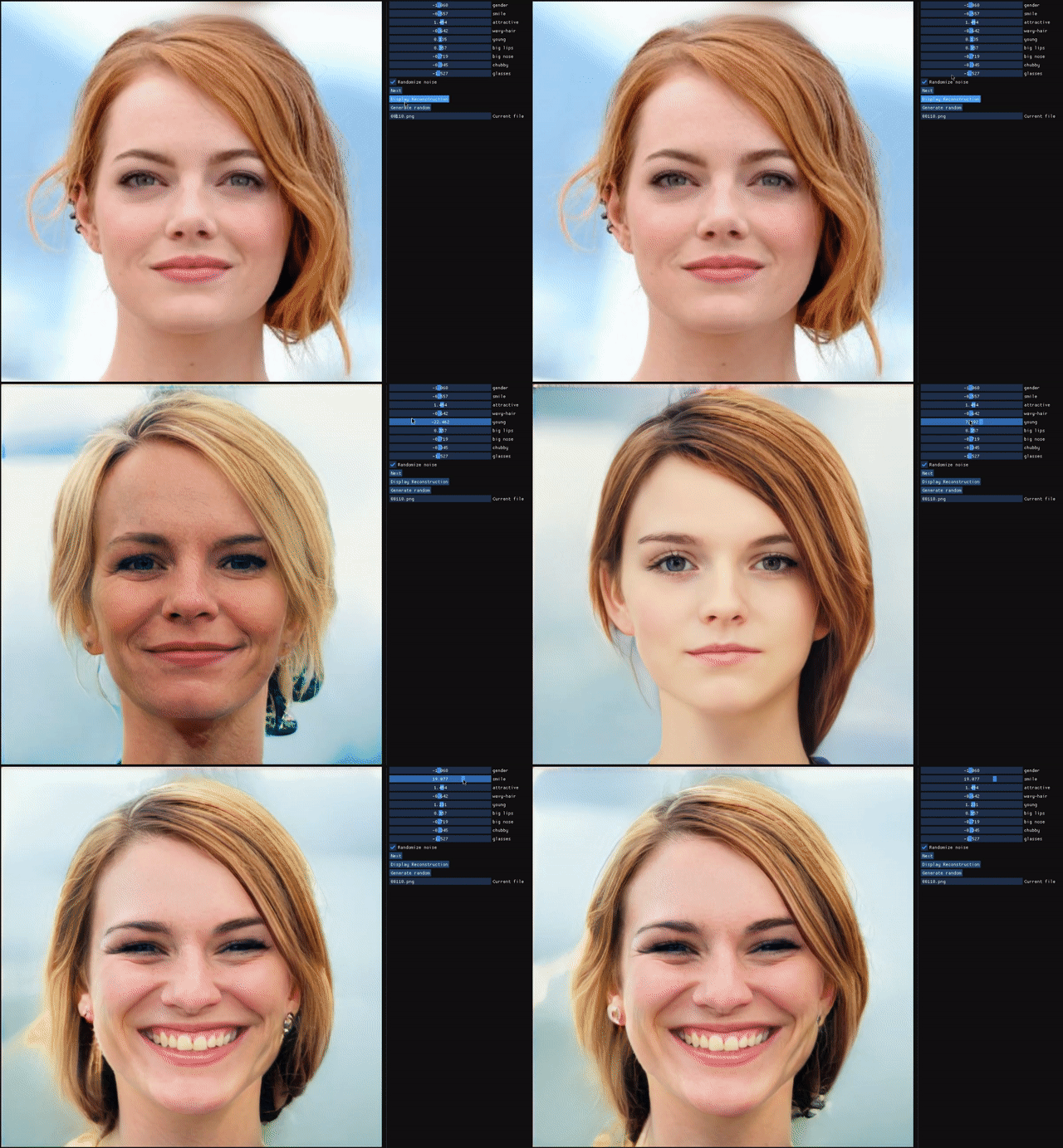
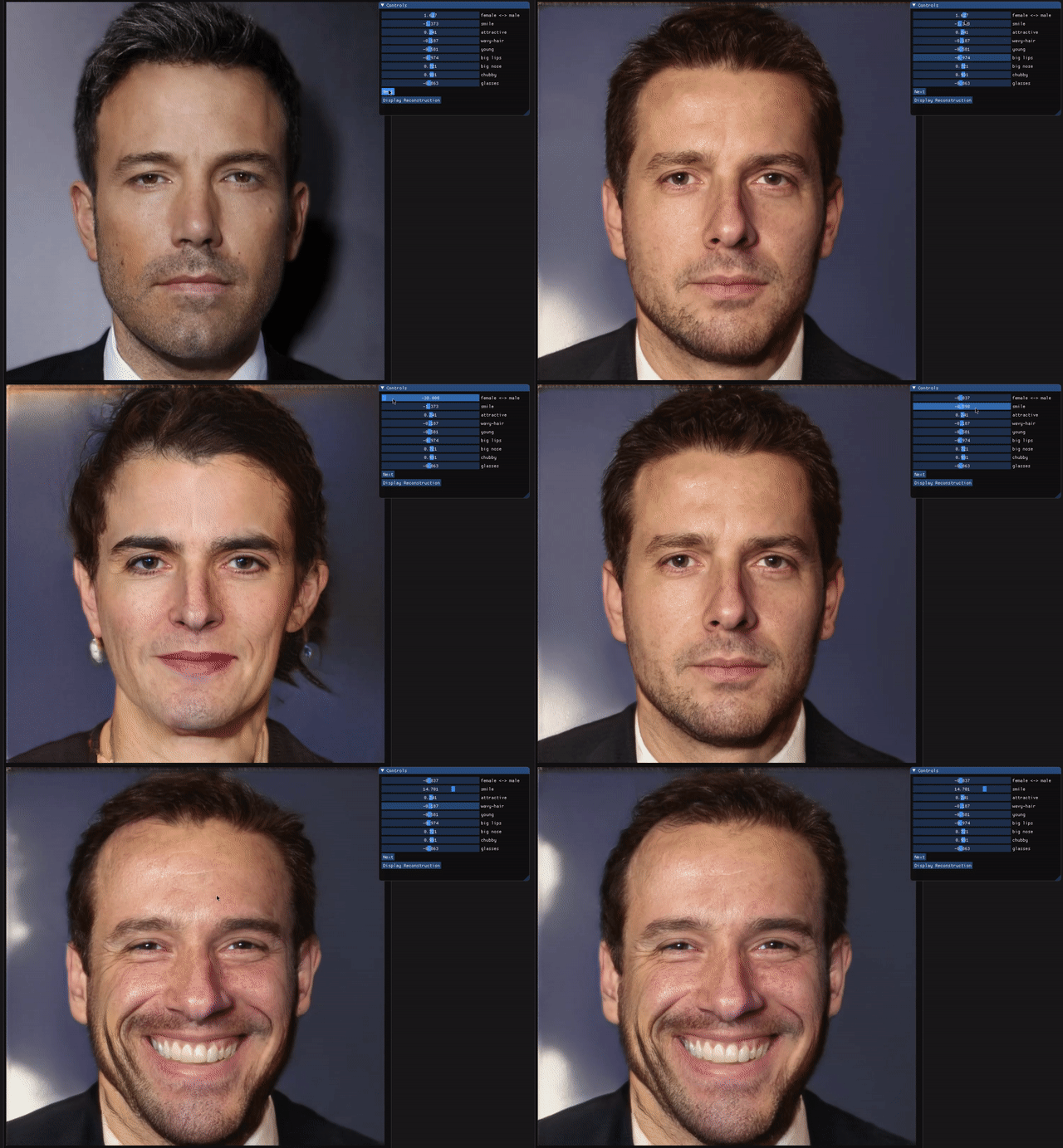
Abstract: Autoencoder networks are unsupervised approaches aiming at combining generative and representational properties by learning simultaneously an encoder-generator map. Although studied extensively, the issues of whether they have the same generative power of GANs, or learn disentangled representations, have not been fully addressed. We introduce an autoencoder that tackles these issues jointly, which we call Adversarial Latent Autoencoder (ALAE). It is a general architecture that can leverage recent improvements on GAN training procedures. We designed two autoencoders: one based on a MLP encoder, and another based on a StyleGAN generator, which we call StyleALAE. We verify the disentanglement properties of both architectures. We show that StyleALAE can not only generate 1024x1024 face images with comparable quality of StyleGAN, but at the same resolution can also produce face reconstructions and manipulations based on real images. This makes ALAE the first autoencoder able to compare with, and go beyond the capabilities of a generator-only type of architecture.
Citation
- Stanislav Pidhorskyi, Donald A. Adjeroh, and Gianfranco Doretto. Adversarial Latent Autoencoders. In Proceedings of the IEEE Computer Society Conference on Computer Vision and Pattern Recognition (CVPR), 2020. [to appear]
@InProceedings{pidhorskyi2020adversarial,
 author   = {Pidhorskyi, Stanislav and Adjeroh, Donald A and Doretto, Gianfranco},
 booktitle = {Proceedings of the IEEE Computer Society Conference on Computer Vision and Pattern Recognition (CVPR)},
 title    = {Adversarial Latent Autoencoders},
 year     = {2020},
 note     = {[to appear]},
}
preprint on arXiv: 2004.04467
To run the demo
To run the demo, you will need to have a CUDA capable GPU, PyTorch >= v1.3.1 and cuda/cuDNN drivers installed. Install the required packages:
pip install -r requirements.txt
Download pre-trained models:
python training_artifacts/download_all.py
Run the demo:
python interactive_demo.py
You can specify yaml config to use. Configs are located here: https://github.com/podgorskiy/ALAE/tree/master/configs.
By default, it uses one for FFHQ dataset.
You can change the config using -c parameter. To run on celeb-hq in 256x256 resolution, run:
python interactive_demo.py -c celeba-hq256
However, for configs other then FFHQ, you need to obtain new principal direction vectors for the attributes.
Repository organization
Running scripts
The code in the repository is organized in such a way that all scripts must be run from the root of the repository. If you use an IDE (e.g. PyCharm or Visual Studio Code), just set Working Directory to point to the root of the repository.
If you want to run from the command line, then you also need to set PYTHONPATH variable to point to the root of the repository.
For example, let's say we've cloned repository to ~/ALAE directory, then do:
$ cd ~/ALAE
$ export PYTHONPATH=$PYTHONPATH:$(pwd)

Now you can run scripts as follows:
$ python style_mixing/stylemix.py
Repository structure
| Path | Description |
|---|---|
| ALAE | Repository root folder |
| ├ configs | Folder with yaml config files. |
| │ ├ bedroom.yaml | Config file for LSUN bedroom dataset at 256x256 resolution. |
| │ ├ celeba.yaml | Config file for CelebA dataset at 128x128 resolution. |
| │ ├ celeba-hq256.yaml | Config file for CelebA-HQ dataset at 256x256 resolution. |
| │ ├ celeba_ablation_nostyle.yaml | Config file for CelebA 128x128 dataset for ablation study (no styles). |
| │ ├ celeba_ablation_separate.yaml | Config file for CelebA 128x128 dataset for ablation study (separate encoder and discriminator). |
| │ ├ celeba_ablation_z_reg.yaml | Config file for CelebA 128x128 dataset for ablation study (regress in Z space, not W). |
| │ ├ ffhq.yaml | Config file for FFHQ dataset at 1024x1024 resolution. |
| │ ├ mnist.yaml | Config file for MNIST dataset using Style architecture. |
| │ └ mnist_fc.yaml | Config file for MNIST dataset using only fully connected layers (Permutation Invariant MNIST). |
| ├ dataset_preparation | Folder with scripts for dataset preparation. |
| │ ├ prepare_celeba_hq_tfrec.py | To prepare TFRecords for CelebA-HQ dataset at 256x256 resolution. |
| │ ├ prepare_celeba_tfrec.py | To prepare TFRecords for CelebA dataset at 128x128 resolution. |
| │ ├ prepare_mnist_tfrec.py | To prepare TFRecords for MNIST dataset. |
| │ ├ split_tfrecords_bedroom.py | To split official TFRecords from StyleGAN paper for LSUN bedroom dataset. |
| │ └ split_tfrecords_ffhq.py | To split official TFRecords from StyleGAN paper for FFHQ dataset. |
| ├ dataset_samples | Folder with sample inputs for different datasets. Used for figures and for test inputs during training. |
| ├ make_figures | Scripts for making various figures. |
| ├ metrics | Scripts for computing metrics. |
| ├ principal_directions | Scripts for computing principal direction vectors for various attributes. For interactive demo. |
| ├ style_mixing | Sample inputs and script for producing style-mixing figures. |
| ├ training_artifacts | Default place for saving checkpoints/sample outputs/plots. |
| │ └ download_all.py | Script for downloading all pretrained models. |
| ├ interactive_demo.py | Runnable script for interactive demo. |
| ├ train_alae.py | Runnable script for training. |
| ├ train_alae_separate.py | Runnable script for training for ablation study (separate encoder and discriminator). |
| ├ checkpointer.py | Module for saving/restoring model weights, optimizer state and loss history. |
| ├ custom_adam.py | Customized adam optimizer for learning rate equalization and zero second beta. |
| ├ dataloader.py | Module with dataset classes, loaders, iterators, etc. |
| ├ defaults.py | Definition for config variables with default values. |
| ├ launcher.py | Helper for running multi-GPU, multiprocess training. Sets up config and logging. |
| ├ lod_driver.py | Helper class for managing growing/stabilizing network. |
| ├ lreq.py | Custom Linear, Conv2d and ConvTranspose2d modules for learning rate equalization. |
| ├ model.py | Module with high-level model definition. |
| ├ model_separate.py | Same as above, but for ablation study. |
| ├ net.py | Definition of all network blocks for multiple architectures. |
| ├ registry.py | Registry of network blocks for selecting from config file. |
| ├ scheduler.py | Custom schedulers with warm start and aggregating several optimizers. |
| ├ tracker.py | Module for plotting losses. |
| └ utils.py | Decorator for async call, decorator for caching, registry for network blocks. |
Configs
In this codebase yacs is used to handle configurations.
Most of the runnable scripts accept -c parameter that can specify config files to use.
For example, to make reconstruction figures, you can run:
python make_figures/make_recon_figure_paged.py
python make_figures/make_recon_figure_paged.py -c celeba
python make_figures/make_recon_figure_paged.py -c celeba-hq256
python make_figures/make_recon_figure_paged.py -c bedroom
The Default config is ffhq.
Datasets
Training is done using TFRecords. TFRecords are read using DareBlopy, which allows using them with Pytorch.
In config files as well as in all preparation scripts, it is assumed that all datasets are in /data/datasets/. You can either change path in config files, either create a symlink to where you store datasets.
The official way of generating CelebA-HQ can be challenging. Please refer to this page: https://github.com/suvojit-0x55aa/celebA-HQ-dataset-download You can get the pre-generated dataset from: https://drive.google.com/drive/folders/11Vz0fqHS2rXDb5pprgTjpD7S2BAJhi1P
Pre-trained models
To download pre-trained models run:
python training_artifacts/download_all.py
Note: There used to be problems with downloading models from Google Drive due to download limit. Now, the script is setup in a such way that if it fails to download data from Google Drive it will try to download it from S3.
If you experience problems, try deleting all *.pth files, updating dlutils package (pip install dlutils --upgrade) and then run download_all.py again.
If that does not solve the problem, please open an issue. Also, you can try downloading models manually from here: https://drive.google.com/drive/folders/1tsI1q1u8QRX5t7_lWCSjpniLGlNY-3VY?usp=sharing
In config files, OUTPUT_DIR points to where weights are saved to and read from. For example: OUTPUT_DIR: training_artifacts/celeba-hq256
In OUTPUT_DIR it saves a file last_checkpoint which contains path to the actual .pth pickle with model weight. If you want to test the model with a specific weight file, you can simply modify last_checkpoint file.
Generating figures
Style-mixing
To generate style-mixing figures run:
python style_mixing/stylemix.py -c
Where instead of `` put one of: ffhq, celeba, celeba-hq256, bedroom
Reconstructions
To generate reconstruction with multiple scale images:
python make_figures/make_recon_figure_multires.py -c
To generate reconstruction from all sample inputs on multiple pages:
python make_figures/make_recon_figure_paged.py -c
There are also:
python make_figures/old/make_recon_figure_celeba.py
python make_figures/old/make_recon_figure_bed.py
To generate reconstruction from test set of FFHQ:
python make_figures/make_recon_figure_ffhq_real.py
To generate interpolation figure:
python make_figures/make_recon_figure_interpolation.py -c
To generate traversals figure:
(For datasets other then FFHQ, you will need to find principal directions first)
python make_figures/make_traversarls.py -c
Generations
To make generation figure run:
make_generation_figure.py -c
Training
In addition to installing required packages:
pip install -r requirements.txt
You will need to install DareBlopy:
pip install dareblopy
To run training:
python train_alae.py -c
It will run multi-GPU training on all available GPUs. It uses DistributedDataParallel for parallelism.
If only one GPU available, it will run on single GPU, no special care is needed.
The recommended number of GPUs is 8. Reproducibility on a smaller number of GPUs may have issues. You might need to adjust the batch size in the config file depending on the memory size of the GPUs.
Running metrics
In addition to installing required packages and DareBlopy, you need to install TensorFlow and dnnlib from StyleGAN.
Tensorflow must be of version 1.10:
pip install tensorflow-gpu==1.10
It requires CUDA version 9.0.
Perhaps, the best way is to use Anaconda to handle this, but I prefer installing CUDA 9.0 from pop-os repositories (works on Ubuntu):
sudo echo "deb http://apt.pop-os.org/proprietary bionic main" | sudo tee -a /etc/apt/sources.list.d/pop-proprietary.list
sudo apt-key adv --keyserver keyserver.ubuntu.com --recv-key 204DD8AEC33A7AFF
sudo apt update

sudo apt install system76-cuda-9.0
sudo apt install system76-cudnn-9.0
Then just set LD_LIBRARY_PATH variable:
export LD_LIBRARY_PATH=/usr/lib/cuda-9.0/lib64
Dnnlib is a package used in StyleGAN. You can install it with:
pip install https://github.com/podgorskiy/dnnlib/releases/download/0.0.1/dnnlib-0.0.1-py3-none-any.whl
All code for running metrics is heavily based on those from StyleGAN repository. It also uses the same pre-trained models:
https://github.com/NVlabs/stylegan#licenses
inception_v3_features.pkl and inception_v3_softmax.pkl are derived from the pre-trained Inception-v3 network by Christian Szegedy, Vincent Vanhoucke, Sergey Ioffe, Jonathon Shlens, and Zbigniew Wojna. The network was originally shared under Apache 2.0 license on the TensorFlow Models repository.
vgg16.pkl and vgg16_zhang_perceptual.pkl are derived from the pre-trained VGG-16 network by Karen Simonyan and Andrew Zisserman. The network was originally shared under Creative Commons BY 4.0 license on the Very Deep Convolutional Networks for Large-Scale Visual Recognition project page.
vgg16_zhang_perceptual.pkl is further derived from the pre-trained LPIPS weights by Richard Zhang, Phillip Isola, Alexei A. Efros, Eli Shechtman, and Oliver Wang. The weights were originally shared under BSD 2-Clause "Simplified" License on the PerceptualSimilarity repository.
Finally, to run metrics:
python metrics/fid.py -c        # FID score on generations
python metrics/fid_rec.py -c    # FID score on reconstructions
python metrics/ppl.py -c        # PPL score on generations
python metrics/lpips.py -c      # LPIPS score of reconstructions