A MuJoCo/Gym environment for robot control using Reinforcement Learning. The task of agents in this environment is pixel-wise prediction of grasp success chances.
HISTDATA - Dataset composed of all FX trading pairs / Crude Oil / Stock Indexes. Simple API to retrieve 1 Minute data (and tick data) Historical FX Prices (up to date).
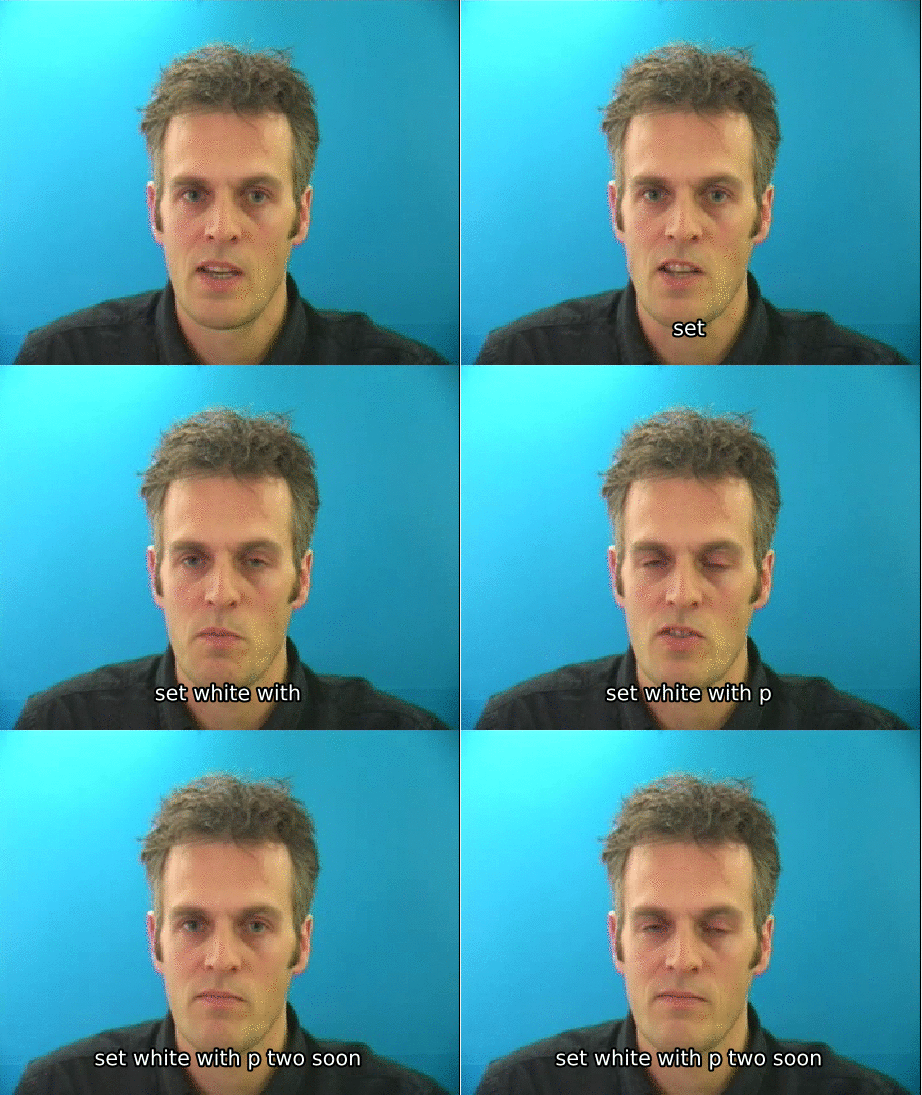
LipNet: End-to-End Sentence-level Lipreading Keras implementation of the method described in the paper 'LipNet: End-to-End Sentence-level Lipreading' by Yannis M. 93% | **Notes**: [C] means using curriculum learning. Your contribution in sharing the results of this model is highly appreciated :) Dependencies Keras 2. 0+ PIP (for package installation) Plus several other libraries listed on Usage To use the model, first you need to clone the repository: Then you can install the package: **Note:** if you
don't want to use CUDA, you need to edit the setup. py and change tensorflow-gpu to tensorflow You're done! Here is some ideas on what you can do next: Modify the package and make some improvements to it. Train the model using predefined training scenarios. Use pre-trained weights to do lipreading. Go crazy and experiment on other dataset! by changing some hyperparameters or modify the model. Dataset This model uses GRID corpus ( Pre-trained weights For those of
you who are having difficulties in training the model (or just want to see the end results), you can download and use the weights provided here: More detail on saving and loading weights can be found in Keras FAQ. Training There are five different training scenarios that are (going to be) available: Prerequisites 1. Download all video (normal) and align from the GRID Corpus website. Create datasets folder on each training scenario folder. Create align folder inside the datasets folder
. py expect the videos to be in the form of 100x50px mouthcrop image frames. You can change this by adding vtype = "face" and face_predictor_path (which can be found in evaluation/models ) in the instantiation of Generator inside the train. The other way would be to extract the mouthcrop image using scripts/extract_mouth_batch. py (usage can be found inside the script). Create symlink from each training/*/datasets/align to your align folder. You can change the training
parameters by modifying train. Random split (Unmaintained) Create symlink from training/random_split/datasets/video to your video dataset folder (which contains s* directory). Train the model using the following command: **Note:** You can change the validation split value by modifying the val_split argument inside the train. Unseen speakers Create the following folder: training/unseen_speakers/datasets/train training/unseen_speakers/datasets/val Then, create symlink from training/unseen_speakers/datasets/[train|val]/s* to your selection of s
* inside of the video dataset folder. The paper used s1 , s2 , s20 , and s22 for evaluation and the remainder for training. Train the model using the following command: Unseen speakers with curriculum learning The same way you do unseen speakers. **Note:** You can change the curriculum by modifying the curriculum_rules method inside the train. py Overlapped Speakers Run the preparation script: **Notes:** [Path to video dataset] should be a folder with structure: /s{i}/[video] [Path to align dataset
] should be a folder with structure: /[align]. align [Number of samples] should be less than or equal to min(len
Frequently asked questions
How many stars and forks are recorded?
rizkiarm/LipNet has 691 stars and 244 forks.
What is the repository rank?
rizkiarm/LipNet is ranked 14,951.
What language and category are recorded?
rizkiarm/LipNet has 691 stars, uses Python and belongs to Model Development.
Which repository is closest in rank?
rizkiarm/LipNet is compared with philipperemy/FX-1-Minute-Data, ranked 14,950 with 691 stars.
README
LipNet: End-to-End Sentence-level Lipreading
Keras implementation of the method described in the paper 'LipNet: End-to-End Sentence-level Lipreading' by Yannis M. Assael, Brendan Shillingford, Shimon Whiteson, and Nando de Freitas (https://arxiv.org/abs/1611.01599).
Results
Scenario
Epoch
CER
WER
BLEU
Unseen speakers [C]
N/A
N/A
N/A
N/A
Unseen speakers
178
6.19%
14.19%
88.21%
Overlapped speakers [C]
N/A
N/A
N/A
N/A
Overlapped speakers
368
1.56%
3.38%
96.93%
Notes:
[C] means using curriculum learning.
N/A means either the training is in progress or haven't been performed.
Your contribution in sharing the results of this model is highly appreciated :)
Dependencies
Keras 2.0+
Tensorflow 1.0+
PIP (for package installation)
Plus several other libraries listed on setup.py
Usage
To use the model, first you need to clone the repository:
git clone https://github.com/rizkiarm/LipNet
Then you can install the package:
cd LipNet/
pip install -e .
Note: if you don't want to use CUDA, you need to edit the setup.py and change tensorflow-gpu to tensorflow
You're done!
Here is some ideas on what you can do next:
Modify the package and make some improvements to it.
Train the model using predefined training scenarios.
More detail on saving and loading weights can be found in Keras FAQ.
Training
There are five different training scenarios that are (going to be) available:
Prerequisites
Download all video (normal) and align from the GRID Corpus website.
Extracts all the videos and aligns.
Create datasets folder on each training scenario folder.
Create align folder inside the datasets folder.
All current train.py expect the videos to be in the form of 100x50px mouthcrop image frames.
You can change this by adding vtype = "face" and face_predictor_path (which can be found in evaluation/models) in the instantiation of Generator inside the train.py
The other way would be to extract the mouthcrop image using scripts/extract_mouth_batch.py (usage can be found inside the script).
Create symlink from each training/*/datasets/align to your align folder.
You can change the training parameters by modifying train.py inside its respective scenarios.
Random split (Unmaintained)
Create symlink from training/random_split/datasets/video to your video dataset folder (which contains s* directory).
Train the model using the following command:
./train random_split [GPUs (optional)]
Note: You can change the validation split value by modifying the val_split argument inside the train.py.
Unseen speakers
Create the following folder:
training/unseen_speakers/datasets/train
training/unseen_speakers/datasets/val
Then, create symlink from training/unseen_speakers/datasets/[train|val]/s* to your selection of s* inside of the video dataset folder.
The paper used s1, s2, s20, and s22 for evaluation and the remainder for training.
Train the model using the following command:
./train unseen_speakers [GPUs (optional)]
Unseen speakers with curriculum learning
The same way you do unseen speakers.
Note: You can change the curriculum by modifying the curriculum_rules method inside the train.py
python prepare.py [Path to video dataset] [Path to align dataset] [Number of samples]
Notes:
[Path to video dataset] should be a folder with structure: /s{i}/[video]
[Path to align dataset] should be a folder with structure: /[align].align
[Number of samples] should be less than or equal to min(len(ls '/s{i}/*'))
Then run training for each speaker:
python training/overlapped_speakers/train.py s{i}
Overlapped Speakers with curriculum learning
Copy the prepare.py from overlapped_speakers folder to overlapped_speakers_curriculum folder,
and run it as previously described in overlapped speakers training explanation.
This is a work in progress. Errors are to be expected.
If you found some errors in terms of implementation please report them by submitting issue(s) or making PR(s). Thanks!
Some todos:
[X] Use Stanford-CTC Tensorflow CTC beam search
[X] Auto spelling correction
[X] Overlapped speakers (and its curriculum) training
[ ] Integrate language model for beam search
[ ] RGB normalization over the dataset.
[X] Validate CTC implementation in training.
[ ] Proper documentation
[ ] Unit tests
[X] (Maybe) better curriculum learning.
[ ] (Maybe) some proper scripts to do dataset stuff.