A light-weight deep reinforcement learning framework for portfolio management. This project explores the possibility of applying deep reinforcement learning algorithms to stock trading in a highly modular and scalable framework.
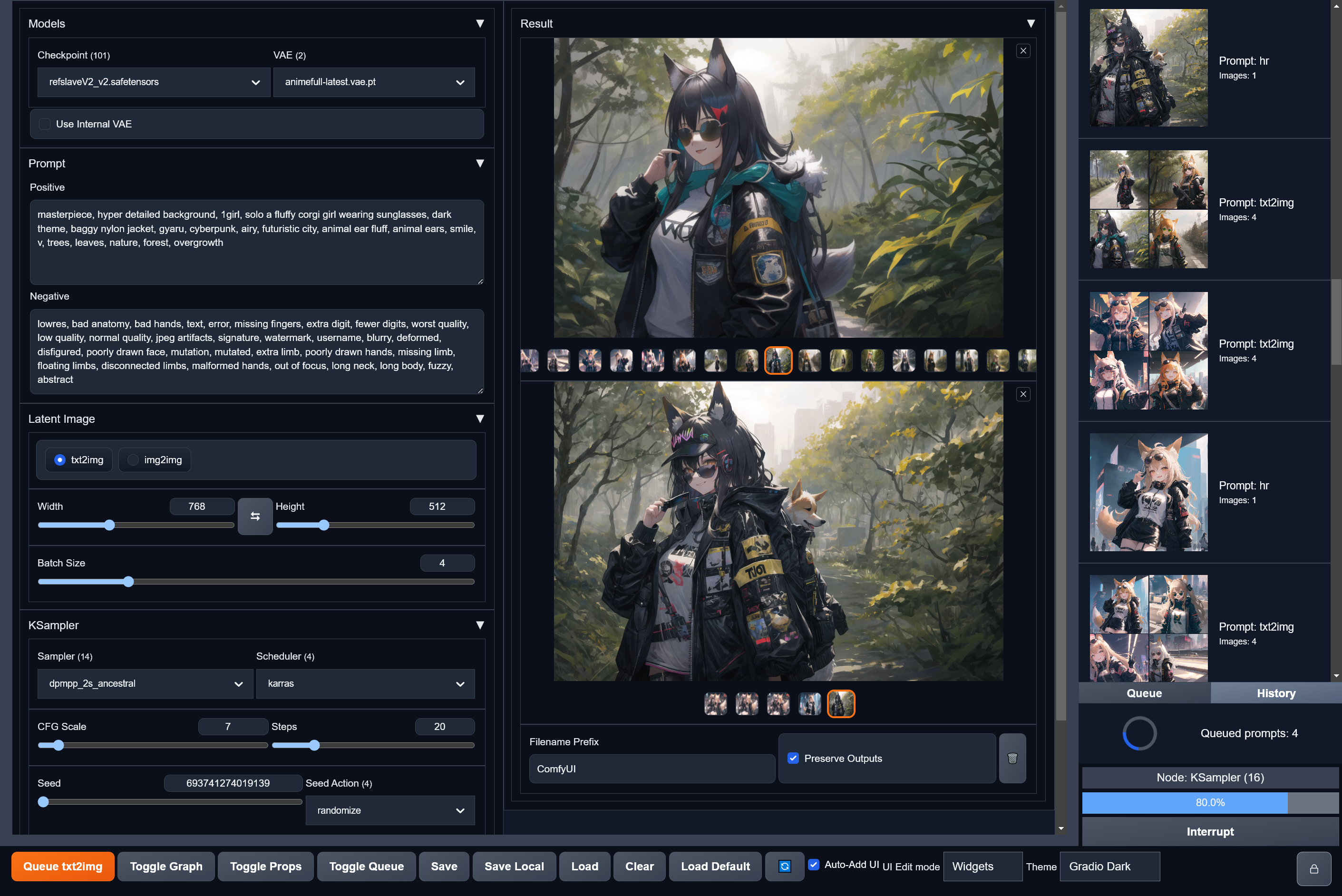
ComfyBox ComfyBox is a frontend to Stable Diffusion that lets you create custom image generation interfaces without any code. It uses ComfyUI under the hood for maximum power and extensibility. Download the latest release here and extract it somewhere. In the folder you extracted open the / script (requires Python 3 to be on your PATH). Alternatively you can serve the contents of the folder with any web server. Usage A preconfigured workflow is included for the most common txt2img and
img2img use cases, so all it takes to start generating is clicking to load the default workflow and then . You can import your existing workflows from ComfyUI into ComfyBox by clicking and choosing the or with embedded metadata, or dropping either file onto the graph viewer. NOTE This project is *still under construction* and some features are missing, be aware of the tradeoffs if you're interested in using it. Also note that the saved workflow format is subject to change
until it's been finalized after enough testing, so be prepared to lose some of your work from time to time. Features **No-Code UI Builder** - A novel system for creating your own Stable Diffusion user interfaces from the basic components. **Manage Multiple Workflows** - You can open as many workflows as you like and switch between them using tabs within the app. You can also write custom "Send To" actions to copy your image outputs into other workflows for further processing
. **Use Your Existing Workflows** - Import workflows you've created in ComfyUI into ComfyBox and a new UI will be created for you. **Extension Support** - All custom ComfyUI nodes are supported out of the box. **Prompt Queue** - Queue up multiple prompts without waiting for them to finish first. Inspect currently queued and executed prompts. **Prompt History** - Browse through previously generated prompts and their output images/parameters. **Mobile-Friendly Version** - Includes a version of the UI optimized for mobile use, while still supporting
the same customized workflows of the desktop version. Development Requirements An installation of vanilla ComfyUI for the backend Installation **NOTE:** If you're using Windows, the following commands must be run with Git Bash.
Frequently asked questions
How many stars and forks are recorded?
space-nuko/ComfyBox has 691 stars and 51 forks.
What is the repository rank?
space-nuko/ComfyBox is ranked 14,952.
What language and category are recorded?
space-nuko/ComfyBox has 691 stars, uses TypeScript and belongs to Applications.
Which repository is closest in rank?
space-nuko/ComfyBox is compared with natanielruiz/android-yolo, ranked 14,949 with 691 stars.
README
ComfyBox
ComfyBox is a frontend to Stable Diffusion that lets you create custom image generation interfaces without any code. It uses ComfyUI under the hood for maximum power and extensibility.
Installation
Download the latest release here and extract it somewhere.
Start the ComfyUI backend with python main.py --enable-cors-header.
In the folder you extracted open the run.bat/run.sh script (requires Python 3 to be on your PATH). Alternatively you can serve the contents of the folder with any web server.
Usage
A preconfigured workflow is included for the most common txt2img and img2img use cases, so all it takes to start generating is clicking Load Default to load the default workflow and then Queue Prompt.
You can import your existing workflows from ComfyUI into ComfyBox by clicking Load and choosing the .json or .png with embedded metadata, or dropping either file onto the graph viewer.
NOTE
This project is still under construction and some features are missing, be aware of the tradeoffs if you're interested in using it.
Also note that the saved workflow format is subject to change until it's been finalized after enough testing, so be prepared to lose some of your work from time to time.
Features
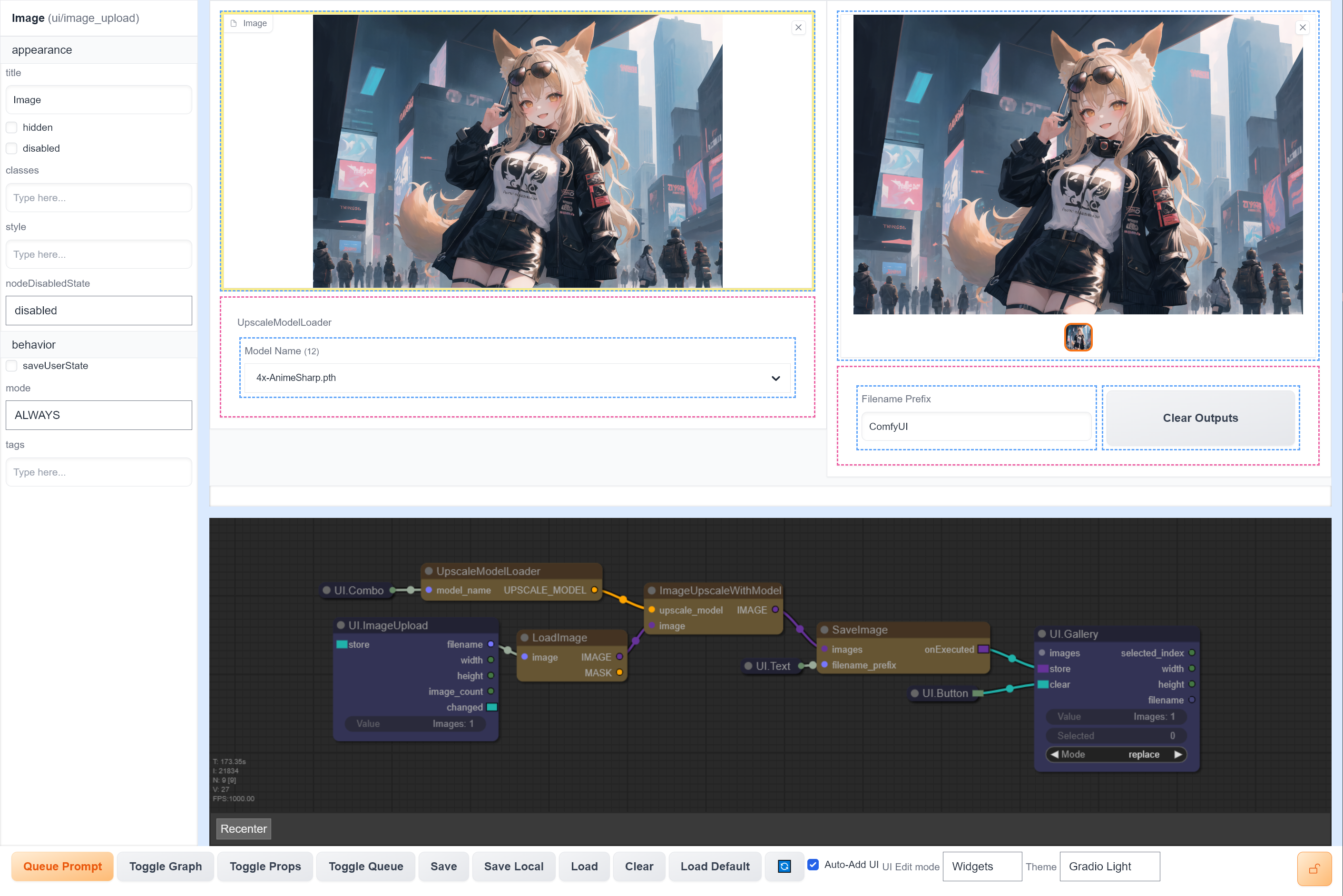
No-Code UI Builder - A novel system for creating your own Stable Diffusion user interfaces from the basic components.
Manage Multiple Workflows - You can open as many workflows as you like and switch between them using tabs within the app. You can also write custom "Send To" actions to copy your image outputs into other workflows for further processing.
Use Your Existing Workflows - Import workflows you've created in ComfyUI into ComfyBox and a new UI will be created for you.
Extension Support - All custom ComfyUI nodes are supported out of the box.
Prompt Queue - Queue up multiple prompts without waiting for them to finish first. Inspect currently queued and executed prompts.
Prompt History - Browse through previously generated prompts and their output images/parameters.
Mobile-Friendly Version - Includes a version of the UI optimized for mobile use, while still supporting the same customized workflows of the desktop version.
Development
Requirements
git
pnpm
An installation of vanilla ComfyUI for the backend
Installation
NOTE: If you're using Windows, the following commands must be run with Git Bash.