PyPokerEngine


Poker engine for AI development in Python
Tutorial
This tutorial leads you to start point of poker AI development!!
Outline of Tutorial
- Create simple AI which always returns same action.
- Play AI vs AI poker game and see its result.
Installation
Before start AI development, we need to install PyPokerEngine.
You can use pip like this.
pip install PyPokerEngine
This library supports Python 2 (2.7) and Python3 (3.5).
Create first AI
In this section, we create simple AI which always declares CALL action.
To create poker AI, what we do is following
- Create PokerPlayer class which is subclass of
PypokerEngine.players.BasePokerPlayer. - Implement abstract methods which inherit from
BasePokerPlayerclass.
Here is the code of our first AI. (We assume you saved this file at ~/dev/fish_player.py)
from pypokerengine.players import BasePokerPlayer

class FishPlayer(BasePokerPlayer):  # Do not forget to make parent class as "BasePokerPlayer"

    #  we define the logic to make an action through this method. (so this method would be the core of your AI)
    def declare_action(self, valid_actions, hole_card, round_state):
        # valid_actions format => [raise_action_info, call_action_info, fold_action_info]
        call_action_info = valid_actions[1]
        action, amount = call_action_info["action"], call_action_info["amount"]
        return action, amount   # action returned here is sent to the poker engine

    def receive_game_start_message(self, game_info):
        pass

    def receive_round_start_message(self, round_count, hole_card, seats):
        pass

    def receive_street_start_message(self, street, round_state):
        pass

    def receive_game_update_message(self, action, round_state):
        pass

    def receive_round_result_message(self, winners, hand_info, round_state):
        pass
If you are interested in what each callback method receives, See AI_CALLBACK_FORMAT.md.
Play AI vs AI poker game
Ok, let's play the poker game by using our created FishPlayer.
To start the game, what we need to do is following
- Define game rule through
Configobject (ex. start stack, blind amount, ante, blind_structures) - Register your AI with
Configobject. - Start the game and get game result
Here is the code to play poker for 10 round with our created FishPlayer.
from pypokerengine.api.game import setup_config, start_poker

config = setup_config(max_round=10, initial_stack=100, small_blind_amount=5)
config.register_player(name="p1", algorithm=FishPlayer())
config.register_player(name="p2", algorithm=FishPlayer())
config.register_player(name="p3", algorithm=FishPlayer())
game_result = start_poker(config, verbose=1)
We set verbose=1, so simple game logs are output after start_poker call.
Started the round 1
Street "preflop" started. (community card = [])
"p1" declared "call:10"
"p2" declared "call:10"
"p3" declared "call:10"
Street "flop" started. (community card = ['C4', 'C6', 'CA'])
"p2" declared "call:0"
"p3" declared "call:0"
"p1" declared "call:0"
Street "turn" started. (community card = ['C4', 'C6', 'CA', 'D4'])
"p2" declared "call:0"
"p3" declared "call:0"
"p1" declared "call:0"
Street "river" started. (community card = ['C4', 'C6', 'CA', 'D4', 'H2'])
"p2" declared "call:0"
"p3" declared "call:0"
"p1" declared "call:0"
"['p3']" won the round 1 (stack = {'p2': 90, 'p3': 120, 'p1': 90})
Started the round 2
...
"['p1']" won the round 10 (stack = {'p2': 30, 'p3': 120, 'p1': 150})
Finally, let's check the game result !!
>>> print game_result
{
  'rule': {'ante': 0, 'blind_structure': {}, 'max_round': 10, 'initial_stack': 100, 'small_blind_amount': 5},
  'players': [
    {'stack': 150, 'state': 'participating', 'name': 'p1', 'uuid': 'ijaukuognlkplasfspehcp'},
    {'stack': 30, 'state': 'participating', 'name': 'p2', 'uuid': 'uadjzyetdwsaxzflrdsysj'},
    {'stack': 120, 'state': 'participating', 'name': 'p3', 'uuid': 'tmnkoazoqitkzcreihrhao'}
  ]
}
GUI support
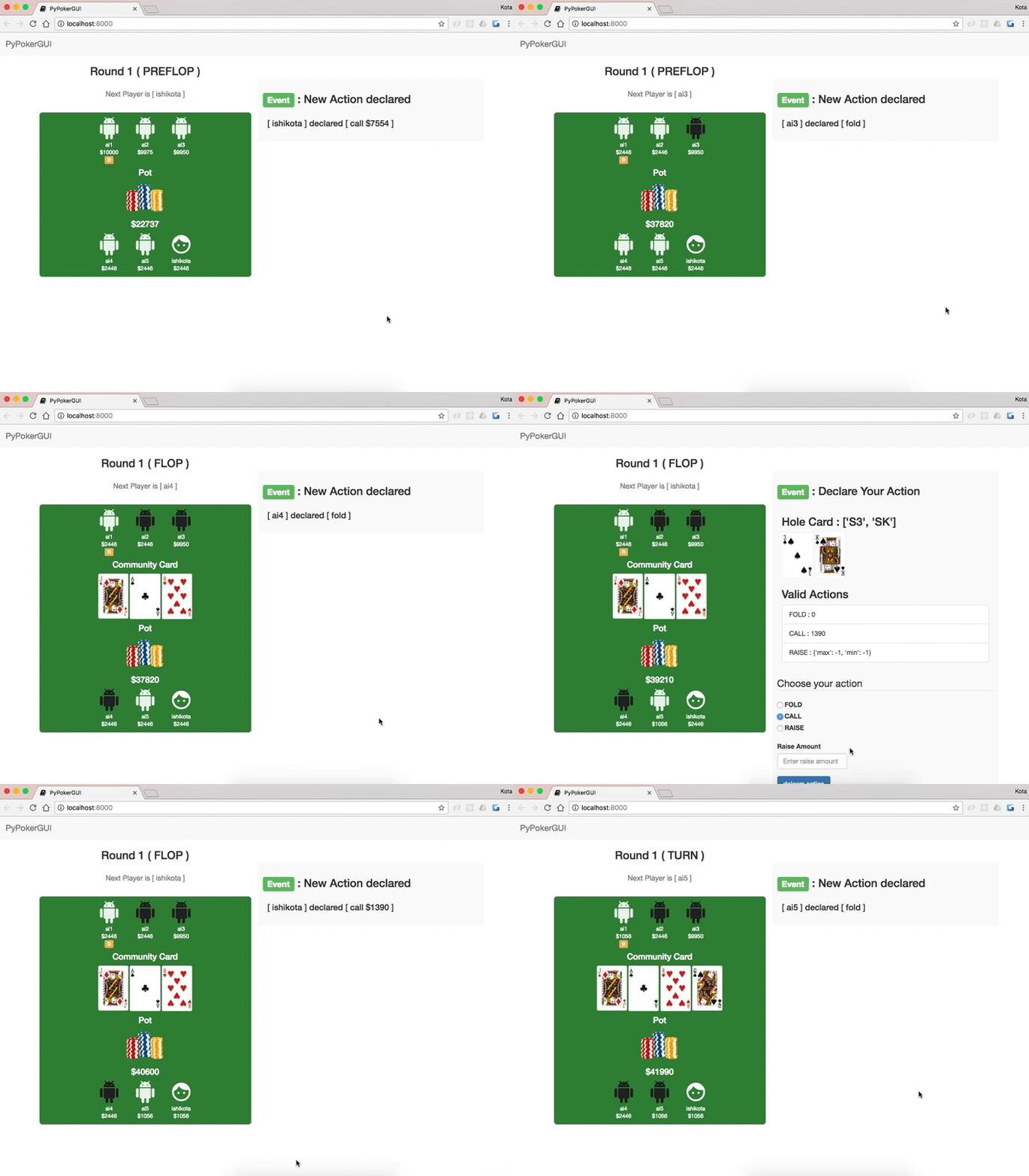
We also provide GUI application. You can play poker with your AI on browser.
Please check PyPokerGUI.
for Reinforcement Learning users
PyPokerEngine is developed for Reinforcement Learning usecase.
So we also provide Emulator class which has convinient methods for Reinforcement Learning.
Common usage of Emulator would be like below.
from pypokerengine.players import BasePokerPlayer
from pypokerengine.api.emulator import Emulator
from pypokerengine.utils.game_state_utils import restore_game_state

from mymodule.poker_ai.player_model import SomePlayerModel

class RLPLayer(BasePokerPlayer):

    # Setup Emulator object by registering game information
    def receive_game_start_message(self, game_info):
        player_num = game_info["player_num"]
        max_round = game_info["rule"]["max_round"]
        small_blind_amount = game_info["rule"]["small_blind_amount"]
        ante_amount = game_info["rule"]["ante"]
        blind_structure = game_info["rule"]["blind_structure"]

        self.emulator = Emulator()
        self.emulator.set_game_rule(player_num, max_round, small_blind_amount, ante_amount)
        self.emulator.set_blind_structure(blind_structure)

        # Register algorithm of each player which used in the simulation.
        for player_info in game_info["seats"]["players"]:
            self.emulator.register_player(player_info["uuid"], SomePlayerModel())

    def declare_action(self, valid_actions, hole_card, round_state):
        game_state = restore_game_state(round_state)
        # decide action by using some simulation result
        # updated_state, events = self.emulator.apply_action(game_state, "fold")
        # updated_state, events = self.emulator.run_until_round_finish(game_state)
        # updated_state, events = self.emulator.run_until_game_finish(game_state)
        if self.is_good_simulation_result(updated_state):
            return # you would declare CALL or RAISE action
        else:
            return "fold", 0
Documentation
For mode detail, please checkout doc site