🎉 HumanEgo is now fully released — code, dataset & docs are all live! (June 7, 2026) 🎉
Zhi (Leo) Wang · Botao He · Kelin Yu · Seungjae Lee · Ruohan Gao · Furong Huang · Yiannis Aloimonos




Overview

There are three ways to use this repo, in increasing order of effort:
- Quick Start in 5 Minutes — run the whole pipeline end-to-end on two sample recordings, as a smoke test.
- Train on the HumanEgo Dataset — download our full released data (with precomputed labels) and train, no hardware needed.
- Train Your Own Policy — collect your own egocentric demonstrations with Project Aria glasses and train on them.
Installation
git clone https://github.com/TX-Leo/HumanEgo.git
cd HumanEgo
conda create -n humanego python=3.11 -y
conda activate humanego
bash setup.sh
By default this installs everything the released pipeline needs: PyTorch (with CUDA) and the vision foundation models we use (SAM 2, Grounding DINO, CoTracker, Orient-Anything V2). The pipeline relies on Project Aria's built-in MPS hand tracking, so the alternative hand-detection methods (MediaPipe, WiLoR, HaMeR) and the robot/camera hardware drivers are skipped by default to keep the install lean. Enable them per-run only if you need them:
SKIP_HAND=0     bash setup.sh   # + MediaPipe / WiLoR / HaMeR (alternative hand-tracking methods)
SKIP_HARDWARE=0 bash setup.sh   # + pyrealsense2 / trossen-arm (real-robot collection & deployment)
PREDOWNLOAD=1   bash setup.sh   # pre-download model weights now (else fetched on first run)
Quick Start in 5 Minutes
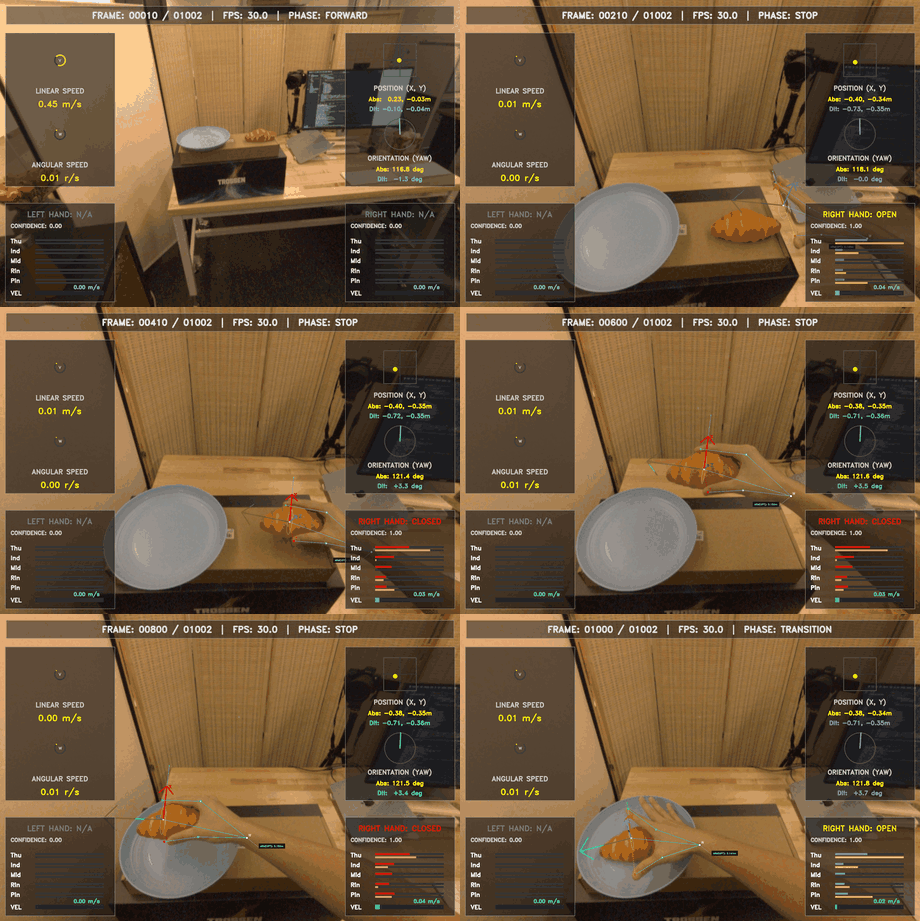
serve_bread — preprocessing visualization
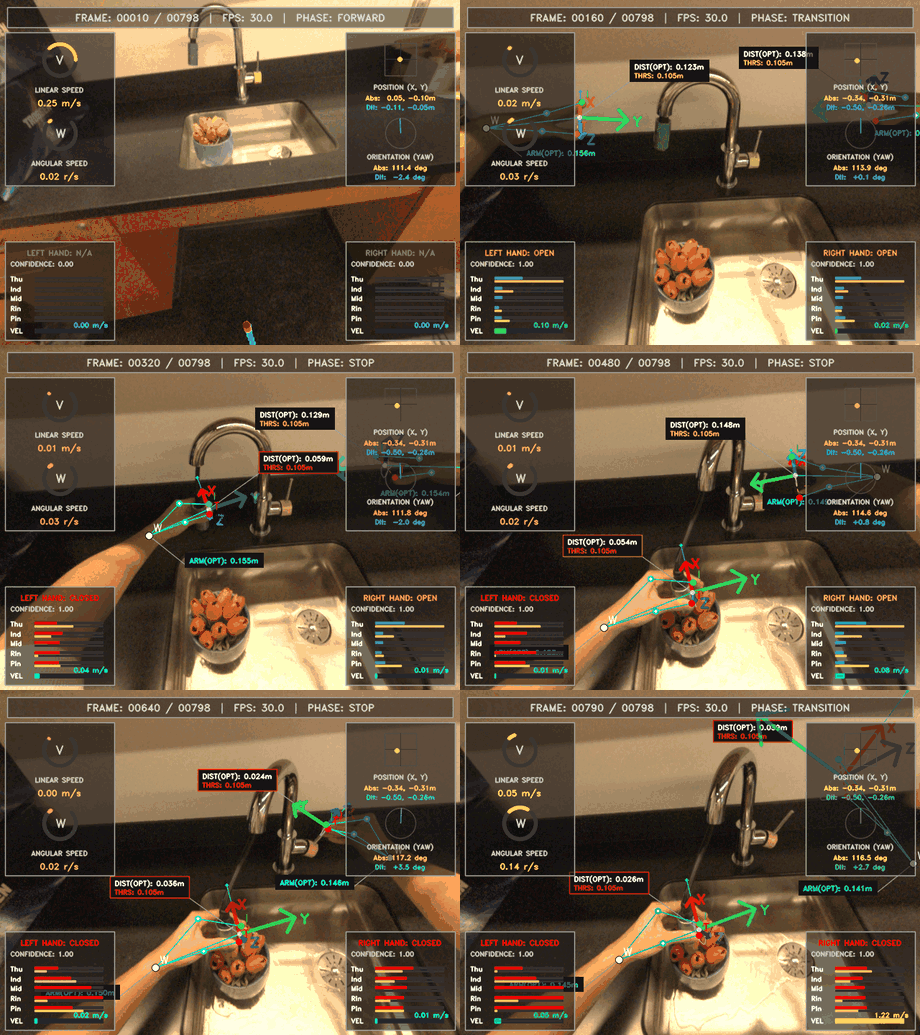
water_flowers — preprocessing visualization
The fastest way to run the whole pipeline end-to-end — download, preprocess, and
train on just a couple of recordings. The HumanEgo training job holds out the
first recording (mps_serve_bread_000_vrs) for evaluation and trains on the
rest, so download two.
1. Download two recordings — inputs only, ~1.2 GB
python scripts/download_data.py --task serve_bread --num 2 --input-only
Fetches mps_serve_bread_000_vrs and mps_serve_bread_001_vrs into
./data/serve_bread/aria/, skipping the precomputed preprocess/ output so you
run the pipeline yourself. See
Train on the HumanEgo Dataset for the full
dataset and all download options.
Prefer to skip preprocessing? Drop --input-only to download the two recordings
with the precomputed preprocess/ output (~4 GB, auto-extracted), then skip
Step 2 and jump straight to 3. Train:
python scripts/download_data.py --task serve_bread --num 2
2. Preprocess both
python -m preprocess.Preprocess --mps_path ./data/serve_bread/aria/mps_serve_bread_000_vrs --task serve_bread
python -m preprocess.Preprocess --mps_path ./data/serve_bread/aria/mps_serve_bread_001_vrs --task serve_bread
Regenerates each recording's preprocess/ folder. See
Step 2: Preprocessing for details.
3. Train
python -m training.FlowMatchingTrainer --task serve_bread --use_cfg --job HumanEgo
Trains on mps_serve_bread_001_vrs and evaluates on the held-out
mps_serve_bread_000_vrs (config: cfg/training/serve_bread/HumanEgo.yaml).
See Step 3: Training for details.
Train on the HumanEgo Dataset
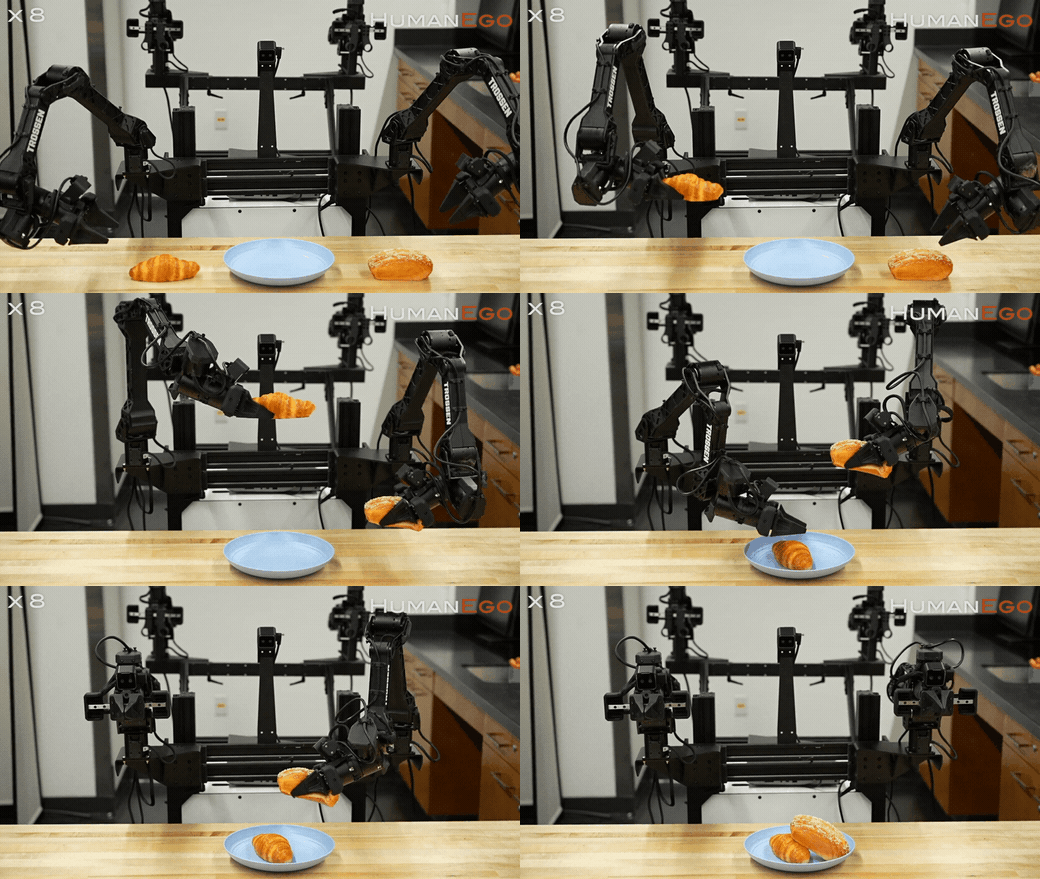
serve_bread — learned policy on a real robot
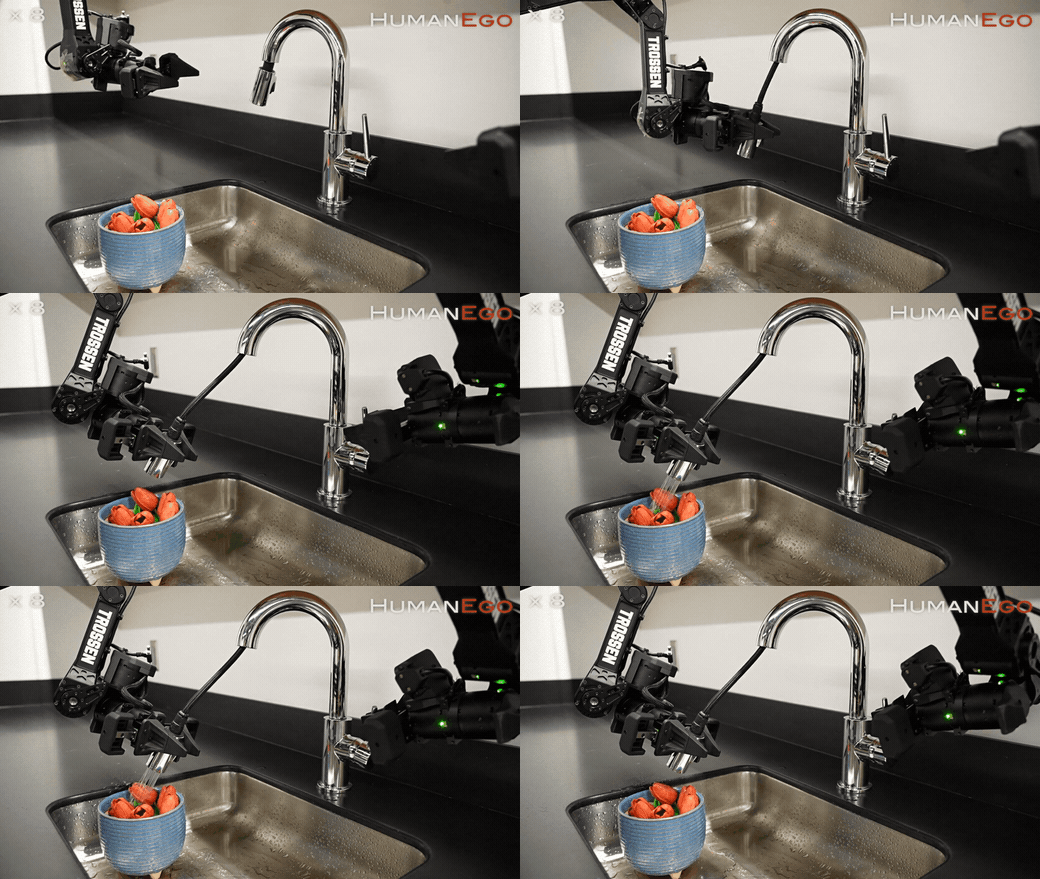
water_flowers — learned policy on a real robot
Skip data collection entirely: download our full released dataset — raw Aria
recordings and the precomputed MPS + preprocess output — and train directly.
Everything is hosted on the public HuggingFace dataset
Leo-TX/HumanEgo, no login or
token required. We release two tasks: serve_bread and water_flowers.
Download the full dataset
# everything, both tasks, with precomputed preprocess output (large)
python scripts/download_data.py --task all --num all

# or one task at a time
python scripts/download_data.py --task serve_bread   --num all
python scripts/download_data.py --task water_flowers --num all
Each recording lands at ./data//aria/mps___vrs/ with its
preprocess/ folder already populated (the all_data.tar is auto-extracted).
Use --num N for the first N recordings, or --input-only to skip the
precomputed output and run preprocessing yourself. See
preprocess/README.md for the full output-file
reference and a plain-huggingface_hub recipe.
Train
# serve_bread
python -m training.FlowMatchingTrainer --task serve_bread   --use_cfg --job HumanEgo

# water_flowers
python -m training.FlowMatchingTrainer --task water_flowers --use_cfg --job HumanEgo
Each job holds out recording 000 of the task for evaluation and trains on the
rest, reading cfg/training//HumanEgo.yaml. See
Step 3: Training for the --task / --job convention.
Train Your Own Policy
Collect your own human-egocentric demonstrations and train a policy on them, end-to-end — record with Project Aria glasses, process the data through MPS, preprocess it, train, and deploy.
Step 1: Data Collection
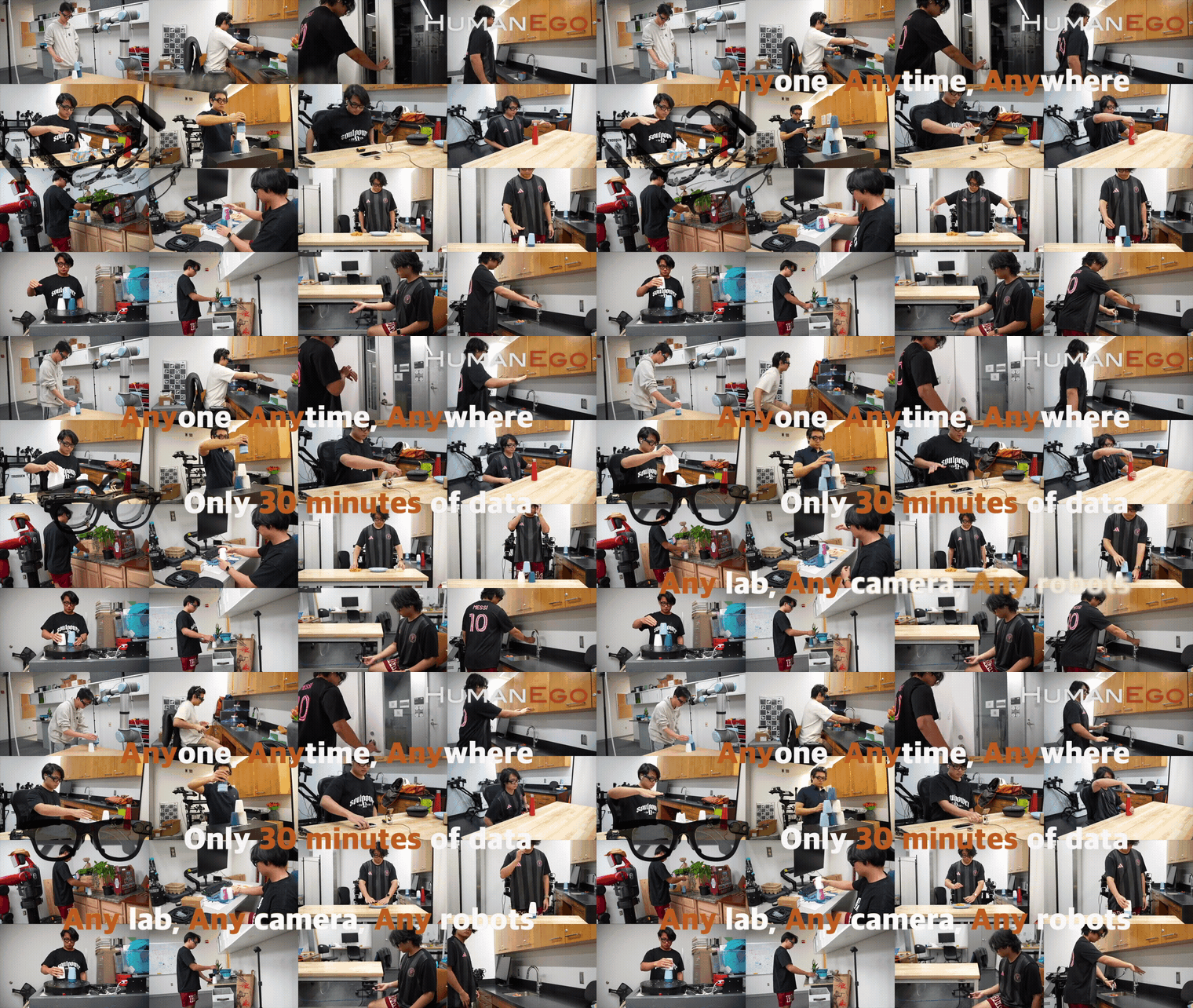
To apply for the Meta Project Aria glasses, see projectaria.com/glasses.
We are also actively adding support for other hardware — e.g. Meta Aria Gen 2,
Meta Quest, Apple Vision Pro, RealSense, iPhone, etc. For the Quest setup in
particular, see
LV-Robotics-Lab/quest_streamer.
See datacollection/README.md
for the end-to-end guide on recording your own Project Aria data and running
MPS (SLAM + hand tracking) on it. The resulting data should look like this:
- data
    - mps_TEST_vrs/
        - else
            - sample.vrs.json
            - vrs_health_check.json
            - vrs_health_check_slam.json
        - hand_tracking
            - hand_tracking_results.csv
            - summary.json
        - slam
            - closed_loop_trajectory.csv
            - online_calibration.jsonl
            - open_loop_trajectory.csv
            - semidense_observations.csv.gz
            - semidense_points.csv.gz
            - summary.json
        - sample.vrs
Step 2: Preprocessing

Turn raw MPS output into training-ready data. First, create a task config
cfg/preprocess/tasks/.yaml describing your task — the
open-vocabulary detection prompts for each object, which hand(s) to track, etc.
--task merges it over the defaults in cfg/preprocess/base/. See
Adding a new task for the
field-by-field reference. Then point --mps_path at the MPS folder from Step 1 and run:
python -m preprocess.Preprocess --mps_path ./data/ --task
This regenerates everything under …/preprocess/. See
preprocess/README.md for the full data layout,
the output-file reference, the task-config reference, and download options.
Step 3: Training

Train a flow-matching policy on the preprocessed data:
python -m training.FlowMatchingTrainer --task "YOUR_TASK" --use_cfg --job "YOUR_JOB"
--task selects the data + config folder under cfg/training/ and --job selects a
YAML inside it (e.g. HumanEgo → cfg/training/serve_bread/HumanEgo.yaml); outputs go
to runs///.
To train on your own task: preprocess your recordings (Step 2 — you need ≥2, one is
held out for evaluation), then create cfg/training//HumanEgo.yaml (copy
cfg/training/serve_bread/HumanEgo.yaml and set data_sources, single_hand, etc.).
See training/README.md for what data training expects, the
full parameter reference, and how to add your own config.
Step 4: Inference
Deploy a trained policy on a real dual-arm robot. Every control step the policy consumes a clean, embodiment-agnostic image (the real arm inpainted out, a virtual gripper rendered in its place) and Interaction-Centric Tokens (ICT) (every hand and object as a 6DoF entity), and predicts a future end-effector trajectory that is smoothed and servoed to the arms in a closed loop:
camera ─▶ perception ─▶ clean image + ICT ─▶ policy ─▶ EE trajectory ─▶ robot ─▶ (loop)
# install the hardware drivers (RealSense + Trossen) first:
SKIP_HARDWARE=0 bash setup.sh
# then run the dual-arm reference loop:
python inference/run_inference.py cfg/inference/example_dualarm.yaml
Pretrained checkpoints (no training required). Our released policies live in the
public HuggingFace model repo
Leo-TX/HumanEgo. Each task folder ships
latest.pt (inference weights) next to the config.json + dataset_stats.json the
loader reads from the same directory. Download the serve_bread policy with:
huggingface-cli download Leo-TX/HumanEgo --include "serve_bread/*" --local-dir ./checkpoints
# → ./checkpoints/serve_bread/{latest.pt, config.json, dataset_stats.json}
Then set policy.ckpt: ./checkpoints/serve_bread/latest.pt in your inference config
(cfg/inference/example_dualarm.yaml). The same folder also carries latest_full.pt
(optimizer state) if you'd rather resume training.
The inference/ folder is a clean, hardware-agnostic
reference template — it shows the standard structure rather than a turn-key
script. Implement three interfaces (Camera, RobotArm, Perception) for your
own rig and reuse the policy + control logic unchanged. You'll need a trained
checkpoint, a camera + arm(s), and a hand-eye calibration (T_base_in_cam). See
inference/README.md for the full walk-through: frame
conventions, the step-by-step pipeline, how to write your own
camera/robot/perception drivers, and the parameter-tuning guide.
Acknowledgements
This project builds on excellent open-source work, including Project Aria (Gen 1 glasses & MPS), Trossen Arm, CoTracker3, Grounding DINO, SAM 2, HaMeR, WiLoR, MediaPipe, LaMa, and Orient-Anything.
License
HumanEgo is released under the PolyForm Noncommercial License 1.0.0: free for any noncommercial use, including academic and nonprofit research. Commercial use (by or for a company) requires a separate paid license — please get in touch (see Contact).
Contact

Questions are welcome! Reach out to Zhi (Leo) Wang at
tx.leo.wz@gmail.com (WeChat: tx-leo-wz).
Join our WeChat group to discuss HumanEgo, ask questions, and stay updated — scan the QR code below:

If the QR code has expired, add Zhi (Leo) Wang on WeChat (
tx-leo-wz) and we'll invite you to the group.
BibTeX
If you find this work helpful, we would greatly appreciate it if you cite our paper!
@misc{humanego2026,
  title         = {HumanEgo: Zero-Shot Robot Learning from Minutes of Human Egocentric Videos},
  author        = {Wang, Zhi and He, Botao and Yu, Kelin and Lee, Seungjae and Gao, Ruohan and Huang, Furong and Aloimonos, Yiannis},
  year          = {2026},
  eprint        = {2605.24934},
  archivePrefix = {arXiv},
  primaryClass  = {cs.RO}
}