OmniNxt: A Fully Open-source and Compact Aerial Robot with Omnidirectional Visual Perception
IROS 2024 Oral
[Peize Liu](https://uav.hkust.edu.hk/current-members/),
[Chen Feng](https://chen-albert-feng.github.io/AlbertFeng.github.io/)†,
Yang Xu,
Yan Ning,
[Hao Xu](https://www.xuhao1.me/)†, and
[Shaojie Shen](https://uav.hkust.edu.hk/group/)
HKUST Aerial Robotics Group
†Corresponding Authors
[](https://arxiv.org/pdf/2403.20085.pdf)
[](https://hkust-aerial-robotics.github.io/OmniNxt/)
[](https://www.bilibili.com/video/BV1AK421Y7Vz/?spm_id_from=333.999.0.0&vd_source=0af61c122e5e37c944053b57e313025a)
📢News
- [30/06/2024]: OmniNxt is accepted to IROS 2024.
- [15/08/2024] V0.1 Release
Outline
[TOC]
Please cite our paper if you use this project in your research:
- OmniNxt: A Fully Open-source and Compact Aerial Robot with Omnidirectional Visual Perception, Peize Liu, Chen Feng, Yang Xu, Yan Ning, Hao Xu, and Shaojie Shen, 2024 IEEE/RSJ International Conference on Intelligent Robots and Systems (IROS).
@inproceedings{liu2024omninxt,
  title={Omninxt: A fully open-source and compact aerial robot with omnidirectional visual perception},
  author={Liu, Peize and Feng, Chen and Xu, Yang and Ning, Yan and Xu, Hao and Shen, Shaojie},
  booktitle={2024 IEEE/RSJ International Conference on Intelligent Robots and Systems (IROS)},
  pages={10605--10612},
  year={2024},
  organization={IEEE}
}
Please kindly star ⭐️ this project if it helps you. We take great efforts to develop and maintain it 😁.
🤖Build your own OmniNxt
You should have basic knowledge of the standard quadrotor's electronic system.
BOM
| 🧰Component | 📏 Specification | 🔗 Purchase Link |
|---|---|---|
| Quad-Fisheye Camera Set | ||
| OAK-FFC-4P | Camera control board | Official / Taobao |
| OAK-FFC-4P-new (Highly recommended! ) | Camera control board designed for OmniNxt | Official_Email / Taobao |
| B0335 (OV9782) | Camera modules (Fisheye lens FOV larger than 210 degrees) | Official / Taobao |
| Camera cables | Customized | Camera cable SCH |
| Onboard computer | ||
| Jetson Orin Nx | ||
| Jetson Orin Nx carrier board | DM | |
| Jetson Orin Nx radiator | ||
| Jeston Orin Network card | ||
| 2230 SSD | ||
| Intel AX200 | ||
| Flight platforms (6S) | ||
| Nxt-FC | Project Page | MicoAir / Taobao |
| Flight frame | Customized | Fusion360 |
| Protector | Customized / Oddity RC XI35 protector | Fusion360 / Oddity RC |
| Motors | 2204 1750KV/ 1804 2450KV | |
| 6S Battery |
Our latest design can be accessed by Fusion360.🔗Link Access code: hkustUAV
Multi-fisheye Camera Module
ROS wrap driver 🔗oak_ffc_4p, which contains hardware information, ROS1 driver and test tools.
Calibration tool 🔗 quater-calib
Jetson Orin
Environment Info
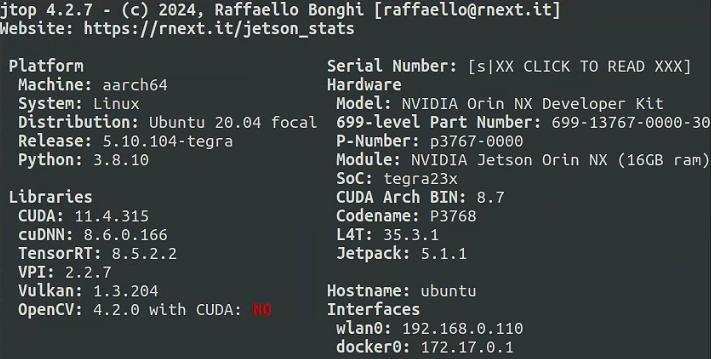
We suggest you follow these settings to avoid conflict (especially CUDA and TensorRT).
Nxt-FC
We open-source hardware designs at 🔗NXT-FC. Nxt-FC supports PX4 and Ardupilot firmware.
Follow the instructions for setting up the Nxt-FC part to configure your flight controller.
The PX4 parameter of OmniNxt can be downloaded from Onedrive.
💾Runtime setup
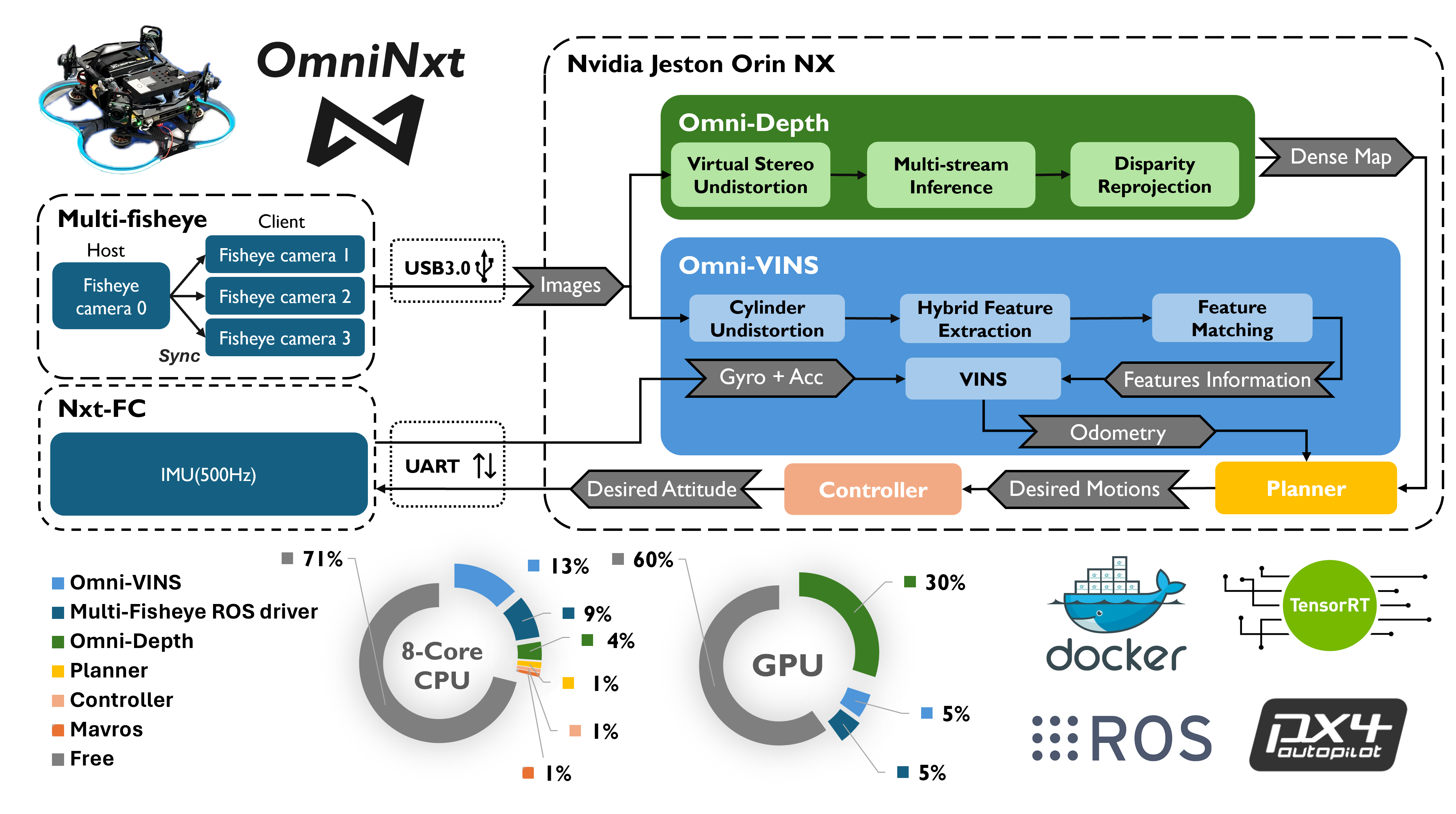
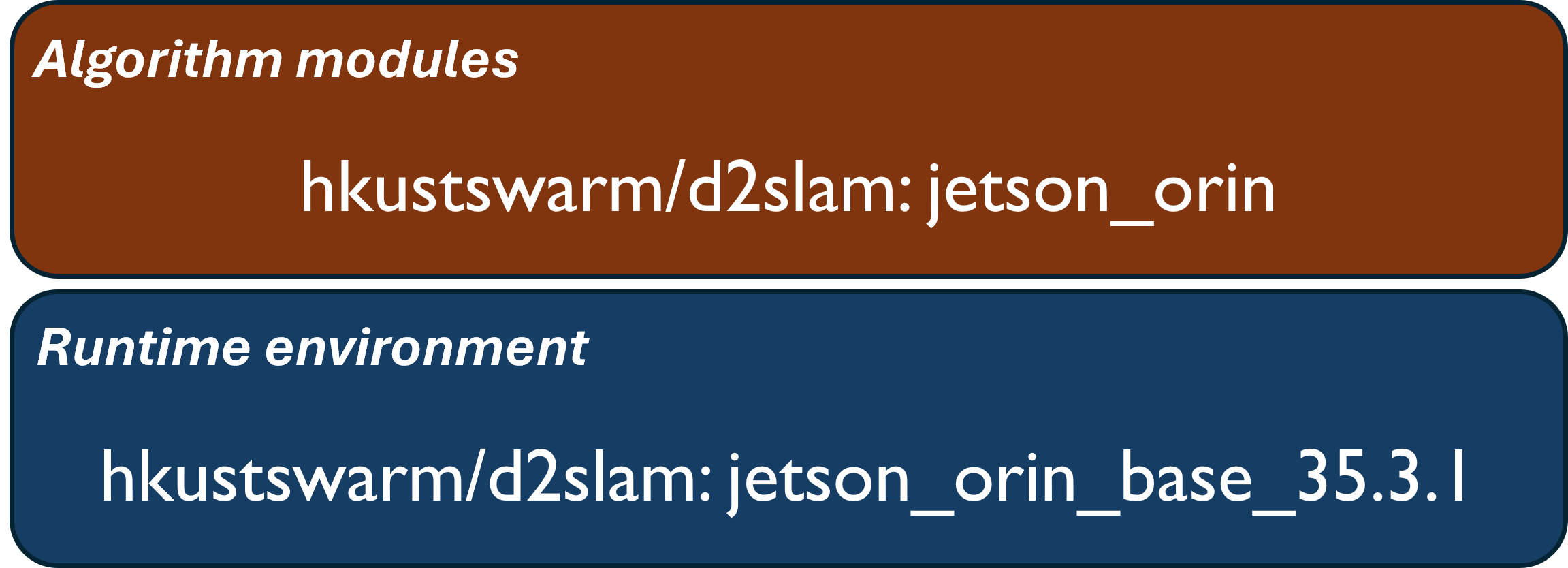
Our Omni-VINS and Omni-Depth are developed from D2SLAM. Since building the Docker images on the local machine(Jetson Orin) usually takes a long time, we suggest you pull the images from the Docker Hub. If you want to build the Docker image on your local machine, follow the instructions [Build Docker Images On Local Machine](#Build Docker images in local machines).
the docker images structure is as follows:
Step 1 Clone the repository into your local machine
git clone --branch pr_fix_main https://github.com/HKUST-Aerial-Robotics/D2SLAM.git
Step 2 Configure your quad-cam parameters and VINS parameters following our template
cd ./D2SLAM/config/quadcam_drone_nxt_tmp
If you have already calibrated your quad fisheye camera set, you can simply replace the files with the same name, which includes:
- stereo_calib_n_m_240_320.yaml (n and m is the camera number; used in Omni-Depth).
- fisheye_cams.yaml. (used in Omni-VINS)
Step 3 Configure ./start_docker.sh script with your local environment.
./start_docker.sh is under the ./D2SLAM directory.
Modify the following parameters with the absolute path under your local host environment.
- DATA_SET (where the data set is) (Optional)
Then run with the following command under the D2SLAM directory (very important, this will map your D2SLAM dir into the container):
./start_docker.sh 1
Step 4 Launch algorithm modules
run all algorithm modules together (Omni-VINS & Omni-Depth)
## you should under /root/swarm_ws/
source ./devel/setup.bash
roslaunch d2vins quadcam.laucnh
Only launch Omni-VINS. Please remove the nodes in the red box
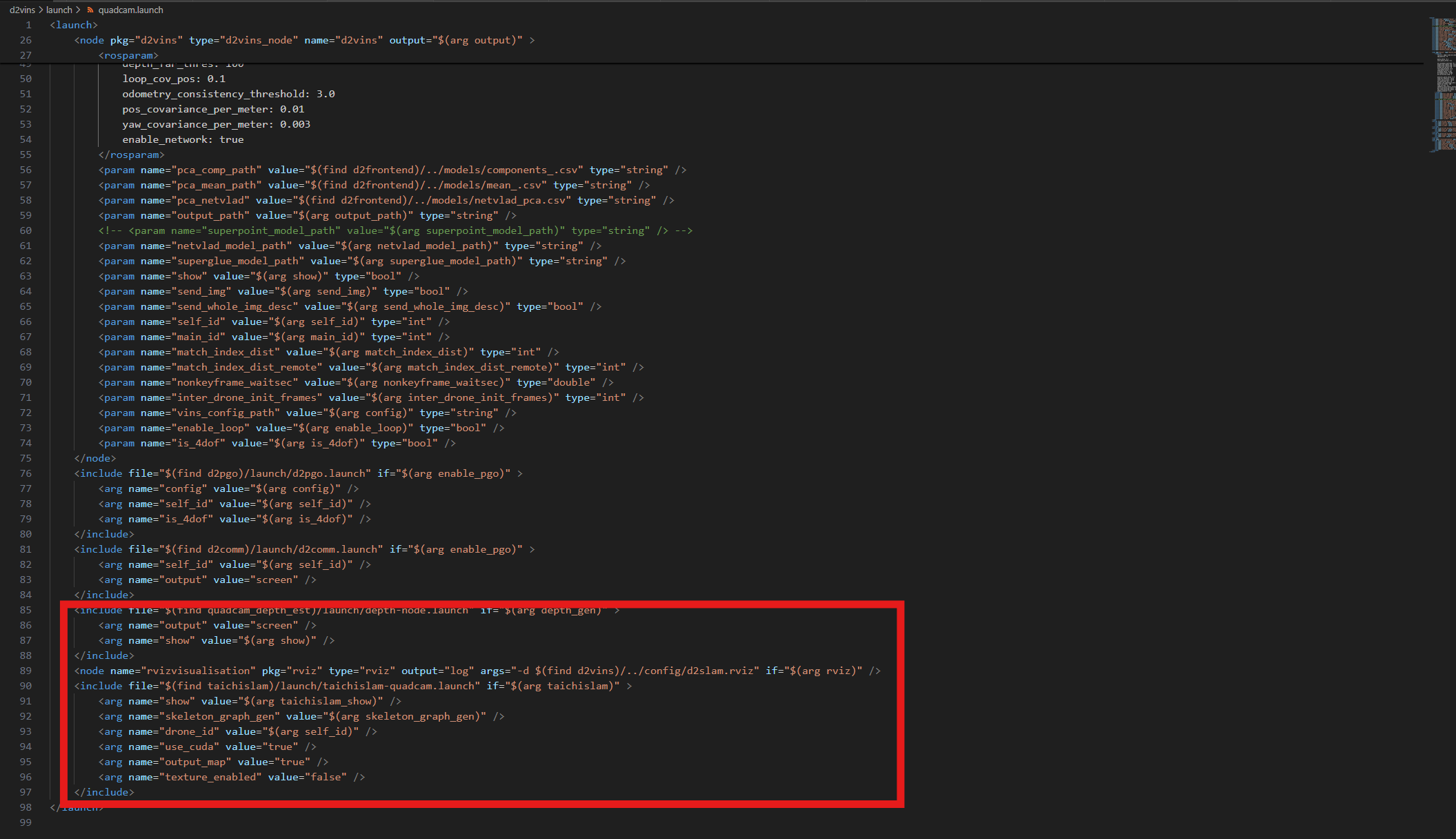
source ./devel/setup.bash
roslaunch d2vins quadcam.laucnh
Only launch Omni-Depth
source ./devel/setup.bash
roslaunch quadcam_depth_est depth-node.launch
[Notice] If you are running Omni-VINS and Omni-Depth for the first time, the initialization process of these two modules would be a little bit long because of the building of the inference engine.
Almost done
If everything works well, you will see
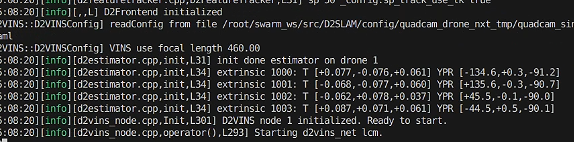
which means Omni-VINS(D2VINS) initialized normally.
Omni-Depth
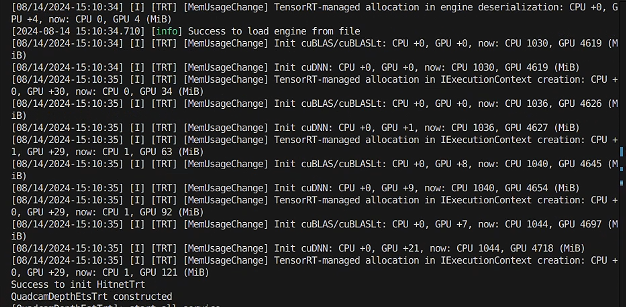
🖥️Build Docker images in local machines
Step 1 Build Jeston_base image
cd /D2SLA/docker
make jetson_orin_base
Step 2 Build Jeston Orin image
cd /D2SLA/docker
make jetson_orin
PX4 Controller
We highly suggest you refer to Fast-Lab's PX4 controller PX4-Control
We also provide our yaw-rotation-free version of Fast-Lab's PX4 controller PX4-Control.
Please cite ZJU-Fast-Lab if these modules are useful for your research and project.
Flight planer
We modified some of the strategies in the ego-planner. Our version is here ego-planner-omni-modify
Please cite ZJU-Fast-Lab's ego-planner if these modules are useful for your research and project.