← Open Source
LottieFiles

lottie-player

Lottie viewer/player as an easy to use web component. https://lottiefiles.com/web-player.

MiscTypeScript
Open on GitHub
Momentum
+0stars in 24 hours0.0%
1.66k
Stars
184
Forks
+0
This week
11
Contributors
Created 2019-05-06 · Updated 2026-10-08 · #9755 today
Top developers

LottieFiles/lottie-player is ranked 9,755 with 1,657 stars.

Same-category comparison

LottieFiles/lottie-player is ranked 9,755 among these 8 peers; zed-industries/extensions is ranked 9,233.

Same-category comparison
NameRankMetrics
oxylabs/chatgpt-scraper7,978
Language:
Java
Stars:
3,371
Forks:
13
Description:
Easily collect responses from ChatGPT scraper by providing a prompt along with valid Web Scraper API credentials.
microsoft/amplifier8,118
Language:
Python
Stars:
3,127
Forks:
260
DanOps-1/Gpt-Agreement-Payment8,753
Language:
Python
Stars:
2,295
Forks:
45
zed-industries/extensions9,233
Language:
JavaScript
Stars:
1,931
Forks:
2,704
Description:
Extensions for the Zed editor.
wenfxl/openai-cpa10,434
Stars:
1,404
Forks:
441
Description:
Enterprise Distributed Automation Platform for massive concurrent workload execution. Unifies elastic cluster orchestration, multi-channel identity verification messaging, real-time ops telemetry, and multi-warehouse lifecycle control (CPA / Sub2API / Image2API) in one high-throughput control plane.
acheong08/ChatGPTProxy10,672
Language:
Go
Stars:
1,328
Forks:
322
Description:
Simple Cloudflare bypass for ChatGPT.
michiganrobotics/rob31110,907
Language:
Python
Stars:
1,266
Forks:
242
Description:
How to Build Robots and Make Them Move.
daaain/claude-code-log10,997
Language:
Python
Stars:
1,242
Forks:
101
Description:
A Python CLI tool that converts Claude Code transcript JSONL files into readable HTML / Markdown format.
Key parameters and specifications
ParameterValue
LanguageTypeScript
CategoryMisc
Stars1,657
Forks184
Contributors11
Created date2019-05-06
Updated date2026-10-08
Stars in 1 day0
Stars in 7 days0
Rank9,755
Previous rank9,797
Rank change42
7-day stars rank12,404
Previous 7-day stars rank9,744
7-day stars rank change-2,660
Total stars rank7,447
Previous total stars rank7,443
Total stars rank change-4
README summary

IMPORTANT] ** is deprecated and no longer maintained. ** Please use instead, a modern web component for playing Lottie and dotLottie animations. Demo Basic usage examples Documentation For full documentation, visit docs. com/lottie-player Installation In HTML, import from CDN or from the local Installation: Lottie Player: Import from CDN. Import from local node_modules directory. Telegram Sticker (TGS) Player: Import from CDN. Import from local node_modules directory. Usage Lottie-Player Add the element and set the property to a

URL pointing to a valid Bodymovin JSON. You may set and load animations programatically as well. TGS-Player Add the element and set the property to a URL pointing to a valid TGS JSON. ReactJS & VueJS Import the player either as or Use as follows Typescript ReactJS Import the player either as or Use as follows For typescript projects an added step is required. The component must be declared as a JSX intrinsic element. ts' in the root of your

project and add the code below to the file. Nuxt 2 Create a file inside the folder and add the below code to the file: \ Open file and add the following entry to register the newly created plugin: This is because the player script needs to be rendered on the browser/client side and we must configure Nuxt to load the script on the client side only. \ You would then be able to use the player as follows inside any

component: Nuxt 3 The process for Nuxt 3 is slightly different. Create a file inside the folder and add the below code to the file: \ Your plugin will be automatically available throughout your Nuxt application thanks to the plugin auto-registration. Note the suffix in the name of the plugin - this tells Nuxt to load it only on the client side, as the Lottie Player script can only be rendered in the browser. You would then be able to use

the player as follows inside any component: NextJS The process to import in NextJS is similar to Nuxt in the sense that on SSR mode, the library must be declared as a client side module. To do this, import the library within a react useEffect hook. Do add a declaration file named declaration. ts to the root of the project as well Full documentation on player properties, methods, events and styling for the Lottie-player are available here. For bugs

and errors you encounter using this player. For hanging out with the community and sharing your awesome Lottie animations!

Frequently asked questions

How many stars and forks are recorded?

LottieFiles/lottie-player has 1,657 stars and 184 forks.

What is the repository rank?

LottieFiles/lottie-player is ranked 9,755.

What language and category are recorded?

LottieFiles/lottie-player has 1,657 stars, uses TypeScript and belongs to Misc.

Which repository is closest in rank?

LottieFiles/lottie-player is compared with zed-industries/extensions, ranked 9,233 with 1,931 stars.

README

[!IMPORTANT] @lottiefiles/lottie-player is deprecated and no longer maintained.

Please use @lottiefiles/dotlottie-wc instead, a modern web component for playing Lottie and dotLottie animations.


lottie-player Web Component (Deprecated)

This is a Web Component for easily embedding and playing Lottie animations and the Lottie-based Telegram Sticker (tgs) animations in websites.

Demo
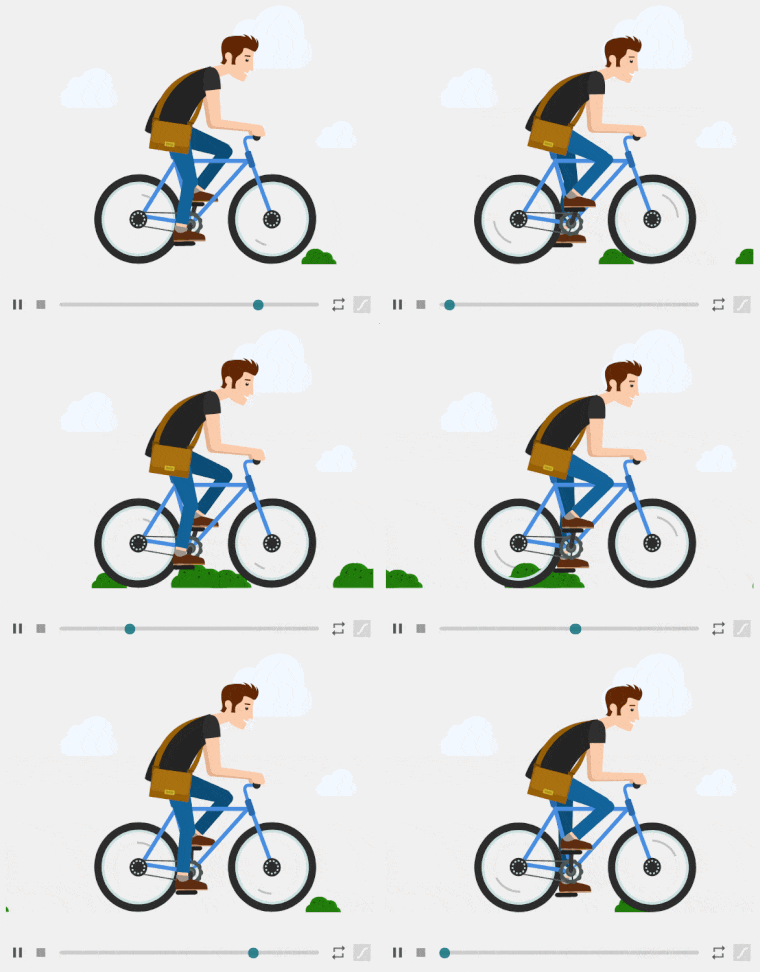
Basic usage examples

Documentation

For full documentation, visit docs.lottiefiles.com/lottie-player

Installation

In HTML, import from CDN or from the local Installation:

Lottie Player:
  • Import from CDN.

  • Import from local node_modules directory.

Telegram Sticker (TGS) Player:
  • Import from CDN.

  • Import from local node_modules directory.

In Javascript or TypeScript:

  1. Install package using npm or yarn.
npm install --save @lottiefiles/lottie-player
  1. Import package in your code.
import "@lottiefiles/lottie-player";

Usage

Lottie-Player

Add the element lottie-player and set the src property to a URL pointing to a valid Bodymovin JSON.


You may set and load animations programatically as well.


const player = document.querySelector("lottie-player");
player.addEventListener("rendered", (e) => {
  //Load via URL
  player.load("https://assets3.lottiefiles.com/packages/lf20_UJNc2t.json");
  // or load via a Bodymovin JSON string/object
  player.load(
    '{"v":"5.3.4","fr":30,"ip":0,"op":38,"w":315,"h":600,"nm":"new", ... }'
  );
});

TGS-Player

Add the element tgs-player and set the src property to a URL pointing to a valid TGS JSON.


ReactJS & VueJS

Import the player either as

import * as LottiePlayer from "@lottiefiles/lottie-player";

or

require("@lottiefiles/lottie-player");

Use as follows


Typescript ReactJS

Import the player either as

import * as LottiePlayer from "@lottiefiles/lottie-player";

or

require("@lottiefiles/lottie-player");

Use as follows


For typescript projects an added step is required. The component must be declared as a JSX intrinsic element. Create a file 'declarations.d.ts' in the root of your project and add the code below to the file.

declare namespace JSX {
  interface IntrinsicElements {
    "lottie-player": any;
  }
}

Nuxt 2

Create a lottie-player.js file inside the /plugins folder and add the below code to the file:

import * as LottiePlayer from "@lottiefiles/lottie-player";


Open nuxt.config.js file and add the following entry to register the newly created plugin:

export default {
  plugins: [{ src: "~/plugins/lottie-player.js", mode: "client" }]
}

This is because the player script needs to be rendered on the browser/client side and we must configure Nuxt to load the script on the client side only.

You would then be able to use the player as follows inside any component:


Nuxt 3

The process for Nuxt 3 is slightly different.
Create a lottie-player.client.ts file inside the /plugins folder and add the below code to the file:

import * as LottiePlayer from "@lottiefiles/lottie-player";

export default defineNuxtPlugin(() => LottiePlayer);


Your plugin will be automatically available throughout your Nuxt application thanks to the plugin auto-registration. Note the client suffix in the name of the plugin - this tells Nuxt to load it only on the client side, as the Lottie Player script can only be rendered in the browser.

You would then be able to use the player as follows inside any component:


NextJS

The process to import in NextJS is similar to Nuxt in the sense that on SSR mode, the library must be declared as a client side module. To do this, import the library within a react useEffect hook.

import React, { useRef } from "react";

export default function Home() {
  const ref = useRef(null);
  React.useEffect(() => {
    import("@lottiefiles/lottie-player");
  });
  return (


  );
}

Do add a declaration file named declaration.d.ts to the root of the project as well

declare namespace JSX {
  interface IntrinsicElements {
    "lottie-player": any;
  }
}

Full documentation on player properties, methods, events and styling for the Lottie-player are available here.

Community & Support

  • Github issues. For bugs and errors you encounter using this player.
  • Discord. For hanging out with the community and sharing your awesome Lottie animations!

Our other Lottie related libraries

Project

Description

lottie-react

A React component for the Lottie Web player.

lottie-vue

A Vue component for the Lottie player.

svelte-lottie-player

Lottie player component for use with Svelte.

jLottie

jLottie is suitable as a general purpose lottie player, though implements a subset of the features in the core player - this approach leads to a tiny footprint and great performance.

lottie-interactivity

This is a small library to add scrolling, cursor interactivity and interaction chaining to your Lottie Animations.

dotLottie

dotLottie is an open-source file format that aggregates one or more Lottie files and their associated resources into a single file. They are ZIP archives compressed with the Deflate compression method and carry the file extension of ".lottie".

lottie-js

The library consists of methods to map the Lottie JSON to the object model and interact with properties as well as manipulate them.

lottie-theming

A library to extract themable properties and apply different themes to a given Lottie

License

MIT License © LottieFiles.com

Nearby in the ranking
Similar items