CCSeva 🤖


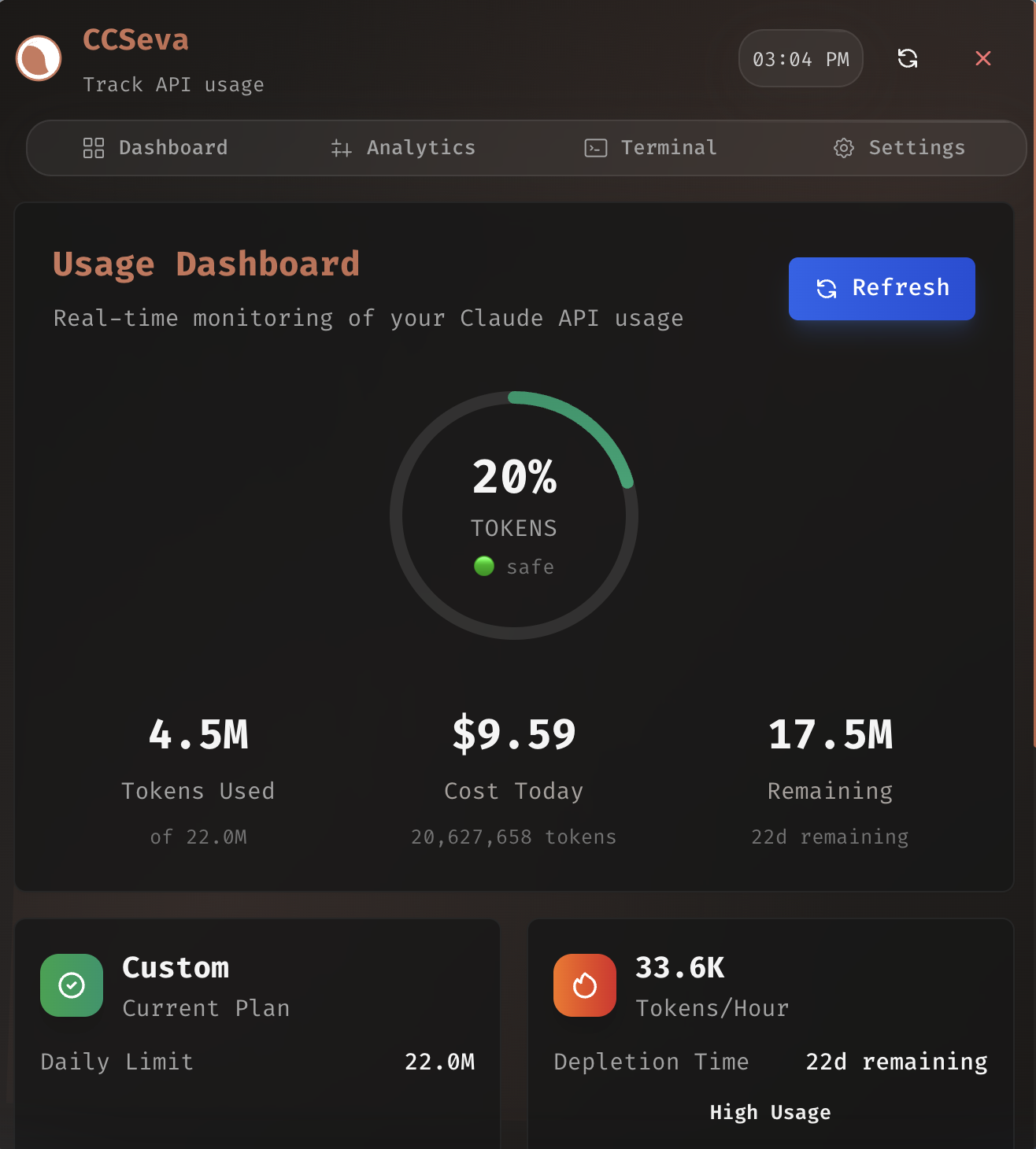
A lightweight, native Swift macOS menu bar app for tracking your Claude Code usage in real-time. Monitor token consumption, costs, session blocks, and server-side limits with an elegant native interface.
CCSeva runs as a menu-bar-only app built on NSStatusItem + NSPopover + SwiftUI. It's roughly 3 MB installed with zero runtime dependencies — no Electron, no Node, near-zero idle overhead. It parses your ~/.claude transcripts directly and shows real server-truth limit gauges (5-hour + weekly utilization with reset countdowns and a predicted cutoff time). The app lives in swift/.
Note: The original Electron app is now legacy and being phased out in favor of this native Swift app. It is still present in the repository root (see Legacy: Electron app below).
Screenshots
Features
- Live menu bar usage — usage percentage shown right in the menu bar with color-coded status
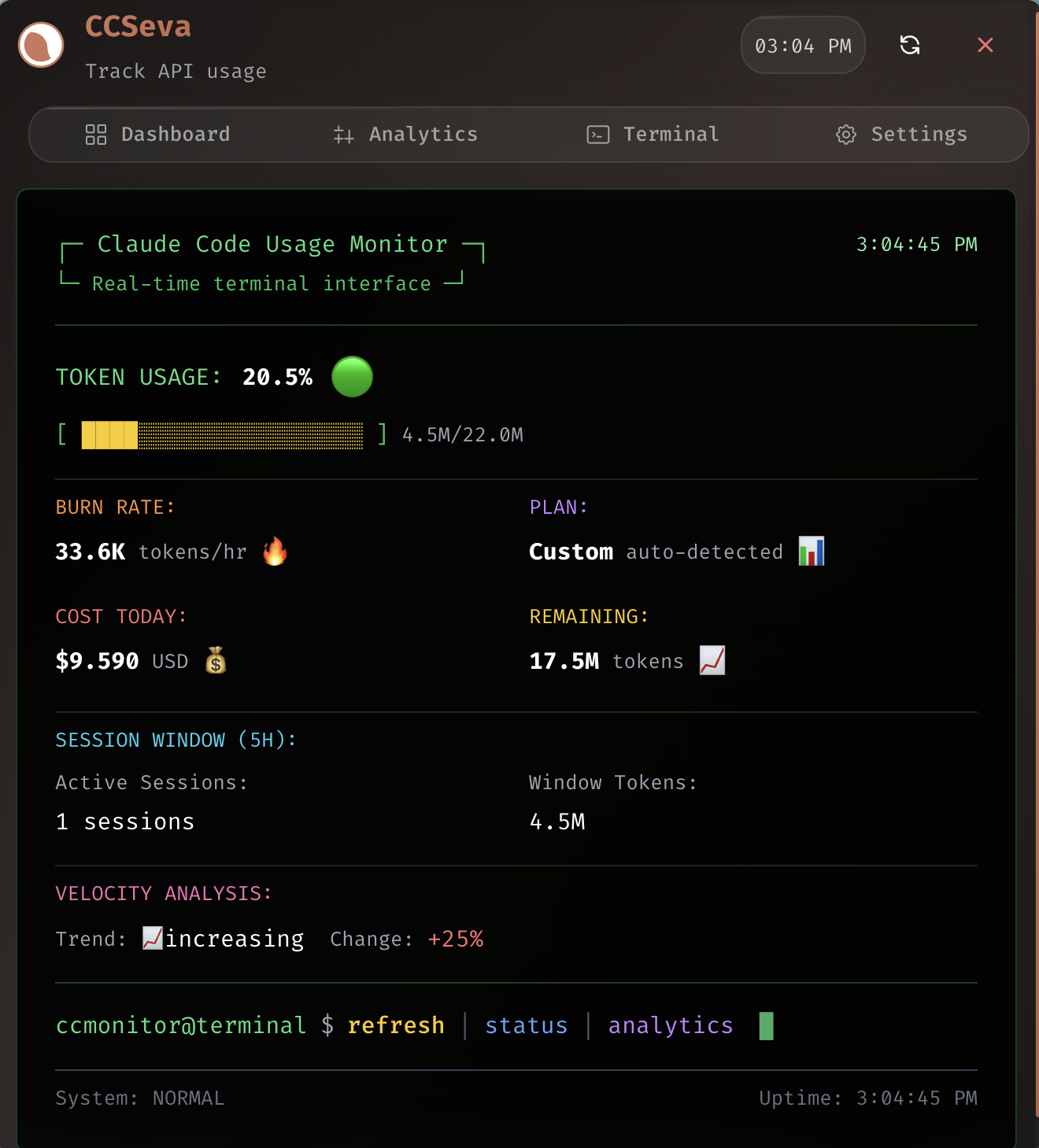
- 5-hour session blocks — current block tokens, burn rate, end-of-window projection, and reset countdown
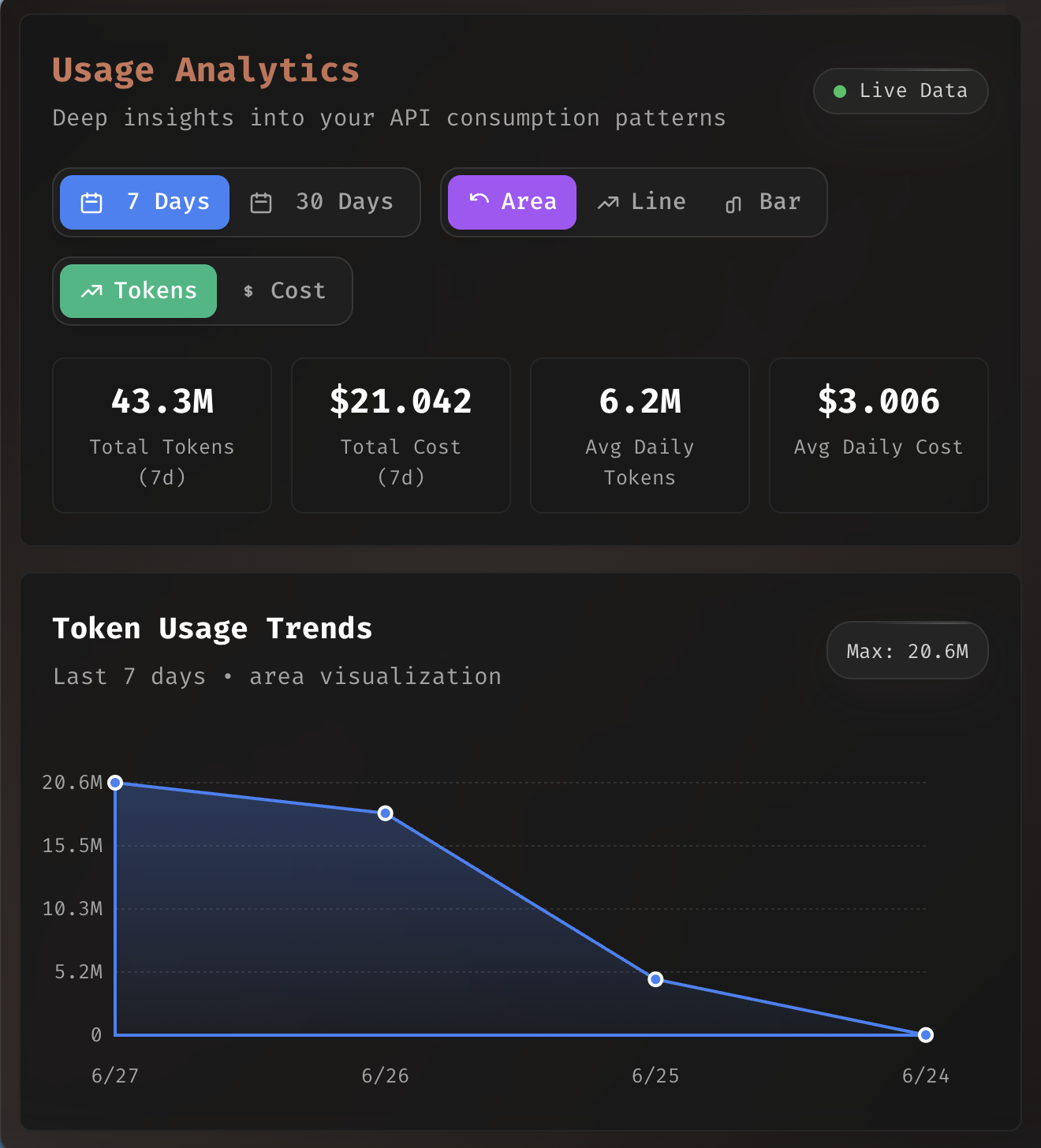
- Weekly usage history — week-by-week token and cost rollups (matching Claude's weekly limits)
- Server-truth limit gauges — reads Claude Code's OAuth usage endpoint for real 5-hour and weekly utilization (including usage from other devices) plus a predicted cutoff time, with automatic local-estimation fallback when the endpoint is unavailable
- Per-model & per-project cost breakdown — see where your tokens and dollars go
- Five tabs — Dashboard, Live, Analytics (Swift Charts), Terminal, and Settings
- Native notifications — alerts at 70% and 90% thresholds with a cooldown, only firing when status worsens
- Launch at login — optional toggle in Settings
- Native JSONL parsing — reads
~/.claude/projects/**/*.jsonldirectly with incremental scanning and dedup - Warm Fira Code UI — clean, monospaced native styling
Installation
Download (Recommended)
Download the latest release from GitHub Releases:
- macOS (Apple Silicon):
CCSeva--arm64.ziporCCSeva--arm64.dmg
First launch (unsigned build): Until a Developer ID certificate is configured, release artifacts are ad-hoc signed. The first time you open the app, macOS Gatekeeper will block it. Either right-click
CCSeva.app→ Open (then confirm), or remove the quarantine attribute:xattr -dr com.apple.quarantine CCSeva.app
Build from Source
Requires Xcode 16.4 / Swift 6.1 and macOS 14+ (Sonoma).
git clone https://github.com/Iamshankhadeep/ccseva.git
cd ccseva/swift
./scripts/build-app.sh        # release build → dist/CCSeva.app (ad-hoc codesigned)
mv dist/CCSeva.app /Applications/
See swift/README.md for full build, architecture, and data-pipeline details.
Usage
- Launch — CCSeva appears in your menu bar, showing your current usage percentage.
- Left-click — opens the popover with the Dashboard, Live, Analytics, Terminal, and Settings tabs.
- Right-click — access Refresh and Quit.
- Launch at Login — enable it in the Settings tab so CCSeva starts automatically.
The app automatically detects your Claude Code configuration from the ~/.claude directory and refreshes on file changes (with a periodic fallback poll).
Optional claudecode.directory sync
Open Settings → claudecode.directory → Connect with GitHub to pair this Mac with your private usage dashboard. CCSeva opens a short-lived verification page in your browser and stores the resulting device credential in macOS Keychain. Connected Macs sync idempotent daily/model aggregates in the background and can be disconnected from either CCSeva or the website.
Sync is local-first and opt-in. CCSeva uploads token totals, estimated cost, date, timezone, harness, provider, and model. It never uploads prompts, responses, transcript content, project names or paths, request IDs, API keys, or Claude OAuth credentials.
For local integration testing, set CCSEVA_DIRECTORY_URL to the dynamic directory server URL.
Production builds default to https://claudecode.directory.
Requirements
- macOS 14+ (Sonoma)
- For building from source: Xcode 16.4 / Swift 6.1
- Claude Code installed and configured (valid
~/.claudedata)
Tech Stack
- Swift 6.1 + SwiftUI + AppKit (
NSStatusItem/NSPopover) - Swift Charts for analytics visualizations
- Native, ccusage-compatible JSONL parsing (incremental scan + dedup) and 5-hour block computation
- No Electron, no Node, and no external runtime dependencies — a single ~3 MB app bundle
Legacy: Electron app
The Electron app is being phased out in favor of the native Swift app above. It remains in the repository root (
main.ts,preload.ts, andsrc/) for now, but new development targets the Swift app.
The original CCSeva was a macOS menu bar app built with Electron 36, React 19, TypeScript 5, Tailwind CSS 3, and Radix UI, using the ccusage package for data integration.
Build & run
git clone https://github.com/Iamshankhadeep/ccseva.git
cd ccseva
npm install
npm run build
npm start
Development
npm run electron-dev # hot reload development
The Electron app requires Node.js 18+ to build and runs on macOS 10.15+.
License
MIT License - see LICENSE file for details.
Credits
Built with ❤️ using Swift, SwiftUI, and ccusage (for the usage data format and 5-hour block algorithm). The legacy app additionally uses Electron, React, and Tailwind CSS.
Note: This is an unofficial tool for tracking Claude Code usage. Requires a valid Claude Code installation and configuration.