
Dinotty
中文 | English | Русский | Português | 한국어 | Español | Deutsch | Français
A terminal built for coding agents.
Run Claude Code, opencode, Codex, or OpenClaw on any device -- simple, extensible, multi-device, never lose a session.
One session across phone · iPad · desktop
Stop mid-task on your computer, continue on your phone, then return to your desktop and pick up exactly where you left off. Sessions survive disconnects and restore on refresh.
Everything is a pane — build your terminal like building blocks
Terminals, plugins, files, SSH, and web previews are all panes. Drag them around to assemble your own workspace.
Screenshots
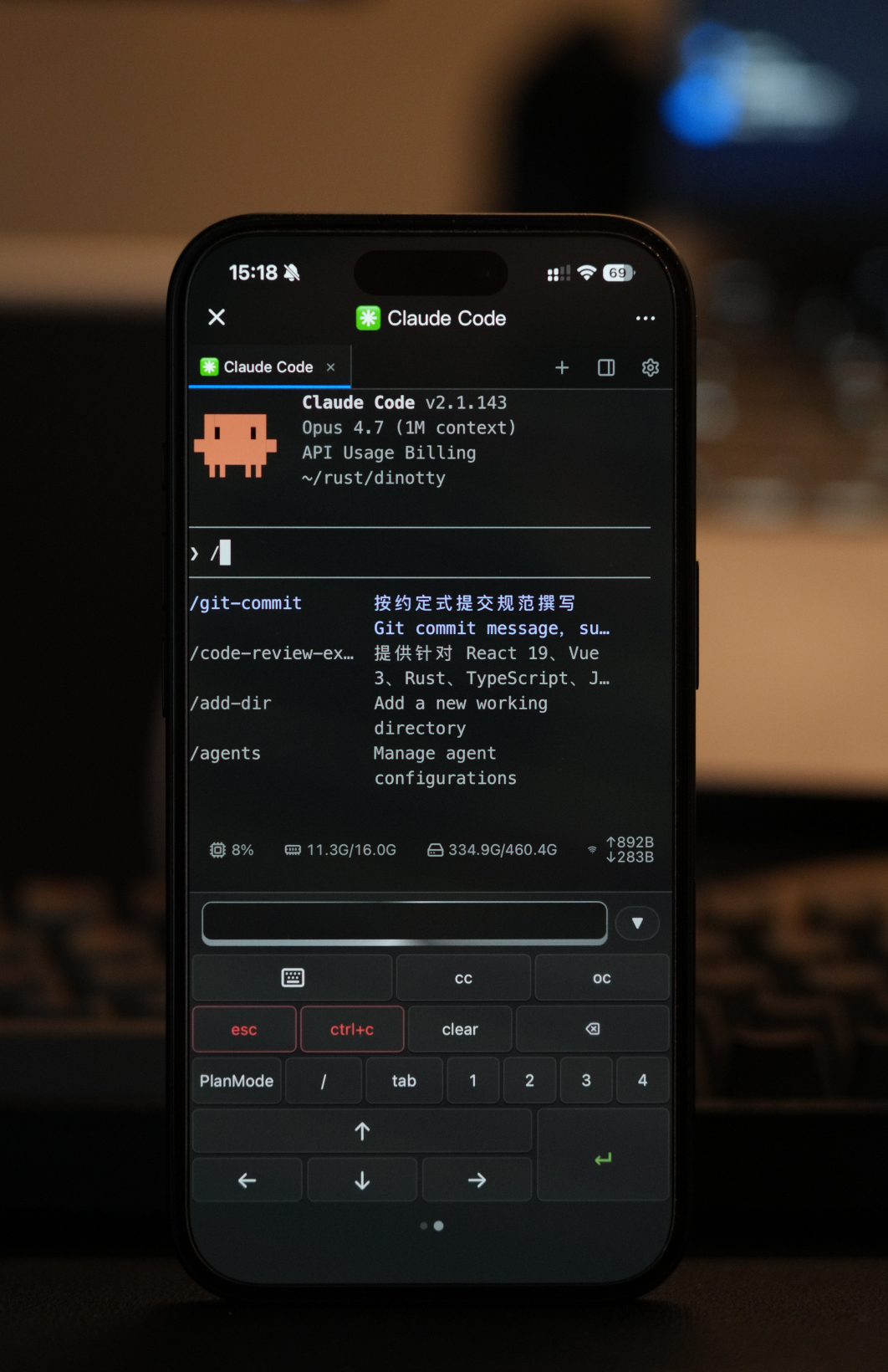
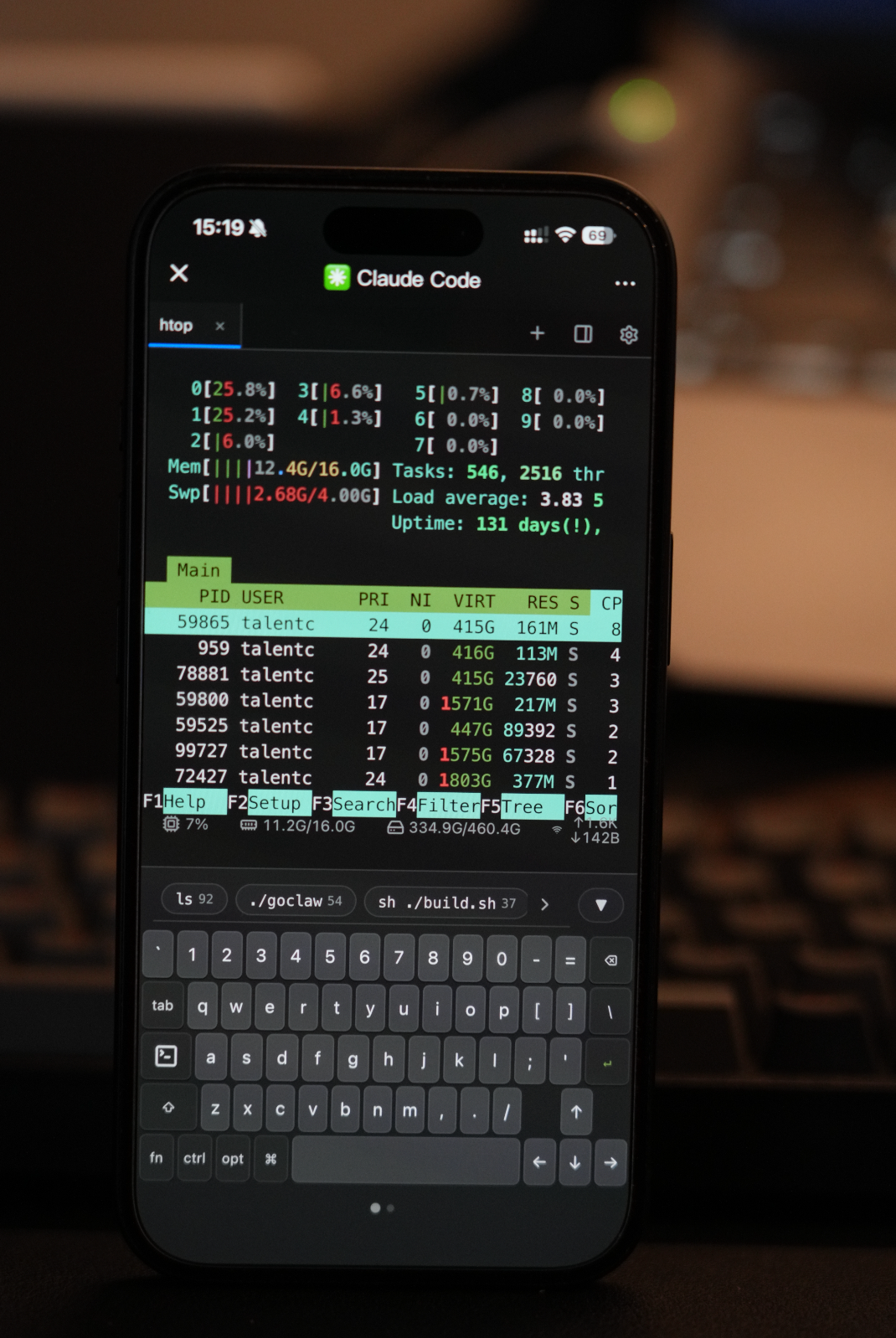
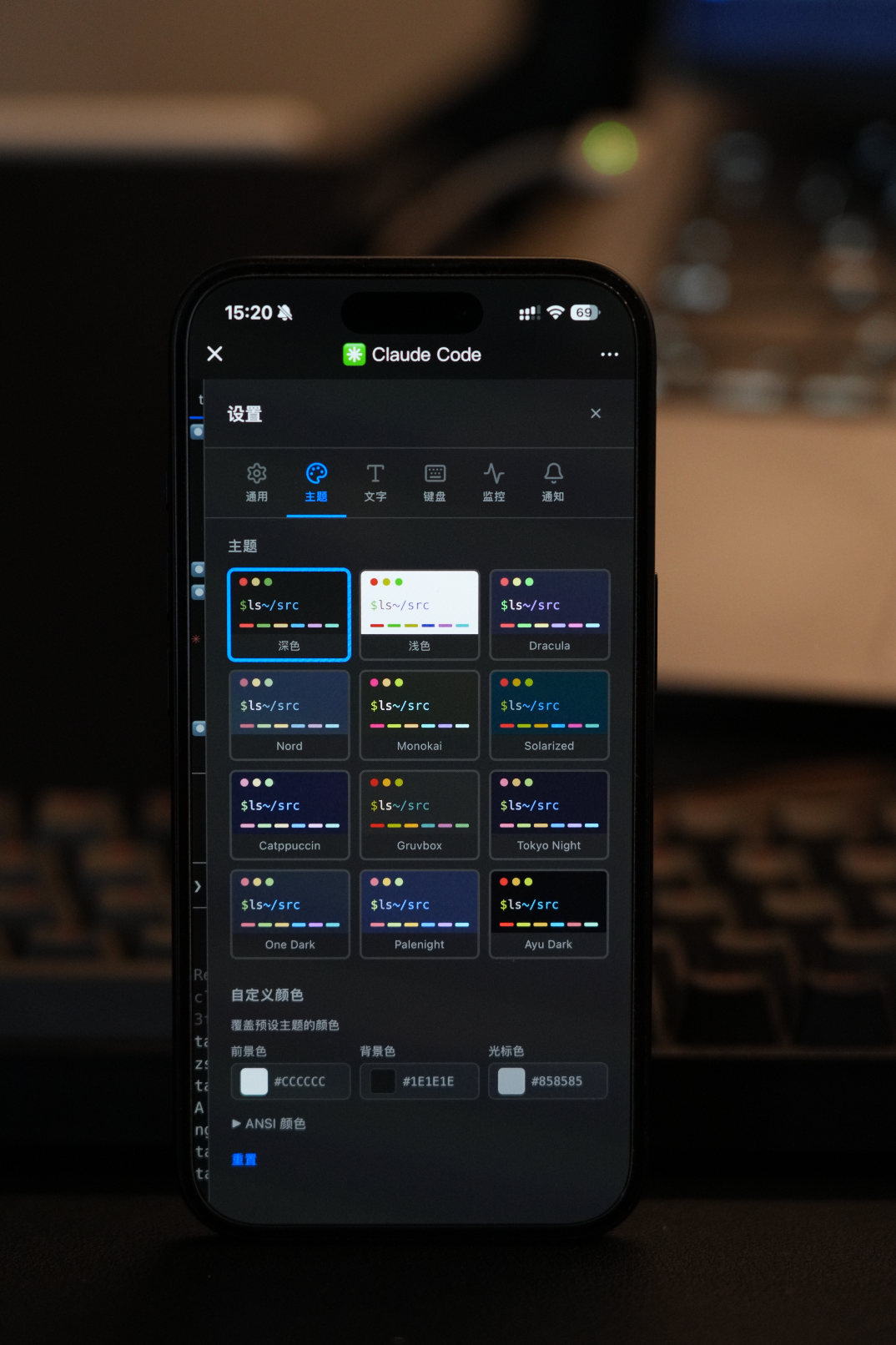
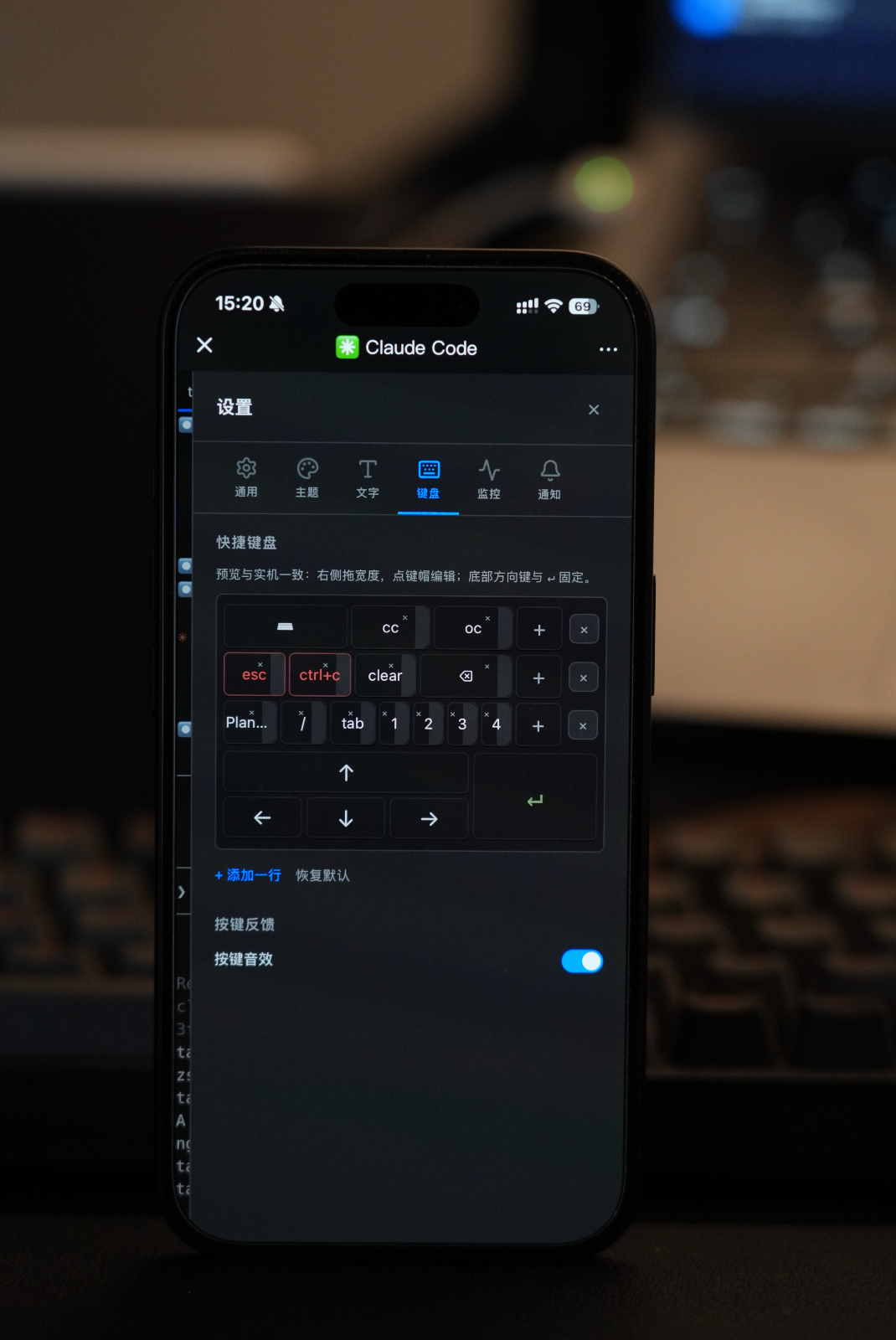
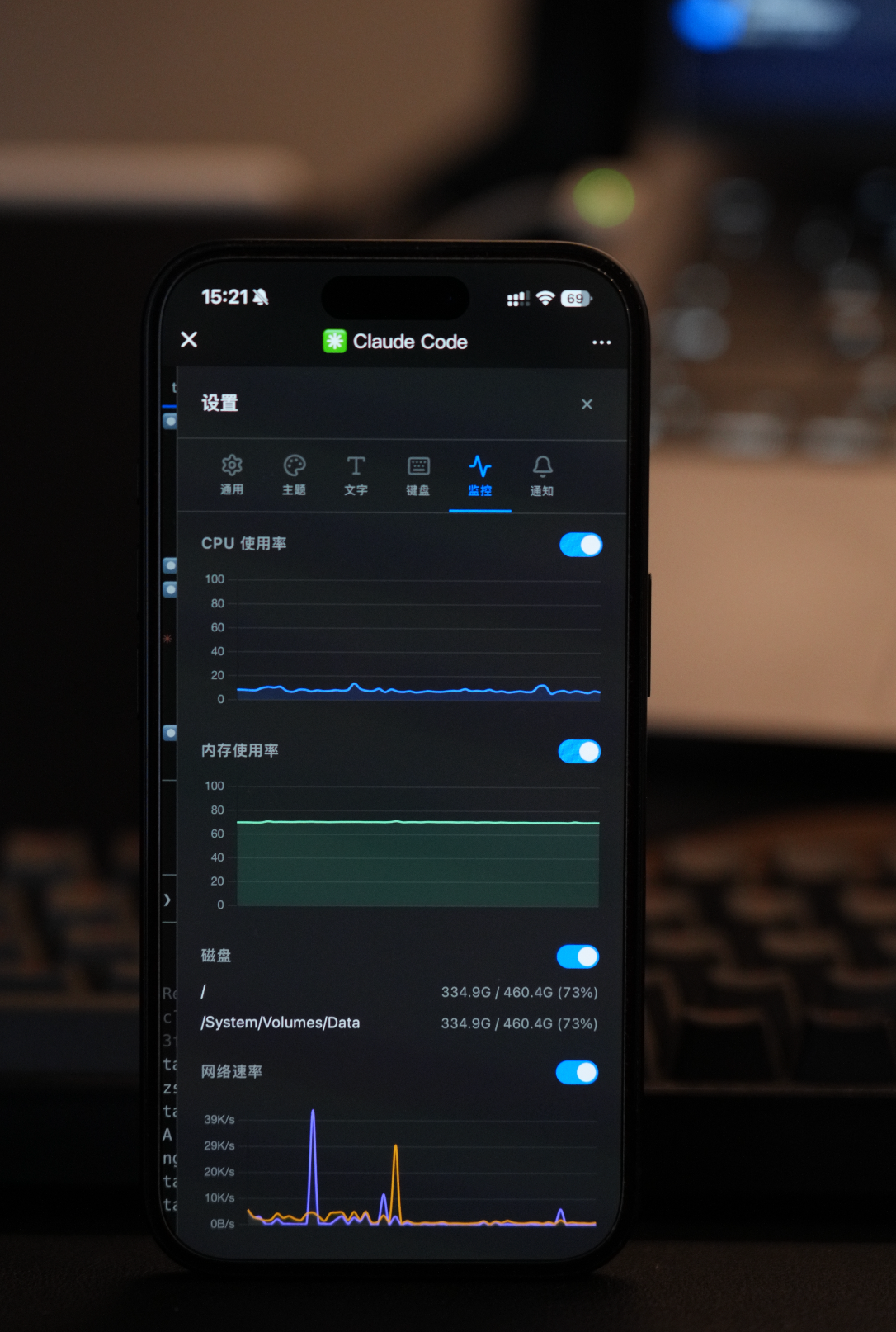
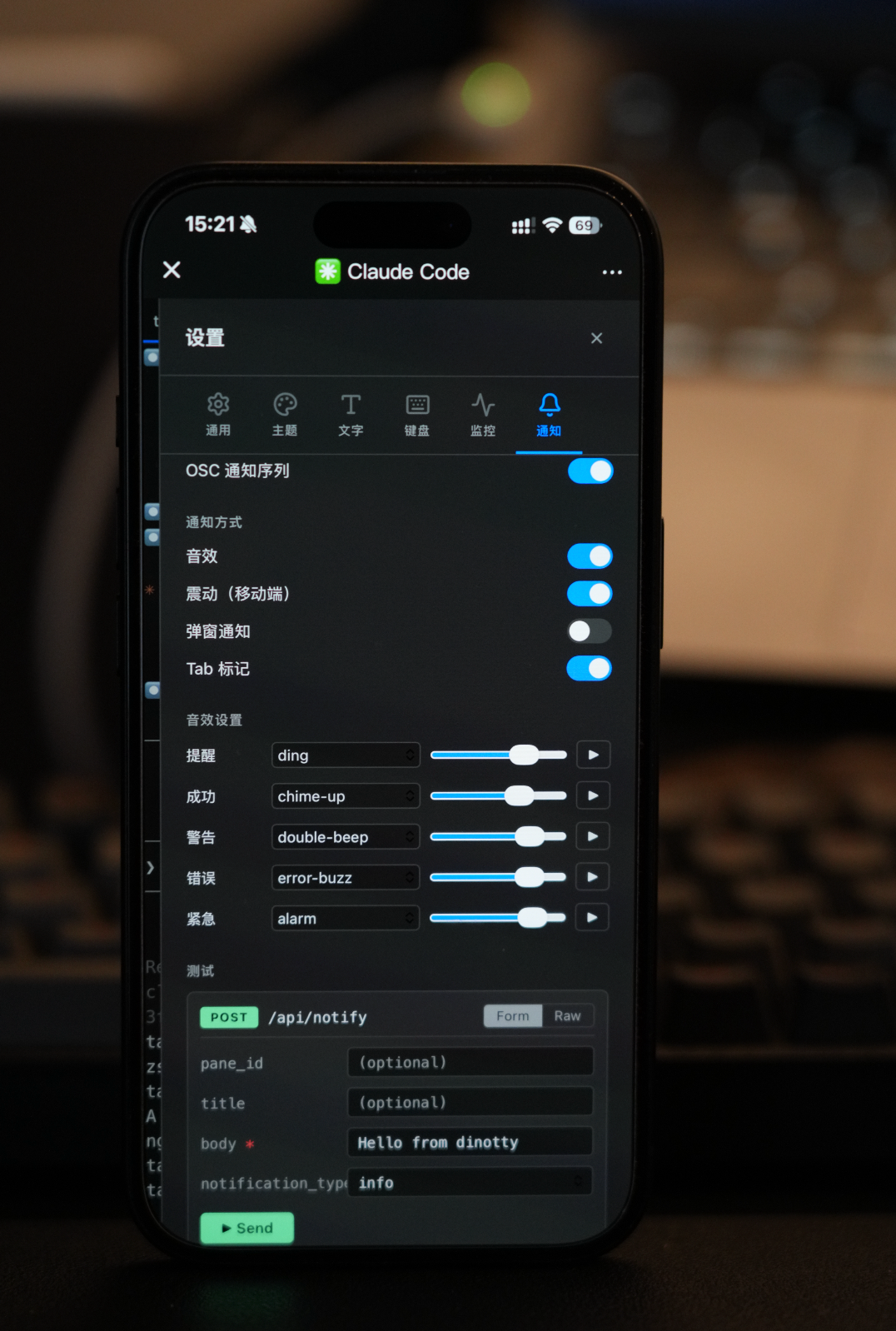
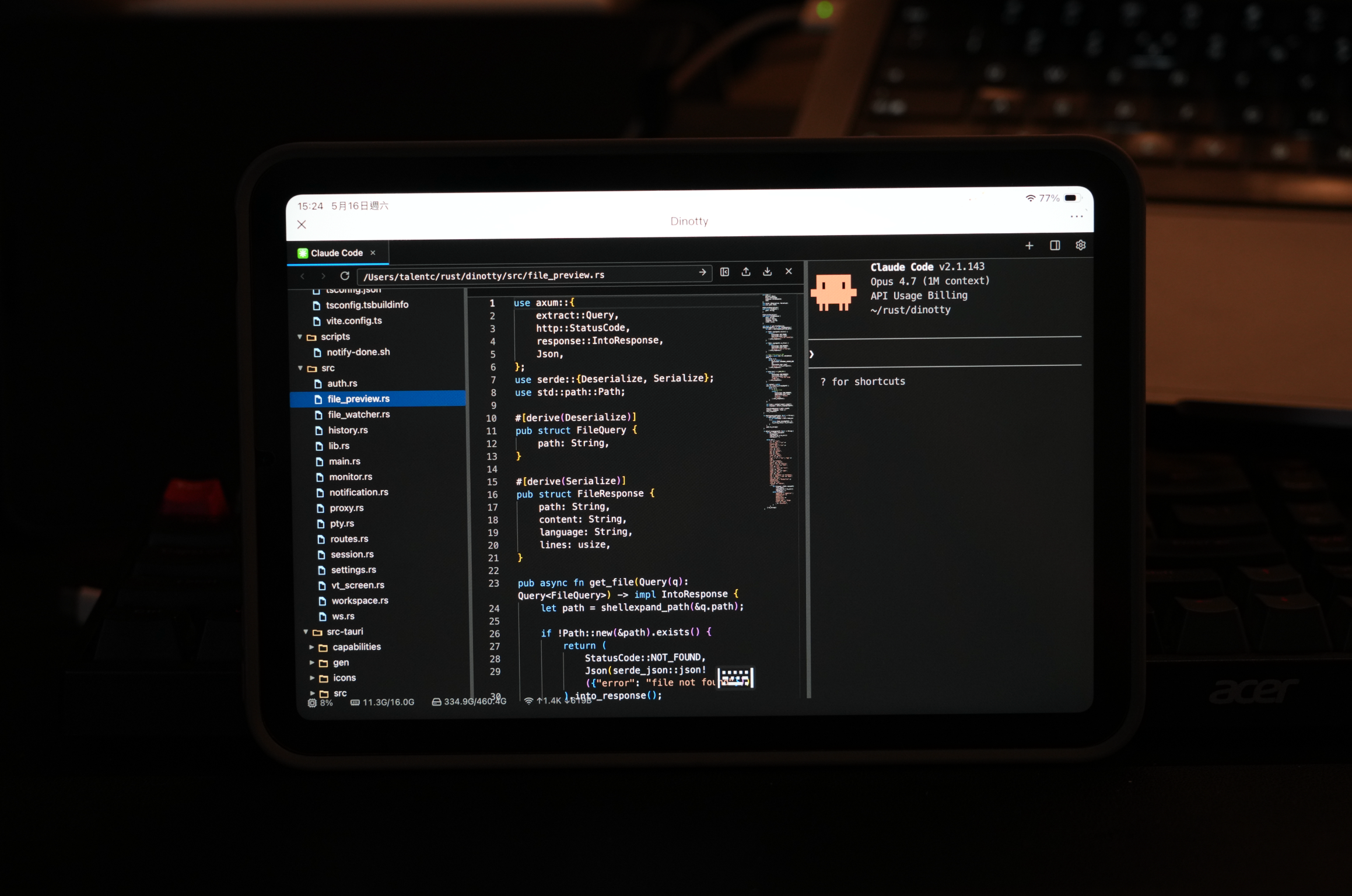
Desktop Demo
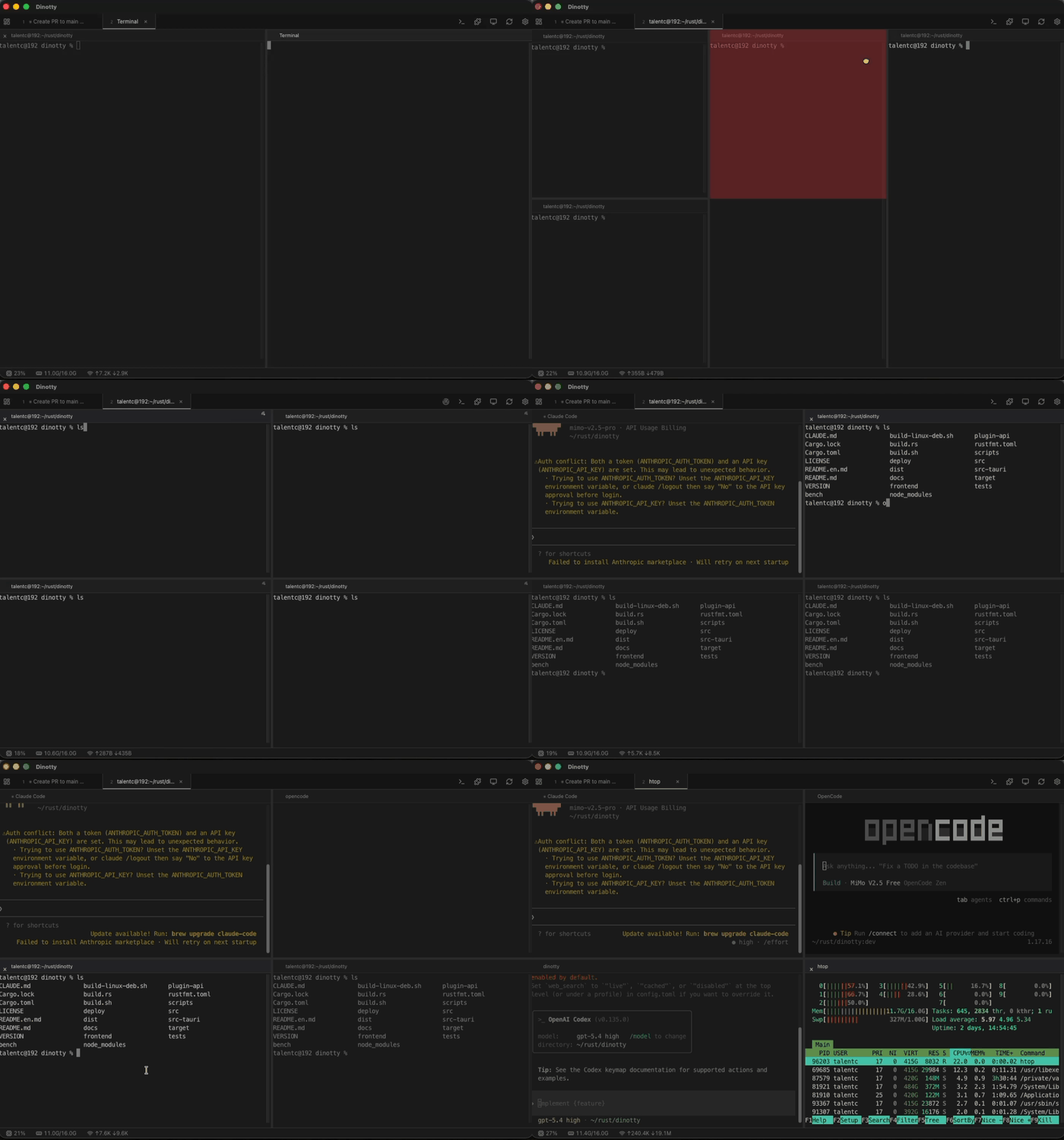
The desktop client delivers a professional experience comparable to iTerm2:
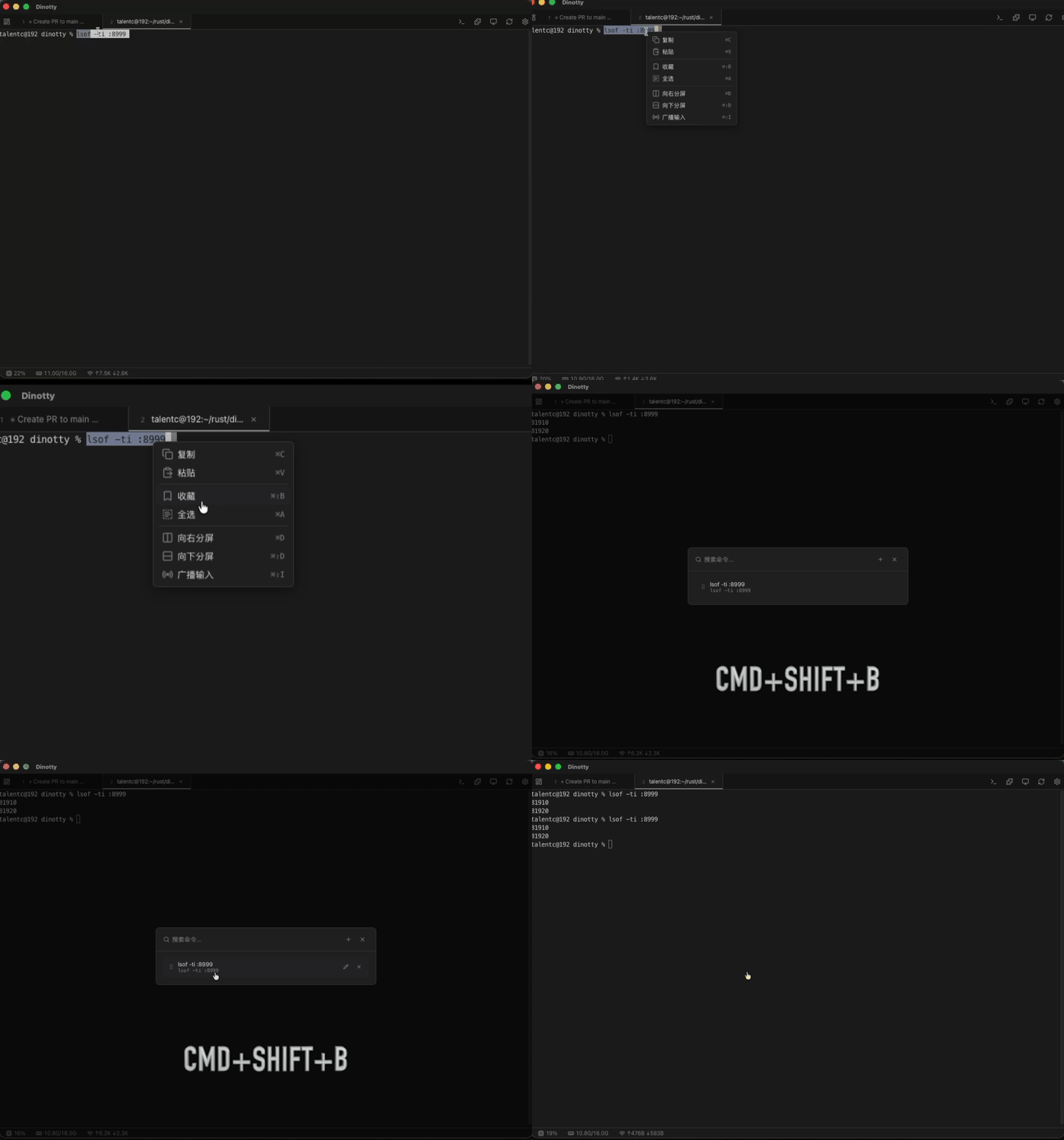
Split Broadcast — Draggable multi-pane split, type in one pane and execute in all panes simultaneously:
Command Bookmarks — Right-click terminal text to bookmark, group management, one-click execution:
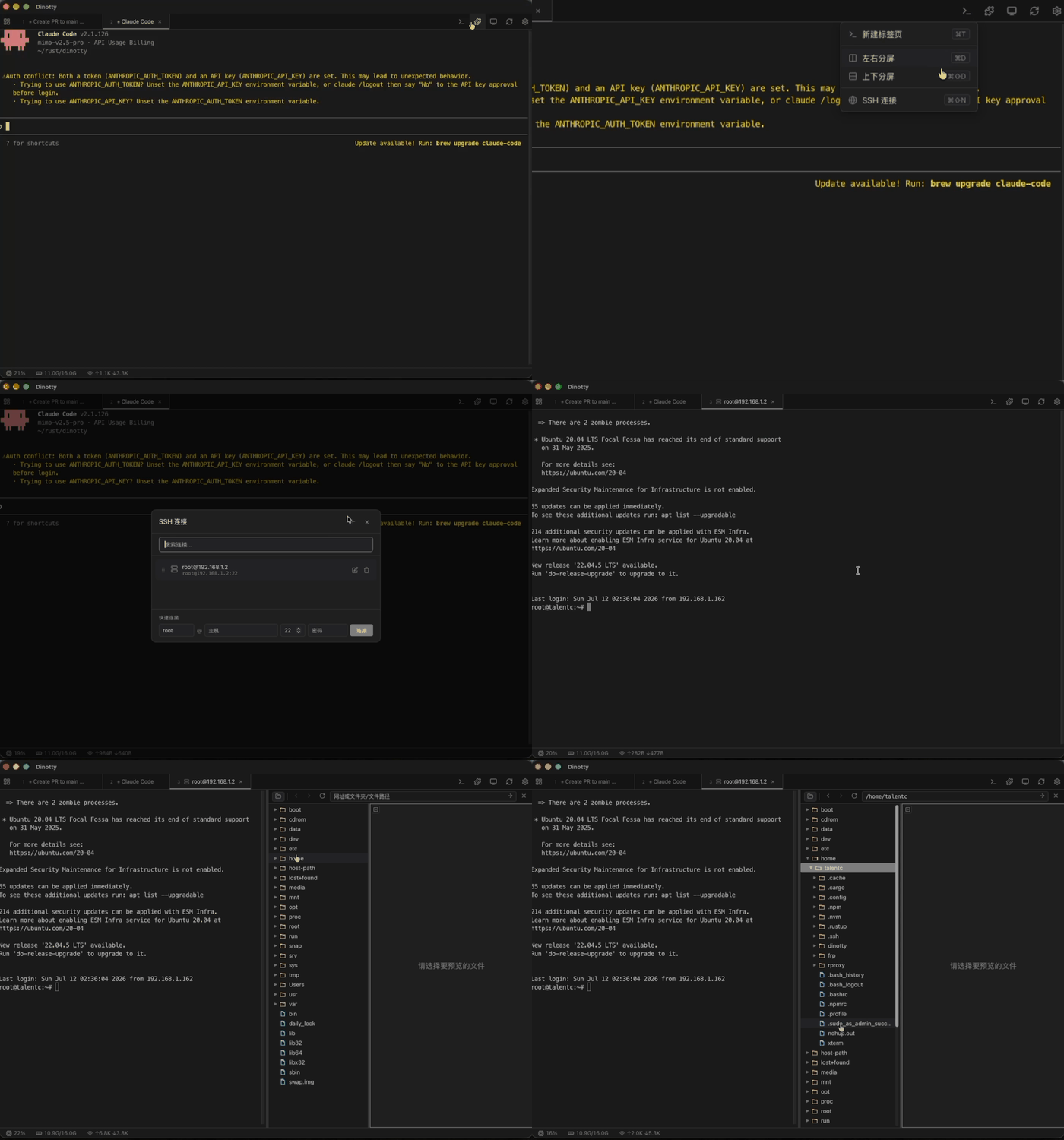
SSH Connection & File Browser — Built-in SSH client, remote sessions feel just like local, full SFTP file management:
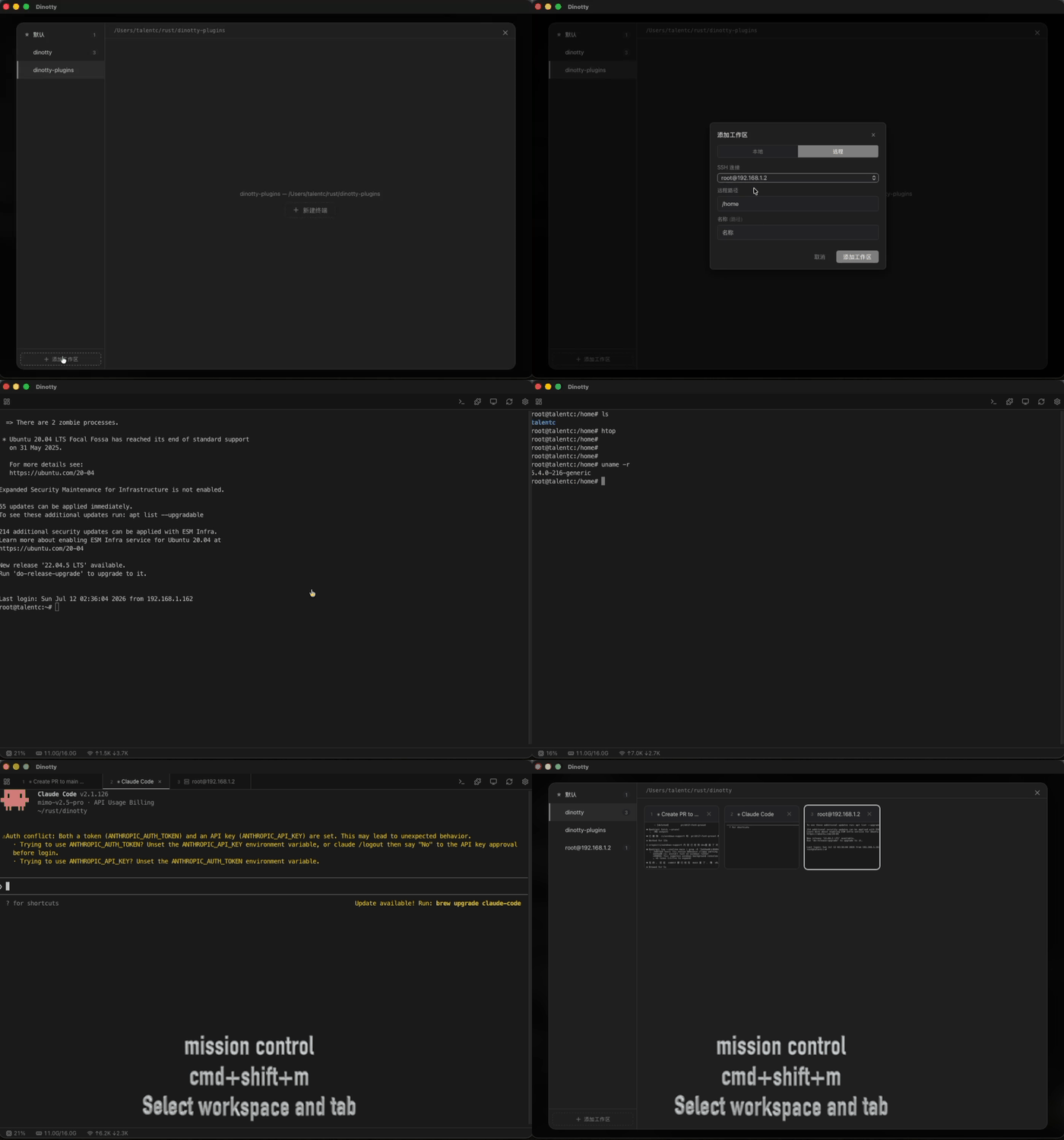
Workspace Management & Mission Control — Multi-workspace isolation, Mission Control overview, quick switching:
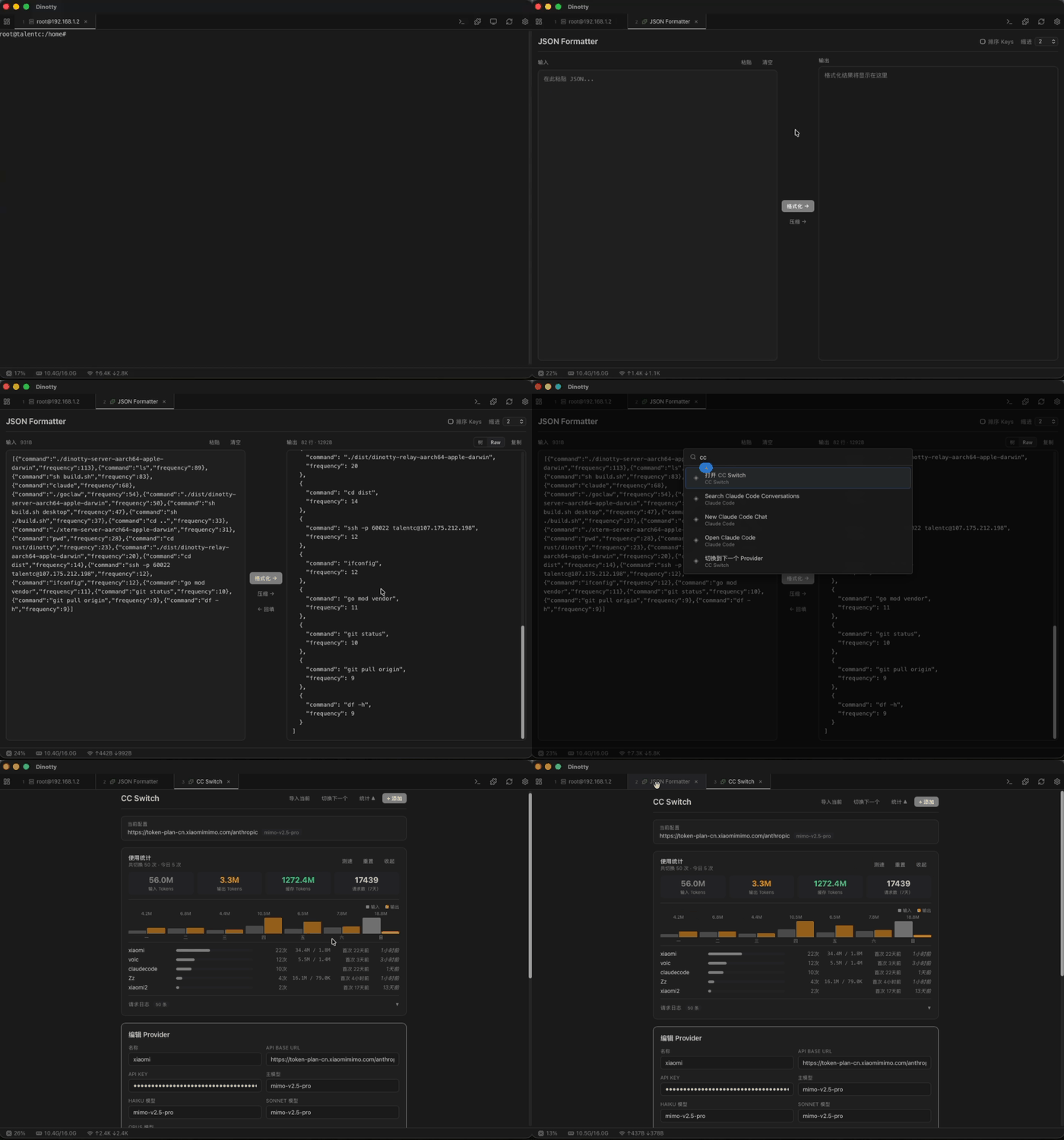
Plugin System — Hot-reloadable JS plugins with built-in CC Switch, JSON Formatter, and more:
Unified Layout System - Terminal, plugin, file browser, and web preview are all panes; draggable split, cross-tab move, extract as new tab:
Philosophy
Terminal coding agents - Claude Code, opencode, Codex, OpenClaw - are powerful, yet confined to a single window. Dinotty sets them free. One terminal. Every device. Every possibility.
Sync everywhere
Half-done on your laptop. Pick up your phone, keep going. Back to your laptop, exactly as you left it.
Endless extensibility
JS plugins with hot reload. CC Switch, JSON Formatter, Claude Code dialog management - built in. Custom commands, terminal interaction, event subscriptions, CLI integration - the API is ready.
Everything is a pane
Terminal, files, web preview, Git changes, SSH remote. Drag to split, move across tabs. All in one flow.
Never drops
Server-side VTE. PTY survives disconnects. Refresh the page, you're back where you were.
Free and open
Self-hosted. No subscriptions. No relay. Your data stays on your machine.
Lightweight — Not a Remote Desktop
| Dinotty | Remote Desktop (VNC/RDP/Parsec) | |
|---|---|---|
| Data transmitted | Text only (JSON, bytes) | Full screen pixels at 30-60 fps |
| Bandwidth | ~1–10 KB/s typical | ~1–10 MB/s (100–1000x more) |
| Mobile data friendly | ✅ Works on 3G/4G without lag | ❌ Choppy, high latency, burns data |
| Weak signal tolerance | ✅ Auto-reconnect, no frame loss | ❌ Frozen screen, input lag |
| Battery consumption | Low (text rendering) | High (video decoding) |
| Resolution adaptation | Native text at any size | Scaled bitmap, blurry on phone |
| Interaction | Native touch, custom keyboard | Simulated mouse, tiny desktop UI |
Key Features
- Server-side virtual terminal — full VTE parser, server knows exact screen state, enables session recovery & screen snapshots
- Session persistence — PTY processes survive disconnection, auto-reconnect with exponential backoff, refresh page to restore
- Split pane & multi-tab — draggable split, multi-tab management with server-led pane lifecycle
- Workspace management — multi-workspace isolation, Mission Control overview, workspace-scoped plugin tabs
- Broadcast mode — input in one pane, execute in all panes simultaneously, free
- Command bookmarks — right-click terminal text to bookmark, group management, one-click execution
- SSH remote connection — built-in SSH client with password/key auth, remote sessions feel just like local
- Remote file management (SFTP) — auto-enabled over SSH connections, full file browse/edit/upload/download
- Multi-server management — register multiple dinotty servers and switch between them from Mission Control
- Responsive layout — portrait stacks vertically, landscape side-by-side; touch-optimized buttons & pane resizing
- Customizable shortcut keyboard — add Ctrl/Esc/function keys for mobile, supports arbitrary escape sequences
- Built-in file browser — code highlighting, Markdown rendering, Office document preview, audio/video playback
- Git change indicators — gutter marks for added/modified/deleted lines, inline diff, Stage/Revert
- Web preview — built-in reverse proxy to preview local dev servers in iframe
- Notification system — terminal bell/OSC detection, WebSocket push, configurable sound alerts
- System monitor — real-time CPU/memory/network charts
- Plugin system — JS plugins + CLI bridge, hot-reload; ships with CC Switch, JSON Formatter, Claude Code conversation manager, etc.
- Open API — HTTP endpoint for external device control (Stream Deck, Shortcuts, automation scripts)
- Command palette — quick-access command launcher
- Desktop app — optional Tauri-based native client
Key Differentiators
- Server-side virtual terminal - Not a WebSocket-to-PTY pipe; PTY survives disconnect, refresh page to restore session
- Multi-device sync - Browser-based sync, deep coding on desktop, take over from mobile
- Lightweight text-only transport - ~1-10 KB/s, smooth on 3G/4G, 100-1000x less bandwidth than remote desktop
- Self-contained environment - Built-in file browser, web preview, Git changes, SSH/SFTP, plugin system
- Free & open source - Self-hosted, no subscription, no relay fees
See comparison with other solutions for details.
Installation
Download the installer or binary for your platform from GitHub Releases:
| Platform | Format | Notes |
|---|---|---|
| macOS | .dmg |
Open and drag to Applications |
| Linux | .deb |
sudo dpkg -i dinotty_*.deb |
| Windows | .exe / source build |
Run dinotty-server.exe from PowerShell, or build from source |
You can also build from source, see "Quick Start" below.
macOS Note: Since the app is unsigned, macOS may show "Dinotty" is damaged and can't be opened. Run the following command after installation to remove the restriction:
xattr -cr /Applications/Dinotty.app
Linux one-liner install:
VERSION=$(curl -s https://api.github.com/repos/xichan96/dinotty/releases/latest | sed -n 's/.*"tag_name": *"\([^"]*\)".*/\1/p' | sed 's/^v//') && curl -LO "https://github.com/xichan96/dinotty/releases/download/v${VERSION}/dinotty-server_${VERSION}-1_amd64.deb" && sudo dpkg -i "dinotty-server_${VERSION}-1_amd64.deb"
Linux startup:
# systemd
systemctl start dinotty
systemctl enable dinotty  # auto-start on boot

# Docker container
nohup dinotty-server &
Windows startup:
# PowerShell
.\dinotty-server.exe -p 8999

# Optional: override the default shell before auto-detection
$env:DINOTTY_SHELL = "pwsh.exe"
.\dinotty-server.exe
On Windows, the default shell is detected in this order: DINOTTY_SHELL → pwsh.exe → powershell.exe → %ComSpec% / cmd.exe.
Default port is 8999. After starting, visit http://:8999. Use -p to specify a custom port:
dinotty-server -p 3000
Quick Start
# Clone repo (shallow clone recommended — faster and smaller)
git clone --depth 1 --single-branch -b dev git@github.com:xichan96/dinotty.git
cd dinotty

# Build frontend
cd frontend && pnpm install && pnpm run build && cd ..

# Run server
cargo run
Windows PowerShell equivalent:
git clone --depth 1 --single-branch -b dev git@github.com:xichan96/dinotty.git
cd dinotty
cd frontend
pnpm install
pnpm run build
cd ..
cargo run
Open http://127.0.0.1:8999 in your browser.
# Backend with debug logging
RUST_LOG=debug cargo run

# Frontend type-check
cd frontend && npx vue-tsc --noEmit
# Windows PowerShell debug logging
$env:RUST_LOG = "debug"
cargo run
Verification Code Login
In addition to the default "Token" login, dinotty supports "Verification Code" login as a mutually exclusive alternative: when selected in "Security & Access", remote users receive a 6-digit code generated server-side and pushed to you via a notifier plugin (e.g. feishu-notify). Entering the code on the login page creates a session. Codes are valid for 5 minutes, single-use, and invalidated after 5 wrong attempts. This removes the static token from the remote login path, mitigating XSS / screenshot / device theft / social engineering risks to the token itself.
Before enabling, install a messaging notifier plugin and keep it subscribed to the auth.verification_code event - otherwise the option is disabled in the UI. While login_method=verification_code, uninstalling a plugin currently subscribed to that event is rejected with 409 to prevent accidental lockout.
Emergency Recovery
If verification code login is stuck (notifier plugin uninstalled, subscription lost, or IM/email not arriving), edit ~/.dinotty/settings.json (Windows: %APPDATA%\dinotty\settings.json) on the server host, set auth.login_method back to "token", and restart the dinotty service. This path is only writable by the server host's local user; remote login users cannot modify it.
Tech Stack
| Layer | Technology |
|---|---|
| Backend | Rust, Axum 0.7, Tokio, portable-pty, vte, russh, russh-sftp |
| Frontend | Vue 3, TypeScript, Vite, xterm.js 5 |
| Desktop | Tauri |
Written in Rust · Single binary · Zero dependencies — Runs a full VT state machine on the server, not a pipe-forwarding proxy, so sessions survive disconnection.
More Documentation
- Comparison — differences vs ttyd/gotty/Wetty and other AI coding remote solutions
- Deployment Guide — systemd, Docker, Windows native run, cross-platform build, configuration
- Release Guide — unified version management, version PRs,
devtomainpromotion, tags, and GitHub Releases - File Editor — split panes, multi-cursor editing, Cursor Group cross-file sync
- Notification System — HTTP API, Claude Code integration, Open API
- Plugin System — installation, manifest, API, built-in plugins
- Plugin Development — full plugin development guide (Chinese)
- Host Clipboard API — sensitive authenticated endpoint used by mobile host paste
- MCP Server — built-in MCP JSON-RPC server for AI assistants to operate terminal sessions
- Token Permission System — capability-based multi-token fine-grained access control (Chinese)
- Event Bus — global event bus for inter-module event dispatch (Chinese)
- Audit Log & Webhook — API usage tracking and external notifications (Chinese)
- Contributing — branch strategy, commit convention, code style
Contributors
Thanks to all the people who have contributed to Dinotty!
Star History

License
MIT