agterm - a simply good terminal with a full control API


agterm.com · Documentation · Command reference · Cookbook
agterm is a native macOS terminal with a deliberately small interface and a full control API. Shells are organized into named workspaces, each holding the sessions for one project or context, and that hierarchy is the whole model: there is nothing else to learn before it is useful. Everything it holds is also an object a script can address. The bundled agtermctl creates sessions and types into them, reads a pane's text back, runs a program in an overlay and returns its exit status, sets a session's status glyph, opens the native picker, moves windows, and reads all of that state back out over a local socket.
The motivation is specific: running several coding agents at once means many long-lived sessions, each progressing on its own, and a tabbed terminal loses track of them quickly. Each agent works in a named session and reports whether it is active, blocked, or done, so it is obvious which one needs you. An installable skill teaches an agent the control model, so it can drive the terminal itself. None of that is a special agent mode; it is the same control surface anything else uses. With nothing scripted at all it is a capable general-purpose terminal for everyday multi-project work.
The design is deliberately minimal: it covers the use cases above and stops there. Features come in two kinds. One is just enough to get the work done. The other is the small set of things other terminals get wrong, done the way they should have been. There is no deep agent integration and no attempt to invent a new way of working with agents. You get a sensible minimum out of the box, plus a complete control API and CLI on top, so anything past the defaults you build yourself instead of waiting for it to ship.
What it does:
- Workspaces. Sessions are grouped under named workspaces like "work" and "personal", which keeps a screen of concurrent sessions organized. You reach a session by name, by recency, or from the keyboard.
- Control API and CLI. A bundled tool,
agtermctl, drives almost everything over a local socket: create sessions, type into them, run a program in an overlay and read its exit status, move and resize windows, or post a notification tied to a specific session. A script or an agent can set up and drive its own layout, and send you a notification from the session it was working in. - Splits, scratch, and overlays. Split a session into two shells side by side or top and bottom, open a scratch terminal over it, or run a program in a full or floating overlay without disturbing the shell underneath.
- Three restore modes. Restore the saved layout with fresh shells, start the commands that were captured at quit, or keep the actual primary and split processes alive with zmx. Live sessions are global, require zsh as the macOS login shell, and take effect after restarting agterm.
- Agent skill. An installable skill (Help ▸ Install Agent Skill…) teaches Claude Code or Codex the control model and the
agtermctlcommands, so an agent running inside agterm can build its own layout, run overlays, manage windows, and show images inline without you explaining the API. - Agent status. A coding agent reports its state (active, blocked, or completed) onto its session's row, so you can see which of many running agents needs you. Status hooks for Claude Code, Codex, Pi, OpenCode, and other agents install from Help ▸ Install Agent Status Hooks….
A lot of "does it have X?" questions have the same answer: bind X yourself. A command line in keymap.conf turns any shell line into a key chord, and an overlay gives an interactive program a real terminal over the session, so a file manager, a git UI, or a database browser is one line away. Bigger workflows become scripts, which is what the cookbook collects.
You are not meant to write those lines by hand. Install the agent skill (Help ▸ Install Agent Skill…) and ask the agent in your session for what you want, and it writes the line with the right syntax, targeting, and PATH handling. Extend agterm shows that, and teaches enough of the model to read and change what comes back.
For the real terminal work, rendering, VT parsing, and shell I/O, agterm embeds Ghostty's engine (libghostty); everything above is agterm's own.
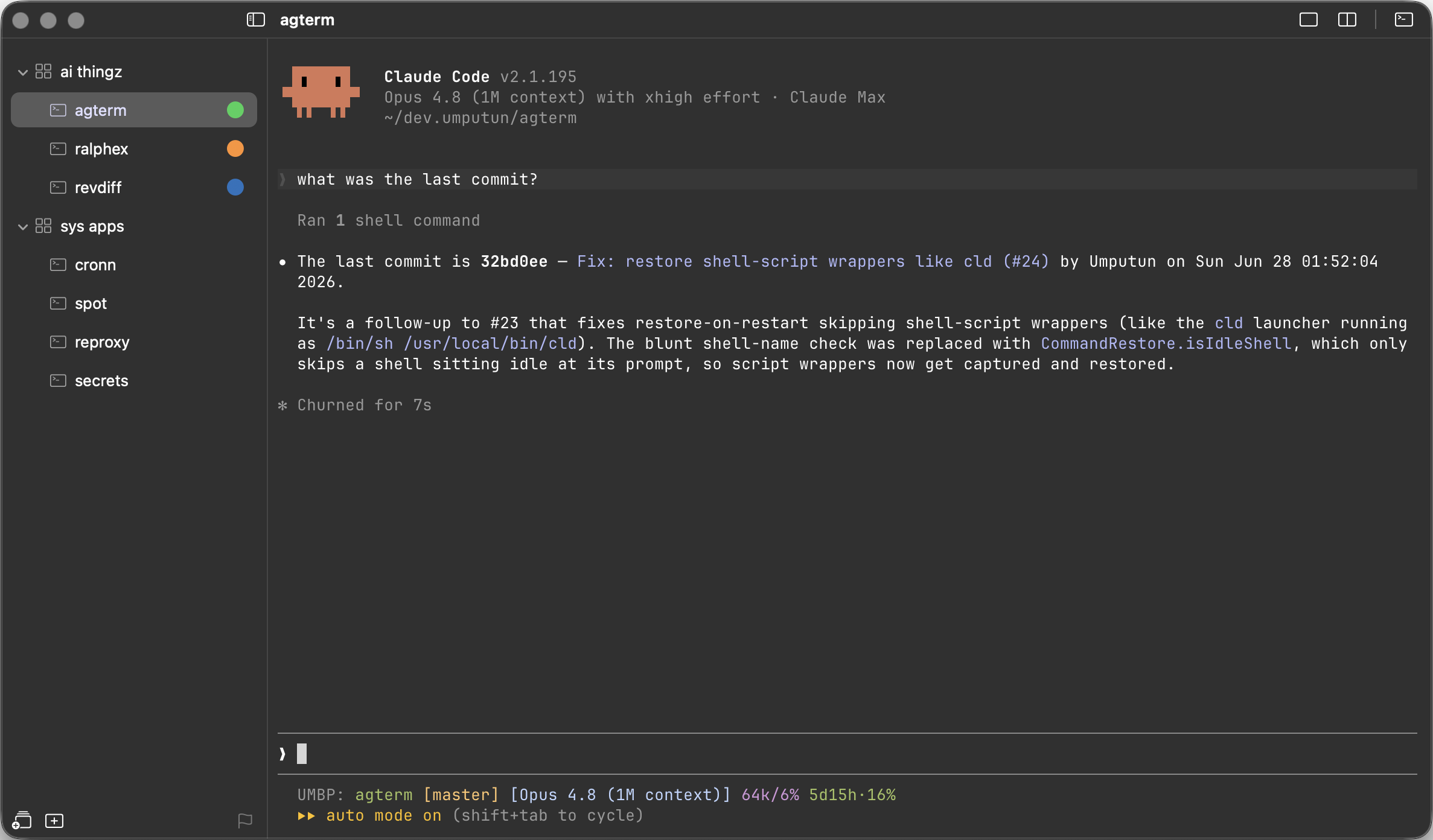
More screenshots
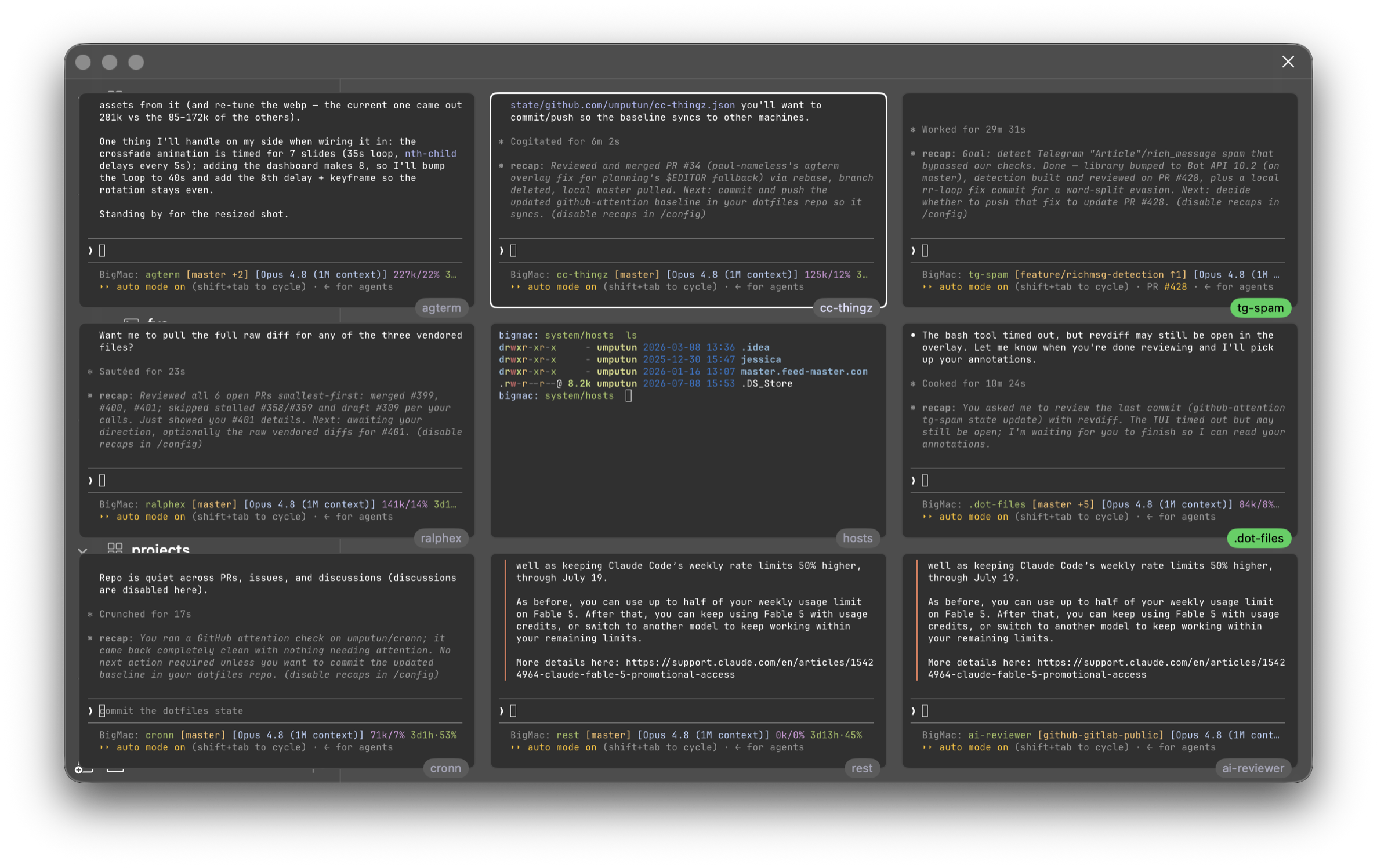
The dashboard: several sessions' live output in one view-only grid, watched at once. A single click drops into any of them:
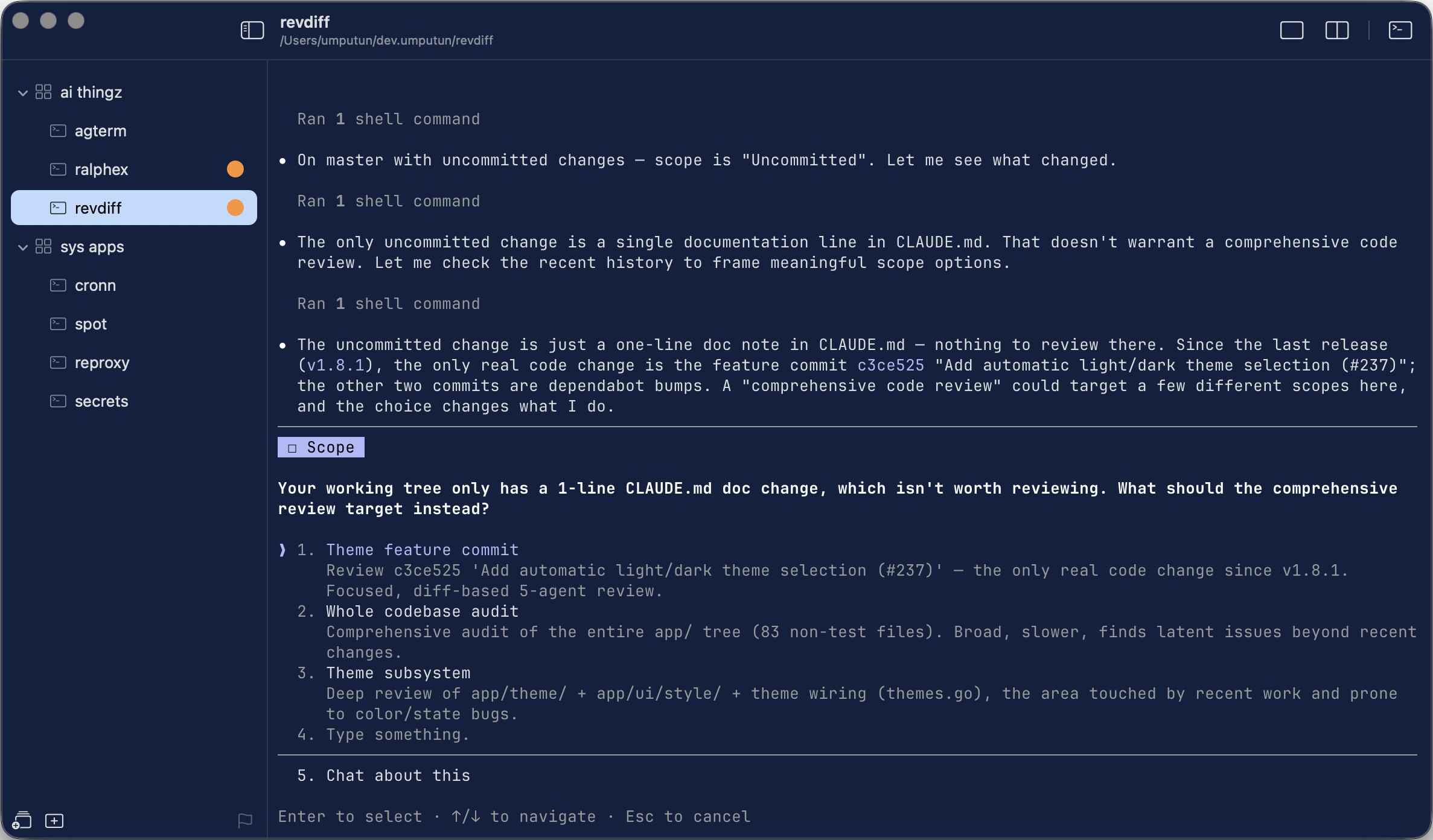
An agent's interactive prompt mid-session, with attention glyphs on the sessions that need you:
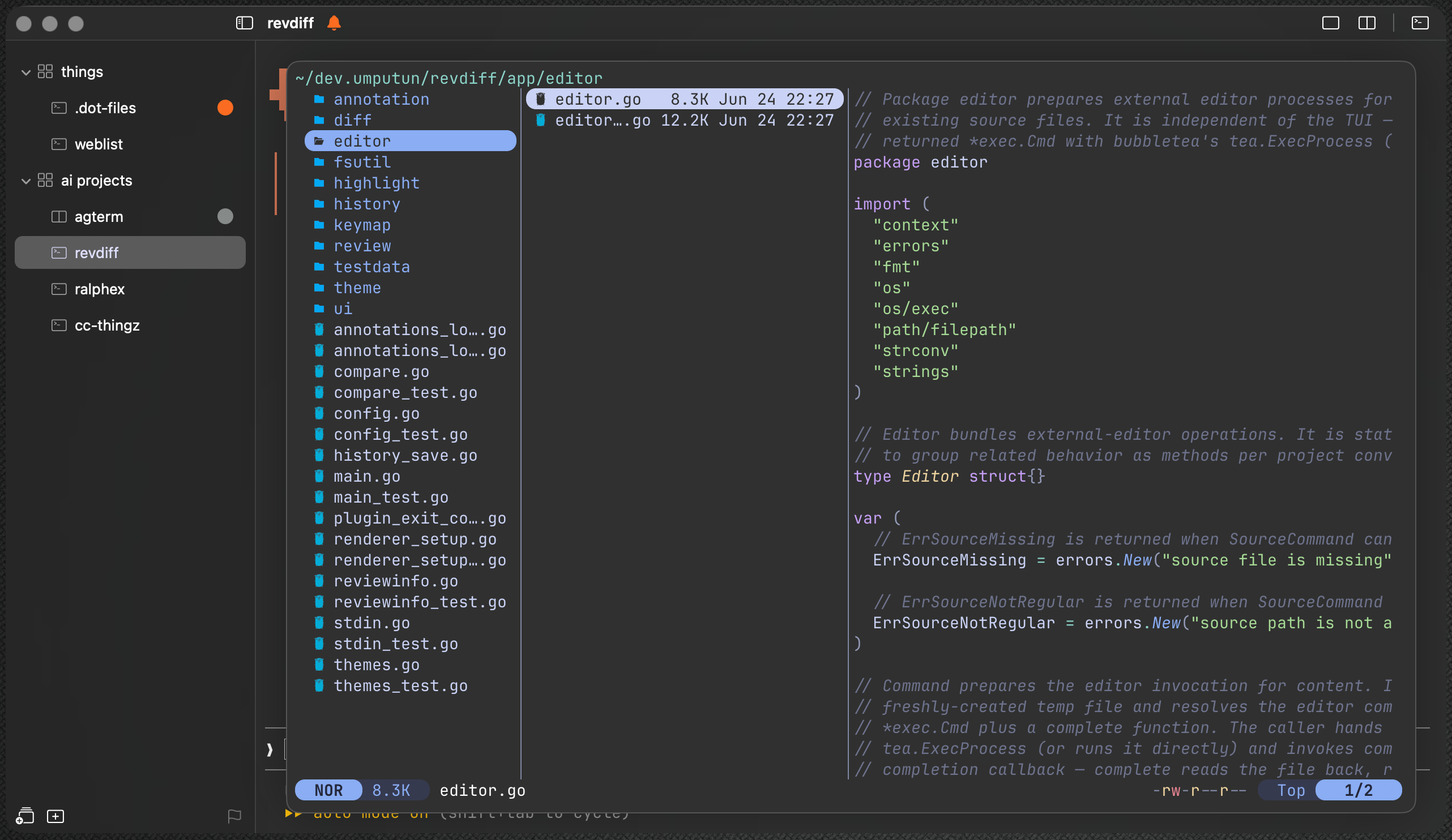
The yazi file manager in a floating overlay over the active session, from one command line in keymap.conf:
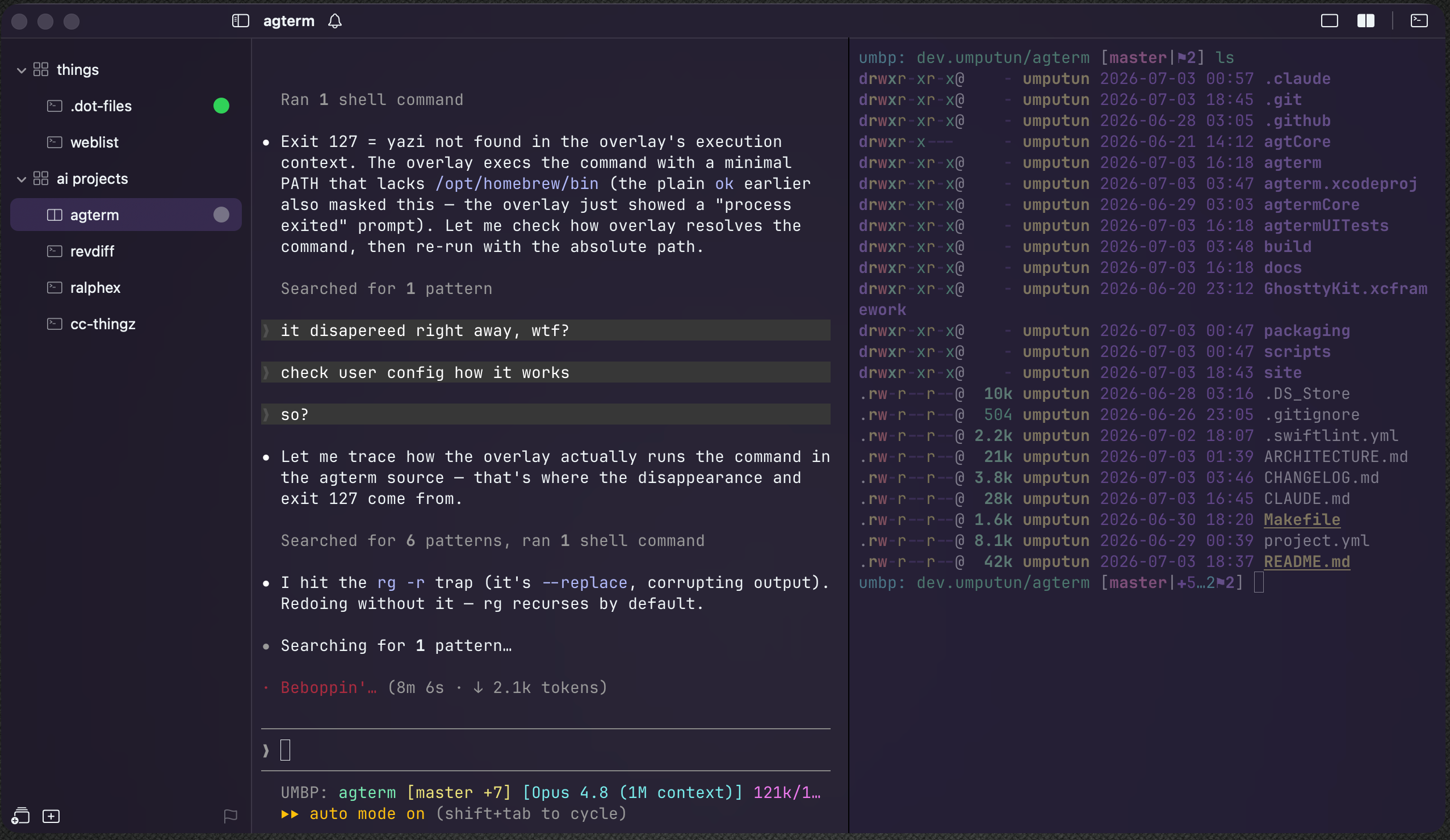
A split session, two panes side by side on different color themes:
The model
- Window. A top-level bundle of workspaces and sessions in its own macOS window, with its own sidebar tree.
- Workspace. A named group of sessions for one project or context.
- Session. One running shell with a name, a working directory, and its own scrollback. It is the row you see in the sidebar, and it keeps running while you work in another one.
- Split and scratch. A session can split into two shells side by side or top and bottom, both sharing the one sidebar row, and it can open a scratch terminal over itself for a quick aside.
- Overlay. One program running in a temporary terminal over a session. It disappears when the program exits and leaves the shell underneath unchanged.
Install
Pre-built releases are for Apple Silicon (arm64) Macs running macOS 14 or later.
Releases are signed with a Developer ID certificate and notarized by Apple, so macOS Gatekeeper opens them with no extra steps.
Homebrew:
brew install --cask umputun/apps/agterm
Direct download:
Download the latest .dmg from the releases page, open it, and drag agterm.app into /Applications.
The Homebrew cask already installs the agtermctl command-line tool; from the DMG, put it on your PATH with Help ▸ Install Command Line Tool…. The same Help menu also installs the agent status hooks and the agent skill, both optional and safe to rerun.
The skill is also published as a plugin from this repository, which puts it wherever your agent looks for one:
# Claude Code
claude plugin marketplace add umputun/agterm
claude plugin install agterm@agterm

# Codex
codex plugin marketplace add umputun/agterm
codex plugin add agterm@agterm
Install the skill by one route or the other, never both: two copies leave it undefined which one the agent picks.
Scripting agterm
agtermctl drives a running agterm over a local unix socket, one command per invocation. Terminal output is not streamed; session text reads a session's buffer when a script needs to see it.
ws=$(agtermctl workspace new demo)                        # capture the new workspace's id
sid=$(agtermctl session new --workspace "$ws" --cwd "$PWD" --no-select)
agtermctl session split on --axis horizontal --target "$sid" # add a top-and-bottom shell
agtermctl session type $'pwd\n' --target "$sid"           # drive a session you are not looking at
agtermctl session text --target "$sid" --lines 10         # read its terminal back
agtermctl session status blocked --target "$sid"          # set the sidebar status glyph
printf '%s\n' staging production | agtermctl pick --prompt "Deploy where?"   # open the native picker
agtermctl ask "Deploy now?" --button yes=Deploy --button no=Not\ yet --default no  # ask a question, get the button
agtermctl tree --json                                     # dump the whole model as JSON
session type returns once the keystrokes are queued, so a following session text races the shell, and pick and ask block until someone answers.
The same interface covers windows, splits, overlays, dashboards, HUDs, notifications, events, themes, and restoration. Every command is at agterm.com/commands.
Documentation
- Documentation is the user guide: the workspace and session model, windows, splits and overlays, keymap, and settings.
- Command reference documents every
agtermctlcommand with its arguments and return values. - cookbook/ collects recipes built on the control API.
- CONTRIBUTING.md covers building from source.
- ARCHITECTURE.md describes the internals: the module split, surface ownership, and the libghostty C boundary.
Sessions come back on the next launch with their directory, font size, and split state. Settings ▸ General ▸ Restore sessions chooses fresh shells, re-run commands, or live sessions. Live mode wraps every primary and split pane; scratch, overlay, and quick terminals remain temporary. A clean quit leaves each live process running and captures the foreground command as a fallback. The next launch reattaches when the daemon survived. If the daemon is missing after an orderly machine restart, zmx creates it with the captured command; the pane remains live and later launches reattach normally.
The fallback has three exclusions. A pane in a window closed before quit has no capture and starts a fresh shell if its daemon is missing. A hard power loss or force quit never reaches capture. A command refused by restore-denylist.conf, carrying a control character, or captured with invalid UTF-8 also starts a fresh shell. SIGTERM leaves live daemons running but skips the clean-quit capture path. agtermctl zmx list shows every daemon and the pane that claims it, agtermctl zmx prune clears the detached ones no pane claims, and agtermctl restore mode reads or sets the policy without opening Settings. Switching away from Live sessions and restarting ends the detached live processes. A launch that still requests Live sessions but cannot use it preserves them for a later eligible launch.
Live restore keeps the running process, usable text and TUI state, and normal terminal colors. The reconstructed screen does not retain inline images, earlier OSC 133 prompt markers, program-changed palette entries, or hyperlink metadata already attached to cells. New output after reattach behaves normally.
Log locations and the common problems are in docs/troubleshooting.md. Report bugs in Issues, ask questions in Discussions.
Related projects
Ports, forks, reimplementations, and companion tools
A small ecosystem has grown around agterm. These are independent projects, not maintained here.
Built on agterm
- agterm-linux by @melonamin is a Linux port (GTK4/libadwaita) built on the shared, host-free
agtermCore. The macOS app stays here; the Linux frontend lives in that fork. - Rook by @jokius is a native macOS terminal fork that takes agterm in a different direction, with features outside agterm's intended scope. Both projects are deliberately opinionated, with different ideas about where a focused agent terminal should stop.
Reimplementation
- agwinterm by @yeroo is a native Windows terminal for AI coding agents (C#, Win32/Direct2D), an independent from-scratch homage to agterm's design.
Companion tools
- agterm-remote carries agterm's agent-status colors and pushes to agents running in a remote tmux over SSH.
- pi-agterm is a pi extension that reports agent status onto agterm's status indicator.
- agterm-experimental collects custom skills and scripts for agterm.
Attribution
agterm embeds libghostty, the terminal engine from Ghostty (MIT). It does all the real terminal work: rendering, VT parsing, and shell I/O. agterm builds it from upstream source at a pinned commit via scripts/setup.sh, with no fork and no prebuilt binary.
The way agterm drives libghostty's C API from a SwiftUI/AppKit app, under the Swift 6 strict-concurrency toolchain, was learned from macterm (thdxg/macterm, MIT). The libghostty bridge files (GhosttyApp, GhosttyCallbacks, GhosttyResources, GhosttySurfaceView, WindowAppearance) are adapted from it and each carries an attribution comment. The model, sidebar, persistence, control channel, and multi-window code are original to agterm.
SwiftUI guidance during development came from the SwiftUI Agent Skill by Antoine van der Lee (MIT). Special thanks to @ksenks for recommending it.
License
This project is licensed under the MIT License. See the LICENSE file for more information.