← 开源
tanjeffreyz

auto-maple

Artificial intelligence for MapleStory that uses machine learning and computer vision to navigate challenging in-game environments

ApplicationsOtherPython
在 GitHub 打开
增长势头
+224 小时新增 Star+0.3%
721
Star
326
Fork
+2
本周
1
贡献者
创建于 2021-04-14 · 更新于 2026-10-15 · 今日第 4158 名
主要开发者

tanjeffreyz/auto-maple 排名第 4,158,有 721 个星标。

同类别比较

tanjeffreyz/auto-maple 排名第 4,158,此处有 8 个同类条目;kadevin/ilab-conjure 排名第 4,159。

同类别比较
名称排名指标
asaotomo/FofaMap4,141
语言:
Python
星标数:
747
分叉数:
101
简介:
一款证据驱动的 FOFA 资产测绘智能体:支持自然语言侦察、AI 反思、CLI / MCP / Skill / REST API,以及经人工审批的 Nuclei 扫描。
sentient-engineering/jobber4,149
语言:
Python
星标数:
736
分叉数:
126
简介:
browser controlling AI agent that applies to relavant jobs on internet autonomously. join chat @ https://discord.gg/umgnyQU2K8
RareSense/Nova3D4,152
星标数:
734
分叉数:
63
简介:
Design workspace for programmable 3D. Nova builds assets and worlds as editable, versioned programs: parametric, articulated and simulation-ready, compiled to CAD tools, 3D applications and robotics simulators.
ronak-create/FableCut4,154
语言:
JavaScript
星标数:
730
分叉数:
81
kadevin/ilab-conjure4,159
语言:
JavaScript
星标数:
719
分叉数:
119
简介:
面向 GPT-image-2 的 AI 图片生成 WebUI 工作台,支持 Codex Responses 与 OpenAI 兼容 API 接入,内置公用图库、多类型 Chip 快捷引用、提示词模板、多任务并发和本地队列管理。An AI image generation WebUI workbench for GPT-image-2 with Codex Responses and OpenAI-compatible API support, shared gallery references, multi-type quick chips, prompt templates, concurrent tasks, and local queue management.
GD4AI/obsidian-llm-wiki4,164
语言:
TypeScript
星标数:
712
分叉数:
89
简介:
Karpathy's LLM Wiki implementation plugin for Obsidian - turns notes and PDFs into a linked, LLM-powered knowledge base with entity pages, concept pages, graph-powered Q&A, and local-first privacy.
umputun/agterm4,180
语言:
Swift
星标数:
674
分叉数:
95
简介:
A genuinely good terminal
Agent-Field/pr-af4,191
语言:
Go
星标数:
654
分叉数:
74
简介:
#1 open-source code reviewer on Code-Review-Bench
关键参数与规格
关键参数与规格
参数值
语言Python
类别Applications
子类别Other
关键词Computer vision, Gaming
星标数721
分叉数326
贡献者1
创建日期2021-04-14
更新日期2026-10-15
1 天星标数2
7 天星标数2
排名4,158
上次排名6,561
排名变化2,403
7 天星标排名8,575
上次 7 天星标排名8,650
7 天星标排名变化75
总星标排名14,525
上次总星标排名14,542
总星标排名变化17
国家USA
README 摘录

Auto Maple Auto Maple is an intelligent Python AI that plays MapleStory, a 2D side-scrolling MMORPG, using simulated key presses, TensorFlow machine learning, OpenCV template matching, and other computer vision techniques. Community-created resources, such as **command books** for each class and **routines** for each map, can be found in the **resources repository**. Minimap Auto Maple uses OpenCV template matching to determine the bounds of the minimap as well as the various elements within it, allowing it to accurately

track the player's in-game position. If is set to , Auto Maple will record the player's previous positions in a quadtree-based Layout object, which is periodically saved to a file in the "layouts" directory. Every time a new routine is loaded, its corresponding layout file, if it exists, will also be loaded. This Layout object uses the A* search algorithm on its stored points to calculate the shortest path from the player to any target location, which can dramatically

improve the accuracy and speed at which routines are executed. Command Books Designed with modularity in mind, Auto Maple can operate any character in the game as long as it is provided with a list of in-game actions, or a "command book". A command book is a Python file that contains multiple classes, one for each in-game ability, that tells the program what keys it should press and when to press them. Once a command book is imported

, its classes are automatically compiled into a dictionary that Auto Maple can then use to interpret commands within routines. Commands have access to all of Auto Maple's global variables, which can allow them to actively change their behavior based on the player's position and the state of the game. Routines A routine is a user-created CSV file that tells Auto Maple where to move and what commands to use at each location. A custom compiler within Auto Maple parses

through the selected routine and converts it into a list of objects that can then be executed by the program. An error message is printed for every line that contains invalid parameters, and those lines are ignored during the conversion. Below is a summary of the most commonly used routine components: Runes Auto Maple has the ability to automatically solve "runes", or in-game arrow key puzzles. It first uses OpenCV's color filtration and Canny edge detection algorithms to isolate

the arrow keys and reduce as much background noise as possible. Then, it runs multiple inferences on the preprocessed frames using a custom-trained TensorFlow model until two inferences agree. Because of this preprocessing, Auto Maple is extremely accurate at solving runes in all kinds of (often colorful and chaotic) environments. Video Demonstration Click below to watch the full video Setup

常见问题

记录了多少星标和分叉?

tanjeffreyz/auto-maple 有 721 个星标和 326 个分叉。

仓库排名是多少?

tanjeffreyz/auto-maple 排名第 4,158。

记录的语言和类别是什么?

tanjeffreyz/auto-maple 有 721 个星标,语言为 Python,类别为 Applications。

哪个仓库排名最接近?

tanjeffreyz/auto-maple 与 kadevin/ilab-conjure 比较,后者排名第 4,159,有 719 个星标。

README

Auto Maple

Auto Maple is an intelligent Python AI that plays MapleStory, a 2D side-scrolling MMORPG, using simulated key presses, TensorFlow machine learning, OpenCV template matching, and other computer vision techniques.

Community-created resources, such as command books for each class and routines for each map, can be found in the resources repository.

Minimap

Auto Maple uses OpenCV template matching to determine the bounds of the minimap as well as the various elements within it, allowing it to accurately track the player's in-game position. If record_layout is set to True, Auto Maple will record the player's previous positions in a quadtree-based Layout object, which is periodically saved to a file in the "layouts" directory. Every time a new routine is loaded, its corresponding layout file, if it exists, will also be loaded. This Layout object uses the A* search algorithm on its stored points to calculate the shortest path from the player to any target location, which can dramatically improve the accuracy and speed at which routines are executed.

   ![](https://user-images.githubusercontent.com/69165598/123177212-b16f0700-d439-11eb-8a21-8b414273f1e1.gif) 

Command Books

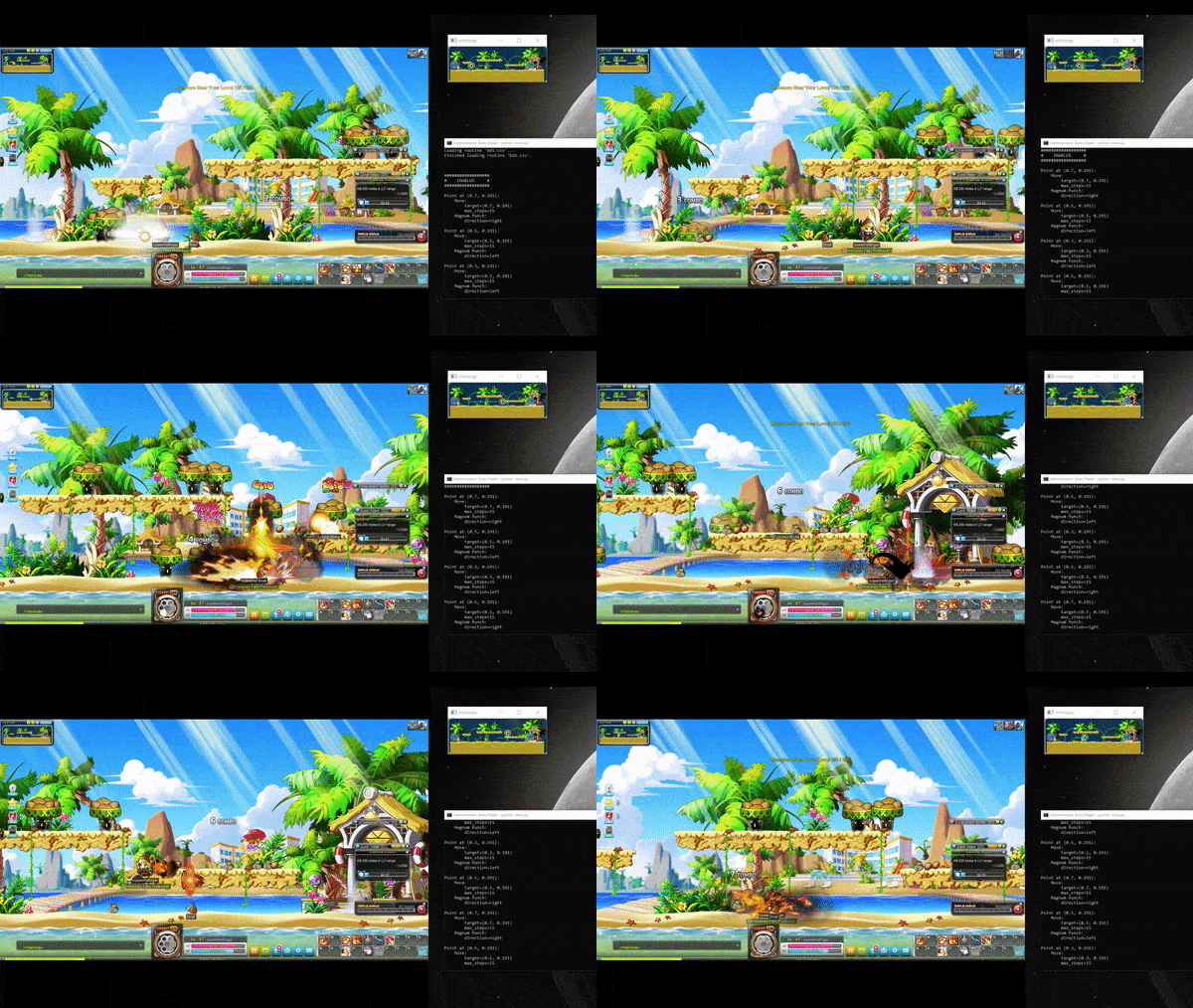
The above video shows Auto Maple consistently performing a mechanically advanced ability combination.

Designed with modularity in mind, Auto Maple can operate any character in the game as long as it is provided with a list of in-game actions, or a "command book". A command book is a Python file that contains multiple classes, one for each in-game ability, that tells the program what keys it should press and when to press them. Once a command book is imported, its classes are automatically compiled into a dictionary that Auto Maple can then use to interpret commands within routines. Commands have access to all of Auto Maple's global variables, which can allow them to actively change their behavior based on the player's position and the state of the game.

Routines

     ![](https://user-images.githubusercontent.com/69165598/150469699-d8a94ab4-7d70-49c3-8736-a9018996f39a.png) 


      Click [here](https://github.com/tanjeffreyz02/auto-maple/blob/f13d87c98e9344e0a4fa5c6f85ffb7e66860afc0/routines/dcup2.csv) to view the entire routine.

A routine is a user-created CSV file that tells Auto Maple where to move and what commands to use at each location. A custom compiler within Auto Maple parses through the selected routine and converts it into a list of Component objects that can then be executed by the program. An error message is printed for every line that contains invalid parameters, and those lines are ignored during the conversion.

Below is a summary of the most commonly used routine components:

Point stores the commands directly below it and will execute them in that order once the character is within move_tolerance of the specified location. There are also a couple optional keyword arguments:

  
    adjust fine-tunes the character's position to be within adjust_tolerance of the target location before executing any commands.
  
  
    frequency tells the Point how often to execute. If set to N, this Point will execute once every N iterations.
  
  
    skip tells the Point whether to run on the first iteration or not. If set to True and frequency is N, this Point will execute on the N-1th iteration.


Label acts as a reference point that can help organize the routine into sections as well as create loops.


Jump jumps to the given label from anywhere in the routine.


Setting updates the specified setting to the given value. It can be placed anywhere in the routine, so different parts of the same routine can have different settings. All editable settings can be found at the bottom of [settings.py](https://github.com/tanjeffreyz02/auto-maple/blob/v2/settings.py).

Runes

Auto Maple has the ability to automatically solve "runes", or in-game arrow key puzzles. It first uses OpenCV's color filtration and Canny edge detection algorithms to isolate the arrow keys and reduce as much background noise as possible. Then, it runs multiple inferences on the preprocessed frames using a custom-trained TensorFlow model until two inferences agree. Because of this preprocessing, Auto Maple is extremely accurate at solving runes in all kinds of (often colorful and chaotic) environments.

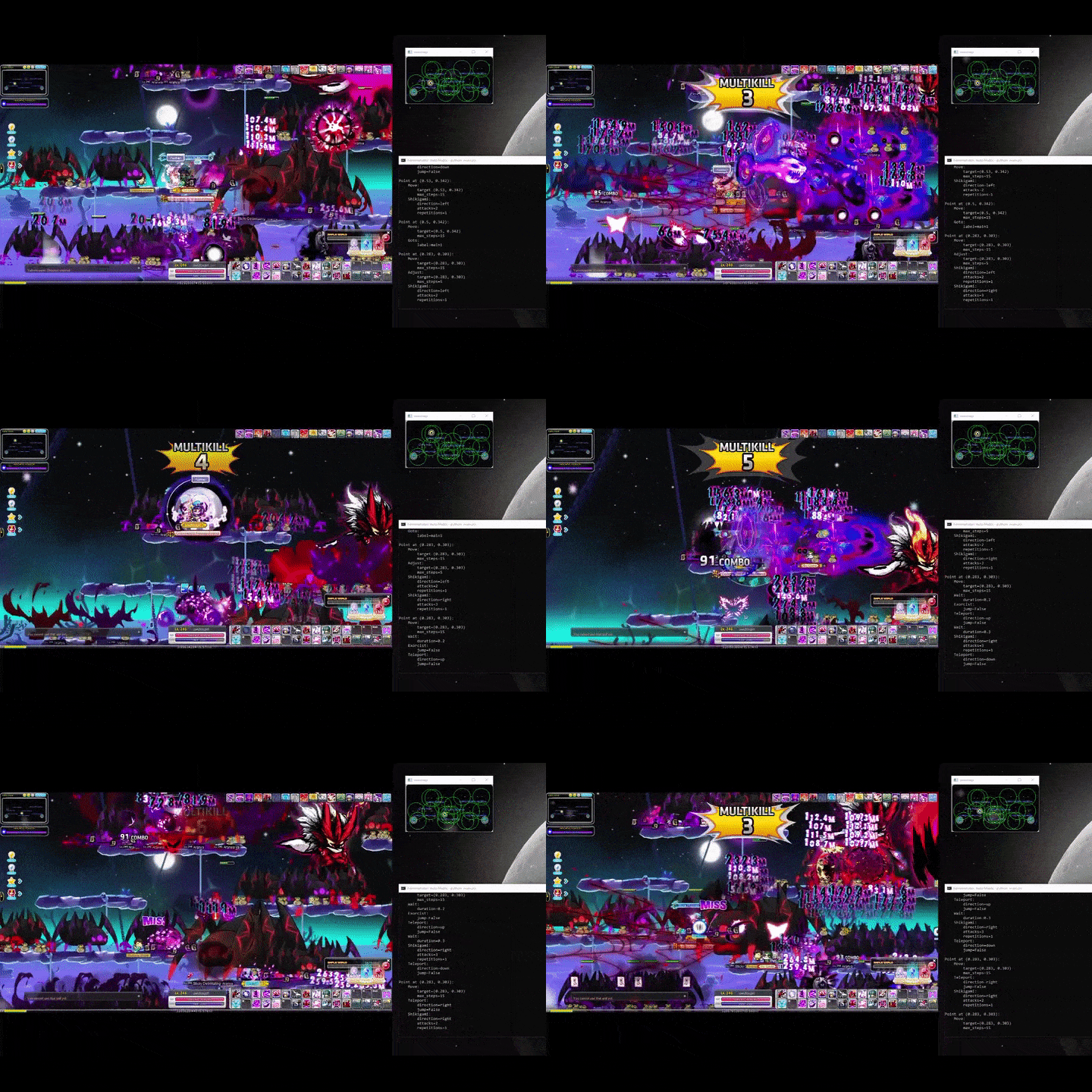
Video Demonstration

Click below to watch the full video
Setup

Download and install [Python3](https://www.python.org/downloads/).


Download and install the latest version of [CUDA Toolkit](https://developer.nvidia.com/cuda-downloads).


Download and install [Git](https://git-scm.com/download/win).


Download and unzip the latest [Auto Maple release](https://github.com/tanjeffreyz02/auto-maple/releases).


Download the [TensorFlow model](https://drive.google.com/drive/folders/1SPdTNF4KZczoWyWTgfyTBRvLvy7WSGpu?usp=sharing) and unzip the "models" folder into Auto Maple's "assets" directory.


Inside Auto Maple's main directory, open a command prompt and run:
python -m pip install -r requirements.txt


Lastly, create a desktop shortcut by running:
python setup.py
This shortcut uses absolute paths, so feel free to move it wherever you want. However, if you move Auto Maple's main directory, you will need to run python setup.py again to generate a new shortcut. To keep the command prompt open after Auto Maple closes, run the above command with the --stay flag.
排名相邻
同类项目