← 开源
strnad

CrewAI-Studio

A user-friendly, multi-platform GUI for managing and running CrewAI agents and tasks. Supports Conda and virtual environments, no coding needed.

ApplicationsProductivityPython
在 GitHub 打开
增长势头
+-124 小时新增 Star-0.1%
1.36k
Star
330
Fork
+2
本周
17
贡献者
创建于 2024-05-30 · 更新于 2026-10-16 · 今日第 18883 名
主要开发者
strnadlezhumainThaM0nk

strnad/CrewAI-Studio 排名第 18,883,有 1,360 个星标。

同类别比较

strnad/CrewAI-Studio 排名第 18,883,此处有 8 个同类条目;HG-ha/MTools 排名第 18,882。

同类别比较
名称排名指标
elirantutia/vibeyard18,877
语言:
TypeScript
星标数:
1,387
分叉数:
173
简介:
The IDE built for AI coding agents.
elevenyellow/handcrafted-persona-engine18,879
语言:
C#
星标数:
1,381
分叉数:
162
简介:
An AI-powered interactive avatar engine using Live2D, LLM, ASR, TTS, and RVC. Ideal for VTubing, streaming, and virtual assistant applications.
Lapis0x0/obsidian-yolo18,881
语言:
TypeScript
星标数:
1,371
分叉数:
89
HG-ha/MTools18,882
语言:
Python
星标数:
1,360
分叉数:
134
简介:
MTools 是一个功能强大的多功能桌面应用程序,集成了音视频处理、图片编辑、文本操作和编码工具,内置AI增强功能,并提供本地 MCP 服务。旨在简化您的工作流程,提升生产效率
paralleldrive/sudolang18,885
语言:
TypeScript
星标数:
1,357
分叉数:
100
简介:
SudoLang LLM Support for VSCode
poco-ai/poco-claw18,887
语言:
Python
星标数:
1,354
分叉数:
130
简介:
A more beautiful and easier-to-use alternative to OpenClaw. It features a nicer Web UI, built-in IM support, a sandboxed runtime and channel-based team collaboration. Under the hood, it is powered by a Claude Code–based agent.
phuc-nt/my-translator18,898
语言:
Python
星标数:
1,302
分叉数:
410
plemeri/transparent-background18,900
语言:
Python
星标数:
1,298
分叉数:
122
简介:
This is a background removing tool powered by InSPyReNet (ACCV 2022)
关键参数与规格
关键参数与规格
参数值
语言Python
类别Applications
子类别Productivity
星标数1,360
分叉数330
贡献者17
创建日期2024-05-30
更新日期2026-10-16
1 天星标数-1
7 天星标数2
排名18,883
上次排名5,753
排名变化-13,130
7 天星标排名8,098
上次 7 天星标排名6,172
7 天星标排名变化-1,926
总星标排名8,778
上次总星标排名8,755
总星标排名变化-23
国家Czech Republic
README 摘录

NOTE] **Maintenance status:** This project is in low-maintenance mode. If you'd like to add a feature or fix something, go for it; reasonable PRs get reviewed and merged. This application provides a user-friendly interface written in Streamlit for interacting with CrewAI, suitable even for those who don't want to write any code. Follow the steps below to install and run the application using Docker/docker-compose or Conda/venv. Features **Multi-platform support**: Works on Windows, Linux and

MacOS. **No coding required**: User-friendly interface for interacting with CrewAI. **Conda and virtual environment support**: Choose between Conda and a Python virtual environment for installation. **Results history**: You can view previous results. **Knowledge sources**: You can add knowledge sources for your crews **CrewAI tools** You can use crewai tools to interact with real world. ~~Crewai studio uses a forked version of crewai-tools with some bugfixes and enhancements ( (bugfixes already merged to crewai-tools) **Custom Tools** Custom tools for

calling APIs, writing files, enhanced code interpreter, enhanced web scraper. More will be added soon **LLM providers supported**: Currently OpenAI, Groq, Anthropic, ollama, Grok and LM Studio backends are supported. OpenAI key is probably still needed for embeddings in many tools. Don't forget to load an embedding model when using LM Studio. **Single Page app export**: Feature to export crew as simple single page streamlit app. **Threaded crew run**: Crews can run in background and can be stopped. Support CrewAI

Studio Your support helps fund the development and growth of our project. Every contribution is greatly appreciated! Donate with Bitcoin bc1qgsn45g02wran4lph5gsyqtk0k7t98zsg6qur0y Sponsor via GitHub Screenshots Installation Using Virtual Environment **For Virtual Environment**: Ensure you have Python installed. If you dont have python instaled, you can simply use the conda installer. **Clone the repository (or use downloaded ZIP file)**: 2. **Clone the repository (or use downloaded ZIP file)**: 2. **Run the Conda installation script**: 3. **Run the application**: Using Conda Conda
will be installed locally in the project folder. No need for a pre-existing Conda installation. **Clone the repository (or use downloaded ZIP file)**: 2. **Run the Conda installation script**: 3. **Clone the repository (or use downloaded ZIP file)**: 2. **Run the Conda installation script**: 3. **Run the application**: One-Click Deployment Running with Docker Compose To quickly set up and run CrewAI-Studio using Docker Compose, follow these steps: Prerequisites Ensure Docker and Docker Compose are installed on your

system. Start the application with Docker Compose: 4. Access the application: Configuration Before running the application, ensure you update the file with your API keys and other necessary configurations. An example file is provided for reference. Troubleshooting In case of problems: Delete the folder and reinstall . Rename (it contains your crews but sometimes new versions can break compatibility). Video tutorial Video tutorial on CrewAI Studio made by Josh Poco Star History

常见问题

记录了多少星标和分叉?

strnad/CrewAI-Studio 有 1,360 个星标和 330 个分叉。

仓库排名是多少?

strnad/CrewAI-Studio 排名第 18,883。

记录的语言和类别是什么?

strnad/CrewAI-Studio 有 1,360 个星标,语言为 Python,类别为 Applications。

哪个仓库排名最接近?

strnad/CrewAI-Studio 与 HG-ha/MTools 比较,后者排名第 18,882,有 1,360 个星标。

README

CrewAI Studio

[!NOTE] Maintenance status: This project is in low-maintenance mode. The author is not actively developing new features, but the project is not abandoned — security fixes and critical bug fixes still happen, and pull requests are very welcome. If you'd like to add a feature or fix something, go for it; reasonable PRs get reviewed and merged.

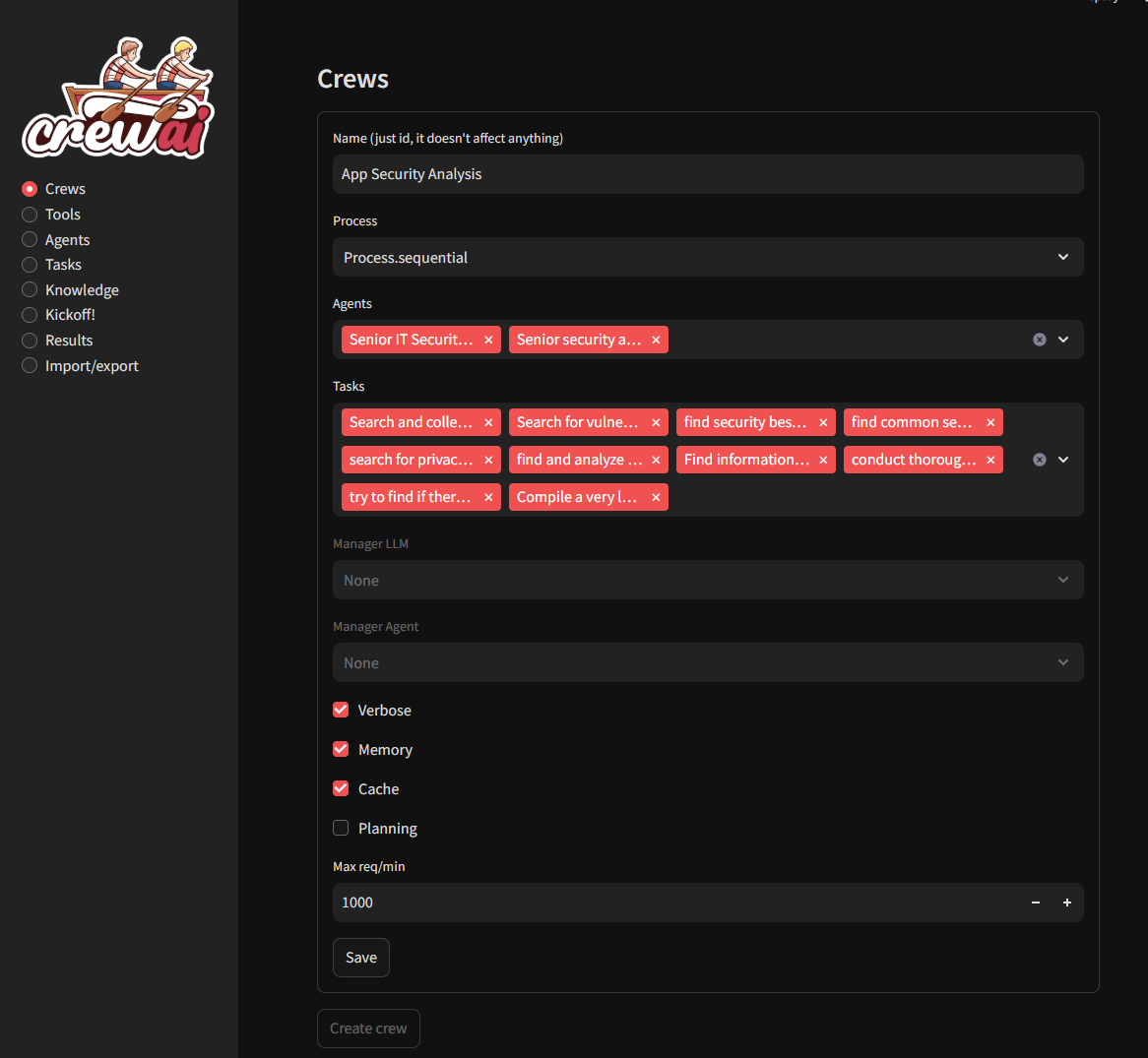
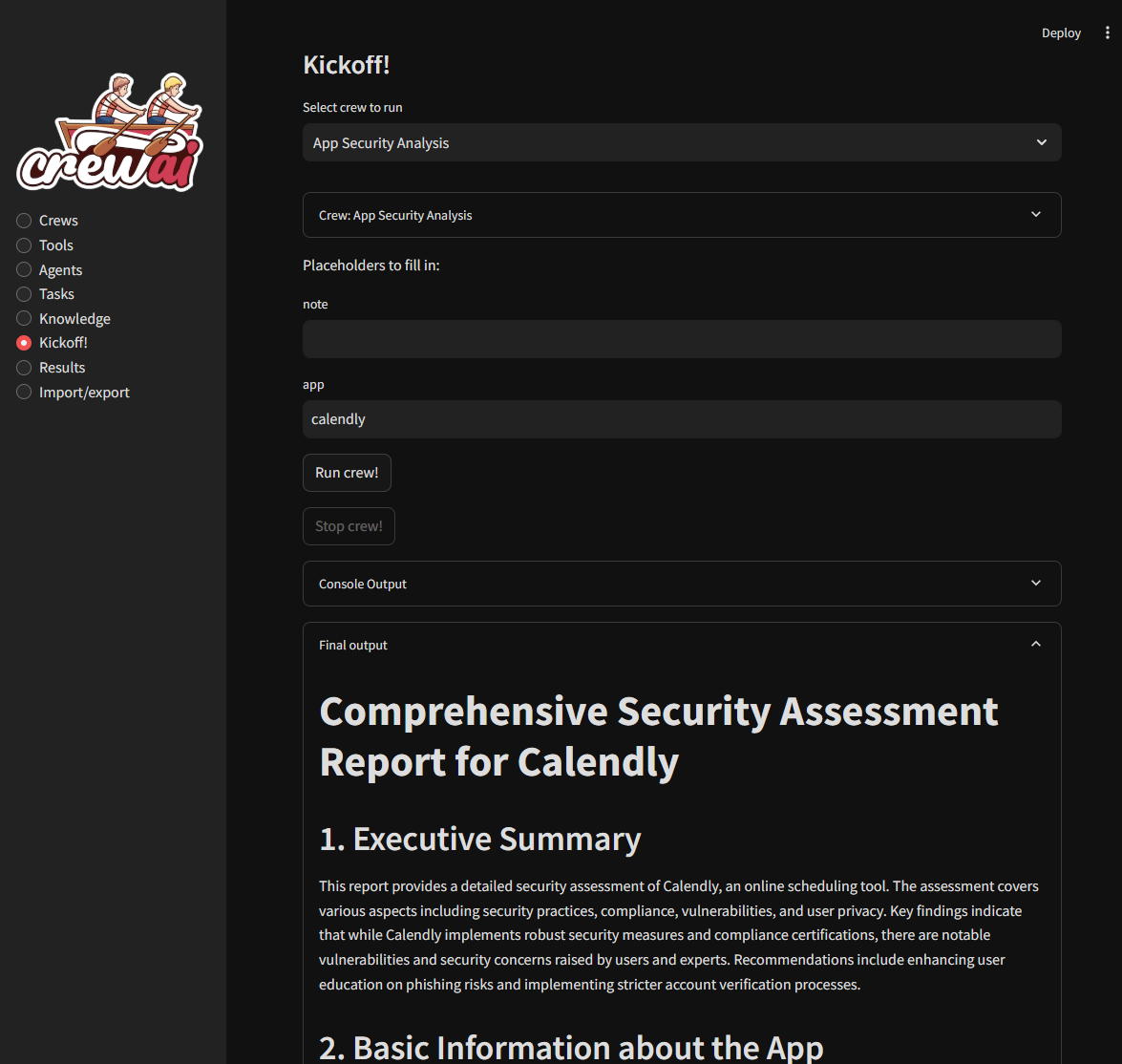
Welcome to CrewAI Studio! This application provides a user-friendly interface written in Streamlit for interacting with CrewAI, suitable even for those who don't want to write any code. Follow the steps below to install and run the application using Docker/docker-compose or Conda/venv.

Features

  • Multi-platform support: Works on Windows, Linux and MacOS.
  • No coding required: User-friendly interface for interacting with CrewAI.
  • Conda and virtual environment support: Choose between Conda and a Python virtual environment for installation.
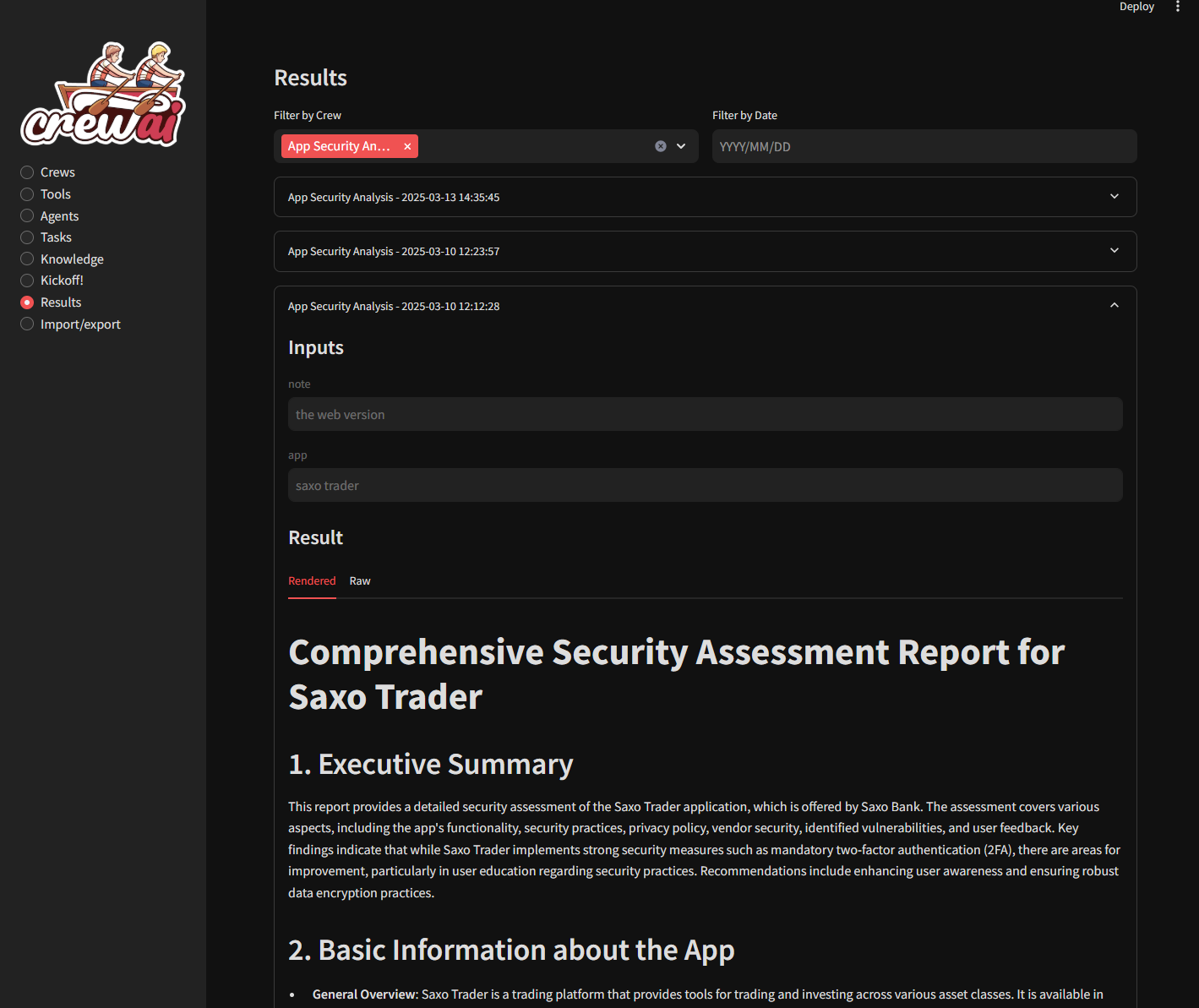
  • Results history: You can view previous results.
  • Knowledge sources: You can add knowledge sources for your crews
  • CrewAI tools You can use crewai tools to interact with real world. Crewai studio uses a forked version of crewai-tools with some bugfixes and enhancements (https://github.com/strnad/crewAI-tools) (bugfixes already merged to crewai-tools)
  • Custom Tools Custom tools for calling APIs, writing files, enhanced code interpreter, enhanced web scraper... More will be added soon
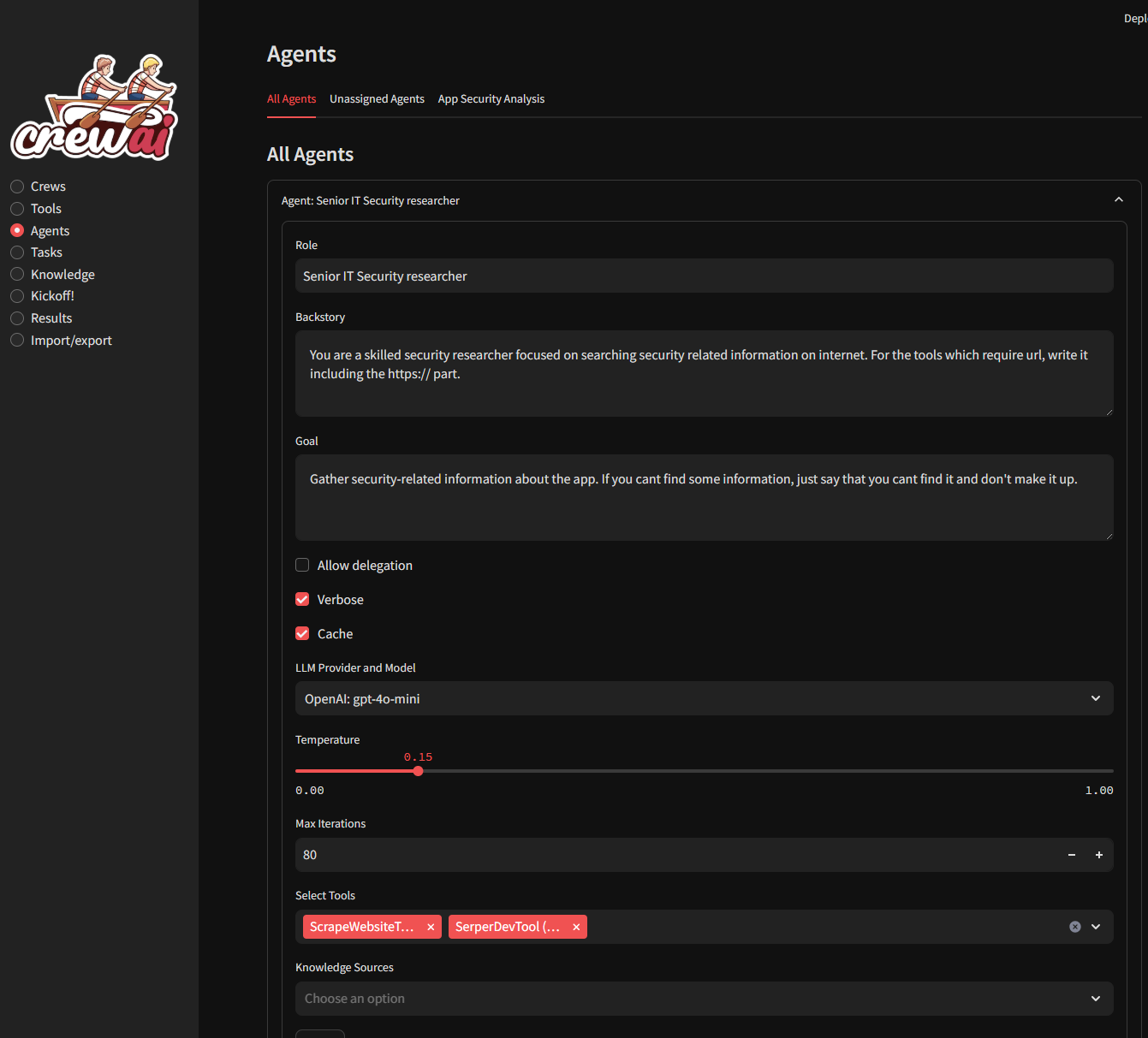
  • LLM providers supported: Currently OpenAI, Groq, Anthropic, ollama, Grok and LM Studio backends are supported. OpenAI key is probably still needed for embeddings in many tools. Don't forget to load an embedding model when using LM Studio.
  • Single Page app export: Feature to export crew as simple single page streamlit app.
  • Threaded crew run: Crews can run in background and can be stopped.

Support CrewAI Studio

Your support helps fund the development and growth of our project. Every contribution is greatly appreciated!

Donate with Bitcoin

bc1qgsn45g02wran4lph5gsyqtk0k7t98zsg6qur0y

Sponsor via GitHub

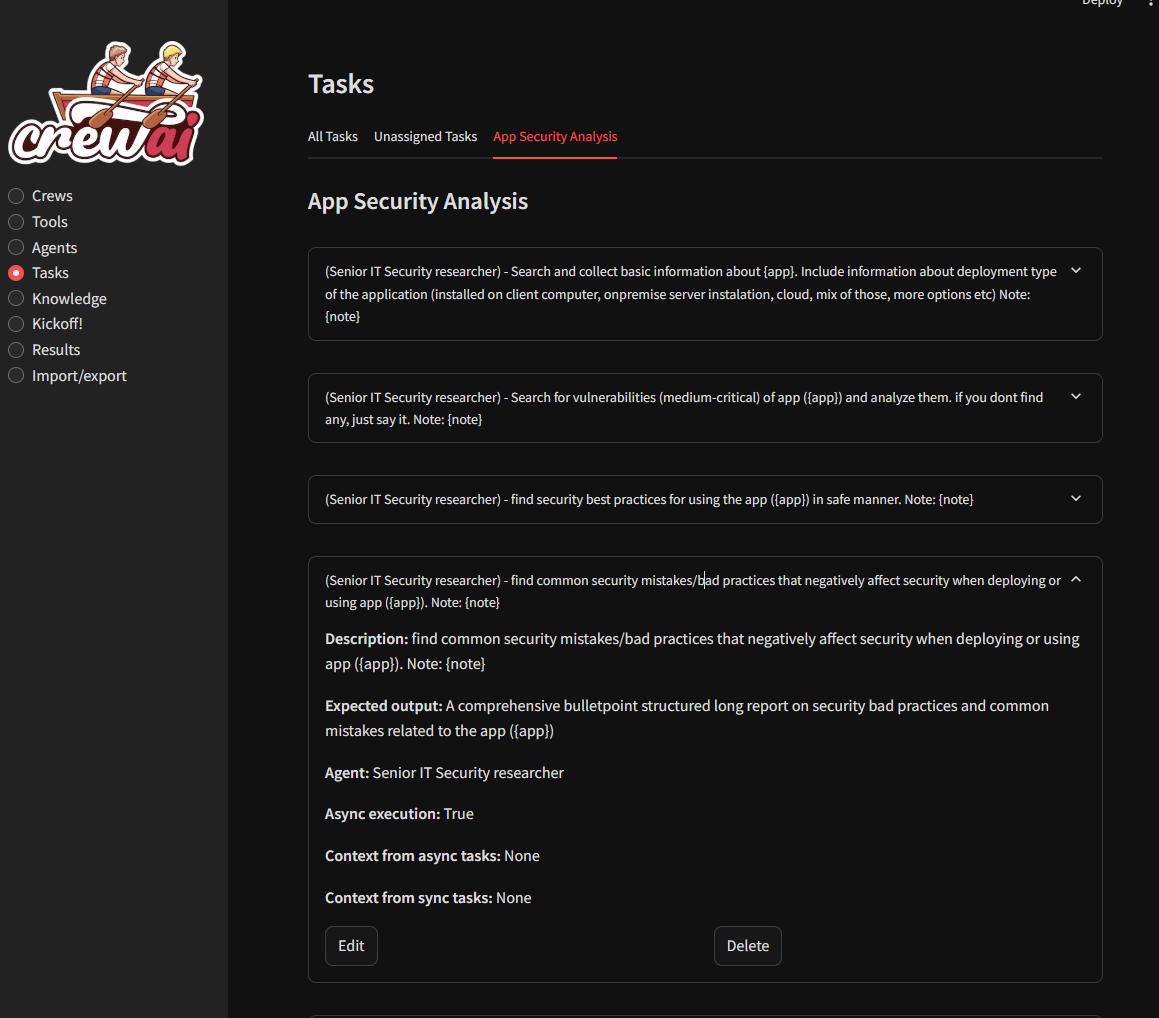
Screenshots
Installation

Using Virtual Environment

For Virtual Environment: Ensure you have Python installed. If you dont have python instaled, you can simply use the conda installer.

On Linux or MacOS

  1. Clone the repository (or use downloaded ZIP file):

    git clone https://github.com/strnad/CrewAI-Studio.git
    cd CrewAI-Studio
    
  2. Run the installation script:

    ./install_venv.sh
    
  3. Run the application:

    ./run_venv.sh
    

On Windows

  1. Clone the repository (or use downloaded ZIP file):

    git clone https://github.com/strnad/CrewAI-Studio.git
    cd CrewAI-Studio
    
  2. Run the Conda installation script:

    ./install_venv.bat
    
  3. Run the application:

    ./run_venv.bat
    

Using Conda

Conda will be installed locally in the project folder. No need for a pre-existing Conda installation.

On Linux

  1. Clone the repository (or use downloaded ZIP file):

    git clone https://github.com/strnad/CrewAI-Studio.git
    cd CrewAI-Studio
    
  2. Run the Conda installation script:

    ./install_conda.sh
    
  3. Run the application:

    ./run_conda.sh
    

On Windows

  1. Clone the repository (or use downloaded ZIP file):

    git clone https://github.com/strnad/CrewAI-Studio.git
    cd CrewAI-Studio
    
  2. Run the Conda installation script:

    ./install_conda.bat
    
  3. Run the application:

    ./run_conda.bat
    

One-Click Deployment

Running with Docker Compose

To quickly set up and run CrewAI-Studio using Docker Compose, follow these steps:

Prerequisites

Steps

  1. Clone the repository:
git clone https://github.com/strnad/CrewAI-Studio.git
cd CrewAI-Studio
  1. Create a .env file for configuration. Edit for your own configuration:
cp .env_example .env
  1. Start the application with Docker Compose:
docker-compose up --build
  1. Access the application: http://localhost:8501

Configuration

Before running the application, ensure you update the .env file with your API keys and other necessary configurations. An example .env file is provided for reference.

Troubleshooting

In case of problems:

  • Delete the venv/miniconda folder and reinstall crewai-studio.
  • Rename crewai.db (it contains your crews but sometimes new versions can break compatibility).
  • Raise an issue and I will help you.

Video tutorial

Video tutorial on CrewAI Studio made by Josh Poco

Star History

排名相邻
同类项目