
A Text-to-Speech Transformer in TensorFlow 2
Implementation of a non-autoregressive Transformer based neural network for Text-to-Speech (TTS).
This repo is based, among others, on the following papers:
- Neural Speech Synthesis with Transformer Network
- FastSpeech: Fast, Robust and Controllable Text to Speech
- FastSpeech 2: Fast and High-Quality End-to-End Text to Speech
- FastPitch: Parallel Text-to-speech with Pitch Prediction
Our pre-trained LJSpeech model is compatible with the pre-trained vocoders:
(older versions are available also for WaveRNN)
For quick inference with these vocoders, checkout the Vocoding branch
Non-Autoregressive
Being non-autoregressive, this Transformer model is:
- Robust: No repeats and failed attention modes for challenging sentences.
- Fast: With no autoregression, predictions take a fraction of the time.
- Controllable: It is possible to control the speed and pitch of the generated utterance.
🔈 Samples
These samples' spectrograms are converted using the pre-trained MelGAN vocoder.
Try it out on Colab:

Updates
- 06/20: Added normalisation and pre-trained models compatible with the faster MelGAN vocoder.
- 11/20: Added pitch prediction. Autoregressive model is now specialized as an Aligner and Forward is now the only TTS model. Changed models architectures. Discontinued WaveRNN support. Improved duration extraction with Dijkstra algorithm.
- 03/20: Vocoding branch.
📖 Contents
Installation
Make sure you have:
- Python >= 3.6
Install espeak as phonemizer backend (for macOS use brew):
sudo apt-get install espeak
Then install the rest with pip:
pip install -r requirements.txt
Read the individual scripts for more command line arguments.
Pre-Trained LJSpeech API
Use our pre-trained model (with Griffin-Lim) from command line with
python predict_tts.py -t "Please, say something."
Or in a python script
from data.audio import Audio
from model.factory import tts_ljspeech

model = tts_ljspeech()
audio = Audio.from_config(model.config)
out = model.predict('Please, say something.')

# Convert spectrogram to wav (with griffin lim)
wav = audio.reconstruct_waveform(out['mel'].numpy().T)
You can specify the model step with the --step flag (CL) or step parameter (script).
Steps from 60000 to 100000 are available at a frequency of 5K steps (60000, 65000, ..., 95000, 100000).
IMPORTANT: make sure to checkout the correct repository version to use the API.
Currently 493be6345341af0df3ae829de79c2793c9afd0ec
Dataset
You can directly use LJSpeech to create the training dataset.
Configuration
- If training on LJSpeech, or if unsure, simply use
config/training_config.yamlto create MelGAN or HiFiGAN compatible models- swap the content of
data_config_wavernn.yamlinconfig/training_config.yamlto create models compatible with WaveRNN
- swap the content of
- EDIT PATHS: in
config/training_config.yamledit the paths to point at your dataset and log folders
Custom dataset
Prepare a folder containing your metadata and wav files, for instance
|- dataset_folder/
|   |- metadata.csv
|   |- wavs/
|       |- file1.wav
|       |- ...
if metadata.csv has the following format
wav_file_name|transcription
you can use the ljspeech preprocessor in data/metadata_readers.py, otherwise add your own under the same file.
Make sure that:
- the metadata reader function name is the same as
data_namefield intraining_config.yaml. - the metadata file (can be anything) is specified under
metadata_pathintraining_config.yaml
Training
Change the --config argument based on the configuration of your choice.
Train Aligner Model
Create training dataset
python create_training_data.py --config config/training_config.yaml
This will populate the training data directory (default transformer_tts_data.ljspeech).
Training
python train_aligner.py --config config/training_config.yaml
Train TTS Model
Compute alignment dataset
First use the aligner model to create the durations dataset
python extract_durations.py --config config/training_config.yaml
this will add the durations. as well as the char-wise pitch folders to the training data directory.
Training
python train_tts.py --config config/training_config.yaml
Training & Model configuration
- Training and model settings can be configured in
training_config.yaml
Resume or restart training
- To resume training simply use the same configuration files
- To restart training, delete the weights and/or the logs from the logs folder with the training flag
--reset_dir(both) or--reset_logs,--reset_weights
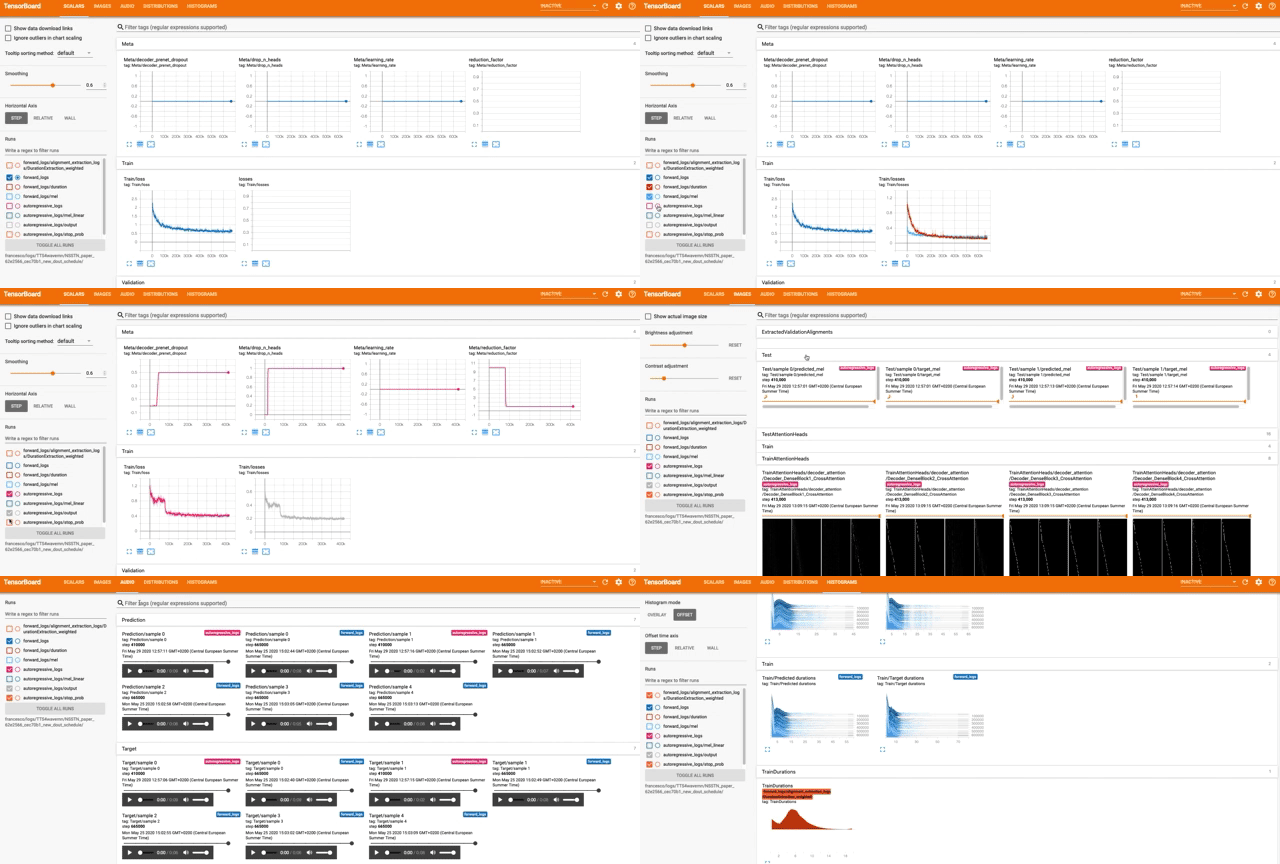
Monitor training
tensorboard --logdir /logs/directory/
Prediction
With model weights
From command line with
python predict_tts.py -t "Please, say something." -p /path/to/weights/
Or in a python script
from model.models import ForwardTransformer
from data.audio import Audio
model = ForwardTransformer.load_model('/path/to/weights/')
audio = Audio.from_config(model.config)
out = model.predict('Please, say something.')

# Convert spectrogram to wav (with griffin lim)
wav = audio.reconstruct_waveform(out['mel'].numpy().T)
Model Weights
Access the pre-trained models with the API call.
Old weights
| Model URL | Commit | Vocoder Commit |
|---|---|---|
| ljspeech_tts_model | 0cd7d33 | aca5990 |
| ljspeech_melgan_forward_model | 1c1cb03 | aca5990 |
| ljspeech_melgan_autoregressive_model_v2 | 1c1cb03 | aca5990 |
| ljspeech_wavernn_forward_model | 1c1cb03 | 3595219 |
| ljspeech_wavernn_autoregressive_model_v2 | 1c1cb03 | 3595219 |
| ljspeech_wavernn_forward_model | d9ccee6 | 3595219 |
| ljspeech_wavernn_autoregressive_model_v2 | d9ccee6 | 3595219 |
| ljspeech_wavernn_autoregressive_model_v1 | 2f3a1b5 | 3595219 |
Maintainers
- Francesco Cardinale, github: cfrancesco
Special thanks
MelGAN and WaveRNN: data normalization and samples' vocoders are from these repos.
Erogol and the Mozilla TTS team for the lively exchange on the topic.
Copyright
See LICENSE for details.