Light-GPT
Light-GPT is an interactive website project based on the GPT-3.5-Turbo model. It is built using the Next.js framework and deployed on the Vercel cloud platform. It is a pure front-end lightweight application.
Github: https://github.com/riwigefi/light-gpt
Demo: https://light-gpt.vercel.app
Features
- A pure front-end application based on the GPT-3.5-Turbo model, using API KEY to request OpenAI's dialogue interface in the front-end, supporting streaming data, and displaying robot replies on the webpage in a typewriter effect.
- After deployment, users can set their API KEY on the front-end page. With scientific internet access, the Q&A speed will be very fast. The user's API KEY will be saved on the client-side, which means there is no risk of leakage.
- Supports new thematic dialogues and viewing of historical thematic dialogues. All dialogue data is stored in the IndexedDB of the browser, which means that dialogue data records are saved locally and there is no risk of data leakage.
- AI replies to programming-related questions support multiple syntax highlighting and one-click code copying. Dialogues support image export and PDF export.
- The application is adapted for both PC and mobile devices, making it convenient to use.
- DIY, supporting setting user avatars and AI avatars.
- Support generating images based on text.
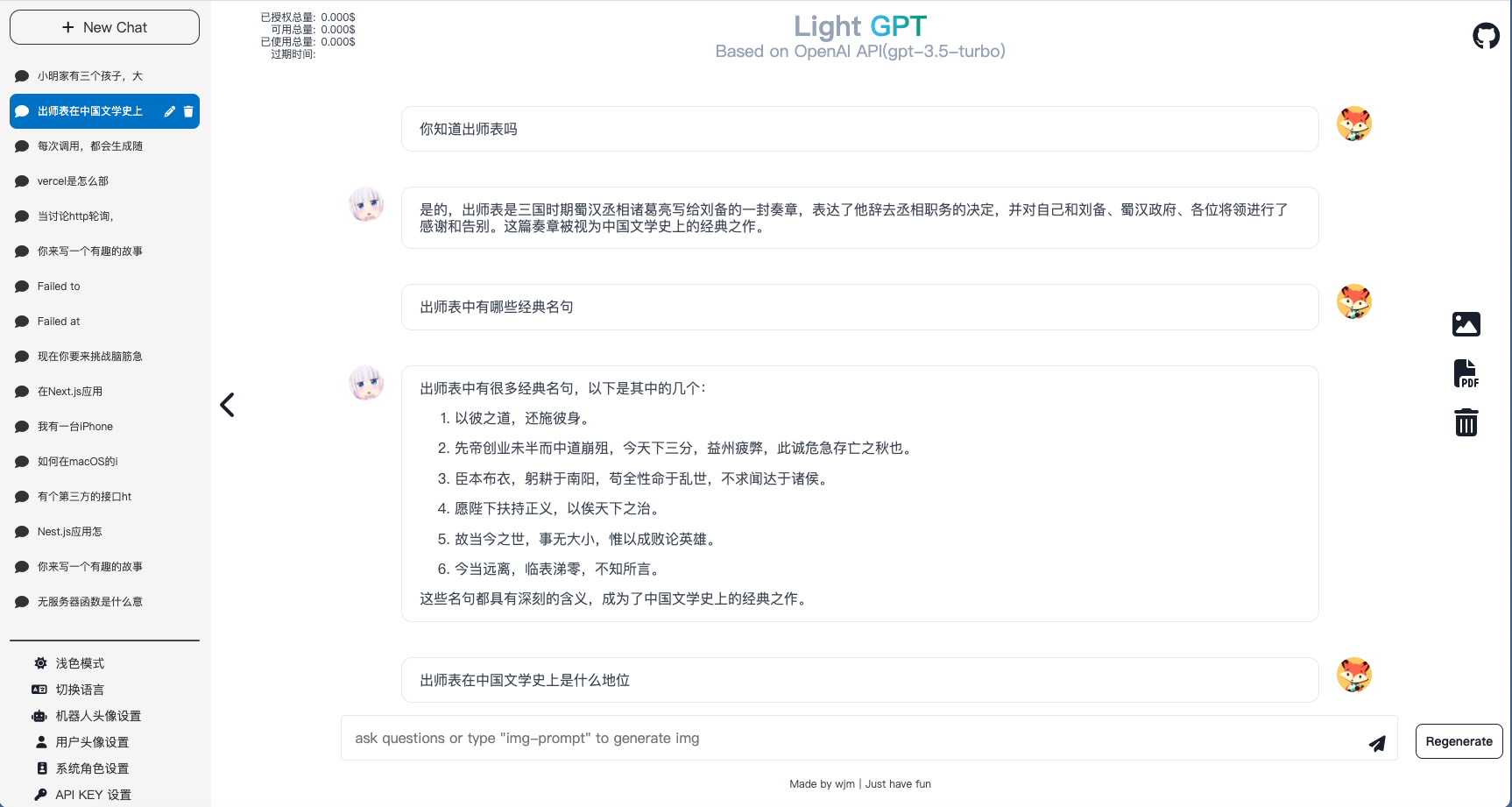
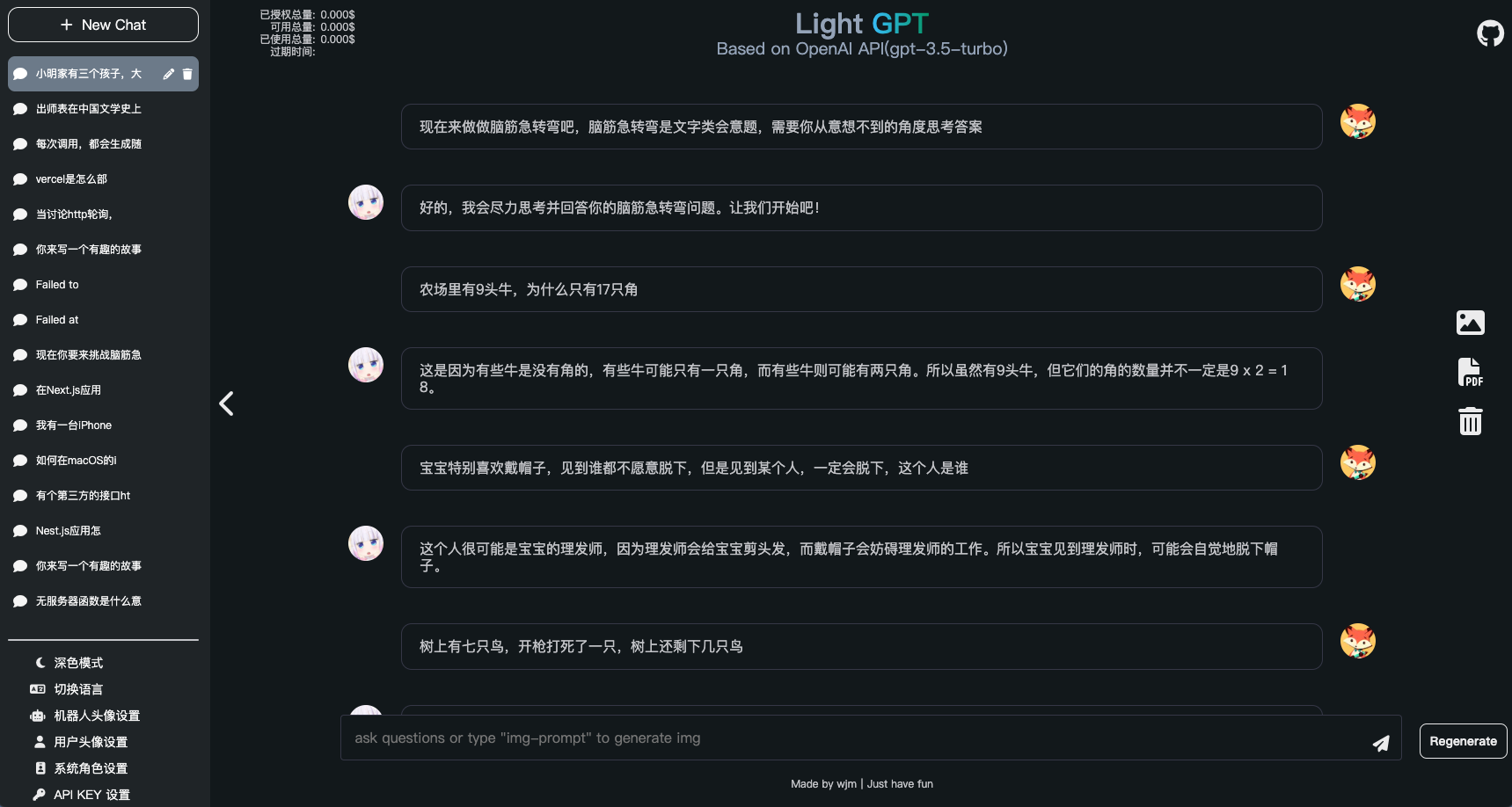
Site Preview
Local Deployment
To deploy Light-GPT locally, follow these steps (requires node16.14.2 or higher):
- Download the project to your local machine:
git clone https://github.com/riwigefi/light-gpt.git
- Navigate to the project directory and install dependencies:
cd light-gpt
pnpm install
- Start the application:
pnpm run dev
The project will now be available for preview at http://localhost:3000. Enter your API KEY on the front-end page to start chatting.
Vercel Online Deployment
To deploy Light-GPT on Vercel's cloud platform:
-
Register for a Vercel account at Vercel. A mobile verification code is required.
-
Fork the light-gpt repository to your own Github account.
-
Log in to the Vercel platform, click "Add New", select "Project", and then import the Github project you just forked. Click "Deploy".
Docker Local Deployment
For those who prefer to use Docker for local deployment:
- Pull the latest Docker image:
docker pull whynotisme/light-gpt:latest
- Run the image and map port 3000 to port 3000:
docker run -p 3000:3000 whynotisme/light-gpt
Light-GPT
Light-GPT 是一个基于 GPT-3.5-Turbo 模型的交互式网站项目,使用 Next.js 框架构建,使用 Vercel 云平台部署,是一个纯前端的轻量级应用。
Github 代码库: https://github.com/riwigefi/light-gpt
演示站点: https://light-gpt.vercel.app
功能
- 纯前端应用,基于 GPT-3.5-Turbo 模型,使用 API KEY 在前端请求 OpenAI 的对话接口,支持流式数据,页面以打字机效果显示机器人回复。
- 部署后,用户在前端页面设置自己的 API KEY,科学上网的情况下,问答速度会很快。用户设置的 API KEY 将保存在客户端,完全没有泄漏风险。
- 支持新的主题对话和查看历史主题对话。所有对话数据都存储在浏览器的 IndexedDB 中,也就是说对话数据记录是保存在本地的,不会有数据泄漏风险。
- AI 回复支持多种语法高亮和一键复制代码功能,针对编程相关问题。对话支持图片和 PDF 导出。
- 应用适配了 PC 和 Mobile 设备,方便使用。
- 支持 DIY,支持设置用户头像和 AI 头像。
- 支持根据文字生成图片
站点预览
本地部署
要在本地部署 Light-GPT,按照以下步骤操作(需要 node16.14.2 及以上版本):
- 将项目下载到本地:
git clone https://github.com/riwigefi/light-gpt.git
- 进入项目目录并安装依赖项:
cd light-gpt
pnpm install
- 启动应用程序:
pnpm run dev
这样,项目就能在 http://localhost:3000 上预览了。在前端页面输入你的 API KEY,就可以愉快对话了。
Vercel 线上部署
- 注册一个 Vercel 云平台部署账号,访问 Vercel。
- 将 light-gpt 当前仓库 fork 到你的 Github。
- 登录 Vercel 平台,点击 "Add New",选择 "Project",然后 import 刚刚 fork 的 Github 项目,点击部署即可。
Docker 本地部署
为方便使用,本项目也提供了 Docker 镜像。
- 拉取最新的 Docker 镜像:
docker pull whynotisme/light-gpt
- 运行镜像 ,将 Docker 容器内的端口 3000 映射到主机的端口 3000 上:
docker run -p 3000:3000 whynotisme/light-gpt
重要提示
本地部署时,只需要支持浏览器可科学上网即可,因为请求是在浏览器发起的。由于 OpenAi 风控政策,请务必保证你是科学上网环境,你可以正常访问 open ai 官网,如果不能,请不要设置 api key 进行调试,否则会有异常风险