Machine Learning for OpenCV


This is the Jupyter notebook version of the following book:
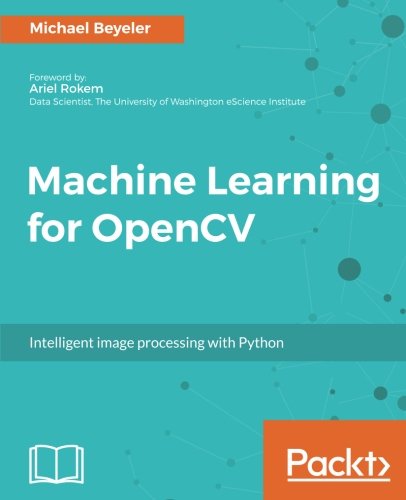
Michael Beyeler
Intelligent Image Processing with Python
14 July 2017
Packt Publishing Ltd., London, England
Paperback: 382 pages
ISBN 978-178398028-4
The content is available on GitHub. The code is released under the MIT license.
A second edition has now been released (using OpenCV4). The book is also available as a Udemy course.
If you use either book or code in a scholarly publication, please cite as:
M. Beyeler, (2017). Machine Learning for OpenCV. Packt Publishing Ltd., London, England, 380 pages, ISBN 978-178398028-4.
Or use the following bibtex:
@book{MachineLearningOpenCV,
	title = {{Machine Learning for OpenCV}},
	subtitle = {{Intelligent image processing with Python}},
	author = {Michael Beyeler},
	year = {2017},
	pages = {380},
	publisher = {Packt Publishing Ltd.},
	isbn = {978-178398028-4}
}
The book has been referenced more than 45 times in scholarly work (source: Google Scholar). Citing studies include:
- VS Padilla, RA Ponguillo, AA Abad, LE Salas (2020). Cyber-physical system based on image recognition to improve traffic flow: A case study. International Journal of Electrical and Computer Engineering (IJECE)
- O Balitskii, V Kolesnikov (2019). Identification of wear products in the automotive tribotechnical system using computer vision methods, artificial intelligence and big data. XIth International Scientific and Practical Conference on Electronics and Information Technologies (ELIT)
- S Lynch (2018). Image Processing with Python. Dynamical Systems with Applications using Python, Springer.
- MQG Quiroz (2018). Inductive Machine Learning with Image Processing for Objects Detection of a Robotic Arm with Raspberry PI. International Conference on Technology Trends.
Table of Contents
Running the Code
There are at least two ways you can run the code:
- deprecated Using Binder (no installation required).
- Using Jupyter Notebook on your local machine.
The code in this book was tested with Python 3.5, although Python 3.6 and 2.7 should work as well.
Using Binder
Binder allows you to run Jupyter notebooks in an interactive Docker container. No installation required!
Launch the project: mbeyeler/opencv-machine-learning
Using Jupyter Notebook
You basically want to follow the installation instructions in Chapter 1 of the book.
In short:
-
Download and install Python Anaconda. On Unix, when asked if the Anaconda path should be added to your
PATHvariable, choose yes. Then either open a new terminal or run$ source ~/.bashrc. -
Fork and clone the GitHub repo:
- Click the
Forkbutton in the top-right corner of this page. - Clone the repo, where
YourUsernameis your actual GitHub user name:
$ git clone https://github.com/YourUsername/opencv-machine-learning $ cd opencv-machine-learning- Add the following to your remotes:
$ git remote add upstream https://github.com/mbeyeler/opencv-machine-learning - Click the
-
Add Conda-Forge to your trusted channels (to simplify installation of OpenCV on Windows platforms):
$ conda config --add channels conda-forge -
Create a conda environment for Python 3 with all required packages:
$ conda create -n Python3 python=3.6 --file requirements.txt -
Activate the conda environment. On Linux / Mac OS X:
$ source activate Python3On Windows:
$ activate Python3You can learn more about conda environments in the Managing Environments section of the conda documentation.
-
Launch Jupyter notebook:
$ jupyter notebookThis will open up a browser window in your current directory. Navigate to the folder
opencv-machine-learning. The README file has a table of contents. Else navigate to thenotebooksfolder, click on the notebook of your choice, and selectKernel > Restart & Run Allfrom the top menu.
Getting the latest code
If you followed the instructions above and:
- forked the repo,
- cloned the repo,
- added the
upstreamremote repository,
then you can always grab the latest changes by running a git pull:
$ cd opencv-machine-learning
$ git pull upstream master
Errata
The following errata have been reported that apply to the print version of the book. Some of these are typos, others are bugs in the code. Please note that all known bugs have been fixed in the code of this repository.
- p.32:
Out[15]should read '3' instead of 'int_arr[3]'. - p.32:
Out[22]should readarray([9, 8, 7, 6, 5, 4, 3, 2, 1, 0])instead ofarray([0, 1, 2, 3, 4, 5, 6, 7, 8, 9]). - p.33: In the sentence: "Here, the first dimension defines the color channel...", the order of color channels should read "blue, green, and red in OpenCV" instead of "red, green, blue, green, and red".
- p.36: The range of x values should read "0 <= x <= 10" instead of "0 <= x < 10", since
np.linspaceby default includes the endpoint. - p.51:
In [15]shoud readprecision = true_positive / (true_positive + false_positive)instead ofprecision = true_positive / (true_positive + true_negative). - p.51:
Out[15]should read 0.2 instead of 1.0. - p.72:
In [6]should readridgereg = linear_model.Ridge()instead ofridgereg = linear_model.RidgeRegression(). - p.85: The first line of
In [8]should readmin_max_scaler = preprocessing.MinMaxScaler(feature_range=(-10,10))instead ofmin_max_scaler = preprocessing.MinMaxScaler(feature_range (-10,10)). - p.91: The last paragraph should read
We also specify an empty array, np.array([]), for the mean argument, which tells OpenCV to compute the mean from the data:instead ofWe also specify an empty array, np.array([]), for the mask argument, which tells OpenCV to use all data points in the feature matrix:. - p.112:
In [3]should readvec.get_feature_names()[:5]instead offunction:vec.get_feature_names()[:5]. - p.120:
In [16]should readdtree = cv2.ml.DTrees_create()instead ofdtree = cv2.ml.dtree_create(). - p.122:
In [26]should readwith open("tree.dot", 'w'): f = tree.export_graphviz(dtc, out_file=f, feature_names=vec.get_feature_names(), class_names=['A', 'B', 'C', 'D'])instead ofwith open("tree.dot", 'w'): f = tree.export_graphviz(clf, out_file=f). Also, the second line should be indented. - p.147: The first occurrences of
X_hypo = np.c_[xx.ravel().astype(np.float32), yy.ravel().astype(np.float32)]and_, zz = svm.predict(X_hypo)should be removed, as they mistakenly appear twice. - p.193:
In [28]is missingfrom sklearn import metrics. - p.197: The sentence right below
In [3]should read "Then we can pass the preceding data matrix (X) tocv2.kmeans", notcv2.means. - p.201: Indentation in bullet points 2-4 are wrong. Please refer to the Jupyter notebook for the correct indentation.
- p.228: The last sentence in the middle paragraph should read "[...] thus hopefully classifying the sample as y_{hat}=+1" instead of "[...] thus hopefully classifying the sample as y_{hat}=-1".
- p.230:
In [2]has wrong indentation:class Perceptron(object)correctly has indentation level 1, butdef __init__should have indentation level 2, and the two commandsself.lr = lr; self.n_iter = n_itershould have indentation level 3. - p.260:
In [5]should readfrom keras.models import Sequentialinstead offrom keras.model import Sequential. - p.260:
In [6]should readmodel.add(Conv2D(n_filters, (kernel_size[0], kernel_size[1]), padding='valid', input_shape=input_shape))instead ofmodel.add(Convolution2D(n_filters, kernel_size[0], kernel_size[1], border_mode='valid', input_shape=input_shape)). - p.260:
In [8]should readmodel.add(Conv2D(n_filters, (kernel_size[0], kernel_size[1])))instead ofmodel.add(Convolution2D(n_filters, (kernel_size[0], kernel_size[1]))). - p.261:
In [12]should readmodel.fit(X_train, Y_train, batch_size=128, epochs=12, verbose=1, validation_data=(X_test, Y_test))instead ofmodel.fit(X_train, Y_train, batch_size=128, nb_epoch=12, verbose=1, validation_data=(X_test, Y_test)). - p.275, in bullet point 2 it should say
ret = classifier.predict(X_hypo)instead ofzz = classifier.predict(X_hypo); zz = zz.reshape(xx.shape). - p.285:
plt.imshow(X[i, :].reshape((64, 64)), cmap='gray')should be indented so that it is aligned with the previous line. - p.288:
In [14]should read_, y_hat = rtree.predict(X_test)instead of_, y_hat = tree.predict(X_test). - p.305: The first paragraph should read "...and the remaining folds (1, 2, and 4) for training" instead of "...and the remaining folds (1, 2, and 4) for testing".
- p.306:
In [2]should readfrom sklearn.model_selection import train_test_splitinstead offrom sklearn.model_selection import model_selection. - p.310:
In [18]should readknn.train(X_boot, cv2.ml.ROW_SAMPLE, y_boot)instead ofknn.train(X_train, cv2.ml.ROW_SAMPLE, y_boot). - p.311:
In [20]should have a linemodel.train(X_boot, cv2.ml.ROW_SAMPLE, y_boot)instead ofknn.train(X_boot, cv2.ml.ROW_SAMPLE, y_boot), as well as_, y_hat = model.predict(X_oob)instead of_, y_hat = knn.predict(X_oob). - p.328:
In [5]is missing the statementfrom sklearn.preprocessing import MinMaxScaler. - p.328:
In [5]should have a linepipe = Pipeline([("scaler", MinMaxScaler()), ("svm", SVC())])instead ofpipe = Pipeline(["scaler", MinMaxScaler(), ("svm", SVC())]).
Acknowledgment
This book was inspired in many ways by the following authors and their corresponding publications:
- Jake VanderPlas, Python Data Science Handbook: Essential Tools for Working with Data. O'Reilly, ISBN 978-149191205-8, 2016, https://github.com/jakevdp/PythonDataScienceHandbook
- Andreas Muller and Sarah Guido, Introduction to Machine Learning with Python: A Guide for Data Scientists. O'Reilly, ISBN 978-144936941-5, 2016, https://github.com/amueller/introduction_to_ml_with_python
- Sebastian Raschka, Python Machine Learning. Packt, ISBN 978-178355513-0, 2015, https://github.com/rasbt/python-machine-learning-book
These books all come with their own open-source code - check them out when you get a chance!