
Your ssh config, synced with your cloud.
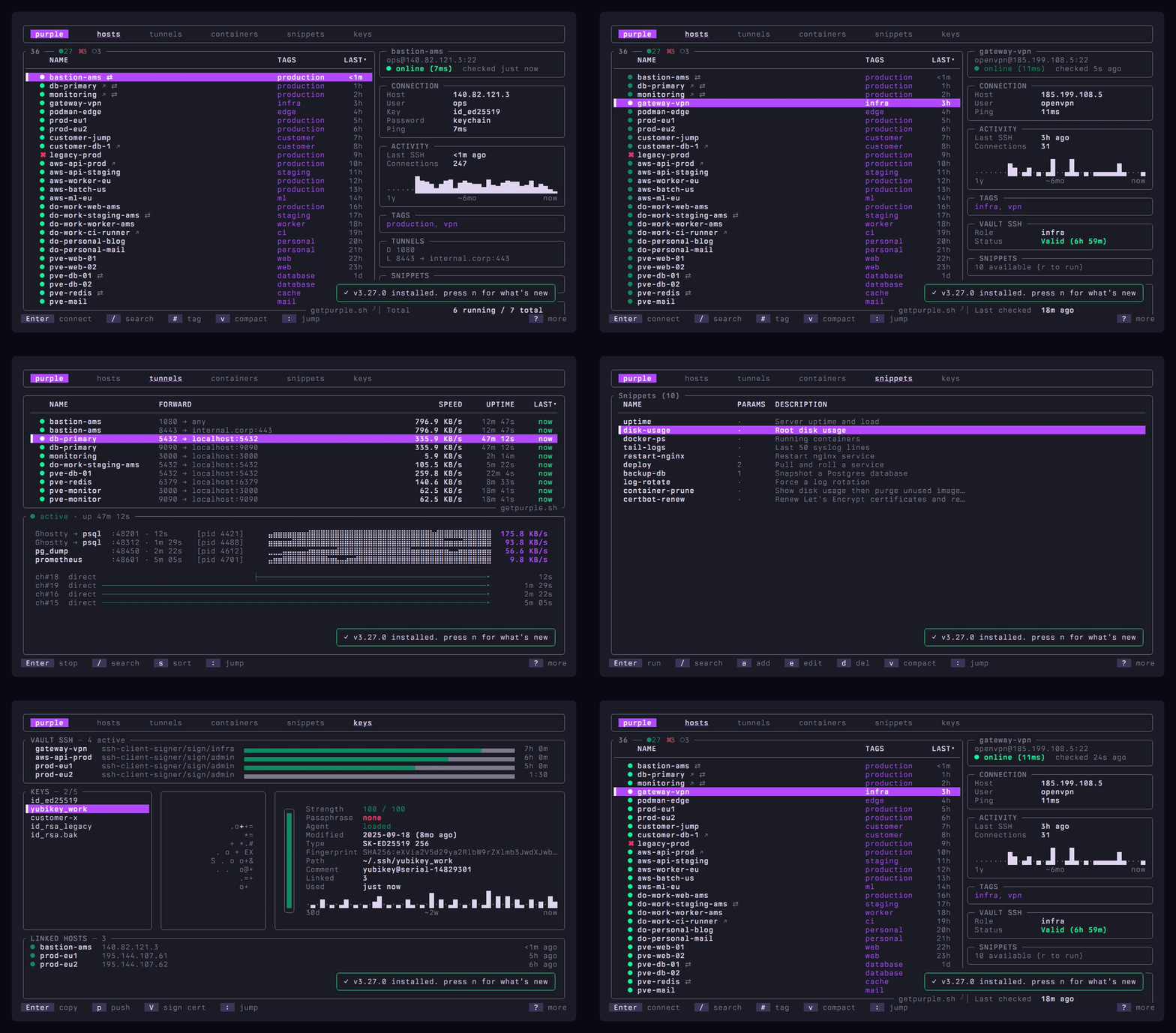
purple is a free, open-source terminal SSH manager and SSH config editor in Rust for macOS and Linux that keeps ~/.ssh/config in sync with 18 cloud providers, monitors live SSH tunnels and manages Docker and Podman containers fleet-wide.
Spin up a VM on AWS, GCP, Azure, Hetzner, Proxmox or 13 other cloud providers and it's in your host list before the console catches up. Kill one and purple marks it stale, so your list never lies. No more hand-editing ~/.ssh/config after every Terraform run, no more digging through cloud consoles for the right IP.
Everything else you do over SSH lives in the same terminal: fuzzy search across hundreds of hosts, visual file transfer, multi-host SSH key push, short-lived HashiCorp Vault SSH certificates and an MCP server for AI agents. Keyboard-driven. Single binary. MIT licensed.
Install
curl -fsSL getpurple.sh | sh
brew, cargo, nix, AUR or from source
brew install erickochen/purple/purple
cargo install purple-ssh
nix profile install github:erickochen/purple
paru -S purple-bin
yay -S purple-bin
git clone https://github.com/erickochen/purple.git
cd purple && cargo build --release
Claude Desktop users can install the .mcpb bundle for one-click MCP integration (read-only by default). Setup details on the MCP Server wiki. No data leaves your machine. See PRIVACY.md.
Run purple. Press ? on any screen for help. That's it.
Contents
Why I built this
My SSH config was fine. Proper aliases, ProxyJump chains, organized by provider. Not the problem.
The problem was everything around it. Need to check a container? ssh host docker ps. Copy a file? scp with the right flags. Run the same command on ten hosts? Write a loop or boot up Ansible for a one-liner. Spin up a VM on Hetzner? Open the console, grab the IP, edit config, save. Someone asks which box runs what? Good luck.
I wanted one place for all of that. So I built it.
What you get
Your ssh config tracks your infra
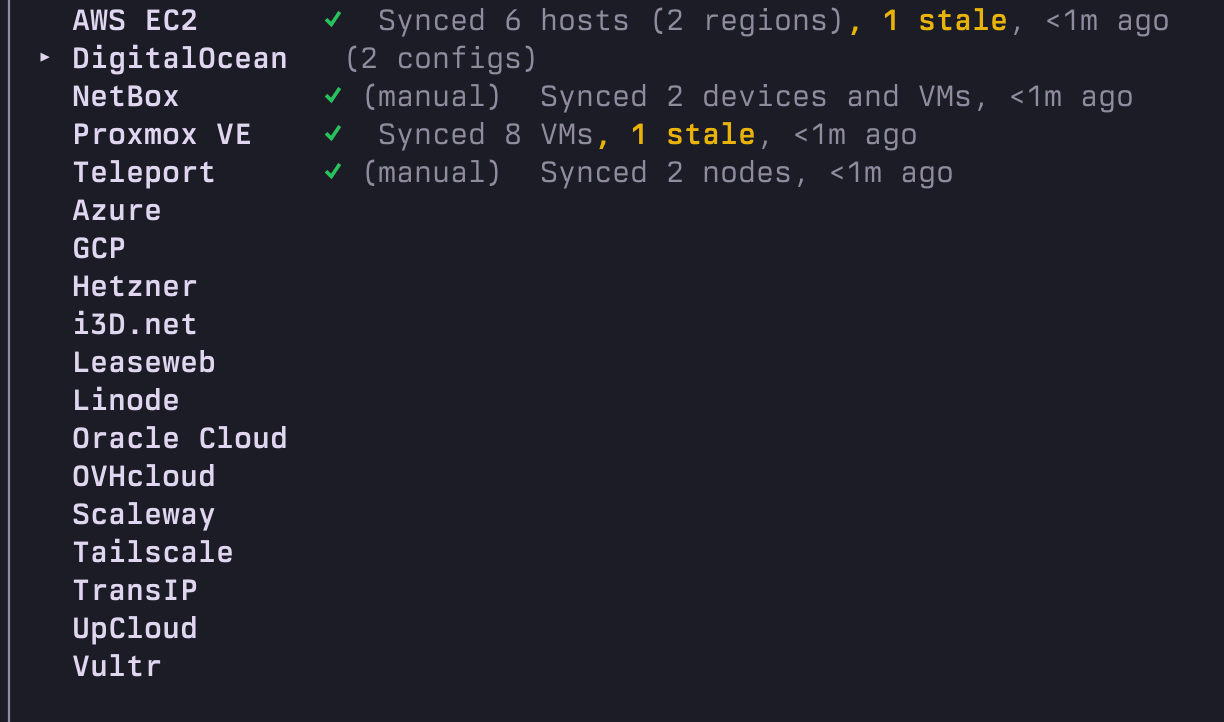
Drop in one API token per provider. New machines land in ~/.ssh/config the moment they boot, IPs follow instances as they move and decommissioned hosts gray out instead of lingering. 18 providers including AWS, GCP, Azure, Hetzner, DigitalOcean, Proxmox, Teleport and NetBox, multiple accounts each. On AWS that means a role per account and, with Session Manager on, even the instances with no public address. See the wiki for the full list.
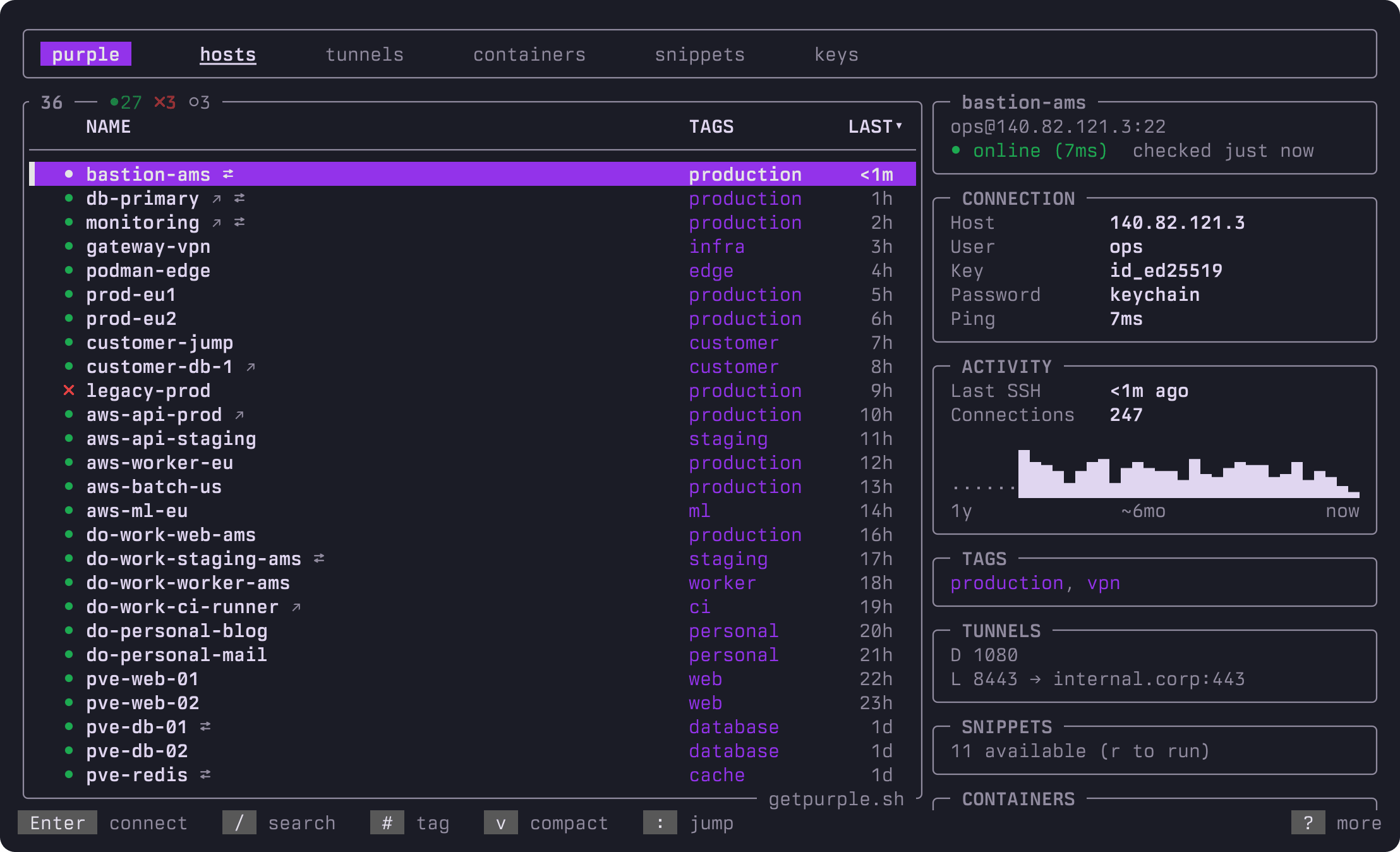
One panel answers the questions you actually have. Is it up. How do I reach it. When was I last on it. What runs there. Connection info, jump route, a year of SSH activity, tags, tunnels and containers per host, with live health dots.
Jump to anything with one keystroke
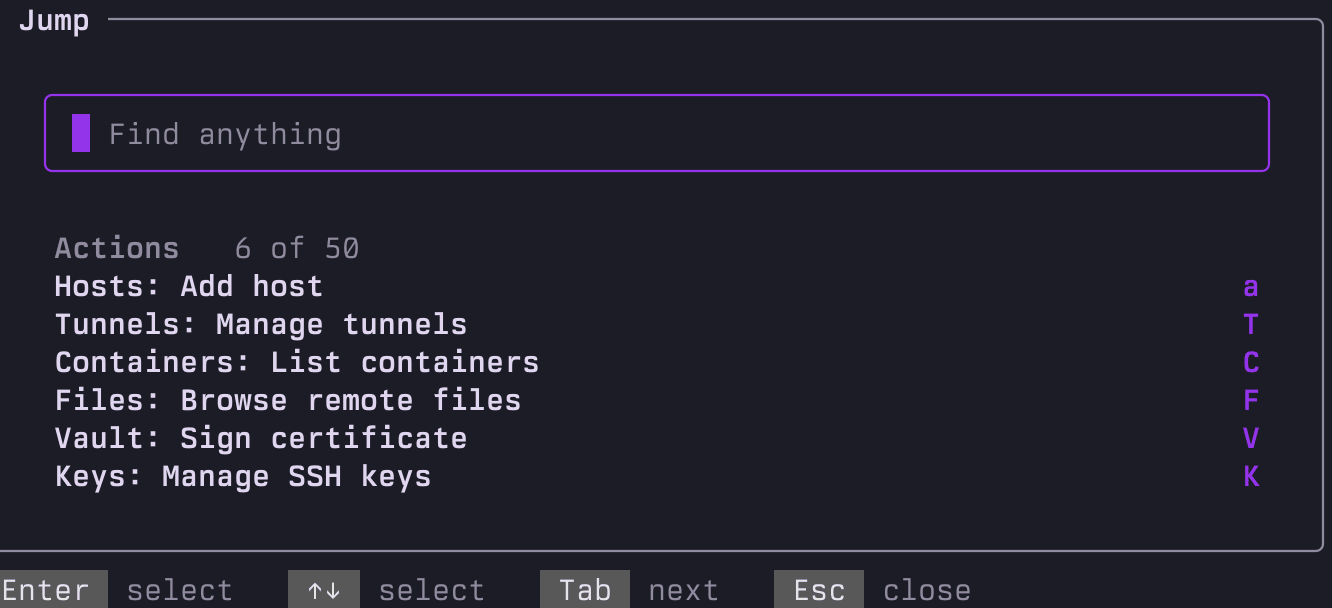
Press : and type four letters. Any host, tunnel, container, snippet or action, ranked by how often you use it. It searches the SSH User, ProxyJump and Vault SSH role too, so typing your username finds every server you log in as. Field prefixes (user:, proxy:, vault:, tag:) cut straight to one directive. Like Linear's Cmd+K, but in your terminal.
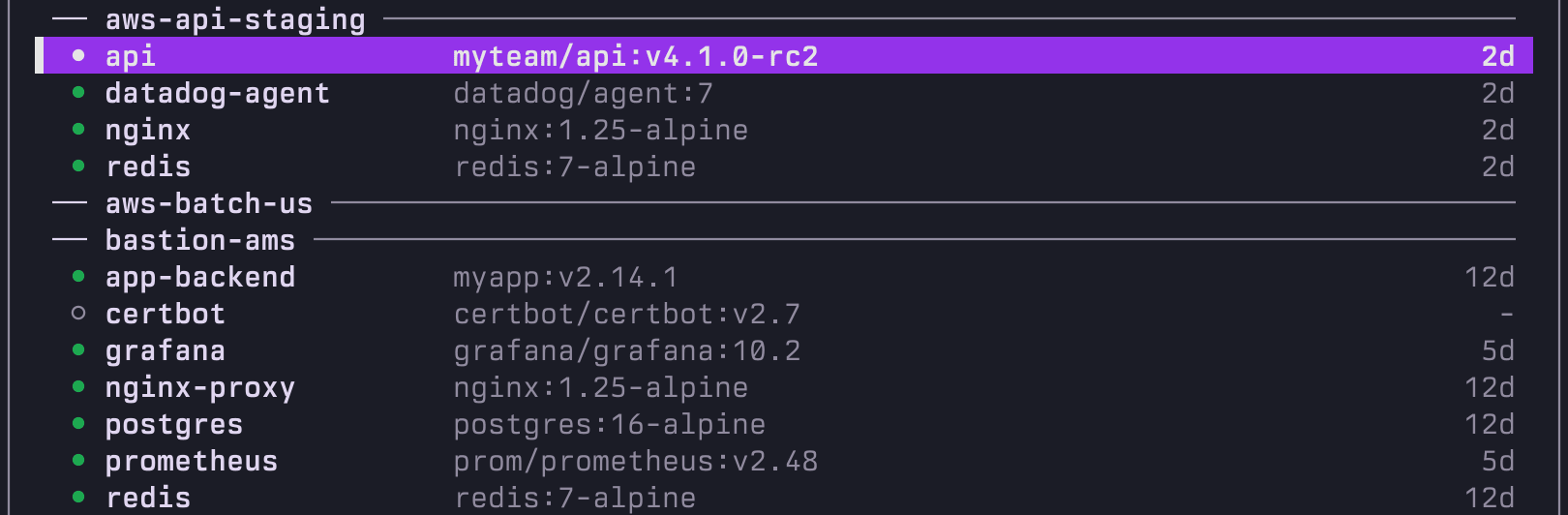
Manage Docker and Podman on every server, over SSH
Your whole fleet's containers in one list, grouped per host. Shell in, stream logs, restart, stop, exec or kick a whole compose stack member by member. No agent on the remote, no web UI, no extra ports. Just SSH.
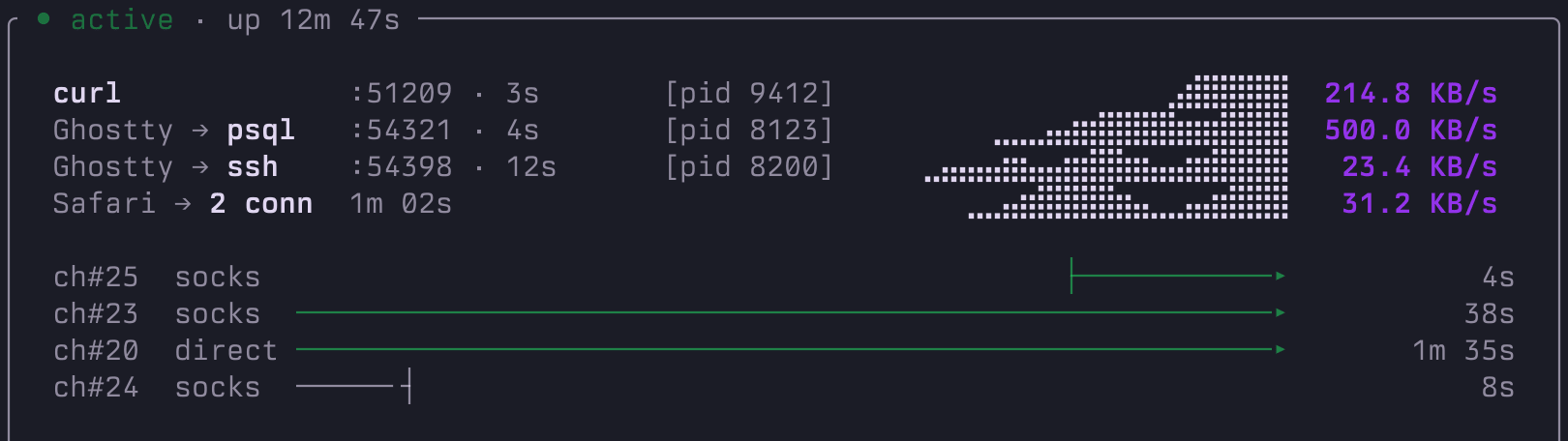
Monitor SSH tunnels in real time
Forwards run blind. purple doesn't: every Local, Remote and Dynamic SOCKS forward with live throughput, channel activity and uptime, down to the exact app behind each connection.
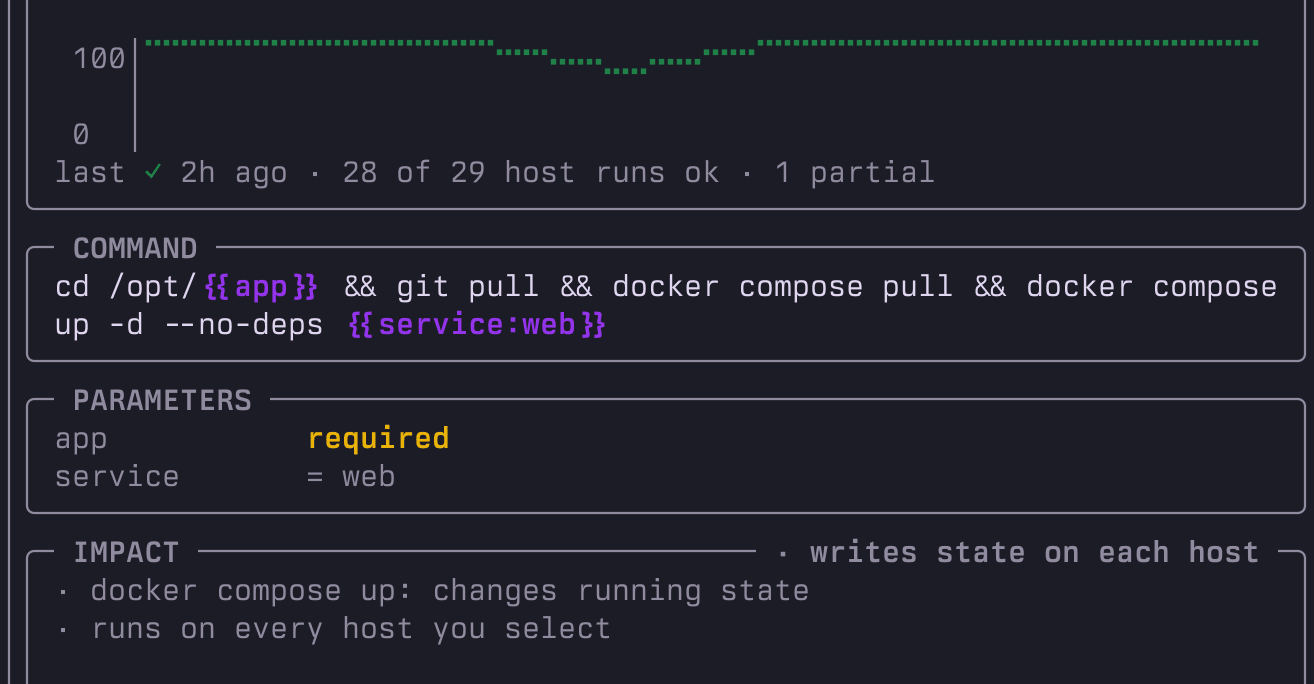
Run one command across your fleet
Save a command once, run it on any set of hosts. purple shows the blast radius before you fan out and keeps the track record per snippet. "28 of 29 host runs ok" is a number you want to see before production.
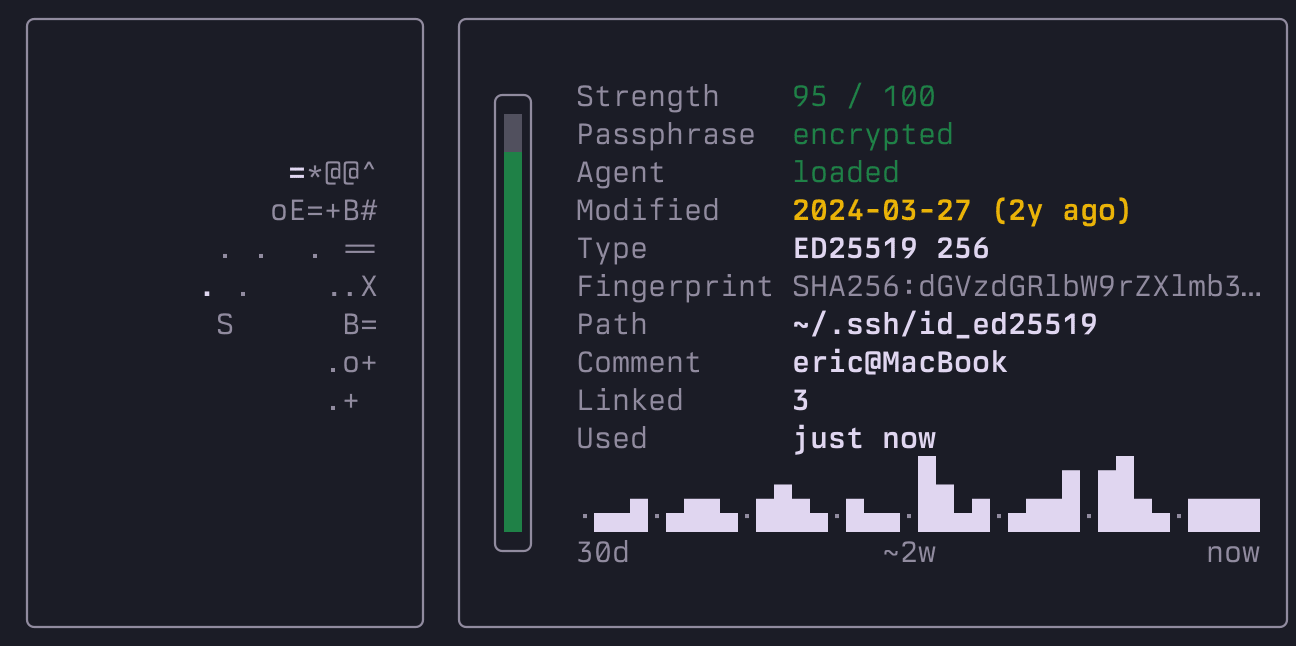
Push any SSH key to your fleet, no ssh-copy-id loop
Every key in ~/.ssh, scored and fingerprinted, with the hosts it unlocks and the last time it was used. Push one to your whole fleet with p. Vault-managed hosts skip automatically, so cert-managed stays cert-managed.
Short-lived certificates from the HashiCorp Vault SSH secrets engine get a TTL strip of their own, so an expiring cert never surprises you.

And more
- Visual file transfer with a split-pane local and remote explorer.
- Automatic password retrieval from OS Keychain, 1Password, Bitwarden, pass, the HashiCorp Vault KV secrets engine and Proton Pass.
- Short-lived SSH certificates signed via the HashiCorp Vault SSH secrets engine.
- MCP server for AI agents like Claude Code and Cursor, with a read-only mode and a JSON Lines audit log.
- Your own ssh wrapper for interactive logins, such as kitty's
kitten ssh, via one preference orPURPLE_SSH_COMMAND. - XDG Base Directory support: set
XDG_CONFIG_HOMEand friends (orPURPLE_CONFIG_DIRand friends) and purple splits its files into config, data, state and cache. Unset, everything stays in~/.purple.
See the wiki for details.
How purple compares
| purple | Termius | sshs | Lazydocker | |
|---|---|---|---|---|
| Open source | Yes (MIT) | No | Yes | Yes |
| Language | Rust | Electron | Rust | Go |
| Multi-cloud SSH sync | 18 providers | Limited | No | No |
| Containers over SSH | Docker and Podman, fleet-wide | No | No | Local host only |
| Live tunnel monitoring | Yes | No | No | No |
| MCP server for AI agents | Yes | No | No | No |
| Account required | No | Yes | No | No |
| Price | Free | Freemium | Free | Free |
purple keeps your SSH config local and editable: it edits ~/.ssh/config in place with round-trip fidelity. Use Lazydocker for single-host local Docker, purple for fleet-wide remote management.
How it works
purple reads ~/.ssh/config directly. No database, no daemon, no account. Comments, indentation, include files, unknown directives: all preserved through every edit, so the config you wrote stays the config you have.
Written in Rust. Single binary. 6700+ tests. MIT license.
Links
Wiki · Cloud Providers · MCP Server · FAQ · Troubleshooting · Security · llms.txt
Sponsors
purple is free and open source. These people chip in to keep it that way. Thank you!

Want to join them? Sponsor purple on GitHub.
Credits
Screenshots and the demo are generated from the live TUI in Berkeley Mono by U.S. Graphics Company, recorded with VHS. They regenerate whenever the UI changes on master, so what you see here always matches the current build.
Feedback
Bug or feature request? Open an issue.