
SkillDeck
The desktop GUI for managing AI code agent skills on macOS.

English | 中文
SkillDeck is the first desktop GUI for managing skills across multiple AI code agents — Claude Code, Codex, Gemini CLI, Copilot CLI, OpenCode, Antigravity, Cursor, Kiro, CodeBuddy, OpenClaw, Trae, and Qoder. No more manual file editing, symlink juggling, or YAML parsing by hand.
Screenshots
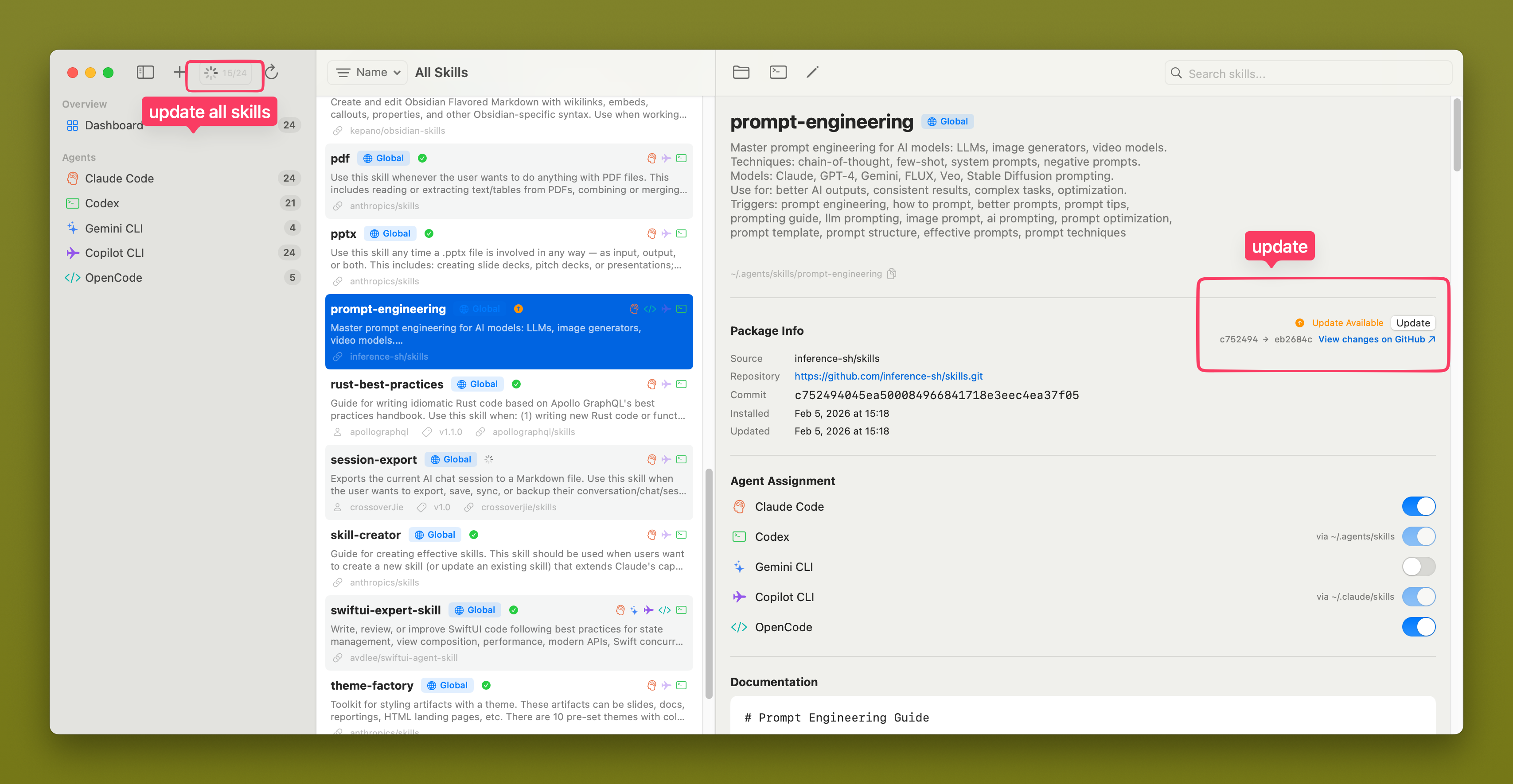
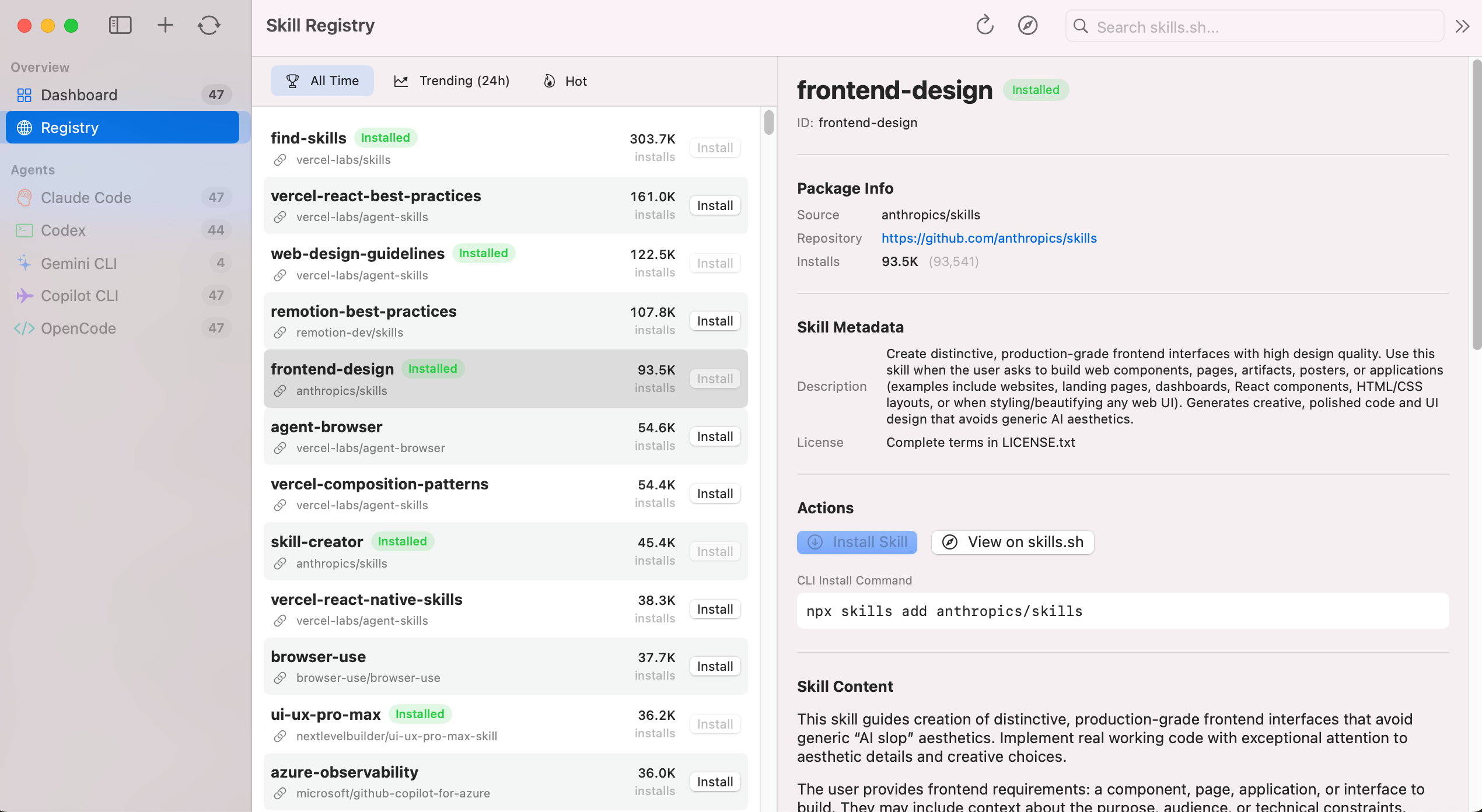
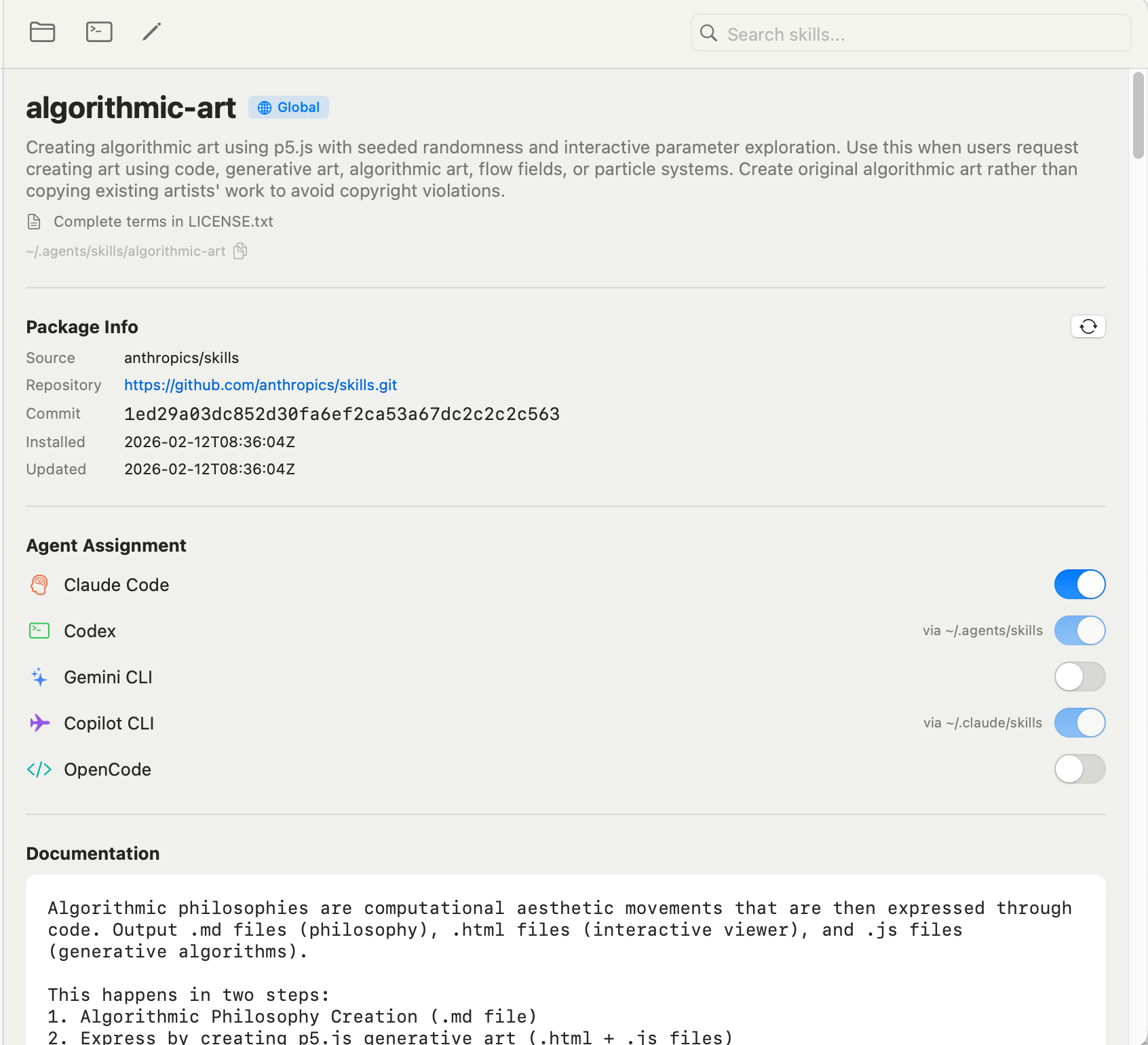
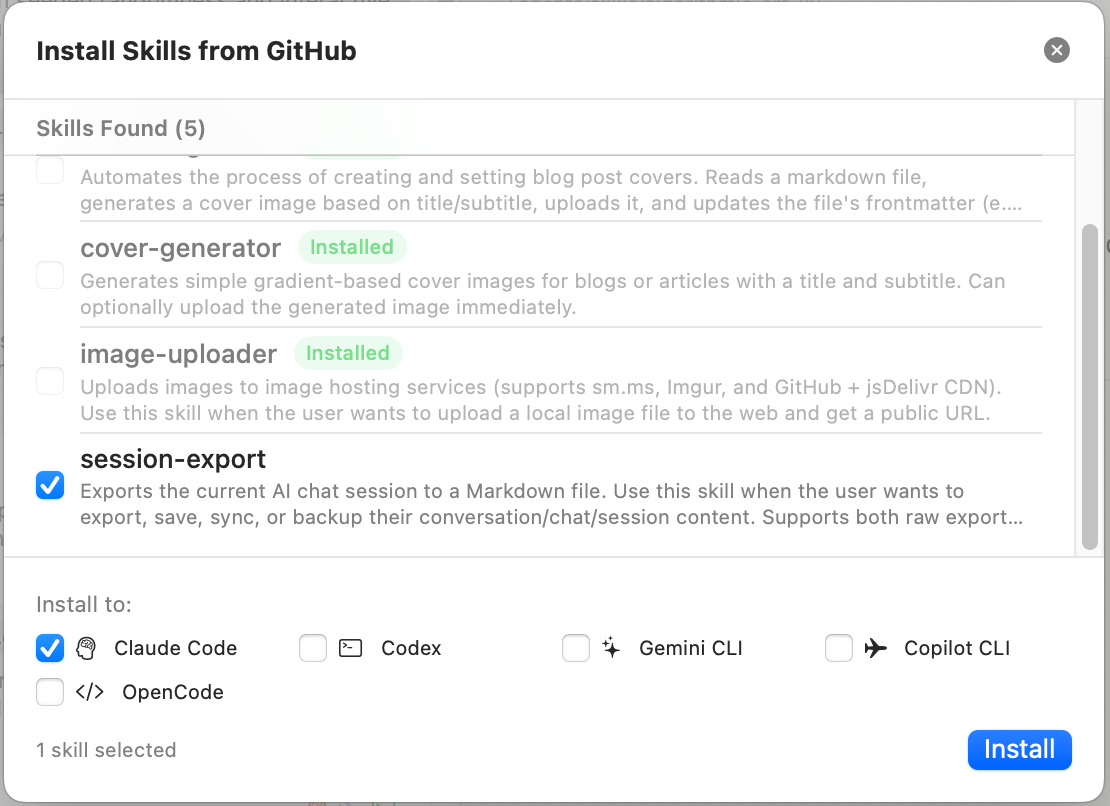
Features
-
Multi-Agent Support — Claude Code, Codex, Gemini CLI, Copilot CLI, OpenCode, Antigravity, Cursor, Kiro, CodeBuddy, OpenClaw, Trae, Qoder
-
Registry & Marketplace Browser — Browse skills.sh leaderboard plus the ClawHub catalog for OpenClaw with search, sorting, and filters
-
Unified Dashboard — All skills in one three-pane macOS-native view
-
Flexible Imports — Install from GitHub or import from a local folder, then auto-create symlinks and update the lock file
-
Update Checker — Detect remote changes and pull updates with one click
-
SKILL.md Editor — Split-pane form + markdown editor with live preview
-
Agent Assignment — Toggle which agents a skill is installed to via symlink management
-
App Settings — Configure global app fonts and proxy networking (HTTPS / SOCKS5, Keychain-backed credentials, bypass list)
-
Localization — Full English and Simplified Chinese interface support with in-app language switching
-
Inline Translation — Automatic Chinese translation of skill documentation paragraphs when UI language is set to Chinese (requires macOS 26+)
-
Auto-Refresh — File system monitoring picks up CLI-side changes instantly
-
Built-in
skilldeckSkill — Manage skills via natural language in any AI agent. Install, update, delete, and assign skills to agents without leaving your terminal. Seeskills/skilldeck/SKILL.md.
See the full feature list and roadmap in docs/FEATURES.md.
Installation
Download (Recommended)
Download the latest universal binary from GitHub Releases:
- Download
SkillDeck-vX.Y.Z-universal.zip - Unzip and move
SkillDeck.appto/Applications/ - On first launch, macOS will block unsigned apps. To open:
Or: Right-click → Open → "Open" in the dialogxattr -cr /Applications/SkillDeck.app
Homebrew
brew tap crossoverJie/skilldeck && brew install --cask skilldeck
Build from Source
Requires macOS 14.0+ (Sonoma), Xcode 15.0+, Swift 5.9+.
git clone https://github.com/crossoverJie/SkillDeck.git
cd SkillDeck
swift run SkillDeck

# Or open in Xcode
open Package.swift    # then press Cmd+R
Run tests:
swift test
Supported Agents
| Agent | Skills Directory | Detection | Skills Reading Priority |
|---|---|---|---|
| Claude Code | ~/.claude/skills/ |
claude binary + ~/.claude/ dir |
Own directory only |
| Codex | ~/.codex/skills/ |
codex binary |
Own → ~/.agents/skills/ (shared global) |
| Gemini CLI | ~/.gemini/skills/ |
gemini binary + ~/.gemini/ dir |
Own directory only |
| Copilot CLI | ~/.copilot/skills/ |
gh binary |
Own → ~/.claude/skills/ |
| OpenCode | ~/.config/opencode/skills/ |
opencode binary |
Own → ~/.claude/skills/ → ~/.agents/skills/ |
| Antigravity | ~/.gemini/antigravity/skills/ |
antigravity binary |
Own directory only |
| Cursor | ~/.cursor/skills/ |
cursor binary |
Own → ~/.claude/skills/ |
| Kiro | ~/.kiro/skills/ |
kiro binary |
Own directory only |
| CodeBuddy | ~/.codebuddy/skills/ |
codebuddy binary |
Own directory only |
| OpenClaw | ~/.openclaw/skills/ |
openclaw binary |
Own directory only |
| Trae | ~/.trae/skills/ |
trae binary |
Own directory only |
| Qoder | ~/.qoder/skills/ |
qoder binary |
Own directory only |
Architecture
MVVM with @Observable (macOS 14+). The filesystem is the database — skills are directories containing SKILL.md files. Services use Swift actor for thread-safe file system access.
Views → ViewModels (@Observable) → SkillManager → Services (actor)
See docs/DEVELOPMENT.md for the full architecture guide, design decisions, and development setup.
Contributing
- Fork the repository
- Create a feature branch (
git checkout -b feat/my-feature) - Run tests (
swift test) - Open a Pull Request
See docs/DEVELOPMENT.md for environment setup and coding conventions.