




labelCloud
:information_source: Interactive Documentation
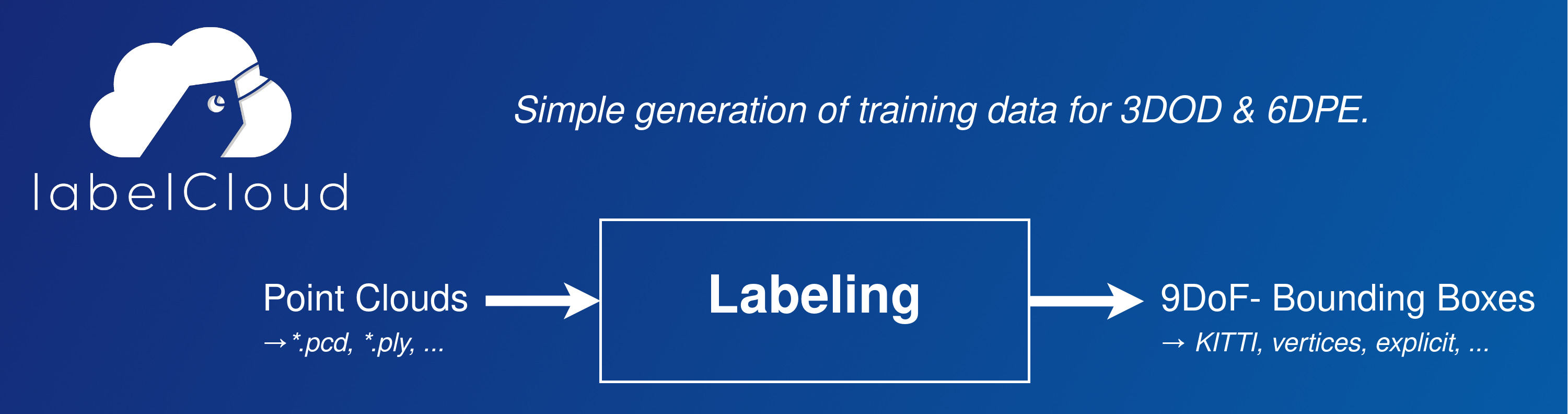
A lightweight tool for labeling 3D bounding boxes in point clouds.
Setup
:information_source: Currently labelCloud supports Python 3.9 - 3.12.
via pip (PyPI)
pip install labelCloud
labelCloud --example  # start labelCloud with example point cloud
via git (manually)
git clone https://github.com/ch-sa/labelCloud.git  # 1. Clone repository
pip install -r requirements.txt  # 2. Install requirements
# 3. Copy point clouds into `pointclouds` folder.
python3 labelCloud.py  # 4. Start labelCloud
Configure the software to your needs by editing the config.ini file or settings (see Configuration).
Labeling
labelCloud supports two different ways of labeling (picking & spanning) as well as multiple mouse and keyboard options for subsequent correction.
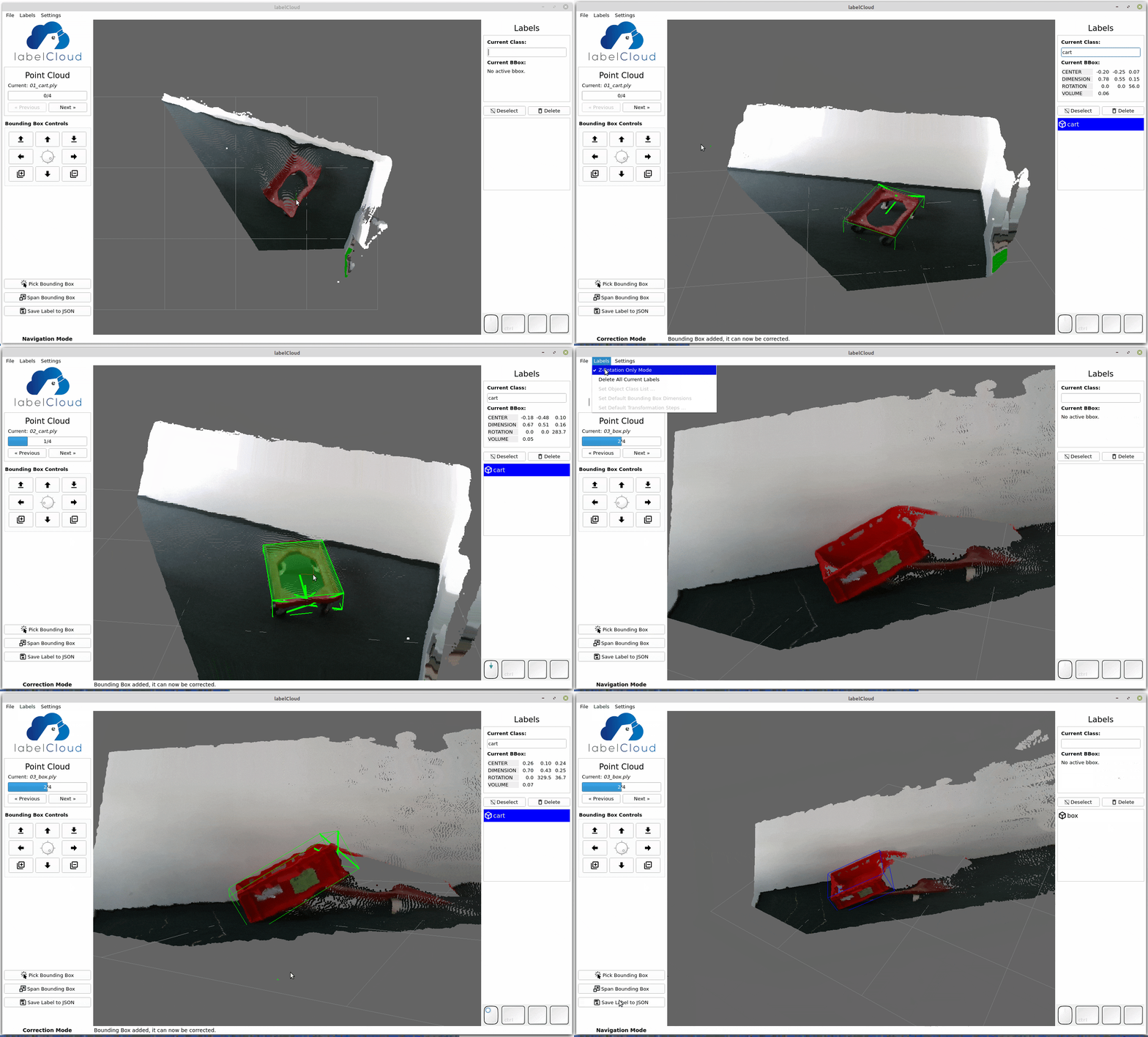 (See also https://www.youtube.com/watch?v=8GF9n1WeR8A for a short introduction and preview of the tool.)
Picking Mode
- Pick the location of the bounding box (front-top edge).
- Adjust the z-rotation by scrolling with your mouse wheel.
Spanning Mode
- Subsequently span the length, width and height of the bounding box by selecting four vertices.
- The layers for the last two vertices (width & height) will be locked to allow easy selection.
Correction
- Use the buttons on the left-hand side or shortcuts to correct the translation, dimension and rotation of the bounding box.
- Resize the bounding box by holding your cursor above one side and scrolling with the mouse wheel.
By default the x- and y-rotation of bounding boxes will be prohibited.
For labeling 9 DoF-Bounding Boxes deactivate z-Rotation Only Mode in the menu, settings or
config.ini file.
The bouding boxes can then be freely rotated around all three axes.
Semantic Segmentation (bounding box-based)
labelCloud also supports the creation of segmentation labels based on bounding boxes. To activate the semantic segmentation mode, toggle the segmentation button in the startup dialog. Then label as usual and push the Assign button whenever all points inside the current bounding box should be labeled with the current class.
The resulting labels will be stored as *.bin files inside labels/segmentation/.
Each *.bin file contains an array with the shape of (number of points, ) with dtype np.int8.
Each entry represents the index of the label of the corresponding point in the original point cloud.
Import & Export Options
labelCloud is built for a versatile use and aims at supporting all common point cloud file and label formats for storing 3D bounding boxes. The tool is designed to be easily adaptable to multiple use cases. The welcome dialog will ask for the most common parameters (mode, classes, export format).
For more configuration, edit the corresponding fields in labels/_classes.json for label
configuration or config.ini for general settings (see
Configuration) for a description of all
parameters).
Supported Import Formats
| Type | File Formats |
|---|---|
| Colored | *.pcd, *.ply, *.pts, *.xyzrgb |
| Colorless | *.xyz, *.xyzn, *.bin (KITTI) |
Supported Export Formats
| Label Format | Description |
|---|---|
centroid_rel |
Centroid [x, y, z]; Dimensions [length, width, height]; |
Relative Rotations as Euler angles in radians (-pi..+pi) [yaw, pitch, roll] |
|
centroid_abs |
Centroid [x, y, z]; Dimensions [length, width, height]; |
Absolute Rotations as Euler angles in degrees (0..360°) [yaw, pitch, roll] |
|
vertices |
8 Vertices of the bounding box each with [x, y, z] (see Conventions for order) |
kitti |
Centroid; Dimensions; z-Rotation (See specification); Requires calibration files |
kitti_untransformed |
See above, but without transformations (if you just want to use the same label structure). |
You can easily create your own exporter by subclassing the abstract BaseLabelFormat. All rotations are counterclockwise (i.e. a z-rotation of 90°/π is from the positive x- to the negative y-axis!).
Shortcuts
| Shortcut | Description |
|---|---|
| Navigation | |
| Left Mouse Button | Rotates the camera around Point Cloud centroid |
| Right Mouse Button | Translates the camera |
| Mouse Wheel | Zooms into the Point Cloud |
| Correction | |
W, A, S, D |
Translates the Bounding Box back, left, front, right |
Ctrl + Right Mouse Button |
Translates the Bounding Box in all dimensions |
Q, E |
Lifts the Bounding Box up, down |
Z, X |
Rotates the Bounding Box around z-Axis |
C, V |
Rotates the Bounding Box around y-Axis |
B, N |
Rotates the Bounding Box around x-Axis |
I/ O |
Increase/Decrease the Bounding Box length |
K/ L |
Increase/Decrease the Bounding Box width |
,/ . |
Increase/Decrease the Bounding Box height |
| Scrolling with the Cursor above a Bounding Box Side ("Side Pulling") | Changes the Dimension of the Bounding Box |
R/Left, F/Right |
Previous/Next sample |
T/Up, G/Down |
Previous/Next bbox |
Y, H |
Change current bbox class to previous/next in list |
1-9 |
Select any of first 9 bboxes with number keys |
| General | |
Del |
Deletes Current Bounding Box |
P/Home |
Resets Perspective |
Esc |
Cancels Selected Points |
See Conventions for the principles on which the software is built.
Usage & Attribution
When using the tool feel free to drop me a mail with feedback or a description of your use case (christoph.sager[at]gmail.com). If you are using the tool for a scientific project please consider citing our publication:
# CAD Journal
@article{Sager_2022,
    doi = {10.14733/cadaps.2022.1191-1206},
    url = {http://cad-journal.net/files/vol_19/CAD_19(6)_2022_1191-1206.pdf},
    year = 2022,
    month = {mar},
    publisher = {{CAD} Solutions, {LLC}},
    volume = {19},
    number = {6},
    pages = {1191--1206},
    author = {Christoph Sager and Patrick Zschech and Niklas Kuhl},
    title = {{labelCloud}: A Lightweight Labeling Tool for Domain-Agnostic 3D Object Detection in Point Clouds},
    journal = {Computer-Aided Design and Applications}
}

# CAD Conference
@misc{sager2021labelcloud,
  title={labelCloud: A Lightweight Domain-Independent Labeling Tool for 3D Object Detection in Point Clouds},
  author={Christoph Sager and Patrick Zschech and Niklas Kühl},
  year={2021},
  eprint={2103.04970},
  archivePrefix={arXiv},
  primaryClass={cs.CV}
}
Acknowledgment
I would like to thank the Robotron RCV-Team for the support in the preparation and user evaluation of the software. The software was developed as part of my diploma thesis titled "labelCloud: Development of a Labeling Tool for 3D Object Detection in Point Clouds" at the Chair for Business Informatics, especially Intelligent Systems of the TU Dresden. The ongoing research can be followed in our project on ResearchGate.