Open-source coding agent. Local-first. Zero cost. Zero cloud.
Built to democratize AI. Powered by .NET.
Quickstart · Free OMA Course · What's shipping · How it compares · What's inside · Hardware · Docs · Roadmap · Contributing
OpenMono is a coding agent that runs entirely on your hardware — no subscriptions, no data leaving your network, no per-token billing. It pairs a .NET 10 CLI with its own llama.cpp inference server, giving you a full agentic loop with 20 built-in tools, Docker sandboxing, and deep code intelligence. NVIDIA GPU, CPU, or Apple Silicon (Metal) — it auto-configures itself. You own the model, the compute, and the data.
Free Course — Get Started with OMA

Quickstart
One command. Auto-detects GPU · CPU · Apple Silicon. Installs model, runtime, and Docker containers.
bash <(curl -fsSL https://raw.githubusercontent.com/StartupHakk/OpenMonoAgent.ai/refs/heads/main/get-openmono.sh)
Then from any project:
openmono agent            # TUI mode (default)
openmono agent --classic  # classic scrolling terminal
→ Full command reference — daily commands, setup flags, GPU/CPU options

What's shipping

Get them: openmono setup search · OPENMONO_VISION_ENABLED=1 · App Store · Google Play · VS Code Marketplace
How it compares
Most coding agents are cloud products wearing an open-source label. Your prompts, your code, and your context hit someone else's servers on every keystroke. OpenMono runs the model on your hardware — after the one-time setup, inference costs nothing. Your code never leaves the machine. No account. No usage dashboard. No API key.

→ Full architecture + diagram · 4 providers · runs at ~45 tok/s on GPU, ~20 tok/s on CPU
What's inside
01 · Bundled inference — zero config, zero cost
llama.cpp ships inside Docker. Installer detects your hardware and picks the right model. After setup, every token is free.
GPU Qwen3.8-27B dense · ~60 tok/s
CPU Qwen3.6-35B-A3B MoE · ~20 tok/s
Mac Qwen3.6-35B-A3B MoE · Metal · ~45–48 tok/s
02 · Agentic loop that earns its name
25 iterations per turn. Doom-loop detection aborts if the same tool sequence repeats 3×. Checkpoints at 65% context fill, compacts at 80%. Runs until done — then stops.
03 · 20 tools, 12-step pipeline
Every call: parse → schema validate → path sanity → plan-mode guard → capability check → cache → pre-hook → execute → post-hook → artifact store. Read-only tools run in parallel. Nothing bypasses the pipeline.
04 · 5 specialist sub-agents
Isolated sessions with locked tool sets and turn budgets:
Explore · read-only discovery · 15 turns
Plan · architecture, no writes · 10 turns
Coder · full file access · 30 turns
Verify · adversarial + Roslyn · 20 turns
general-purpose · everything · 25 turns
05 · Docker sandbox
Project mounts as /workspace. The agent reads and writes your real files — that's the blast radius. Nothing outside that mount is visible or reachable.
06 · Deep code intelligence
Roslyn: type hierarchy, blast-radius, cross-file symbol search, callers, diagnostics — 5-min compilation cache. LSP for TypeScript, Python, Go, Rust, lazy-started on first use.
Auto-detects graphify (semantic concept graph, 25+ languages) and code-review-graph (structural call graph via MCP, ~22 tools) if installed — no config needed.
07 · Playbooks
YAML workflows with typed parameters, conditional gates, and checkpoint/resume. Composable — one playbook can call another.
08 · 4 providers, hot-swappable
Local llama.cpp is the default and fully supported. OpenAI, Anthropic, and Ollama are available but WIP — see Models for details.
09 · Distributed inference
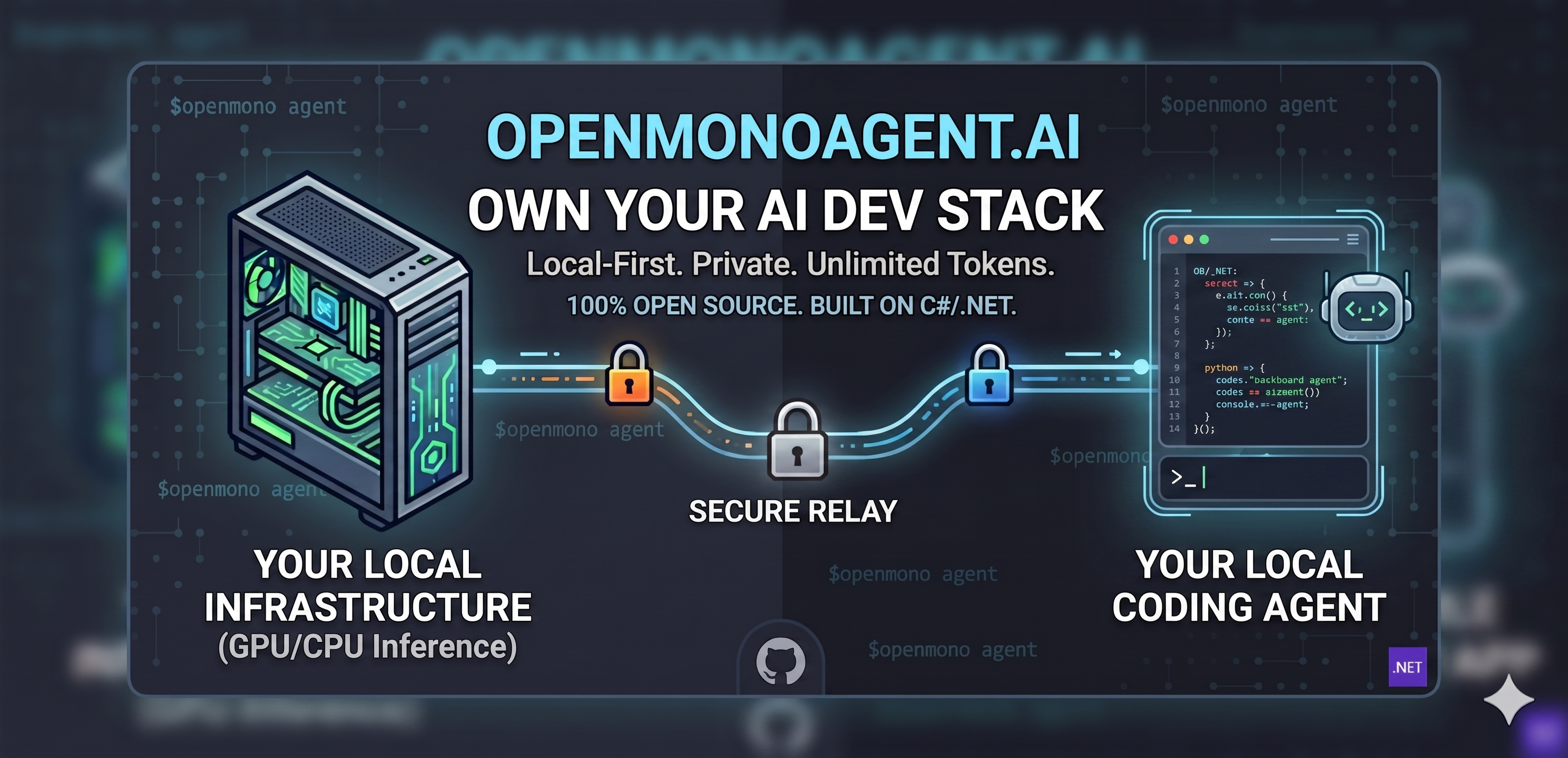
Agent on your laptop, inference on a separate GPU machine. No port forwarding — tunnel is established outbound from the inference box. Free relay at app.openmonoagent.ai.
10 · Vision
Attach images in chat with @screenshot.png or ask the agent to read any image file. The multimodal projector (mmproj) is downloaded automatically at setup. Supported formats: PNG, JPG, GIF, WebP. Large images are auto-resized to fit within VRAM budget. Enable with OPENMONO_VISION_ENABLED=1.
11 · Private web search & scraping
Self-hosted search via SearXNG — your queries never leave the machine. Anti-bot scraping via Scrapling + Camoufox (real browser, Cloudflare bypass). Single Caddy gateway, auto-detected. Falls back to DuckDuckGo / direct fetch when the gateway is absent.
openmono setup search · openmono setup scraper
12 · VS Code extension
The full agent loop in your editor sidebar — streaming responses, live Markdown, file edits, bash, and permission prompts without leaving VS Code. Connects to the local agent over ACP on port 7475. Also works in Cursor.
code --install-extension StartupHakk.openmono-agent
→ Extension docs · Marketplace
Supported Hardware


Auto-detects GPU · CPU · no config needed. On Linux, 12 GB and 16 GB cards run lower-accuracy models; use a 24 GB card for best results. Requires Ubuntu 26.04 LTS (recommended) or 25.10. On macOS, the full and inference roles require Apple Silicon (M1+); 64 GB+ unified memory is the recommended, tested configuration. Less than 64 GB is not encouraged — smaller model, much tighter context window. Intel Macs: agent-only mode. macOS 14+ (Sonoma/Sequoia) recommended.
Docs
What's next
Daily commands, TUI vs classic, flags
.NET CLI + llama.cpp + Docker, full diagram
Model tiers, reasoning mode, provider config
settings.json, providers, permissions, MCP servers
YAML workflows, typed params, checkpoint/resume
Semantic code graph, 25+ languages
Structural call graph via MCP
Chat panel for VS Code 1.85+ · also works in Cursor · Marketplace
How to contribute
PUBLIC BETA Early access is open — we're shipping updates fast. Try it out and tell us what you'd like to see next.
Contributing
OpenMono is early and moving fast. Contributions are welcome — new tools, providers, LSP servers, playbooks, bug fixes, or docs.


[→ Read the contributing guide before opening a PR](CONTRIBUTING.md)
"AI shouldn't be a subscription you rent. It should be infrastructure you own —
sitting on your desk, serving your code, answering only to you."
— Startup Hakk

GNU AFFERO GENERAL PUBLIC LICENSE v3.0 · © 2026 StartupHakk