WebAI-to-API
WebAI-to-API is a browser-native AI runtime that exposes browser-based AI services through OpenAI-compatible APIs.
Features
- OpenAI-compatible
/v1/chat/completionsAPI - Provider-based architecture with unified routing
- Streaming response support (SSE)
- Conversation continuation support
- Health, readiness, and runtime diagnostics endpoints
- Docker deployment support
- Authentication management and browser login workflows
Available Providers
Gemini
Provides access to Google Gemini models through either the WebAPI backend or a browser-native Playwright runtime.
Quick Start
Prerequisites: Git, Python >=3.11,<3.13 and Poetry. On Windows, use Python 3.11.10+ or 3.12.4+ for secure Gemini WebAPI temporary-cookie-cache handling. See the Installation Guide for full installation and troubleshooting details.
1. Install and Set Up
Clone the repository, enter the project directory, then run the setup wrapper for your platform.
Linux / macOS
git clone https://github.com/Amm1rr/WebAI-to-API.git
cd WebAI-to-API
./install.sh
Windows PowerShell
git clone https://github.com/Amm1rr/WebAI-to-API.git
cd WebAI-to-API
.\install.ps1
The wrappers create missing configuration and runtime state, install project dependencies and Playwright Chromium, then run diagnostics. See the Installation Guide for manual setup, troubleshooting, and Make shortcuts.
2. Configure
Review the generated config.conf. Core Gemini settings include:
[Gemini]
backend = webapi
default_model = gemini-3-flash
extended_thinking = false
See the Configuration Guide for provider, proxy, logging, and authentication settings.
3. Authenticate
For browser-based Gemini authentication:
poetry run python verify_login.py
Gemini WebAPI can also use configured cookies. See the Configuration Guide for authentication methods. For Docker authentication, see the Docker Deployment Guide.
4. Start the Server
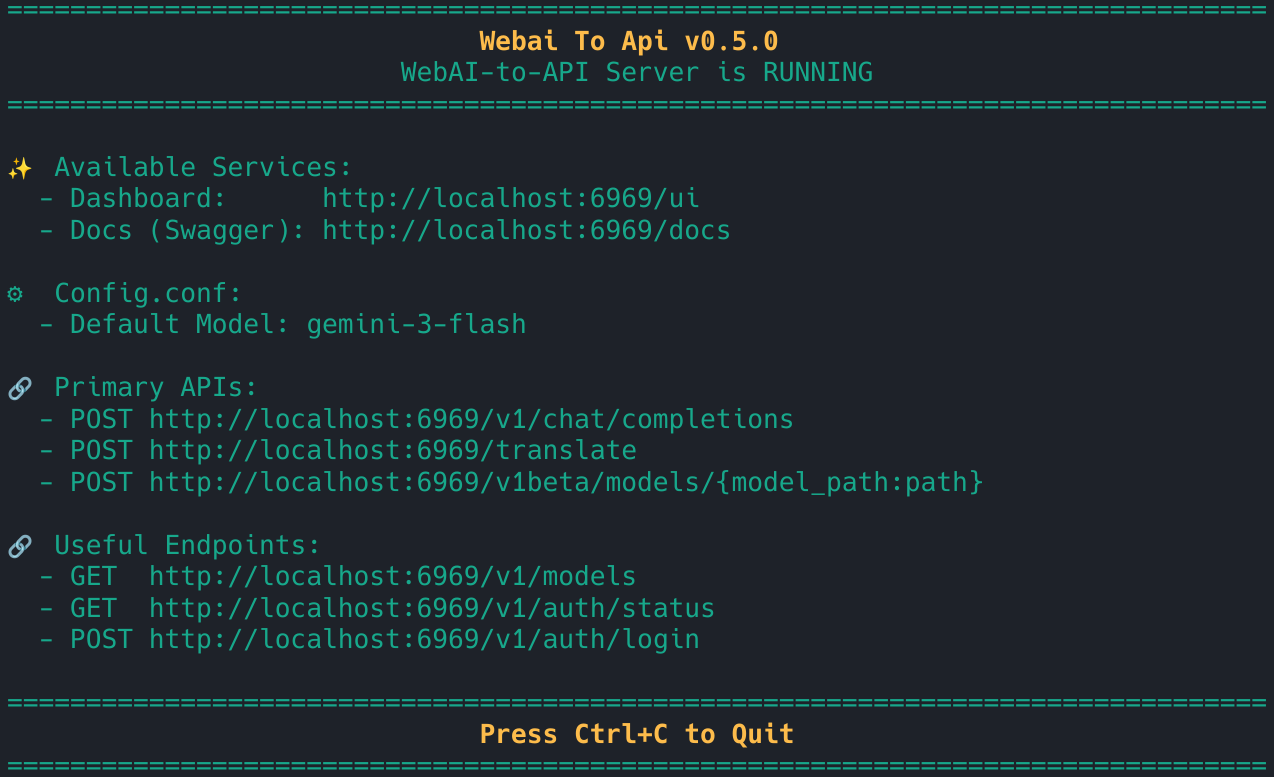
poetry run python src/run.py
- API:
http://localhost:6969 - Dashboard:
http://localhost:6969/ui - Swagger UI:
http://localhost:6969/docs
Updating
Host
Linux / macOS
./update-linux-macos.sh
Windows
update-windows.cmd
Updates are version-driven from origin/master. See the Updater Guide for locking, preflight checks, rollback, dependency sync, and platform details.
Docker
git pull
APP_UID=$(id -u) APP_GID=$(id -g) docker compose up -d --build
See the Docker Deployment Guide for Docker setup and deployment details.
Send Your First Request
curl -X POST http://localhost:6969/v1/chat/completions \
  -H "Content-Type: application/json" \
  -d '{
    "model": "gemini-3-flash",
    "messages": [
      {
        "role": "user",
        "content": "Hello!"
      }
    ]
  }'
Dashboard
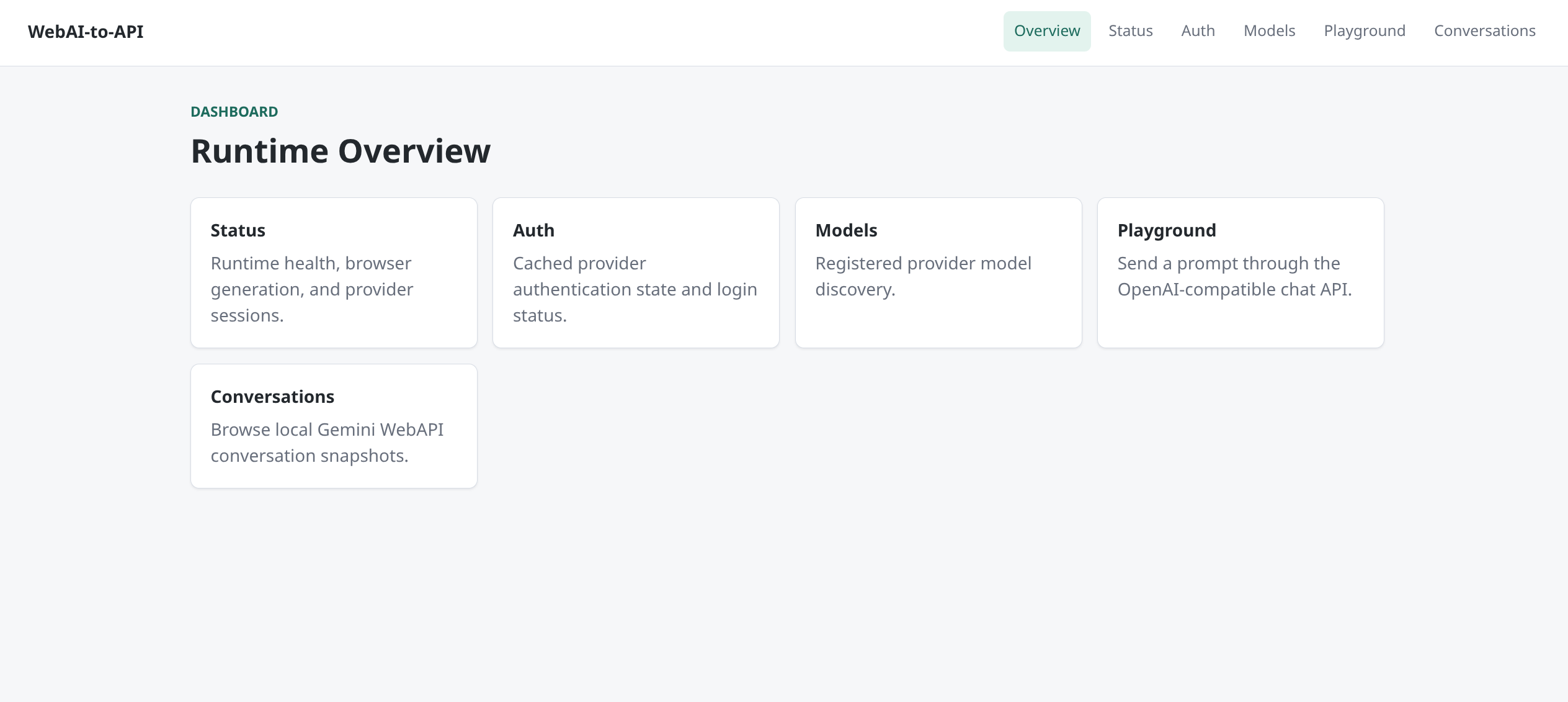
Open the dashboard at http://localhost:6969/ui. It provides runtime status, authentication view, model and API discovery, a playground, and conversation management where supported. See the Dashboard Guide.
Main Endpoints
| Endpoint | Purpose |
|---|---|
/v1/chat/completions |
Main OpenAI-compatible chat endpoint |
/v1/stateless/chat/completions |
Canonical client-owned-history Gemini WebAPI chat endpoint |
/v1/stateless/models |
Direct Gemini WebAPI models valid for stateless chat (including valid slash-containing IDs) |
/v1/temporary/chat/completions |
Deprecated temporary compatibility endpoint (delegates to stateless) |
/v1/models |
Current runtime model catalog |
/v1/conversations |
Manage persisted Gemini WebAPI conversations |
/v1/auth/status |
Authentication status |
/v1/auth/login |
Interactive browser login trigger |
/v1/runtime/status |
Runtime diagnostics |
/health |
Liveness |
/ready |
Runtime readiness |
/translate |
Translate It! compatibility endpoint |
/ui |
Dashboard |
See API Documentation for the complete API surface, including compatibility and legacy endpoints.
Hermes / Stateless API
Hermes Agent and other client-owned-history clients can use the canonical stateless endpoint:
http://127.0.0.1:6969/v1/stateless
Append /models for discovery or /chat/completions for requests:
GET  /models
POST /chat/completions
This surface uses direct Gemini WebAPI execution only (temporary=True, no conversation_id, no SQLite snapshots, client owns and resends all history). Slash-containing model IDs are valid when advertised by the Gemini WebAPI runtime catalog. Streaming and tool calling are supported. The legacy /v1/temporary/chat/completions endpoint remains as a deprecated compatibility wrapper that delegates to the same implementation. See the API Documentation and Stateless Chat Contract.
Supported Models and Routing
Available models depend on configured providers and runtime availability. Use /v1/models as the authoritative current catalog.
gemini-3-flash
playwright/gemini-3-flash
Unprefixed Gemini models use the configured Gemini backend. playwright/... forces browser-native Gemini routing, while atlas/... routes to Atlas. See API Documentation for full routing behavior.
Configuration Summary
Configure Gemini backend selection (webapi or playwright), default model, provider enablement, proxy, logging, and Atlas API access in config.conf and .env. Set a default for Extended Thinking with [Gemini].extended_thinking, or override it per request with provider_options.gemini.extended_thinking. See the Configuration Guide.
File Support
OpenAI-style file content parts are supported by Gemini WebAPI. Gemini Playwright and Atlas do not currently support file parts, and Gemini WebAPI does not preserve exact text/file interleaving. See API Documentation for supported formats and limits.
Security
WebAI-to-API does not provide caller API authentication. Keep the default localhost binding unless external authentication and access control protect the service. See the Docker Deployment Guide and Dashboard Guide.
Documentation
- Installation Guide
- API Documentation
- Configuration Guide
- Architecture Guide
- Docker Deployment Guide
- Dashboard Guide
- Updater Guide
Interactive API documentation is available through Swagger UI when the server is running.
Star History
License
WebAI-to-API is licensed under the MIT License. See LICENSE for the full text.