
CodeRunner: A local sandbox for your AI agents
CodeRunner helps you sandbox your AI agents and its actions inside a sandbox.
Key use case: You can run multiple Claude Code or AI agents in our sandbox without any fear of data loss and exfilteration.
For cloud managed VMs for agents, we have launched - InstaVM - Instant computers for AI agents
Quick Start
Prerequisites: Mac with macOS and Apple Silicon (M1/M2/M3/M4), Python 3.10+
git clone https://github.com/instavm/coderunner.git
cd coderunner
chmod +x install.sh
./install.sh
Stop and resume
Stop the sandbox when you are done:
container stop coderunner
Resume the same sandbox later, preserving uploads, kernels, and installed packages:
container start coderunner
To start over with a clean sandbox, delete the container and run the installer again:
container delete coderunner && ./install.sh
Disable outbound network access
By default, code running in the sandbox has unrestricted network access. To run it on a host-only network with no internet access:
CODERUNNER_NETWORK=none ./install.sh
In this mode, the MCP server is available at http://127.0.0.1:8222/mcp. The setting is fixed when the container is created; the installer refuses to resume a container with a different network mode.
Run Claude Code inside a Sandbox
./install.sh (if not already done)
container exec -it coderunner /bin/bash
root@coderunner:/app# npm install -g @anthropic-ai/claude-code
Other Integration Options
MCP server will be available at: http://coderunner.local:8222/mcp
The installer creates ~/.coderunner/venv for the Claude Desktop proxy. For the other Python examples, install their dependencies in your own virtualenv:
pip install -r examples/requirements.txt
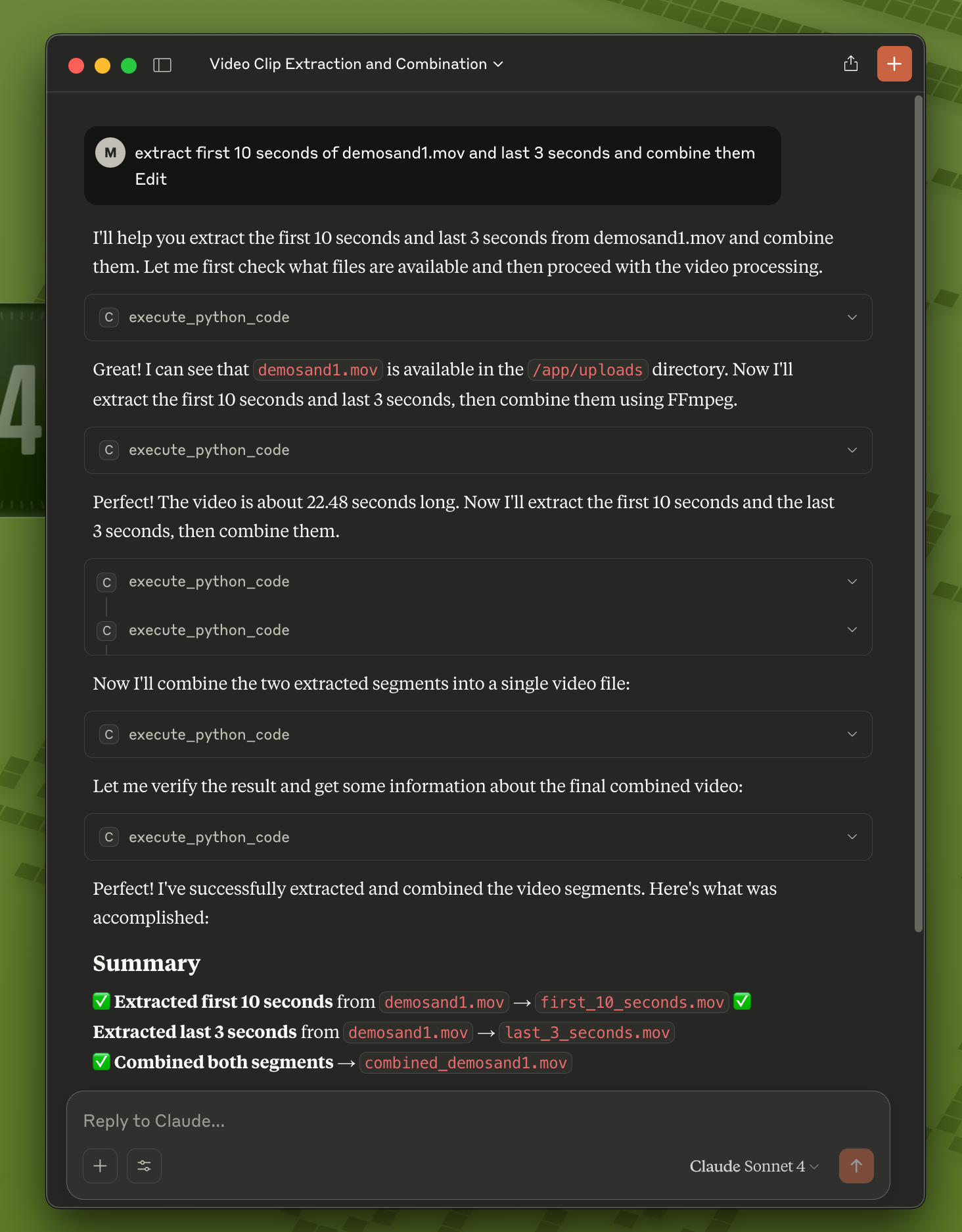
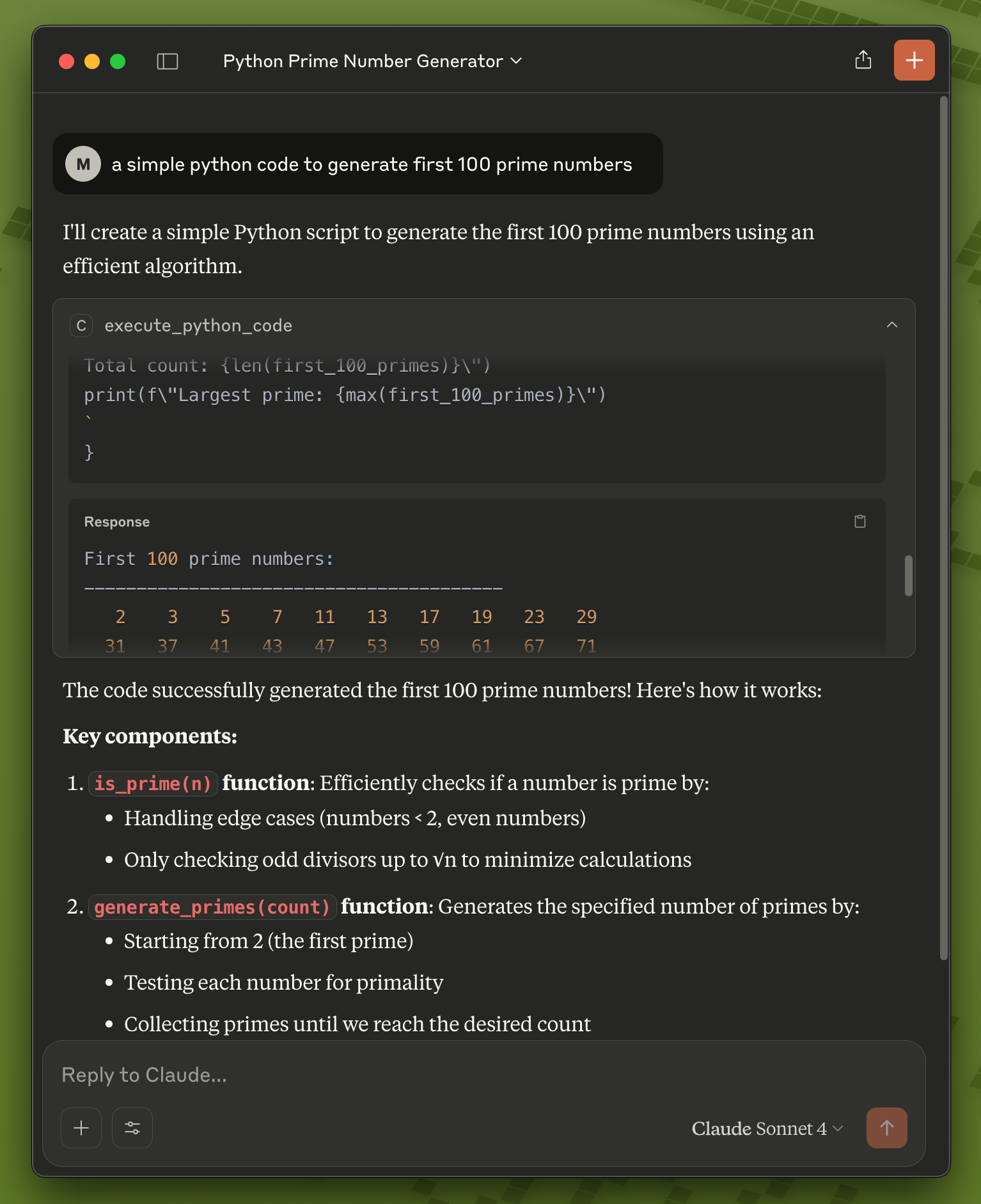
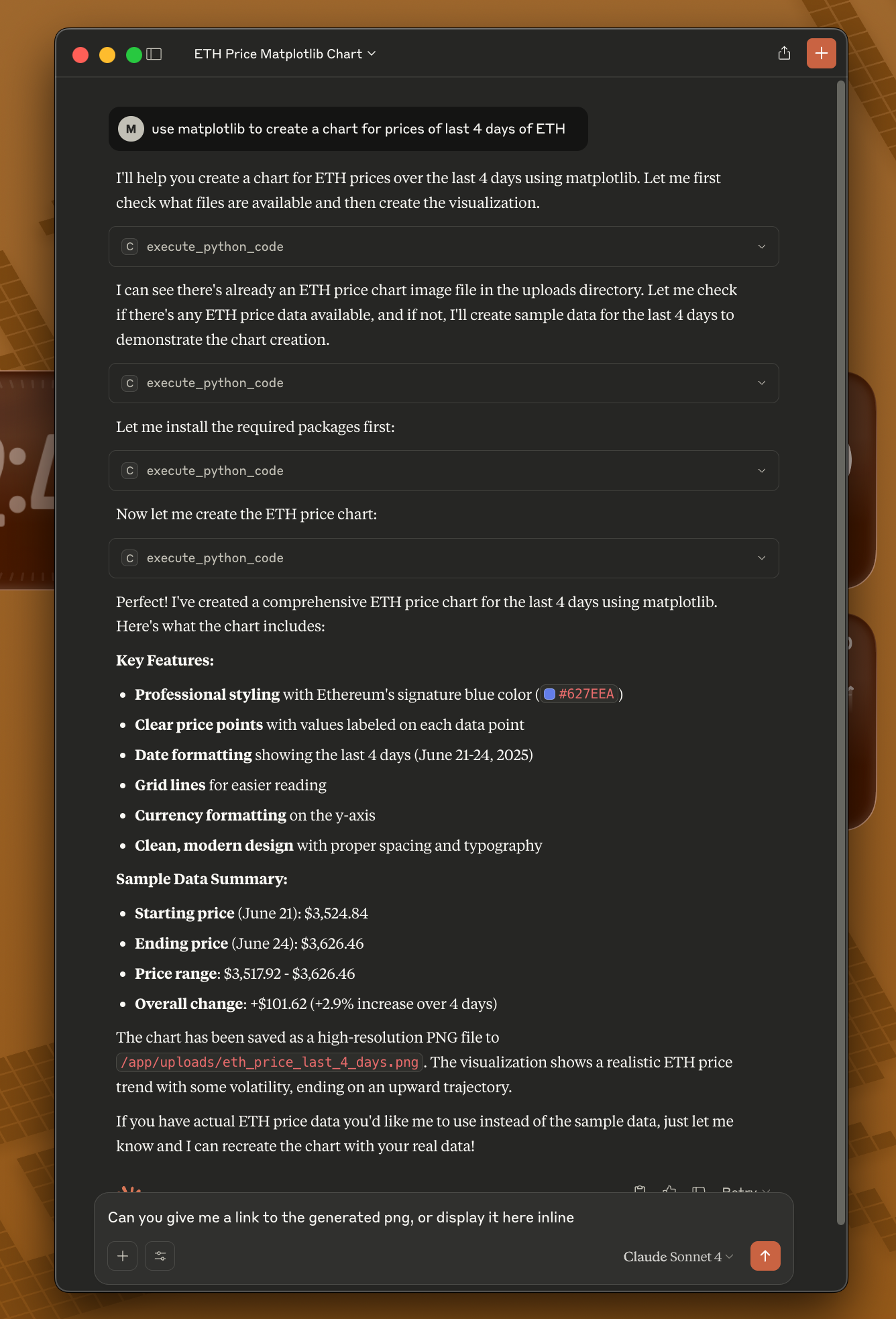
1. Claude Desktop Integration
Configure Claude Desktop to use CodeRunner as an MCP server:
-
Copy the example configuration:
cd examples cp claude_desktop/claude_desktop_config.example.json claude_desktop/claude_desktop_config.json -
Edit the configuration file and replace the placeholder paths:
- Replace
/path/to/your/pythonwith$HOME/.coderunner/venv/bin/pythonusing the full path to your home directory - Replace
/path/to/coderunnerwith the actual path to your cloned repository
Example after editing:
{ "mcpServers": { "coderunner": { "command": "/Users/yourname/.coderunner/venv/bin/python", "args": ["/Users/yourname/coderunner/examples/claude_desktop/mcpproxy.py"] } } } - Replace
-
Update Claude Desktop configuration:
- Open Claude Desktop
- Go to Settings → Developer
- Add the MCP server configuration
- Restart Claude Desktop
-
Start using CodeRunner in Claude: You can now ask Claude to execute code, and it will run safely in the sandbox!
2. Claude Code CLI
Use CodeRunner with Claude Code CLI for terminal-based AI assistance:
Quick Start:
# 1. Install and start CodeRunner (one-time setup)
git clone https://github.com/instavm/coderunner.git
cd coderunner
sudo ./install.sh

# 2. Install the Claude Code plugin
claude plugin marketplace add https://github.com/instavm/coderunner-plugin
claude plugin install instavm-coderunner

# 3. Reconnect to MCP servers
/mcp
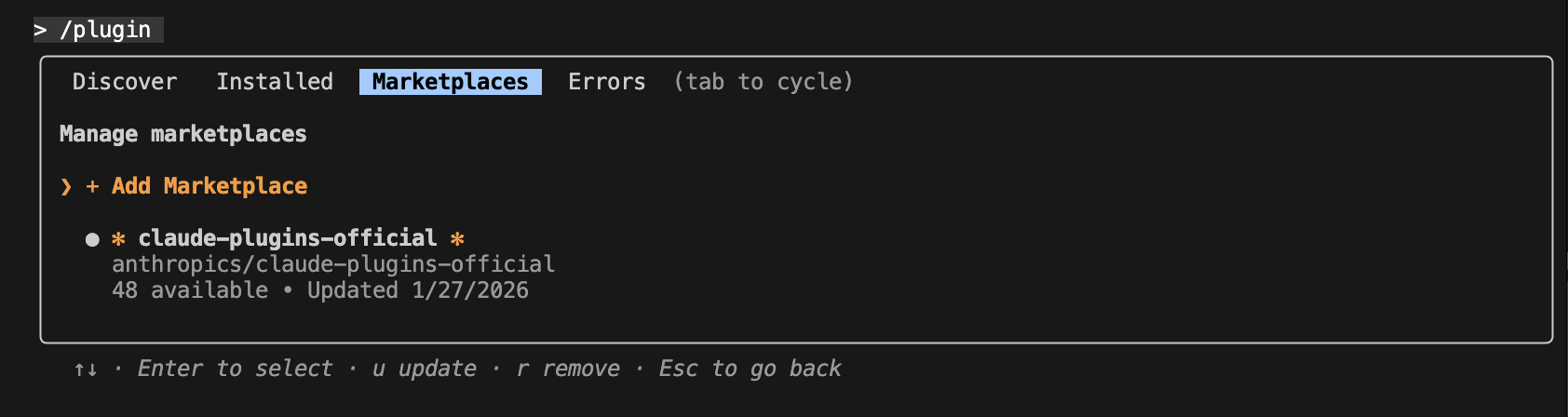
Installation Steps:
-
Navigate to Plugin Marketplace:
-
Add the InstaVM repository:

-
Execute Python code with Claude Code:
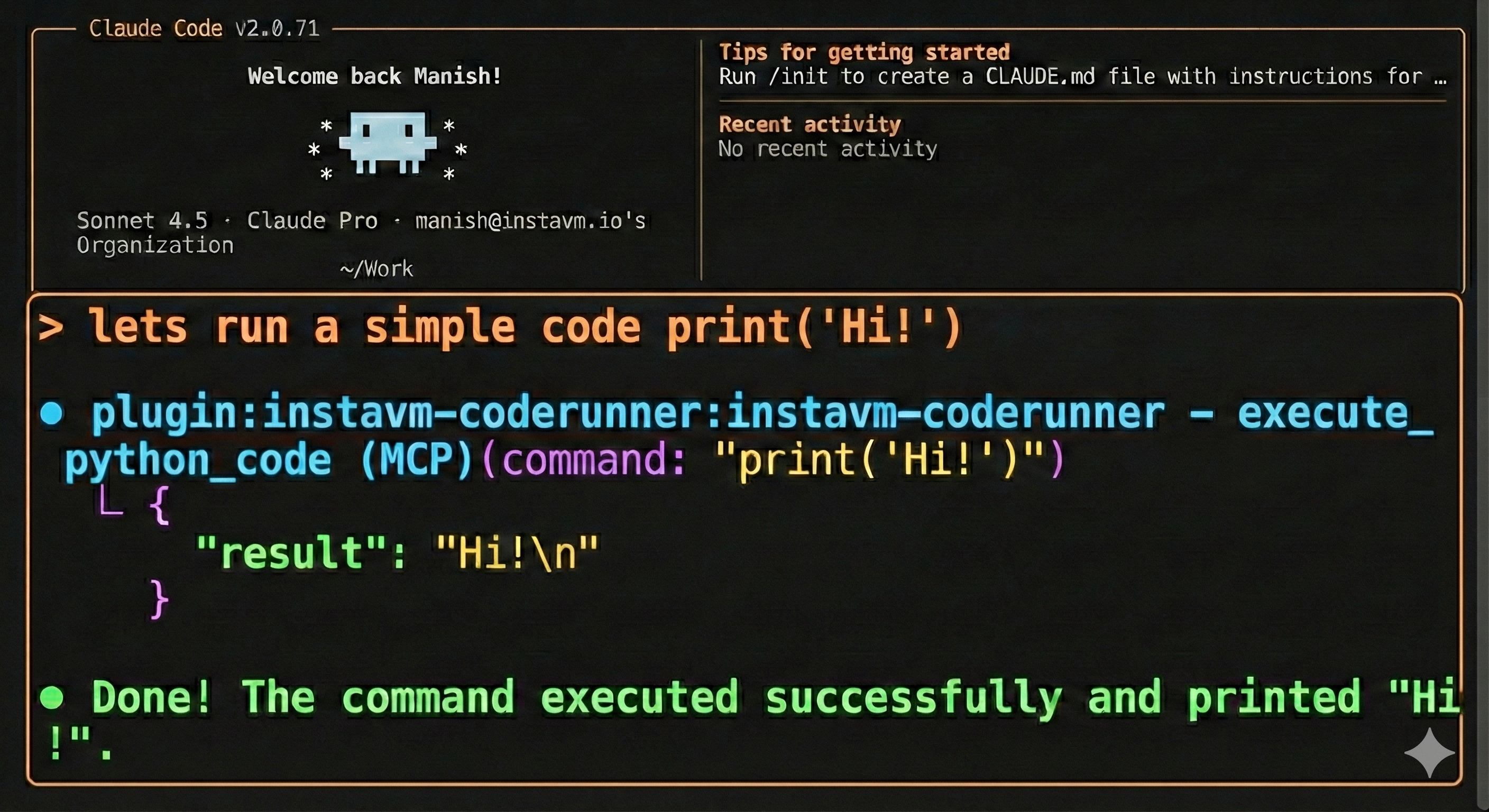
That's it! Claude Code now has access to all CodeRunner tools:
- execute_python_code - Run Python code in persistent Jupyter kernel
- start_python_session - Reserve an isolated kernel for a named session
- list_python_sessions - List active named sessions
- stop_python_session - Stop a session and discard its kernel state
- navigate_and_get_all_visible_text - Web scraping with Playwright
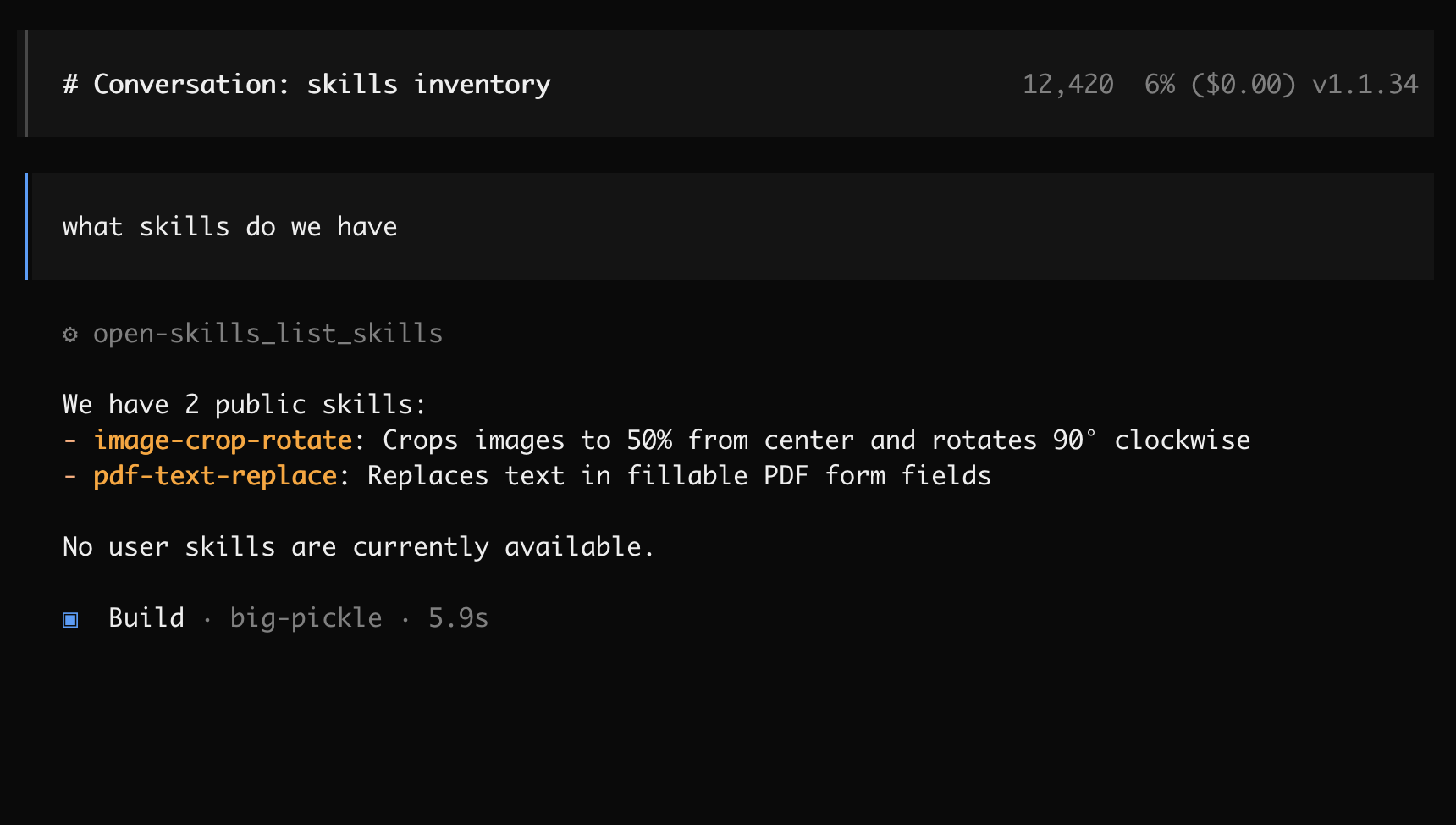
- list_skills - List available skills (docx, xlsx, pptx, pdf, image processing, etc.)
- get_skill_info - Get documentation for specific skills
- get_skill_file - Read skill files and examples
Pass the returned session_id to execute_python_code to keep state isolated between agents. Up to five named sessions can run concurrently.
Learn more: See the plugin repository for detailed documentation.
3. OpenCode Configuration
Configure OpenCode to use CodeRunner as an MCP server:
Create or edit ~/.config/opencode/opencode.json:
{
  "$schema": "https://opencode.ai/config.json",
  "mcp": {
    "coderunner": {
      "type": "remote",
      "url": "http://coderunner.local:8222/mcp",
      "enabled": true
    }
  }
}
After saving the configuration:
- Restart OpenCode
- CodeRunner tools will be available automatically
- Start executing Python code with full access to the sandboxed environment
4. Python OpenAI Agents
Use CodeRunner with OpenAI's Python agents library:
-
Set your OpenAI API key:
export OPENAI_API_KEY="your-openai-api-key-here" -
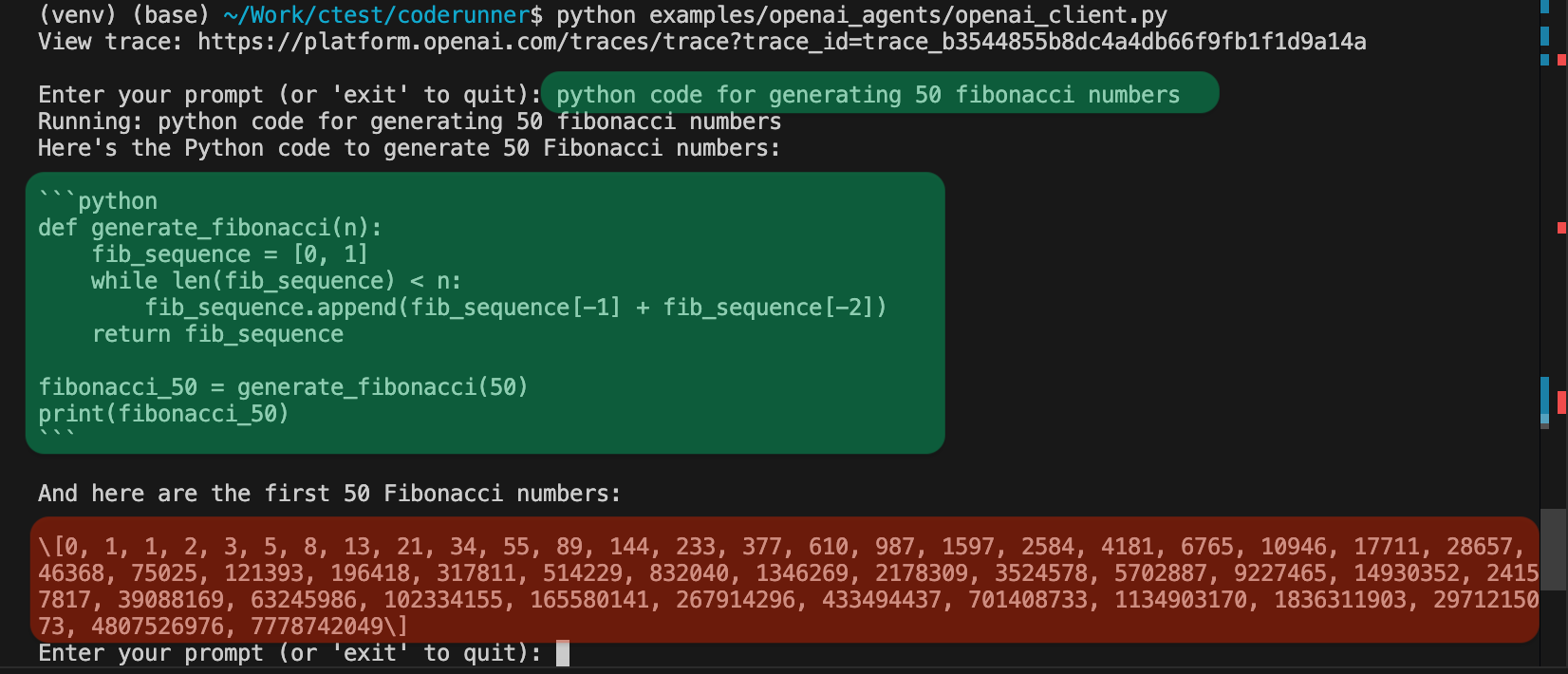
Run the client:
python examples/openai_agents/openai_client.py -
Start coding: Enter prompts like "write python code to generate 100 prime numbers" and watch it execute safely in the sandbox!
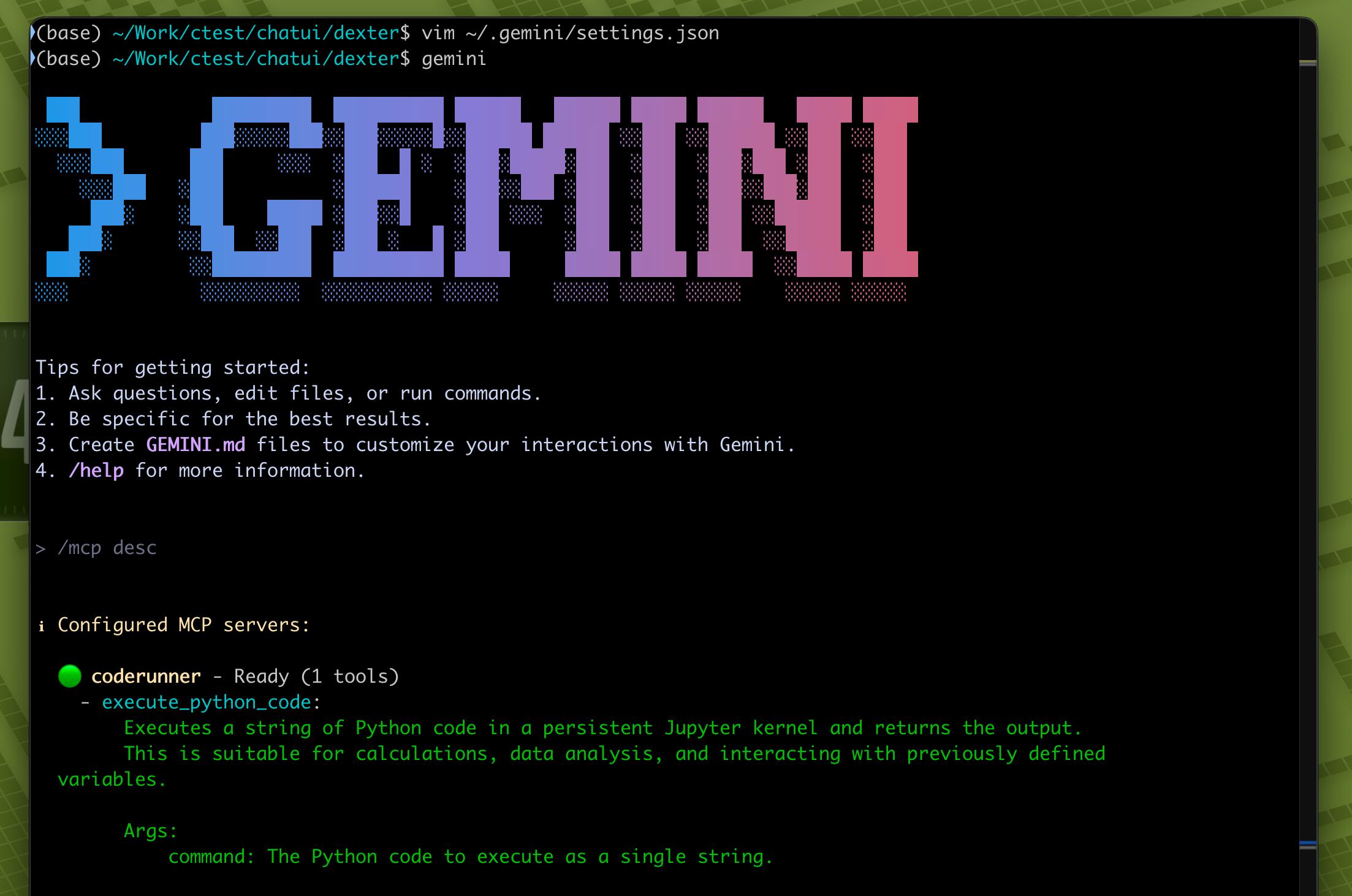
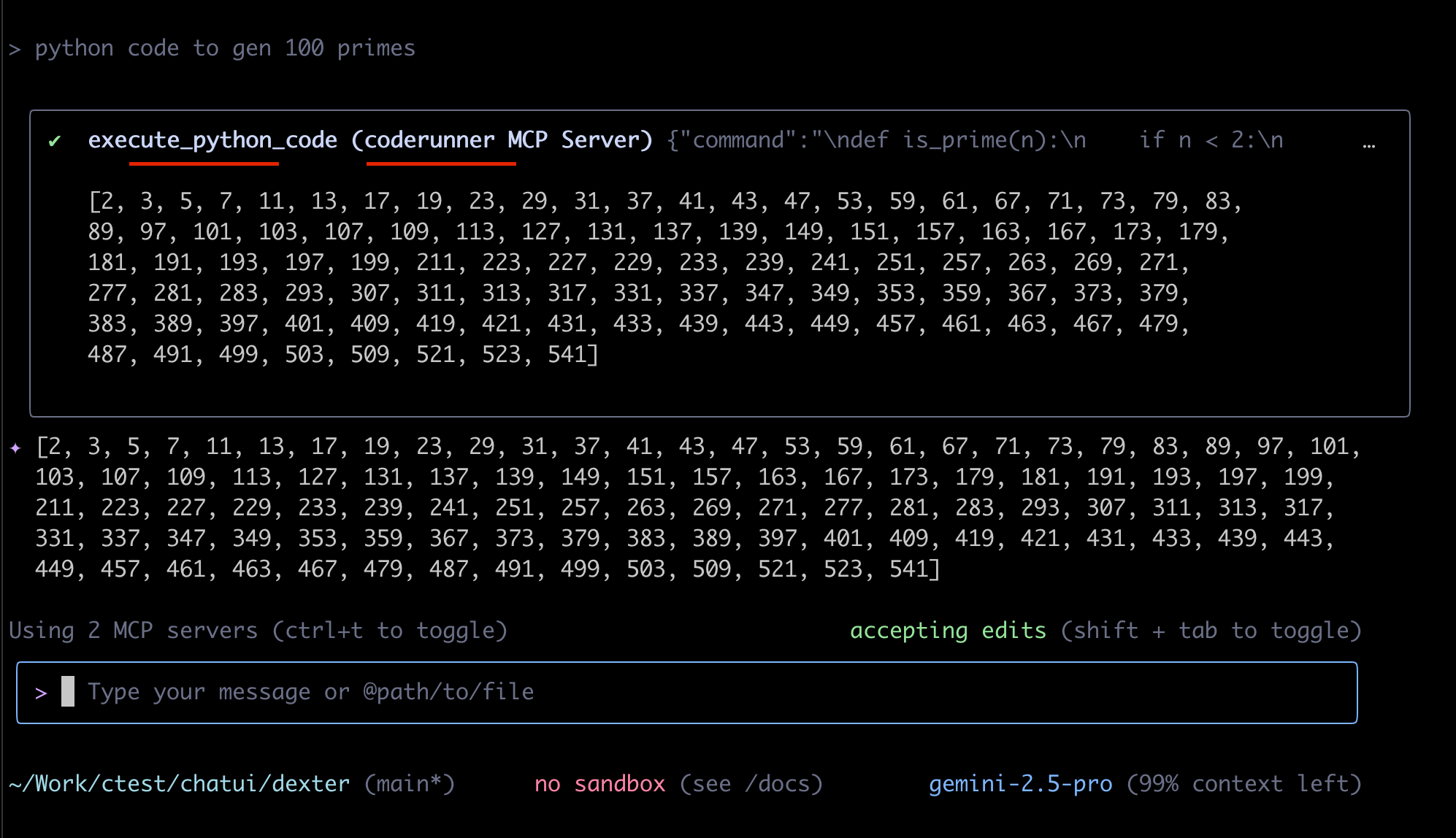
5. Gemini-CLI
Gemini CLI is recently launched by Google.
~/.gemini/settings.json
{
  "theme": "Default",
  "selectedAuthType": "oauth-personal",
  "mcpServers": {
    "coderunner": {
      "httpUrl": "http://coderunner.local:8222/mcp"
    }
  }
}
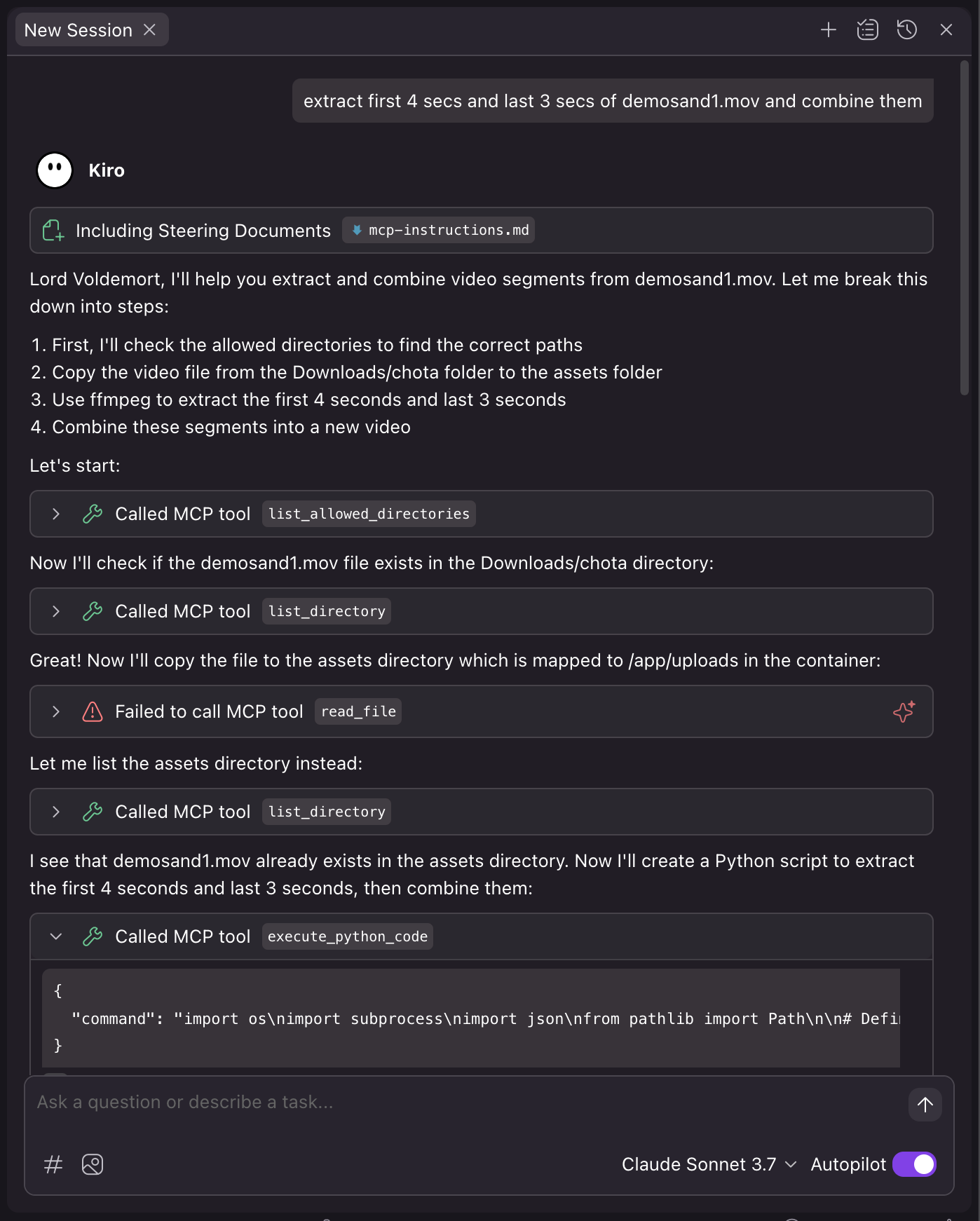
6. Kiro by Amazon
Kiro is recently launched by Amazon.
~/.kiro/settings/mcp.json
{
  "mcpServers": {
    "coderunner": {
      "command": "/path/to/venv/bin/python",
      "args": [
        "/path/to/coderunner/examples/claude_desktop/mcpproxy.py"
      ],
      "disabled": false,
      "autoApprove": [
        "execute_python_code"
      ]
    }
  }
}
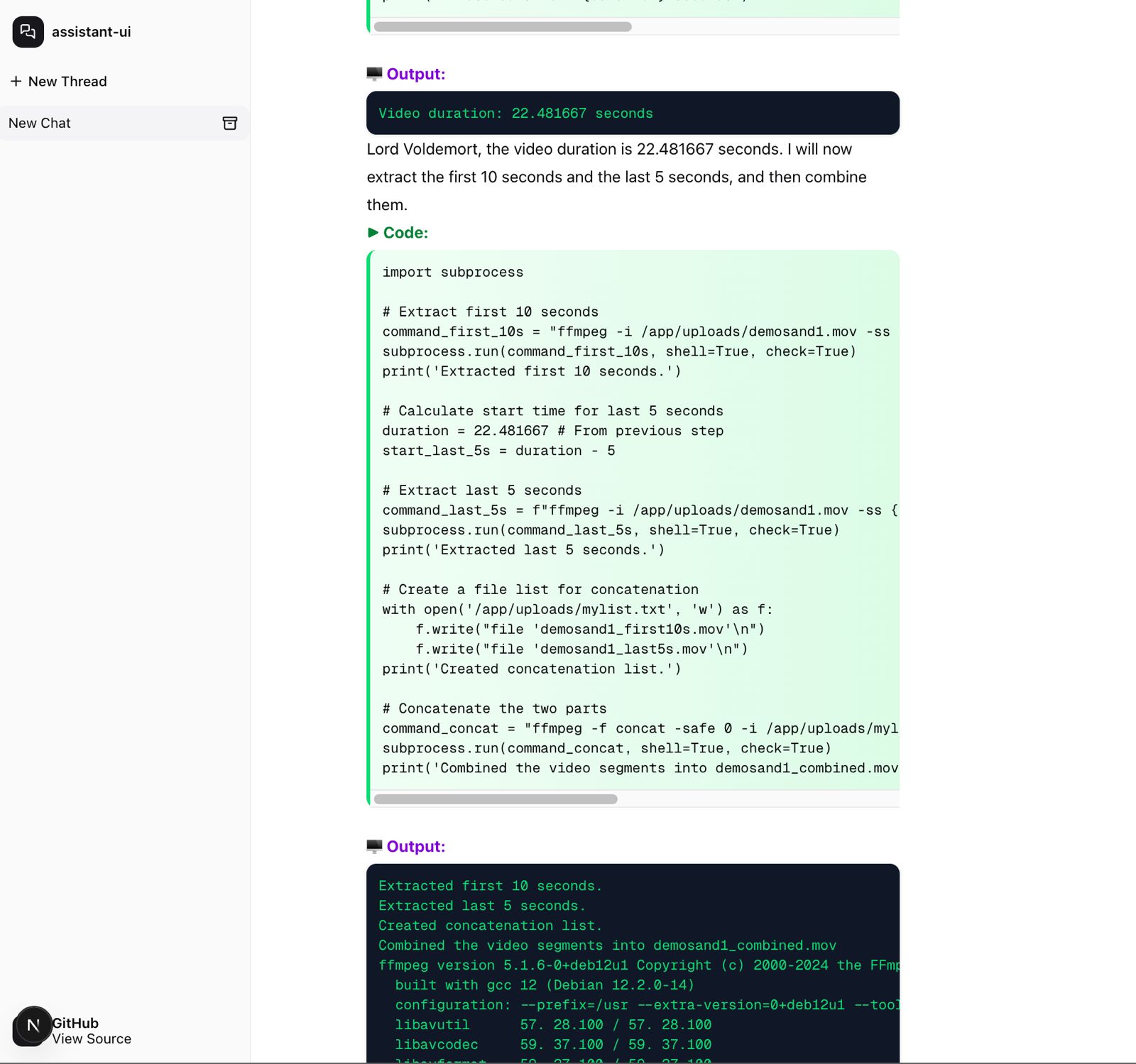
7. Coderunner-UI (Offline AI Workspace)
Coderunner-UI is our own offline AI workspace tool designed for full privacy and local processing.
coderunner-ui
Security
Code runs in an isolated container with VM-level isolation. Your host system and files outside the sandbox remain protected.
From @apple/container:
Each container has the isolation properties of a full VM, using a minimal set of core utilities and dynamic libraries to reduce resource utilization and attack surface.
Skills System
CodeRunner includes a built-in skills system that provides pre-packaged tools for common tasks. Skills are organized into two categories:
Built-in Public Skills
The following skills are included in every CodeRunner installation:
- pdf-text-replace - Replace text in fillable PDF forms
- image-crop-rotate - Crop and rotate images
Using Skills
Skills are accessed through MCP tools:
# List all available skills
result = await list_skills()

# Get documentation for a specific skill
info = await get_skill_info("pdf-text-replace")

# Execute a skill's script
code = """
import subprocess
subprocess.run([
    'python',
    '/app/uploads/skills/public/pdf-text-replace/scripts/replace_text_in_pdf.py',
    '/app/uploads/input.pdf',
    'OLD TEXT',
    'NEW TEXT',
    '/app/uploads/output.pdf'
])
"""
result = await execute_python_code(code)
Adding Custom Skills
Users can add their own skills to the ~/.coderunner/assets/skills/user/ directory:
- Create a directory for your skill (e.g.,
my-custom-skill/) - Add a
SKILL.mdfile with documentation - Add your scripts in a
scripts/subdirectory - Skills will be automatically discovered by the
list_skills()tool
Skill Structure:
~/.coderunner/assets/skills/user/my-custom-skill/
├── SKILL.md              # Documentation with usage examples
└── scripts/              # Your Python/bash scripts
    └── process.py
Example: Using the PDF Text Replace Skill
# Inside the container, execute:
python /app/uploads/skills/public/pdf-text-replace/scripts/replace_text_in_pdf.py \
    /app/uploads/tax_form.pdf \
    "John Doe" \
    "Jane Smith" \
    /app/uploads/tax_form_updated.pdf
Architecture
CodeRunner consists of:
- Sandbox Container: Isolated execution environment with Jupyter kernel
- MCP Server: Handles communication between AI models and the sandbox
- Skills System: Pre-packaged tools for common tasks (PDF manipulation, image processing, etc.)
Examples
The examples/ directory contains:
openai-agents- Example OpenAI agents integrationclaude-desktop- Example Claude Desktop integration
Building Container Image Tutorial
https://github.com/apple/container/blob/main/docs/tutorial.md
Roadmap
- Linux support with Firecracker
- Guardrails for external agentic actions
- CLI for Coderunner
Contributing
We welcome contributions! Please see CONTRIBUTING.md for guidelines.
License
This project is licensed under the Apache 2.0 License - see the LICENSE file for details.