PyMessager


PyMessager is a Python API for Facebook Messenger and a sample project to demonstrate how to develop a chatbot on Facebook Messenger.
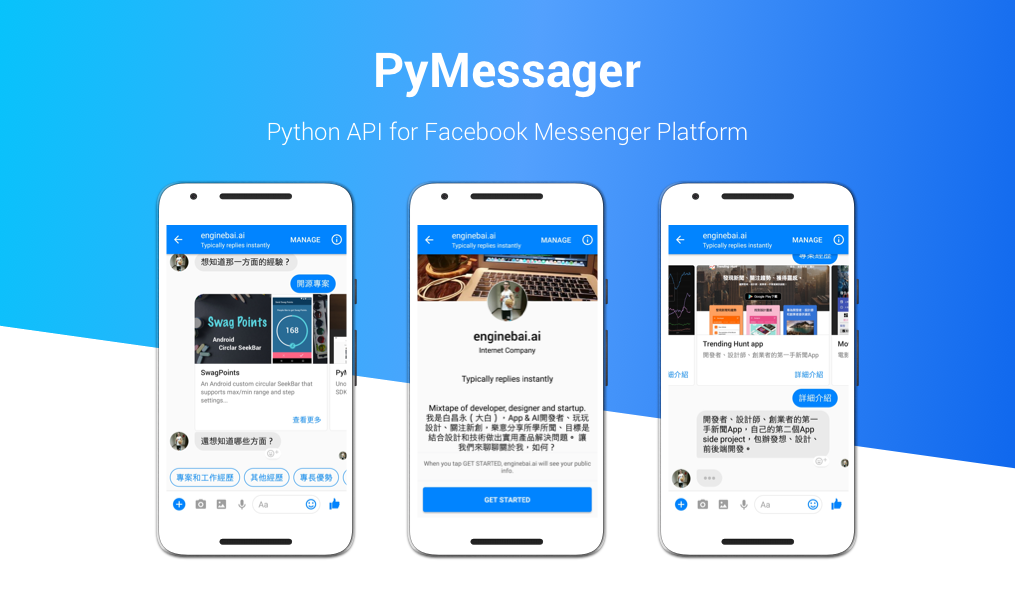
Complete tutorials are on Develop a Facebook Bot Using Python and Chatbot: From 0 To 1 where you can find more detailed information to setup and develop.
Before Starting
- Prepare a Facebook Page. (to create if you don't have one)
- Create a developer application on Facebook for Developers.
- Start a python project, and install the required packages and modules: Flask, Requests.
- Use Let's Encrypt to apply SSL certification for your domain name.
Install
To install PyMessager, simply run:
$ pip install pymessager
or install from the repository:
$ git clone git@github.com:enginebai/PyMessager.git
$ cd PyMessager
$ pip install -r requirements.txt
Get Started
Import
from pymessager.message import Messager, ... # something else you need
Initialization
You can initialize a messager client via a Facebook Access Token from the developer console:
from pymessager.message import Messager
client = Messager(config.facebook_access_token)
Receiver APIs
The following code is used to build a message receiver, there are three main steps to prepare for your bot:
- Setup the Webhook
@app.route(API_ROOT + FB_WEBHOOK, methods=["GET"])
def fb_webhook():
    verification_code = 'I_AM_VERIFICIATION_CODE'
    verify_token = request.args.get('hub.verify_token')
    if verification_code == verify_token:
        return request.args.get('hub.challenge')
- Receive the message
@app.route(API_ROOT + FB_WEBHOOK, methods=['POST'])
def fb_receive_message():
    message_entries = json.loads(request.data.decode('utf8'))['entry']
    for entry in message_entries:
        for message in entry['messaging']:
            if message.get('message'):
                print("{sender[id]} says {message[text]}".format(**message))
    return "Hi"
- Start the server with https
if __name__ == '__main__':
    context = ('ssl/fullchain.pem', 'ssl/privkey.pem')
    app.run(host='0.0.0.0', debug=True, ssl_context=context)
Sender APIs
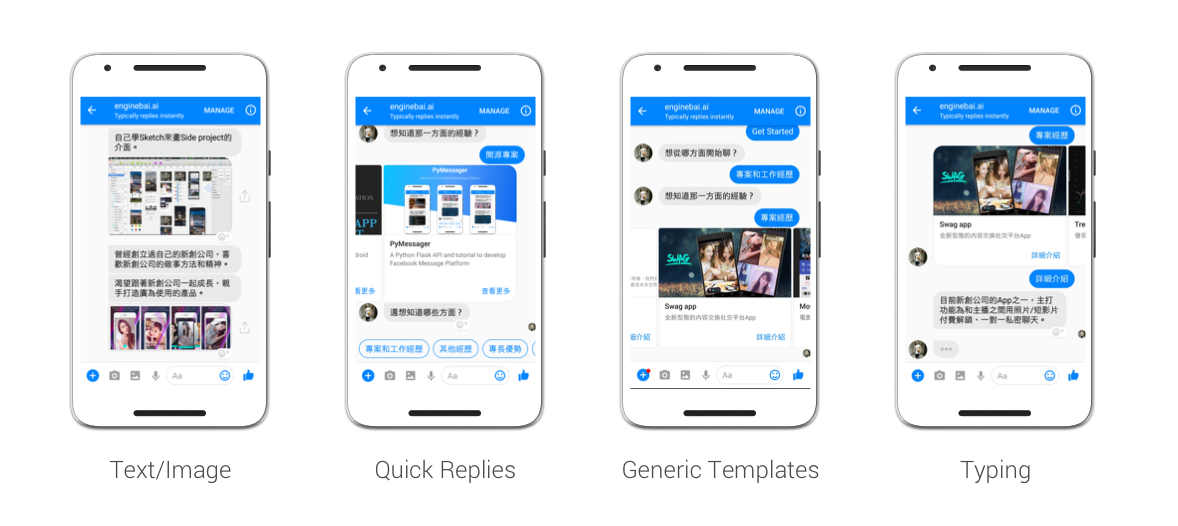
There are several types of message: text, image, quick replies, button template or generic template. API provides different classes to generate the message template.
Sending a text and image
Send a simple text or an image to a recipient, just make sure that image URL is a valid link.
client.send_text(user_id, "Hello, I'm enginebai.")
client.send_image(user_id, "http://image-url.jpg")
Quick Replies
The QuickReply(title, payload, image_url, content_type) class defines a present buttons to the user in response to a message.
| Parameter | Description | Required |
|---|---|---|
title |
The button title | Y |
payload |
The click payload string | Y |
image_url |
The icon image URL | N |
content_type |
TEXT or LOCATION |
Y |
client.send_quick_replies(user_id, "Help", [
         QuickReply("Projects", Intent.PROJECT),
         QuickReply("Blog", Intent.BLOG),
         QuickReply("Contact Me", Intent.CONTACT_ME)
     ])
Button Template
The ActionButton(button_type, title, url, payload) class defines button template which contains a text and buttons attachment to request input from the user.
| Parameter | Description | Required |
|---|---|---|
button_type |
WEB_URL or POSTBACK |
Y |
title |
The button title | Y |
url |
The link | Only if button_type is url |
payload |
The click payload string | Only if button_type is POSTBACK |
client.send_buttons(user_id, "You can find me with below", [
    ActionButton(ButtonType.WEB_URL, "Blog", "http://blog.enginebai.com"),
	ActionButton(ButtonType.POSTBACK, "Email", Intent.EMAIL)
])
Generic Template
The GenericElement(title, subtitle, image_url, buttons) class defines a horizontal scrollable carousel of items, each composed of an image attachment, short description and buttons to request input from the user.
| Parameter | Description | Required |
|---|---|---|
title_text |
The message main title | Y |
subtitle_text |
The message subtitle, leave it empty if you don't need it | N |
button_list |
The list of ActionButton |
Y |
project_list = []
for project_id, project in projects.items():
    project_list.append(GenericElement(
        project["title"],
        project["description"],
        config.api_root + project["image_url"], [
            ActionButton(ButtonType.POSTBACK,
                         self._get_string("button_more"),
                         # Payload use Intent for the beginning
                         payload=Intent.PROJECTS.name + project_id)
        ]))
client.send_generic(user_id, project_list)
Utility APIs
Subscribe the pages
Before your chatbot starts to receive messages, you have to subscribe the application to your chatbot page. To subscribe a page, just call it:
client.subscribe_to_page()
Set the welcome message and get-started button
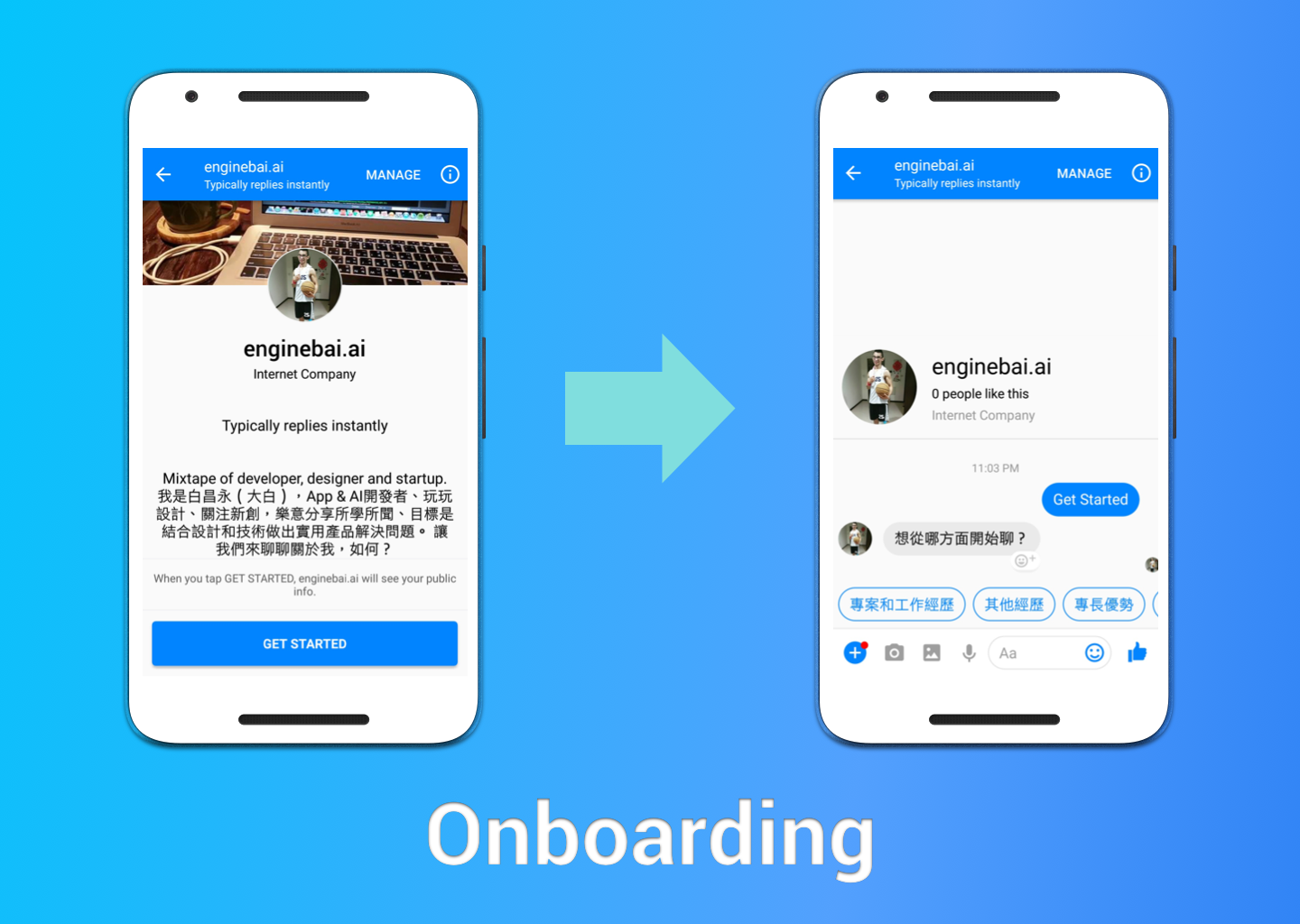
The greeting text will show at the first time you open this chatbot on mobile only. The payload is the trigger when the users click "Get Started" button.
client.set_greeting_text("Hi, this is Engine Bai. Nice to meet you!")
client.set_get_started_button_payload("HELP")  # Specify a payload string.
Issues
Feel free to submit bug reports or feature requests and make sure you read the contribution guideline before opening any issue.
Contributing
- Check the open/close issues or open a fresh issue for feature request or bug report with different labels (
feature/bug). - Fork this repository on GitHub to start customizing on master or new branch.
- Write a test which shows that the feature works as expected or the bug was fixed.
- Send a pull request and wait for code review.
License
The MIT License (MIT)

Copyright © 2017 Engine Bai.

Permission is hereby granted, free of charge, to any person obtaining a copy
of this software and associated documentation files (the "Software"), to deal
in the Software without restriction, including without limitation the rights
to use, copy, modify, merge, publish, distribute, sublicense, and/or sell
copies of the Software, and to permit persons to whom the Software is
furnished to do so, subject to the following conditions:

The above copyright notice and this permission notice shall be included in
all copies or substantial portions of the Software.

THE SOFTWARE IS PROVIDED "AS IS", WITHOUT WARRANTY OF ANY KIND, EXPRESS OR
IMPLIED, INCLUDING BUT NOT LIMITED TO THE WARRANTIES OF MERCHANTABILITY,
FITNESS FOR A PARTICULAR PURPOSE AND NONINFRINGEMENT. IN NO EVENT SHALL THE
AUTHORS OR COPYRIGHT HOLDERS BE LIABLE FOR ANY CLAIM, DAMAGES OR OTHER
LIABILITY, WHETHER IN AN ACTION OF CONTRACT, TORT OR OTHERWISE, ARISING FROM,
OUT OF OR IN CONNECTION WITH THE SOFTWARE OR THE USE OR OTHER DEALINGS IN
THE SOFTWARE.