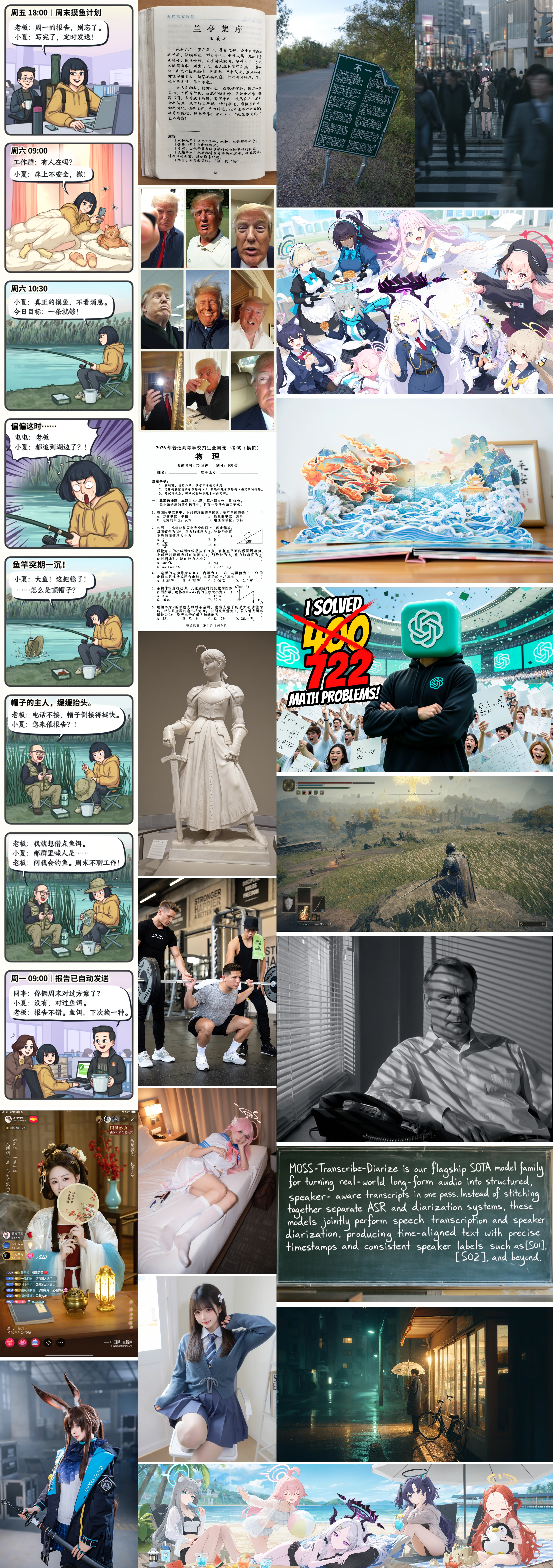
MOSS-Image (also written MOSS Image) is an open text-to-image family from OpenMOSS. It ships a 5B single-stream diffusion transformer (DiT) pretrained from scratch, with a frozen Qwen3.5-9B text encoder and a FLUX.2 VAE. Beside natural-language prompts, it accepts tag sequences and JSON layouts that place rendered text and objects with bounding boxes. Weights for MOSS-Image-Base and MOSS-Image-SFT are on Hugging Face and ModelScope under Apache-2.0. Code and docs live at OpenMOSS/MOSS-Image. The team announced the release on October 16, 2026 and posted the technical report on arXiv on October 19 (arXiv:2610.23374).
The technical report lists affiliations for MOSI.AI as MOSI Intelligence, SII, Fudan University, and Shanghai Jiao Tong University. On AI Rank, the GitHub repo is tracked under Image production. It had 1,394 stars and 68 forks on GitHub on October 22, 2026.
Key Facts
| Details | |
|---|---|
| Backbone | 5B single-stream DiT (generator only; excludes frozen encoder and VAE) |
| Text encoder / VAE | Qwen3.5-9B (frozen) / FLUX.2 VAE (frozen) |
| Prompt length | Up to 4K text tokens (final training stage) |
| Checkpoints | MOSS-Image-Base, MOSS-Image-SFT |
| License (weights and bundled inference code) | Apache-2.0 |
| Default sampling | Flow-matching Euler, 50 steps, CFG 3, shift 5, negative-branch skip at layer 22 |
| Long text (authors) | LLTB Mean-6 96.3 among open-weight models in the paper's table; Qwen Image 2512 64.9 on the same metric |
Base vs SFT
Both checkpoints share the same architecture and Diffusers / Gradio interface.
| MOSS-Image-Base | MOSS-Image-SFT | |
|---|---|---|
| Role | Base pretrained generator | Supervised fine-tune of Base on curated data |
| Post-training | User guide says Base has no post-training or CFG distillation, so training signal stays available for community LoRA and fine-tunes | Fine-tuned for out-of-the-box use |
| Official comparison | — | Project pages show SFT with clearer text grouping and a more organized whiteboard layout on the same prompt |
How to choose. Use Base when you plan to train LoRA or otherwise adapt the model yourself (keep the text encoder frozen, per the user guide). Use SFT when you want the curated fine-tune for prompts and layouts without further training. Either checkpoint can take natural language, tags, or JSON layouts.
Run with Diffusers
Official quick start (Python 3.10+, NVIDIA GPU). Install from the repo, or use the dependency pins on the Hugging Face model cards (diffusers>=0.38, transformers>=5.3, and so on). PyTorch must match your CUDA build.
git clone https://github.com/OpenMOSS/MOSS-Image.git
cd MOSS-Image
python -m venv .venv
source .venv/bin/activate
pip install -r requirements.txt
import torch
from diffusers import DiffusionPipeline

pipe = DiffusionPipeline.from_pretrained(
    "OpenMOSS-Team/MOSS-Image-Base",
    custom_pipeline="pipeline_moss_image",
    trust_remote_code=True,
    torch_dtype={"default": torch.bfloat16, "vae": torch.float32},
)
pipe.scheduler = type(pipe.scheduler).from_config(pipe.scheduler.config)
pipe.to("cuda")
image = pipe(
    "A wide view of a refrigerator beside a kitchen counter with a fruit bowl. A small sticky note on the refrigerator door is handwritten in Chinese:“\n记得买牛奶和鸡蛋!\n牛奶两盒,鸡蛋一打。\n顺便带一袋面包。”",
    height=1456,
    width=1456,
    num_inference_steps=50,
    guidance_scale=3.0,
    uncond_skip_layers=[22],
    generator=torch.Generator("cpu").manual_seed(42),
).images[0]
image.save("refrigerator_note.png")
Swap the model id for OpenMOSS-Team/MOSS-Image-SFT to load SFT. Image dimensions in the Python API must be positive multiples of 16. Gradio advanced settings offer three memory modes (GPU resident, Component, Sequential). The docs say to pick Sequential or reduce resolution if memory is insufficient; they do not publish a fixed VRAM figure, so none is quoted here.
Run with vLLM-Omni
vLLM publishes a day-0 recipe for Base and SFT. It serves /v1/images/generations through vLLM-Omni. Example from the recipe (single GPU, Docker):
export IMAGE=vllm/vllm-omni:mosimage
export MODEL=OpenMOSS-Team/MOSS-Image-Base

docker pull "$IMAGE"
docker run --rm --name moss-image \
  --gpus 'device=0' --ipc=host \
  -p 8000:8000 \
  -v "$HOME/.cache/huggingface:/root/.cache/huggingface" \
  -e HF_TOKEN \
  "$IMAGE" \
  vllm serve "$MODEL" --omni \
    --enforce-eager \
    --port 8000
The recipe lists checkpoint download size as 33 GB for Base and for SFT. It recommends at least 50 steps, CFG 3.0–6.0, flow shift 5.0, and uncond_skip_layers=[22] for the negative branch. See the vLLM recipe for MOSS-Image-Base for the full request JSON and layout examples.
JSON Layout Control
Layouts use the same prompt channel as natural language. Pass a JSON object with summary, items, bbox_coord_space: "abs_centralized", and bbox_format: "yxyx". Coordinates are [y_min, x_min, y_max, x_max] in pixels relative to the canvas center (for 1024×1024, each axis runs from −512 to +512). Official travel-poster example from the project site and user guide:
{
  "summary": {
    "meta": ["poster"],
    "canvas": "single",
    "caption": "A minimalist travel poster with a cream background, a blue mountain illustration, and the title EXPLORE at the top."
  },
  "items": [
    {
      "label": "text",
      "caption": "Large dark-blue uppercase title centered at the top.",
      "text": "EXPLORE",
      "bbox": [-416, -384, -288, 384]
    },
    {
      "label": "object",
      "caption": "A flat blue mountain illustration in the lower center.",
      "bbox": [-192, -288, 384, 288]
    }
  ],
  "bbox_coord_space": "abs_centralized",
  "bbox_format": "yxyx"
}
Serialize with json.dumps(layout, ensure_ascii=False) and pass that string as the prompt at matching width and height. The site also ships a Prompt Enhancer skill that turns an idea into a caption or layout draft; it does not call an image API by itself.
Comparison with Qwen-Image (Published Numbers Only)
Numbers below come from the MOSS-Image technical report. LLTB is the authors' own long-text benchmark (240 tasks, English and Chinese, Mean-6 text coverage). Treat the ranking as author-reported on that suite, not as an independent third-party board.
| Metric | MOSS-Image | Qwen Image 2512 | Source |
|---|---|---|---|
| LLTB Mean-6 (open-weight table) | 96.3 | 64.9 | Technical report §1 / §5.2 |
| Gap | +31.4 percentage points | — | Same |
Other figures in the same paper, for context: on RealLayoutArena (RLA) end-to-end systems, MOSS-Image scores 1698.70 Elo (second behind GPT Image 2). With shared enhanced natural-language prompts, the MOSS-Image backbone scores 1807.34 Elo (highest among the generators they list). LongTextBench scores for strong models cluster near the ceiling (96–99), so the authors emphasize LLTB instead.
License and Limitations
Weights and the bundled inference code are Apache-2.0. Pipeline code and third-party pieces keep their own licenses. Diffusers, Qwen, and FLUX are acknowledged on the model cards.
Limitations stated in the technical report: the backbone is text-to-image only; it does not take reference images or do image editing. The agentic prompt enhancer depends on external language models, so planner mistakes can hurt the layout even when rendering is faithful. The user guide still marks the JSON layout format as experimental.
FAQ
Do I need both Base and SFT? No. Pick one checkpoint. Base is the starting point for fine-tuning; SFT is the curated fine-tune for direct use.
Is Chinese text supported? Yes. Official demos and guides show multi-line Chinese handwriting and headings. Scene descriptions are recommended in English when possible; keep visible Chinese strings in Chinese and insert explicit line breaks.
Does ComfyUI work? The project ships a native plugin. Search for MOSS-Image in ComfyUI Manager. Integration into the official ComfyUI repository is described as in progress.
Where is the paper? arXiv:2610.23374, also linked from the project homepage as a PDF.
Keep exploring: see which open-source AI projects are rising today in the open-source rankings on AI Rank.
Or 📱 get the AI Rank app to follow them on your phone.
Sources
- MOSS-Image project site
- GitHub: OpenMOSS/MOSS-Image
- Hugging Face: MOSS-Image-Base
- Hugging Face: MOSS-Image-SFT
- User guide (English)
- Technical report (arXiv:2610.23374)
- vLLM-Omni recipe: MOSS-Image-Base
- MOSS-Image on AI Rank
Prepared with automated editorial assistance and checked on October 19, 2026 against the project site, GitHub README and user guide, Hugging Face model cards, arXiv:2610.23374, the vLLM-Omni recipe, and the AI Rank repo page, with GitHub figures updated on October 22, 2026. The model was not installed or run for this article.
Cover image: official product imagery; editorial composition by AI Rank.