Anime-InPainting: An application Tool based on Edge-Connect





English | 中文版介绍
Important
2019.3.27 Update:
Our latest drawing method PI-REC is more powerful.
Take a look on it, and I'm sure it won't disappoint you.
Tool show time 🏳️🌈
Outputs
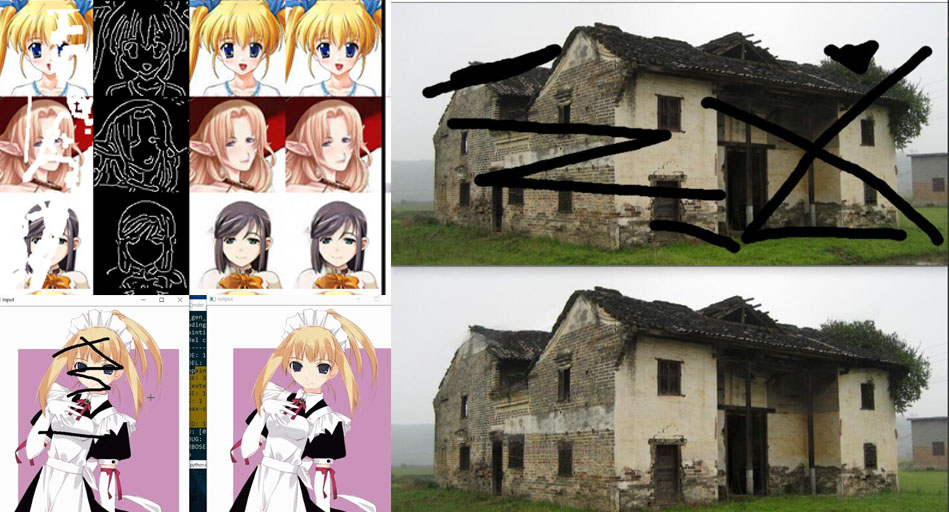
Tool operation
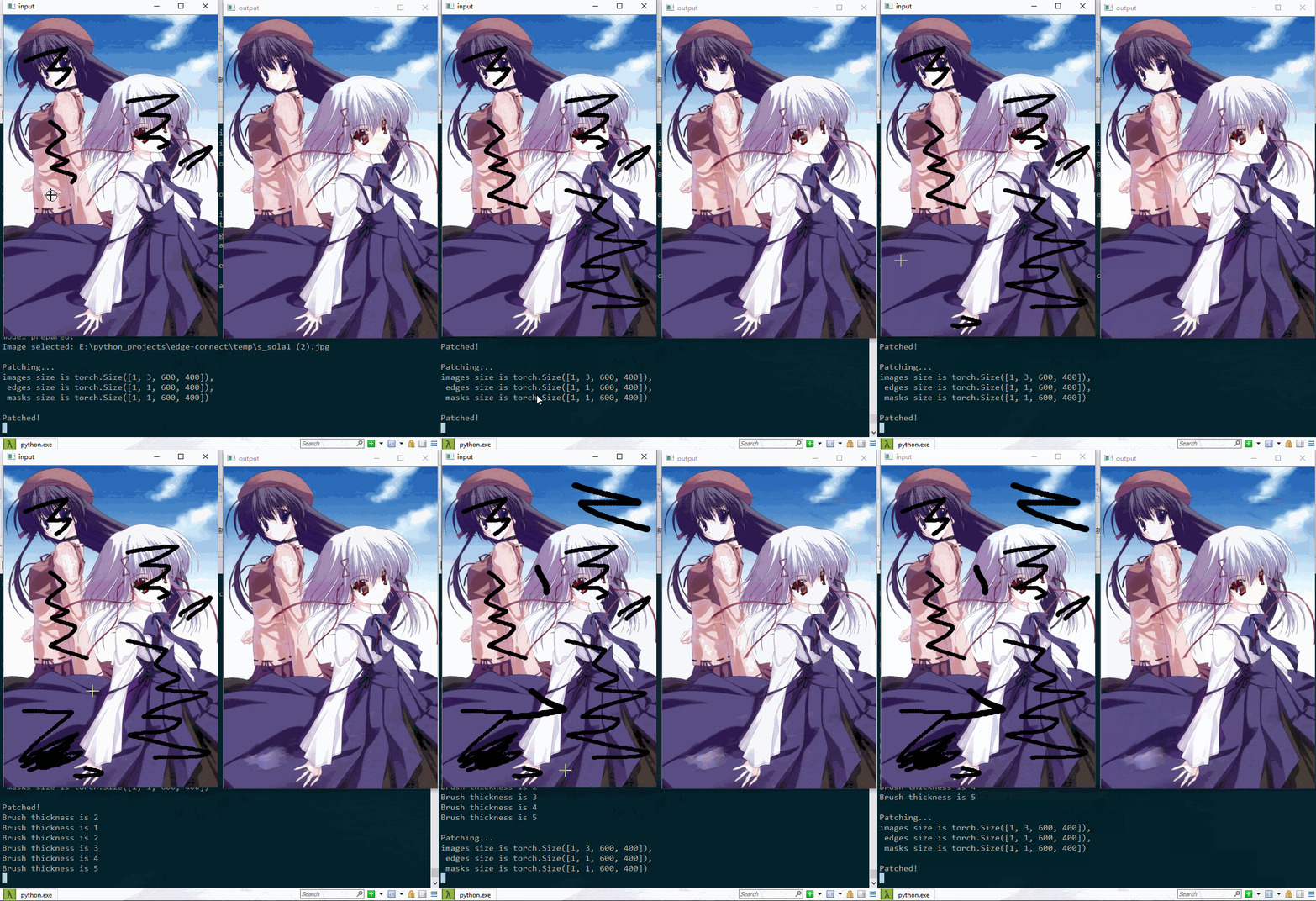
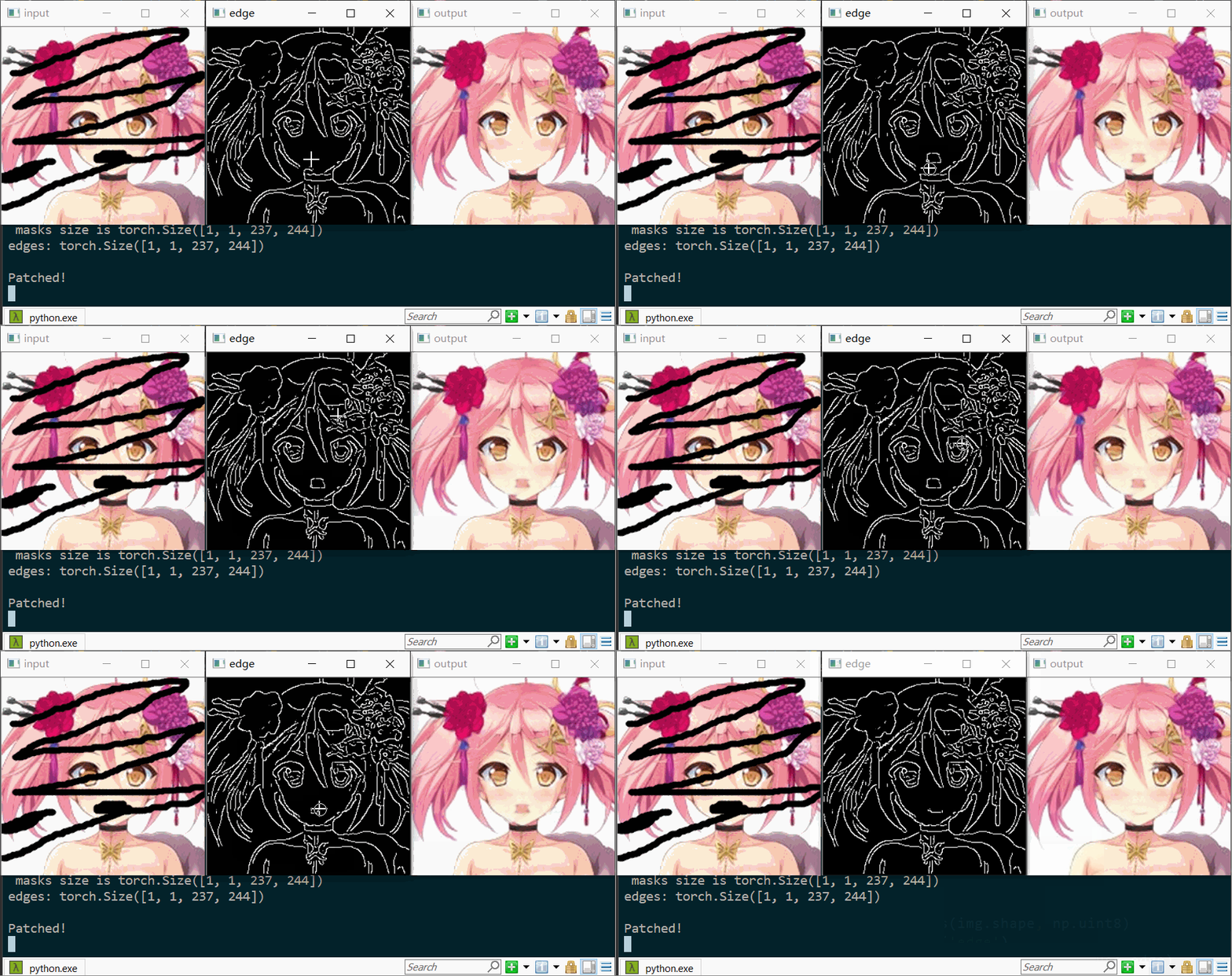
Introduction:
This is an optimized application tool which has a frontend based on Opencv, whose backend used Edge-Connect.
Make sure you have read their awesome work and license thoroughly.
Compared with the original work, this project has such improvements :
- Add tool application modes
- Optimize the training phase
- Auto-save and auto-load latest weights files
- Add a fast training phase combined with origin phase 2 and 3
- bugs fixed (most of them are merged into the original work)
- Add utility files
- Add configs in
config.yml- PRINT_FREQUENCY
- DEVICE : cpu or gpu
- ... ...
You can do the amazing Anime inpainting conveniently here.
And detailed training manual is released. You may train your own dataset smoothly now.
Prerequisites
- Python 3
- PyTorch
1.0(0.4is not supported) - NVIDIA GPU + CUDA cuDNN
Installation
- Clone this repo
- Install PyTorch and dependencies from http://pytorch.org
- Install python requirements:
pip install -r requirements.txt
Run the Tool
I want to run the tool! Calm down and follow such step:
Info: The following weights files are trained on anime face dataset which performs not good on a large whole anime character.
- Download the well trained model weights file --> Google Drive | Baidu
- Unzip the
.7zand put it under your root directory. So make sure your path now is:./model/getchu/ - Complete the above Prerequisites and Installation
- (Optional) Check and edit the
./model/getchu/config.ymlconfig file as you wish - Run the cooool tool:
Default Tool:
python tool_patch.py --path model/getchu/
Tool with edge window:
python tool_patch.py --edge --path model/getchu/
Args help
python tool_patch.py -h
PS. You can run any well trained model, not only above one. You can download more model weights files from the original work Edge-Connect. Then you can run the Tool as above. Only one thing to be careful: The
config.ymlin this project has some additional options than the config from the Edge-Connect.
Tool operation
For detailed manual, refer to your terminal prints or the __doc__ in tool_patch.py.
Below is the simplified tool operation manual:
| Key | description |
|---|---|
Mouse Left |
To draw out the defective area in window input and to draw the edge in window edge |
Mouse Right |
To erase edge in window edge |
Key [ |
To make the brush thickness smaller |
Key ] |
To make the brush thickness larger |
Key 0 |
Todo |
Key 1 |
Todo |
Key n |
To patch the black part of image, just use input image |
Key e |
To patch the black part of image, use the input image and edit edge (only work under edge window opened) |
Key r |
To reset the setup |
Key s |
To save the output |
Key q |
To quit |
Training manual
Click here --> Training manual by yourself
中文版介绍🇨🇳
重要
2019.3.27 更新:
我们的最新模型 PI-REC 更强大.
如果你想用最新的AI绘画黑科技,而非仅仅是修补图像,请点击上面的链接👆
简介
Tool效果看上面👆 | Bilibili视频教程:TO DO
这是图像修补方向最新研究成果Edge-Connect的阿姆斯特朗氮气加速魔改(优化)版。
用Opencv写了个前端部分,后端是Edge-Connect,方便当作工具使用。
此工具可以用来自动图像修补,去马赛克……同样优化了模型训练的过程。具体优化内容请看英文版Improvements。
更新:训练手册已经填坑完发布了!你可以照着指南训练自己数据集了~
基础环境
- Python 3
- PyTorch
1.0(0.4会报错) - NVIDIA GPU + CUDA cuDNN (当前版本已可选cpu,请修改
config.yml中的DEVICE)
第三方库安装
- Clone this repo
- 安装PyTorch和torchvision --> http://pytorch.org
- 安装 python requirements:
pip install -r requirements.txt
运行Tool
教练!我有个大胆的想法🈲……别急,一步步来:
注意:以下模型是在动漫头像数据集上训练的,所以对动漫全身大图修补效果一般,想自己再训练的参考下面的训练指南
- 下训练好的模型文件 --> Google Drive | Baidu
- 解压
.7z放到你的根目录下. 确保你的目录现在是这样:./model/getchu/ - 完成上面的基础环境和第三方库安装步骤
- (可选) 检查并编辑
./model/getchu/config.yml配置文件 - 使用以下命令运行:
默认Tool:
python tool_patch.py --path model/getchu/
带Edge编辑窗口的Tool:
python tool_patch.py --edge --path model/getchu/
命令行参数帮助
python tool_patch.py -h
PS. 你也能用tool跑别的任何模型,在这里下载原作更多模型Edge-Connect. 文件组织方式参考上面,其余运行命令都一样。唯一注意的是这个项目的
config.yml比原作的多了几个选项,报错了的话注意修改。
Tool操作指南
详细内容请翻看控制台的打印内容,或查看tool_patch.py里的__doc__
简略版tool使用指南:
| 按键 | 说明 |
|---|---|
| 鼠标左键 | Input窗口:画出瑕疵区域的遮盖,Edge窗口:手动画边缘 |
| 鼠标右键 | Edge窗口:橡皮擦 |
按键 [ |
笔刷变细 (控制台打印粗细大小) |
按键 ] |
笔刷变粗 |
按键 0 |
Todo |
按键 1 |
Todo |
按键 n |
修补黑色涂抹区域,只使用一张输入图片 |
按键 e |
修补黑色涂抹区域,使用输入图片和边缘图片(仅当edge窗口启动时有效) |
按键 r |
全部重置 |
按键 s |
保存输出图片 |
按键 q |
退出 |
训练指南
训练指南 --> 阅读
License
Licensed under a Creative Commons Attribution-NonCommercial 4.0 International.
Except where otherwise noted, this content is published under a CC BY-NC license, which means that you can copy, remix, transform and build upon the content as long as you do not use the material for commercial purposes and give appropriate credit and provide a link to the license.
Citation
If you use this code for your research, please cite our paper EdgeConnect: Generative Image Inpainting with Adversarial Edge Learning:
@inproceedings{nazeri2019edgeconnect,
  title={EdgeConnect: Generative Image Inpainting with Adversarial Edge Learning},
  author={Nazeri, Kamyar and Ng, Eric and Joseph, Tony and Qureshi, Faisal and Ebrahimi, Mehran},
  journal={arXiv preprint},
  year={2019},
}