GPU accelerated TensorFlow Lite / TensorRT applications.

This repository contains several applications which invoke DNN inference with TensorFlow Lite GPU Delegate or TensorRT.
Target platform: Linux PC / NVIDIA Jetson / RaspberryPi.
1. Applications
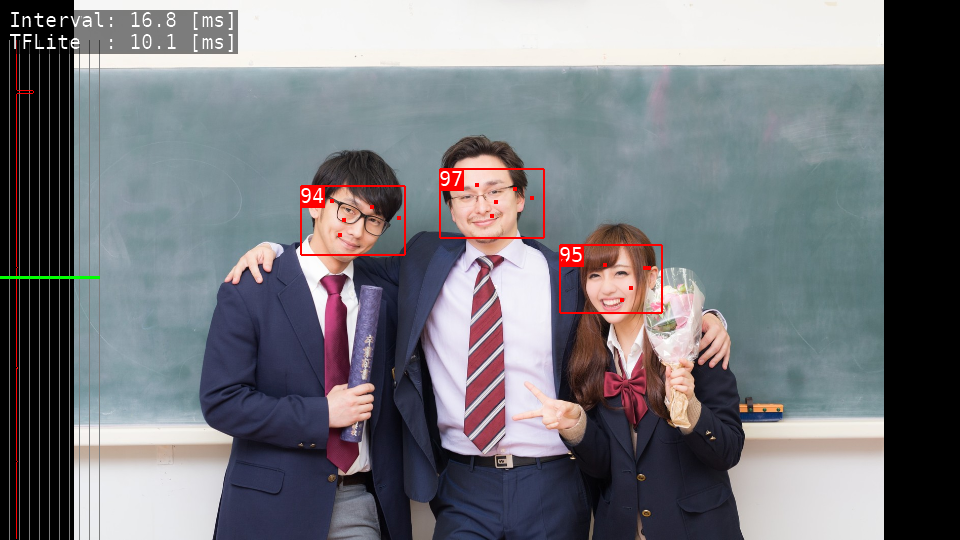
Blazeface
- Lightweight Face Detection.
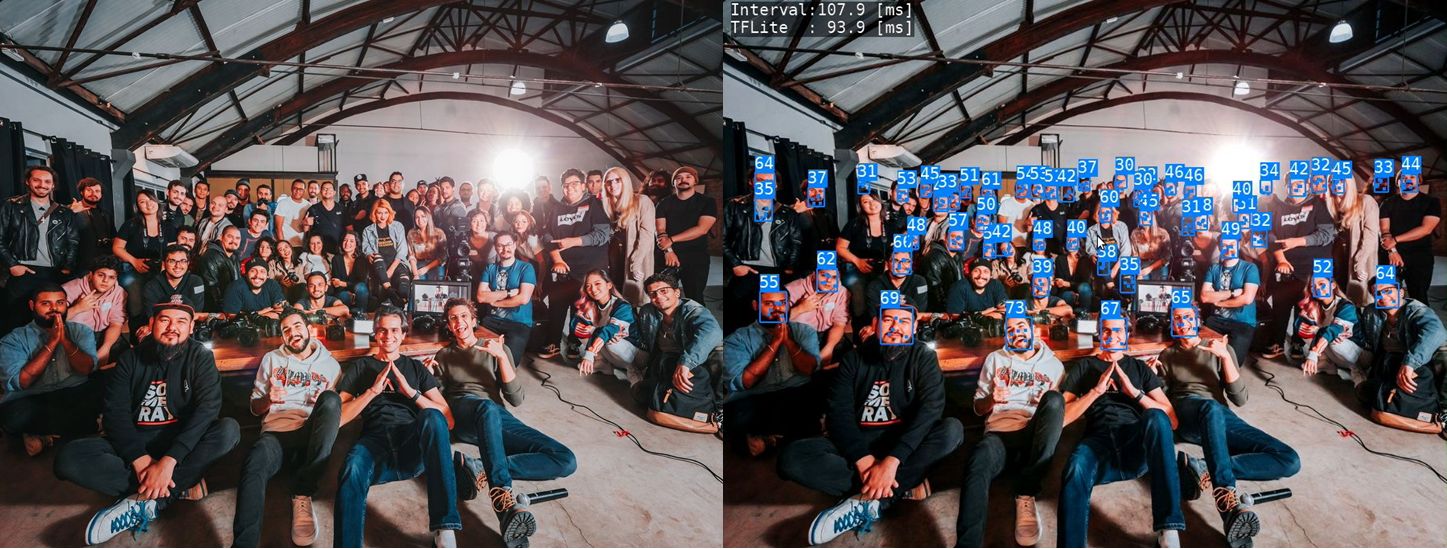
DBFace
-
Higher accurate Face Detection.
-
TensorRT port is HERE
Age Gender Estimation
-
Detect faces and estimage their Age and Gender
-
TensorRT port is HERE
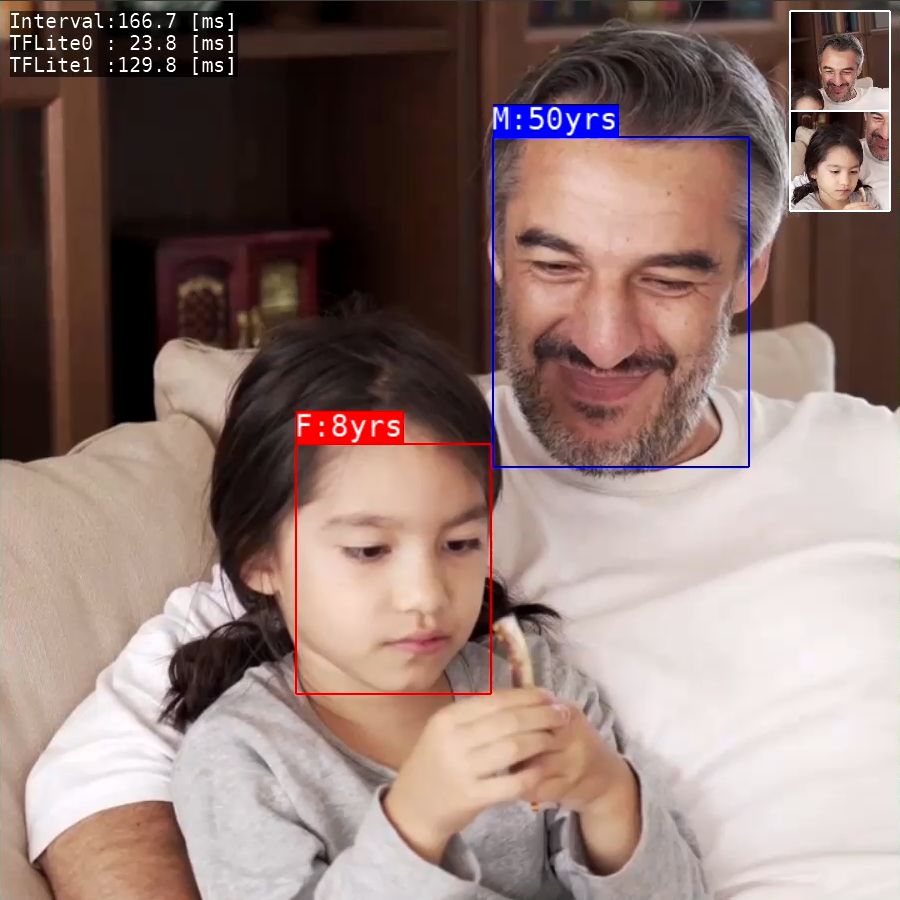
Image Classification
-
Image Classfication using Moilenet.
-
TensorRT port is HERE

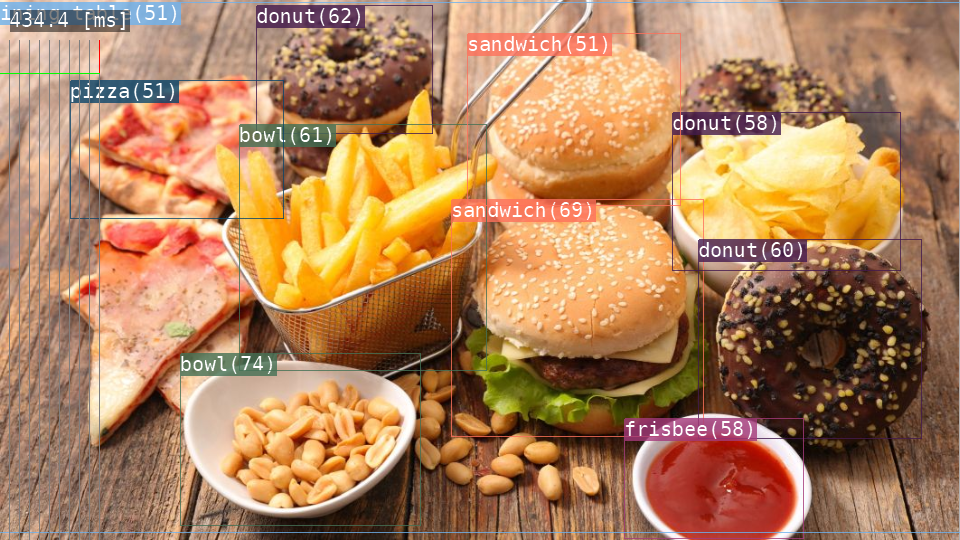
Object Detection
-
Object Detection using MobileNet SSD.
-
TensorRT port is HERE
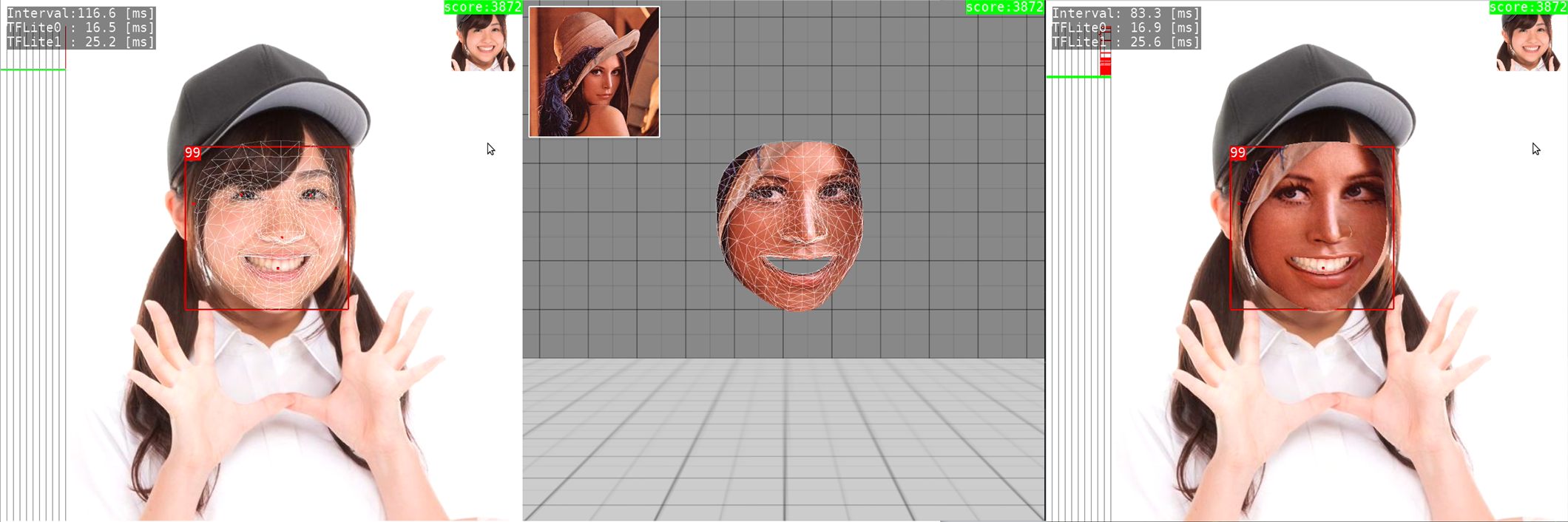
Facemesh
- 3D Facial Surface Geometry estimation and face replacement.
Hair Segmentation
- Hair segmentation and recoloring.

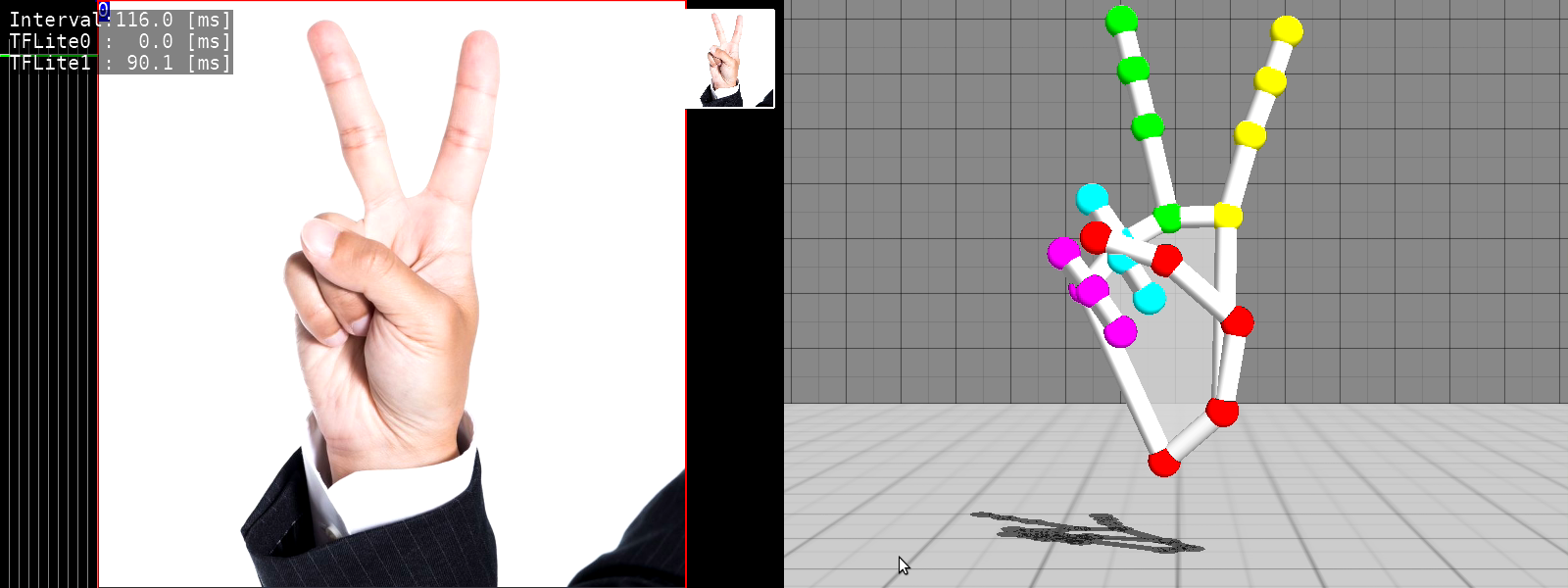
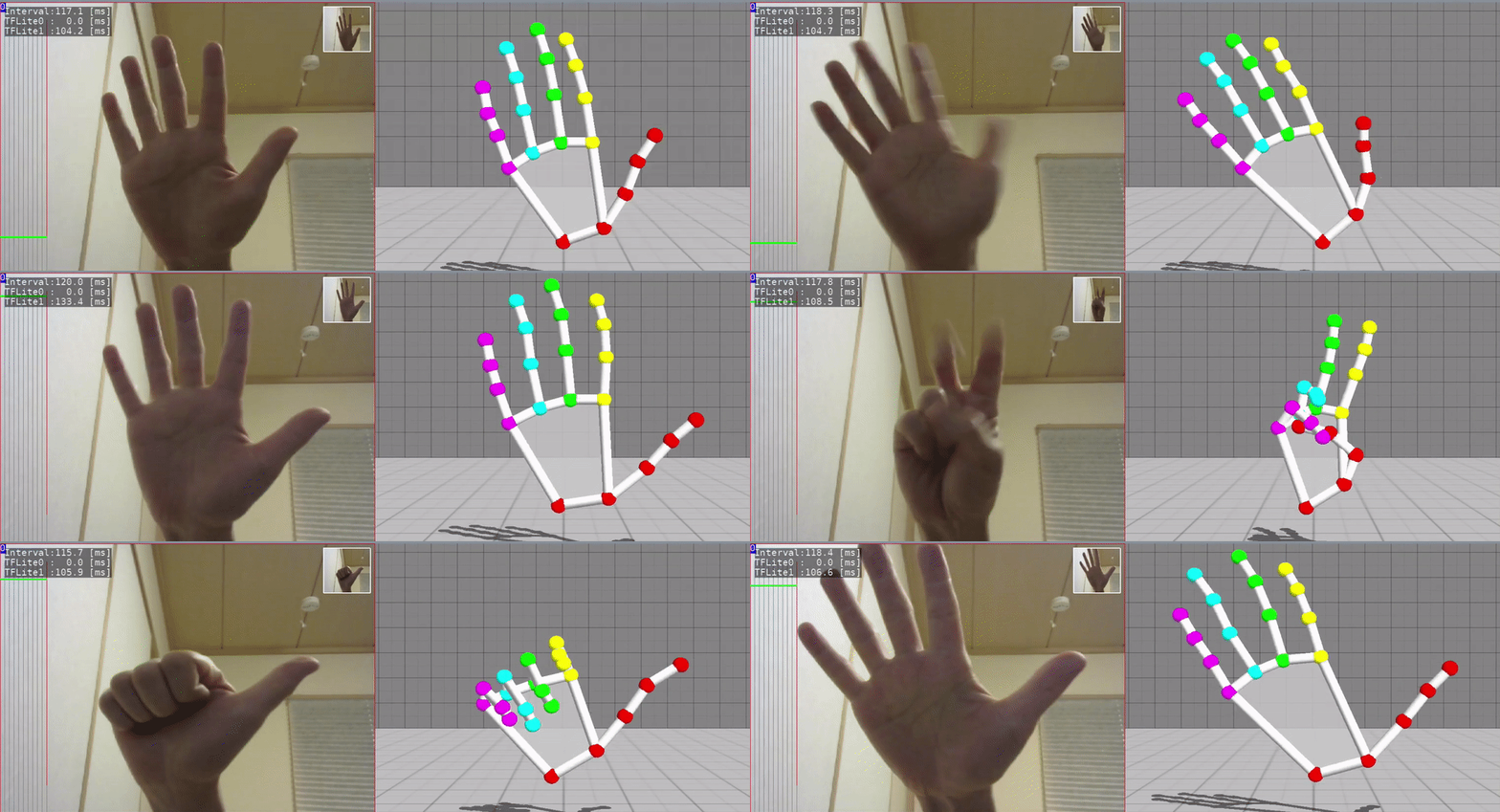
3D Handpose
- 3D Handpose Estimation from single RGB images.
Iris Detection
- Eye position estimation by detecting the iris.

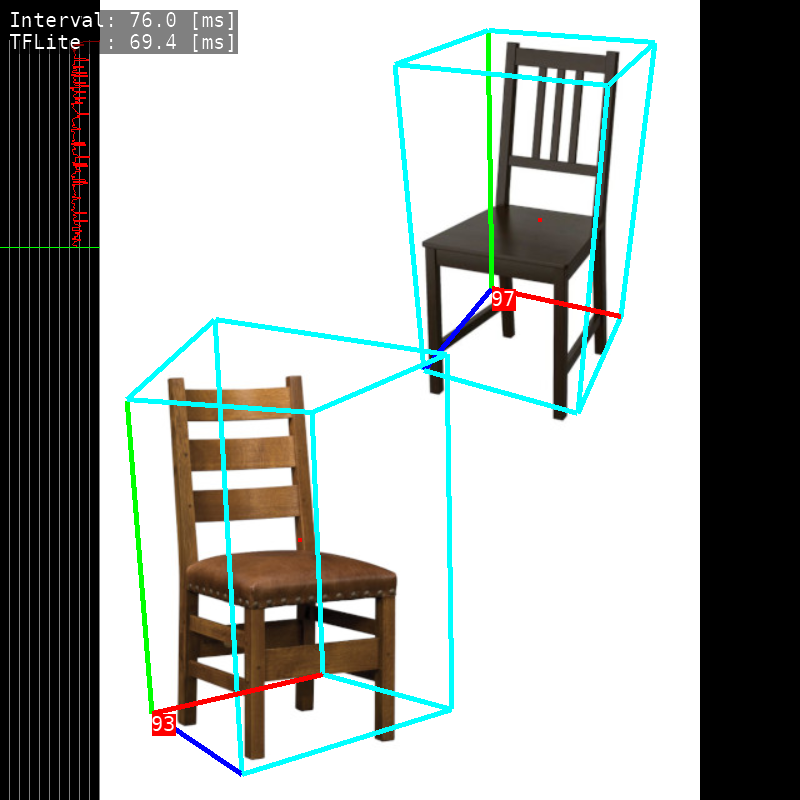
3D Object Detection
- 3D Object Detection.
- TensorRT port is HERE
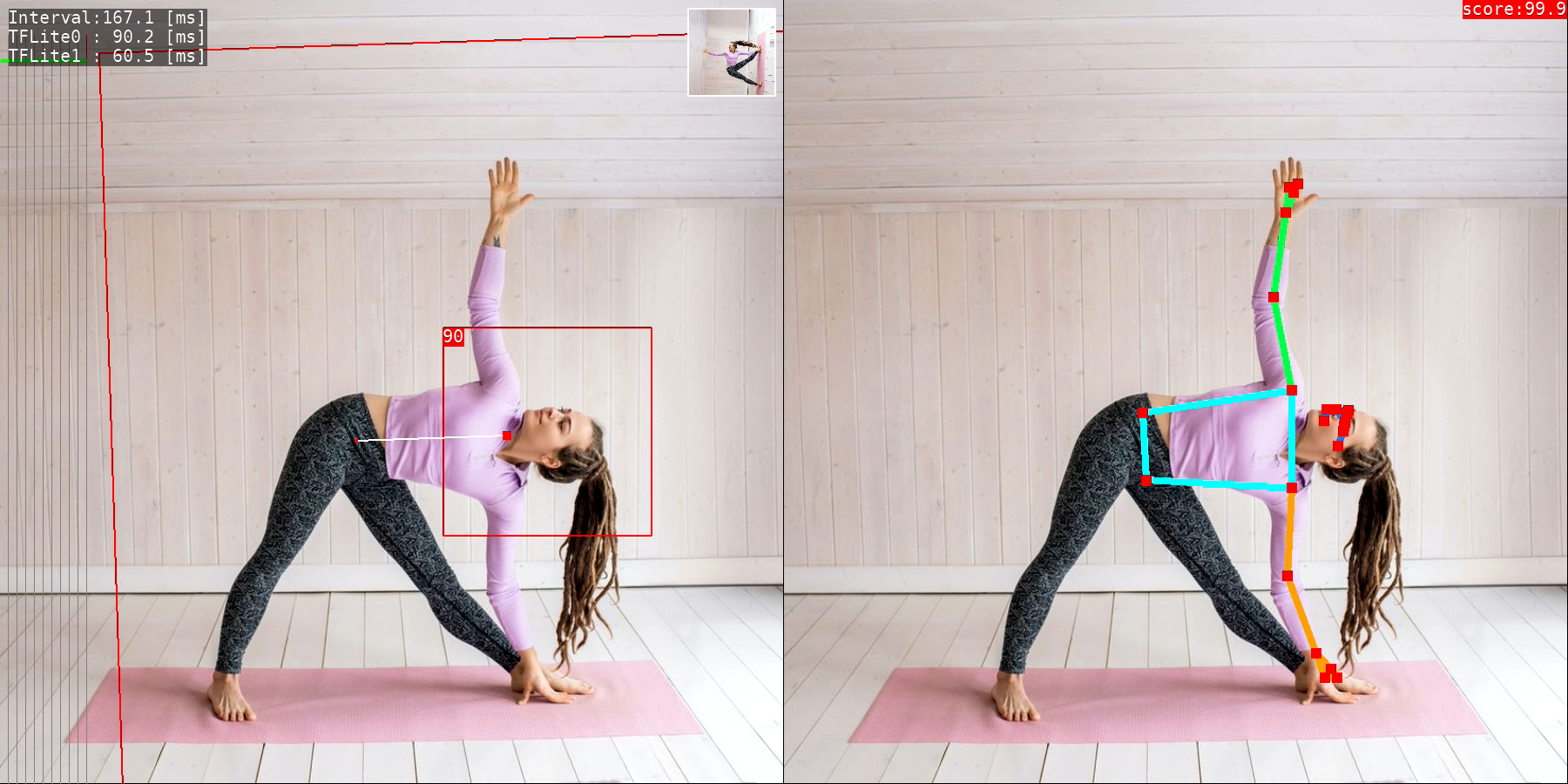
Blazepose
- Pose Estimation (upper body).
Posenet
- Pose Estimation.
- TensorRT port is HERE
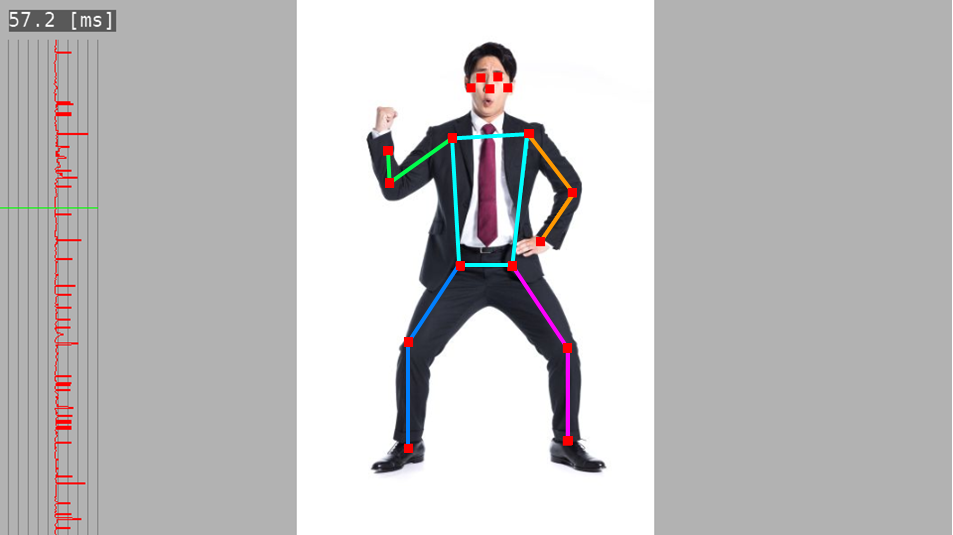
3D Human Pose Estimation
- Single-Shot 3D Human Pose Estimation.
- TensorRT port is HERE

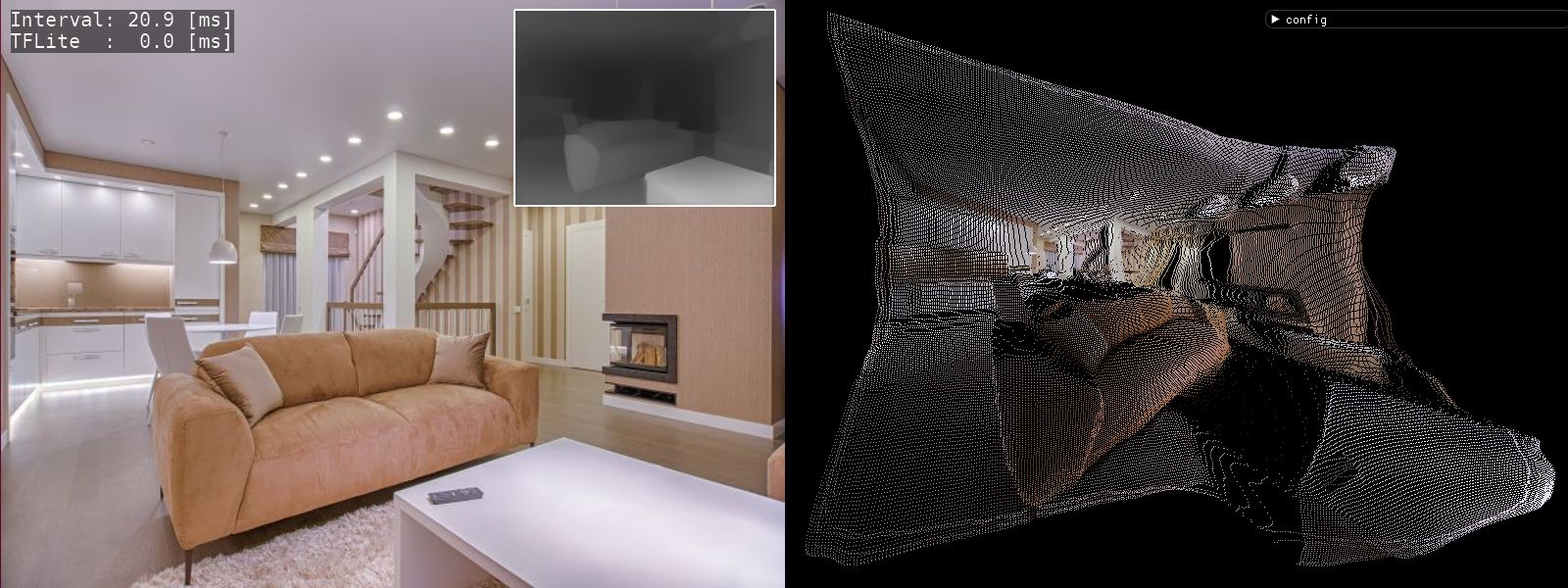
Depth Estimation (DenseDepth)
-
Depth Estimation from single images.
-
TensorRT port is HERE
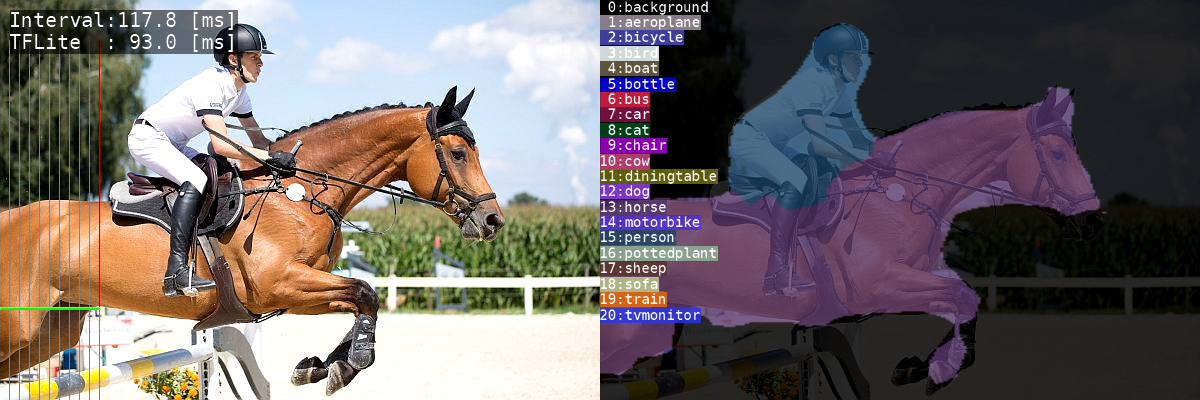
Semantic Segmentation
- Assign semantic labels to every pixel in the input image.
Face Segmentation
- Face parts segmentation based on BiSeNet V2.

Selfie to Anime
- Generate anime-style face image.
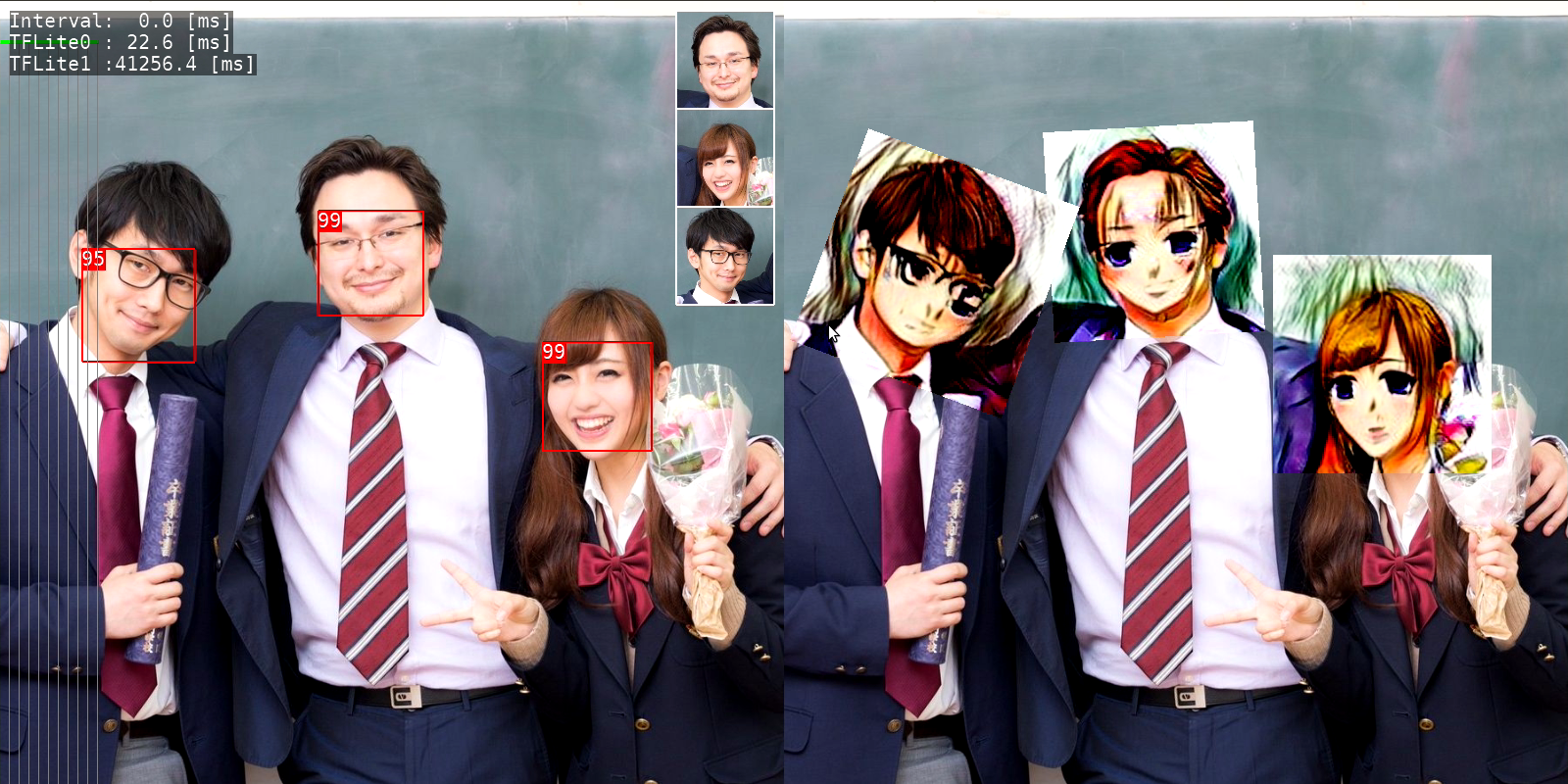
Anime GAN
- Transform photos into anime style images.
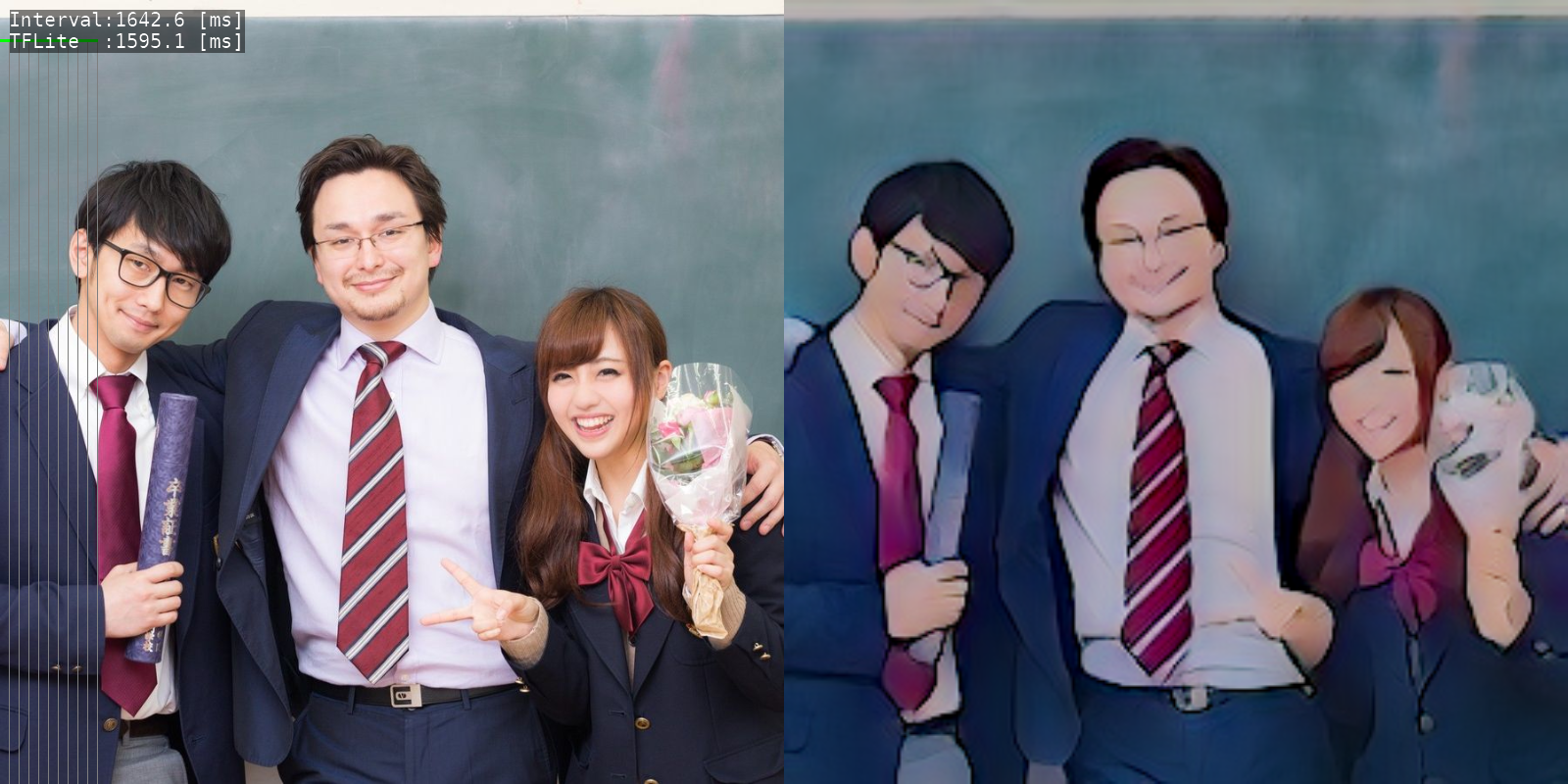
U^2-Net portrait drawing
- Human portrait drawing by U^2-Net.

Artistic Style Transfer
- Create new artworks in artistic style.

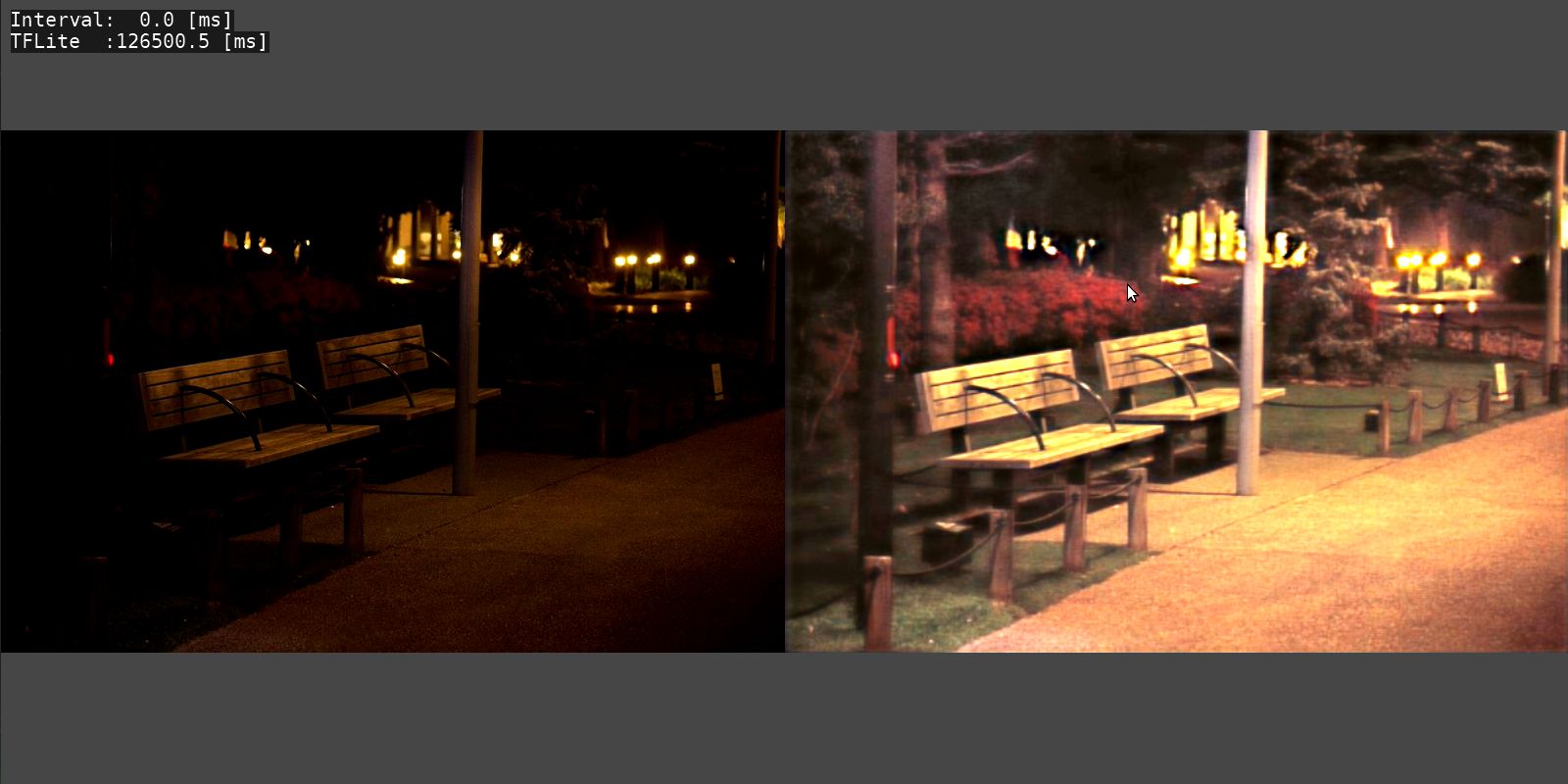
MIRNet
- Enhance low-light images upto a great extent.
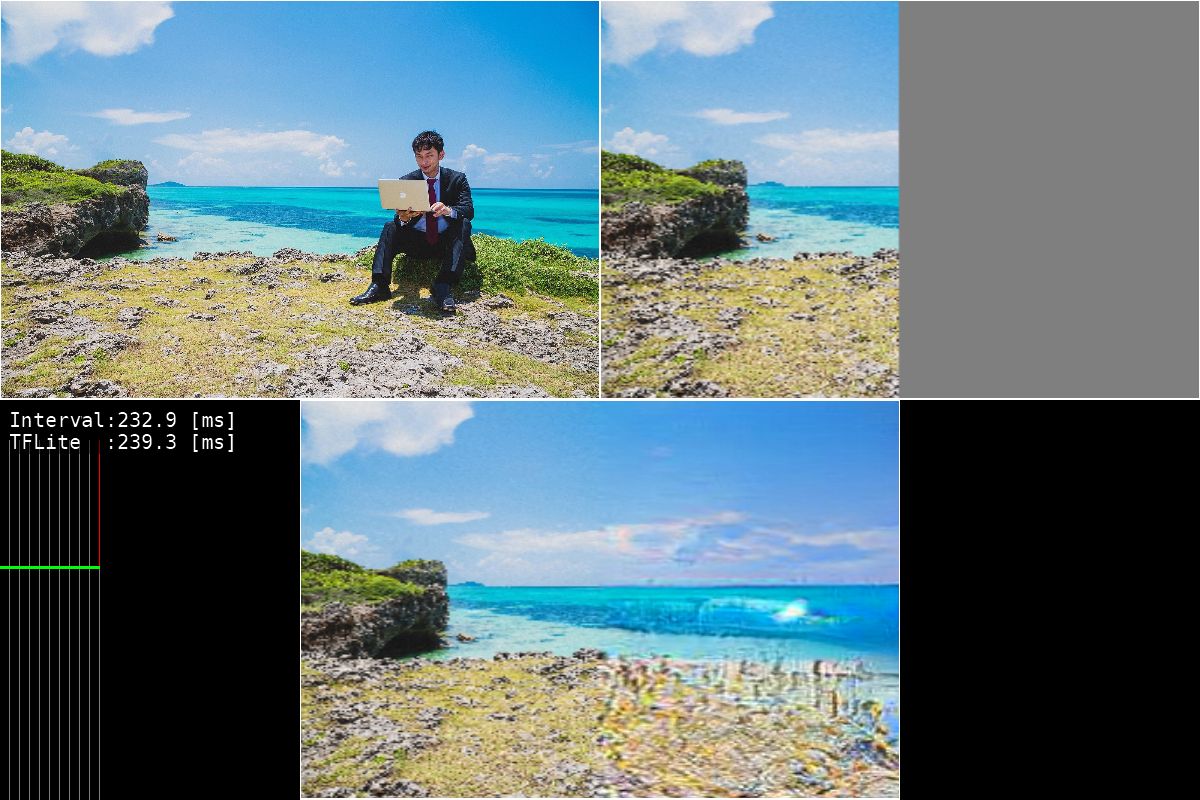
Boundless
- GAN-model for image extrapolation.
Text Detection
- Text detection from natural scenes.

2. How to Build & Run
- Build for x86_64 Linux
- Build for aarch64 Linux (Jetson Nano, Raspberry Pi)
- Build for armv7l Linux (Raspberry Pi)
2.1. Build for x86_64 Linux
2.1.1. setup environment
$ sudo apt install libgles2-mesa-dev
$ mkdir ~/work
$ mkdir ~/lib
$
$ wget https://github.com/bazelbuild/bazel/releases/download/3.1.0/bazel-3.1.0-installer-linux-x86_64.sh
$ chmod 755 bazel-3.1.0-installer-linux-x86_64.sh
$ sudo ./bazel-3.1.0-installer-linux-x86_64.sh
2.1.2. build TensorFlow Lite library.
$ cd ~/work
$ git clone https://github.com/terryky/tflite_gles_app.git
$ ./tflite_gles_app/tools/scripts/tf2.4/build_libtflite_r2.4.sh

(Tensorflow configure will start after a while. Please enter according to your environment)

$
$ ln -s tensorflow_r2.4 ./tensorflow
$
$ cp ./tensorflow/bazel-bin/tensorflow/lite/libtensorflowlite.so ~/lib
$ cp ./tensorflow/bazel-bin/tensorflow/lite/delegates/gpu/libtensorflowlite_gpu_delegate.so ~/lib
2.1.3. build an application.
$ cd ~/work/tflite_gles_app/gl2handpose
$ make -j4
2.1.4. run an application.
$ export LD_LIBRARY_PATH=~/lib:$LD_LIBRARY_PATH
$ cd ~/work/tflite_gles_app/gl2handpose
$ ./gl2handpose
2.2. Build for aarch64 Linux (Jetson Nano, Raspberry Pi)
2.2.1. build TensorFlow Lite library on Host PC.
(HostPC)$ wget https://github.com/bazelbuild/bazel/releases/download/3.1.0/bazel-3.1.0-installer-linux-x86_64.sh
(HostPC)$ chmod 755 bazel-3.1.0-installer-linux-x86_64.sh
(HostPC)$ sudo ./bazel-3.1.0-installer-linux-x86_64.sh
(HostPC)$
(HostPC)$ mkdir ~/work
(HostPC)$ cd ~/work
(HostPC)$ git clone https://github.com/terryky/tflite_gles_app.git
(HostPC)$ ./tflite_gles_app/tools/scripts/tf2.4/build_libtflite_r2.4_aarch64.sh

# If you want to build XNNPACK-enabled TensorFlow Lite, use the following script.
(HostPC)$ ./tflite_gles_app/tools/scripts/tf2.4/build_libtflite_r2.4_with_xnnpack_aarch64.sh

(Tensorflow configure will start after a while. Please enter according to your environment)
2.2.2. copy Tensorflow Lite libraries to target Jetson / Raspi.
(HostPC)scp ~/work/tensorflow_r2.4/bazel-bin/tensorflow/lite/libtensorflowlite.so [email protected]:/home/jetson/lib
(HostPC)scp ~/work/tensorflow_r2.4/bazel-bin/tensorflow/lite/delegates/gpu/libtensorflowlite_gpu_delegate.so [email protected]:/home/jetson/lib
2.2.3. clone Tensorflow repository on target Jetson / Raspi.
(Jetson/Raspi)$ cd ~/work
(Jetson/Raspi)$ git clone -b r2.4 https://github.com/tensorflow/tensorflow.git
(Jetson/Raspi)$ cd tensorflow
(Jetson/Raspi)$ ./tensorflow/lite/tools/make/download_dependencies.sh
2.2.4. build an application.
(Jetson/Raspi)$ sudo apt install libgles2-mesa-dev libdrm-dev
(Jetson/Raspi)$ cd ~/work
(Jetson/Raspi)$ git clone https://github.com/terryky/tflite_gles_app.git
(Jetson/Raspi)$ cd ~/work/tflite_gles_app/gl2handpose

# on Jetson
(Jetson)$ make -j4 TARGET_ENV=jetson_nano TFLITE_DELEGATE=GPU_DELEGATEV2

# on Raspberry pi without GPUDelegate (recommended)
(Raspi )$ make -j4 TARGET_ENV=raspi4

# on Raspberry pi with GPUDelegate (low performance)
(Raspi )$ make -j4 TARGET_ENV=raspi4 TFLITE_DELEGATE=GPU_DELEGATEV2

# on Raspberry pi with XNNPACK
(Raspi )$ make -j4 TARGET_ENV=raspi4 TFLITE_DELEGATE=XNNPACK
2.2.5. run an application.
(Jetson/Raspi)$ export LD_LIBRARY_PATH=~/lib:$LD_LIBRARY_PATH
(Jetson/Raspi)$ cd ~/work/tflite_gles_app/gl2handpose
(Jetson/Raspi)$ ./gl2handpose
about VSYNC
On Jetson Nano, display sync to vblank (VSYNC) is enabled to avoid the tearing by default . To enable/disable VSYNC, run app with the following command.
# enable VSYNC (default).
(Jetson)$ export __GL_SYNC_TO_VBLANK=1; ./gl2handpose

# disable VSYNC. framerate improves, but tearing occurs.
(Jetson)$ export __GL_SYNC_TO_VBLANK=0; ./gl2handpose
2.3 Build for armv7l Linux (Raspberry Pi)
2.3.1. build TensorFlow Lite library on Host PC.
(HostPC)$ wget https://github.com/bazelbuild/bazel/releases/download/3.1.0/bazel-3.1.0-installer-linux-x86_64.sh
(HostPC)$ chmod 755 bazel-3.1.0-installer-linux-x86_64.sh
(HostPC)$ sudo ./bazel-3.1.0-installer-linux-x86_64.sh
(HostPC)$
(HostPC)$ mkdir ~/work
(HostPC)$ cd ~/work
(HostPC)$ git clone https://github.com/terryky/tflite_gles_app.git
(HostPC)$ ./tflite_gles_app/tools/scripts/tf2.3/build_libtflite_r2.3_armv7l.sh

(Tensorflow configure will start after a while. Please enter according to your environment)
2.3.2. copy Tensorflow Lite libraries to target Raspberry Pi.
(HostPC)scp ~/work/tensorflow_r2.3/bazel-bin/tensorflow/lite/libtensorflowlite.so [email protected]:/home/pi/lib
(HostPC)scp ~/work/tensorflow_r2.3/bazel-bin/tensorflow/lite/delegates/gpu/libtensorflowlite_gpu_delegate.so [email protected]:/home/pi/lib
2.3.3. setup environment on Raspberry Pi.
(Raspi)$ sudo apt install libgles2-mesa-dev libegl1-mesa-dev xorg-dev
(Raspi)$ sudo apt update
(Raspi)$ sudo apt upgrade
2.3.4. clone Tensorflow repository on target Raspi.
(Raspi)$ cd ~/work
(Raspi)$ git clone -b r2.3 https://github.com/tensorflow/tensorflow.git
(Raspi)$ cd tensorflow
(Raspi)$ ./tensorflow/lite/tools/make/download_dependencies.sh
2.3.5. build an application on target Raspi..
(Raspi)$ cd ~/work
(Raspi)$ git clone https://github.com/terryky/tflite_gles_app.git
(Raspi)$ cd ~/work/tflite_gles_app/gl2handpose
(Raspi)$ make -j4 TARGET_ENV=raspi4  #disable GPUDelegate. (recommended)

#enable GPUDelegate. but it cause low performance on Raspi4.
(Raspi)$ make -j4 TARGET_ENV=raspi4 TFLITE_DELEGATE=GPU_DELEGATEV2
2.3.6. run an application on target Raspi..
(Raspi)$ export LD_LIBRARY_PATH=~/lib:$LD_LIBRARY_PATH
(Raspi)$ cd ~/work/tflite_gles_app/gl2handpose
(Raspi)$ ./gl2handpose
for more detail infomation, please refer this article.
3. About Input video stream
Both Live camera and video file are supported as input methods.
3.1. Live UVC Camera (default)
- UVC(USB Video Class) camera capture is supported.
-
Use
v4l2-ctlcommand to configure the capture resolution.- lower the resolution, higher the framerate.
(Target)$ sudo apt-get install v4l-utils

# confirm current resolution settings
(Target)$ v4l2-ctl --all

# query available resolutions
(Target)$ v4l2-ctl --list-formats-ext

# set capture resolution (160x120)
(Target)$ v4l2-ctl --set-fmt-video=width=160,height=120

# set capture resolution (640x480)
(Target)$ v4l2-ctl --set-fmt-video=width=640,height=480
-
currently, only YUYV pixelformat is supported.
- If you have error messages like below:
-------------------------------
 capture_devie  : /dev/video0
 capture_devtype: V4L2_CAP_VIDEO_CAPTURE
 capture_buftype: V4L2_BUF_TYPE_VIDEO_CAPTURE
 capture_memtype: V4L2_MEMORY_MMAP
 WH(640, 480), 4CC(MJPG), bpl(0), size(341333)
-------------------------------
ERR: camera_capture.c(87): pixformat(MJPG) is not supported.
ERR: camera_capture.c(87): pixformat(MJPG) is not supported.
...
please try to change your camera settings to use YUYV pixelformat like following command :
$ sudo apt-get install v4l-utils
$ v4l2-ctl --set-fmt-video=width=640,height=480,pixelformat=YUYV --set-parm=30
- to disable camera
- If your camera doesn't support YUYV, please run the apps in camera_disabled_mode with argument
-x
- If your camera doesn't support YUYV, please run the apps in camera_disabled_mode with argument
$ ./gl2handpose -x
3.2 Recorded Video file
- FFmpeg (libav) video decode is supported.
- If you want to use a recorded video file instead of a live camera, follow these steps:
# setup dependent libralies.
(Target)$ sudo apt install libavcodec-dev libavdevice-dev libavfilter-dev libavformat-dev libavresample-dev libavutil-dev

# build an app with ENABLE_VDEC options
(Target)$ cd ~/work/tflite_gles_app/gl2facemesh
(Target)$ make -j4 ENABLE_VDEC=true

# run an app with a video file name as an argument.
(Target)$ ./gl2facemesh -v assets/sample_video.mp4
4. Tested platforms
You can select the platform by editing Makefile.env.
- Linux PC (X11)
- NVIDIA Jetson Nano (X11)
- NVIDIA Jetson TX2 (X11)
- RaspberryPi4 (X11)
- RaspberryPi3 (Dispmanx)
- Coral EdgeTPU Devboard (Wayland)
5. Performance of inference [ms]
Blazeface
| Framework | Precision | Raspberry Pi 4
[ms] | Jetson nano
[ms] |
| ------------------------------------ | :----------: | :----------------------: | :-------------------: |
| TensorFlow Lite | CPU fp32 | 10 | 10 |
| TensorFlow Lite | CPU int8 | 7 | 7 |
| TensorFlow Lite GPU Delegate | GPU fp16 | 70 | 10 |
| TensorRT | GPU fp16 | -- | ? |
Classification (mobilenet_v1_1.0_224)
| Framework | Precision | Raspberry Pi 4
[ms] | Jetson nano
[ms] |
| ------------------------------------ | :----------: | :----------------------: | :-------------------: |
| TensorFlow Lite | CPU fp32 | 69 | 50 |
| TensorFlow Lite | CPU int8 | 28 | 29 |
| TensorFlow Lite GPU Delegate | GPU fp16 | 360 | 37 |
| TensorRT | GPU fp16 | -- | 19 |
Object Detection (ssd_mobilenet_v1_coco)
| Framework | Precision | Raspberry Pi 4
[ms] | Jetson nano
[ms] |
| ------------------------------------ | :----------: | :----------------------: | :-------------------: |
| TensorFlow Lite | CPU fp32 | 150 | 113 |
| TensorFlow Lite | CPU int8 | 62 | 64 |
| TensorFlow Lite GPU Delegate | GPU fp16 | 980 | 90 |
| TensorRT | GPU fp16 | -- | 32 |
Facemesh
| Framework | Precision | Raspberry Pi 4
[ms] | Jetson nano
[ms] |
| ------------------------------------ | :----------: | :----------------------: | :-------------------: |
| TensorFlow Lite | CPU fp32 | 29 | 30 |
| TensorFlow Lite | CPU int8 | 24 | 27 |
| TensorFlow Lite GPU Delegate | GPU fp16 | 150 | 20 |
| TensorRT | GPU fp16 | -- | ? |
Hair Segmentation
| Framework | Precision | Raspberry Pi 4
[ms] | Jetson nano
[ms] |
| ------------------------------------ | :----------: | :----------------------: | :-------------------: |
| TensorFlow Lite | CPU fp32 | 410 | 400 |
| TensorFlow Lite | CPU int8 | ? | ? |
| TensorFlow Lite GPU Delegate | GPU fp16 | 270 | 30 |
| TensorRT | GPU fp16 | -- | ? |
3D Handpose
| Framework | Precision | Raspberry Pi 4
[ms] | Jetson nano
[ms] |
| ------------------------------------ | :----------: | :----------------------: | :-------------------: |
| TensorFlow Lite | CPU fp32 | 116 | 85 |
| TensorFlow Lite | CPU int8 | 80 | 87 |
| TensorFlow Lite GPU Delegate | GPU fp16 | 880 | 90 |
| TensorRT | GPU fp16 | -- | ? |
3D Object Detection
| Framework | Precision | Raspberry Pi 4
[ms] | Jetson nano
[ms] |
| ------------------------------------ | :----------: | :----------------------: | :-------------------: |
| TensorFlow Lite | CPU fp32 | 470 | 302 |
| TensorFlow Lite | CPU int8 | 248 | 249 |
| TensorFlow Lite GPU Delegate | GPU fp16 | 1990 | 235 |
| TensorRT | GPU fp16 | -- | 108 |
Posenet (posenet_mobilenet_v1_100_257x257)
| Framework | Precision | Raspberry Pi 4
[ms] | Jetson nano
[ms] |
| ------------------------------------ | :----------: | :----------------------: | :-------------------: |
| TensorFlow Lite | CPU fp32 | 92 | 70 |
| TensorFlow Lite | CPU int8 | 53 | 55 |
| TensorFlow Lite GPU Delegate | GPU fp16 | 803 | 80 |
| TensorRT | GPU fp16 | -- | 18 |
Semantic Segmentation (deeplabv3_257)
| Framework | Precision | Raspberry Pi 4
[ms] | Jetson nano
[ms] |
| ------------------------------------ | :----------: | :----------------------: | :-------------------: |
| TensorFlow Lite | CPU fp32 | 108 | 80 |
| TensorFlow Lite | CPU int8 | ? | ? |
| TensorFlow Lite GPU Delegate | GPU fp16 | 790 | 90 |
| TensorRT | GPU fp16 | -- | ? |
Selfie to Anime
| Framework | Precision | Raspberry Pi 4
[ms] | Jetson nano
[ms] |
| ------------------------------------ | :----------: | :----------------------: | :-------------------: |
| TensorFlow Lite | CPU fp32 | ? | 7700 |
| TensorFlow Lite | CPU int8 | ? | ? |
| TensorFlow Lite GPU Delegate | GPU fp16 | ? | ? |
| TensorRT | GPU fp16 | -- | ? |
Artistic Style Transfer
| Framework | Precision | Raspberry Pi 4
[ms] | Jetson nano
[ms] |
| ------------------------------------ | :----------: | :----------------------: | :-------------------: |
| TensorFlow Lite | CPU fp32 | 1830 | 950 |
| TensorFlow Lite | CPU int8 | ? | ? |
| TensorFlow Lite GPU Delegate | GPU fp16 | 2440 | 215 |
| TensorRT | GPU fp16 | -- | ? |
Text Detection (east_text_detection_320x320)
| Framework | Precision | Raspberry Pi 4
[ms] | Jetson nano
[ms] |
| ------------------------------------ | :----------: | :----------------------: | :-------------------: |
| TensorFlow Lite | CPU fp32 | 1020 | 680 |
| TensorFlow Lite | CPU int8 | 378 | 368 |
| TensorFlow Lite GPU Delegate | GPU fp16 | 4665 | 388 |
| TensorRT | GPU fp16 | -- | ? |
6. Related Articles
- Raspberry Pi4 単体で TensorFlow Lite はどれくらいの速度で動く?(Qiita)
- 注目AIボードとラズパイ4の実力テスト(CQ出版社 Interface 2020/10月号 pp.48-51)
7. Acknowledgements
- https://github.com/google/mediapipe
- https://github.com/TachibanaYoshino/AnimeGANv2
- https://github.com/openvinotoolkit/open_model_zoo/tree/master/demos/python_demos/human_pose_estimation_3d_demo
- https://github.com/ialhashim/DenseDepth
- https://github.com/MaybeShewill-CV/bisenetv2-tensorflow
- https://github.com/margaretmz/Selfie2Anime-with-TFLite
- https://github.com/NathanUA/U-2-Net
- https://tfhub.dev/sayakpaul/lite-model/east-text-detector/int8/1
- https://github.com/PINTO0309/PINTO_model_zoo