Plenoxels: Radiance Fields without Neural Networks
Alex Yu*, Sara Fridovich-Keil*, Matthew Tancik, Qinhong Chen, Benjamin Recht, Angjoo Kanazawa
UC Berkeley
Website and video:
arXiv:
Featured at Two Minute Papers YouTube 2022-01-11
Despite the name, it's not strictly intended to be a successor of svox
Citation:
@inproceedings{yu2022plenoxels,
      title={Plenoxels: Radiance Fields without Neural Networks},
      author={Sara Fridovich-Keil and Alex Yu and Matthew Tancik and Qinhong Chen and Benjamin Recht and Angjoo Kanazawa},
      year={2022},
      booktitle={CVPR},
}
Note that the joint first-authors decided to swap the order of names between arXiv and CVPR proceedings.
This contains the official optimization code. A JAX implementation is also available at . However, note that the JAX version is currently feature-limited, running in about 1 hour per epoch and only supporting bounded scenes (at present).

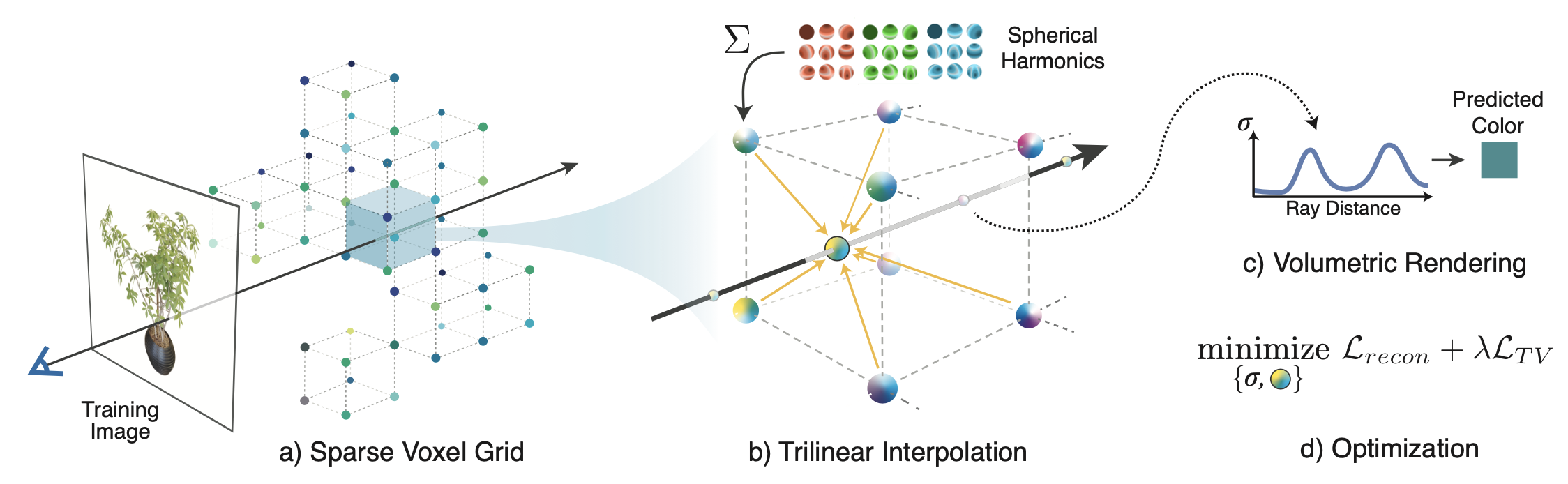
Examples use cases
Check out PeRFCeption [Jeong, Shin, Lee, et al], which uses Plenoxels with tuned parameters to generate a large dataset of radiance fields: https://github.com/POSTECH-CVLab/PeRFception
Artistic Radiance Fields by Kai Zhang et al https://github.com/Kai-46/ARF-svox2
Setup
Windows is not officially supported, and we have only tested with Linux. Adding support would be welcome.
First create the virtualenv; we recommend using conda:
conda env create -f environment.yml
conda activate plenoxel
Then clone the repo and install the library at the root (svox2), which includes a CUDA extension.
If and only if your CUDA toolkit is older than 11, you will need to install CUB as follows:
conda install -c bottler nvidiacub.
Since CUDA 11, CUB is shipped with the toolkit and installing this may lead to build errors.
To install the main library, simply run
pip install -e . --verbose
In the repo root directory.
Getting datasets
We have backends for NeRF-Blender, LLFF, NSVF, and CO3D dataset formats, and the dataset will be auto-detected.
Please get the NeRF-synthetic and LLFF datasets from:
(nerf_synthetic.zip and nerf_llff_data.zip).
We provide a processed Tanks and temples dataset (with background) in NSVF format at:
Note this data should be identical to that in NeRF++
Finally, the real Lego capture can be downloaded from: https://drive.google.com/file/d/1PG-KllCv4vSRPO7n5lpBjyTjlUyT8Nag/view?usp=sharing
Note: we currently do not support the instant-ngp format data (since the project was released before NGP). Using it will trigger the nerf-synthetic (Blender) data loader due to similarity, but will not train properly. For real data we use the NSVF format.
To convert instant-ngp data, please try our script
cd opt/scripts
python ingp2nsvf.py
Optimization
For training a single scene, see opt/opt.py. The launch script makes this easier.
Inside opt/, run
./launch.sh -c
Where `` should be configs/syn.json for NeRF-synthetic scenes,
configs/llff.json
for forward-facing scenes, and
configs/tnt.json for tanks and temples scenes, for example.
The dataset format will be auto-detected from data_dir.
Checkpoints will be in ckpt/exp_name.
For pretrained checkpoints please see: https://drive.google.com/drive/folders/1SOEJDw8mot7kf5viUK9XryOAmZGe_vvE?usp=sharing
Evaluation
Use opt/render_imgs.py
Usage,
(in opt/)
python render_imgs.py
By default this saves all frames, which is very slow. Add --no_imsave to avoid this.
Rendering a spiral
Use opt/render_imgs_circle.py
Usage,
(in opt/)
python render_imgs_circle.py
Parallel task executor
We provide a parallel task executor based on the task manager from PlenOctrees to automatically
schedule many tasks across sets of scenes or hyperparameters.
This is used for evaluation, ablations, and hypertuning
See opt/autotune.py. Configs in opt/tasks/*.json
For example, to automatically train and eval all synthetic scenes:
you will need to change train_root and data_root in tasks/eval.json, then run:
python autotune.py -g '' tasks/eval.json
For forward-facing scenes
python autotune.py -g '' tasks/eval_ff.json
For Tanks and Temples scenes
python autotune.py -g '' tasks/eval_tnt.json
Using a custom image set (360)
Please take images all around the object and try to take images at different elevations. First make sure you have colmap installed. Then
(in opt/scripts)
bash proc_colmap.sh --noradial
Where `` should be a directory directly containing png/jpg images from a
normal perspective camera.
UPDATE: --noradial is recommended since otherwise, the script performs undistortion, which seems to not work well and make results blurry.
Support for the complete OPENCV camera model which has been used by more recent projects would be welcome
https://github.com/google-research/multinerf/blob/1c8b1c552133cdb2de1c1f3c871b2813f6662265/internal/camera_utils.py#L477.
For custom datasets we adopt a data format similar to that in NSVF
You should be able to use this dataset directly afterwards. The format will be auto-detected.
To view the data (and check the scene normalization) use:
python view_data.py
You will need nerfvis: pip install nerfvis
This should launch a server at localhost:8889
Now follow the "Voxel Optimization (aka Training)" section to train:
./launch.sh -c configs/custom.json
custom.json was used for the real lego bulldozer scene.
You can also try configs/custom_alt.json which has some minor differences especially that near_clip is eliminated. If the scene's central object is totally messed up, this might be due to the aggressive near clip, and the alt config fixes it.
You may need to tune the TV and sparsity loss for best results.
To render a video, please see the "rendering a spiral" section.
To convert to a svox1-compatible PlenOctree (not perfect quality since interpolation is not implemented)
you can try to_svox1.py
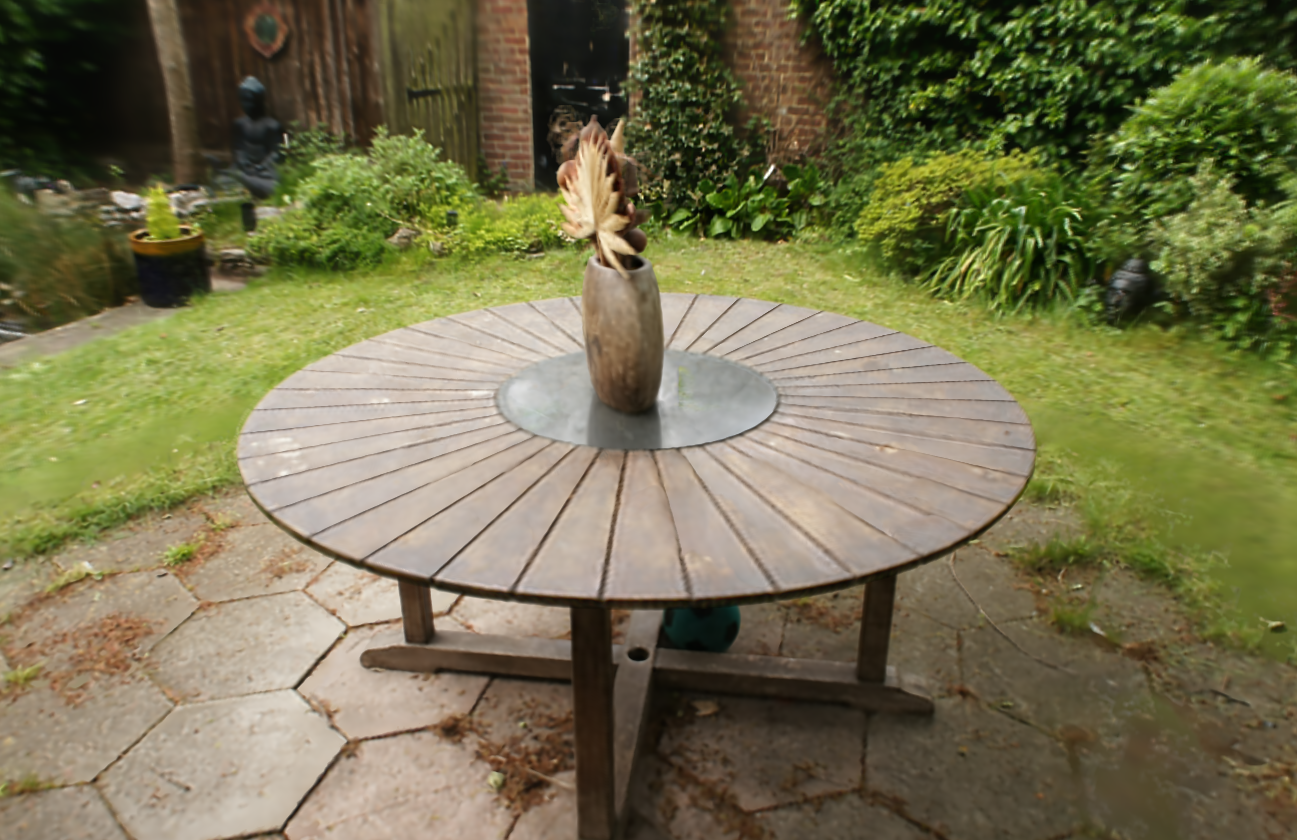
Example result with the mip-nerf-360 garden data (using custom_alt config as provided)
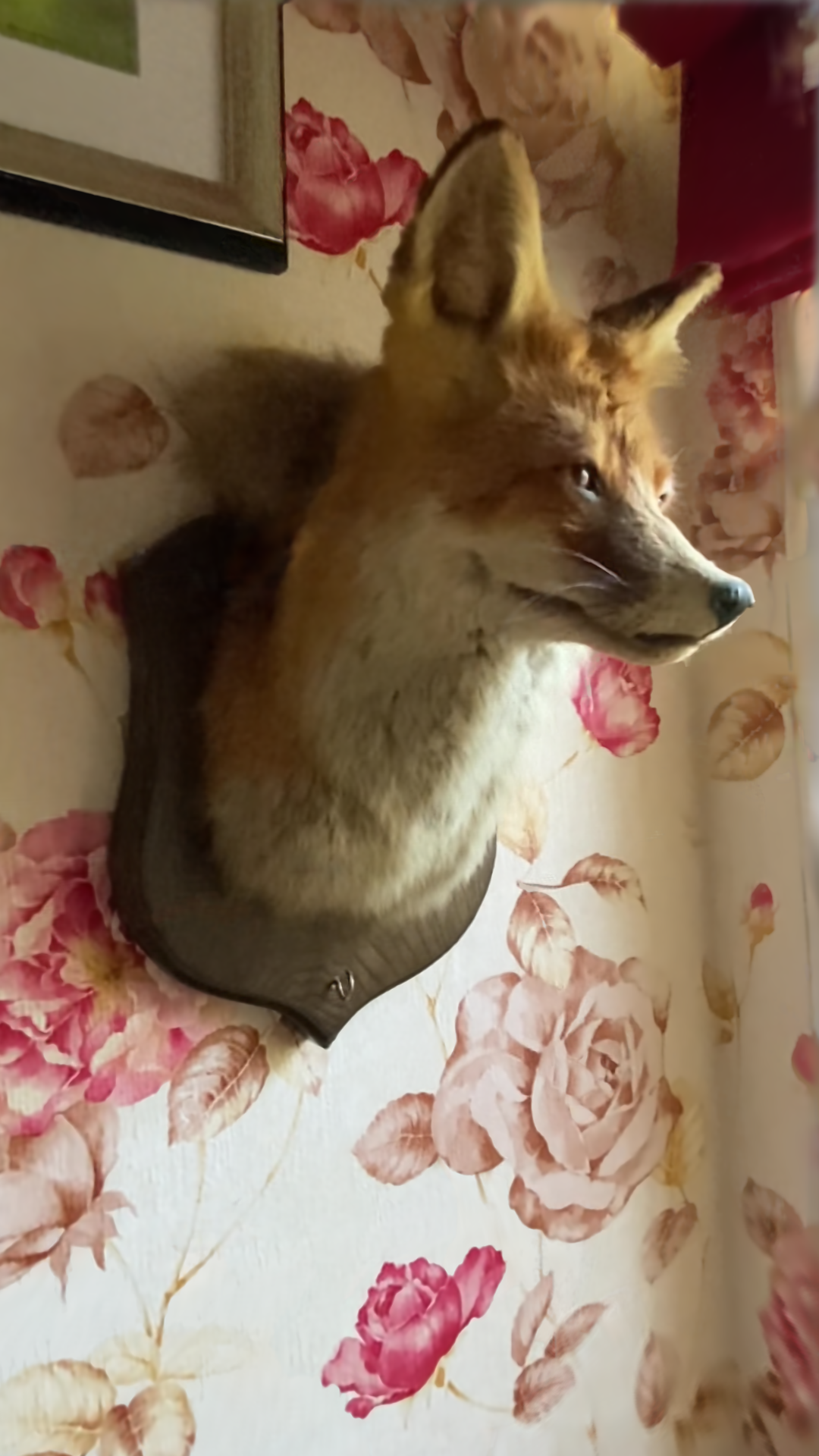
Fox data (converted with the script opt/scripts/ingp2nsvf.py)
Common Capture Tips
Floaters and poor quality surfaces can be caused by the following reasons
- Dynamic objects. Dynamic object modelling is not supported in this repo, and if anything moves it will probably lead to floaters
- Specularity. Very shiny surfaces will lead to floaters and/or poor surfaces
- Exposure variations. Please lock the exposure when recording a video if possible
- Lighting variations. Sometimes the clouds move when capturing outdoors.. Try to capture within a short time frame
- Motion blur and DoF blur. Try to move slowly and make sure the object is in focus. For small objects, DoF tends to be a substantial issue
- Image quality. Images may have severe JPEG compression artifacts for example
Potential extensions
Due to limited time we did not make the follow extensions which should make the quality and speed better.
- Use exp activation instead of ReLU. May help with the semi-transparent look issue
- Add mip-nerf 360 distortion loss to reduce floaters. PeRFCeption also tuned some parameters to help with the quality
- Exposure modelling
- Use FP16 training. This codebase uses FP32 still. This should improve speed and memory use
- Add a GUI viewer
Random tip: how to make pip install faster for native extensions
You may notice that this CUDA extension takes forever to install.
A suggestion is using ninja. On Ubuntu,
install it with sudo apt install ninja-build.
This will enable parallel compilation and significantly improve iteration speed.