Overview
A variety of ComfyUI related workflows and other stuff. You'll need different models and custom nodes for each different workflow. As this page has multiple headings you'll need to scroll down to see more.
Resources
You'll need models and other resources for ComfyUI. Check the table below for links to everything from ControlNet models to Upscalers
List of workflows available
In ComfyUI the image IS the workflow. Simply drag or load a workflow image into ComfyUI! See the "troubleshooting" section if your local install is giving errors :)
| Workflow | Description | Version |
|---|---|---|
 |
Basic SDXL ControlNet workflow. | |
| Introductory SDXL Canny & Depth ControlNet example. | ||
| See https://youtu.be/reqamcrPYiM for more information. | SDXL | |
 |
Basic QR Code Monster SD 1.5 ControlNet - make spiral art! | |
| See also - https://youtu.be/D4oJz0w36ps | SD 1.5 | |
 |
QR Code Monster SD 1.5 ControlNet - make animated spiral art! | |
| See also: https://youtu.be/D4oJz0w36ps | SD 1.5 | |
 |
Updated QR Code Monster SD 1.5 ControlNet with AnimateDiff and FreeU | |
| Works best with the v1 QR Code Monster - https://huggingface.co/monster-labs/control_v1p_sd15_qrcode_monster | SD 1.5 | |
 |
AnimateDiff with Montion LoRA example. Pan up, down, left right, etc. | SD 1.5 |
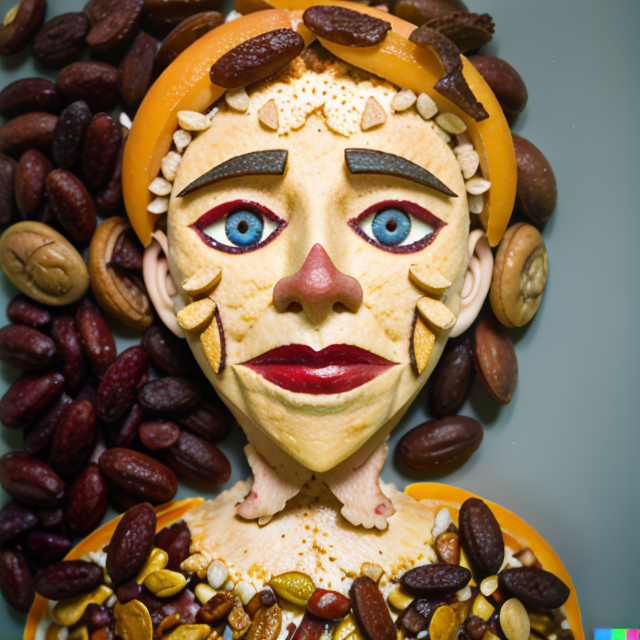 |
Instant LoRA 1 | |
| Inspired by AloeVera (almost identical). | ||
| Really simple, no training, "LoRA" like functionality. | ||
| SD 1.5. IP Adapter models: | ||
1. https://huggingface.co/h94/IP-Adapter/blob/main/models/ip-adapter-plus_sd15.bin -> custom_nodes/IPAdapter-ComfyUI/models. |
||
2. https://huggingface.co/h94/IP-Adapter/blob/main/models/image_encoder/model.safetensors -> models/clip_vision. |
||
| NB (2024). As IPAdapter-ComfyUI from 2023 is now deprecated, you should replace it with a currently supported version before use | ||
| Video guide - https://youtu.be/HtmIC6fqsMQ | SD 1.5 | |
 |
Instant LoRA 2 | |
| As above, but with ControlNet to guide the shape | SD 1.5 | |
 |
Instant LoRA 3 | |
| As above, but with QR Code Monster ControlNet too :) | SD 1.5 | |
 |
Instant LoRA 4 | |
| As above, but with basic upscaling | SD 1.5 | |
 |
Instant LoRA 5 | |
| As above, but with more upscaling to 16k+ | SD 1.5 | |
 |
Instant LoRA 6 | |
| As above, but different upscaling to 16k+ | SD 1.5 | |
 |
Morphing AI videos of any length using AnimateDiff. SD 1.5. Includes IPAdapter & Upscaling. IP Adapter models: | |
1. https://huggingface.co/h94/IP-Adapter/blob/main/models/ip-adapter-plus_sd15.bin -> custom_nodes/IPAdapter-ComfyUI/models. |
||
2. https://huggingface.co/h94/IP-Adapter/blob/main/models/image_encoder/model.safetensors -> models/clip_vision. |
||
| Video guide - https://youtu.be/6A3a0QNPhIs | SD 1.5 | |
 |
Morphing AI videos of any length using AnimateDiff. SD 1.5. Includes Upscaling. Like above, but without IPAdapter controls. | SD 1.5 |
 |
SDXL "Instant LoRA" - basic. | |
| Really simple, no training, "LoRA" like functionality. | ||
| Uses SDXL IP Adapter - https://huggingface.co/h94/IP-Adapter | ||
| Video - https://youtu.be/dGL02W4QatI | SDXL | |
 |
SDXL "Instant LoRA" - with CLIP Vision | |
| Uses SDXL IP Adapter - https://huggingface.co/h94/IP-Adapter | ||
| Also use "Revisions" CLIP vision - https://huggingface.co/stabilityai/control-lora | SDXL | |
 |
SDXL "Instant LoRA" - with CLIP Vision & ControlNet | |
| Uses SDXL IP Adapter - https://huggingface.co/h94/IP-Adapter | ||
| Also use "Revisions" CLIP vision - https://huggingface.co/stabilityai/control-lora | SDXL | |
 |
AnimateDiff + QRCode (Vid2Vid) | |
| Use any high-contrast input video to create guided animations! Spirals away... | SD 1.5 | |
 |
||
 |
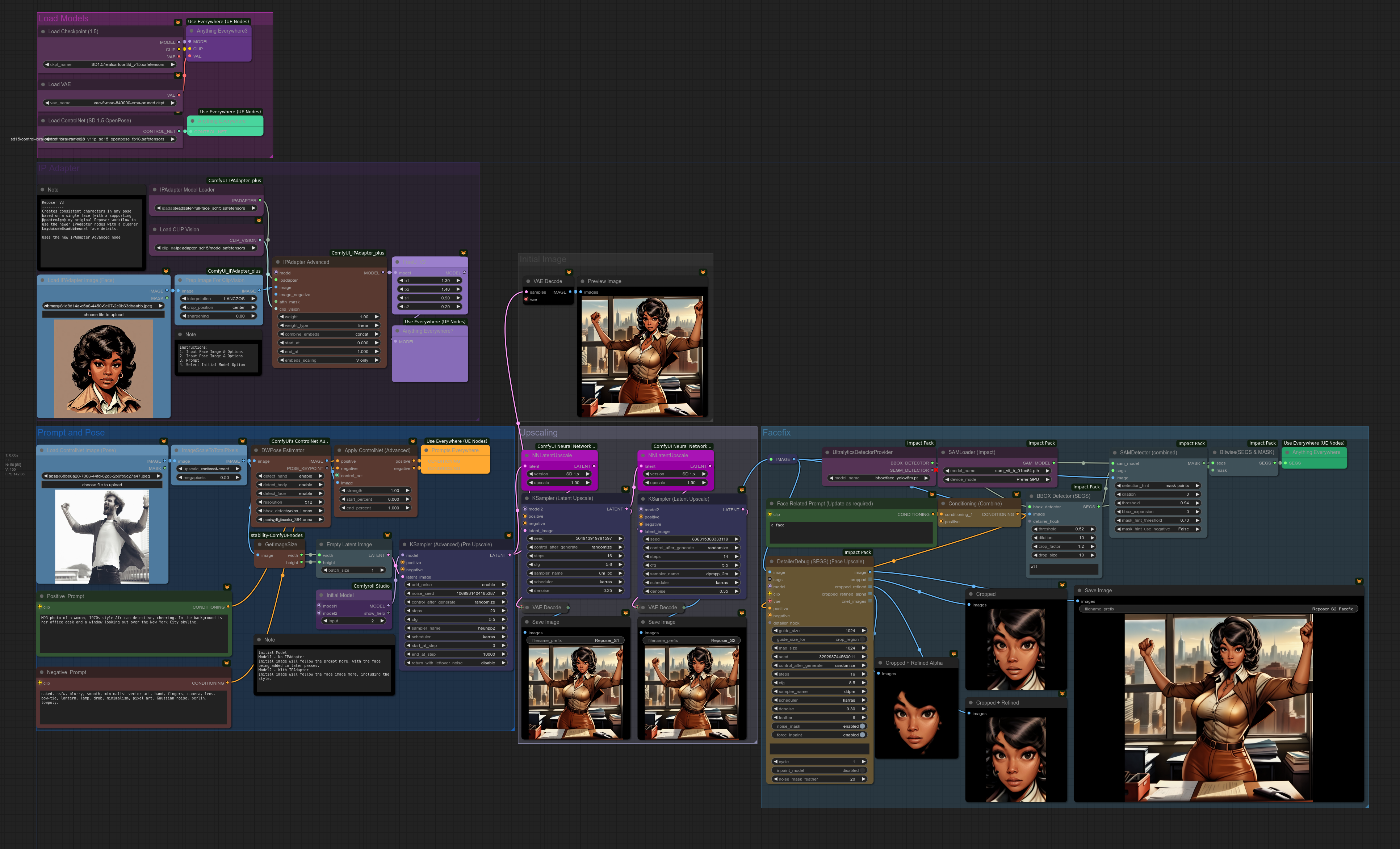
SD 1.5 Reposer (2 versions) - single face image to any pose. Get consistent faces! | |
| No "roop" or similar face-swapping nodes required = easy install! | ||
| SD 1.5 ControlNet models: | ||
| https://huggingface.co/comfyanonymous/ControlNet-v1-1_fp16_safetensors/tree/main | ||
| IP Adapter models: | ||
| 1. Face = https://huggingface.co/h94/IP-Adapter/blob/main/models/ip-adapter-plus-face_sd15.bin | ||
| 2. Vision = https://huggingface.co/h94/IP-Adapter/blob/main/models/image_encoder/model.safetensors | ||
| NOTE Reposer2.png now uses the even more updated version of IPAdapter | ||
| Reposer Plus Bypass Edition is deprecated, but still available for download if you want to update any nodes at home. | ||
| Original Reposer Basic Video guide - https://youtu.be/SacK9tMVNUA | ||
| Original Reposer Plus Video guide - https://youtu.be/ZcCfwTkYSz8 | SD 1.5 | |
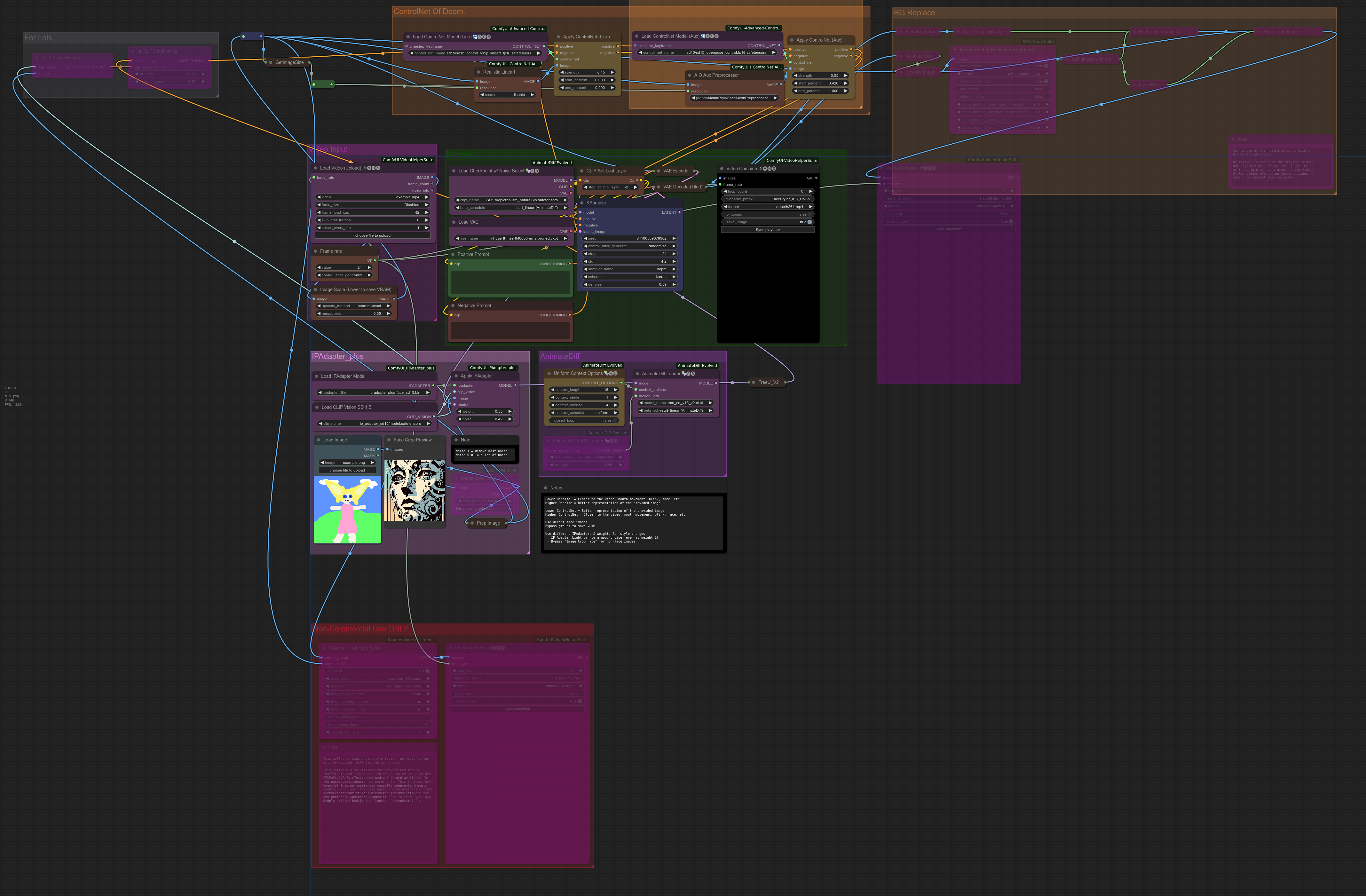 |
SD 1.5 Video Styler! Combining IPAdapter with Video-to-video for strange styles and weird animations | |
| Uses https://github.com/cubiq/ComfyUI_IPAdapter_plus | ||
The pre-trained models are available on huggingface, download and place them in the ComfyUI/custom_nodes/ComfyUI_IPAdapter_plus/models directory. |
||
| For SD1.5 you need: |
- ip-adapter_sd15.bin
- ip-adapter_sd15_light.bin
- ip-adapter-plus_sd15.bin
- ip-adapter-plus-face_sd15.bin
Additionally you need the image encoder to be placed in theComfyUI/models/clip_vision/directory.
They are the same models used by the other IPAdapter custom nodes ;) - symlinks are your friend!
Video guide - https://youtu.be/kJp8JzA2aVU | SD 1.5 |SDXL version of Reposer using the SDXL "IPAdapter Plus Face" model
Pick a face then add a body in any pose - no training!
Works with photorealistic faces, anime faces, cartoon faces, etc | SDXL |SSD-1B Workflow - SDXL for 8GB VRAM cards!
Model - https://huggingface.co/segmind/SSD-1B
Video - https://youtu.be/F-bKndyQ7L8|SSD-1B |LCM LoRA vs Normal|1.5, SDXL, SSD-1B
 |IPAdapter Attention Masking Example
Video https://youtu.be/riLmjBlywcg|1.5 |IPAdapter Attention Masking Example with extra toppings (LCM, Facefix)
Video https://youtu.be/riLmjBlywcg|1.5 |Stable Video Diffusion example with a simple upscale and frame interpolation|SVD
 |SDXL Turbo - 1 step diffusion!|SDXL Turbo, SD2 Turbo
 |A very basic attempt at a "Comfy MagicAnimate". Needs more work :)
Links:
Magic Animate - https://github.com/magic-research/magic-animate
Magic Animate (Windows) - https://github.com/sdbds/magic-animate-for-windows
DreamingTulpa - https://twitter.com/dreamingtulpa/status/1730876691755450572
CocktailPeanut - https://twitter.com/cocktailpeanut/status/1732052909720797524
Google Colab - https://github.com/camenduru/MagicAnimate-colab
Huggingface Space - https://huggingface.co/spaces/zcxu-eric/magicanimate
Vid2DensePose - https://github.com/Flode-Labs/vid2densepose
Model Downloads for the MagicAnimate Gradio App:
mkdir -p magic-animate/pretrained_models
cd magic-animate/pretrained_models
git lfs clone https://huggingface.co/runwayml/stable-diffusion-v1-5 -b fp16
git lfs clone https://huggingface.co/stabilityai/sd-vae-ft-mse
git lfs clone https://huggingface.co/zcxu-eric/MagicAnimate
Video - https://youtu.be/td27SyA9M80| SD 1.5
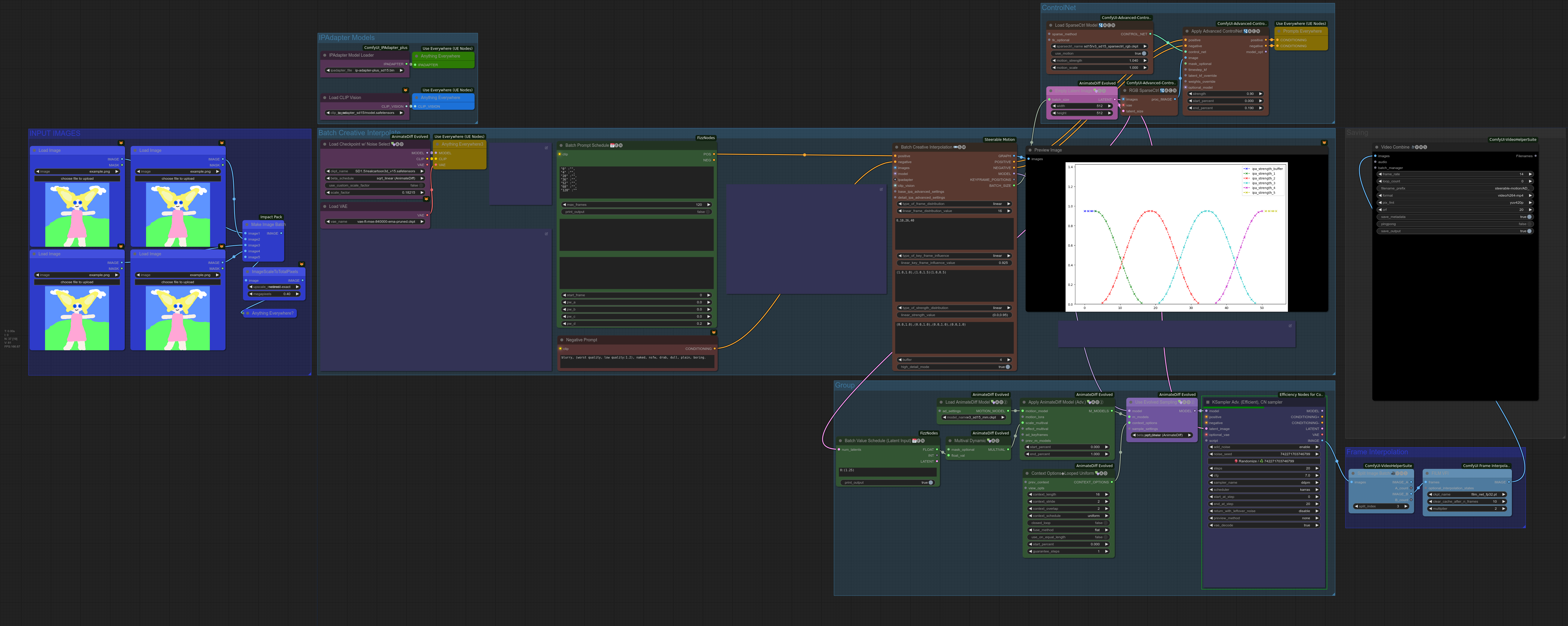 |Steerable Motion - Image Batch with AnimateDiff
Video guide - https://youtu.be/bH-56e3cR2g| SD 1.5
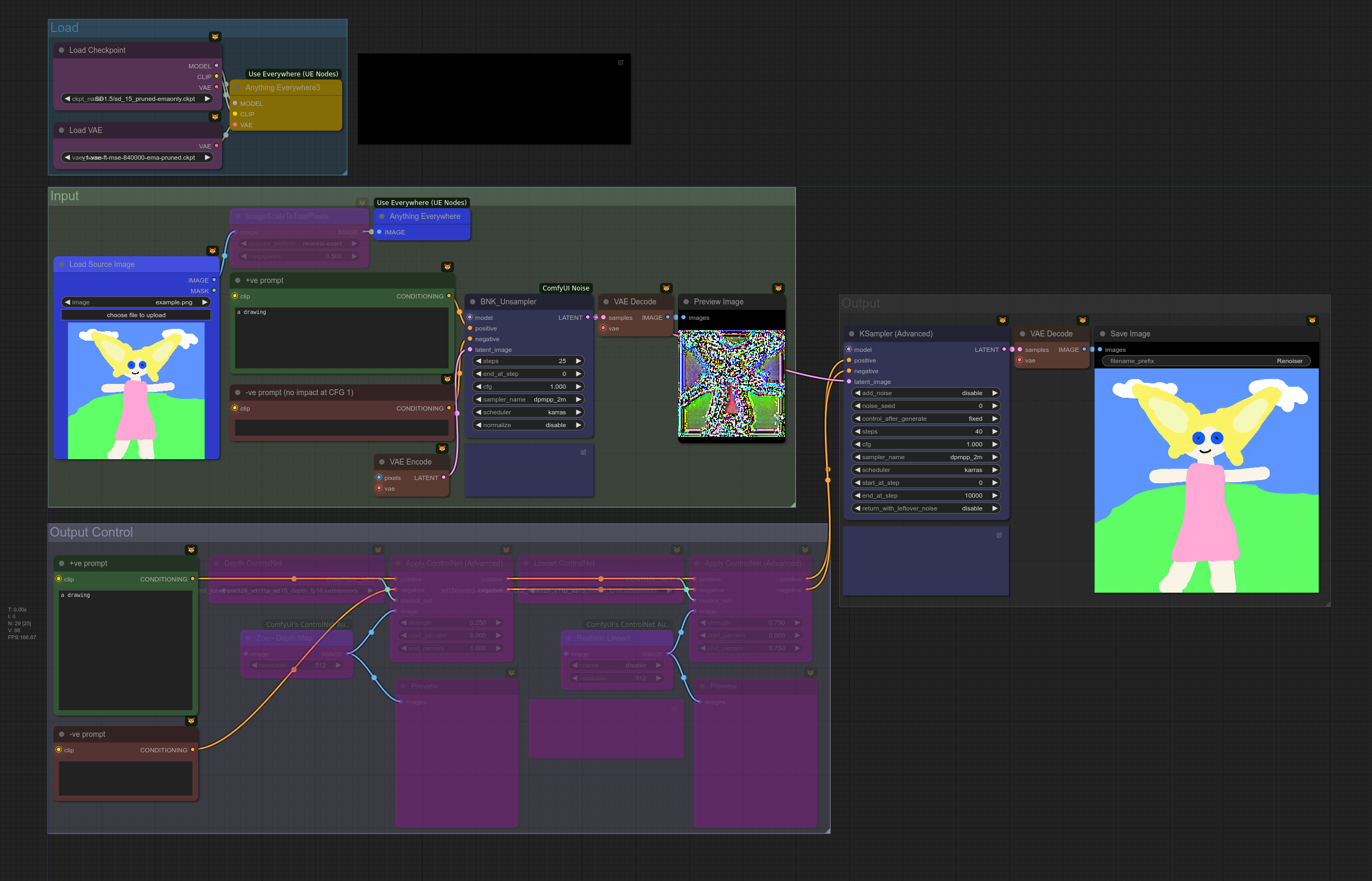 |Unsampler - Turn images into noise and back again, as modified by your prompts!
Video guide - https://youtu.be/qW1I7in1WL0| SD 1.5, SDXL
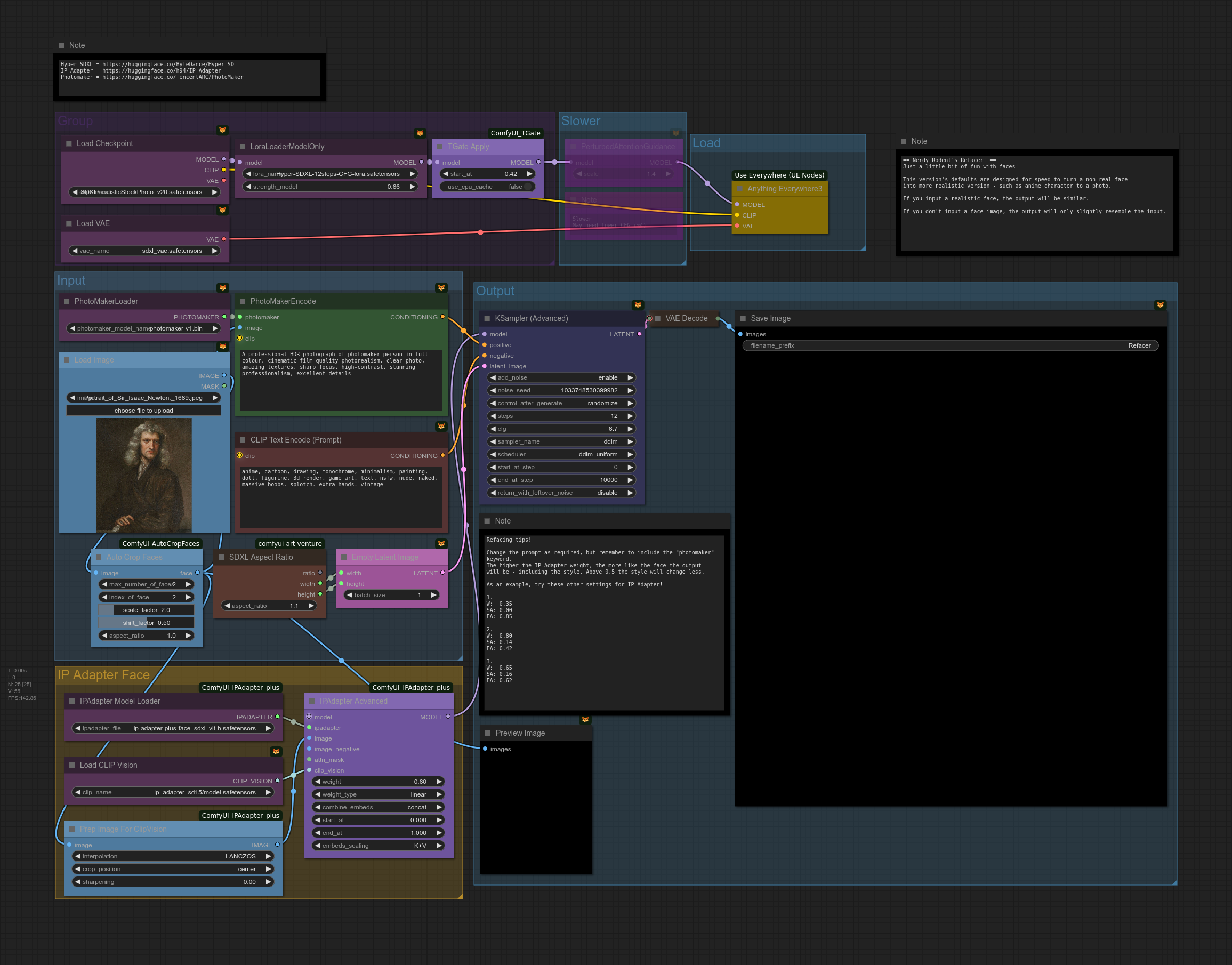 |Refacer - Change the style of any face!
Video guide - https://youtu.be/r7Iz8Ps7R2s| SDXL
 |WAN Fun Control
Video guide - https://youtu.be/Cx33lpVAV74 | WAN
Troubleshooting
When troubleshooting (working to fix issues) - such as with your local custom node installs, it's best to do all of these steps until resolution.
- Need even more help or updated workflows? Drop me a DM on https://www.patreon.com/NerdyRodent and help support the channel! :)
- Make sure you've installed the drivers for your graphics card
- In ComfyUI the image IS the workflow.
- These workflows require ComfyUI to run, so you'll need to install that first. See https://youtu.be/2r3uM_b3zA8 for an install guide
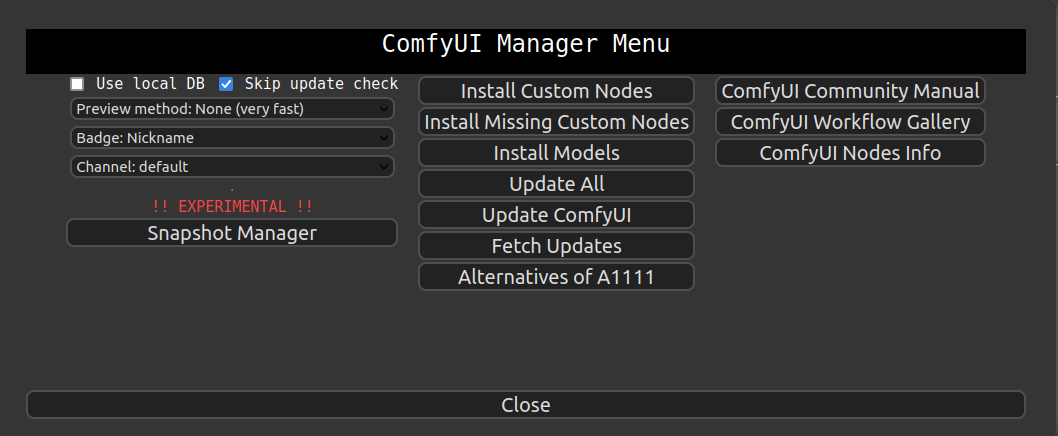
- Install ComfyUI Manager next - https://github.com/ltdrdata/ComfyUI-Manager
- Use ComfyUI Manager to install missing custom nodes by clicking "Install Missing Custom Nodes"
- If ComfyUI Manager can't find a node automatically, use the search feature
- Be sure to keep ComfyUI updated regularly - including all custom nodes. Old versions may result in errors appearing. This is the most common issue, so update now!
- These are just workflows - no custom nodes here, so no code to go wrong :)
- Need a model or checkpoint? See the resources section!
- By default, models are saved in subdirectories under
ComfyUI/models, though some custom nodes have their own models directory. - Don't mix SDXL and SD1.5 models (unless stated, such as SDXL needing the SD 1.5 vision model) - chances are you'll get an error!
- Don't try to use SDXL models in workflows not designed for SDXL - chances are they won't work!
- Ensure your model files aren't corrupt - try a fresh download if a particular model gives errors
- Some workflows are large. Zoom out to see more of the canvas.
- Custom node still red after installing it? Remember to restart ComfyUI!
- Custom node still giving an error? Check the GitHub page for that custom node - maybe someone else has a similar issue open?
- Not sure where the GitHub page is for a custom node? You can click on it via ComfyUI Manager
- Check the output when ComfyUI starts up as issues can show up there
- Try updating custom nodes manually (
git pull) - Over time, some custom nodes implement breaking changes so nodes may need to be replaced. Often this can be done with "fix node". Typically the custom node GitHub page has additional information.
- Sometimes custom nodes just break! Check the github page for the custom node causing any issues for more information and to raise issues
- Sometimes custom nodes change functionality, so check for updates. Changes include:
- Segement anything - mask output inverted & now returns multiple images
- Dynamic Thresholding - output different
- The original IPAdapter ('IPAdapter-ComfyUI') is deprecated and has been moved to the legacy channel.
- March 2024 - the "new" IP Adapter node (IP Adapter Plus) implemented breaking changes which require the node the be re-created. The usual "fix node" won't work.
- The Microsoft Windows portable version of ComfyUI apparently has issues with various custom nodes, whereas normal installs are OK. Unknown error? Try a normal install!
- Need more help? See this Playlist with loads of ComfyUI guides
Updating / Installing Custom Nodes
- Use ComfyUI Manager to install and update custom nodes with ease!
- Click "Install Missing Custom Nodes" to install any red nodes
- Use the "search" feature to find any nodes
- Be sure to keep ComfyUI updated regularly - including all custom nodes. Old versions may result in errors appearing.
Custom Node List
-
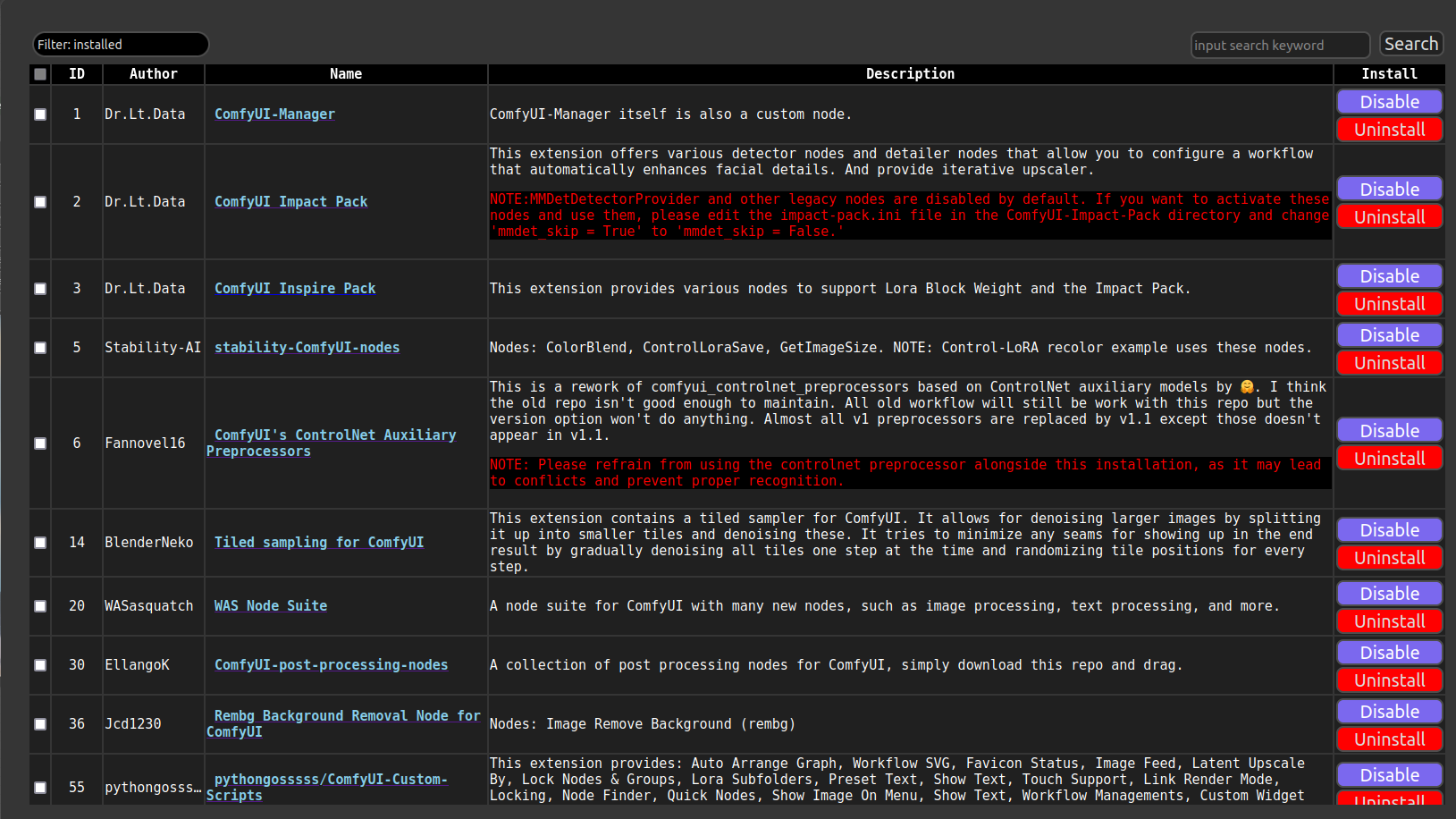
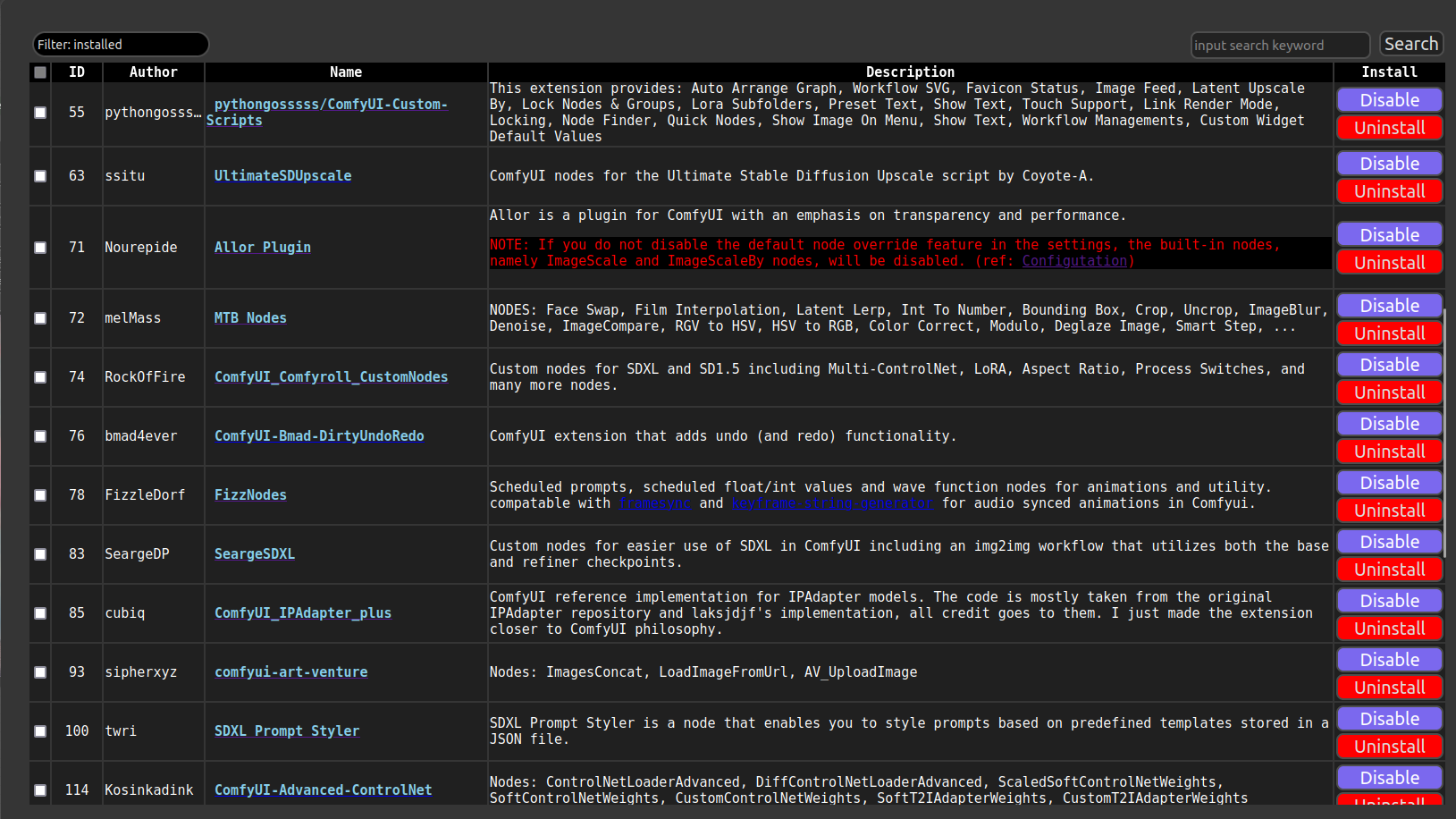
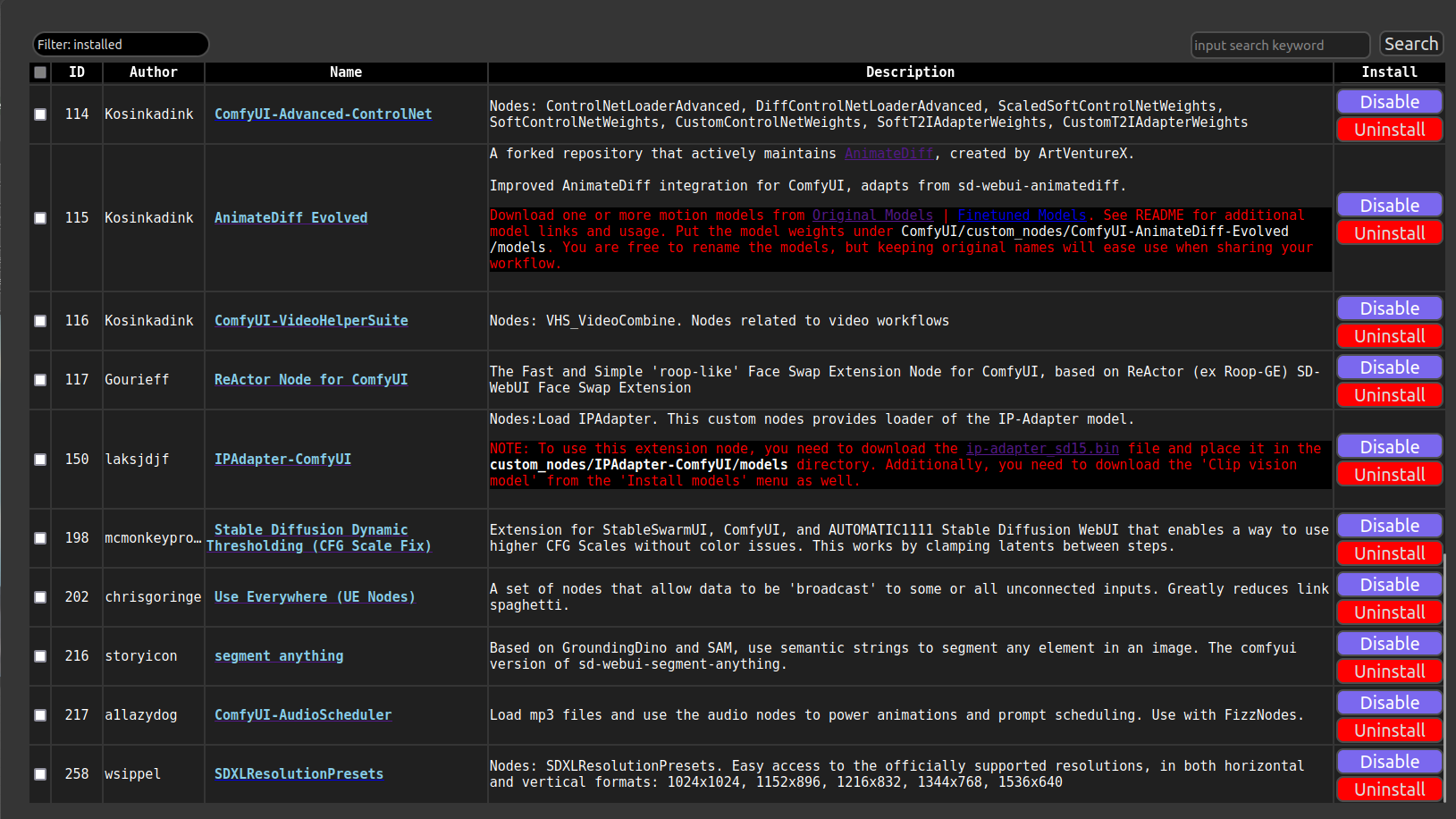
Screenshots of my installed custom nodes for reference. Not all nodes are used in workflows.
-
Install custom nodes using ComfyUI manager
-
See the Troubleshooting section if you have errors with your local ComfyUI install