
Cognetivy 2.0

Website: cognetivy.com
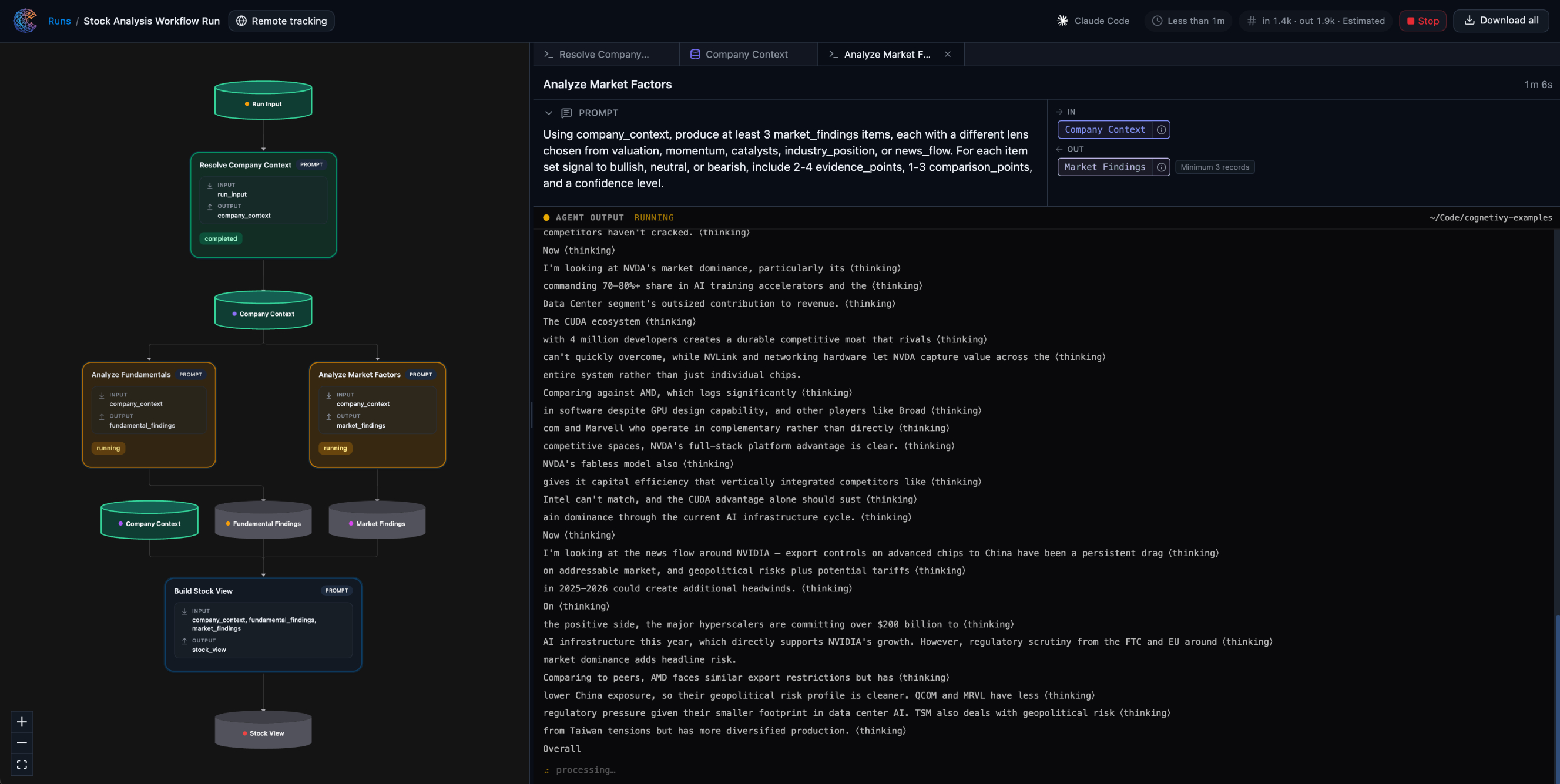
Reasoning orchestration for agents: durable workflows, runs, events, and collections - with a local studio (browser UI + executor) and cloud sync when you sign in.
Star history
Why Cognetivy
AI coding agents are great at producing output, but their process is usually hard to inspect and hard to repeat.
Cognetivy gives your agent an operational layer so you can:
- Define how it should work with explicit workflows
- Track what happened in each run and event
- Keep reasoning artifacts organized in structured collections
- Re-run and compare outcomes with a persistent local workspace
In short: Cognetivy turns powerful-but-chaotic agent sessions into structured, auditable workflows.
Explain it like I'm new to this
Think of your coding agent as a very smart intern:
- The model is the brain
- Your editor is the workspace
- Cognetivy is the memory + process manager
Without Cognetivy, a lot of important context lives in chat history and disappears. With Cognetivy, that work is captured as workflows, runs, events, and collections.
Great for
- Building repeatable, local AI coding workflows
- Running structured research tasks with coding agents
- Teams that need traceability and auditability for their local agent output
What you actually do with the product
Onboarding. Install the CLI, then run cognetivy from a project folder. If you are not signed in yet, the CLI opens the app (or local studio) so you can authorize once; your API key is stored on your machine. A minimal workspace appears under .cognetivy/ so state stays next to your repo.
Local studio (default). With no subcommand, Cognetivy starts the local studio: a small server (HTTP + WebSocket), the bundled UI in your browser, and the executor that advances runs and nodes on your machine. You design and inspect workflows visually, see runs, and drive execution without losing the thread in chat alone.
Creating and evolving workflows. Pick a template, apply it to your cloud workflow, or shape a graph in the studio. You can browse built-in templates (workflow templates), materialize one, and iterate on versions. The CLI and UI stay in sync with the same workflow index and cloud workflow when you use cognetivy auth login or COGNETIVY_API_KEY.
Requirements
- Node.js ≥ 18
better-sqlite3is bundled as a dependency (native builds / prebuilds apply as for any project using it).
Install
Run once with one command:
npx cognetivy
Or install globally for use from any directory:
npm install -g cognetivy

cognetivy
Quick reference
| Command | Purpose |
|---|---|
cognetivy |
Start local studio (and guided sign-in on first interactive use if needed). |
cognetivy auth login / auth status |
Cloud API key and resolved URLs. |
cognetivy docs |
Open CLI documentation in the browser. |
cognetivy workflow … |
List, create, get, templates, apply-template, set current workflow, … |
cognetivy run … |
Start and advance runs, status, step. |
Use cognetivy --help for the full tree.
Programmatic API
The package exposes a TypeScript/JavaScript API (see main in package.json): workspace helpers, models, config, validation, and related utilities. The CLI binary is cognetivy.
import { /* workspace, models, … */ } from "cognetivy";
The @cognetivy/core package in the repository is built and synced into this package for release; npm consumers typically install cognetivy only.
License
MIT - see LICENSE in the repository.