
The TypeScript framework for MCP
Build, test, and ship MCP servers, ChatGPT plugins, Claude connectors
Fully Typed, native Views and MCP Apps support, built-in Inspector and first class Agent experience.
[Documentation](https://docs.mcp-use.com/v2/typescript/getting-started/welcome)
· [Inspector](https://inspector.mcp-use.com/inspector)
· [Examples](#examples)
· [Deploy](https://manufact.com)
[](https://www.npmjs.com/package/mcp-use)
[](https://www.npmjs.com/package/mcp-use)
[](https://manufact.com)
[](https://github.com/mcp-use/mcp-use/blob/main/LICENSE)
[](https://discord.gg/XkNkSkMz3V)
[!NOTE] Migrating from v1? Give it to your agent:
Migrate this mcp-use project to v2 following
https://docs.mcp-use.com/v2/typescript/server/migration
Get started
Start with your agent
Build an MCP server: https://mcp-use.com/prompt.md
Start with code
npx -y create-mcp-use-app@latest
Run npm run dev in the generated project · open http://localhost:3000/mcp/inspector
Everything you need to ship MCP
Fully typed
Zod schemas flow from tools to structured results, View props, and tool calls.
Native Views
Bind React Views directly to tools and ship interactive apps without custom extension wiring.
Agent-first and headless
Scaffold, invoke, inspect, screenshot, and deploy through your agent.
Built-in debugging tools
Inspect tools and Views in the browser or headlessly through the CLI.
Quickstart
The scaffold gives you the server, TypeScript configuration, development scripts, Inspector, and a React view pipeline. Start it once and the MCP endpoint also serves a client-ready landing page with its connection URL and setup instructions.
Replace its index.ts with a view-bound tool like this:
index.ts — Server entry file for tool definition and metadata
import { MCPServer } from "mcp-use";
import { z } from "zod";

const server = new MCPServer({
  name: "weather-app",
  title: "Weather App",
  version: "1.0.0",
});

const weatherInput = z.object({
  city: z.string().describe("City to look up"),
});

const weatherOutput = z.object({
  city: z.string(),
  temperature: z.number(),
  conditions: z.string(),
});

export const getWeather = server.tool(
  {
    name: "get-weather",
    title: "Get weather",
    description: "Get the current weather for a city",
    inputSchema: weatherInput,
    outputSchema: weatherOutput,
    view: { name: "weather-card" },
    annotations: {
      readOnlyHint: true,
      destructiveHint: false,
      openWorldHint: true,
    },
  },
  async ({ city }) => {
    const weather = {
      city,
      temperature: 22,
      conditions: "Sunny",
    };

    return {
      content: [
        {
          type: "text",
          text: `Weather in ${city}: ${weather.conditions}, ${weather.temperature}°C`,
        },
      ],
      structuredContent: weather,
    };
  },
);

export default server;
Add Views to your tools
Create views/weather-card/view.tsx. The directory name matches view.name on the tool:
view.tsx — Return a view from your tools: React weather card
import { useCallTool, useToolContext } from "mcp-use/react";

export default function WeatherCard() {
  const { status, toolOutput, toolInput } =
    useToolContext<"get-weather">();
  const refresh = useCallTool("get-weather");

  if (status === "pending") {
    return
Checking the weather in {toolInput?.city ?? "your city"}…
;
  }
  if (status === "error") return
Could not load the weather.
;

  const weather = refresh.data?.structuredContent ?? toolOutput;

  return (


{weather.city}


        {weather.temperature}°C · {weather.conditions}


       void refresh.callTool({ city: weather.city })}
      >
        {refresh.isPending ? "Refreshing…" : "Refresh"}

      {refresh.error &&
{refresh.error.message}
}

  );
}
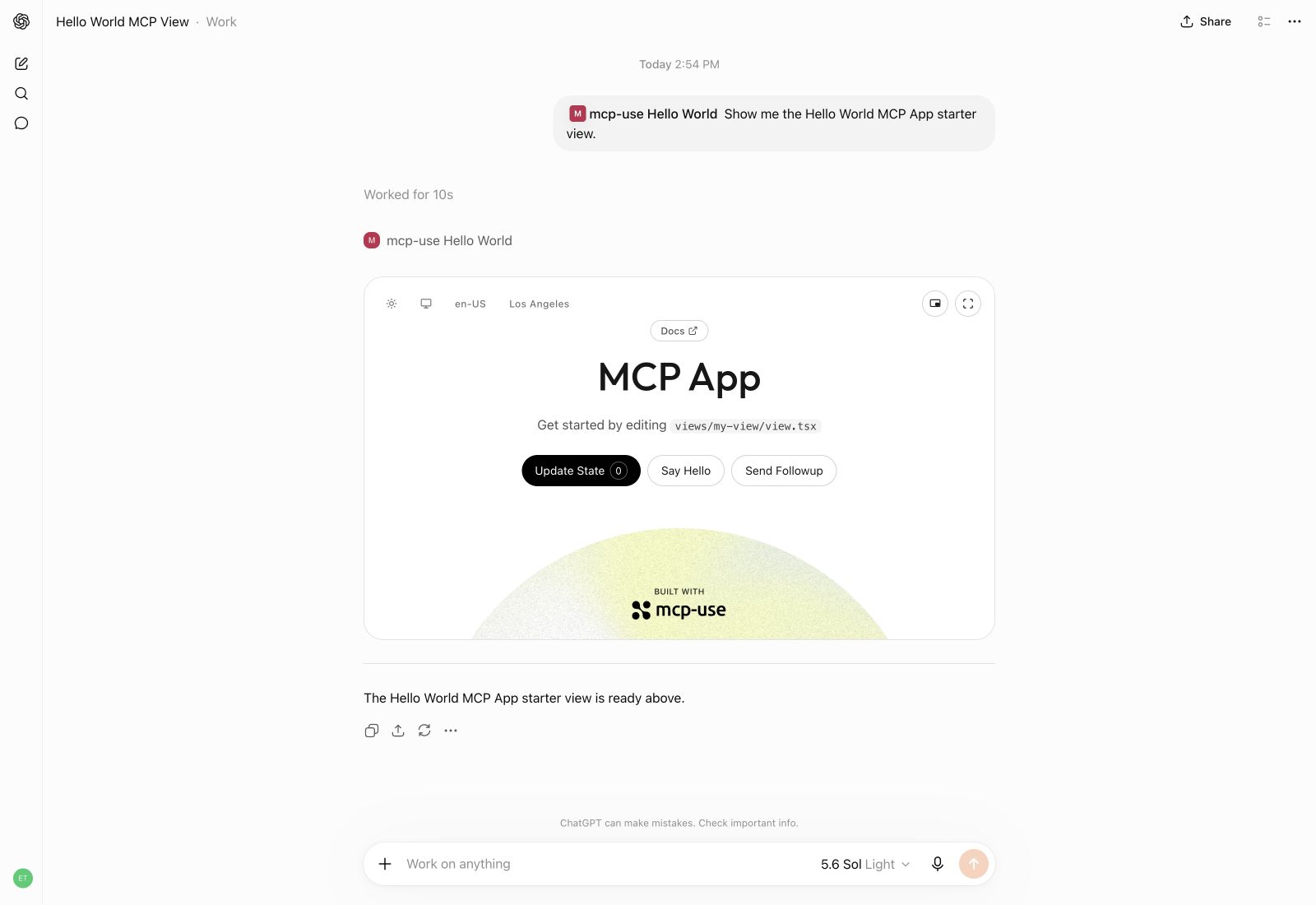
Build interactive UI experiences within ChatGPT with mcp-use.
Build
Create the production build:
npm run build
Inspect
Start development mode to serve the MCP endpoint at http://localhost:3000/mcp. The Inspector is automatically available at http://localhost:3000/mcp/inspector:
npm run dev
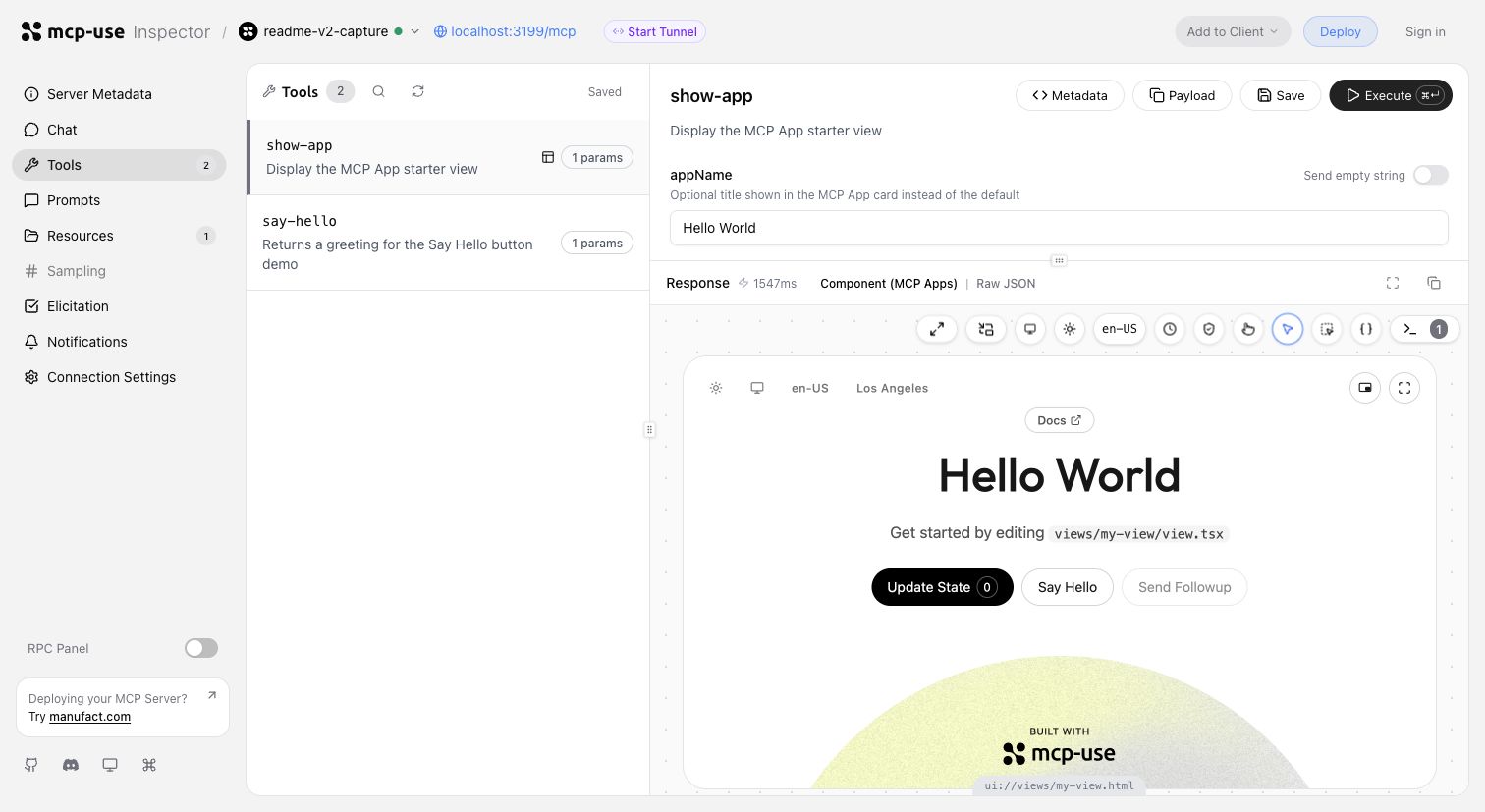
Invoke tools, validate inputs, and inspect interactive Views in the same development loop.
Start a tunnel from the Inspector UI or run mcp-use dev --tunnel to get a public URL for your local MCP server and test it with ChatGPT and Claude before deployment. Learn more about tunneling →
Inspect the same server headlessly from the terminal, invoke representative tools, and capture a View screenshot:
npm install --save-dev @mcp-use/client
npx mcp-use client connect local http://localhost:3000/mcp
npx mcp-use client local tools list
npx mcp-use client local tools call get-weather city=Tokyo
npx mcp-use screenshot \
  --server local \
  --tool get-weather \
  city=Tokyo \
  --output weather-card.png
Deploy
Ship to Manufact and get observability, analytics, evals, submission readiness, and Git-based preview environments for free.
npm run deploy
Prefer to run it yourself? Follow the self-hosting guide →.
How mcp-use compares
mcp-use builds on the official TypeScript SDK v2 and adds first-class Views, typed tool-to-UI contracts, an optimized stateless runtime, the Inspector, screenshot verification, agent-first CLI workflows, and deployment.
block-beta
  columns 7

  metric["Metric"] mcp["mcp-use v2"] fastmcp["FastMCP TS"] official["Official SDK v2*"] xmcp["xmcp"] skybridge["Skybridge"] handler["mcp-handler"]

  speed["Speed"] speedMcp["10,982 ops/s"] speedFast["6,628 ops/s"] speedOfficial["8,050 ops/s"] speedXmcp["6,585 ops/s"] speedSkybridge["8,116 ops/s"] speedHandler["6,324 ops/s"]
  install["MCP App
dev stack"] installMcp["74.4 MiB"] installFast["122.5 MiB"] installOfficial["99.0 MiB"] installXmcp["121.9 MiB"] installSkybridge["137.5 MiB"] installHandler["388.0 MiB"]
  packages["Installed
packages"] packagesMcp["51"] packagesFast["180"] packagesOfficial["119"] packagesXmcp["171"] packagesSkybridge["300"] packagesHandler["130"]
  views["Views"] viewsMcp["✅"] viewsFast["✅"] viewsOfficial["◐ Extension"] viewsXmcp["✅"] viewsSkybridge["✅"] viewsHandler["❌"]
  nativeViews["Native Views
on MCP 2026"] nativeViewsMcp["✅"] nativeViewsFast["✅"] nativeViewsOfficial["❌"] nativeViewsXmcp["❌"] nativeViewsSkybridge["❌"] nativeViewsHandler["❌"]
  oauth["One-line
OAuth adapters"] oauthMcp["✅"] oauthFast["◐ Provider/proxy"] oauthOfficial["◐ Primitives"] oauthXmcp["✅"] oauthSkybridge["✅"] oauthHandler["❌"]
  protocol["MCP 2026
protocol"] protocolMcp["✅"] protocolFast["✅"] protocolOfficial["✅"] protocolXmcp["❌"] protocolSkybridge["❌"] protocolHandler["❌"]
  screenshot["Built-in View
screenshot CLI"] screenshotMcp["✅"] screenshotFast["❌"] screenshotOfficial["❌"] screenshotXmcp["❌"] screenshotSkybridge["❌"] screenshotHandler["❌"]
  tunnel["Built-in
tunneling"] tunnelMcp["✅"] tunnelFast["❌"] tunnelOfficial["❌"] tunnelXmcp["❌"] tunnelSkybridge["✅"] tunnelHandler["❌"]
  inspector["Built-in
Inspector"] inspectorMcp["✅"] inspectorFast["✅"] inspectorOfficial["❌"] inspectorXmcp["❌"] inspectorSkybridge["◐ Limited"] inspectorHandler["❌"]

  classDef metricLabel fill:#6e76811a,font-weight:bold
  classDef brand fill:#2ea04333,stroke:#2da44e,stroke-width:3px,font-weight:bold
  classDef header fill:#6e76811a,font-weight:bold
  classDef value fill:#6e76810f,stroke-width:1px
  classDef leader fill:#2ea0432e,stroke:#2da44e,stroke-width:2px,font-weight:bold
  classDef partial fill:#bb80092e,stroke:#bf8700,stroke-width:2px,font-weight:bold
  classDef unavailable fill:#6e76810f,opacity:0.72

  class metric,speed,install,packages,views,nativeViews,oauth,protocol,screenshot,tunnel,inspector metricLabel
  class mcp brand
  class fastmcp,official,xmcp,skybridge,handler header
  class speedFast,speedOfficial,speedXmcp,speedSkybridge,speedHandler,installFast,installOfficial,installXmcp,installSkybridge,installHandler,packagesFast,packagesOfficial,packagesXmcp,packagesSkybridge,packagesHandler value
  class speedMcp,installMcp,packagesMcp,viewsMcp,viewsFast,viewsXmcp,viewsSkybridge,nativeViewsMcp,nativeViewsFast,oauthMcp,oauthXmcp,oauthSkybridge,protocolMcp,protocolFast,protocolOfficial,screenshotMcp,tunnelMcp,tunnelSkybridge,inspectorMcp,inspectorFast leader
  class oauthFast,viewsOfficial,oauthOfficial,inspectorSkybridge partial
  class viewsHandler,nativeViewsOfficial,nativeViewsXmcp,nativeViewsSkybridge,nativeViewsHandler,oauthHandler,protocolXmcp,protocolSkybridge,protocolHandler,screenshotFast,screenshotOfficial,screenshotXmcp,screenshotSkybridge,screenshotHandler,tunnelFast,tunnelOfficial,tunnelXmcp,tunnelHandler,inspectorOfficial,inspectorXmcp,inspectorHandler unavailable
- Includes
@modelcontextprotocol/ext-apps, Vite, and zod for an MCP Apps-capable stack.
Install rows compare custom React MCP App development stacks. FastMCP therefore includes the Apps extension, React, Vite React plugin, Vite, TypeScript, and zod rather than only its narrower server-side component workflow. Size is actual node_modules disk usage after a normal npm install, including required peer dependencies.
Read the detailed benchmark report →
Examples
Remix a complete MCP App, inspect the source, or deploy it as a starting point:
| Preview | App | What it demonstrates |
|---|---|---|
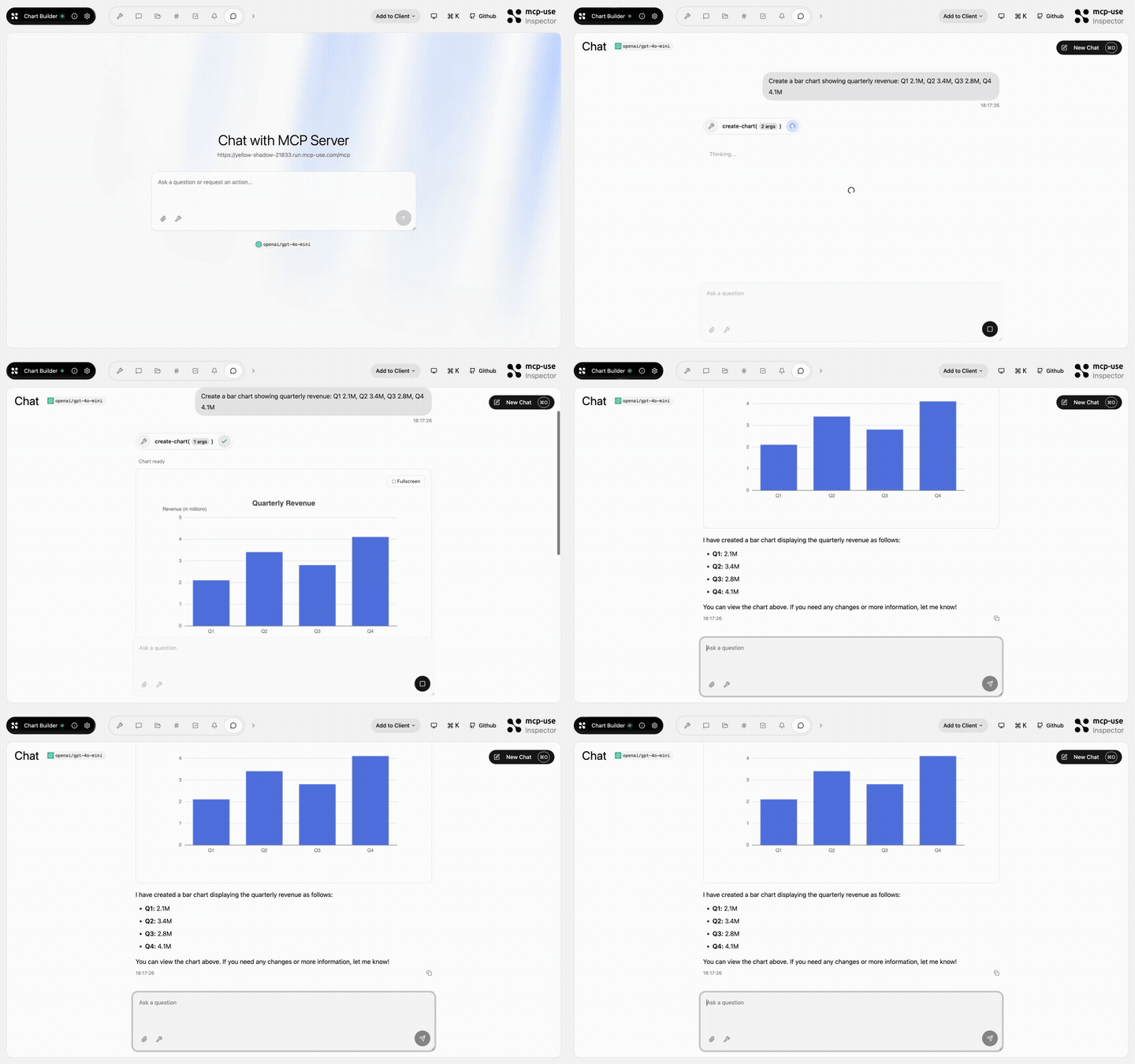 |
Chart Builder | Structured data rendered as interactive charts · Open demo |
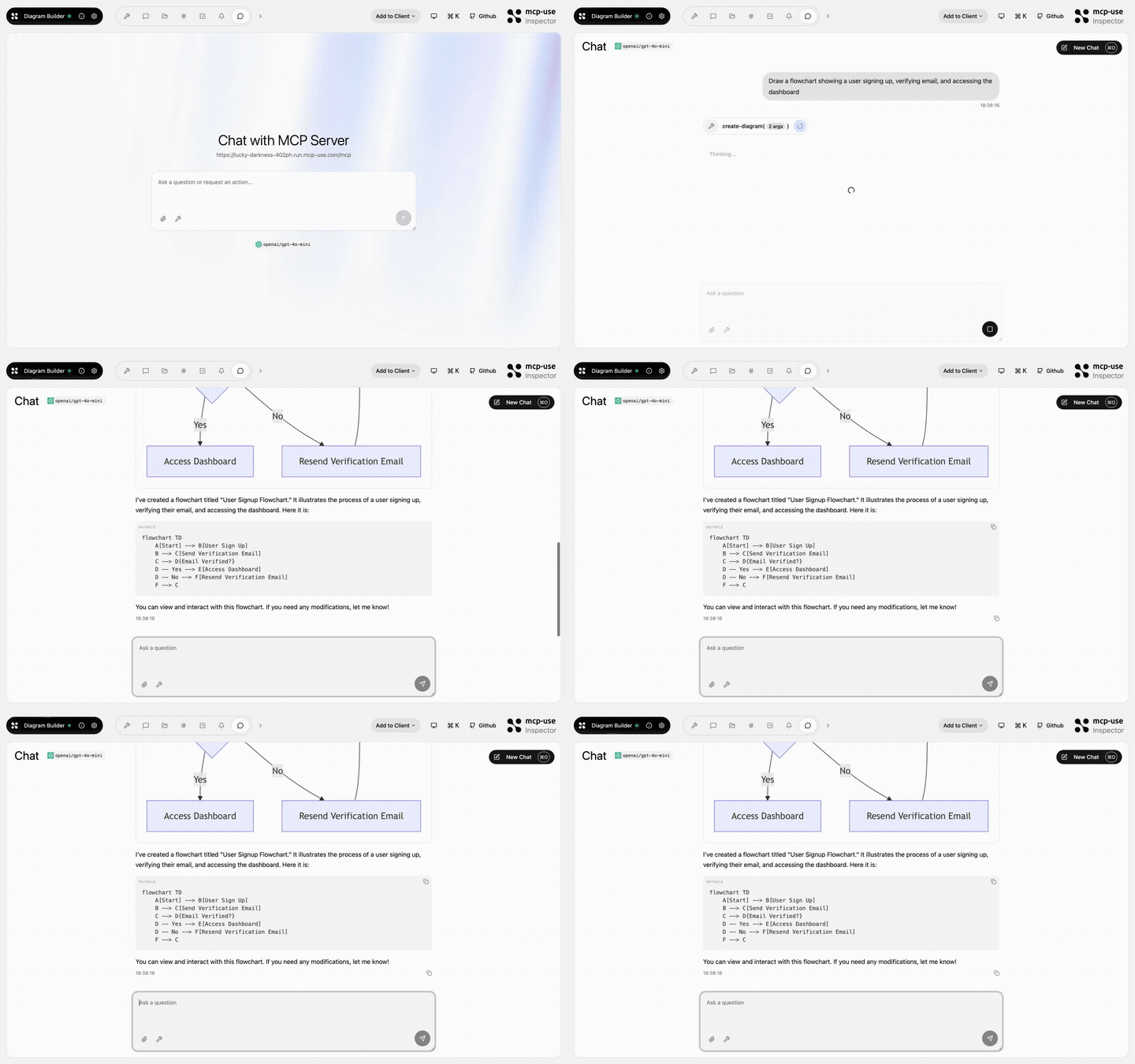 |
Diagram Builder | Create and edit diagrams through MCP tools · Open demo |
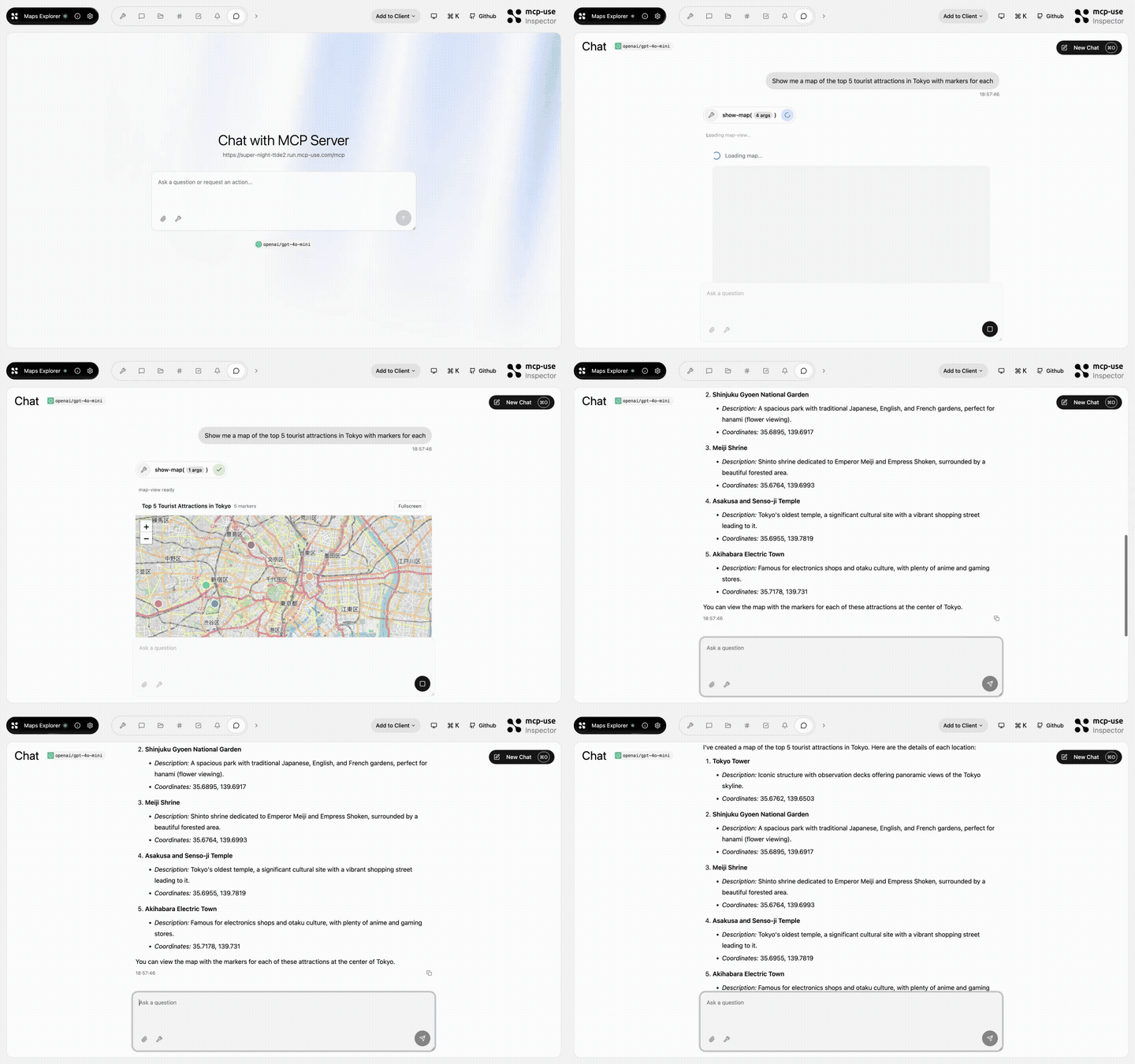 |
Maps Explorer | Search, detail tools, and an interactive map view · Open demo |
Browse all TypeScript examples →
Ecosystem
| Package | Use it for |
|---|---|
mcp-use |
TypeScript v2 server framework, React views, and CLI |
@mcp-use/client |
Connect to MCP servers from Node.js, browsers, React, and sandboxes |
@mcp-use/agent |
Build model-powered agents on top of MCP clients |
@mcp-use/inspector |
Inspect and debug MCP servers and apps |
@mcp-use/tunnel |
Expose local HTTP, WebSocket, and MCP servers through the managed relay |
create-mcp-use-app |
Scaffold servers and interactive apps |
mcp-use for Python |
Build Python MCP servers, clients, and agents |
- TypeScript documentation
- Python documentation
- Inspector documentation
- Agent documentation
- Client documentation
Protocol conformance
Security and community
Contributors
Built by Pietro, Luigi, Enrico, and the mcp-use community.