🎬 Agnes Video Generator — Completely Free AI Video Generator
🌏 Mirror Notice / 镜像说明 This project is also mirrored on Gitee for faster access in mainland China. The GitHub repository is the primary home of this project — issues, PRs, and stars are managed there. 本项目在国内 Gitee 设有镜像仓库,便于国内访问加速;GitHub 为项目主仓库,Issue / PR / Star 均在 GitHub 提交。
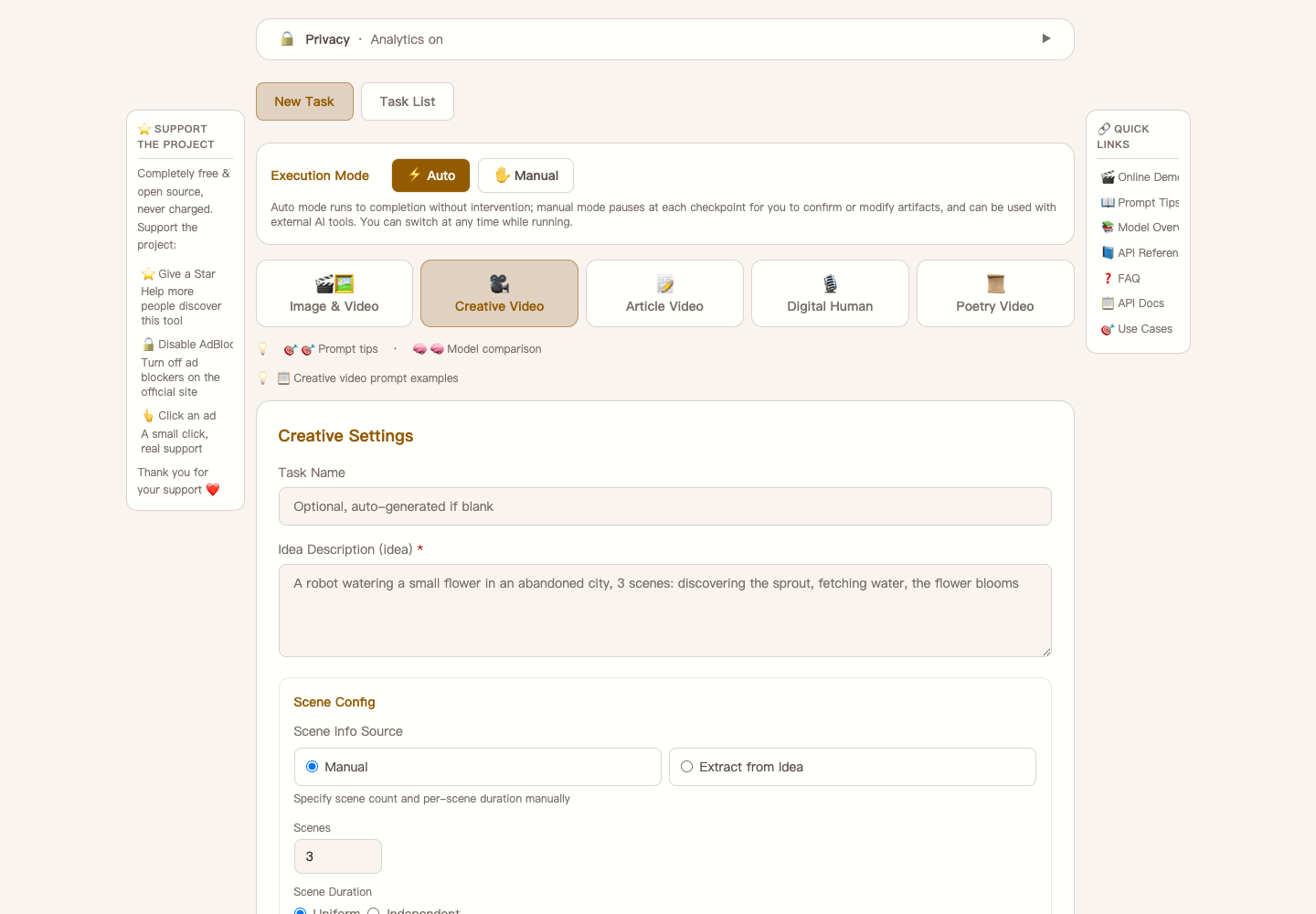
Completely free AI video generator — Built on Agnes AI's free models, no subscription, no high-end GPU, no usage limits. Type in a text idea and automatically generate multi-scene AI videos with narration and subtitles. Supports text-to-video, image-to-video, keyframes animation, digital anchor, and more. All AI compute runs in the cloud — a regular laptop is all you need. Try it online →
"The solution is not to suppress AI, but to make it a more equitable capability, so that everyone knows how to create more with AI. This is a very important vision for our company — to make world-class AI belong to everyone. What we can do may be insignificant, but this vision is very long-term and enduring."
— Bruce Yang, Founder of Agnes AI
🌐 Official Website | 📝 Blog (中文) | 📝 Blog (English)
🖥️ Try it now — no install needed: Visit video.lichuanyang.top and experience Simple Video mode directly in your browser. Just enter a prompt and generate a free AI video instantly.
🚀 Three Ways to Use — All Completely Free
| Project | Run Where | Features | Link |
|---|---|---|---|
| Agnes Video Generator (this project) | Download & run locally | More powerful — TTS narration, auto subtitles, digital anchor, image-to-video, keyframes animation, manuscript-to-video, checkpoint resume & more | GitHub |
| FreeShortVideoStudio | Fully online, in the browser | Lightweight, zero install — no setup at all, features under active construction | video.lichuanyang.top/studio · GitHub |
| Agnes Video Generator — agent-ready | Driven by an AI coding agent | Least effort — ships AGENTS.md plus a companion skill set (usage / troubleshoot / contrib): the agent installs the project, generates the video and debugs failures itself |
Agent guide · Flint |
🤖 Or Let an AI Agent Drive It
This project ships an AGENTS.md written for AI coding assistants, so an agent can install it, generate videos and debug failures after reading one document. Clone the repo, then tell your agent:
"Read the AGENTS.md in this project, install dependencies, configure the API key ``, and start the server."
Then ask it to prove the setup with "Run the deployment verification checks." — it executes the four-layer checklist (connectivity → static analysis → endpoint tests → features) and reports each result.
Want your agent to skip the learning step? Install the companion skill set — three ready-made skills (usage: deploy, pick a mode, submit and watch a task, edit artifacts at Manual Mode checkpoints; troubleshoot: find out why a run failed; contrib: change the code, get the PR through CI) plus small scripts for task control, deployment verification, evidence collection, media checks and the local CI gate:
lcy362/agnes-video-generator-skills
Clone the repository first:
git clone https://github.com/lcy362/agnes-video-generator-skills.git
Recommended — let flint install and distribute it. flint is a local-first, open-source skills manager that keeps your skills in one place and deploys them into any agent or project directory by symlink or copy. It works on local sources only — it never clones anything for you — so you register the directory you just cloned, and the three skills appear in front of every agent you use:
npx flint-skills-hub # Sources → add the cloned directory (flint reads its skills/ subdirectory)
Or copy it in by hand — no flint required, but you repeat it for every project and every new agent:
cp -R agnes-video-generator-skills/skills/* /.agents/skills/ # any agent that reads .agents/skills
Full guide: Let an AI Agent Operate This Project.
⭐ Support & Contribute
If you find this project useful, please star the GitHub repository ⭐ — your support helps more people discover this free and open-source AI video generator.
Bug reports and feature suggestions are welcome via GitHub Issues.
💝 Support the Developer
Agnes Video Generator is and will always remain completely free and open-source. There will be no paid plans, no premium features, and no subscription services — now or in the future.
If you find this project helpful, here are a few ways to support its continued development:
- ⭐ Star on GitHub — Star the repository to help others discover this project.
- 🪨 Star the author's new project Flint — a local-first AI skills manager for your Claude Code / Cursor / other agents. Centralize, tag and reuse the skills you keep building.
- 🌐 Whitelist the official website — Turn off your ad blocker on video.lichuanyang.top and click on an ad if something catches your eye. A small gesture that makes a real difference.
- 📢 Share your creations — Post videos made with Agnes Video Generator on social media (Douyin, YouTube, Xiaohongshu, etc.) and tag the project. More exposure means more users, more feedback, and a better tool for everyone.
🎥 Demo
1. Creative Video — No Narration
A dark-twist fairytale — The Frog Prince, 5 scenes, keyframes chaining, fully auto-generated.
2. Creative Video — With TTS Narration
Same Frog Prince story, now with AI-generated TTS narration and auto subtitles.
3. Manuscript Video — Text-to-Video
Paste a long article or script → auto-split into segments → AI video per segment → unified TTS narration + subtitles → final video.
Click to watch on Douyin
Why Agnes Video Generator?
Making AI videos today has an absurdly high barrier. Overseas services like Runway and Pika charge monthly subscriptions of tens of dollars. Domestic platforms like Jimeng and Keling charge by the second once their free quotas run out. Want to run open-source models locally? A GPU capable of video generation easily costs over ten thousand RMB. For most people who want to try AI video creation, the door is essentially closed.
We believe what Bruce Yang said — AI should be a more equitable capability. World-class AI should belong to everyone, not just those who can afford the bill.
To be honest, Agnes's video model isn't perfect yet. The generated frames are sometimes unstable, and complex actions occasionally deform. But it is completely free with no usage limits, and it iterates fast. We choose to grow with it rather than wait for a "perfect" commercial solution. If you share this mindset, then this project is for you — all you need is a free Agnes AI API key and an ordinary computer that can run Python to start creating AI videos at zero cost.
Comparison: Agnes vs. Commercial AI Video Tools
| Feature | Agnes Video Generator | Runway Gen-3 | Pika 2.0 | OpenAI Sora | Kling 1.6 |
|---|---|---|---|---|---|
| Price | Free | $15–$95/month | $10–$95/month | $20+/month (limited) | Free quota, then pay-per-second |
| Open Source | ✅ Yes (MIT) | ❌ No | ❌ No | ❌ No | ❌ No |
| Self-Hosted | ✅ Yes | ❌ No | ❌ No | ❌ No | ❌ No |
| Max Video Length | 20s per clip, unlimited scenes | 10s per clip | 10s per clip | 20s per clip | 10s per clip |
| Multi-Scene Pipeline | ✅ Built-in (Creative/Manuscript) | ❌ Manual editing | ❌ Manual editing | ❌ Manual editing | ❌ Manual editing |
| AI Narration (TTS) | ✅ Free, built-in | ❌ Third-party | ❌ Third-party | ❌ Not available | ❌ Not available |
| Auto Subtitles | ✅ Word-level SRT | ❌ Not available | ❌ Not available | ❌ Not available | ❌ Not available |
| Digital Anchor | ✅ Built-in | ❌ No | ❌ No | ❌ No | ❌ No |
| Resolution Options | 9:16 / 16:9 / 1:1 | Multiple | Multiple | Multiple | Multiple |
| Image-to-Video | ✅ Yes | ✅ Yes | ✅ Yes | ✅ Image inputs | ✅ Yes |
| Keyframes Animation | ✅ Yes | ✅ Yes | ✅ Yes | ❌ Not available | ❌ Not available |
| Local GPU Required | ❌ No (cloud API) | ❌ No (cloud) | ❌ No (cloud) | ❌ No (cloud) | ❌ No (cloud) |
| Watermark | No watermark | Built-in watermark | Built-in watermark | C2PA metadata | Built-in watermark |
| Usage Limit | No limit (16 req/min rate limit) | Billed by compute | Billed by generation | Billed by generation | Billed by generation |
⚙️ Configuration
Everything is configured through environment variables — no config file is required. To start from a documented template:
cp .env.example .env # then edit AGNES_API_KEY inside
.env.example lists every supported variable with its default value: API key, multi-key rotation, rate limits, port, model overrides, and maintenance options.
Have more than one API key? Set
AGNES_API_KEY,AGNES_API_KEY_2,AGNES_API_KEY_3… (numbering must be contiguous). Rate-limit quotas scale with your key count, a429automatically rotates to the next key, and the concurrency limit scales along with it.
Full walkthrough: Getting Started → Configure API Key.
📚 Documentation
- Features — Creation modes, the completely free AI model chain, AI narration & smart subtitles, flexible creative controls, production-grade reliability, and the multilingual Web UI.
- Getting Started — Install and deploy in 4 ways: Manual (
start.sh), Docker, npm (npx free-short-video), or AI-Agent assisted. - AI Agent Operations — Three levels of agent-driven operation: hand your agent
AGENTS.md, install the companion skill set, or distribute it to every agent with flint. - Usage Guide — Configure your API key, pick a video mode, resume from checkpoints, the three chaining modes, and logs & output layout.
- Architecture — Project structure and tech stack.
- API Reference — Full REST endpoint list (progress via polling, no WebSocket).
- FAQ — Frequently asked questions.
- About & License — Acknowledgments and the MIT license.
🌐 Related Projects
More projects by the same author:
- Agnes Video Generator — Completely free AI video generator (this project).
- FreeShortVideoStudio — Fully online, in-browser video studio.
- Flint — Local-first AI skills manager: centralize, tag, deduplicate and deploy your Skills into any agent or project directory. If it helps you, a star is very welcome! ⭐
Keywords: free AI video generator, AI video generation tool, text to video AI, free AI video maker, AI video creator, open source video generator, Agnes AI, text-to-video, image-to-video, keyframes video, AI narration, auto subtitles, multi-scene video, zero cost AI video, no subscription AI video tool, digital anchor, self-hosted AI video generator, open source alternative to Runway