Infio-Copilot
Infio-Copilot is a Cursor-inspired AI assistant for Obsidian that offers smart autocomplete and interactive chat with your selected notes
✨ What's New
0.7.2 We're excited to announce a major update packed with new features to streamline your workflow and supercharge your knowledge management within Obsidian.
-
🚀 Out-of-the-Box Embedding Model To help you get started faster, we now include a default local embedding model (
bge-micro-v2). No more manual setup is required to use powerful semantic features! -
🗂️ Workspaces Organize your projects, research, and personal notes with the new Workspaces feature. Keep your context clean and switch between different setups seamlessly.
-
💡 Insights Go beyond simple notes with our new Insights feature. Synthesize information, discover connections, and gain a deeper understanding of your knowledge base.
-
🔍 Advanced Multi-Dimensional Queries Converse with your notes! You can now perform complex queries based on various dimensions like time, tasks, and other metadata. Finding the exact piece of information has never been easier.
-
✍️ New "Write" Mode We've rebuilt our Write mode from the ground up to provide a more intuitive, powerful, and distraction-free writing experience.
Features
| Feature | Description |
|---|---|
| 💬 Chat & Edit | Get instant AI assistance and apply suggested improvements with a single click |
| 📝 Autocomplete | Receive context-aware writing suggestions as you type |
| ✏️ Inline Editing | Edit your notes directly within the current file |
| 🔍 Vault Chat | Interact with your entire Obsidian vault using AI |
| 🔍 Vault Search | Use semantic search to explore your entire vault |
| ⌨️ Commands | Create and manage custom commands for quick actions |
| 🎯 Custom Mode | Define personalized AI modes with specific behaviors |
| 🔌 MCP | Manage Model Context Protocol integrations |
| 🗂️ Workspaces | Organize projects, research, and personal notes with seamless context switching |
| 💡 Insights | Synthesize information, discover connections, and gain deeper understanding |
| 🔍 dataview query | Perform complex queries based on time, tasks, and metadata |
| ✍️ New Write Mode | Rebuilt writing experience with intuitive, powerful, and distraction-free interface |
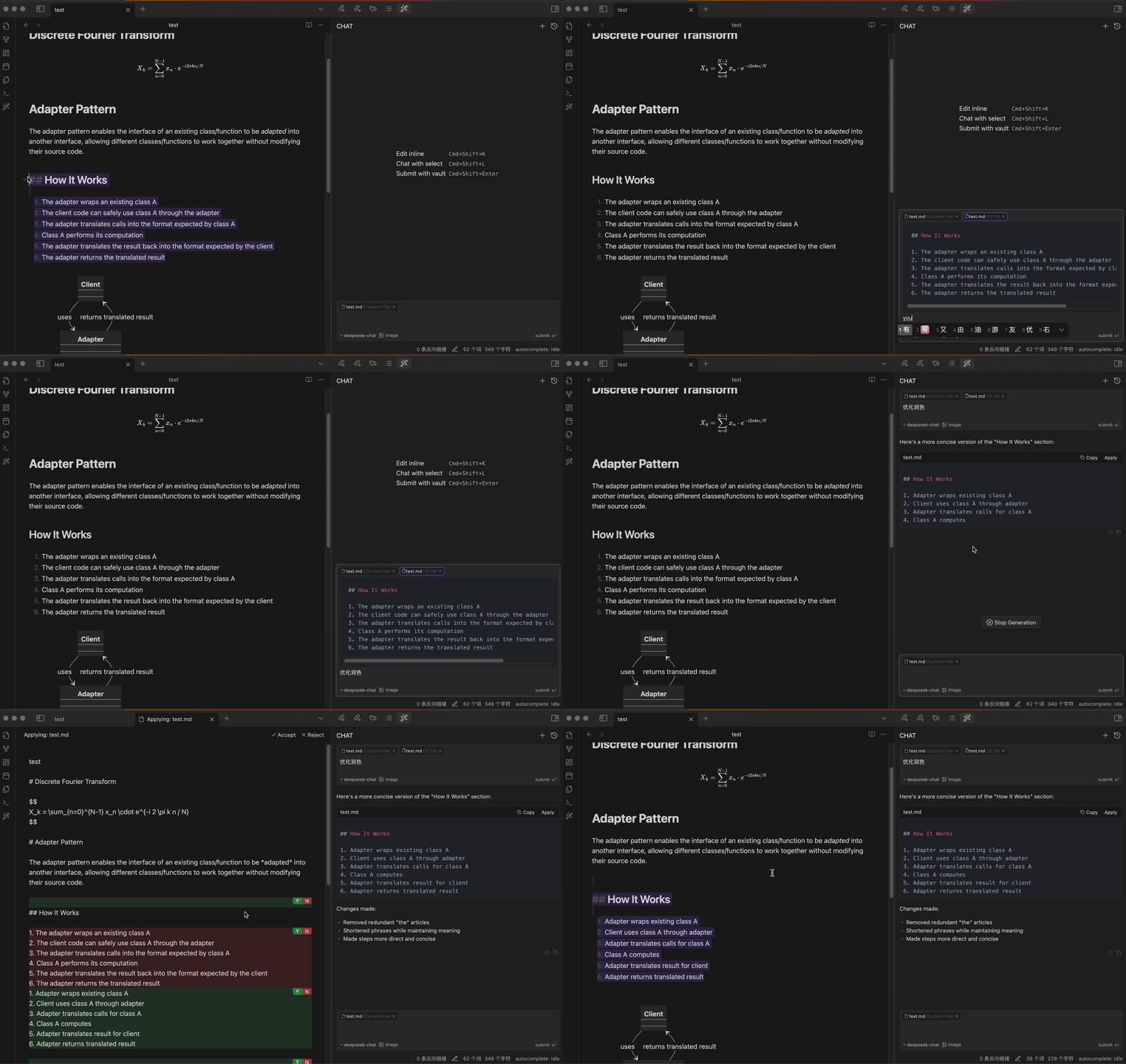
Chat & Edit Flow
Get instant AI assistance and apply suggested improvements with a single click, all within Obsidian
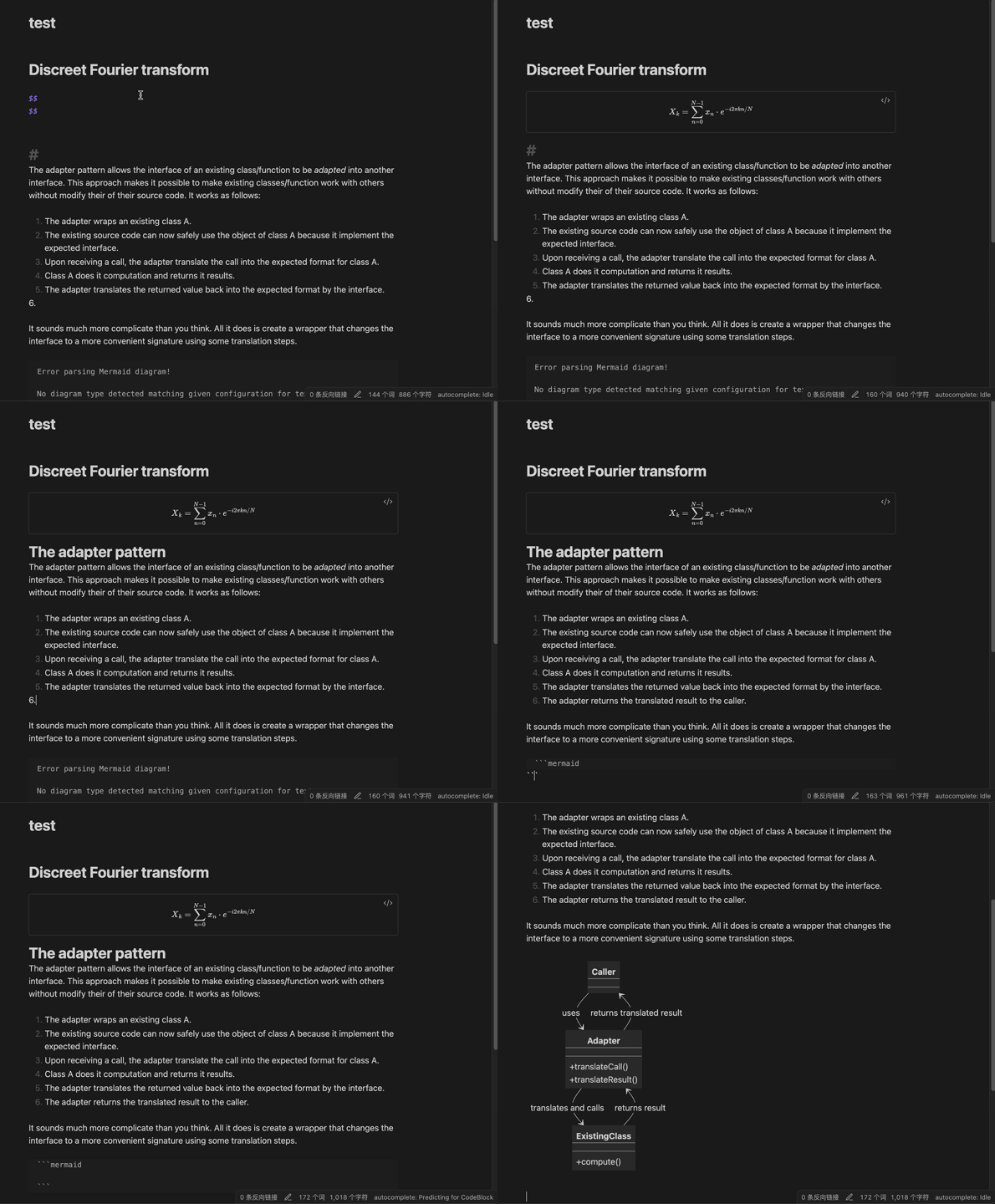
Autocomplete
Receive context-aware writing suggestions as you type
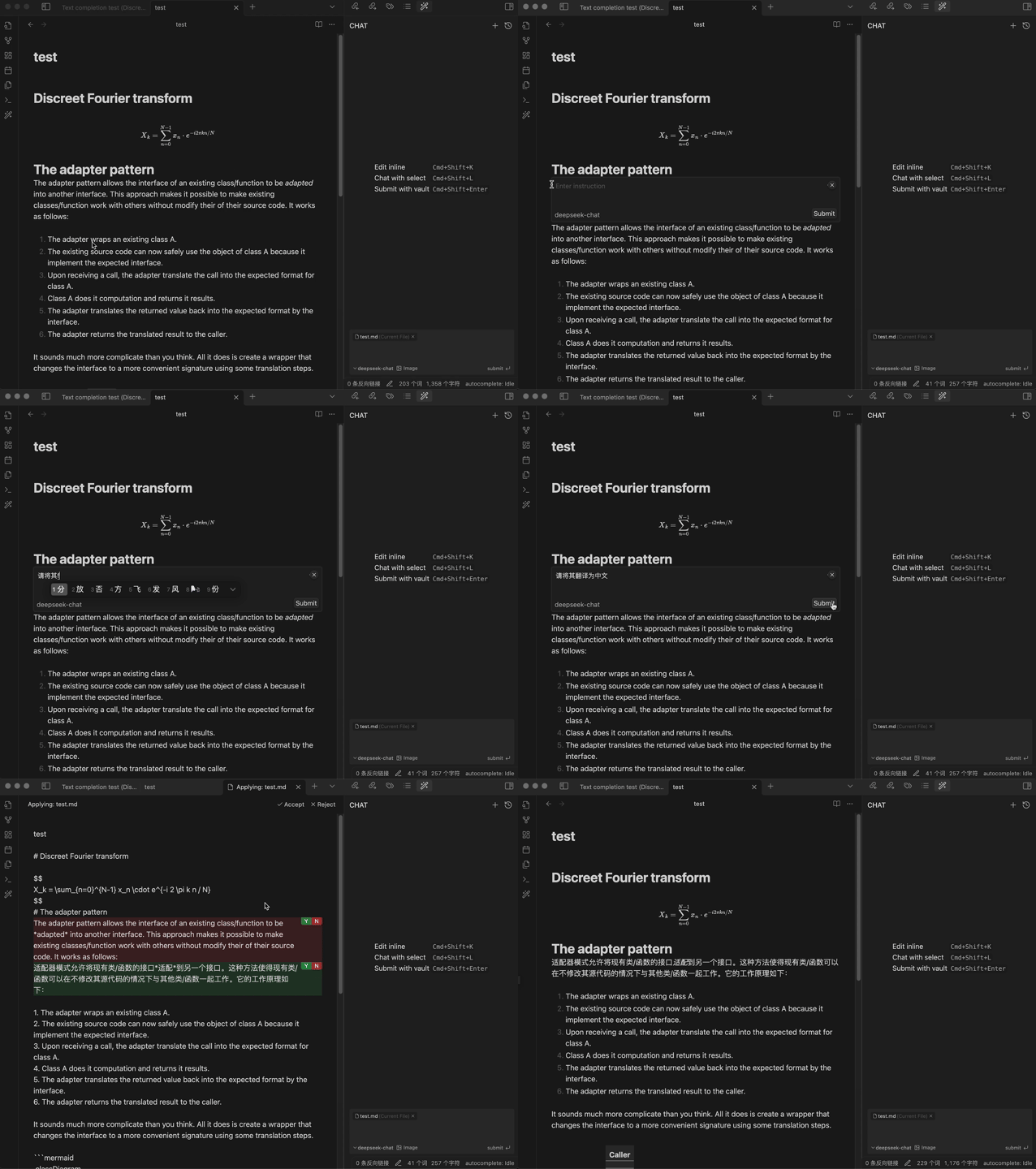
Inline Editing
Edit your notes directly within the current file
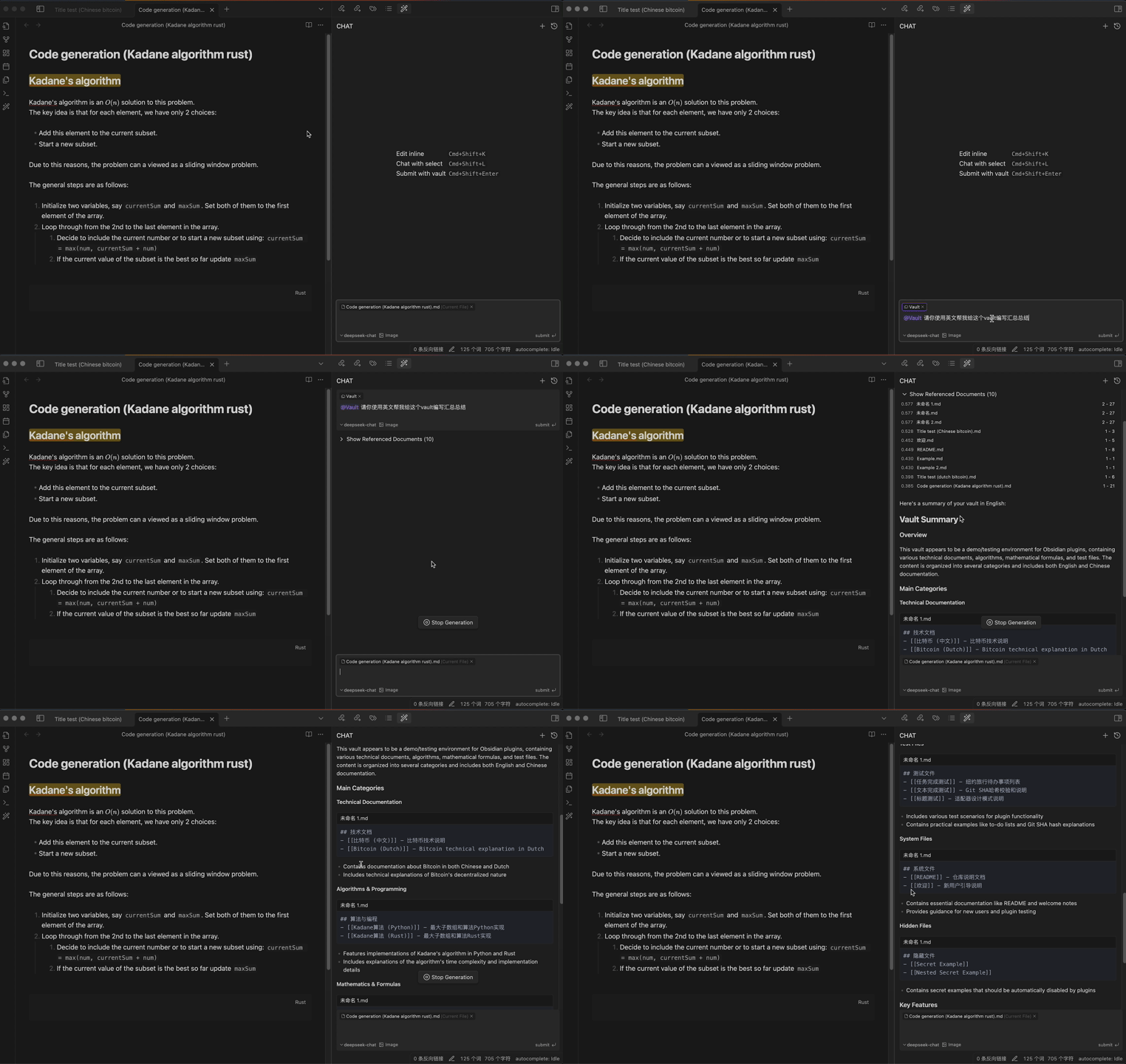
Chat with Vault
Leverage the power of AI to interact with your entire Obsidian vault, gaining insights and connections across your notes
Getting Started
⚠️ Important: Installer Version RequirementInfio-Copilot requires a recent version of the Obsidian installer. If you experience issues with the plugin not loading properly:
First, try updating Obsidian normally at
Settings > General > Check for updates.If issues persist, manually update your Obsidian installer:
- Download the latest installer from Obsidian's download page
- Close Obsidian completely
- Run the new installer
- Open Obsidian Settings
- Navigate to "Community plugins" and click "Browse"
- Search for "Infio Copilot" and click Install
- Enable the plugin in Community plugins
- Set up your API key in plugin settings
- SiliconFlow : SiliconFlow API Keys
- OpenRouter : OpenRouter API Keys
- Alibaba Bailian : Bailian API Keys
- DeepSeek : DeepSeek API Keys
- OpenAI : ChatGPT API Keys
- Anthropic : Claude API Keys
- Gemini : Gemini API Keys
- Groq : Groq API Keys
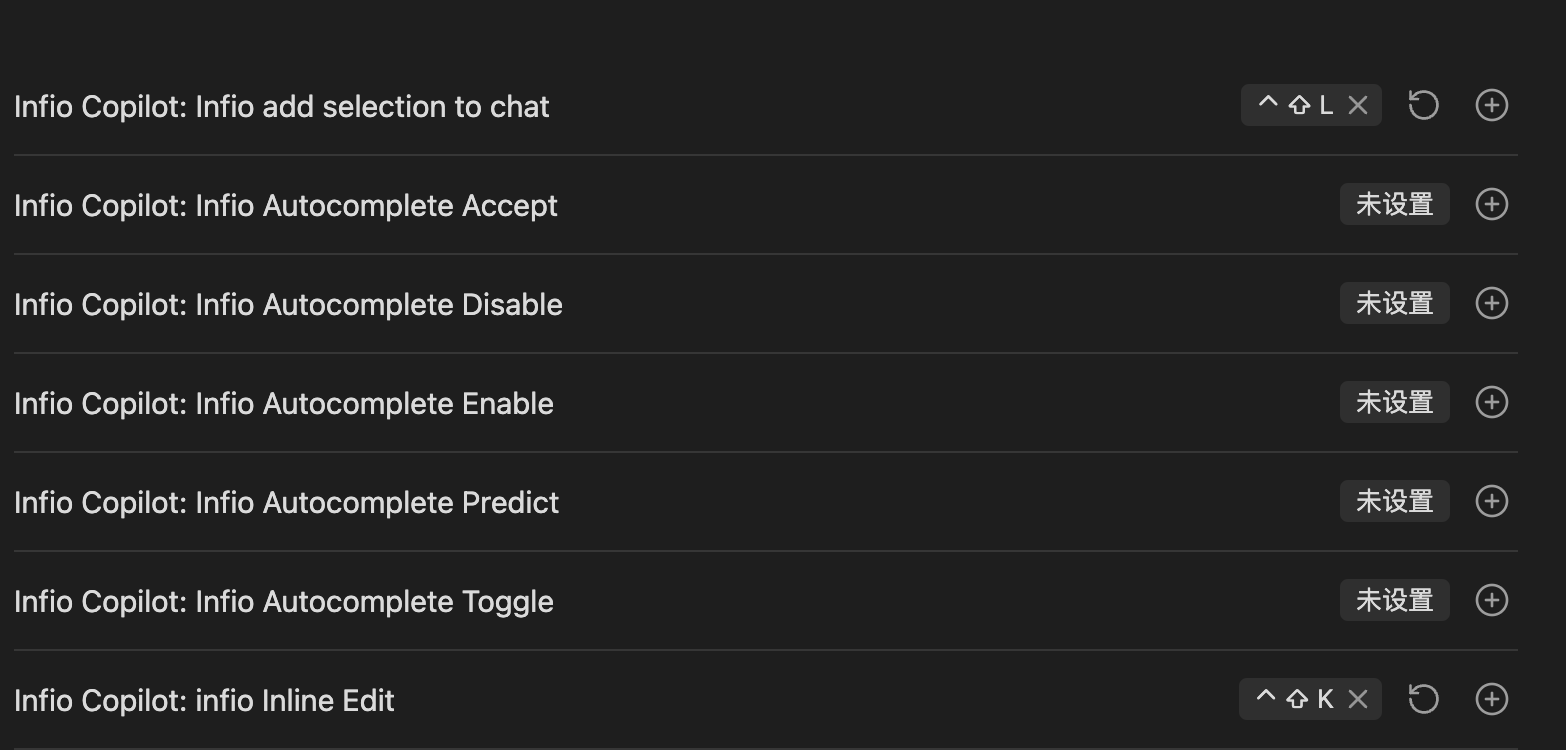
- Set up hotkeys for quick access:
- Go to Settings > Hotkeys
- Search for "Infio Copilot"
- Recommended keybindings:
- Infio Copilot: Infio add selection to chat -> cmd + shift + L
- Infio Copilot: Infio Inline Edit -> cmd + shift + K
- NEW: Out-of-the-Box Embedding Model - The plugin now includes a default local embedding model (
bge-micro-v2), so you can start using semantic features immediately! For enhanced performance, you can still configure additional embedding models:- Currently, SiliconFlow, Alibaba, Google, and OpenAI platforms support embedding models.
Feedback and Support
We value your input and want to ensure you can easily share your thoughts and report any issues:
- Bug Reports: If you encounter any bugs or unexpected behavior, please submit an issue on our GitHub Issues page. Be sure to include as much detail as possible to help us reproduce and address the problem.
- Feature Requests: For new feature ideas or enhancements, please use our GitHub Discussions - Ideas & Feature Requests page. Create a new discussion to share your suggestions.

Acknowledgments
This project stands on the shoulders of giants. We would like to express our gratitude to the following open-source projects:
- obsidian-copilot-auto-completion - For autocomplete implementation and TypeScript architecture inspiration
- obsidian-smart-composer - For chat/apply UI patterns and PgLite integration examples
- continue & cline - For prompt engineering and LLM interaction patterns
- pglite - For conversation/vector data storage and sample code
License
This project is licensed under the MIT License.