DeepSeek-OCR Client
A real-time Electron-based desktop GUI for DeepSeek-OCR
Unaffiliated with DeepSeek
Features
- Drag-and-drop image upload
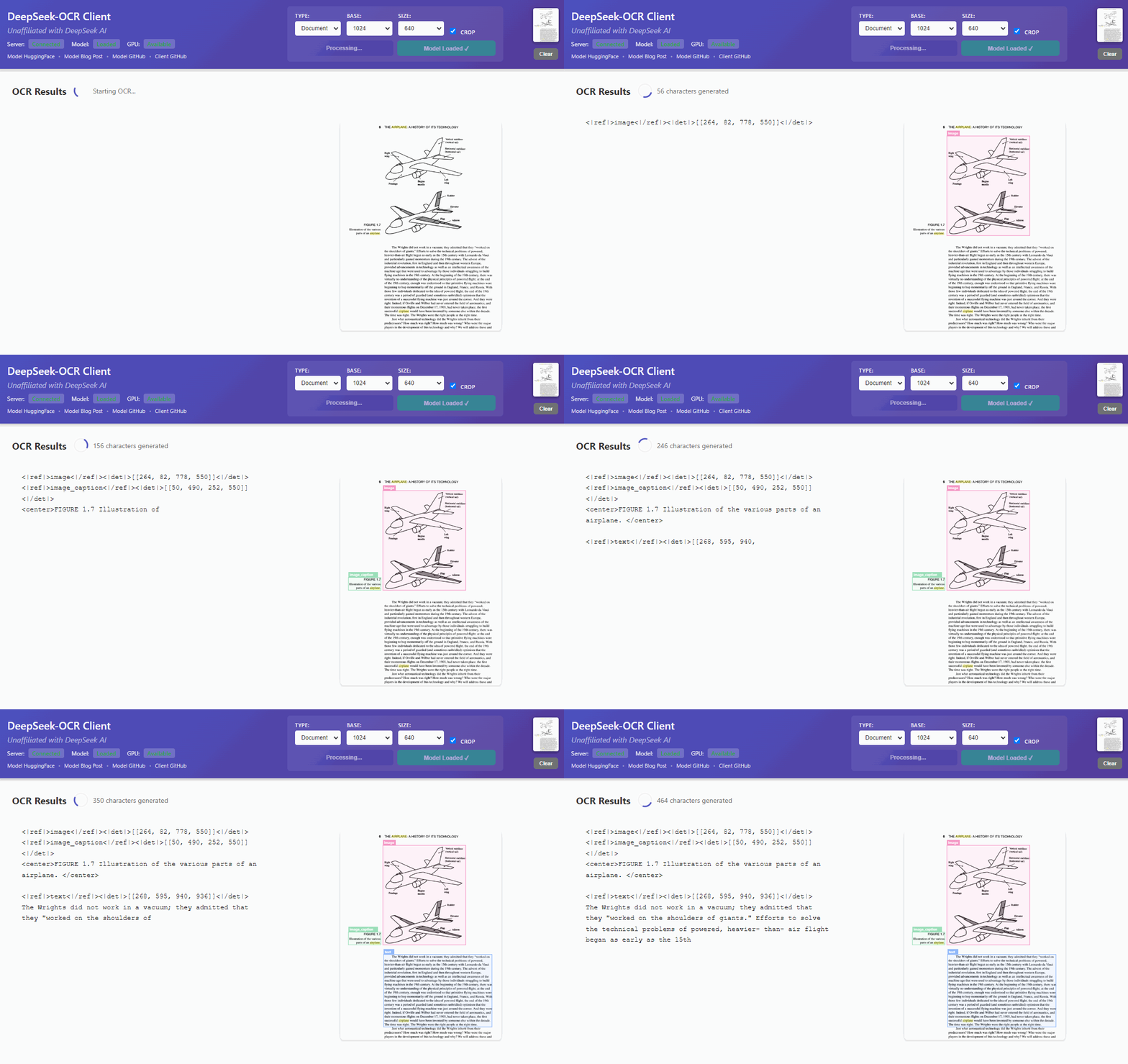
- Real-time OCR processing
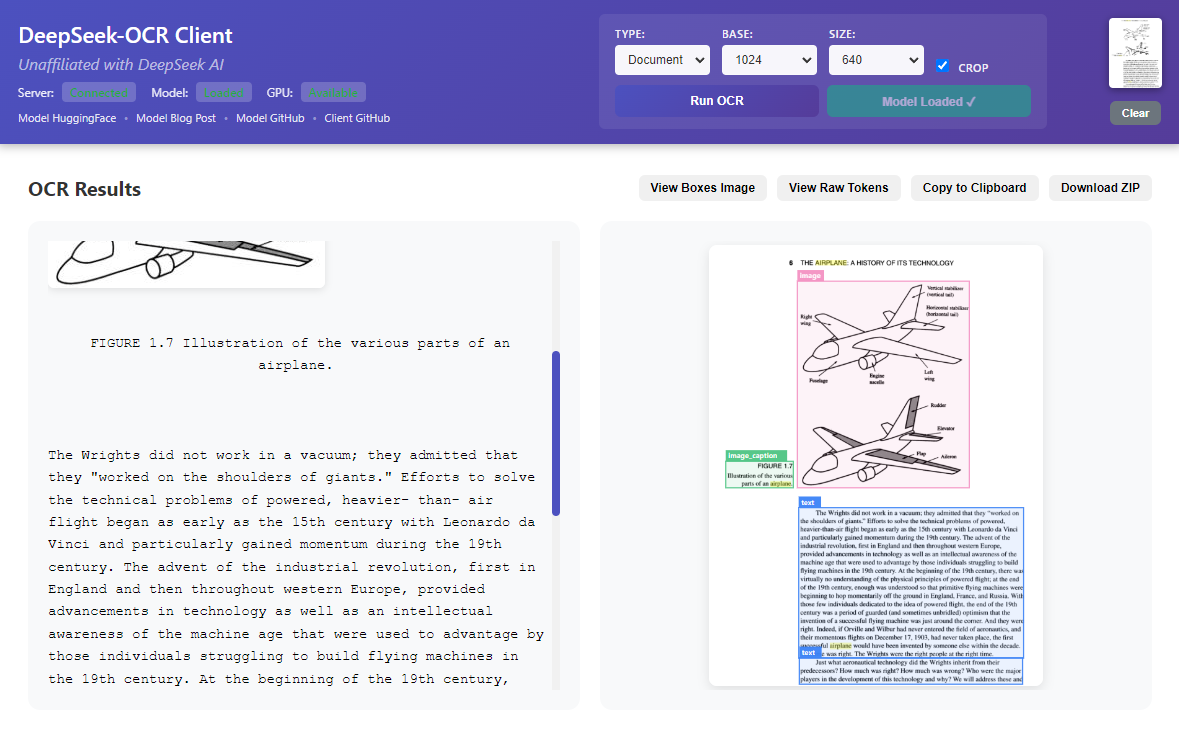
- Click regions to copy
- Export results as ZIP with markdown images
- GPU acceleration (CUDA, MPS) or CPU fallback
Requirements
- Windows 10/11, other OS are experimental
- Node.js 18+ (download)
- Python 3.12+ (download)
- NVIDIA GPU with CUDA, Apple Silicon (MPS), or CPU
Note: MPS and CPU backends use @Dogacel's modified model instead of the base model.
Quick Start (Windows)
- Extract the ZIP file
- Run
start-client.bat- First run will automatically install dependencies.
- Subsequent runs will start quicker.
- Load Model - Click the "Load Model" button in the app, this will download or load the model.
- If this is the first run, this might take some time.
- Drop an image or click the drop zone to select one.
- Run OCR - Click "Run OCR" to process.
Note: if you have issues processing images but the model loads properly, please close and re-open the app and try with the default resolution for "base" and "size". This is a known issue, if you can help to fix it I would appreciate it!
Linux/macOS
Please follow Windows instructions but start with start-client.sh instead of start-client.bat.
Links
Future goals (PRs welcome!)
- [ ] Code cleanup needed (quickly put together)
- [ ] TypeScript
- [ ] Updater from GitHub releases
- [ ] PDF support
- [ ] Batch processing
- [x] CPU/MPS support (thanks @Dogacel!)
- [ ] Web version (so you can run the server on a different machine)
- [ ] Better progress bar algo
- [ ] ???
License
MIT