Company Research Agent
An agentic research tool that turns a company name into a structured, source-backed briefing. The FastAPI backend coordinates specialized research and synthesis steps; the React interface tracks the job and lets you export the finished report as a PDF.
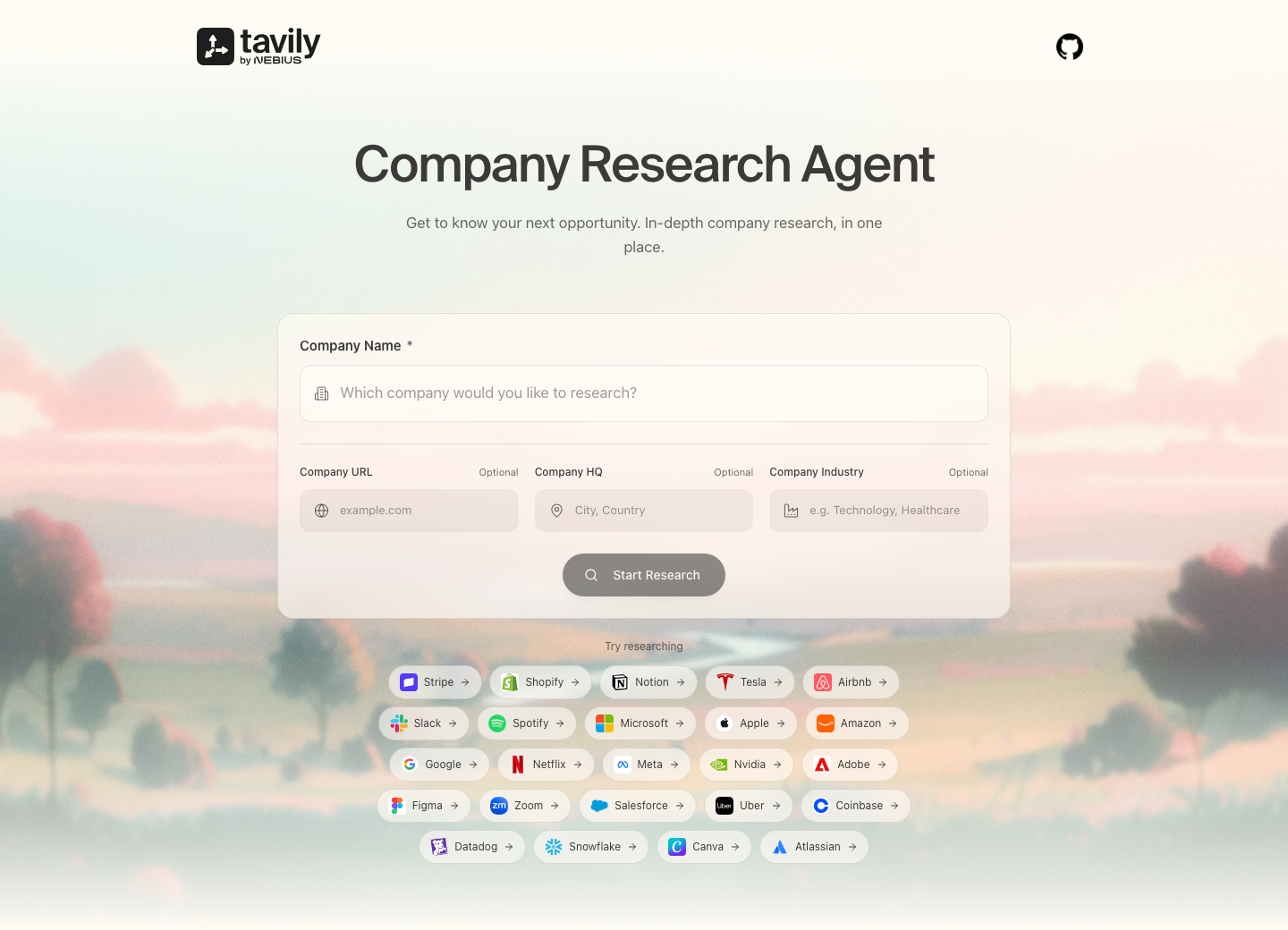
What it does
- Researches a company’s business, industry, financial context, and recent news.
- Uses Tavily search and relevance scoring to find and curate source material.
- Runs on any model available through OpenRouter — pick it from the in-app Settings — or on direct OpenAI/Gemini keys.
- Streams research progress to the browser and supports PDF export.
- Optionally persists jobs and reports in MongoDB.
Architecture
React + Vite UI
      │  POST /research
      ▼
FastAPI application
      │
      ▼
Research graph
  analyzers → collector → curator → briefing → editor
      │
      ├── Tavily: research and relevance scoring
      └── LLM: query generation, briefings, final editing
            (OpenRouter model chosen in Settings, or OpenAI/Gemini directly)
The UI connects to the API with VITE_API_URL and receives incremental updates from GET /research/{job_id}/stream.
Prerequisites
- Python 3.11 or later
- Node.js 18 or later
- An OpenRouter API key — set in the backend
.envor pasted into the app's Settings (alternatively, an OpenAI key, plus an optional Gemini key) - A Tavily API key entered in the app for each research session (or a backend fallback key)
- A Google Maps API key only if you want location autocomplete
- MongoDB only if you want persistent jobs and reports
Run locally
-
Create a virtual environment and install the backend dependencies:
uv venv .venv
uv pip install -r requirements.txt
If you do not use
uv, create the environment withpython -m venv .venvand install withpip install -r requirements.txt. -
Create
.envfrom the example and set the required backend keys:cp .env.example .env# Recommended: one key for every model (or paste a key in the app's Settings instead) OPENROUTER_API_KEY=your_openrouter_key # Optional default model; users can still pick another in Settings # OPENROUTER_MODEL=anthropic/claude-sonnet-5.5 # Alternative to OpenRouter: direct provider keys # OPENAI_API_KEY=your_openai_key # GEMINI_API_KEY=your_gemini_key # Optional fallback when no per-session Tavily key is supplied TAVILY_API_KEY=your_tavily_key # MONGODB_URI=optional_mongodb_connection_string -
Configure the frontend:
cp ui/.env.development.example ui/.env.development.local
cd ui && npm install && cd ..
Set
VITE_API_URL=http://localhost:8000inui/.env.development.local. AddVITE_GOOGLE_MAPS_API_KEYonly when location autocomplete is needed. -
Start the API in one terminal:
.venv/bin/uvicorn application:app --reload --port 8000 -
Start the UI in a second terminal:
cd ui
npm run dev
Open http://localhost:5174. The API is available at http://localhost:8000/docs.
Alternatively, ./setup.sh installs everything, asks for your Tavily and OpenRouter keys, and writes .env for you.
Choosing a model
Click the model button in the top-right corner to open Settings. There you can paste an OpenRouter key (stored only in your browser and sent with each research request) and search or filter the full OpenRouter catalog by provider. The selected model is used for every step of the research pipeline. If no OpenRouter key is available, the backend falls back to OPENAI_API_KEY (with Gemini for briefings when GEMINI_API_KEY is set).
Docker
After creating the root .env and ui/.env.development.local files, run:
docker compose up --build
This exposes the API on port 8000 and the UI on port 5174.
API
| Method | Endpoint | Purpose |
|---|---|---|
POST |
/research |
Start a research job. Accepts optional openrouter_api_key and model. |
GET |
/models |
List text models available on OpenRouter (cached for an hour). |
GET |
/config |
Report which LLM keys the server has configured and the default model. |
GET |
/research/{job_id}/stream |
Receive server-sent progress and completion events. |
GET |
/research/{job_id}/report |
Retrieve a completed report. |
POST |
/generate-pdf |
Generate a PDF from report Markdown. |
GET |
/research/pdf/{filename} |
Download a generated PDF. |
Example request:
curl -X POST http://localhost:8000/research \
  -H 'Content-Type: application/json' \
  -d '{
    "company": "Tavily",
    "company_url": "https://tavily.com",
    "industry": "AI search",
    "hq_location": "New York, USA",
    "model": "anthropic/claude-sonnet-5.5"
  }'
model and openrouter_api_key are optional. When openrouter_api_key is omitted, the backend uses OPENROUTER_API_KEY from its environment; when neither is set, it falls back to OpenAI/Gemini and ignores model.
Configuration reference
| Variable | Required | Used by |
|---|---|---|
TAVILY_API_KEY |
No | Backend fallback for research and curation; visitors can supply their own key in the UI |
OPENROUTER_API_KEY |
No* | All LLM steps via OpenRouter; users can supply their own key in Settings instead |
OPENROUTER_MODEL |
No | Default OpenRouter model (google/gemini-3.8-flash if unset) |
OPENAI_API_KEY |
No* | Research and editing when no OpenRouter key is available |
GEMINI_API_KEY |
No | Briefing synthesis when no OpenRouter key is available (falls back to OpenAI) |
MONGODB_URI |
No | Backend job/report persistence |
VITE_API_URL |
Yes | Frontend API connection |
VITE_GOOGLE_MAPS_API_KEY |
No | Frontend location autocomplete |
* An LLM key is needed from somewhere: OPENROUTER_API_KEY, OPENAI_API_KEY, or an OpenRouter key entered in the app's Settings.