Machine Learning Visualized
URL: https://ml-visualized.com/
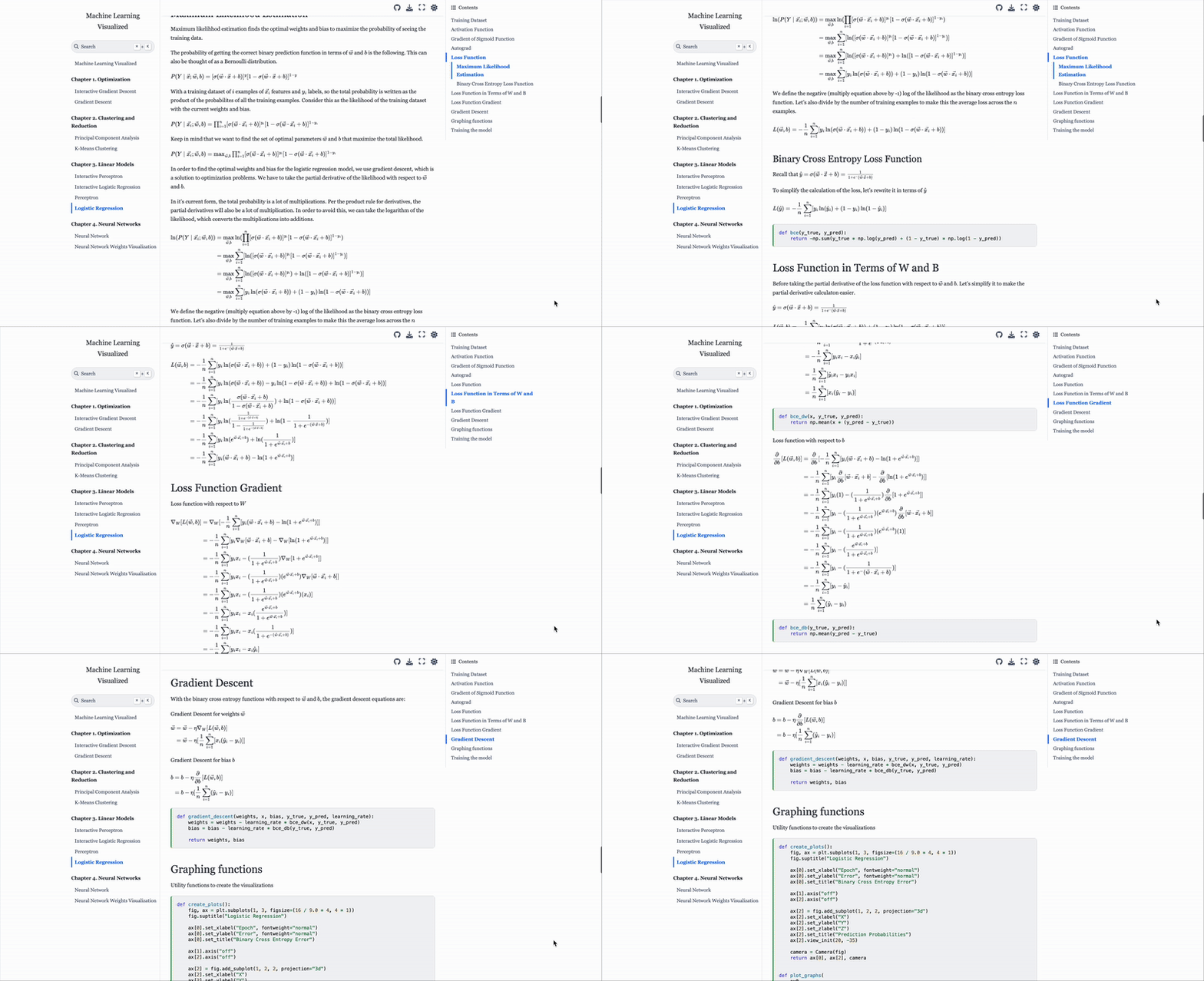
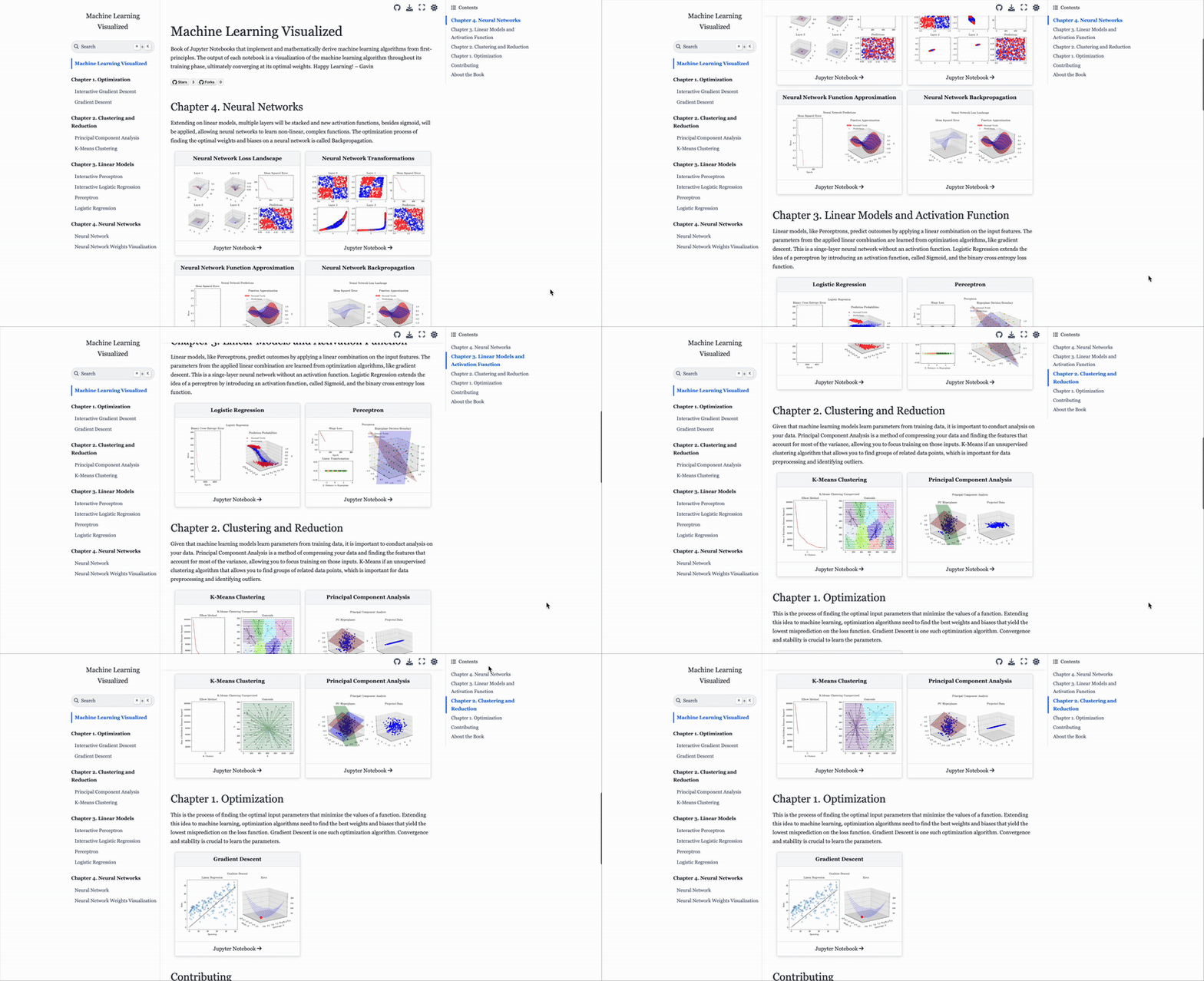
Machine Learning Visualized is a Jupyter Book containing Jupyter Notebooks that implement and mathematically derive machine learning algorithms from first-principles.
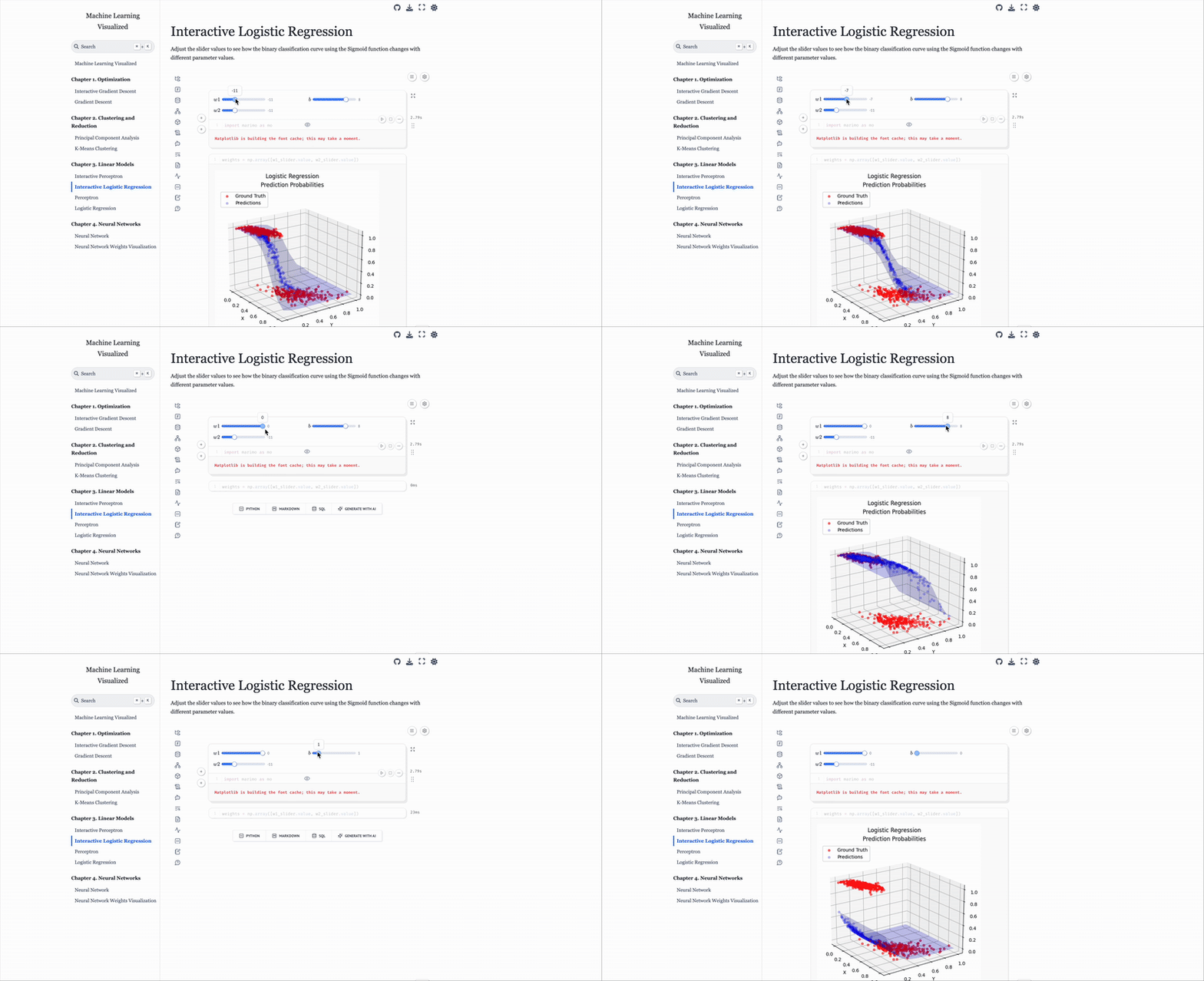
There are also Interactive Notebooks built with Marimo that allow you to see how the weights influence the loss functions.
The output of each notebook is a visualization of the machine learning algorithm throughout its training phase, ultimately converging at its optimal weights.
There is a separate Github Repository for each machine learning algorithm. Thus, this repository is simply the code to configure and build the Jupyter Book. At a very high level, Jupyter Books allow you to build a website with Markdown files and Jupyter Notebooks. Notice that none of the Jupyter Notebooks are in this repository. There is a SH script to download the relevant Jupyter Notebooks from other Github Repos. Once that is complete, the Jupyter Book can be built. The website is updated using the GitHub Action at .github/workflows/ci.yml after every commit or pull request. To build the website locally, see the Usage section below.
Jupyter Notebooks
- Neural Networks Repo
- Autoencoder Repo
- Logistic Regression Repo
- Perceptron Repo
- Principal Component Analysis Repo
- K Means Repo
- Gradient Descent Repo
Jupyter Book Info
Table of Contents and structure of the book is specified at _toc.yml.
Configuration is specified at _config.yml.
For more information, check out the Jupyter Book Docs.
Usage
Step 1: Download the Jupyter Notebooks
chmod +x ./download_notebooks.sh
./download_notebooks.sh
Step 2: Building the Jupyter Book
Option 1: jupyter-book CLI
pip install -U jupyter-book
jupyter-book build .
Option 2: Docker Compose
docker compose run --rm jupyter-book
docker compose down --remove-orphans --volumes --rmi local
Option 3: Docker
docker build -f Dockerfile.book -t jupyter-book .
docker run --rm -v "$(pwd)":/usr/src/app jupyter-book

docker stop jupyter-book
docker rm jupyter-book
docker rmi jupyter-book
Step 3: Open the Jupyter Book
Navigate to _build/html/index.html
Build EPUB (NEW)
brew install --cask mactex
nbmerge $(ls chapter1/*.ipynb chapter2/*.ipynb chapter3/*.ipynb chapter4/*.ipynb | sort) -o book/combined.ipynb
jupyter nbconvert --to latex book/combined.ipynb

docker build -f Dockerfile.pandoc -t my-pandoc .
docker run --rm -v $(pwd):/data my-pandoc pandoc book/combined.tex -o book/combined.epub --mathml --embed-resources --standalone
Output
Marimo Interactive Notebooks
Mathematically Explained