DeepSeek-OCR Studio
中文 | English
⚡ Project Overview
This project is a multimodal document parsing tool based on DeepSeek-OCR with React frontend and FastAPI backend.
 This tool can efficiently process PDF documents and images, providing powerful Optical Character Recognition (OCR) capabilities, supporting multi-language text recognition, table parsing, chart analysis, and many other features.
Key Features
- Multi-format Document Parsing: Supports uploading and parsing documents in various formats such as PDF and images
- Intelligent OCR Recognition: Based on the DeepSeek-OCR model, providing high-precision text recognition
- Layout Analysis: Intelligently recognizes document layout structure and accurately extracts content layout
- Multi-language Support: Supports text recognition in multiple languages including Chinese and English
- Table & Chart Parsing: Professional table recognition and chart data extraction functionality
- Professional Domain Drawing Recognition: Supports semantic recognition of various professional domain drawings
- Data Visualization: Supports reverse parsing of data analysis visualization charts
- Markdown Conversion: Converts PDF content to structured Markdown format
👀 Project Demo
PDF Document Parsing - Supports complex content including images and tables

| Multi-language Text Parsing | Chart & Table Parsing |
|---|---|
 |
 |
| Professional Domain Drawing Recognition
(CAD, Flowcharts, Decorative Drawings) | Data Visualization Chart
Reverse Parsing |
|:---:|:---:|
| 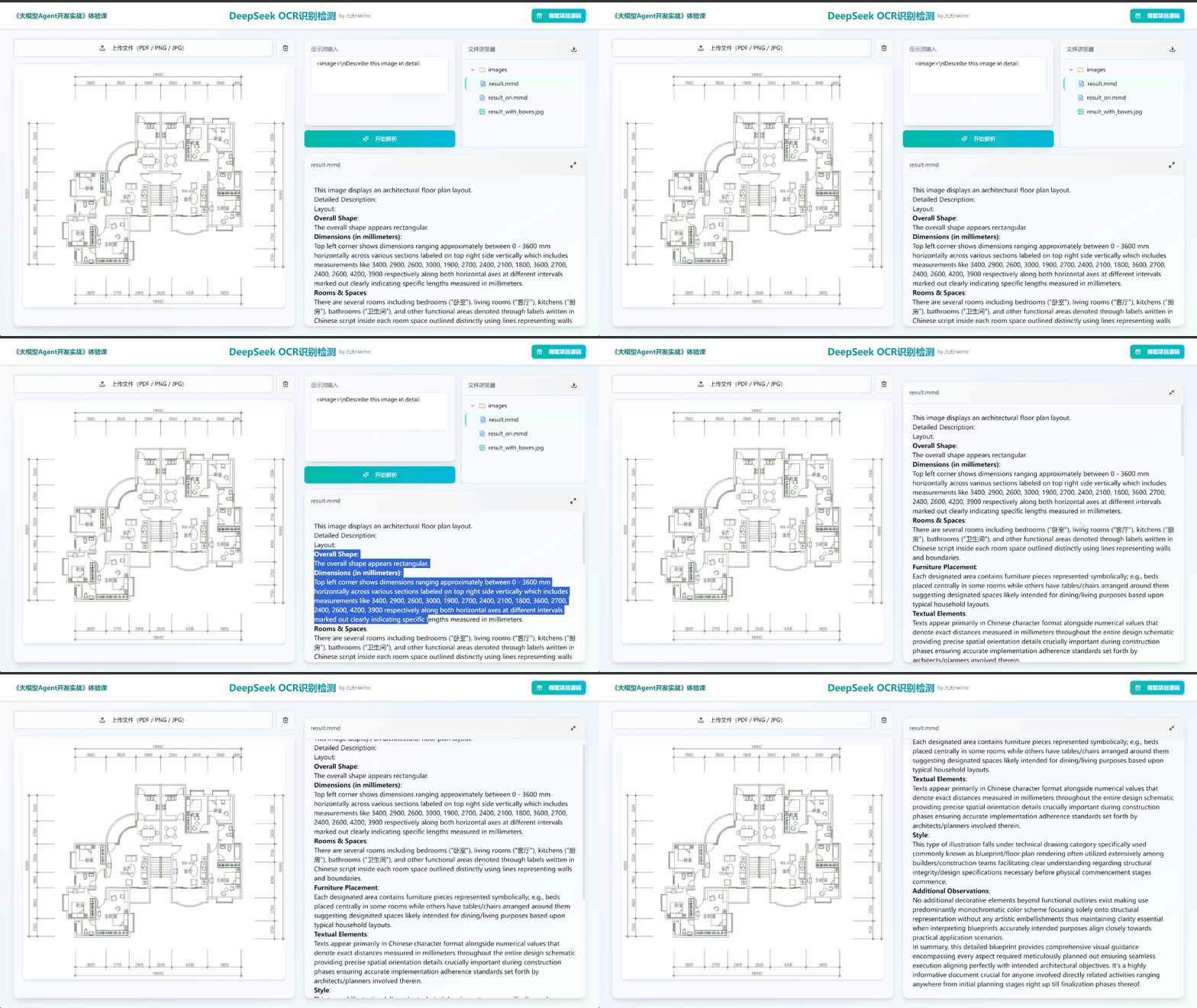 |
| 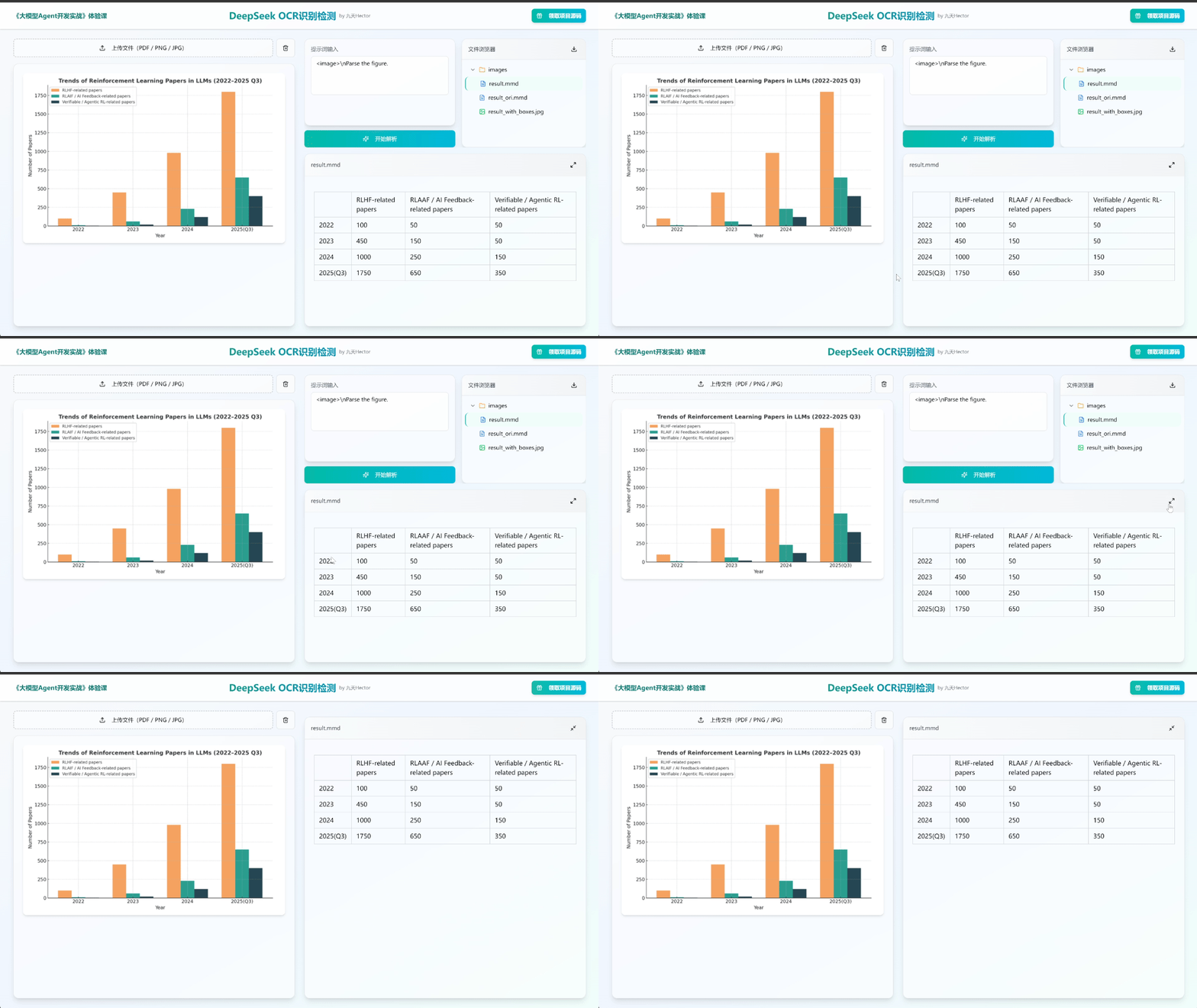 |
|
🚀 Usage Guide
System Requirements
⚠️ Important Notice:
- Operating System: Requires running on Linux system
- GPU Requirements: GPU ≥ 7 GB VRAM (16–24 GB recommended for large images/multi-page PDFs)
- Compatibility Note: RTX 50 series GPUs are currently not compatible, please use other GPU models
- Python Version: 3.10–3.12 (3.10/3.11 recommended)
- CUDA Version: 11.8 or 12.1/12.2 (must match GPU driver)
- PyTorch: Requires installing pre-compiled version matching CUDA
Quick Start
Method 1: One-click Script Startup (Recommended)
Execute the following script for one-click startup
# Install model weights and environment dependencies
bash install.sh
# Start services
bash start.sh
Method 2: Manual Installation and Running
Step 1: Model Weight Download
First, you need to download the DeepSeek-OCR model weights, which can be obtained from Hugging Face or ModelScope. The following example uses ModelScope:
pip install modelscope
mkdir ./deepseek-ocr
modelscope download --model deepseek-ai/DeepSeek-OCR --local_dir ./deepseek-ocr
Step 2: Runtime Environment Setup
Download the official project package
git clone https://github.com/deepseek-ai/DeepSeek-OCR.git
Create a virtual environment to install model runtime dependencies
conda create -n deepseek-ocr python=3.12.9 -y
conda activate deepseek-ocr
Install Jupyter and corresponding kernel
conda install jupyterlab
conda install ipykernel
python -m ipykernel install --user --name dsocr --display-name "Python (dsocr)"
Install PyTorch related components
pip install torch==2.6.0 torchvision==0.21.0 torchaudio==2.6.0 --index-url https://download.pytorch.org/whl/cu118
Install DeepSeek-OCR officially recommended vLLM version (v0.8.5+cu118-cp38-abi3-manylinux1_x86_64.whl)
pip install ./packages/vllm-0.8.5+cu118-cp38-abi3-manylinux1_x86_64.whl
Install project basic dependencies
cd ./DeepSeek-OCR/
pip install -r requirements.txt
If dependency conflicts appear during installation as shown in the image, you can ignore them as they won't affect actual operation.

Install flash-attn acceleration library.
pip install flash-attn==2.7.3 --no-build-isolation
Create a .env file in the project root directory and enter the model runtime address, for example:
MODEL_PATH=/root/autodl-tmp/deepseek-ocr
Step 3: Start Backend Service
Start the backend
uvicorn main:app --host 0.0.0.0 --port 8002 --reload
Step 4: Start Frontend Service
Install frontend dependencies
npm install
Start the frontend
npm run dev
After successful startup, access the frontend address in your browser to use the tool.
🙈 Contributing
We welcome contributions to the project through GitHub PR submissions or issues. We very much welcome any form of contribution, including feature improvements, bug fixes, or documentation optimization.
😎 Technical Communication
Scan to add our assistant, reply "DeepSeekOCR" to join the technical communication group and exchange learning with other partners.
