
Navop
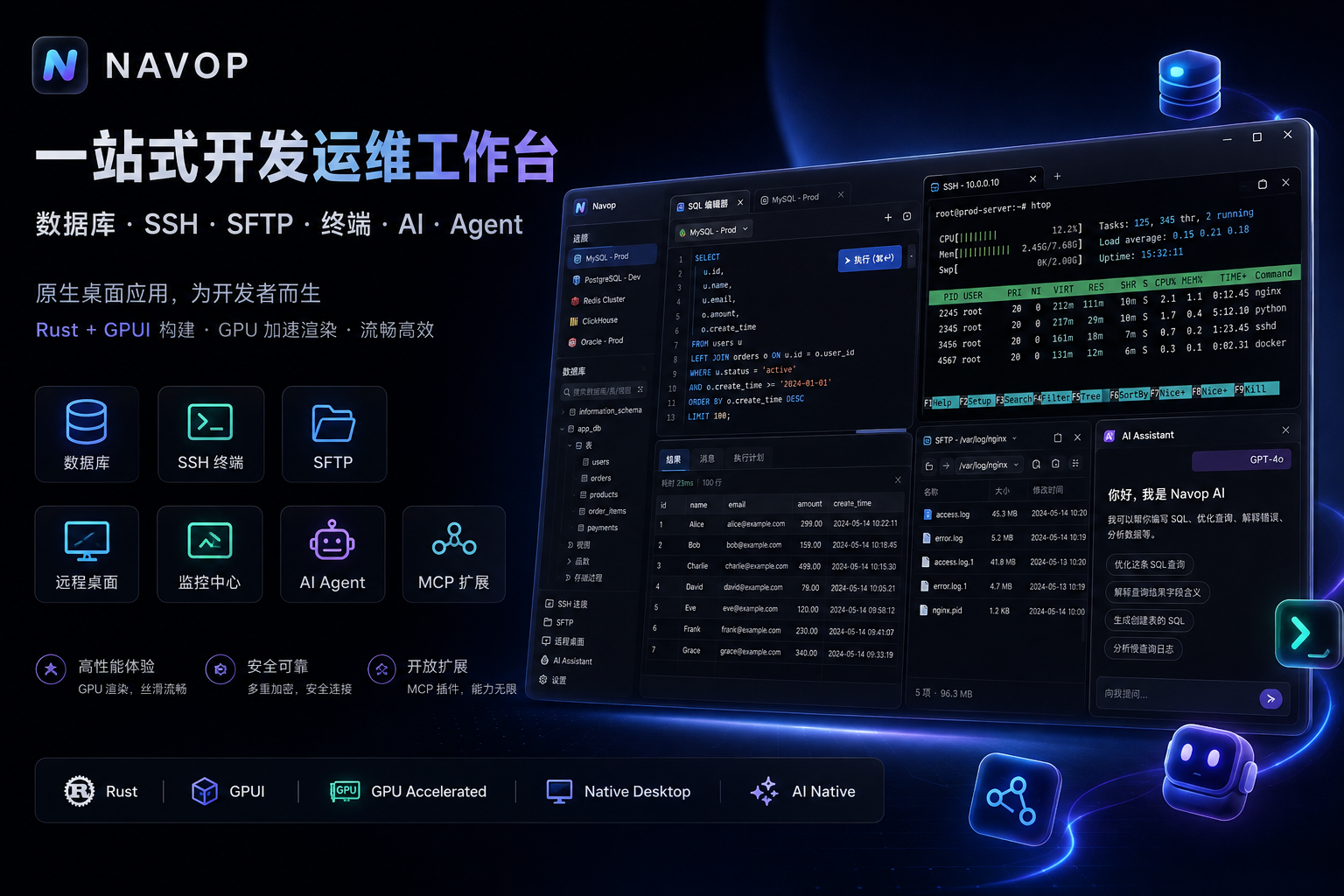
A native, all-in-one workspace for databases, SSH, SFTP, terminals, remote desktop, monitoring, and AI agents.
Built with GPUI and Rust · GPU-accelerated rendering · No WebView
[](https://github.com/feigeCode/navop/releases)
[](https://github.com/feigeCode/navop/actions/workflows/ci.yml)
[](#license)
[](https://qm.qq.com/cgi-bin/qm/qr?k=&group_code=860670605)
[](https://docs.qq.com/doc/DVEFFd2RnSnJLcFBD)





[中文](README_CN.md) ·
[Documentation](https://docs.navop.dev/en-US/) ·
[Features](#features) ·
[Screenshots](#screenshots) ·
[Install](#install) ·
[Latest Release](https://github.com/feigeCode/navop/releases/latest) ·
[Contributing](CONTRIBUTING.md)
Features
Databases and data tools
- Built-in support for MySQL, PostgreSQL, SQLite, DuckDB, SQL Server, Oracle, and ClickHouse; TDengine is provided as an installable extension driver, alongside Dameng DM, KingbaseES, GBase 8s, OceanBase, openGauss, Apache IoTDB, and Oscar.
- Browse database objects, edit and run SQL with execution plans, import and export data, compare schemas and data, and visualize relationships with ER diagrams.
- Dedicated Redis and MongoDB interfaces; middleware connections such as MQTT are provided through installable extensions (MQTT 3.1.1 over rustls, SSH tunneling, auto-resubscribe), with subscribe, messages, and publish views.
- Table-data tabs support batch-editing selected cells, typed editors for date/time/numeric columns, and copying table or column names from context menus.
Remote access and operations
- SSH and local terminals with draggable split panes, quick commands, broadcast input, shell integration, session lock, recording and replay, searchable session logs with batch delete and incremental loading; Telnet and serial connections are also supported.
- Manage remote files with SFTP, FTP, and FTPS: uploads, downloads, search, favorites, remote editing (configurable size limits and default editor), drag-and-drop, ZMODEM transfer, and server-to-server copy. Create standalone FTP/FTPS connections, or switch the remote-file protocol on an SSH connection while its terminal keeps using SSH; an open-mode preference decides whether a double-click opens the terminal or the dual-pane file view.
- Reusable local, remote (
ssh -R), and dynamic SOCKS port forwarding; X11 forwarding; host-key change warnings with explicit fingerprints; a Known Hosts page for reviewing, importing, and removing trusted SSH host keys; optional legacy SSH algorithms. - Import SecureCRT sessions, monitor servers with native charts, and connect to remote desktops over RDP and VNC. On Windows, native MSTSC integration embeds the Microsoft RDP ActiveX control directly in the app via a C++ host, so you can use it inside a tab, in a fullscreen window, or launch the native
mstsc.execlient; across platforms a pure-Rust IronRDP canvas backend renders RDP sessions.
Editing, AI, and extensibility
- Local Markdown notes with Mermaid diagrams, math rendering, and export to HTML, PDF, or DOCX; the built-in editor supports save shortcuts and WASM language parsers for syntax highlighting.
- AI for SQL generation and explanation, data analysis, charts, terminal assistance, tool calling, and agent workflows; connect external agents through ACP for Codex, Claude Code, and OpenCode.
- Agent Hub keeps a terminal agent, project files, Git branches, changes, and side-by-side diffs in one workspace; the toolbox aggregates extension tools alongside connection extensions.
- The extension marketplace adds database drivers, remote desktop providers, document renderers, connection importers, external editors, and native resource workbenches rendered by the host (starting with a Docker workbench for containers, images, logs, processes, and exec terminals). First-party extensions are built and published from the navop-extensions repository.
- Quick open supports ad-hoc SSH connections from the tab bar, so throwaway sessions no longer need a saved connection.
Native desktop experience
- Native GPUI interface with GPU-accelerated rendering; light, dark, and system themes, importable themes, accent colors, and window opacity.
- Home page with a unified grid layout, tree view, recent connections, batch connection management, and workspace drag-order persistence.
- Settings organized into dedicated database, terminal, Agent, and MCP pages; shortcuts can be cleared and system-wide hotkeys disabled.
- English, Simplified Chinese, and Traditional Chinese interfaces.
- Encrypted synchronization of personal connections, credentials, and settings across devices by Navop Cloud Sync or Personal Sync(Folder / Git / WebDAV).
Public MCP, Navop CLI, and Agent Skill
Navop can expose selected host-authoritative tools to external Codex, Claude, MCP clients, and automation. Enable the server under Settings > General > MCP > MCP Server, choose a permission profile (Safe / Confirm / Auto), and select the required groups under Tool Exposure. The runtime listens on a dynamic loopback-only port and authenticates clients with a user-only discovery token; Navop remains authoritative for live tools, schemas, permissions, approvals, and audit records.
For terminal-capable agents, install the @navop/cli package and the bundled Navop Skill:
npm install -g @navop/cli@latest

# Install the Skill for Codex, or use --target agents for Agents-compatible clients
navop skill install --target codex --scope user
The separate @navop/mcp package is only the stdio bridge for native MCP clients (npx -y @navop/mcp@latest). See the Navop MCP and CLI repository and the Public MCP guide for the full command reference and client configuration.
Screenshots
| Workspace |
|---|
 |
| Database | SSH |
|---|---|
 |
 |
| SFTP | Redis |
|---|---|
 |
 |
| MongoDB | AI Chat |
|---|---|
 |
 |
| Agent Hub | Extensions |
|---|---|
 |
 |
| Remote File Editor | ER Diagram |
|---|---|
 |
 |
| Monitoring | Themes |
|---|---|
 |
 |
Install
Download the latest build from GitHub Releases. Each release includes sha256sums.txt for checksum verification. Artifacts are available for macOS (DMG and tar.gz, Apple Silicon / Intel), Windows (MSI and EXE installers, plus standard and portable ZIP), and Linux (tar.gz, deb, rpm, and AppImage), following the navop---. naming convention.
If macOS Gatekeeper reports that Apple cannot check the app, run sudo xattr -rd com.apple.quarantine /Applications/Navop.app.
On Windows, Navop is also available through Scoop (installing the portable edition with data persistence handled by Scoop):
scoop bucket add extras
scoop install navop
Navop is also available from FlatPark as a community Flatpak package:
flatpak --user remote-add --if-not-exists flatpark https://dl.flatpark.org/flatpark.flatpakrepo
flatpak --user install flatpark dev.navop.Navop
For the full artifact table, Windows portable-mode notes, upgrade migration from v0.10.1 or earlier ZIPs, and the Oracle Instant Client / pure-Go driver note, see the Install & update guide.
Build from source
Navop uses the Rust 2024 edition and requires platform-specific system dependencies.
# Linux dependencies
./script/bootstrap

# Run the application
cargo run -p main
On Windows, install dependencies from PowerShell with:
.\script\install-window.ps1
Common development checks:
cargo build
cargo test --all
cargo clippy --workspace --all-targets
cargo fmt --check
See CONTRIBUTING.md for the complete development guide.
Community and support
Navop is maintained independently. Stars, focused pull requests, and bug reports all help sustain the project.
- Report a bug or request a feature
- QQ Group: 860670605
- WeChat Group: Join
- Legacy OnetCli repository: feigeCode/onetcli
Star History
Credits
ER diagram rendering is based on ferrum-flow.
License
Navop source code is licensed under Apache License 2.0. Navop-authored portions are additionally subject to the Navop Supplementary License, which permits free redistribution through free distribution channels (such as GitHub Releases, Flatpak repositories, and free app stores) while prohibiting commercial resale, charging fees, competing products or services, and paid distribution platforms. Third-party components remain subject to their own licenses.
For licensing inquiries, contact xiaofei.hf@gmail.com.