🤖 Chat with multiple PDFs locally
📖 Table of Contents
- 📖 Table of Contents
- ⭐️ Key Features
- 💡 Idea (Experiment)
- 💻 Setup
- 1. Kaggle (Recommended)
- 2. Local
- 🌟 Star History
⭐️ Key Features
- Easy to run on
LocalorKaggle(new) - Using any model from
HuggingfaceandOllama - Process multiple PDF inputs.
- Chat with multiples languages (Coming soon).
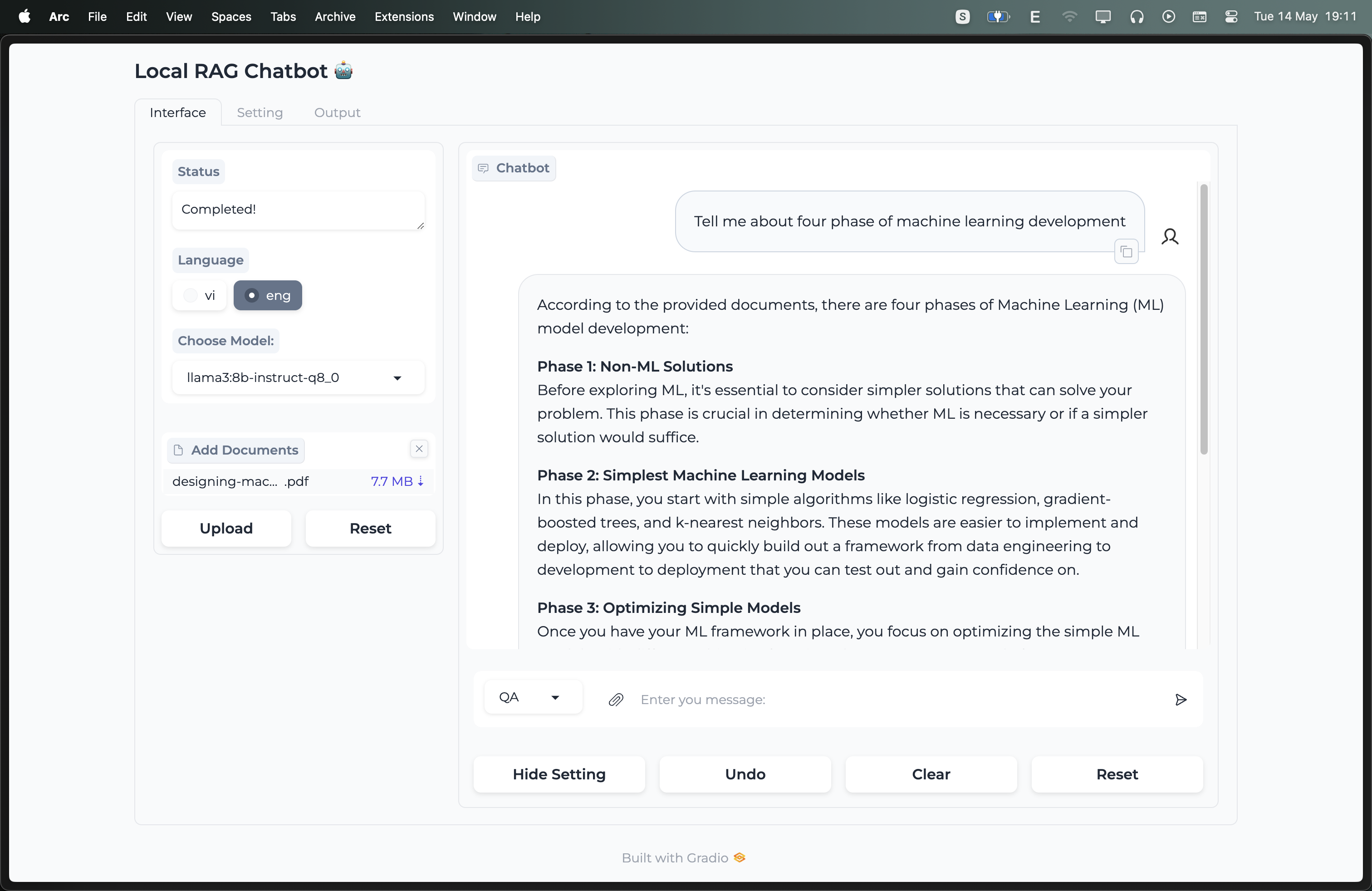
- Simple UI with
Gradio.
💡 Idea (Experiment)


💻 Setup
1. Kaggle (Recommended)
- Import
notebooks/kaggle.ipynbto Kaggle - Replace `` with your tokens.
2. Local
2.1. Clone project
git clone https://github.com/datvodinh/rag-chatbot.git
cd rag-chatbot
2.2 Install
2.2.0 Install uv (once)
curl -LsSf https://astral.sh/uv/install.sh | sh
Make sure
~/.local/bin(default install location) is on yourPATH.
2.2.1 Docker
docker compose up --build
2.2.2 Using script (Ollama, Ngrok, python package)
bash ./scripts/install_extra.sh
2.2.3 Install manually
1. Ollama
-
MacOS, Window: Download
-
Linux
curl -fsSL https://ollama.com/install.sh | sh
2. Ngrok
- Macos
brew install ngrok/ngrok/ngrok
- Linux
curl -s https://ngrok-agent.s3.amazonaws.com/ngrok.asc \
| sudo tee /etc/apt/trusted.gpg.d/ngrok.asc >/dev/null \
&& echo "deb https://ngrok-agent.s3.amazonaws.com buster main" \
| sudo tee /etc/apt/sources.list.d/ngrok.list \
&& sudo apt update \
&& sudo apt install ngrok
3. Install rag_chatbot Package
uv sync --locked
2.3 Run
bash ./scripts/run.sh
or
uv run python -m rag_chatbot --host localhost
- Using Ngrok
bash ./scripts/run.sh --ngrok