
Blitz
Native macOS App Store Connect tool with MCP. Submit iOS apps, manage IAPs, and automate App Store submission with AI agents.
MCPに対応したmacOSネイティブのApp Store Connectツール。iOSアプリの提出・IAP管理・App Store提出プロセスの自動化をAIエージェントで実現
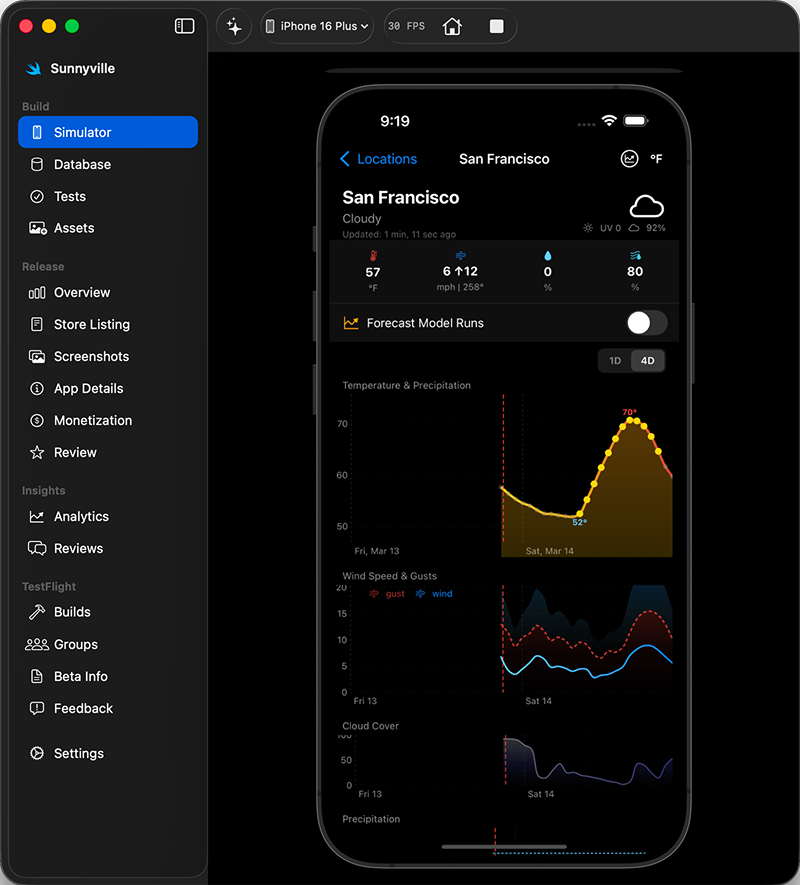
Blitz is a native macOS app for submitting iOS apps to App Store Connect using AI agents. It gives Claude Code (or any MCP client) full control over the iOS development lifecycle: running simulators, configuring in-app purchases, uploading screenshots, and triggering App Store review submissions, all from a single native macOS GUI.
If you are fighting App Store Connect to get your app submitted, Blitz automates the painful parts.
―
AIエージェントを活用してiOSアプリをApp Store Connectに提出するmacOSネイティブアプリ、Blitz。
このアプリを使えば、Claude Code(または任意のMCPクライアント)から、iOS開発ライフサイクル全体を完全に制御できます。シミュレータの実行、アプリ内課金の設定、スクリーンショットのアップロード、App Storeへの審査提出まで、すべて単一のmacOSネイティブGUIから実行できます。
App Store Connectでのアプリ提出に苦労しているなら、Blitzがその面倒な作業を自動化します。
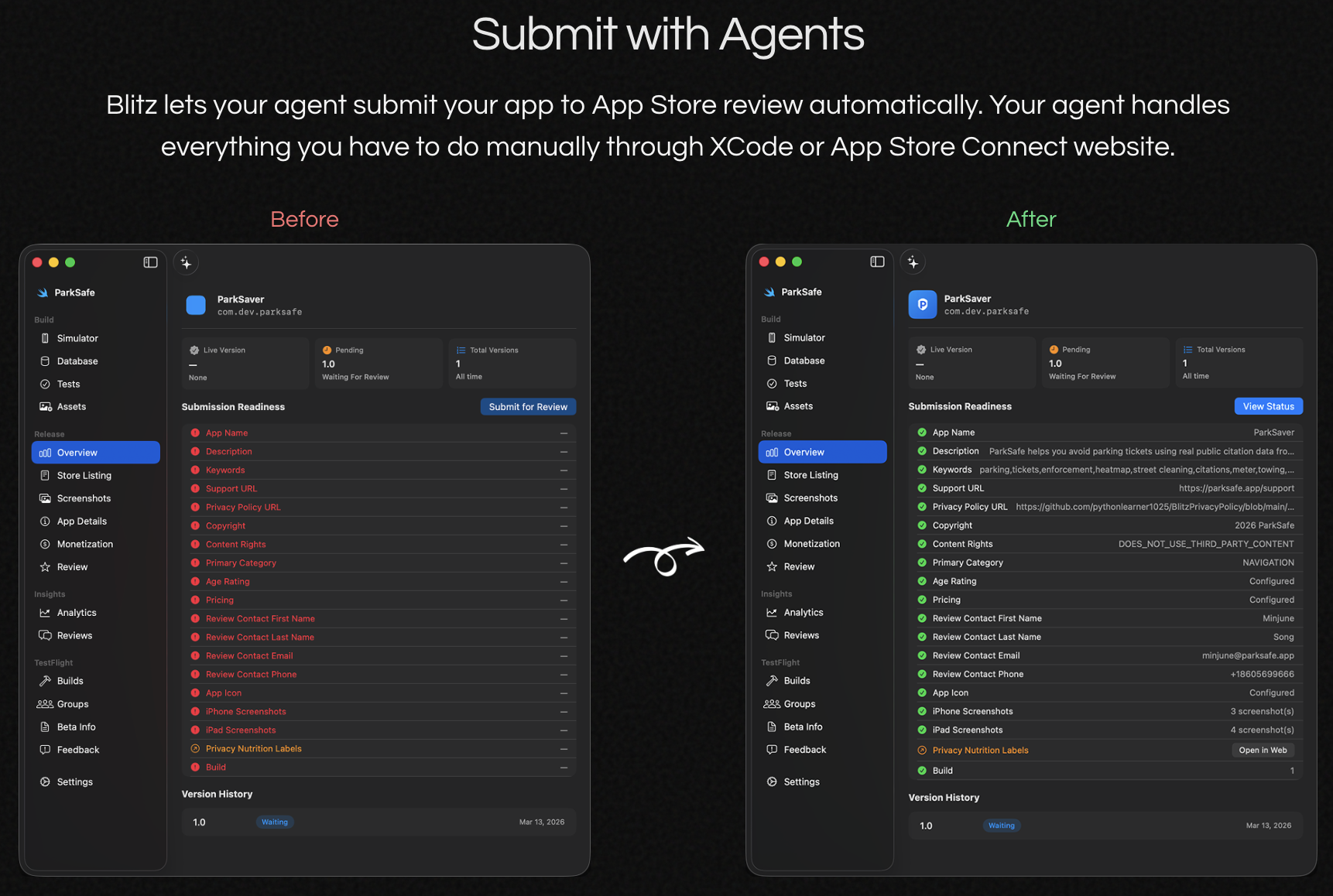
Demo: submitting an app to App Store Connect for review
https://github.com/user-attachments/assets/07364d9f-f6a7-4375-acc8-b7ab46dcc60e
Features
| Features | |
|---|---|
| App Store Connect | Submit for review, manage versions, pricing, listings |
| In-app purchases | Create IAPs and subscriptions, attach to versions before submission |
| Screenshots | Upload all required device sizes across locales |
| TestFlight | Add testers, manage builds |
| iOS Simulator | Boot/shutdown, touch/swipe, live screen capture |
| MCP server (~35 tools) | Claude Code, Codex, Cursor, or any MCP client drives the full workflow |
| asc-cli (bundled) | Scriptable CLI for edge-case ASC operations. Auto-installed, shared auth, available in every Blitz agent session |
Download Blitz
Need a backend?
We launched teeny CLI, a CLI that lets your agent define a complete backend in one TypeScript file and deploy to Cloudflare's infra. Your agent handles everything:
- Auth: sign-up/sign-in users in with Google, GitHub, Discord, or email/password
- Database: store and query your app's data with row-level security so users only see their own
- File storage: upload and serve files from Cloudflare R2, serve up to 10GB of content to your customers
- Server logic: write arbitrary endpoints to handle Stripe payments, rate limits, and custom business logic your app needs
You get up to 5 free backends you can deploy when you register in the terminal via teeny register. Each free backend gives you:
- 1M requests/month (Cloudflare Worker)
- 100MB SQLite database (Cloudflare D1)
- 10GB file storage (Cloudflare R2)
That's enough to cover 5 apps with 1K daily active users without paying a cent.
Install with
npm install -g teenybase
Then tell your agent
Use teeny cli (run `teeny docs` first to learn about teenybase) to add a backend to this project.
Build Blitz from source
Requirements: macOS 14+ · Xcode 16+ · Node.js 18+ · Go 1.26+
# Clone
git clone https://github.com/blitzdotdev/blitz-mac.git
cd blitz-mac

# Fetch the pinned App Store Connect helper fork
git submodule update --init --recursive

# Debug build
swift build

# Release build
swift build -c release

# Bundle as .app (ad-hoc signed)
bash scripts/bundle.sh release

# The app is at .build/Blitz.app
open .build/Blitz.app
For signed builds, copy .env.example to .env and fill in your Apple Developer credentials, then run:
bash scripts/bundle.sh release
The ASC helper binary bundled into the app is built from the pinned submodule at deps/App-Store-Connect-CLI-helper. If you need to override that source during development or CI, set BLITZ_ASCD_SOURCE_DIR or point BLITZ_ASCD_PATH at a prebuilt compatible helper binary.
Verify a release binary
Every GitHub release includes SHA256SUMS.txt with checksums of the CI-built binary. To verify:
Option 1: Check a downloaded binary against release checksums
# Download both Blitz.app.zip and SHA256SUMS.txt from the GitHub release
shasum -a 256 -c SHA256SUMS.txt
Option 2: Build from source and compare
bash scripts/verify-build.sh v1.0.20
This builds the app locally and compares the main executable checksum against the release. CI builds use ad-hoc signing, so checksums match when you build with the same toolchain.
Option 3: Inspect the CI build yourself
All release binaries are built by the public GitHub Actions workflow. The workflow is transparent — you can audit every step and verify that the published artifact matches what the workflow produced.
Security and privacy
- Minimal telemetry in official releases only. GitHub release builds may embed a build-time analytics endpoint and token and send anonymous product telemetry. Source builds, forks, and debug builds stay off by default unless you explicitly embed analytics config while bundling.
- What official telemetry records. App launches, Blitz project type inventory/create/import events, and MCP/App Store Connect tool usage events. Each event includes an anonymous device ID stored at
~/.blitz/analytics/device-id, app version, OS version, event name, timestamp, and when applicablesource(blitz_managedoragent_direct), normalized command type, success, and duration. - What official telemetry never records. No project names, paths, bundle IDs, CLI args, App Store Connect form values, file names, prompts, terminal contents, or user content.
- App Wall sync is opt-in. If you enable App Wall sync, Blitz sends the selected apps' public store listing metadata and submission history to the App Wall backend. Reviewer feedback is only sent when
Share reviewer feedbackis enabled. - Network requests depend on the features you use. Beyond the optional anonymous telemetry above, Blitz may talk to a build-time-configured analytics ingest endpoint in official release builds, Apple's App Store Connect API, GitHub's releases API for update checks, the npm registry during install/update to refresh
@blitzdev/iphone-mcp, and the App Wall backend when App Wall sync is enabled. - MCP server is localhost-only. The built-in MCP server binds to
127.0.0.1and is never exposed to the network. - No access to sensitive data. The app does not access your contacts, photos, location, or any personal data. Screen capture is limited to the iOS Simulator window.
Architecture
Single-target SwiftUI app built with Swift Package Manager. All source lives in src/. See CLAUDE.md for detailed architecture documentation.
Contributor TODO
- Improve auto-update performance and UX. The current
.app.zipupdate path runs embeddedpreinstall/postinstallscripts during in-app updates, which can re-run heavyweight setup like Python,idb, and simulator checks. The preferred fix is a fast app-replacement path for normal updates, with toolchain repair/checks moved to first launch or background maintenance, plus real progress reporting during download/install.
License
FAQ
How long does App Store review take?
Typically 1–2 days for iOS apps, though this varies. The Mac App Store has been running slower (5–10 days in early 2026). Runway publishes live review time data updated continuously. Submitting on weekdays and avoiding major Apple event windows (WWDC, product launches) tends to reduce wait times. Expedited review is available for critical bug fixes via App Store Connect.
What are the most common App Store rejection reasons?
Generally, top rejection reasons are:
- Crashes and bugs. The app crashes during review or has obvious bugs. Always test on a real device before submitting.
- Incomplete or placeholder content. The app has "lorem ipsum" text, grayed-out buttons, or features that don't work.
- Inaccurate metadata. The description, screenshots, or keywords don't match what the app actually does.
- Privacy policy missing. Any app that collects user data (or uses any third-party SDK that does) must include a privacy policy URL in App Store Connect and link to it from within the app.
- In-app purchase not attached. IAPs must be in "Ready to Submit" state and explicitly attached to the app version before submission.
- Guideline 4.0 (Design). UI doesn't meet iOS Human Interface Guidelines, or the app is a thin wrapper around a website.
To detect rejections in your app before submitting, try the Reviewer Agent which roleplays as an App Store reviewer following all the 100+ guidelines.
Can I automate App Store Connect?
Yes. Blitz's built-in MCP server lets Claude Code or any AI agent drive the entire App Store Connect submission workflow: filling forms, uploading screenshots, configuring IAPs, and submitting for review, using natural language instructions. Apple also provides the App Store Connect API for direct automation.
How do I set up in-app purchases in App Store Connect?
- In App Store Connect, go to your app → Monetization → In-App Purchases
- Create each product (consumable, non-consumable, or auto-renewable subscription), set the product ID, reference name, price, and localized display name/description
- Set the product status to Ready to Submit
- Before submitting your app version for review, go to the version page and attach each IAP under In-App Purchases and Subscriptions
Blitz handles steps 2–4 natively, including attaching IAPs to the version. This is the step most developers miss, which causes rejections.
How do I add screenshots for App Store submission?
Blitz supports three display types: iPhone 6.7", iPad Pro 12.9", and Mac. Required pixel dimensions:
- iPhone 6.7": 1290×2796, 1284×2778, 1242×2688, or 1260×2736
- iPad Pro 12.9": 2048×2732
- Mac: 1280×800, 1440×900, 2560×1600, or 2880×1800
Capture screenshots from the iOS Simulator, then drag them into Blitz's screenshot track or let Claude Code manipulate slots directly with screenshots_put_track_slot, screenshots_remove_track_slot, screenshots_reorder_track, and screenshots_save.
Why does my app keep getting rejected?
The most frequent causes beyond the list above: missing or broken deep links listed in the metadata, sign-in credentials not provided to the reviewer (add a demo account in App Store Connect), and entitlements that don't match what the app actually uses. Review Apple's App Review Guidelines and run through Adapty's pre-submission checklist before each submission.
Does Blitz work with Claude Code and Codex?
Yes. Blitz works with both Claude Code and Codex. Install Blitz, launch it, and you can either launch Claude Code/Codex in the built-in terminal or externally. Claude Code/Codex can then control simulators, generate tests, and submit to App Store Connect without leaving the terminal.