VibeProxy


Stop paying twice for AI. VibeProxy is a beautiful native macOS menu bar app that lets you use your existing Claude Code, ChatGPT, Gemini, Kimi, Qwen, Antigravity, and Z.AI GLM subscriptions with powerful AI coding tools like Factory Droids.
Built on CLIProxyAPI, it handles OAuth authentication, token management, and API routing automatically. One click to authenticate, zero friction to code.
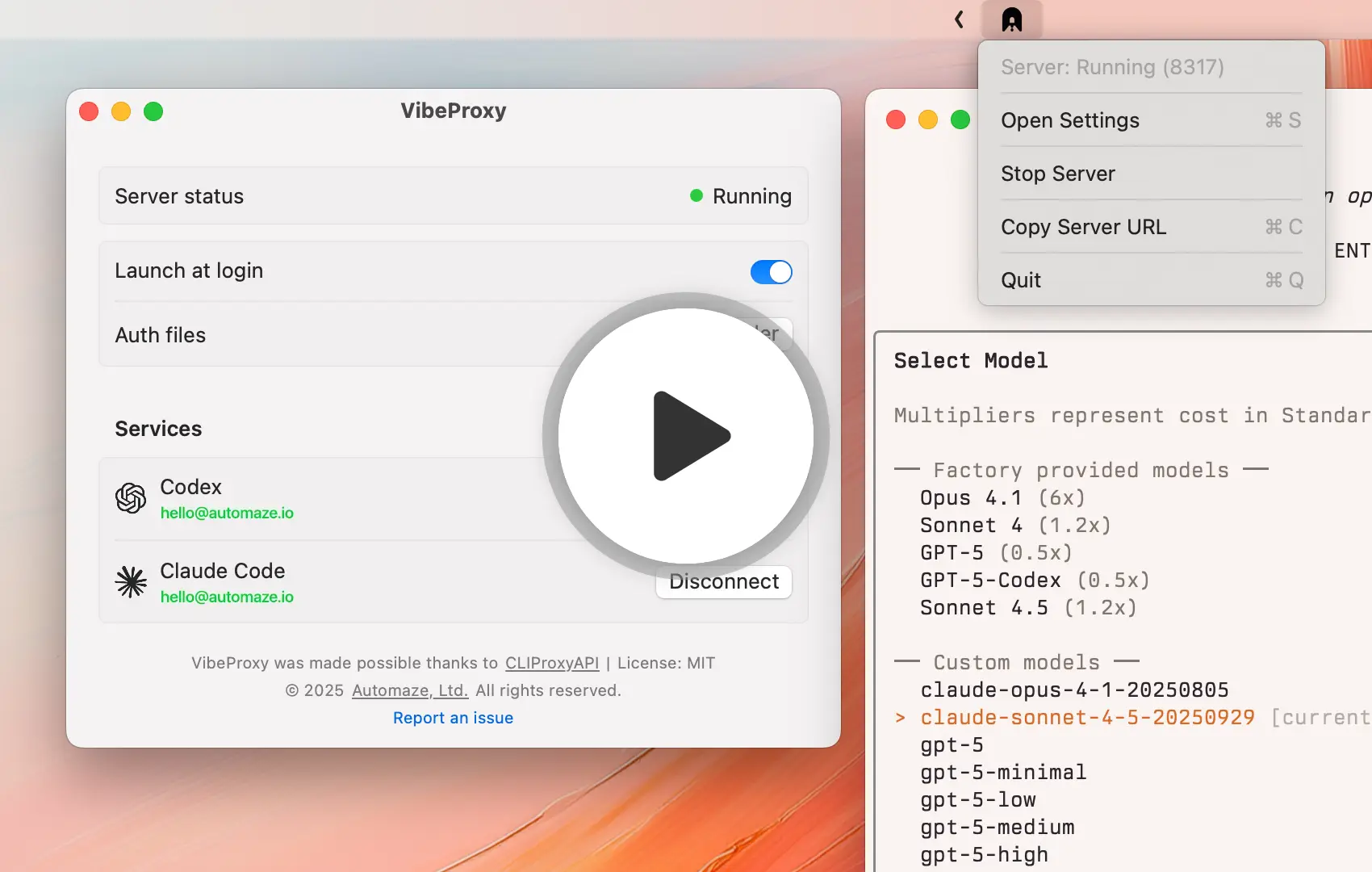
[!TIP] 📣 NEW: Vercel AI Gateway Integration!
Route your Claude requests through Vercel's officially sanctioned AI Gateway for safer access to your Claude Max subscription. No more worrying about account risks from using OAuth tokens directly!Latest models supported: Gemini 3 Pro (via Antigravity), GPT-5.1 / GPT-5.1 Codex, Claude Sonnet 4.5 / Opus 4.5 with extended thinking, GitHub Copilot, Z.AI GLM-4.7, and Kimi! 🚀
Setup Guides:
- Factory CLI Setup → - Use Factory Droids with your AI subscriptions
- Amp CLI Setup → - Use Amp CLI with fallback to your subscriptions
Features
- 🎯 Native macOS Experience - Clean, native SwiftUI interface that feels right at home on macOS
- 🚀 One-Click Server Management - Start/stop the proxy server from your menu bar
- 🔐 Easy Authentication - Authenticate with Codex, Claude Code, Gemini, Kimi, Qwen, and Antigravity (OAuth), plus Z.AI GLM (API key) directly from the app
- 🛡️ Vercel AI Gateway - Route Claude requests through Vercel's AI Gateway for safer access to your Claude Max subscription without risking your account from direct OAuth token usage
- 👥 Multi-Account Support - Connect multiple accounts per provider with automatic round-robin distribution and failover when rate-limited
- 🎚️ Provider Priority - Enable/disable providers to control which models are available (instant hot reload)
- 📊 Real-Time Status - Live connection status and automatic credential detection
- 🔄 Automatic App Updates - Starting with v1.6, VibeProxy checks for updates daily and installs them seamlessly via Sparkle
- 🎨 Beautiful Icons - Custom icons with dark mode support
- 💾 Self-Contained - Everything bundled inside the .app (server binary, config, static files)
Installation
Requirements: macOS 13+ (Ventura or later)
Download Pre-built Release (Recommended)
- Go to the Releases page
- Download the appropriate version for your Mac:
- Apple Silicon (M1/M2/M3/M4):
VibeProxy-arm64.zip - Intel:
VibeProxy-x86_64.zip(untested - please report issues)
- Apple Silicon (M1/M2/M3/M4):
- Extract and drag
VibeProxy.appto/Applications - Launch VibeProxy
Code Signed & Notarized ✅ - No Gatekeeper warnings, installs seamlessly on macOS.
Build from Source
Want to build it yourself? See INSTALLATION.md for detailed build instructions.
Usage
First Launch
- Launch VibeProxy - you'll see a menu bar icon
- Click the icon and select "Open Settings"
- The server will start automatically
- Click "Connect" for Claude Code, Codex, Gemini, Kimi, Qwen, or Antigravity to authenticate, or "Add Account" for Z.AI GLM
Authentication
When you click "Connect" for an OAuth provider:
- Your browser opens with the OAuth page
- Complete the authentication in the browser
- VibeProxy automatically detects your credentials
- Status updates to show you're connected
When you click "Add Account" for Z.AI GLM:
- Paste your provider API key
- VibeProxy stores it in
~/.cli-proxy-api/ - The provider becomes available through the proxy immediately
Server Management
- Toggle Server: Click the status (Running/Stopped) to start/stop
- Menu Bar Icon: Shows active/inactive state
- Launch at Login: Toggle to start VibeProxy automatically
Advanced Configuration
VibeProxy supports persistent CLIProxyAPI overrides in:
~/.cli-proxy-api/config.yaml
VibeProxy merges this user-owned file with its bundled defaults, writes the effective runtime configuration to ~/.cli-proxy-api/merged-config.yaml, and reloads changes automatically. Put custom settings in config.yaml; do not edit merged-config.yaml directly because VibeProxy regenerates it.
For example, supported GPT models can default to concise responses by adding an OpenAI Responses API verbosity rule:
payload:
  default:
    - models:
        - name: "gpt-*"
      protocol: "codex"
      params:
        "text.verbosity": "low"
default only supplies the value when the client does not already send one. Use override instead if the proxy should always enforce the configured value. Supported verbosity values are low, medium, and high.
After saving the file, VibeProxy regenerates its runtime configuration and applies the change without an application restart.
Codex Configuration
Codex reads its configuration from ~/.codex/config.toml. VibeProxy exposes an OpenAI-compatible endpoint, so there are two ways to point Codex at it.
Simple override - replace the default endpoint:
base_url = "http://127.0.0.1:8317/v1"
Explicit provider - add a named provider and select it:
model_provider = "cliproxyapi"

[model_providers.cliproxyapi]
name = "cliproxyapi"
base_url = "http://127.0.0.1:8317/v1"
wire_api = "responses"
Both route Codex agent traffic through VibeProxy, and both work for normal Codex use. They differ in one respect we know about today: Codex's native ChatGPT surfaces (Quick Chat, "More details", and Computer history) use the ChatGPT account path, and with the explicit provider block those surfaces consistently fail or become unavailable, while the simple override leaves them working. If you rely on those features, prefer the simple override.
This is reported and still under investigation in #544, so treat it as an observed difference rather than an explained one. We don't yet have log evidence showing whether a failing Quick Chat request reaches the proxy on port 8317 at all. Note that CLIProxyAPI's own documentation recommends the explicit provider shape; if you follow it and lose Quick Chat, this is why.
Port 8317 is bound to 127.0.0.1 only by default. If you enable LAN access in Settings, substitute this machine's LAN IP for 127.0.0.1.
Requirements
- macOS 13.0 (Ventura) or later
Development
Tests
Run the complete Swift test suite from the repository root:
make test
Pull requests run the same suite on macOS through GitHub Actions. Local test runs require a full Xcode toolchain because Command Line Tools alone do not include XCTest.
Project Structure
VibeProxy/
├── Sources/
│   ├── main.swift              # App entry point
│   ├── AppDelegate.swift       # Menu bar & window management
│   ├── ServerManager.swift     # Server process control & auth
│   ├── SettingsView.swift      # Main UI
│   ├── AuthStatus.swift        # Auth file monitoring
│   └── Resources/
│       ├── AppIcon.iconset     # App icon
│       ├── AppIcon.icns        # App icon
│       ├── cli-proxy-api-plus  # CLIProxyAPI binary
│       ├── config.yaml         # CLIProxyAPI config
│       ├── icon-active.png     # Menu bar icon (active)
│       ├── icon-inactive.png   # Menu bar icon (inactive)
│       ├── icon-claude.png     # Claude Code service icon
│       ├── icon-codex.png      # Codex service icon
│       ├── icon-gemini.png     # Gemini service icon
│       ├── icon-qwen.png       # Qwen service icon
│       └── icon-zai.png        # Z.AI GLM service icon
├── Package.swift               # Swift Package Manager config
├── Info.plist                  # macOS app metadata
├── build.sh                    # Resource bundling script
├── create-app-bundle.sh        # App bundle creation script
└── Makefile                    # Build automation
Key Components
- AppDelegate: Manages the menu bar item and settings window lifecycle
- ServerManager: Controls the cli-proxy-api server process and OAuth authentication
- SettingsView: SwiftUI interface with native macOS design
- AuthStatus: Monitors
~/.cli-proxy-api/for authentication files - File Monitoring: Real-time updates when auth files are added/removed
Credits
VibeProxy is built on top of CLIProxyAPI, an excellent unified proxy server for AI services with support for third-party providers.
Special thanks to the CLIProxyAPI project for providing the core functionality that makes VibeProxy possible.
Earlier releases were built on the now-retired CLIProxyAPIPlus fork, which is where the bundled cli-proxy-api-plus binary name comes from. Current builds bundle upstream CLIProxyAPI and update to its latest release automatically.
License
MIT License - see LICENSE file for details
Support
- Report Issues: GitHub Issues
- Website: automaze.io
© 2025 Automaze, Ltd. All rights reserved.