English | 中文
[!NOTE] WPeChatGPT has been renamed to WPeGPT starting from v3.0 with a complete architectural redesign. Existing installations are unaffected.
WPeGPT
An IDA plugin that integrates AI (LLM) models into binary analysis workflows. WPeGPT sends decompiled pseudocode from IDA to an AI model and writes analysis results back as IDA comments. Supports multiple AI providers (OpenAI, DeepSeek, and any OpenAI-compatible API).
Inspired by Gepetto.
AI's analysis results are for reference only — otherwise we analysts would be out of work on the spot. XD
Features
Interactive Analysis (IDA Plugin)
| Feature | Description |
|---|---|
| Function Analysis | Analyze purpose, usage environment, and behavior of a function |
| Variable Rename | AI-suggested renaming of function variables |
| Python Restore | Reconstruct small functions (e.g., XOR decryption) in Python |
| Vulnerability Finding | Identify potential vulnerabilities in the current function |
| Exploit Generation | Attempt to generate a PoC exploit for vulnerable functions |
Automated Analysis (WPeServer + Controller)
v3.0 introduces a TCP-based architecture for fully automated, headless binary analysis:
-
WPeServer — An embedded TCP server inside IDA that accepts commands from an external controller. Supports multiple concurrent IDA instances.
-
Three-Phase Analysis Pipeline — Targeted segmented intelligent analysis.
-
Three Analysis Modes:
Mode Description Time lightGlobal Scan + Critical Path Function Analysis ~2-5 min fullGlobal Scan + Critical Path + Full Function Analysis ~10-30 min vulnCritical Path Function Vulnerability Analysis ~5-20 min -
Intelligent String Classification — Automatically categorizes strings into 10 categories: networking, keylogging, crypto, injection, persistence, antianalysis, dropper, code execution, memory/file ops, installer framework.
-
Network IoC Extraction — Extracts IPs, domains, URLs, and ports. Auto-detects and attempts to decrypt encrypted C2 addresses.
-
Function Suspiciousness Scoring — Ranks functions by keyword matching, caller/callee relationships, size, and stdlib filtering to prioritize AI analysis.
-
Shellcode Loader Detection — Pattern-based detection of shellcode execution techniques.
-
Structured Reports — Outputs both JSON and Markdown reports to
_WPeAI_Results/.
Update History
| Version | Date | Comment |
|---|---|---|
| 1.0 | 2023-02-28 | Based on Gepetto. |
| 1.1 | 2023-03-02 | 1. Delete the function of analyzing encryption and decryption. |
- Increase the function of python restore function.
- Modified some details.| |1.2|2023-03-03|1. Added the function of finding binary vulnerabilities in functions.
- Increase the function of trying to automatically generate the corresponding EXP.
- Modified some details.
(The upload was not tested due to the OpenAI server lag)| |2.0|2023-03-06|1. Complete the testing of v1.2 version vulnerability related functions. - Switch to the latest gpt-3.5-turbo model released by OpenAI.|
|2.1|2023-03-07|Fix the timed out issue of OpenAI-API. (See section About OpenAI-API Error Reporting)|
|2.3|2023-04-23|Add the Auto-WPeGPT v0.1 to support automatic analysis of binary files.
(Package anytree needs to be added from this version, use requirements.txt or pip install anytree)| |2.4|2023-11-10|1. Changed some display details. - Update Auto-WPeGPT v0.2.| |2.5|2024-08-07|1. Add support for other models, you can set this using the MODEL variable. @tpsnt
- Support for the new version of the python openai package. (Need to update your openai package)|
|2.6|2025-02-17|Add support for DeepSeek, you need to set the variable PLUGIN_NAME to WPeChat-DeepSeek and fill the API KEY into variable model_api_key.
(The default model is DeepSeek-V3. If you want to use the R1 model, modify variable MODEL = 'deepseek-reasoner'.)| | 3.0 | 2026-05-27 | Renamed to WPeGPT. Complete architectural redesign: - Split into modular architecture (
WPeGPT.py+config.py+wpe_ai_controller.py). - Introduced WPeServer (TCP command server) for external AI-driven automation.
- Three-phase analysis pipeline (global scan → critical path → full scan).
- Three analysis modes (light / full / vuln).
- Intelligent string classification (10 categories) and network IoC extraction.
- Function suspiciousness scoring system with stdlib filtering.
- Shellcode loader detection.
- Structured JSON + Markdown report generation. |
Install
1. Install Dependencies
pip install -r ./requirements.txt
2. Configure
Edit WPeGPT_Config/config.py:
- Set your
API_KEY - Set
API_BASE_URL - Set
MODEL - Set
ZH_CN = Truefor Chinese (default),Falsefor English - Optionally configure
ANALYSIS_MODE,MAX_WORKERS, and other options
3. Install Plugin
Copy WPeGPT.py and the WPeGPT_Config/ folder to your IDA plugins/ directory, then restart IDA.
NOTE: IDA must be configured to use Python 3.
Usage
Interactive Mode (IDA Plugin)
-
Keyboard Shortcuts:
Shortcut Action Ctrl+Alt+GFunction analysis Ctrl+Alt+RRename function variables Ctrl+Alt+EVulnerability finding Ctrl+Alt+WLight auto analysis -
Right-click in the pseudocode window for context menu.
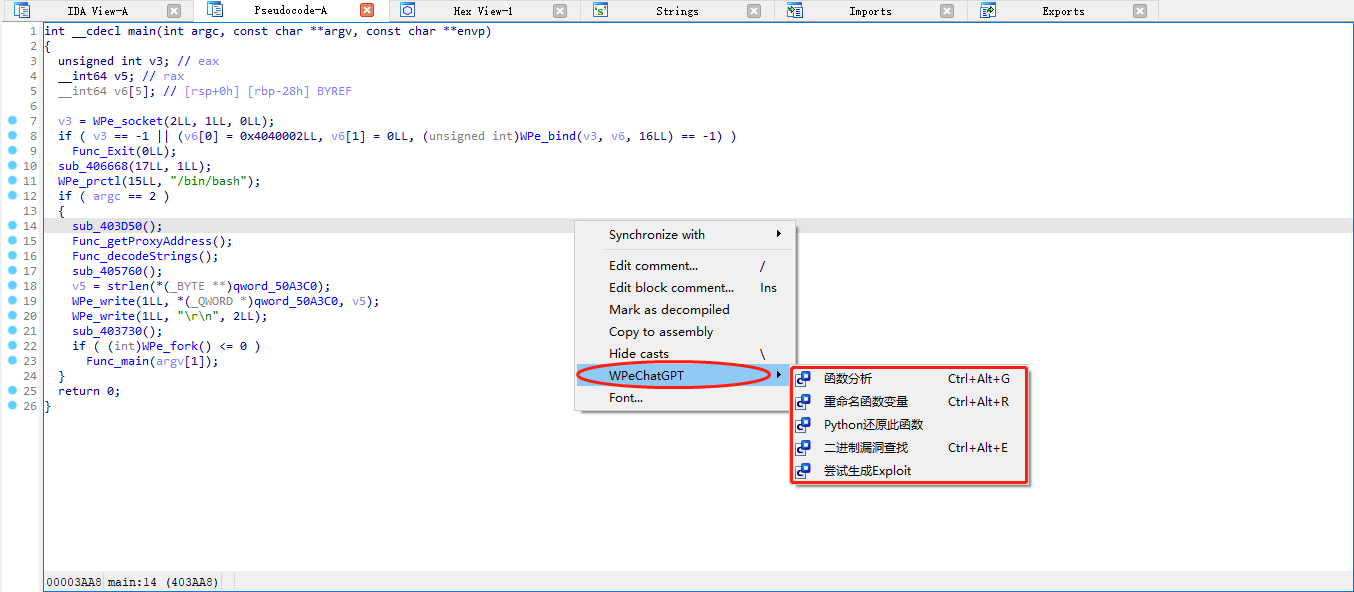
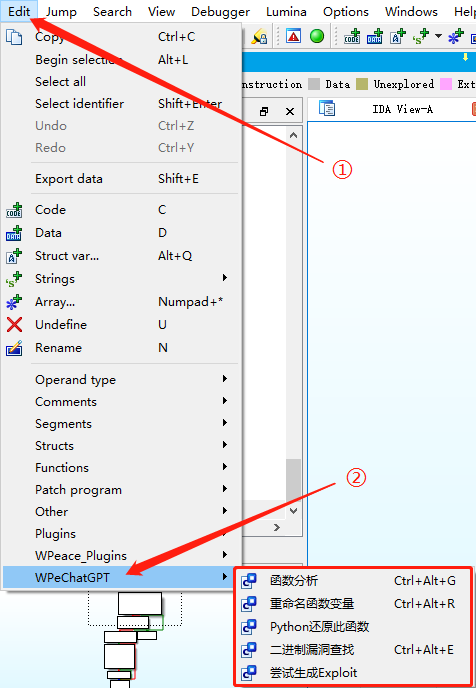
- Menu bar: Edit → WPeGPT
Automated Mode (Headless Analysis)
Use the wpegpt-analyzer Skill, or run Menu bar: Edit → WPeGPT → Auto-WPeGPT
Reports are saved to _WPeAI_Results/.
Example
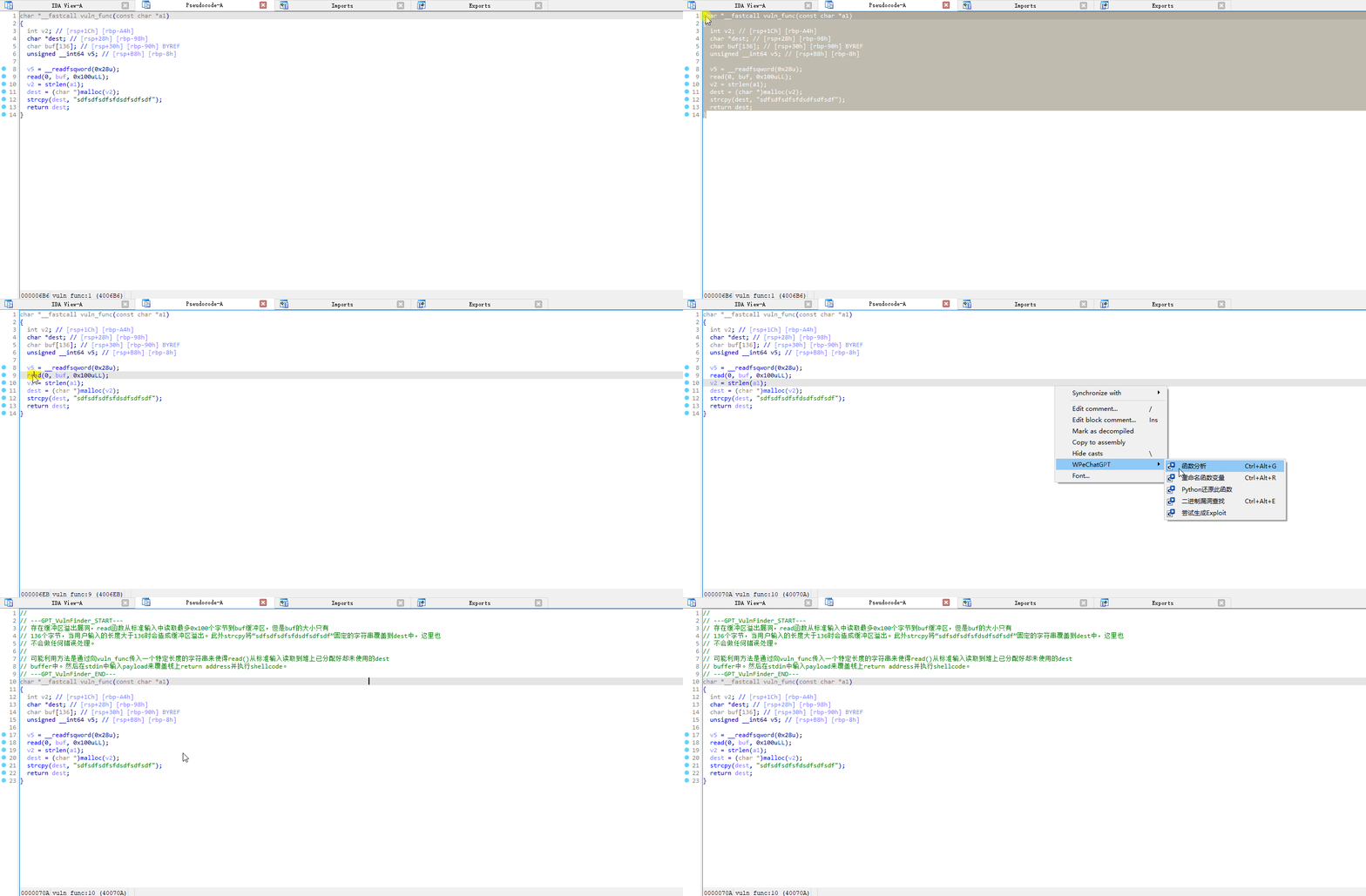
How to use:
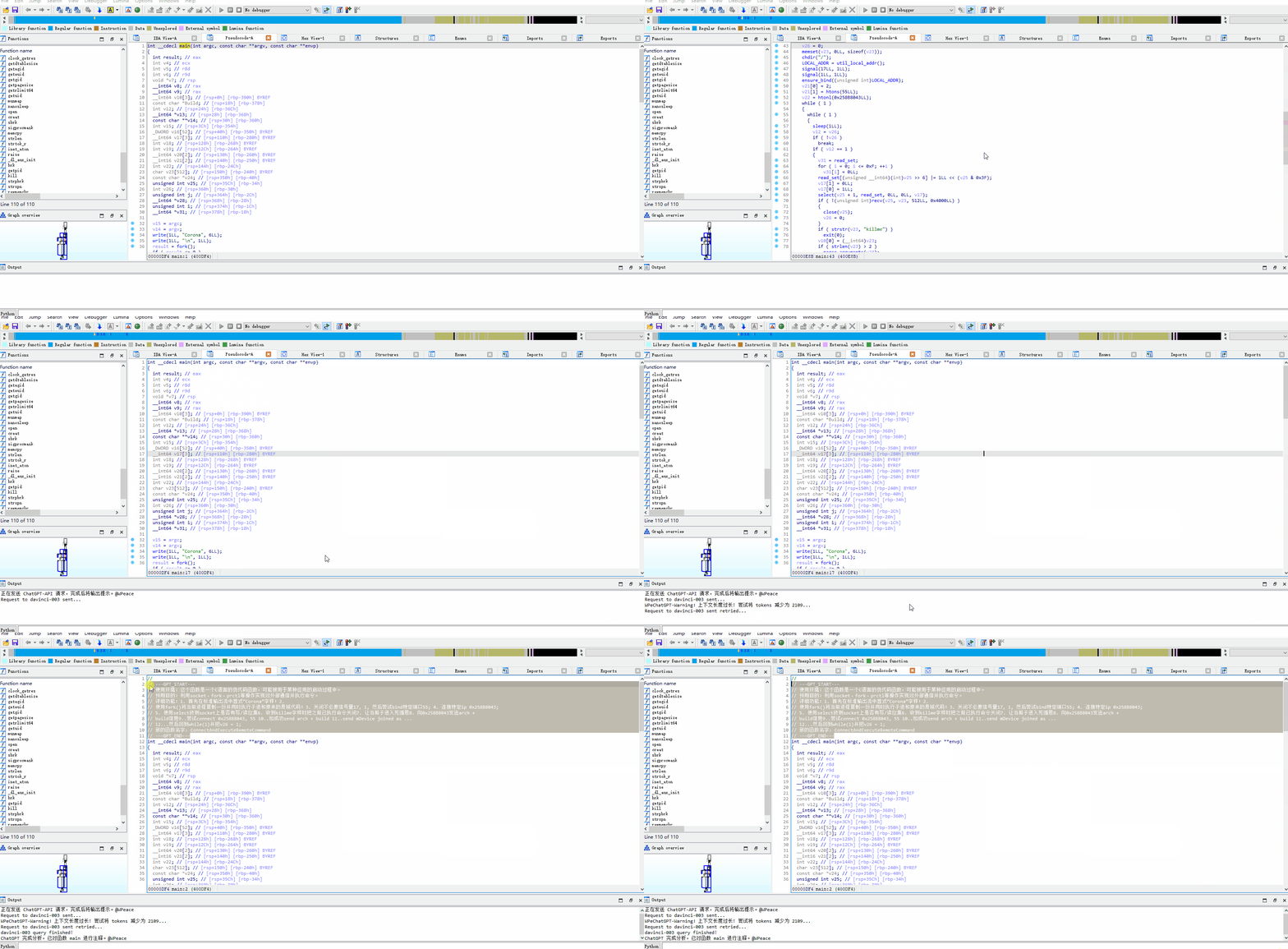
Function analysis results:
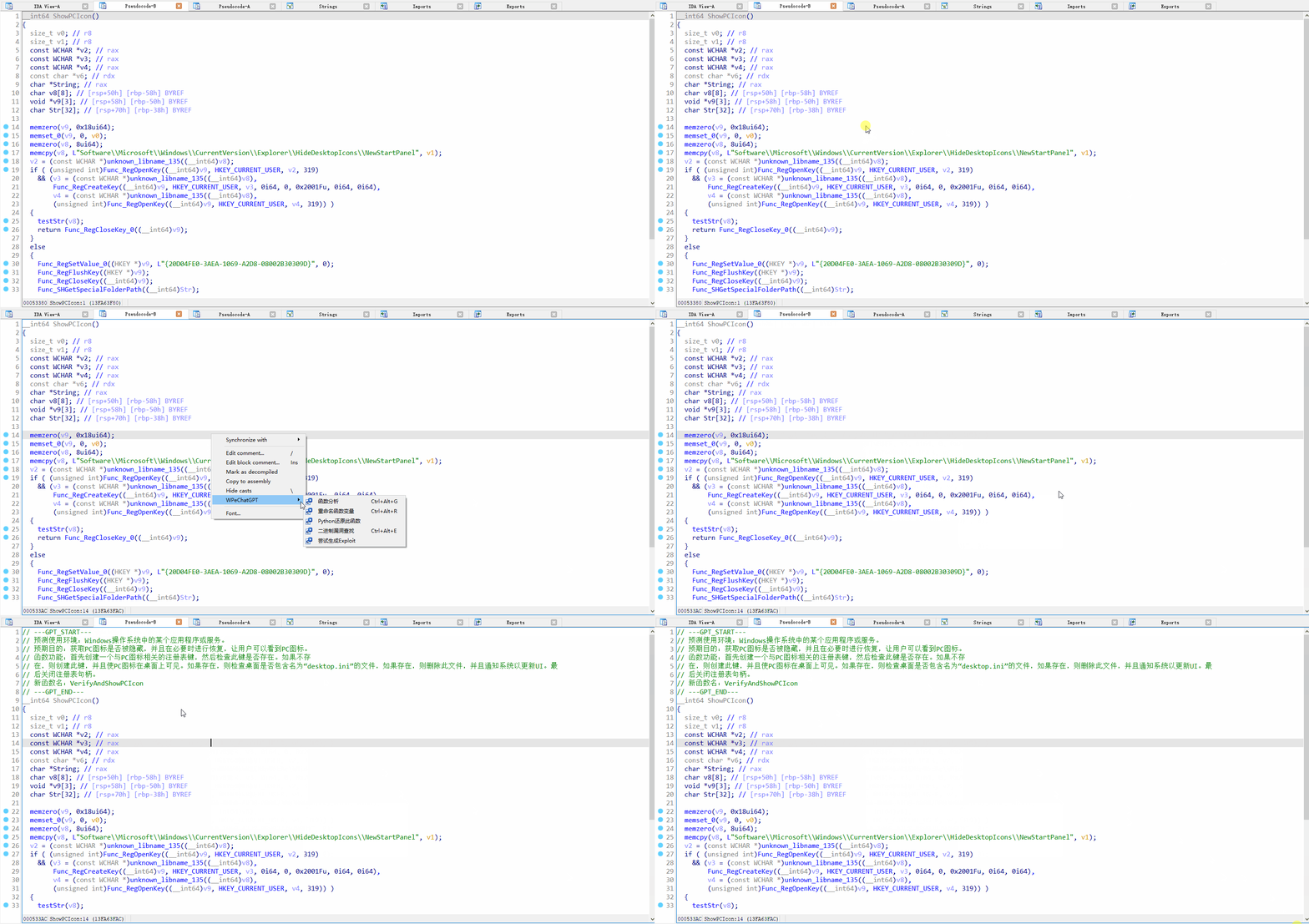
Vulnerability finding:
About OpenAI-API Errors
If you experience connection issues while behind a proxy:
- Check your
urllib3version — v1.26 has known proxy issues. Fix with:pip uninstall urllib3 pip install urllib3==1.25.11 - Configure
FORWARD_PROXYinconfig.py(e.g.,http://127.0.0.1:7890). - Or use a reverse proxy by setting
API_BASE_URL.
Contact
If you encounter issues or have questions, please open a GitHub Issue or send an email.