Gesture Controlled Virtual Mouse 

Gesture Controlled Virtual Mouse makes human computer interaction simple by making use of Hand Gestures and Voice Commands. The computer requires almost no direct contact. All i/o operations can be virtually controlled by using static and dynamic hand gestures along with a voice assistant. This project makes use of the state-of-art Machine Learning and Computer Vision algorithms to recognize hand gestures and voice commands, which works smoothly without any additional hardware requirements. It leverages models such as CNN implemented by MediaPipe running on top of pybind11. It consists of two modules: One which works direct on hands by making use of MediaPipe Hand detection, and other which makes use of Gloves of any uniform color. Currently it works on Windows platform.
Video Demonstration: link
Note: Use Python version: 3.8.5
Features
click on dropdown to know more
Gesture Recognition:
Neutral Gesture

Neutral Gesture. Used to halt/stop execution of current gesture.
Move Cursor

Cursor is assigned to the midpoint of index and middle fingertips. This gesture moves the cursor to the desired location. Speed of the cursor movement is proportional to the speed of hand.
Left Click

Gesture for single left click
Right Click

Gesture for single right click
Double Click

Gesture for double click
Scrolling

Dynamic Gestures for horizontal and vertical scroll. The speed of scroll is proportional to the distance moved by pinch gesture from start point. Vertical and Horizontal scrolls are controlled by vertical and horizontal pinch movements respectively.
Drag and Drop

Gesture for drag and drop functionality. Can be used to move/tranfer files from one directory to other.
Multiple Item Selection

Gesture to select multiple items
Volume Control

Dynamic Gestures for Volume control. The rate of increase/decrease of volume is proportional to the distance moved by pinch gesture from start point.
Brightness Control

Dynamic Gestures for Brightness control. The rate of increase/decrease of brightness is proportional to the distance moved by pinch gesture from start point.
Voice Assistant ( Proton ):
Launch / Stop Gesture Recognition
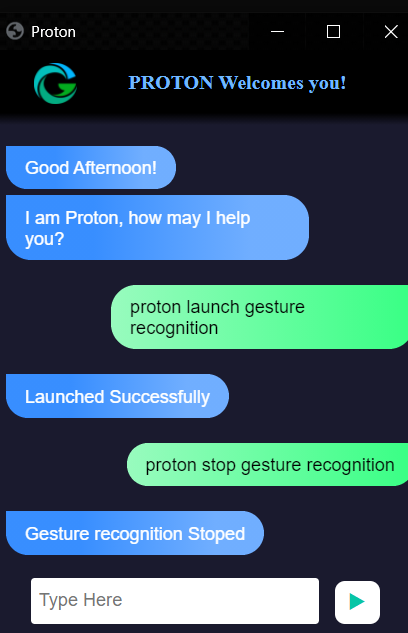
 Proton Launch Gesture Recognition

Turns on webcam for hand gesture recognition.


 Proton Stop Gesture Recognition

Turns off webcam and stops gesture recognition.
(Termination of Gesture controller can also be done via pressing Enter key in webcam window)
Google Search
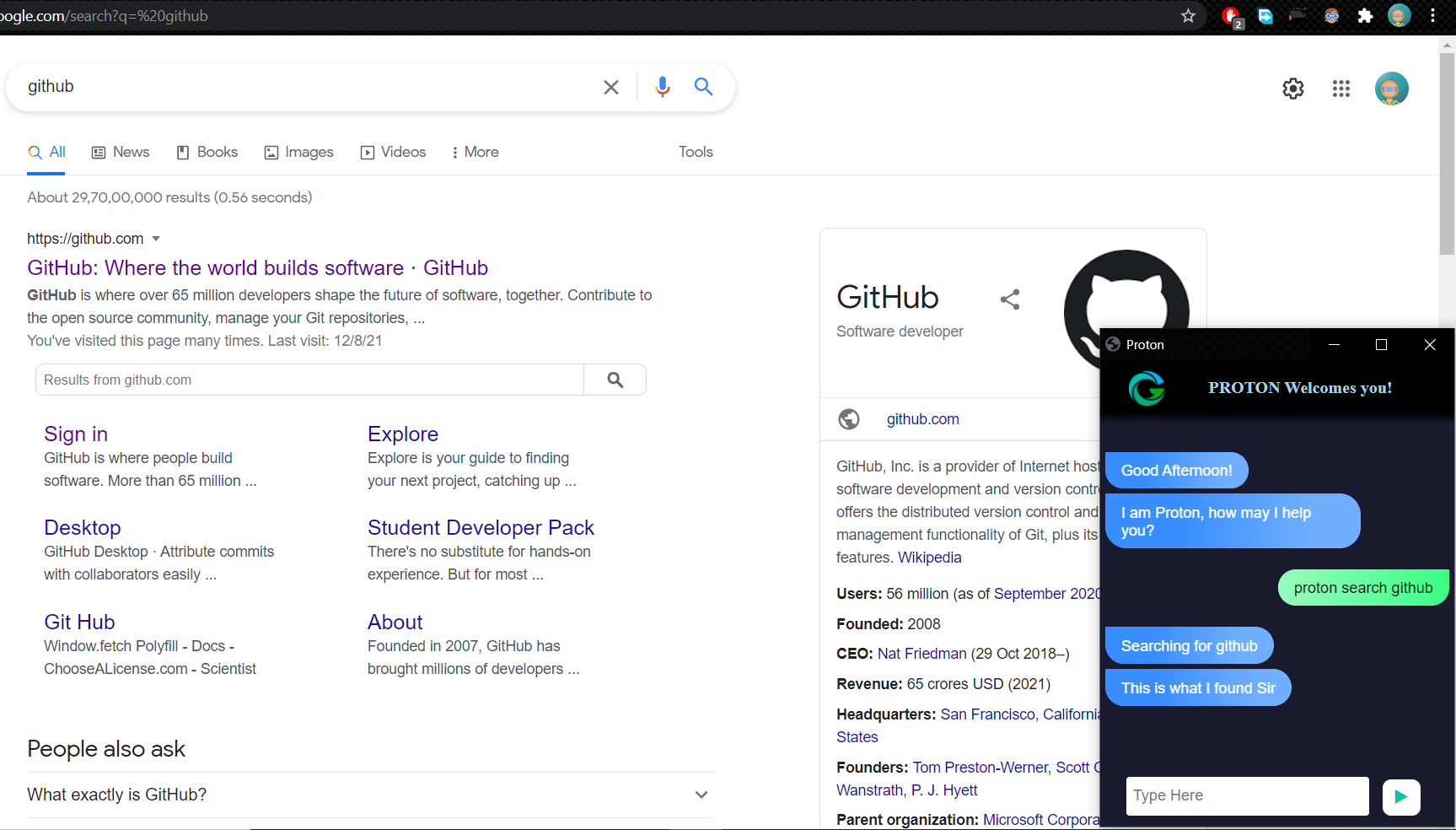
Proton search {text_you_wish_to_search}

Opens a new tab on Chrome Browser if it is running, else opens a new window. Searches the given text on Google.
Find a Location on Google Maps

  Proton Find a Location

  Will ask the user for the location to be searched.


  {Location_you_wish_to_find}

  Will find the required location on Google Maps in a new Chrome tab.
File Navigation


  Proton list files /  Proton list

  Will list the files and respective file_numbers in your Current Directory (by default C:)


   Proton open {file_number}

  Opens the file / directory corresponding to specified file_number.


  Proton go back  /  Proton back

  Changes the Current Directory to Parent Directory and lists the files.
Current Date and Time

   Proton what is today's date  /  Proton date

   Proton what is the time  /  Proton time

  Returns the current date and time.
Copy and Paste


   Proton Copy

  Copies the selected text to clipboard.


   Proton Paste

  Pastes the copied text.
Sleep / Wake up Proton

  Sleep

   Proton bye

  Pauses voice command execution till the assistant is woken up.


  Wake up

   Proton wake up

  Resumes voice command execution.
Exit

Proton Exit
Terminates the voice assisstant thread. GUI window needs to be closed manually.
Getting Started
Pre-requisites
Python: (3.6 - 3.8.5)
Anaconda Distribution: To download click here.
Procedure
git clone https://github.com/xenon-19/Gesture-Controlled-Virtual-Mouse.git
For detailed information about cloning visit here.
Step 1:
conda create --name gest python=3.8.5
Step 2:
conda activate gest
Step 3:
pip install -r requirements.txt
Step 4:
conda install PyAudio
conda install pywin32
Step 5:
cd to the GitHub Repo till src folder
Command may look like: cd C:\Users\.....\Gesture-Controlled-Virtual-Mouse\src
Step 6:
For running Voice Assistant:
python Proton.py
( You can enable Gesture Recognition by using the command "Proton Launch Gesture Recognition" )
Or to run only Gesture Recognition without the voice assisstant:
Uncomment last 2 lines of Code in the file Gesture_Controller.py
python Gesture_Controller.py
Collaborators
| Viral Doshi | GitHub | |||
| Nishiket Bidawat | Github | |||
| Ankit Sharma | GitHub | |||
| Parth Sakariya | Github |