Monk - A computer vision toolkit for everyone 


Why use Monk
-
Issue: Want to begin learning computer vision
- Solution: Start with Monk's hands-on study roadmap tutorials
-
Issue: Multiple libraries hence multiple syntaxes to learn
- Solution: Monk's one syntax to rule them all - pytorch, keras, mxnet, etc
-
Issue: Tough to keep track of all the trial projects while participating in a deep learning competition
- Solution: Use monk's project management and work on multiple prototyping experiments
-
Issue: Tough to set hyper-parameters while training a classifier
- Solution: Try out hyper-parameter analyser to find the right fit
-
Issue: Looking for a library to build quick solutions for your customer
- Solution: Train, Infer and deploy with monk's low-code syntax
Create real-world Image Classification applications
Medical Domain
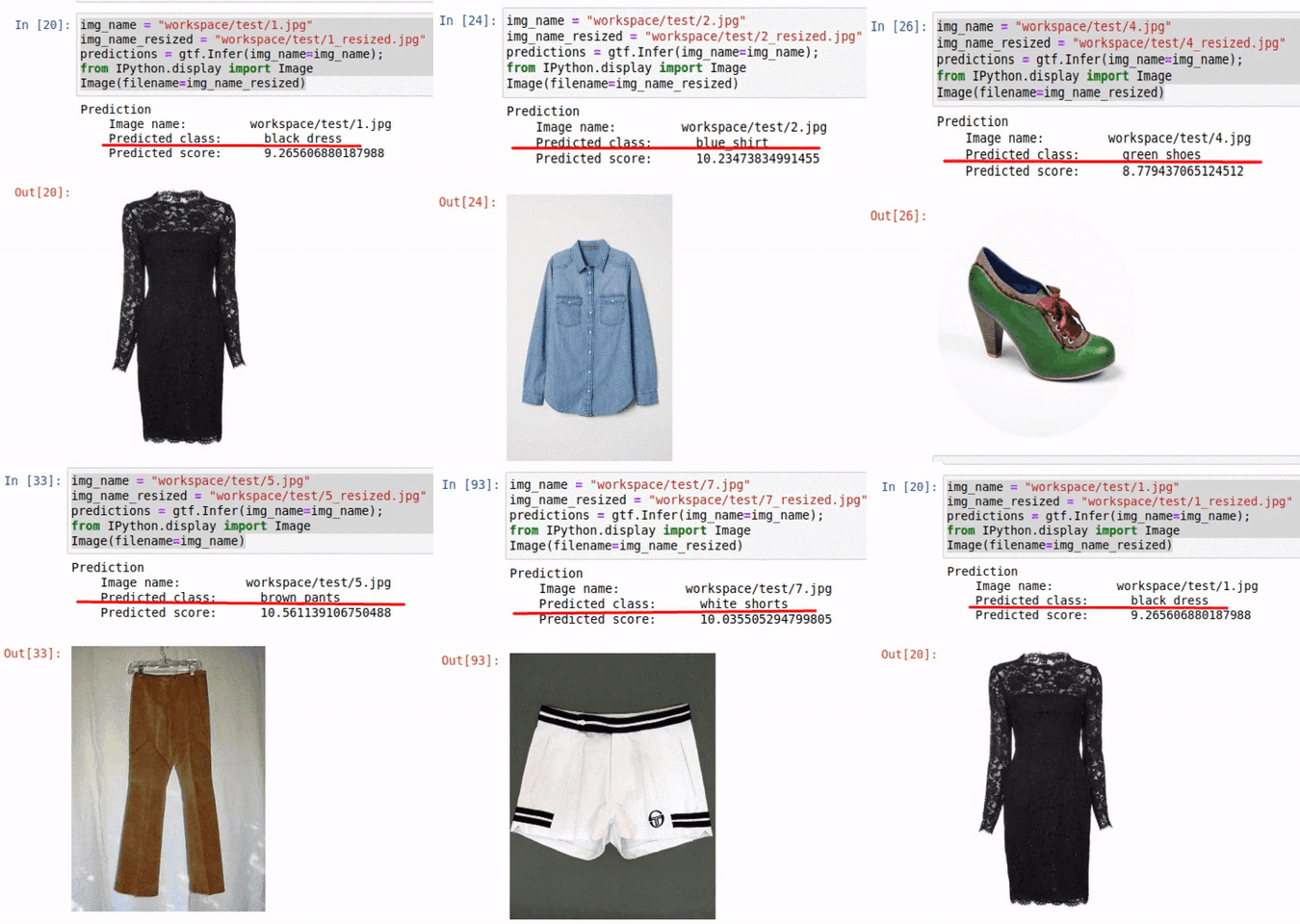
Fashion Domain
Autonomous Vehicles Domain

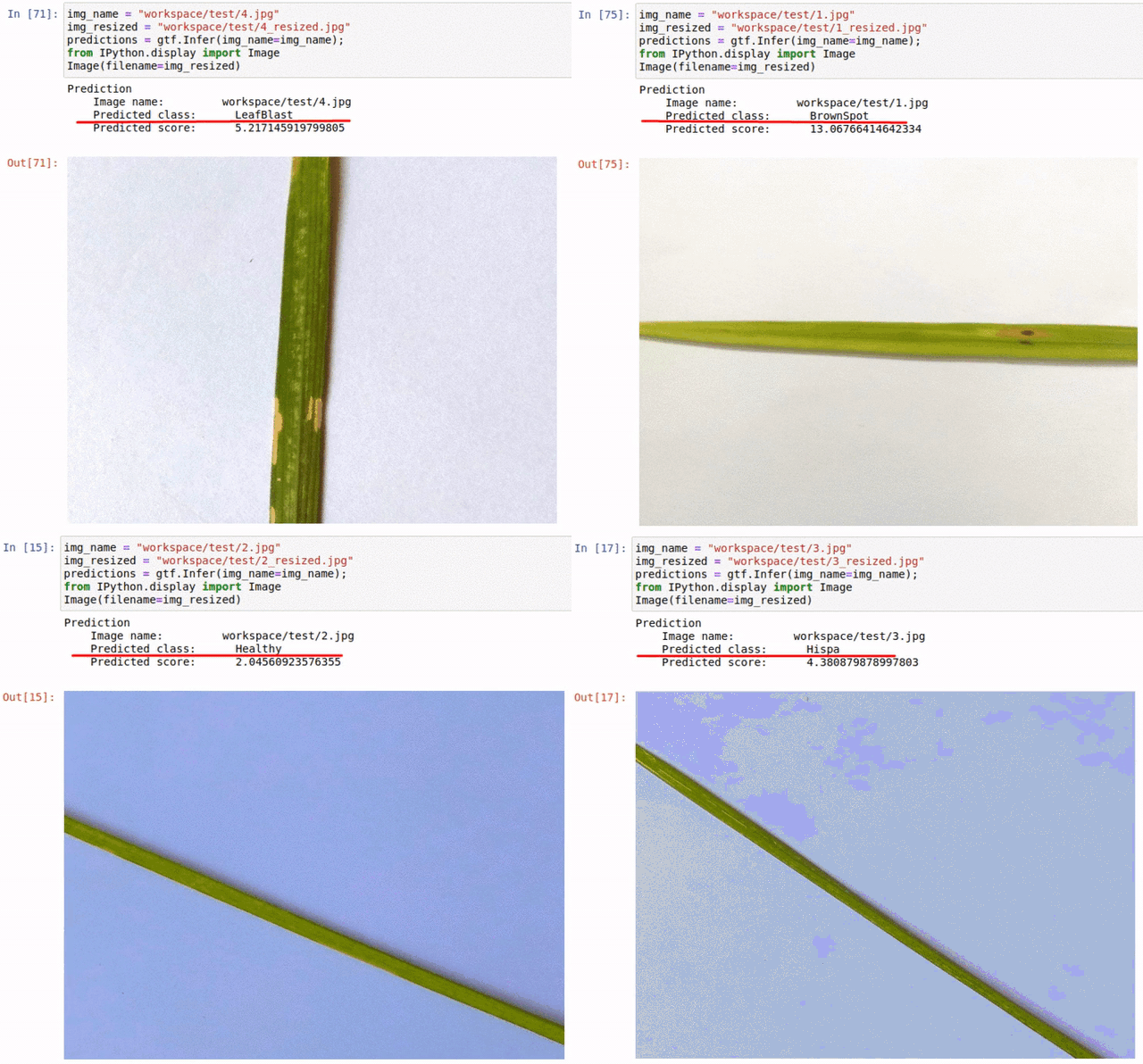
Agriculture Domain
Wildlife Domain
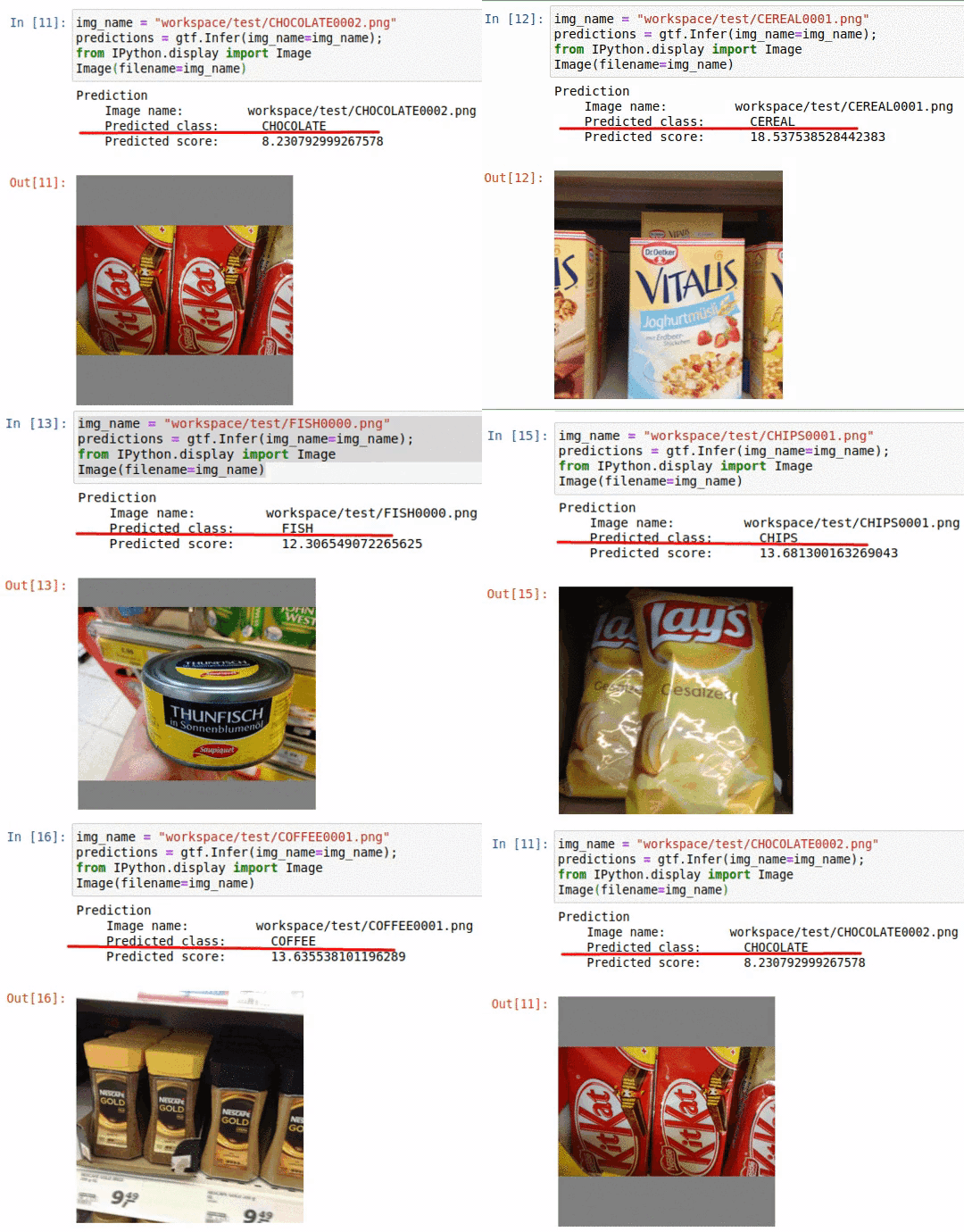
Retail Domain

Satellite Domain
Healthcare Domain
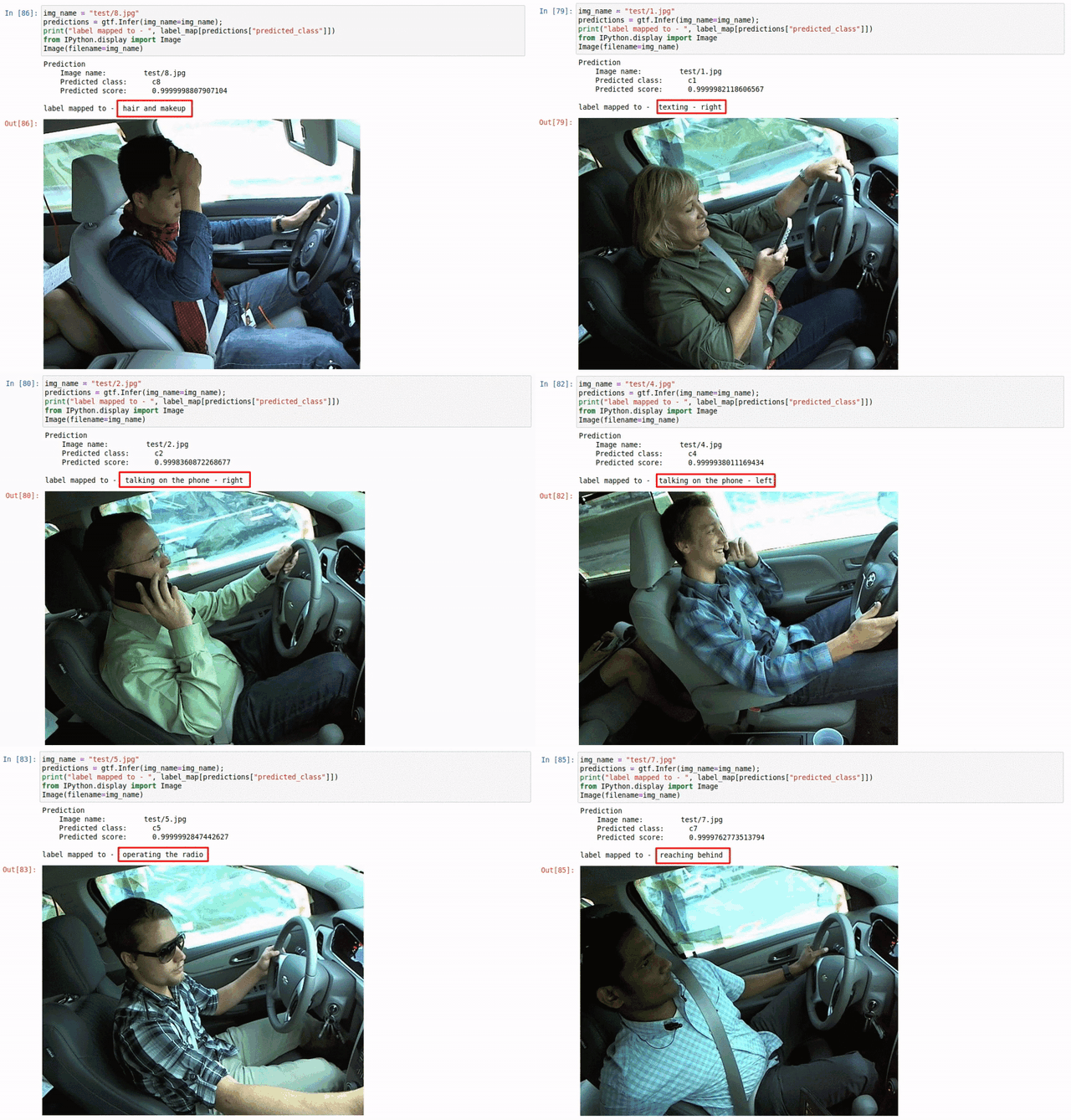
Activity Analysis Domain
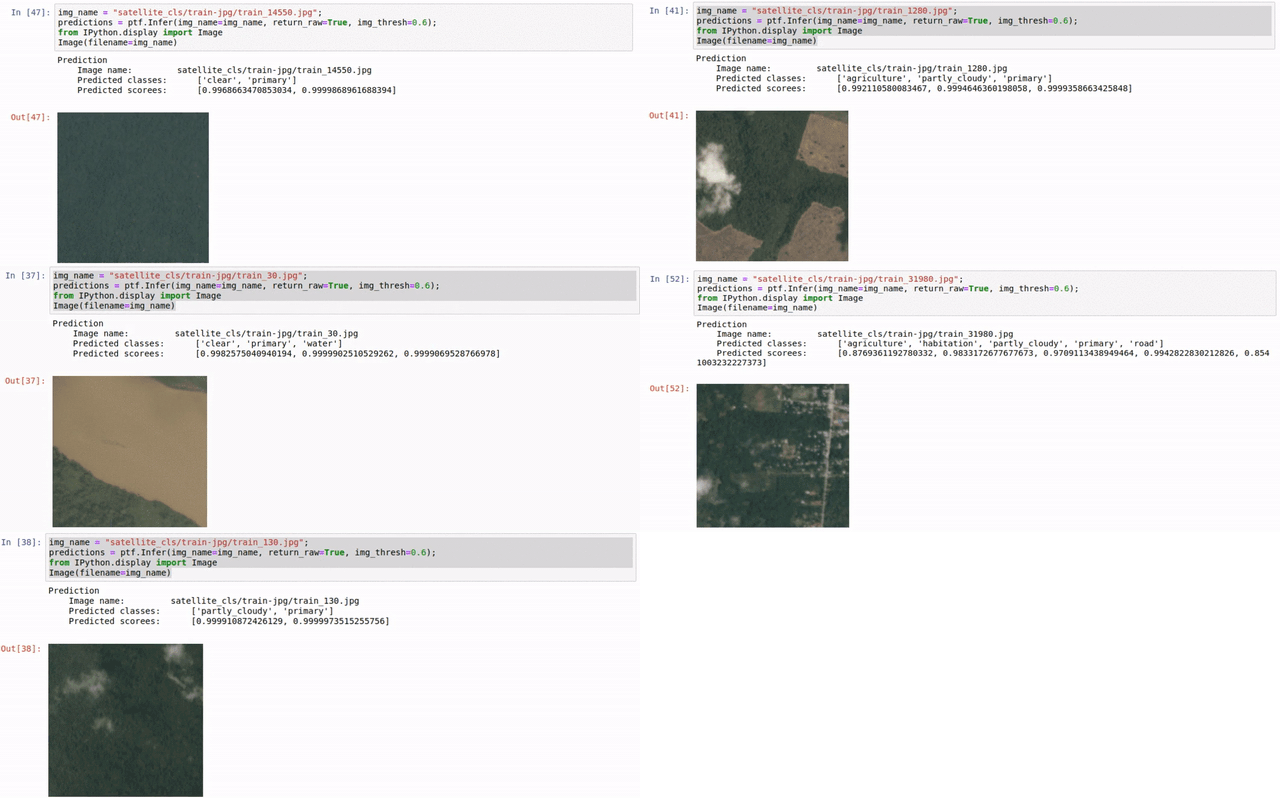
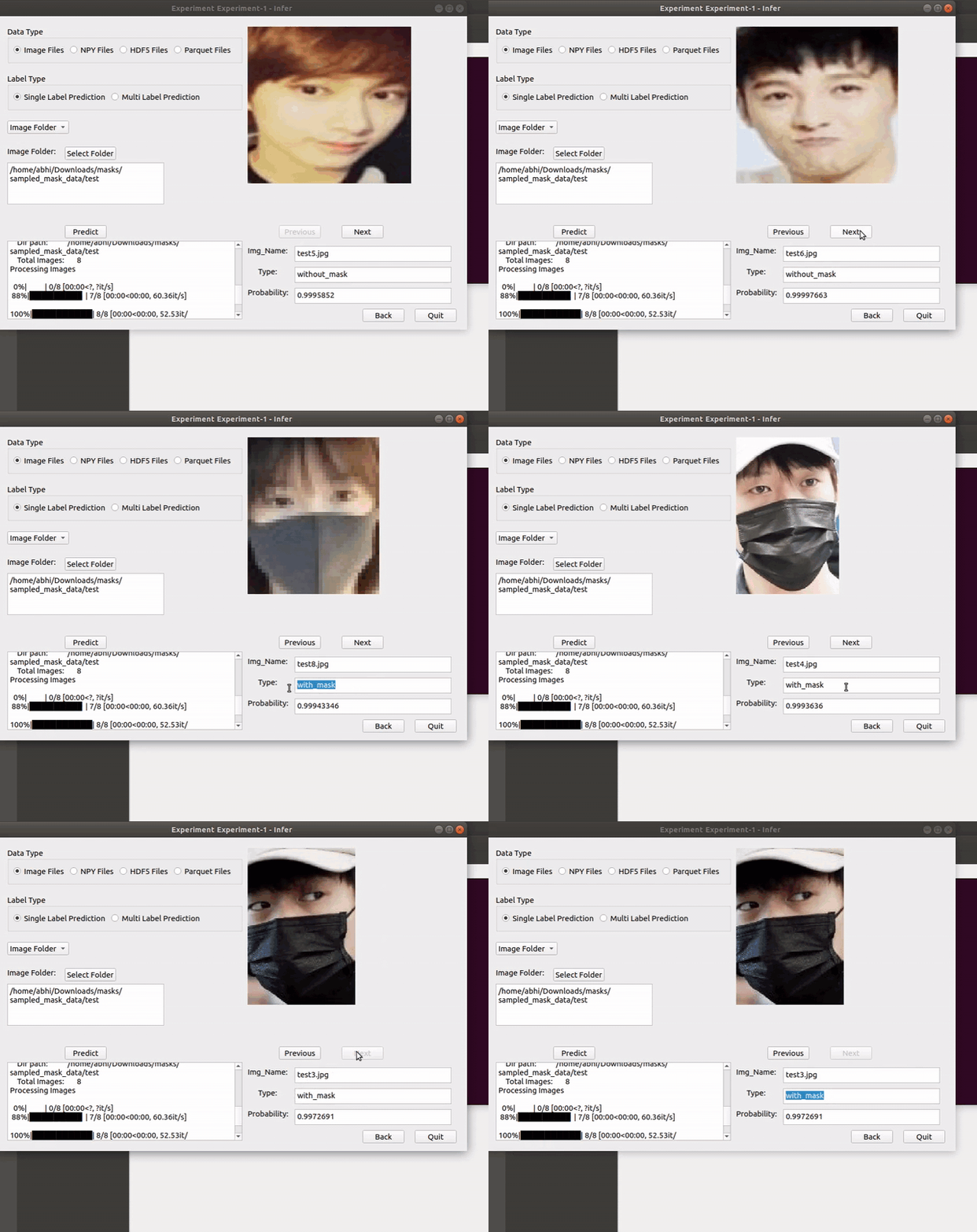
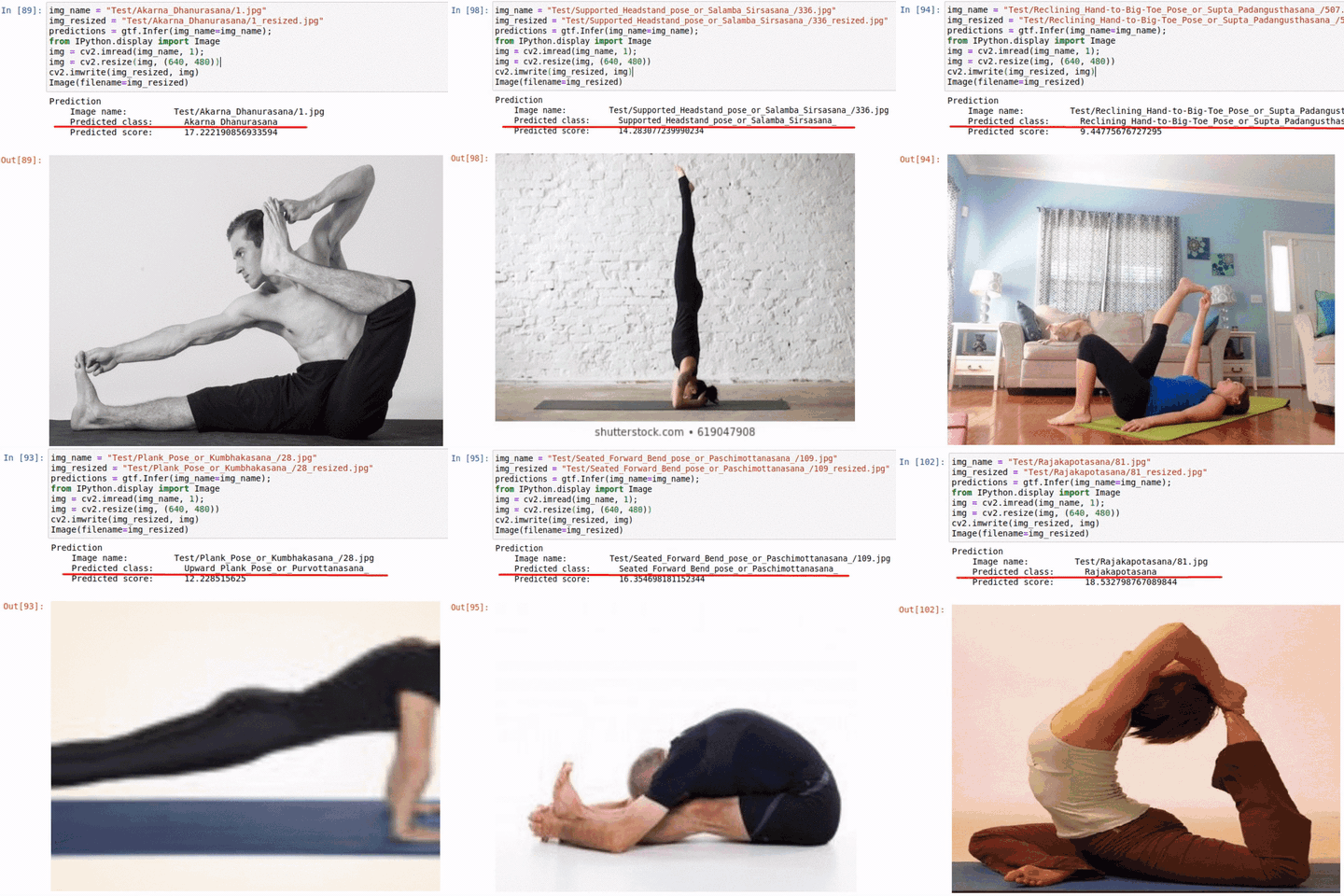
...... For more check out the Application Model Zoo!!!!
How does Monk make image classification easy
- Write less code and create end to end applications.
- Learn only one syntax and create applications using any deep learning library - pytorch, mxnet, keras, tensorflow, etc
- Manage your entire project easily with multiple experiments
For whom this library is built
- Students
- Seamlessly learn computer vision using our comprehensive study roadmaps
- Researchers and Developers
- Create and Manage multiple deep learning projects
- Competiton participants (Kaggle, Codalab, Hackerearth, AiCrowd, etc)
- Expedite the prototyping process and jumpstart with a higher rank
Table of Contents
Sample Showcase - Quick Mode
Create an image classifier.
#Create an experiment
ptf.Prototype("sample-project-1", "sample-experiment-1")

#Load Data
ptf.Default(dataset_path="sample_dataset/",
             model_name="resnet18",
             num_epochs=2)
# Train
ptf.Train()
Inference
predictions = ptf.Infer(img_name="sample.png", return_raw=True);
Compare Experiments
#Create comparison project
ctf.Comparison("Sample-Comparison-1");

#Add all your experiments
ctf.Add_Experiment("sample-project-1", "sample-experiment-1");
ctf.Add_Experiment("sample-project-1", "sample-experiment-2");

# Generate statistics
ctf.Generate_Statistics();
Installation
- CUDA 9.0 :
pip install -U monk-cuda90 - CUDA 9.0 :
pip install -U monk-cuda92 - CUDA 10.0 :
pip install -U monk-cuda100 - CUDA 10.1 :
pip install -U monk-cuda101 - CUDA 10.2 :
pip install -U monk-cuda102 - CPU (+Mac-OS) :
pip install -U monk-cpu - Google Colab :
pip install -U monk-colab - Kaggle :
pip install -U monk-kaggle
For More Installation instructions visit: Link
Study Roadmaps
- Getting started with Monk
- Essential notebooks to use all the monk's features
- Image Processing and Deep Learning
- Learn both the basic and advanced concepts of image processing and deep learning
- Transfer Learning
- Understand transfer learning in the AI field
- Image classification zoo
- A list of 50+ real world image classification examples
Documentation
-
Functional Documentation (Will be merged with Latest docs soon)
-
Features and Functions (In development):
-
Complete Latest Docs (In Progress)
TODO-2020
Features
- [x] Model Visualization
- [ ] Pre-processed data visualization
- [x] Learned feature visualization
- [ ] NDimensional data input - npy - hdf5 - dicom - tiff
- [x] Multi-label Image Classification
- [x] Custom model development
General
- [x] Functional Documentation
- [x] Tackle Multiple versions of libraries
- [x] Add unit-testing
- [ ] Contribution guidelines
- [x] Python pip packaging support
Backend Support
- [x] Tensorflow 2.0 provision support with v1
- [ ] Tensorflow 2.0 complete
- [ ] Chainer
External Libraries
- [ ] TensorRT Acceleration
- [ ] Intel Acceleration
- [ ] Echo AI - for Activation functions
Connect with the project contributors
Copyright
Copyright 2019 onwards, Tessellate Imaging Private Limited Licensed under the Apache License, Version 2.0 (the "License"); you may not use this project's files except in compliance with the License. A copy of the License is provided in the LICENSE file in this repository.