← 开源
PySpur-Dev

pyspur

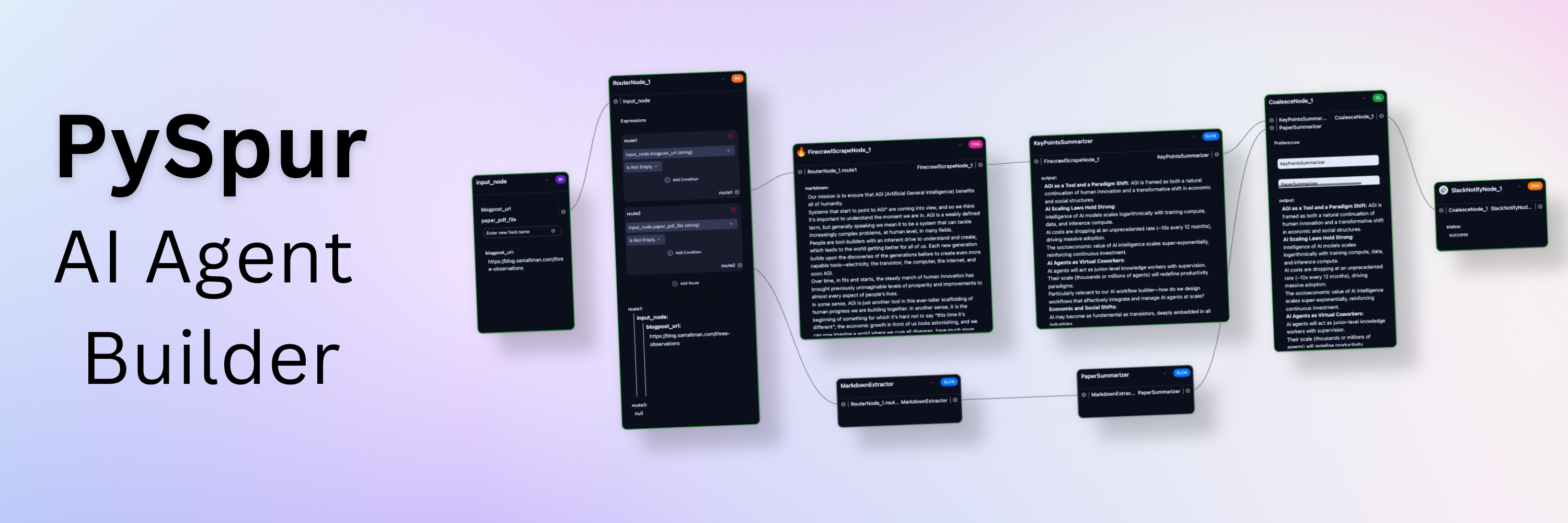
A visual playground for agentic workflows: Iterate over your agents 10x faster

AI EngineeringBuild agent workflow (visual)TypeScript
在 GitHub 打开
增长势头
+-124 小时新增 Star-0.0%
5.79k
Star
430
Fork
+-5
本周
16
贡献者
创建于 2024-09-23 · 更新于 2026-10-16 · 今日第 18492 名
主要开发者

PySpur-Dev/pyspur 排名第 18,492,有 5,792 个星标。

同类别比较

PySpur-Dev/pyspur 排名第 18,492,此处有 8 个同类条目;openai-php/client 排名第 18,491。

同类别比较
名称排名指标
koishijs/koishi18,480
语言:
TypeScript
星标数:
6,253
分叉数:
357
简介:
Cross-platform chatbot framework made with love
epiral/bb-browser18,482
语言:
TypeScript
星标数:
6,242
分叉数:
610
简介:
Your browser is the API. CLI + MCP server for AI agents to control Chrome with your login state.
princeton-nlp/tree-of-thought-llm18,486
语言:
Python
星标数:
6,077
分叉数:
622
简介:
[NeurIPS 2023] Tree of Thoughts: Deliberate Problem Solving with Large Language Models
openai-php/client18,491
语言:
PHP
星标数:
5,836
分叉数:
683
简介:
⚡️ OpenAI PHP is a supercharged community-maintained PHP API client that allows you to interact with OpenAI API.
Layout-Parser/layout-parser18,493
语言:
Python
星标数:
5,775
分叉数:
530
简介:
A Unified Toolkit for Deep Learning Based Document Image Analysis
campfirein/byterover-cli18,514
语言:
TypeScript
星标数:
4,953
分叉数:
455
简介:
ByteRover CLI (brv) - The portable memory layer for autonomous coding agents (formerly Cipher)
openai/simple-evals18,522
语言:
Python
星标数:
4,665
分叉数:
515
gradio-app/fastrtc18,524
语言:
JavaScript
星标数:
4,631
分叉数:
445
简介:
The python library for real-time communication
关键参数与规格
关键参数与规格
参数值
语言TypeScript
类别AI Engineering
子类别Build agent workflow (visual)
关键词No code/Low code, Prompt engineering, Retrieval, Tool use
星标数5,792
分叉数430
贡献者16
创建日期2024-09-23
更新日期2026-10-16
1 天星标数-1
7 天星标数-5
排名18,492
上次排名18,266
排名变化-226
7 天星标排名18,805
上次 7 天星标排名18,647
7 天星标排名变化-158
总星标排名2,468
上次总星标排名2,464
总星标排名变化-4
国家USA
README 摘录

AI engineers use PySpur to iterate over AI agents visually without reinventing the wheel. Problem: It takes a 1,000 tiny paper cuts to make AI reliable AI engineers today face three problems of building agents: **Prompt Hell**: Hours of prompt tweaking and trial-and-error frustration. **Workflow Blindspots**: Lack of visibility into step interactions causing hidden failures and confusion. **Terminal Testing Nightmare** Squinting at raw outputs and manually parsing JSON. We launched a graphic design agent early 2024 and

quickly reached thousands of users, yet, struggled with the lack of its reliability and existing debugging tools. Solution: A playground for agents that saves time Step 1: Define Test Cases Step 2: Build the agent in Python code or via UI Step 3: Iterate obsessively Step 4: Deploy ✨ Core features: 👤 **Human in the Loop**: Persistent workflows that wait for human approval. 🔄 **Loops**: Iterative tool calling with memory. 📤 **File Upload**: Upload files or paste URLs to process documents. 📋 **Structured Outputs**: UI

editor for JSON Schemas. 🗃️ **RAG**: Parse, Chunk, Embed, and Upsert Data into a Vector DB. 🖼️ **Multimodal**: Support for Video, Images, Audio, Texts, Code. 📊 **Traces**: Automatically capture execution traces of deployed agents. 🧪 **Evals**: Evaluate agents on real-world datasets. 🚀 **One-Click Deploy**: Publish as an API and integrate wherever you want. 🐍 **Python-Based**: Add new nodes by creating a single Python file. 🎛️ **Any-Vendor-Support**: >100 LLM providers, embedders, and vector DBs. ⚡ Quick start This is the quickest way to get

started. **[Optional] Configure Your Environment and Add API Keys:** 😎 Feature Reel Human-in-the-loop breakpoints: These breakpoints pause the workflow when reached and resume whenever a human approves it. They enable human oversight for workflows that require quality assurance: verify critical outputs before the workflow proceeds. Debug at Node Level: Multimodal (Upload files or paste URLs) PDFs, Videos, Audio, Images, . Loops RAG Step 1) Create Document Collection (Chunking + Parsing) Step 2) Create Vector Index (Embedding + Vector DB Upsert) Modular

Building Blocks Evaluate Final Performance Coming soon: Self-improvement 🛠️ PySpur Development Setup [ Instructions for development on Unix-like systems. Development on Windows/PC not supported ] We recommend using Cursor/VS Code with our dev container ( ) for: Consistent development environment with pre-configured tools and extensions Optimized settings for Python and TypeScript development Automatic hot-reloading and port forwarding **Option 1: Cursor/VS Code Dev Container (Recommended)** 1. Install Cursor/VS Code and the Dev Containers extension 2. Click "Reopen in

Container" when prompted **Option 2: Manual Setup** 1. **Customize your setup:** Note: Manual setup requires additional configuration and may not include all dev container features. ⭐ Support us You can support us in our work by leaving a star! Your feedback will be massively appreciated. Please tell us which features on that list you like to see next or request entirely new ones.

常见问题

记录了多少星标和分叉?

PySpur-Dev/pyspur 有 5,792 个星标和 430 个分叉。

仓库排名是多少?

PySpur-Dev/pyspur 排名第 18,492。

记录的语言和类别是什么?

PySpur-Dev/pyspur 有 5,792 个星标,语言为 TypeScript,类别为 AI Engineering。

哪个仓库排名最接近?

PySpur-Dev/pyspur 与 openai-php/client 比较,后者排名第 18,491,有 5,836 个星标。

README

Iterate over your agents 10x faster. AI engineers use PySpur to iterate over AI agents visually without reinventing the wheel.

https://github.com/user-attachments/assets/54d0619f-22fd-476c-bf19-9be083d7e710

🕸️ Why PySpur?

Problem: It takes a 1,000 tiny paper cuts to make AI reliable

AI engineers today face three problems of building agents:

  • Prompt Hell: Hours of prompt tweaking and trial-and-error frustration.
  • Workflow Blindspots: Lack of visibility into step interactions causing hidden failures and confusion.
  • Terminal Testing Nightmare Squinting at raw outputs and manually parsing JSON.

We've been there ourselves, too. We launched a graphic design agent early 2024 and quickly reached thousands of users, yet, struggled with the lack of its reliability and existing debugging tools.

Solution: A playground for agents that saves time

Step 1: Define Test Cases

https://github.com/user-attachments/assets/ed9ca45f-7346-463f-b8a4-205bf2c4588f

Step 2: Build the agent in Python code or via UI

https://github.com/user-attachments/assets/7043aae4-fad1-42bd-953a-80c94fce8253

Step 3: Iterate obsessively

https://github.com/user-attachments/assets/72c9901d-a39c-4f80-85a5-f6f76e55f473

Step 4: Deploy

https://github.com/user-attachments/assets/b14f34b2-9f16-4bd0-8a0f-1c26e690af93

✨ Core features:

  • 👤 Human in the Loop: Persistent workflows that wait for human approval.
  • 🔄 Loops: Iterative tool calling with memory.
  • 📤 File Upload: Upload files or paste URLs to process documents.
  • 📋 Structured Outputs: UI editor for JSON Schemas.
  • 🗃️ RAG: Parse, Chunk, Embed, and Upsert Data into a Vector DB.
  • 🖼️ Multimodal: Support for Video, Images, Audio, Texts, Code.
  • 🧰 Tools: Slack, Firecrawl.dev, Google Sheets, GitHub, and more.
  • 📊 Traces: Automatically capture execution traces of deployed agents.
  • 🧪 Evals: Evaluate agents on real-world datasets.
  • 🚀 One-Click Deploy: Publish as an API and integrate wherever you want.
  • 🐍 Python-Based: Add new nodes by creating a single Python file.
  • 🎛️ Any-Vendor-Support: >100 LLM providers, embedders, and vector DBs.

⚡ Quick start

This is the quickest way to get started. Python 3.11 or higher is required.

  1. Install PySpur:

    pip install pyspur
    
  2. Initialize a new project:

    pyspur init my-project
    cd my-project
    

    This will create a new directory with a .env file.

  3. Start the server:

    pyspur serve --sqlite
    

    By default, this will start PySpur app at http://localhost:6080 using a sqlite database. We recommend you configure a postgres instance URL in the .env file to get a more stable experience.

  4. [Optional] Configure Your Environment and Add API Keys:

    • App UI: Navigate to API Keys tab to add provider keys (OpenAI, Anthropic, etc.)
    • Manual: Edit .env file (recommended: configure postgres) and restart with pyspur serve

😎 Feature Reel

Human-in-the-loop breakpoints:

These breakpoints pause the workflow when reached and resume whenever a human approves it. They enable human oversight for workflows that require quality assurance: verify critical outputs before the workflow proceeds.

https://github.com/user-attachments/assets/98cb2b4e-207c-4d97-965b-4fee47c94ce8

Debug at Node Level:

https://github.com/user-attachments/assets/6e82ad25-2a46-4c50-b030-415ea9994690

Multimodal (Upload files or paste URLs)

PDFs, Videos, Audio, Images, ...

https://github.com/user-attachments/assets/83ed9a22-1ec1-4d86-9dd6-5d945588fd0b

Loops

RAG

Step 1) Create Document Collection (Chunking + Parsing)

https://github.com/user-attachments/assets/c77723b1-c076-4a64-a01d-6d6677e9c60e

Step 2) Create Vector Index (Embedding + Vector DB Upsert)

https://github.com/user-attachments/assets/50e5c711-dd01-4d92-bb23-181a1c5bba25

Modular Building Blocks

https://github.com/user-attachments/assets/6442f0ad-86d8-43d9-aa70-e5c01e55e876

Evaluate Final Performance

https://github.com/user-attachments/assets/4dc2abc3-c6e6-4d6d-a5c3-787d518de7ae

Coming soon: Self-improvement

https://github.com/user-attachments/assets/5bef7a16-ef9f-4650-b385-4ea70fa54c8a

🛠️ PySpur Development Setup

[ Instructions for development on Unix-like systems. Development on Windows/PC not supported ]

We recommend using Cursor/VS Code with our dev container (.devcontainer/devcontainer.json) for:

  • Consistent development environment with pre-configured tools and extensions
  • Optimized settings for Python and TypeScript development
  • Automatic hot-reloading and port forwarding

Option 1: Cursor/VS Code Dev Container (Recommended)

  1. Install Cursor/VS Code and the Dev Containers extension
  2. Clone and open the repository
  3. Click "Reopen in Container" when prompted

Option 2: Manual Setup

  1. Clone the repository:

    git clone https://github.com/PySpur-com/pyspur.git
    cd pyspur
    
  2. Launch using docker-compose.dev.yml:

    docker compose -f docker-compose.dev.yml up --build -d
    
  3. Customize your setup: Edit .env to configure your environment (e.g., PostgreSQL settings).

Note: Manual setup requires additional configuration and may not include all dev container features.

⭐ Support us

You can support us in our work by leaving a star! Thank you!

Your feedback will be massively appreciated. Please tell us which features on that list you like to see next or request entirely new ones.

排名相邻
同类项目