[support ollama/other model]【兼容ollama和其他模型】将任何具有OpenAI API调用方法的模型集成到PotPlayer中。它使你在观看视频时能够实时翻译字幕,从而打破语言障碍,提升你的观看体验。 This real-time subtitle translation plugin integrates OpenAI's ChatGPT API (or any model with the same API calling method) into PotPlayer. It enables you to translate subtitles on-the-fly while watching videos.
Every question can open a new path. WeSmartFlow turns learning into conversation, exploration, stories, and hands-on discovery.
关键参数与规格
关键参数与规格
参数
值
语言
TypeScript
类别
Applications
子类别
Research & knowledge
关键词
Deep Research
星标数
1,063
分叉数
358
贡献者
1
创建日期
2024-04-25
更新日期
2026-10-14
1 天星标数
0
7 天星标数
1
排名
11,808
上次排名
11,729
排名变化
-79
7 天星标排名
10,239
上次 7 天星标排名
10,277
7 天星标排名变化
38
总星标排名
10,647
上次总星标排名
10,634
总星标排名变化
-13
国家
India
README 摘录
:construction: Under Active Development Our focus is on establishing core functionality and essential features. As we continue to develop Omniplex, we are committed to implementing best practices, refining the codebase, and introducing new features to enhance the user experience. Get started To run the project, modify the code in the Chat component to use the . Plugins Development This is just a hacky way but very easy to implement. We will be adding a more robust way to add plugins in
the future. Feel free to understand from the sample plugin we have added. Update the types in to include the new plugin data types. Update the api in to include the new plugin function call. Update the in file to include the new plugin data. Update the in to include the new plugin reducer. Create a new folder in the directory for the UI of the plugin. Update the to handle the new plugin in . Call the plugin function and
return the data as props to source. Lastly Update the in to show in the plugin tab. Add the new LLM apiKey in env and add the related npm package. Update the in Disclaimer We recently transitioned from the pages directory to the app directory, which involved significant changes to the project structure and architecture. As a result, you may encounter some inconsistencies or rough edges in the codebase. Roadmap [x] Images & Videos for Search [x] Upload for Vision Model
[x] Chat History for Users [x] Shared Chats & Fork [x] Settings for LLMs [x] Custom OG Metadata [x] Faster API Requests [x] Allow Multiple LLMs [x] Plugin Development [x] Function Calling with Gen UI App Architecture Language: TypeScript Frontend Framework: React State Management: Redux Web Framework: Next. js Backend and Database: Firebase UI Library: NextUI & Tremor CSS Framework: TailwindCSS AI SDK: Vercel AI SDK Services LLM: OpenAI Search API: Bing Weather API: OpenWeatherMap Stocks API: Alpha Vantage & Finnhub Dictionary API
: WordnikFree Dictionary API Hosting & Analytics: Vercel Authentication, Storage & Database: Firebase Contributing We welcome contributions from the community! If you'd like to contribute to Openpanel, please follow these steps: 1. Create a new branch for your feature or bug fix 3. Make your changes and commit them with descriptive messages 4. Push your changes to your forked repository 5. Submit a pull request to the main repository Please ensure that your code follows our coding conventions and passes all tests before
submitting a pull request. License This project is licensed under the AGPL-3. Contact If you have any questions or suggestions, feel free to reach out to us at Contact.
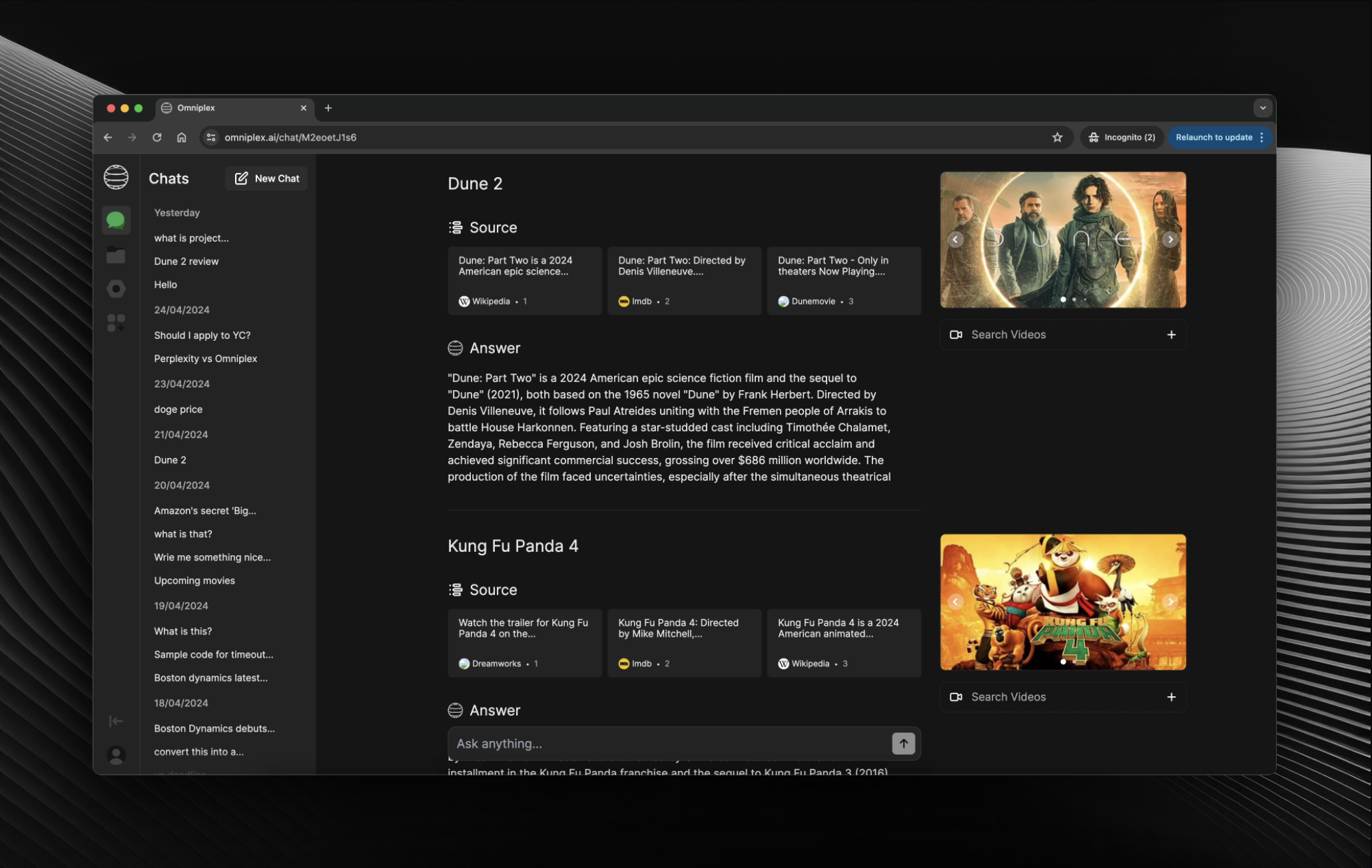
Our focus is on establishing core functionality and essential features. As we continue to develop Omniplex, we are committed to implementing best practices, refining the codebase, and introducing new features to enhance the user experience.
Get started
To run the project, modify the code in the Chat component to use the // Development Code.
This is just a hacky way but very easy to implement. We will be adding a more robust way to add plugins in the future. Feel free to understand from the sample plugin we have added.
Update the types in types.ts to include the new plugin data types.
Update the tools api in api to include the new plugin function call.
Update the api.ts in utils file to include the new plugin data.
Update the chatSlice.ts in store to include the new plugin reducer.
Create a new folder in the components directory for the UI of the plugin.
Update the chat.tsx to handle the new plugin in useEffect.
Call the plugin function and return the data as props to source.
Update the source.ts to use the plugin UI.
Lastly Update the data.ts in utils to show in the plugin tab.
Multi-LLM Support: Example
Add the new LLM apiKey in env and add the related npm package.
We recently transitioned from the pages directory to the app directory, which involved significant changes to the project structure and architecture. As a result, you may encounter some inconsistencies or rough edges in the codebase.
Roadmap
[x] Images & Videos for Search
[x] Upload for Vision Model
[x] Chat History for Users
[x] Shared Chats & Fork
[x] Settings for LLMs
[x] Custom OG Metadata
[x] Faster API Requests
[x] Allow Multiple LLMs
[x] Plugin Development
[x] Function Calling with Gen UI
App Architecture
Language: TypeScript
Frontend Framework: React
State Management: Redux
Web Framework: Next.js
Backend and Database: Firebase
UI Library: NextUI & Tremor
CSS Framework: TailwindCSS
AI SDK: Vercel AI SDK
Services
LLM: OpenAI
Search API: Bing
Weather API: OpenWeatherMap
Stocks API: Alpha Vantage & Finnhub
Dictionary API: WordnikFree Dictionary API
Hosting & Analytics: Vercel
Authentication, Storage & Database: Firebase
Contributing
We welcome contributions from the community! If you'd like to contribute to Openpanel, please follow these steps:
Fork the repository
Create a new branch for your feature or bug fix
Make your changes and commit them with descriptive messages
Push your changes to your forked repository
Submit a pull request to the main repository
Please ensure that your code follows our coding conventions and passes all tests before submitting a pull request.