Alias-Free Generative Adversarial Networks (StyleGAN3)
Official PyTorch implementation of the NeurIPS 2021 paper
Alias-Free Generative Adversarial Networks
Tero Karras, Miika Aittala, Samuli Laine, Erik Härkönen, Janne Hellsten, Jaakko Lehtinen, Timo Aila
https://nvlabs.github.io/stylegan3
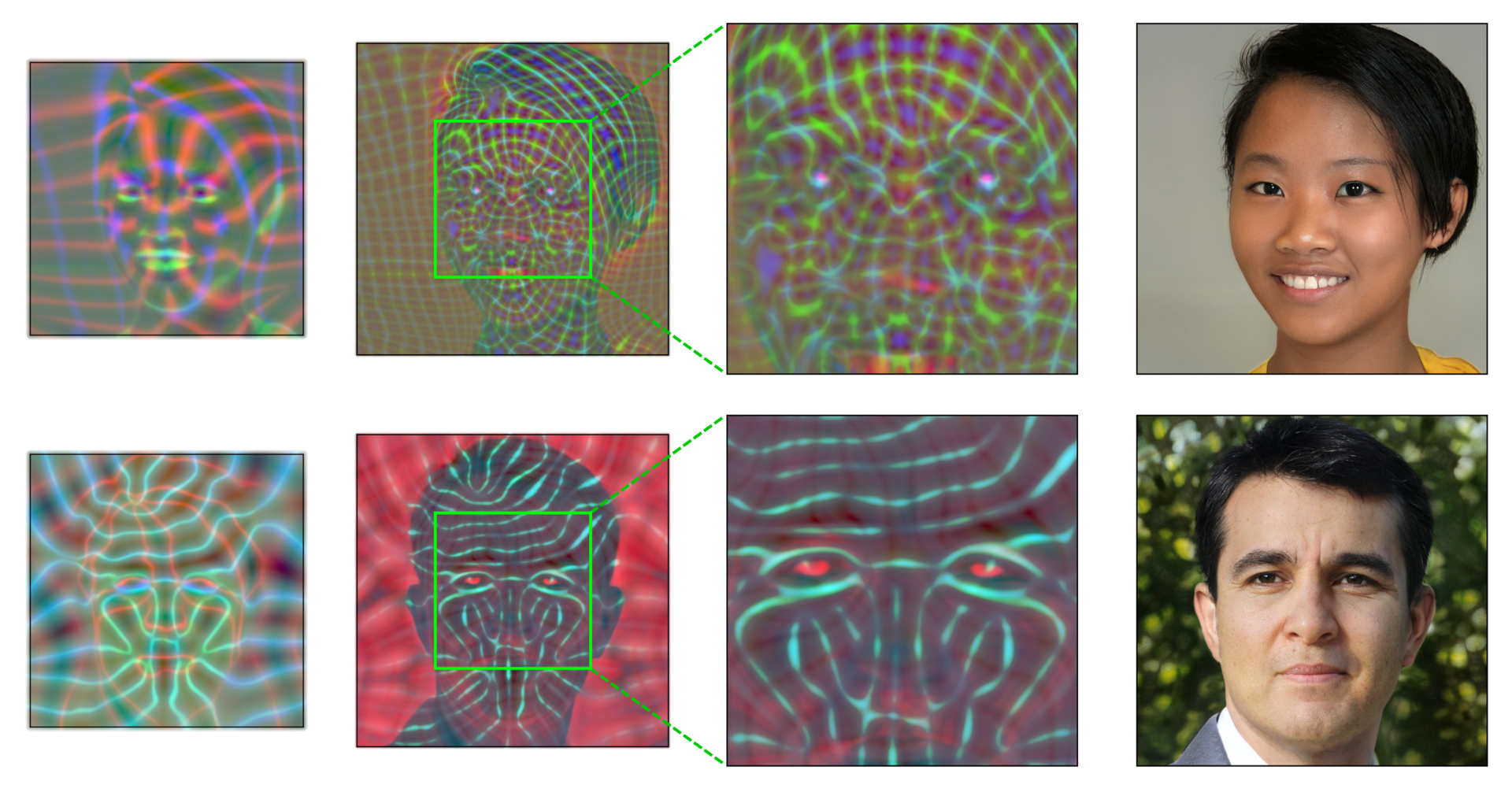
Abstract: We observe that despite their hierarchical convolutional nature, the synthesis process of typical generative adversarial networks depends on absolute pixel coordinates in an unhealthy manner. This manifests itself as, e.g., detail appearing to be glued to image coordinates instead of the surfaces of depicted objects. We trace the root cause to careless signal processing that causes aliasing in the generator network. Interpreting all signals in the network as continuous, we derive generally applicable, small architectural changes that guarantee that unwanted information cannot leak into the hierarchical synthesis process. The resulting networks match the FID of StyleGAN2 but differ dramatically in their internal representations, and they are fully equivariant to translation and rotation even at subpixel scales. Our results pave the way for generative models better suited for video and animation.
For business inquiries, please visit our website and submit the form: NVIDIA Research Licensing
Release notes
This repository is an updated version of stylegan2-ada-pytorch, with several new features:
- Alias-free generator architecture and training configurations (
stylegan3-t,stylegan3-r). - Tools for interactive visualization (
visualizer.py), spectral analysis (avg_spectra.py), and video generation (gen_video.py). - Equivariance metrics (
eqt50k_int,eqt50k_frac,eqr50k). - General improvements: reduced memory usage, slightly faster training, bug fixes.
Compatibility:
- Compatible with old network pickles created using stylegan2-ada and stylegan2-ada-pytorch. (Note: running old StyleGAN2 models on StyleGAN3 code will produce the same results as running them on stylegan2-ada/stylegan2-ada-pytorch. To benefit from the StyleGAN3 architecture, you need to retrain.)
- Supports old StyleGAN2 training configurations, including ADA and transfer learning. See Training configurations for details.
- Improved compatibility with Ampere GPUs and newer versions of PyTorch, CuDNN, etc.
Synthetic image detection
While new generator approaches enable new media synthesis capabilities, they may also present a new challenge for AI forensics algorithms for detection and attribution of synthetic media. In collaboration with digital forensic researchers participating in DARPA's SemaFor program, we curated a synthetic image dataset that allowed the researchers to test and validate the performance of their image detectors in advance of the public release. Please see here for more details.
Additional material
-
StyleGAN3 pre-trained models for config T (translation equiv.) and config R (translation and rotation equiv.)
Access individual networks via
https://api.ngc.nvidia.com/v2/models/nvidia/research/stylegan3/versions/1/files/, where `` is one of:stylegan3-t-ffhq-1024x1024.pkl,stylegan3-t-ffhqu-1024x1024.pkl,stylegan3-t-ffhqu-256x256.pklstylegan3-r-ffhq-1024x1024.pkl,stylegan3-r-ffhqu-1024x1024.pkl,stylegan3-r-ffhqu-256x256.pklstylegan3-t-metfaces-1024x1024.pkl,stylegan3-t-metfacesu-1024x1024.pklstylegan3-r-metfaces-1024x1024.pkl,stylegan3-r-metfacesu-1024x1024.pklstylegan3-t-afhqv2-512x512.pklstylegan3-r-afhqv2-512x512.pkl -
StyleGAN2 pre-trained models compatible with this codebase
Access individual networks via
https://api.ngc.nvidia.com/v2/models/nvidia/research/stylegan2/versions/1/files/, where `` is one of:stylegan2-ffhq-1024x1024.pkl,stylegan2-ffhq-512x512.pkl,stylegan2-ffhq-256x256.pklstylegan2-ffhqu-1024x1024.pkl,stylegan2-ffhqu-256x256.pklstylegan2-metfaces-1024x1024.pkl,stylegan2-metfacesu-1024x1024.pklstylegan2-afhqv2-512x512.pklstylegan2-afhqcat-512x512.pkl,stylegan2-afhqdog-512x512.pkl,stylegan2-afhqwild-512x512.pklstylegan2-brecahad-512x512.pkl,stylegan2-cifar10-32x32.pklstylegan2-celebahq-256x256.pkl,stylegan2-lsundog-256x256.pkl
Requirements
- Linux and Windows are supported, but we recommend Linux for performance and compatibility reasons.
- 1–8 high-end NVIDIA GPUs with at least 12 GB of memory. We have done all testing and development using Tesla V100 and A100 GPUs.
- 64-bit Python 3.8 and PyTorch 1.9.0 (or later). See https://pytorch.org for PyTorch install instructions.
- CUDA toolkit 11.1 or later. (Why is a separate CUDA toolkit installation required? See Troubleshooting).
- GCC 7 or later (Linux) or Visual Studio (Windows) compilers. Recommended GCC version depends on CUDA version, see for example CUDA 11.4 system requirements.
- Python libraries: see environment.yml for exact library dependencies. You can use the following commands with Miniconda3 to create and activate your StyleGAN3 Python environment:
conda env create -f environment.ymlconda activate stylegan3
- Docker users:
- Ensure you have correctly installed the NVIDIA container runtime.
- Use the provided Dockerfile to build an image with the required library dependencies.
The code relies heavily on custom PyTorch extensions that are compiled on the fly using NVCC. On Windows, the compilation requires Microsoft Visual Studio. We recommend installing Visual Studio Community Edition and adding it into PATH using "C:\Program Files (x86)\Microsoft Visual Studio\\Community\VC\Auxiliary\Build\vcvars64.bat".
See Troubleshooting for help on common installation and run-time problems.
Getting started
Pre-trained networks are stored as *.pkl files that can be referenced using local filenames or URLs:
# Generate an image using pre-trained AFHQv2 model ("Ours" in Figure 1, left).
python gen_images.py --outdir=out --trunc=1 --seeds=2 \
    --network=https://api.ngc.nvidia.com/v2/models/nvidia/research/stylegan3/versions/1/files/stylegan3-r-afhqv2-512x512.pkl

# Render a 4x2 grid of interpolations for seeds 0 through 31.
python gen_video.py --output=lerp.mp4 --trunc=1 --seeds=0-31 --grid=4x2 \
    --network=https://api.ngc.nvidia.com/v2/models/nvidia/research/stylegan3/versions/1/files/stylegan3-r-afhqv2-512x512.pkl
Outputs from the above commands are placed under out/*.png, controlled by --outdir. Downloaded network pickles are cached under $HOME/.cache/dnnlib, which can be overridden by setting the DNNLIB_CACHE_DIR environment variable. The default PyTorch extension build directory is $HOME/.cache/torch_extensions, which can be overridden by setting TORCH_EXTENSIONS_DIR.
Docker: You can run the above curated image example using Docker as follows:
# Build the stylegan3:latest image
docker build --tag stylegan3 .

# Run the gen_images.py script using Docker:
docker run --gpus all -it --rm --user $(id -u):$(id -g) \
    -v `pwd`:/scratch --workdir /scratch -e HOME=/scratch \
    stylegan3 \
    python gen_images.py --outdir=out --trunc=1 --seeds=2 \
         --network=https://api.ngc.nvidia.com/v2/models/nvidia/research/stylegan3/versions/1/files/stylegan3-r-afhqv2-512x512.pkl
Note: The Docker image requires NVIDIA driver release r470 or later.
The docker run invocation may look daunting, so let's unpack its contents here:
--gpus all -it --rm --user $(id -u):$(id -g): with all GPUs enabled, run an interactive session with current user's UID/GID to avoid Docker writing files as root.-v `pwd`:/scratch --workdir /scratch: mount current running dir (e.g., the top of this git repo on your host machine) to/scratchin the container and use that as the current working dir.-e HOME=/scratch: let PyTorch and StyleGAN3 code know where to cache temporary files such as pre-trained models and custom PyTorch extension build results. Note: if you want more fine-grained control, you can instead setTORCH_EXTENSIONS_DIR(for custom extensions build dir) andDNNLIB_CACHE_DIR(for pre-trained model download cache). You want these cache dirs to reside on persistent volumes so that their contents are retained across multipledocker runinvocations.
Interactive visualization
This release contains an interactive model visualization tool that can be used to explore various characteristics of a trained model. To start it, run:
python visualizer.py

Using networks from Python
You can use pre-trained networks in your own Python code as follows:
with open('ffhq.pkl', 'rb') as f:
    G = pickle.load(f)['G_ema'].cuda()  # torch.nn.Module
z = torch.randn([1, G.z_dim]).cuda()    # latent codes
c = None                                # class labels (not used in this example)
img = G(z, c)                           # NCHW, float32, dynamic range [-1, +1], no truncation
The above code requires torch_utils and dnnlib to be accessible via PYTHONPATH. It does not need source code for the networks themselves — their class definitions are loaded from the pickle via torch_utils.persistence.
The pickle contains three networks. 'G' and 'D' are instantaneous snapshots taken during training, and 'G_ema' represents a moving average of the generator weights over several training steps. The networks are regular instances of torch.nn.Module, with all of their parameters and buffers placed on the CPU at import and gradient computation disabled by default.
The generator consists of two submodules, G.mapping and G.synthesis, that can be executed separately. They also support various additional options:
w = G.mapping(z, c, truncation_psi=0.5, truncation_cutoff=8)
img = G.synthesis(w, noise_mode='const', force_fp32=True)
Please refer to gen_images.py for complete code example.
Preparing datasets
Datasets are stored as uncompressed ZIP archives containing uncompressed PNG files and a metadata file dataset.json for labels. Custom datasets can be created from a folder containing images; see python dataset_tool.py --help for more information. Alternatively, the folder can also be used directly as a dataset, without running it through dataset_tool.py first, but doing so may lead to suboptimal performance.
FFHQ: Download the Flickr-Faces-HQ dataset as 1024x1024 images and create a zip archive using dataset_tool.py:
# Original 1024x1024 resolution.
python dataset_tool.py --source=/tmp/images1024x1024 --dest=~/datasets/ffhq-1024x1024.zip

# Scaled down 256x256 resolution.
python dataset_tool.py --source=/tmp/images1024x1024 --dest=~/datasets/ffhq-256x256.zip \
    --resolution=256x256
See the FFHQ README for information on how to obtain the unaligned FFHQ dataset images. Use the same steps as above to create a ZIP archive for training and validation.
MetFaces: Download the MetFaces dataset and create a ZIP archive:
python dataset_tool.py --source=~/downloads/metfaces/images --dest=~/datasets/metfaces-1024x1024.zip
See the MetFaces README for information on how to obtain the unaligned MetFaces dataset images. Use the same steps as above to create a ZIP archive for training and validation.
AFHQv2: Download the AFHQv2 dataset and create a ZIP archive:
python dataset_tool.py --source=~/downloads/afhqv2 --dest=~/datasets/afhqv2-512x512.zip
Note that the above command creates a single combined dataset using all images of all three classes (cats, dogs, and wild animals), matching the setup used in the StyleGAN3 paper. Alternatively, you can also create a separate dataset for each class:
python dataset_tool.py --source=~/downloads/afhqv2/train/cat --dest=~/datasets/afhqv2cat-512x512.zip
python dataset_tool.py --source=~/downloads/afhqv2/train/dog --dest=~/datasets/afhqv2dog-512x512.zip
python dataset_tool.py --source=~/downloads/afhqv2/train/wild --dest=~/datasets/afhqv2wild-512x512.zip
Training
You can train new networks using train.py. For example:
# Train StyleGAN3-T for AFHQv2 using 8 GPUs.
python train.py --outdir=~/training-runs --cfg=stylegan3-t --data=~/datasets/afhqv2-512x512.zip \
    --gpus=8 --batch=32 --gamma=8.2 --mirror=1

# Fine-tune StyleGAN3-R for MetFaces-U using 1 GPU, starting from the pre-trained FFHQ-U pickle.
python train.py --outdir=~/training-runs --cfg=stylegan3-r --data=~/datasets/metfacesu-1024x1024.zip \
    --gpus=8 --batch=32 --gamma=6.6 --mirror=1 --kimg=5000 --snap=5 \
    --resume=https://api.ngc.nvidia.com/v2/models/nvidia/research/stylegan3/versions/1/files/stylegan3-r-ffhqu-1024x1024.pkl

# Train StyleGAN2 for FFHQ at 1024x1024 resolution using 8 GPUs.
python train.py --outdir=~/training-runs --cfg=stylegan2 --data=~/datasets/ffhq-1024x1024.zip \
    --gpus=8 --batch=32 --gamma=10 --mirror=1 --aug=noaug
Note that the result quality and training time depend heavily on the exact set of options. The most important ones (--gpus, --batch, and --gamma) must be specified explicitly, and they should be selected with care. See python train.py --help for the full list of options and Training configurations for general guidelines & recommendations, along with the expected training speed & memory usage in different scenarios.
The results of each training run are saved to a newly created directory, for example ~/training-runs/00000-stylegan3-t-afhqv2-512x512-gpus8-batch32-gamma8.2. The training loop exports network pickles (network-snapshot-.pkl) and random image grids (fakes.png) at regular intervals (controlled by --snap). For each exported pickle, it evaluates FID (controlled by --metrics) and logs the result in metric-fid50k_full.jsonl. It also records various statistics in training_stats.jsonl, as well as *.tfevents if TensorBoard is installed.
Quality metrics
By default, train.py automatically computes FID for each network pickle exported during training. We recommend inspecting metric-fid50k_full.jsonl (or TensorBoard) at regular intervals to monitor the training progress. When desired, the automatic computation can be disabled with --metrics=none to speed up the training slightly.
Additional quality metrics can also be computed after the training:
# Previous training run: look up options automatically, save result to JSONL file.
python calc_metrics.py --metrics=eqt50k_int,eqr50k \
    --network=~/training-runs/00000-stylegan3-r-mydataset/network-snapshot-000000.pkl

# Pre-trained network pickle: specify dataset explicitly, print result to stdout.
python calc_metrics.py --metrics=fid50k_full --data=~/datasets/ffhq-1024x1024.zip --mirror=1 \
    --network=https://api.ngc.nvidia.com/v2/models/nvidia/research/stylegan3/versions/1/files/stylegan3-t-ffhq-1024x1024.pkl
The first example looks up the training configuration and performs the same operation as if --metrics=eqt50k_int,eqr50k had been specified during training. The second example downloads a pre-trained network pickle, in which case the values of --data and --mirror must be specified explicitly.
Note that the metrics can be quite expensive to compute (up to 1h), and many of them have an additional one-off cost for each new dataset (up to 30min). Also note that the evaluation is done using a different random seed each time, so the results will vary if the same metric is computed multiple times.
Recommended metrics:
fid50k_full: Fréchet inception distance[1] against the full dataset.kid50k_full: Kernel inception distance[2] against the full dataset.pr50k3_full: Precision and recall[3] againt the full dataset.ppl2_wend: Perceptual path length[4] in W, endpoints, full image.eqt50k_int: Equivariance[5] w.r.t. integer translation (EQ-T).eqt50k_frac: Equivariance w.r.t. fractional translation (EQ-Tfrac).eqr50k: Equivariance w.r.t. rotation (EQ-R).
Legacy metrics:
fid50k: Fréchet inception distance against 50k real images.kid50k: Kernel inception distance against 50k real images.pr50k3: Precision and recall against 50k real images.is50k: Inception score[6] for CIFAR-10.
References:
- GANs Trained by a Two Time-Scale Update Rule Converge to a Local Nash Equilibrium, Heusel et al. 2017
- Demystifying MMD GANs, Bińkowski et al. 2018
- Improved Precision and Recall Metric for Assessing Generative Models, Kynkäänniemi et al. 2019
- A Style-Based Generator Architecture for Generative Adversarial Networks, Karras et al. 2018
- Alias-Free Generative Adversarial Networks, Karras et al. 2021
- Improved Techniques for Training GANs, Salimans et al. 2016
Spectral analysis
The easiest way to inspect the spectral properties of a given generator is to use the built-in FFT mode in visualizer.py. In addition, you can visualize average 2D power spectra (Appendix A, Figure 15) as follows:
# Calculate dataset mean and std, needed in subsequent steps.
python avg_spectra.py stats --source=~/datasets/ffhq-1024x1024.zip

# Calculate average spectrum for the training data.
python avg_spectra.py calc --source=~/datasets/ffhq-1024x1024.zip \
    --dest=tmp/training-data.npz --mean=112.684 --std=69.509

# Calculate average spectrum for a pre-trained generator.
python avg_spectra.py calc \
    --source=https://api.ngc.nvidia.com/v2/models/nvidia/research/stylegan3/versions/1/files/stylegan3-r-ffhq-1024x1024.pkl \
    --dest=tmp/stylegan3-r.npz --mean=112.684 --std=69.509 --num=70000

# Display results.
python avg_spectra.py heatmap tmp/training-data.npz
python avg_spectra.py heatmap tmp/stylegan3-r.npz
python avg_spectra.py slices tmp/training-data.npz tmp/stylegan3-r.npz

License
Copyright © 2021, NVIDIA Corporation & affiliates. All rights reserved.
This work is made available under the Nvidia Source Code License.
Citation
@inproceedings{Karras2021,
  author = {Tero Karras and Miika Aittala and Samuli Laine and Erik H\"ark\"onen and Janne Hellsten and Jaakko Lehtinen and Timo Aila},
  title = {Alias-Free Generative Adversarial Networks},
  booktitle = {Proc. NeurIPS},
  year = {2021}
}
Development
This is a research reference implementation and is treated as a one-time code drop. As such, we do not accept outside code contributions in the form of pull requests.
Acknowledgements
We thank David Luebke, Ming-Yu Liu, Koki Nagano, Tuomas Kynkäänniemi, and Timo Viitanen for reviewing early drafts and helpful suggestions. Frédo Durand for early discussions. Tero Kuosmanen for maintaining our compute infrastructure. AFHQ authors for an updated version of their dataset. Getty Images for the training images in the Beaches dataset. We did not receive external funding or additional revenues for this project.